DocHarbor: Document Vault
Passport, ID & expiry tracker
Diseñada para iPhone, iPad
Gratis · Compras en la aplicación
- Clasificación por edad4+
- CategoríaProductividad
- DesarrolladorMark Opanasiuk
- IdiomasInglés
- Tamaño13,3 MB
Enlaza a la página oficial de App Store
Download.org no aloja ningún archivo de DocHarbor: Document Vault. El botón abre la página de la aplicación en App Store, donde la publica Mark Opanasiuk. Ficha comprobada por última vez el 17/11/2026.
Capturas de pantalla
Acerca de
El desarrollador no ha proporcionado este texto en tu idioma.
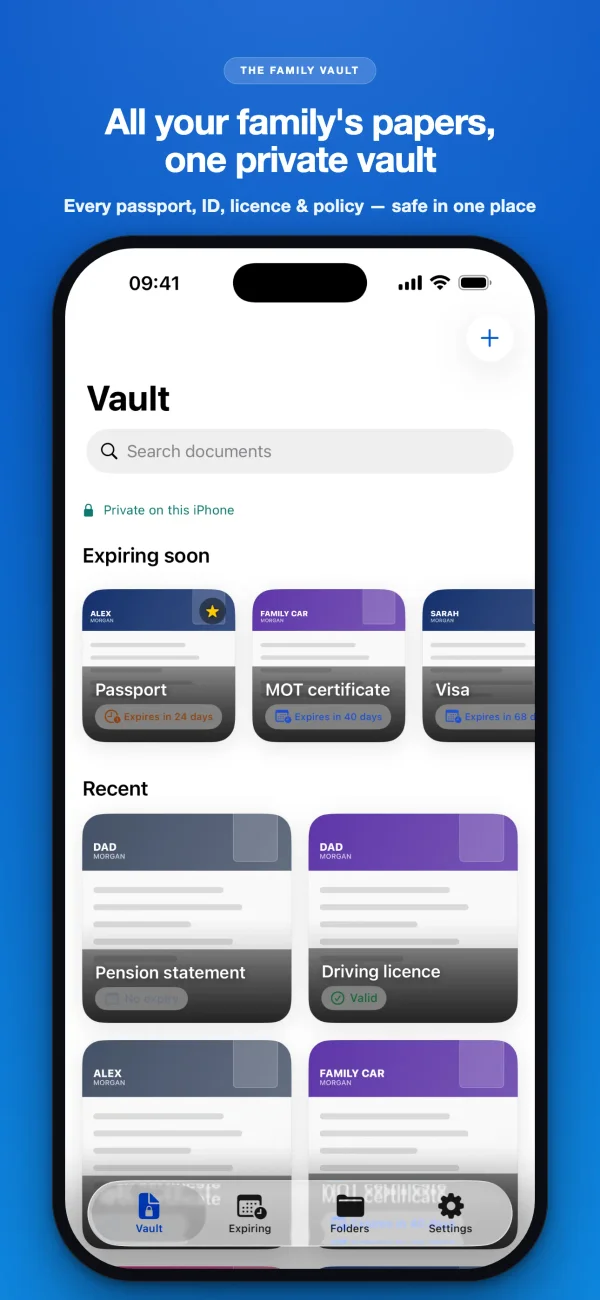
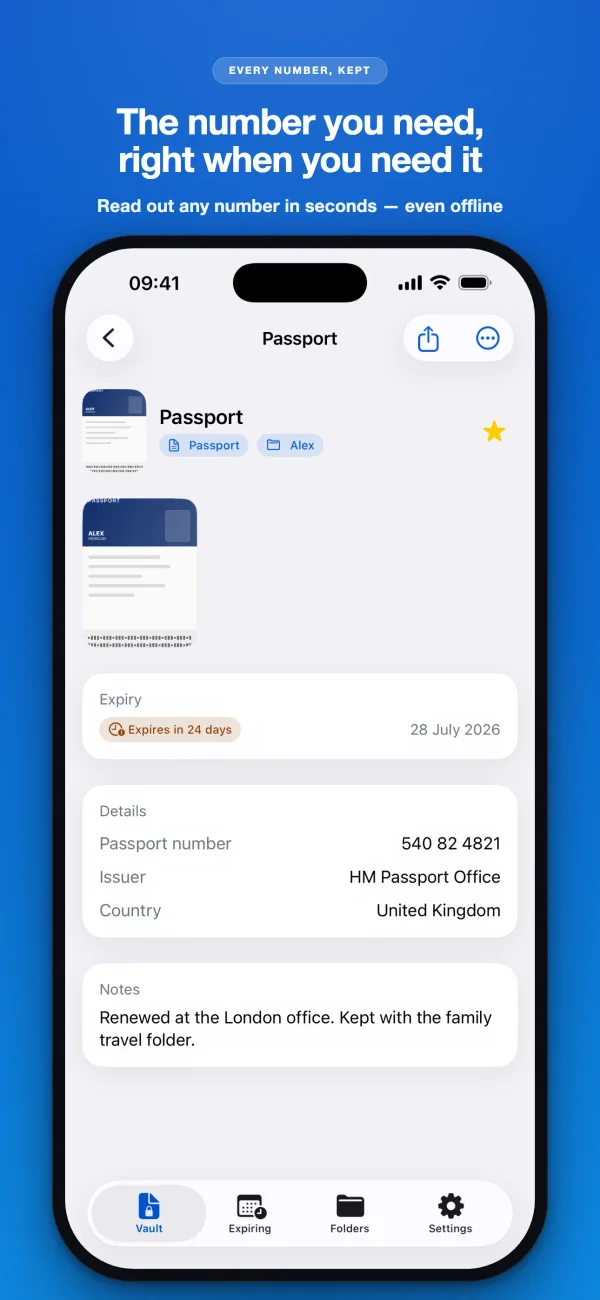
Know your passport is still valid before you book the trip. DocHarbor is a private, on-device vault for your family's passports, IDs, licenses, insurance, and home and car papers, with reminders that warn you well before anything expires.
If you carry the mental load for everyone's paperwork, or you're an expat or frequent traveler juggling visas and permits, this is for you. Scan or import a document, and on-device Apple Vision suggests a title, category, owner, and dates. You review and confirm every field before it saves, so nothing is filed behind your back.
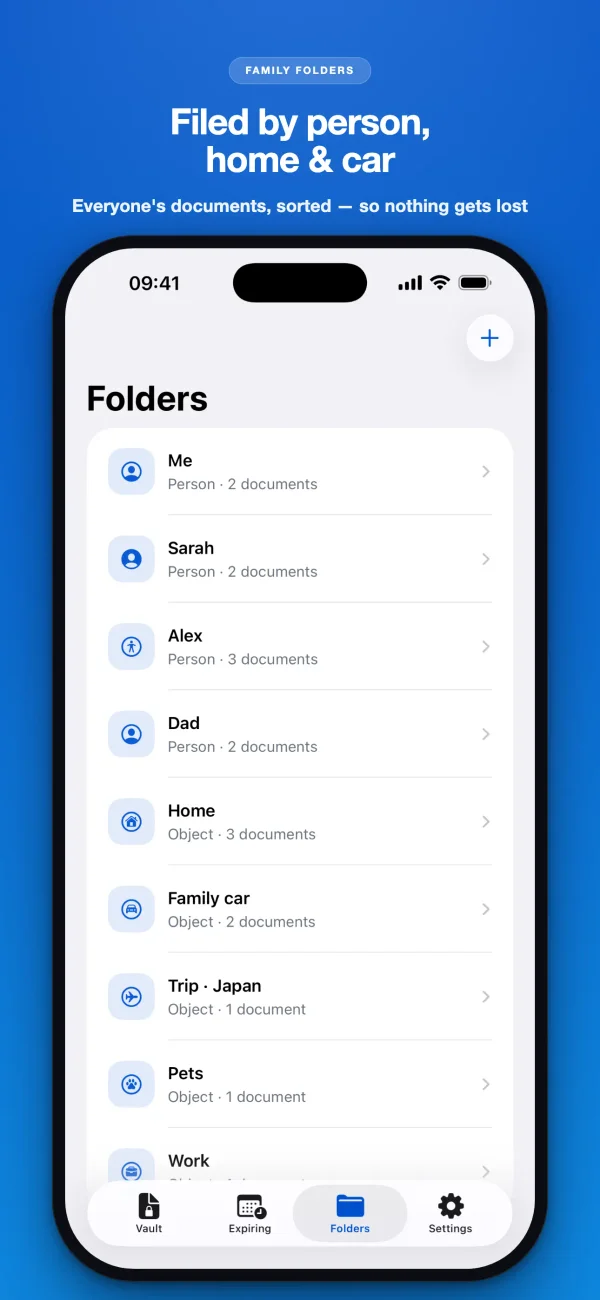
Everything is then filed by person or object and by category, searchable in seconds, and quietly watched for renewals, so a lapsed passport never derails a trip again.
CAPTURE
- Scan multi-page documents with the built-in scanner, take a photo, or import from Photos or Files (PDF or image)
- Retake, reorder, or delete pages; each document is kept as both an image and a PDF
- Apple Vision suggests the title, category, owner, and dates, marked "Suggested" or "Check," never as a mystery percentage
- Manual entry is always there; recognition is assistive and English-first, and you confirm everything
ORGANIZE
- File into folders by person or object: Me, a partner, a child, or a parent, and Home, Car, Trip, or Insurance
- Ready-made categories from Identity and Passport & Visa to Home & Property, Medical, School & Kids, Finance & Tax, Work & Legal, and Warranties & Receipts
- Add custom categories and fields with Pro, and star the ones you reach for most as Favorites
FIND
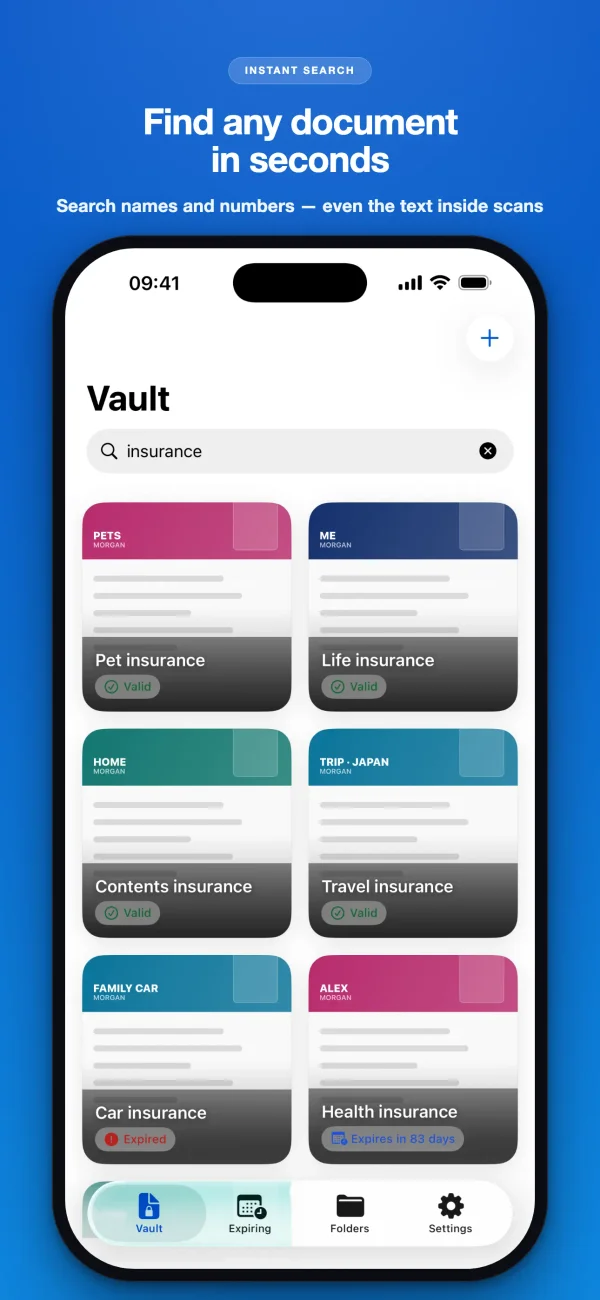
- Search across title, recognized text, folder, category, document number, issuer, and notes
- Narrow with filter chips and sorting to land on the right paper fast
- Add or search documents hands-free with Siri, Shortcuts, and Spotlight
REMIND
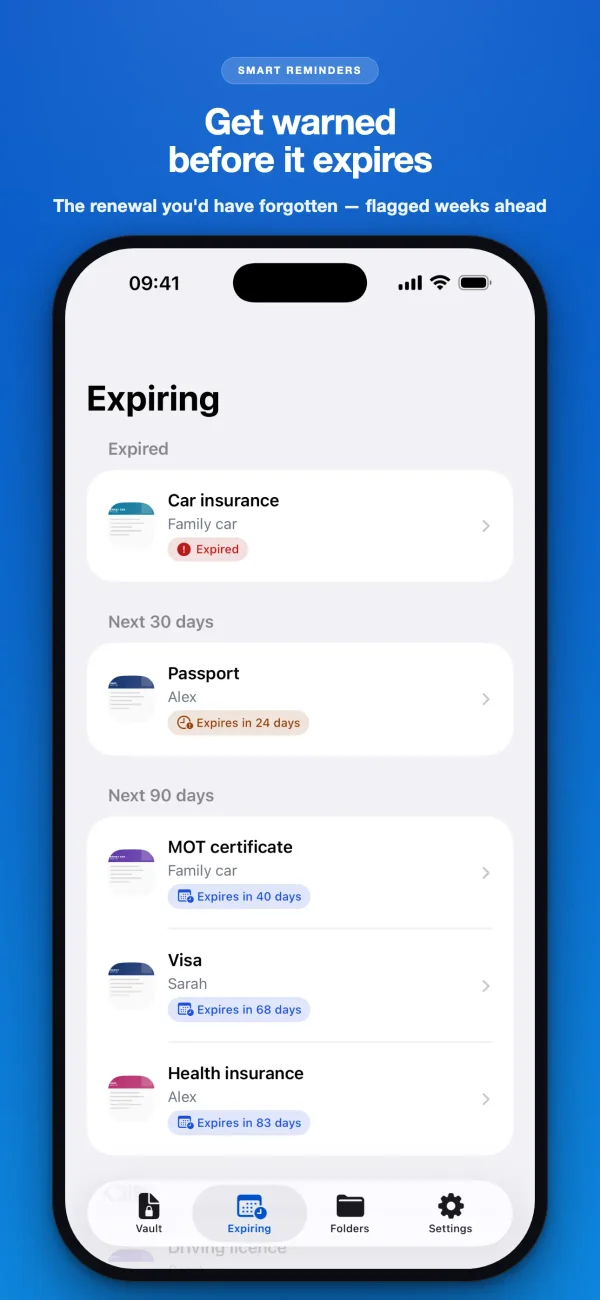
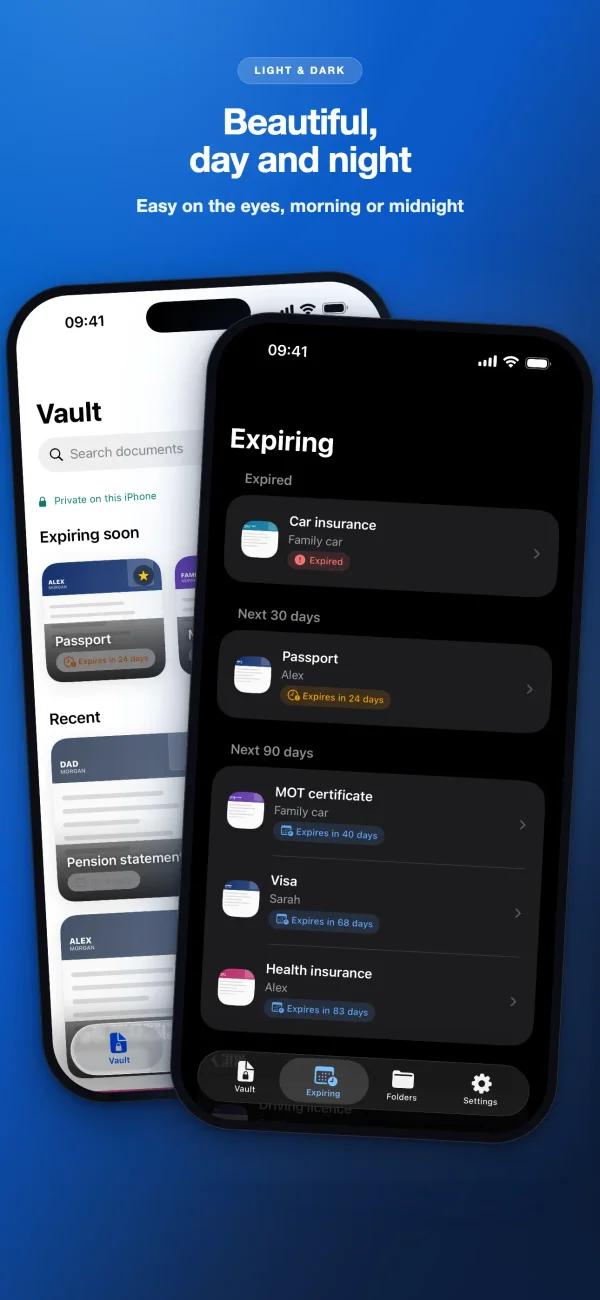
- Add an expiry date and get cascading reminders sensible for that document, like a passport at six months, three months, one month, and one week ahead
- An Expiring dashboard groups everything into Expired, Next 30 days, Next 90 days, Later, and No date
- We ask for notification permission only after you save a document with an expiry date, and lock-screen alerts stay redacted, so sensitive numbers are never shown
ON YOUR HOME SCREEN
- Quick Add widget (free): scan or add a document in one tap, straight from your Home Screen
- Expiring Soon widget (Pro): see the documents closest to expiring at a glance, in small or medium size; titles stay hidden until you unlock the app
PRIVATE BY DESIGN
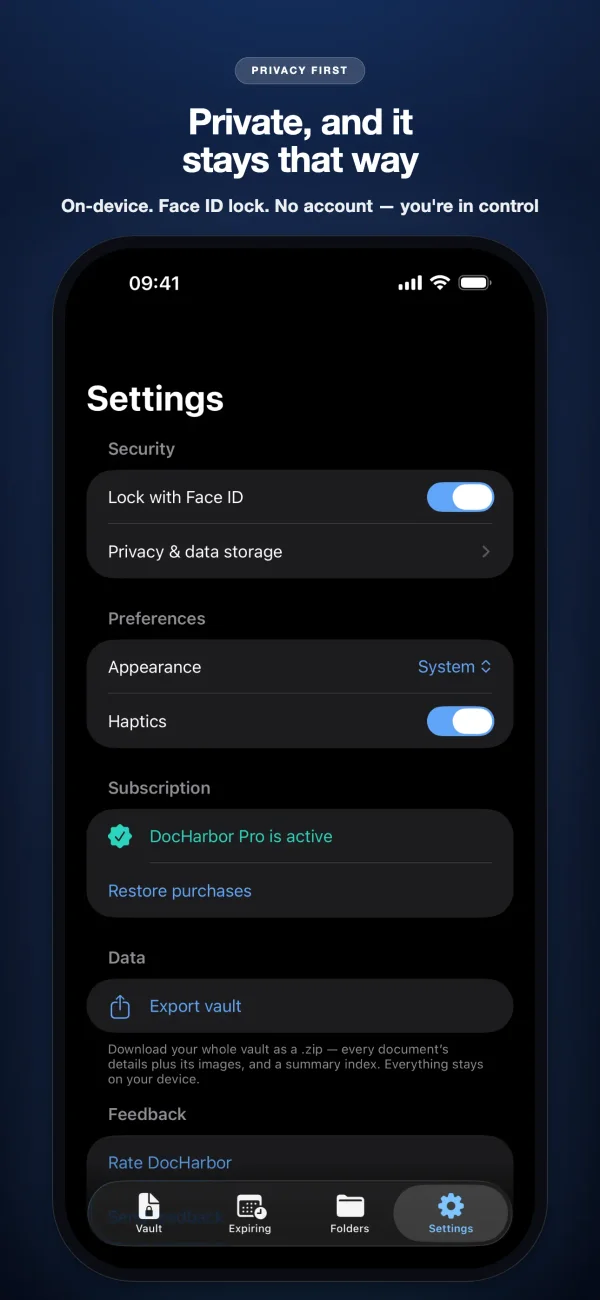
- Your documents never leave your iPhone. No account, no backend, nothing uploaded
- Local-first storage protected by iOS Data Protection at rest
- Face ID, Touch ID, or passcode app lock, always free and never behind a paywall
- Share a clean PDF copy of any document, or export your whole vault as a .zip, fully offline (Pro)
- Light and dark mode, Dynamic Type, VoiceOver, and localization throughout. No ads, and we never track your document contents.
FREE & PRO
The free vault is small but genuinely useful: 1 profile, up to 5 documents, expiry reminders on up to 2 of them, OCR search, manual fields, the Face ID lock, and the Quick Add widget. Export and the Expiring Soon widget are Pro.
Pro unlocks unlimited documents and profiles, expiry reminders on everything, custom categories and fields, advanced search, PDF export, full ZIP vault export, and the Expiring Soon Home Screen widget.
PRICING
DocHarbor Pro comes as an Annual plan at $24.99 (best value), a one-time Lifetime purchase at $49.99, or Monthly at $3.99 (USD; prices may vary by region). There is no free trial. The Annual and Monthly plans auto-renew until cancelled; Lifetime is a single one-time purchase. Manage or cancel subscriptions anytime in Apple Settings. Restore Purchases is on the paywall and in Settings.
Your documents stay on your iPhone, protected behind your Face ID. That's the whole point.
Privacidad de la aplicación
Lo que Mark Opanasiuk declara en App Store sobre cómo esta aplicación gestiona los datos.
-
Datos no vinculados a ti
Pueden recopilarse, pero no se vinculan a tu identidad.
- Datos de uso
- Diagnóstico
Las prácticas de privacidad pueden variar, por ejemplo, según las funciones que uses o tu edad.
Información
- Vendedor
- Mark Opanasiuk
- Categoría
- Productividad
- Versión
- 1.0
- Actualizado
- 14/7/2026
- Publicado
- 14/7/2026
- Tamaño
- 13,3 MB
- Requiere
- iOS 17.0 o posterior
- Clasificación por edad
- 4+
- Precio
- Gratis
- Compras en la aplicación
- Sí
- Idiomas
- Inglés
- Copyright
- © 2026 Mark Opanasiuk
Quizá también te guste
-
 Papertuck: Document VaultProductividad
-
 Keepsake: Bóveda de datosDocumentos, contratos y fechas
-
 SafeDocs: Document ManagerProductividad
-
 DueGuardProductividad
-
 Kinfold: Bóveda de PasaportesDocumentos y viajes
-
 Hexpiry: Expiry Date TrackerProductividad
-
 Expiry Keeper: DocumentsAvisos de renovación
-
 RemindMe - Expiry TrackerProductividad
-
 Soon - Vencimientos y avisosSeguros, garantías y facturas
-
 ThingTickProductividad