- Clasificación por edad4+
- CategoríaDiseño gráfico
- DesarrolladorCARLOS FERNANDEZ PLAZA
- IdiomasInglés+ 7 más
- Tamaño37,5 MB
Enlaza a la página oficial de App Store
Download.org no aloja ningún archivo de Doodle Fonts. El botón abre la página de la aplicación en App Store, donde la publica CARLOS FERNANDEZ PLAZA. Ficha comprobada por última vez el 16/11/2026.
Capturas de pantalla




Acerca de
El desarrollador no ha proporcionado este texto en tu idioma.
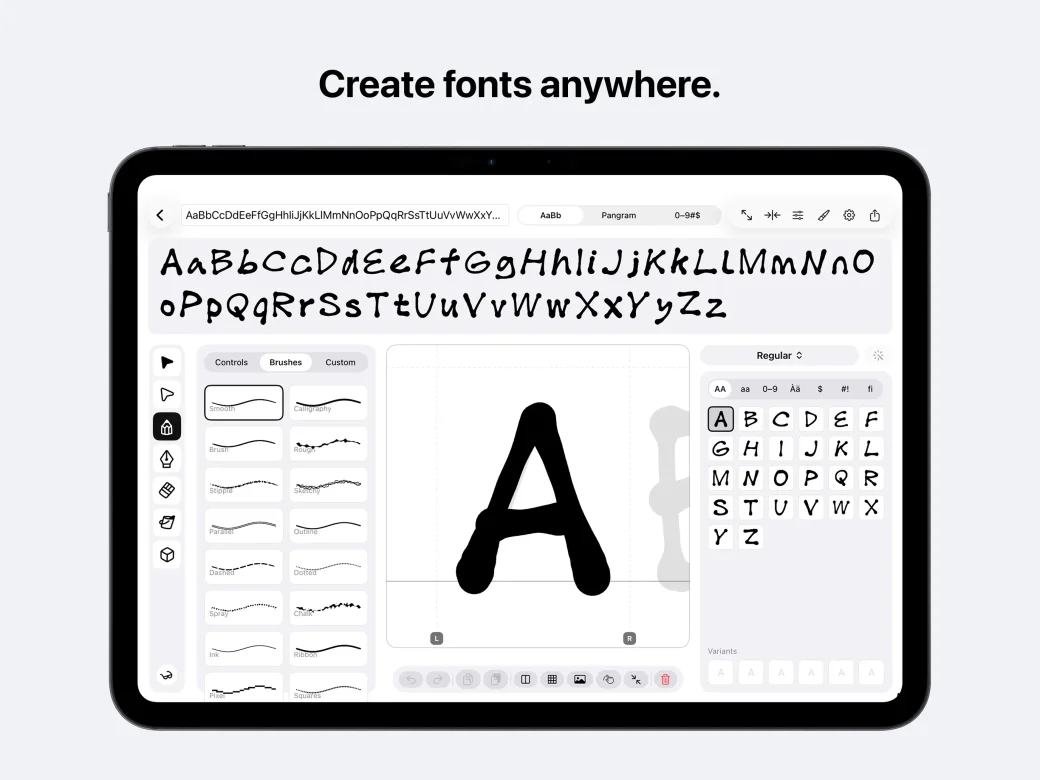
Doodle Fonts turns your handwriting into real, installable fonts. Draw every letter yourself with Apple Pencil, watch your alphabet come to life as you go, and install the finished font right on your iPad — ready to use in any app that supports custom fonts.
DRAW
- More than 30 brushes: smooth, ink, calligraphy, chalk, spray, sketchy, pixel, rope, chain, bristle, felt tip, crayon, brush pen, arrow, stitch and more
- Create your own custom brushes — draw a tip and the app turns it into a stamp brush
- Pressure and tilt support, QuickShape snapping, mirror mode, and a vector pen for precise letterforms
- Trace over template letters, a photo, or one of the four built-in starter fonts
REFINE
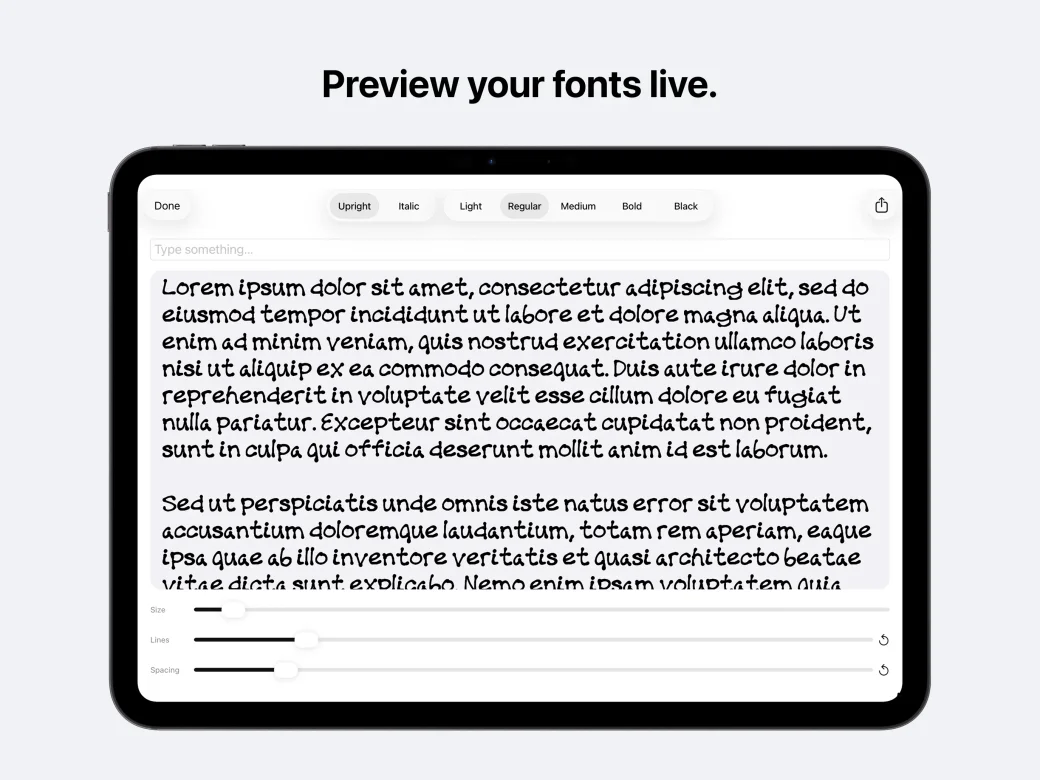
- Live preview that rewrites itself in your font as you draw
- Automatic spacing, adjustable side bearings, kerning pairs, and global letter spacing
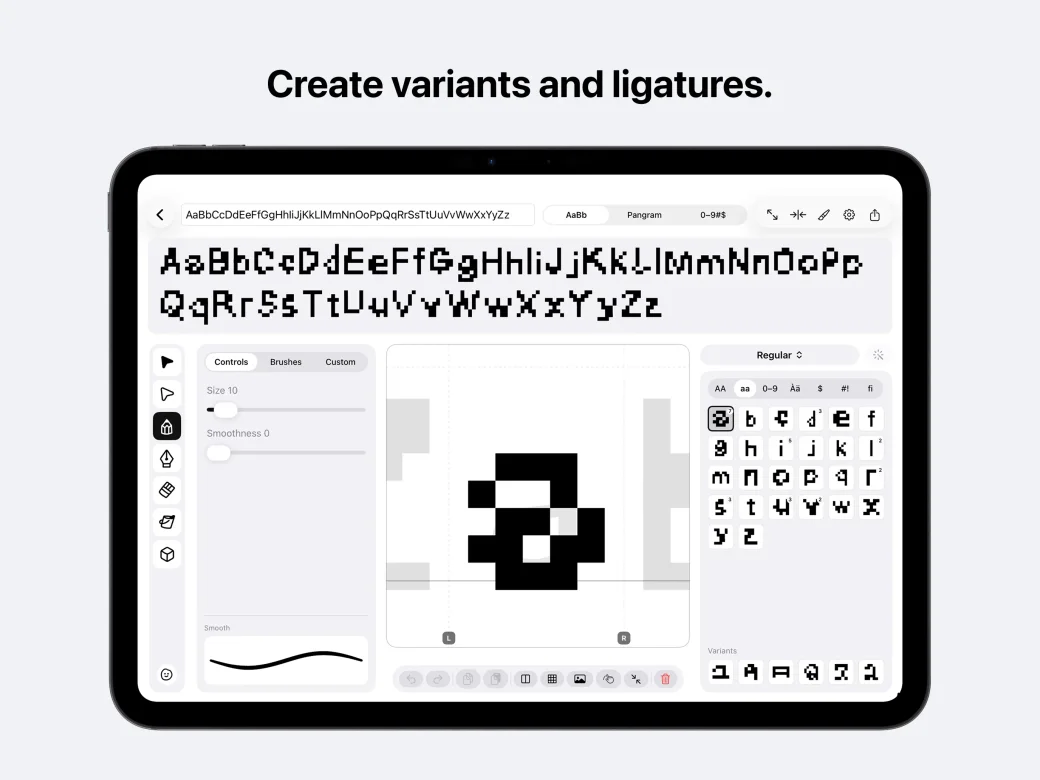
- Up to six alternate versions per letter, exported as real OpenType alternates
- Ligatures and custom characters — add symbols beyond the alphabet
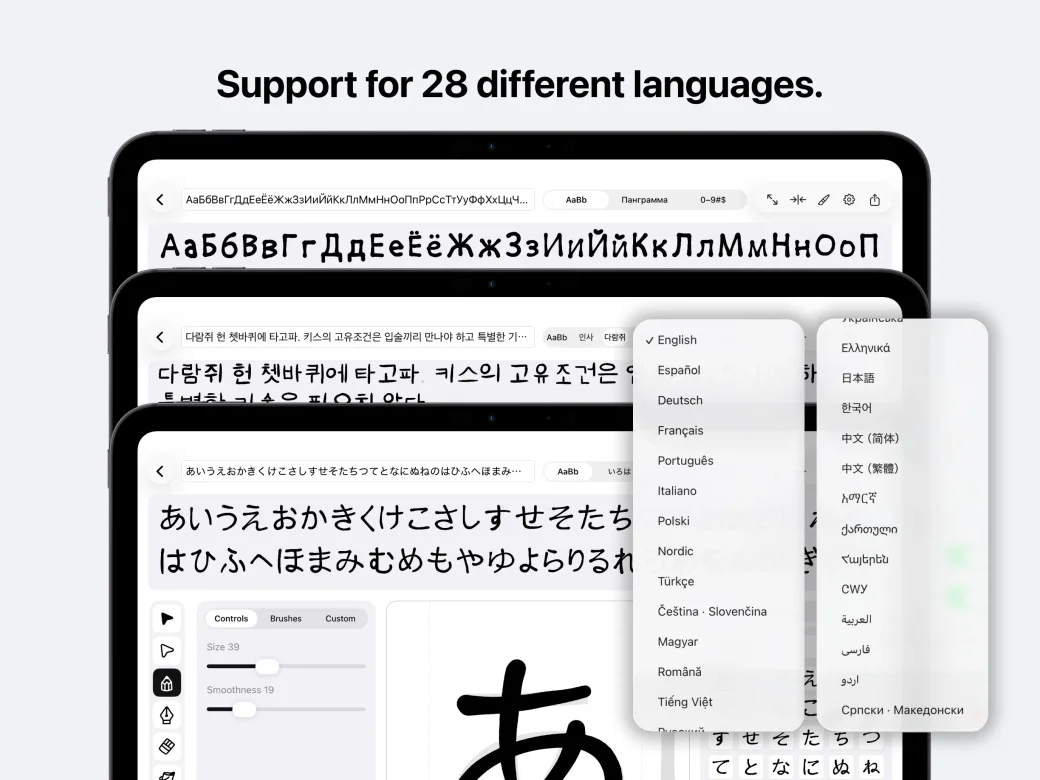
WRITE ANY LANGUAGE
- 20 character sets, from English and Spanish to Turkish, Vietnamese, Greek and Ukrainian
- Korean the way a foundry does it: draw 56 pieces and all 11,172 syllables compose themselves — or draw the blocks by hand, 2,350 of them, most used first
- Every character Japanese and Chinese use: 3,336 kanji, 4,220 simplified hanzi, 6,040 traditional, ordered by how often you'll meet them
MAKE IT MOVE
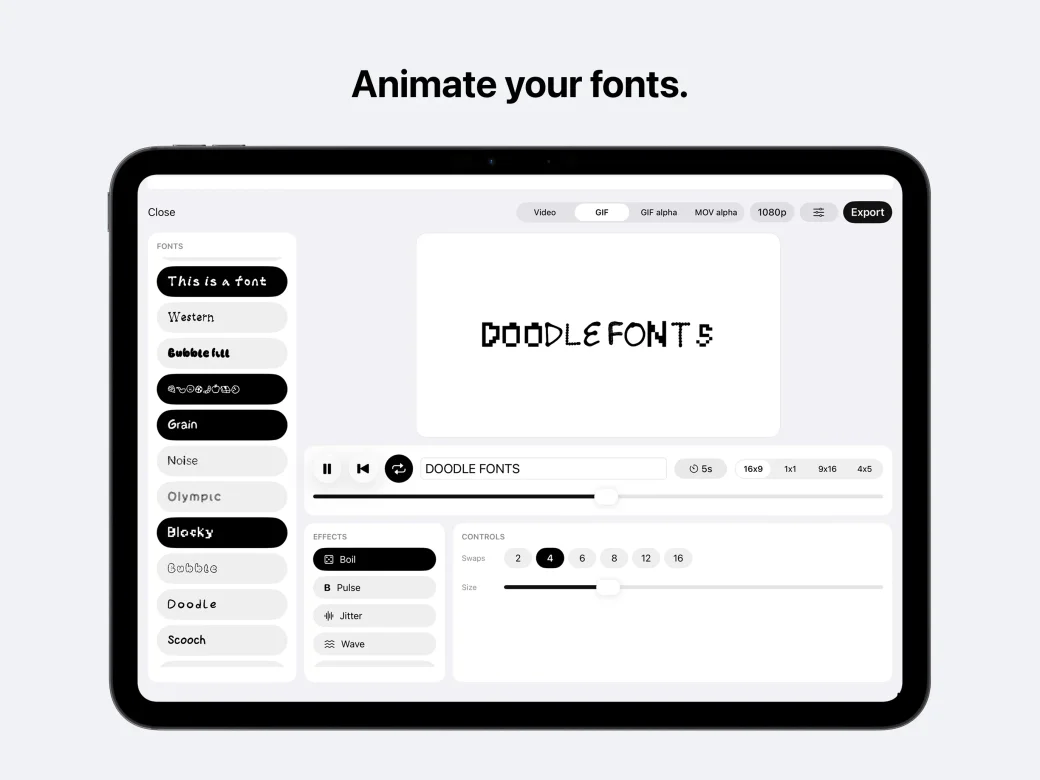
- Type a word, pick a few of your fonts, and watch the letters swap, wave, breathe, shake, drop, type on, or draw themselves stroke by stroke
- Export as video up to 4K, a looping GIF, or a see-through GIF or MOV for laying over anything
EXPORT AND INSTALL
- Install fonts directly on your iPad with one tap
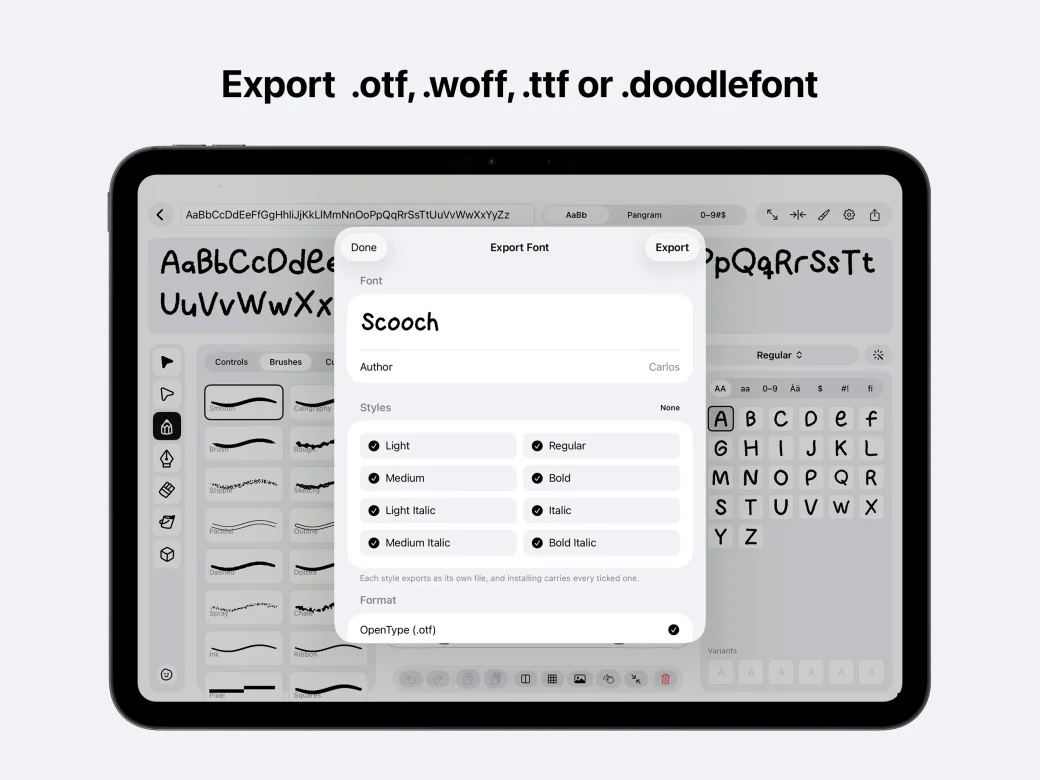
- Export OTF for desktop and print, WOFF for the web, or both at once
- Share editable .doodlefont files between iPads or with the web app
- Your author name ships inside the font file as its designer
- Export a family as a variable font — one file with a weight slider
- Arabic, Persian and Urdu with joined letter shapes and vowel marks, written right to left
KEEP GOING
- A letter of the day and a weekly word challenge keep your streak alive
- A map of every day you drew this year, so a streak is something you can see
- Earn badges as your library grows
- Share alphabet posters and specimen cards of your fonts
- Automatic iCloud backup of every font as an editable file
The interface is available in English, Spanish, German, Russian, Japanese, Korean and Simplified Chinese.
Doodle Fonts collects no data. Your fonts are yours: they live on your iPad and in your iCloud, and they never touch anyone else's server.
Made for iPad and Apple Pencil by an independent motion designer. Questions or ideas? Write to carlos@automatic.pictures.
Novedades
Versión 1.4 · 7/9/2026
- Shape Studio — draw anything once and it becomes a shape tool: drag it out into any box, filled or stroked, like the built-ins
- Shapes now live in their own gallery beside the controls, with a live preview as you tune them
- Hebrew joins the font character set
- Two new brushes: a fine gel pen with real ink weight, and Jitter — a line that never sits still
- Korean exports are dramatically faster and lighter — all 11,172 syllables compose smoothly on any iPad
- Everything now fits comfortably on iPad mini, and copy/paste share one smart button
Privacidad de la aplicación
Lo que CARLOS FERNANDEZ PLAZA declara en App Store sobre cómo esta aplicación gestiona los datos.
-
No se recopilan datos
El desarrollador no recopila ningún dato de esta aplicación.
Las prácticas de privacidad pueden variar, por ejemplo, según las funciones que uses o tu edad.
Información
- Vendedor
- CARLOS FERNANDEZ PLAZA
- Categoría
- Diseño gráfico
- Versión
- 1.4
- Actualizado
- 7/9/2026
- Publicado
- 21/7/2026
- Tamaño
- 37,5 MB
- Requiere
- iOS 17.0 o posterior
- Clasificación por edad
- 4+
- Precio
- 9,99 €
- Idiomas
- Inglés, Alemán, Japonés, Coreano, Ruso, Chino simplificado, Español, Chino tradicional
- Copyright
- © 2026 Carlos Fernandez Plaza
Quizá también te guste
-
 Doodraw: Dibujo AnimadoPinceles animados y GIF
-
 Affinity by CanvaDiseño, foto y maquetación pro
-
 Resprite: pixel art studioPixel art and sprite editor
-
 Head Model St: Estudio de arteReferencia en 3D de la cabeza
-
 Pixquare - Pixel Art Studio#1 pixel art editor
-
 ToonSquidDiseño gráfico
-
 Nomad SculptEsculpir, pintar y crear en 3D
-
 Affinity Designer 2 for iPadIlustración y diseño vectorial
-
 Adobe Capture: Herr. de Ps, AiPhotoshop herminta Illustrator
-
 Magic PoserDibuja mejor y más rápido