
DoodlePlot: Kids Coloring
Trace, Color, Puzzle & Draw
Diseñada para iPhone, iPad
Gratis · Compras en la aplicación
- Clasificación por edad4+
- CategoríaEducación
- DesarrolladorMaplePlot Inc.
- IdiomasInglés
- Tamaño130,0 MB
Enlaza a la página oficial de App Store
Download.org no aloja ningún archivo de DoodlePlot: Kids Coloring. El botón abre la página de la aplicación en App Store, donde la publica MaplePlot Inc. Ficha comprobada por última vez el 12/11/2026.
Capturas de pantalla

Acerca de
El desarrollador no ha proporcionado este texto en tu idioma.
DoodlePlot turns your iPhone or iPad into a cozy art studio — and a window onto real paper.
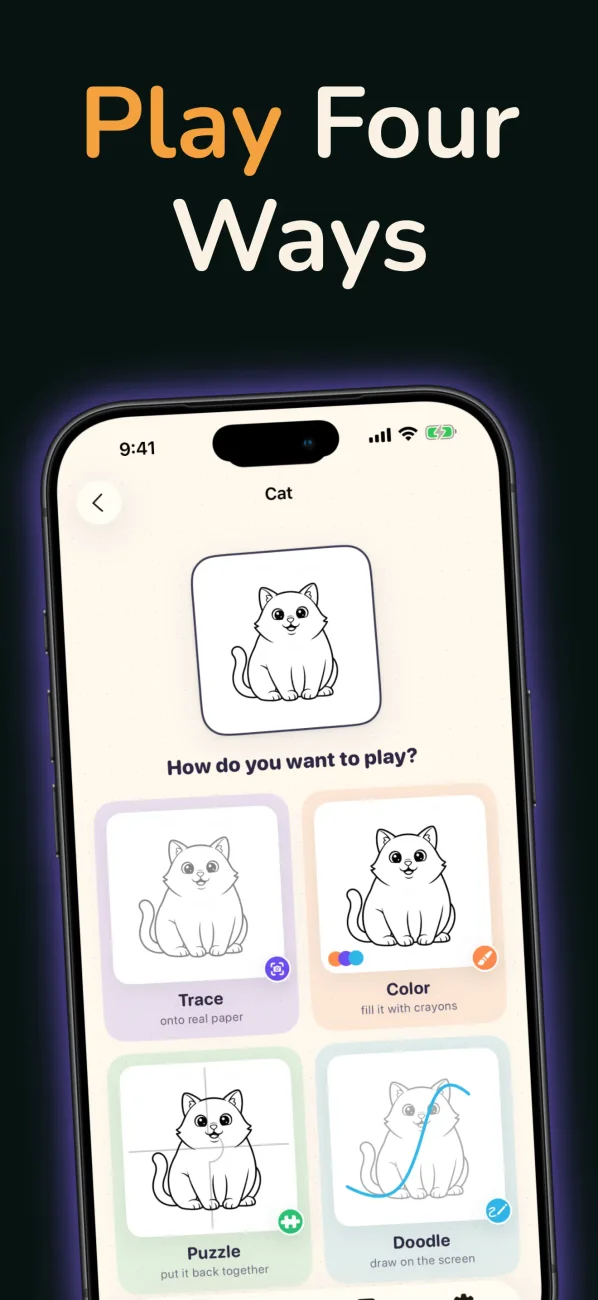
Prop your phone above a sheet of paper, pick a picture, and trace it right through the screen with a real pencil — then snap a photo of your finished drawing to keep. Or draw right on the screen, color inside the lines, solve a puzzle, or bloom a mandala. Five ways to play with one adorable library of art — made for kids, loved by families.
FIVE WAYS TO PLAY EVERY PICTURE
• Trace — prop the phone over paper and trace the picture onto the page. Adjust the size, fade and brightness; a built-in light helps in dim rooms. When you're done, photograph your real drawing and it goes into your gallery.
• Doodle — draw on the screen over a faint picture guide with crayons and markers that feel real. Works with a finger, and shines with Apple Pencil on iPad. Finish and watch your doodle redraw itself, stroke by stroke.
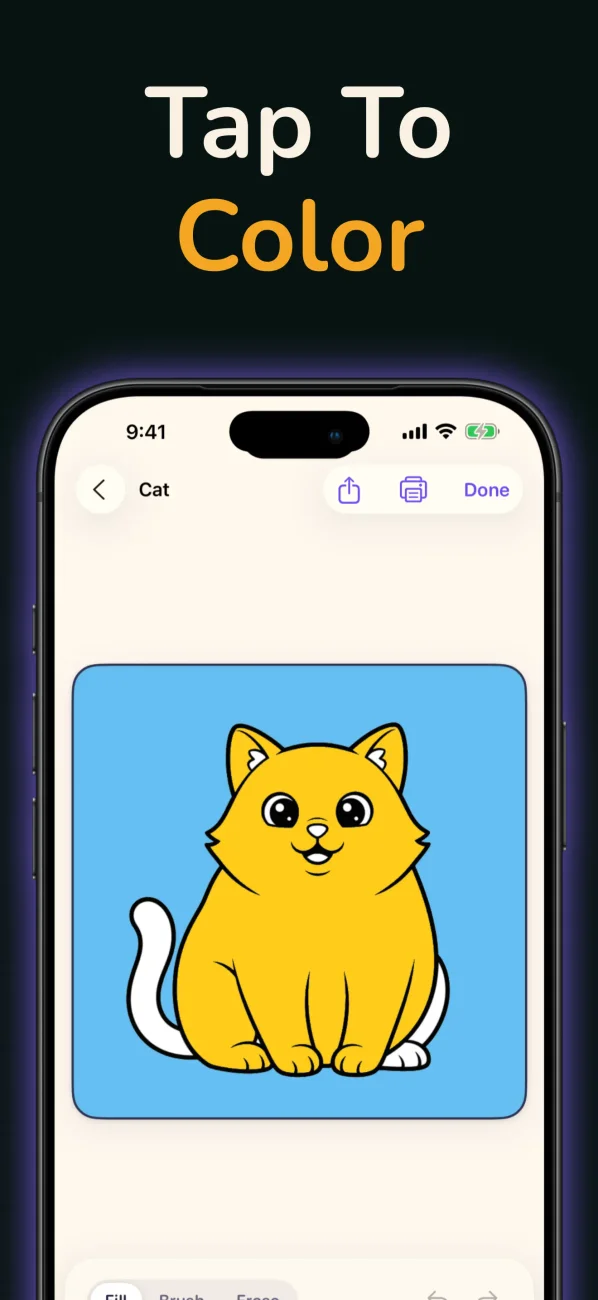
• Color — tap to fill, or paint inside the lines with a soft brush and an eraser, a big friendly crayon box, and easy undo and redo.
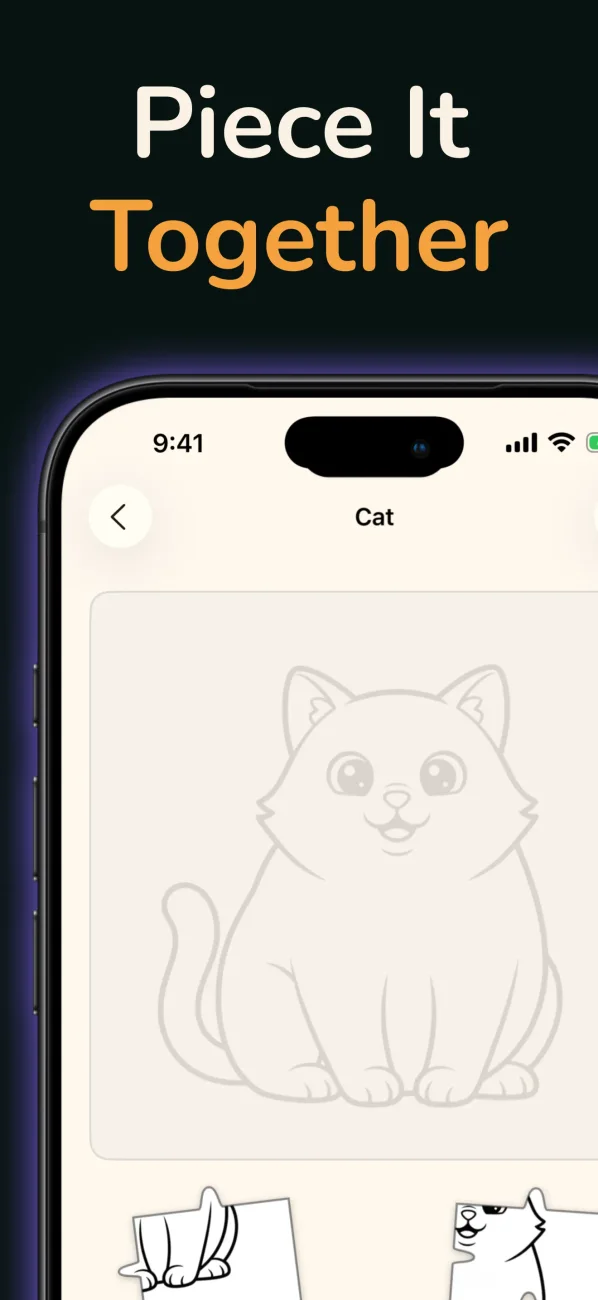
• Puzzle — every picture becomes a drag-and-drop jigsaw that snaps together with a satisfying click.
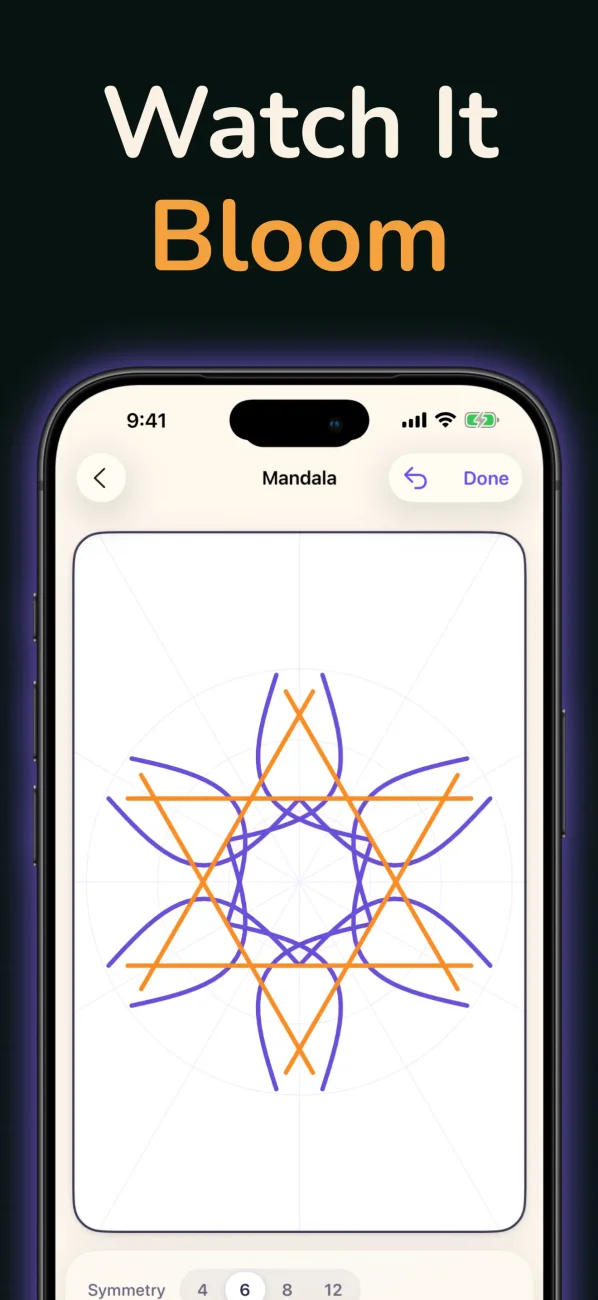
• Mandala — scribble once and watch it bloom into a symmetric, kaleidoscope pattern.
MORE TO LOVE
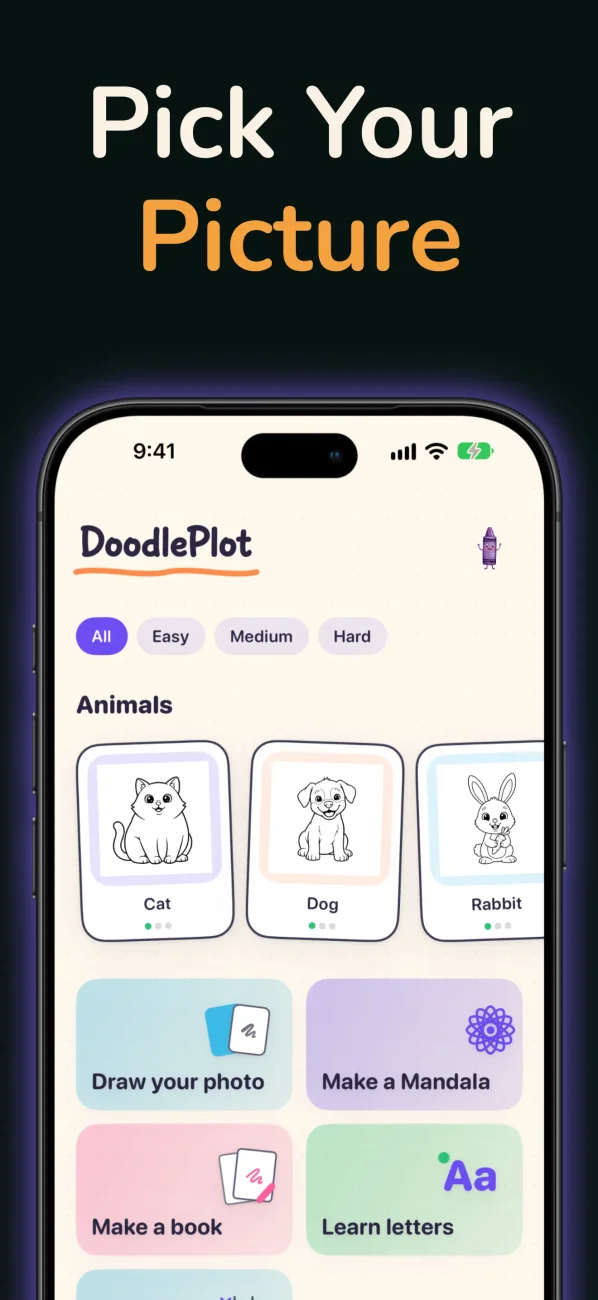
• A growing library of hand-drawn packs — animals, cats, dogs, dinosaurs, vehicles, space, ocean, dragons and more.
• Draw your photo — turn a picture from your camera roll into a clean outline to trace and color, made right on your device.
• Make a Book — pick your favorite pictures and print your own coloring book at home, cover page and all.
• Doodle on your own photos — party hats and mustaches welcome.
• A sticker album that fills in as you finish drawings — gentle progress, no streaks, no pressure.
• Gentle, joyful sounds and haptics for fills, snaps and finishes (easy to switch off).
• Share a masterpiece with the family in one tap, or print it with AirPrint.
• Save your creations to your own gallery, and pick up your work in progress where you left off.
MADE WITH PARENTS IN MIND
• No ads.
• No account or sign-in needed.
• The core studio works offline — trace, color, puzzle and doodle without an internet connection.
• Photos you trace, outline or doodle on are processed on your device.
BUILT FOR EVERY KID
DoodlePlot supports VoiceOver, Larger Text, Reduce Motion and Differentiate Without Color — plus optional "say the colors and buttons aloud" modes for pre-readers learning as they play.
Draw. Color. Solve. Create. Print. — DoodlePlot.
REQUIREMENTS
• iPhone or iPad with iOS 17 or later
• A rear camera (used to trace pictures onto real paper)
DOODLEPLOT PRO
Free to start. DoodlePlot Pro is an optional one-time purchase that unlocks the premium picture packs, Pro lessons and Make a Book. No subscription. Purchases can be restored on your devices with Restore Purchases.
• Privacy Policy: https://doodleplot.com/privacy
• Terms of Use (EULA): https://www.apple.com/legal/internet-services/itunes/dev/stdeula/
• Terms of Service: https://doodleplot.com/terms
Novedades
Versión 1.2.5 · 23/10/2026
A new Your Plan page in Settings shows your plan and when it renews or ends.
• See every way to have DoodlePlot Pro, with prices: Monthly, Yearly or Pay once
• Switch between Monthly and Yearly, or cancel, through the App Store
• Bought Pay once? You can add a subscription to open the packs added since
• Restore Purchases is here too
Also fixed: the pumpkins on the Halloween card no longer have a white outline.
Privacidad de la aplicación
Lo que MaplePlot Inc. declara en App Store sobre cómo esta aplicación gestiona los datos.
-
Datos vinculados a ti
Pueden recopilarse y vincularse a tu identidad.
- Identificadores
-
Datos no vinculados a ti
Pueden recopilarse, pero no se vinculan a tu identidad.
- Compras
- Datos de uso
- Diagnóstico
Las prácticas de privacidad pueden variar, por ejemplo, según las funciones que uses o tu edad.
Información
- Vendedor
- Glucoplate Inc.
- Categoría
- Educación
- Versión
- 1.2.5
- Actualizado
- 23/10/2026
- Publicado
- 14/7/2026
- Tamaño
- 130,0 MB
- Requiere
- iOS 17.0 o posterior
- Clasificación por edad
- 4+
- Precio
- Gratis
- Compras en la aplicación
- Sí
- Idiomas
- Inglés
- Copyright
- © 2026 GlucoPlate Inc.
Quizá también te guste
-
 SciQuestEducación
-
 Science for Kids: StorybooksEducación
-
 Color BudColorear tranquilo, sin ads
-
 AstroKids: Paint & LearnEducación
-
 SDPS MAHARAJPUREducación
-
 ¿Y si...? Acertijos de cienciaDoodle Theory: cómo funciona
-
 Brainforest: Kids Learning K-4Educación
-
 Wake the World ChurchEducación
-
 Wordzlet!: Writing GameEducación
-
 Little Zoo ColoringColor 320+ Animals for Kids