Dot Writer
ドット絵とGIFアニメを指で描こう
Diseñada para iPhone, iPad, Mac
Gratis · Compras en la aplicación
- Clasificación por edad4+
- CategoríaUtilidades
- DesarrolladorShinya Sato
- IdiomasJaponés+ 1 más
- Tamaño2,2 MB
Enlaza a la página oficial de App Store
Download.org no aloja ningún archivo de Dot Writer. El botón abre la página de la aplicación en App Store, donde la publica Shinya Sato. Ficha comprobada por última vez el 12/11/2026.
Capturas de pantalla
Acerca de
El desarrollador no ha proporcionado este texto en tu idioma.
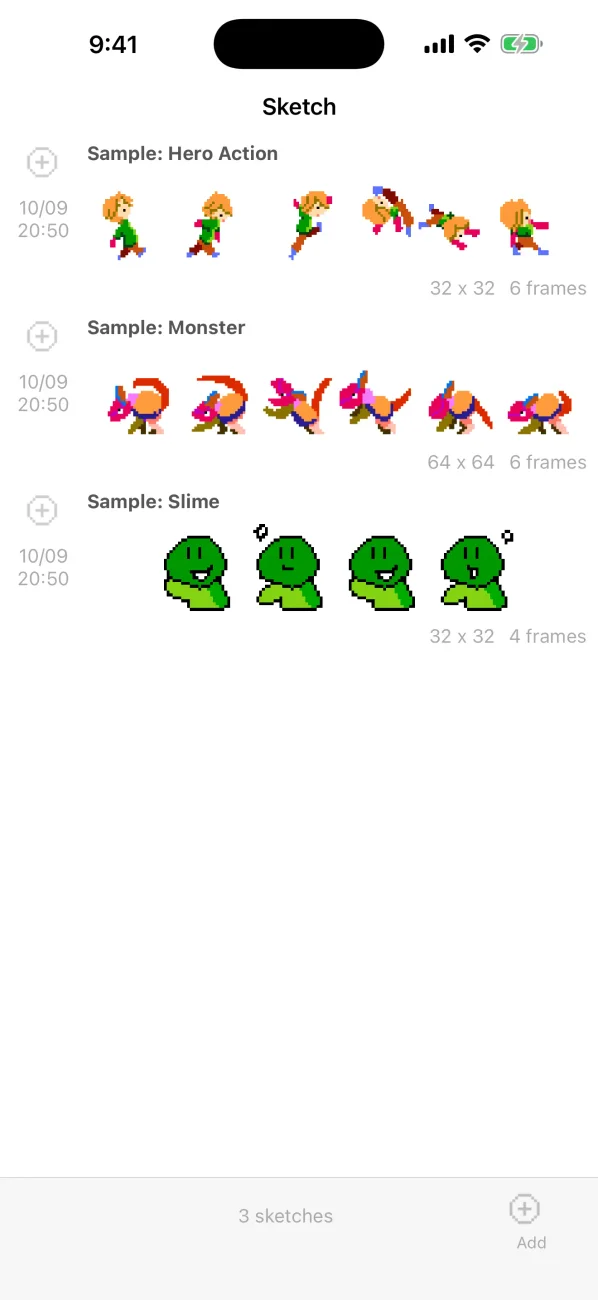
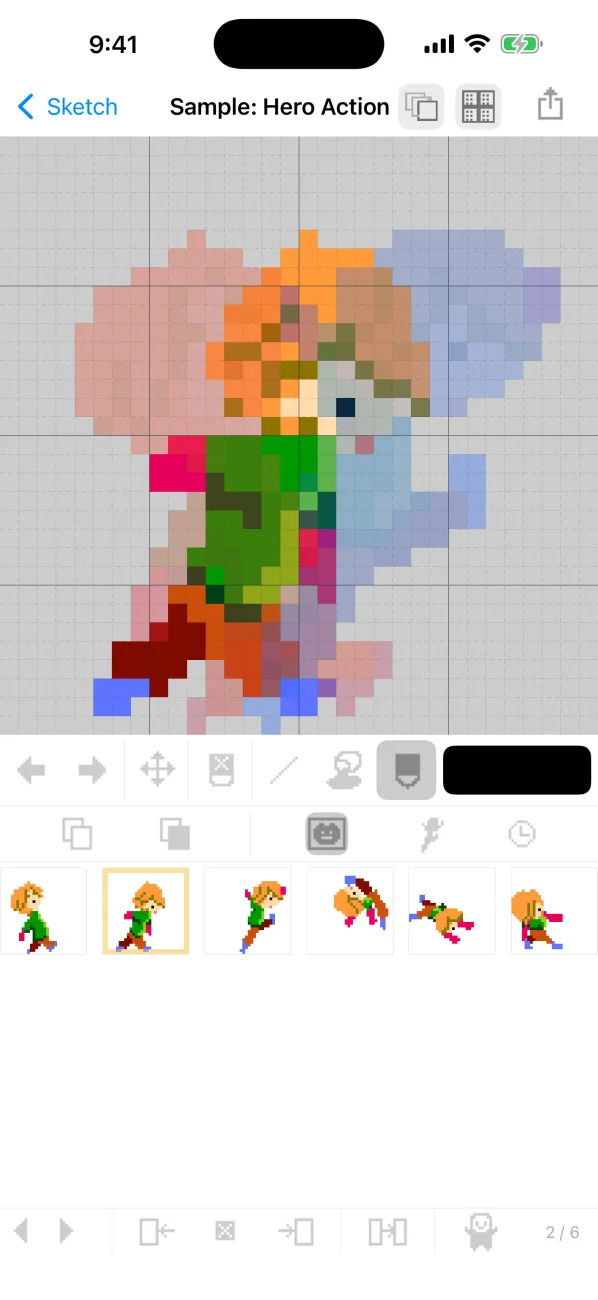
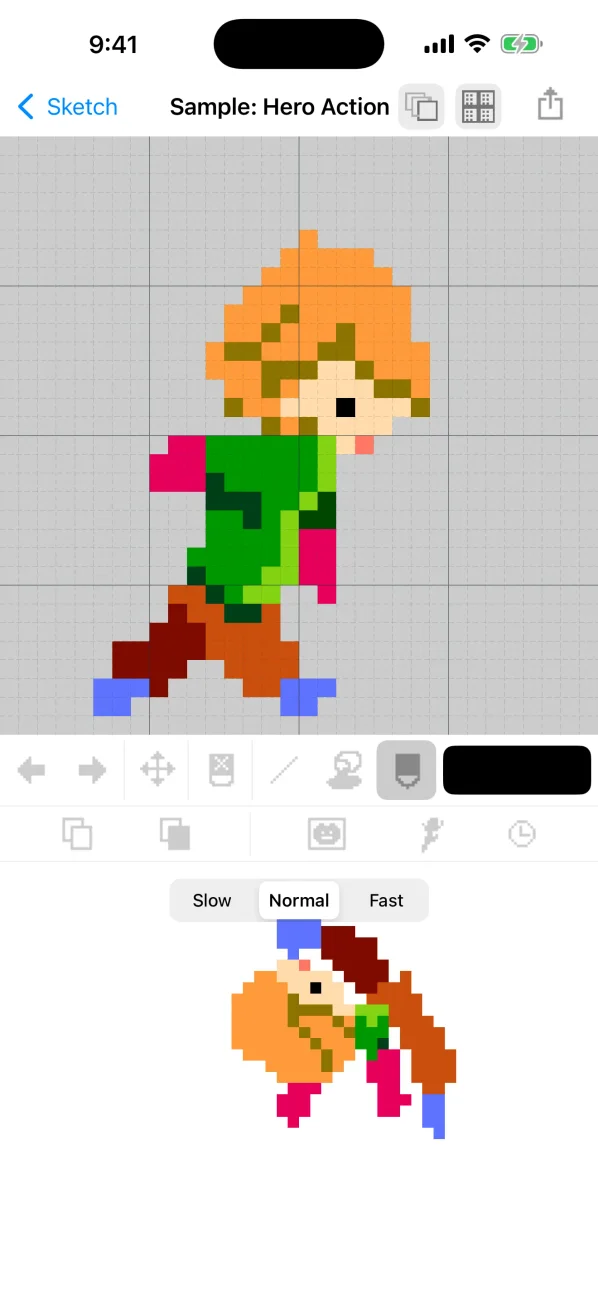
Draw pixel art and animations with your finger.
- Draw on a grid canvas with pen, fill, line and eraser
- Pinch to zoom in and draw fine details
- Stack frames to make flip-book style animations
- Onion skin shows the previous and next frames faintly, so drawing motion is easy
- Major grid lines every few cells help with larger art
- Choose the playback speed: slow, normal or fast
- Undo, redo, and go back through your drawing history
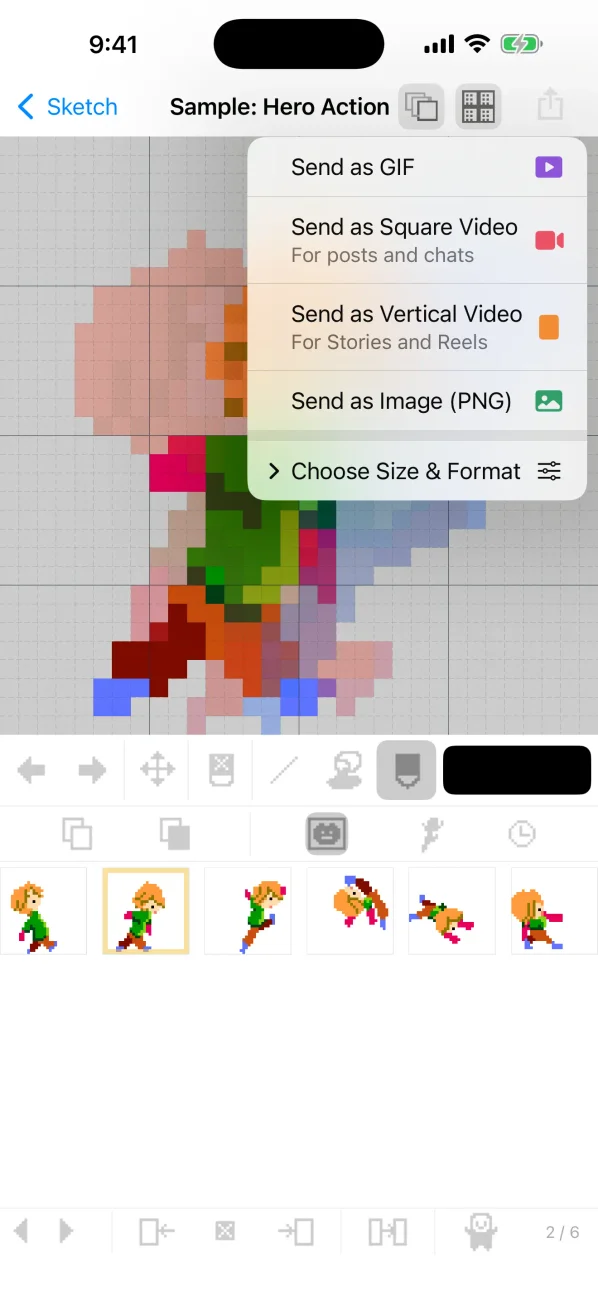
Send your art as an animated GIF, a video (MP4) or an image to LINE, X, Instagram, TikTok and other social and messaging apps. Pick a format from the share button and your art is scaled up with every pixel crisp. For Instagram and TikTok, which don't accept GIFs, send a square or vertical video. You can also save to Photos or export all frames as a Zip.
Your sketches sync across your iPhone, iPad and Mac signed in with the same Apple Account through iCloud.
Import images and animated GIFs from other apps by choosing Dot Kaku from the share sheet.
Sample animations are included the first time you open the app.
On iPad and Mac, a workspace lets you split the large screen into panels and draw several sketches side by side, with a live animation preview. On iPad, draw with your finger or Apple Pencil, move with two fingers, and pinch to zoom.
Pricing
- Drawing, saving, sharing and iCloud sync are free on iPhone, iPad and Mac.
- The workspace features (split panels, preview, rectangle and lasso selection) are available as a one-time in-app purchase. Buy once and use them on both iPad and Mac with the same Apple Account.
- On iPad, the workspace features are free to try until December 31, 2026.
Novedades
Versión 2.0 · 20/10/2026
- Now on iPad: split the large screen into panels and draw several sketches side by side. Draw with your finger or Apple Pencil
- Now on Mac: the same workspace as iPad, with mouse and trackpad
- The workspace features (split panels, preview, rectangle and lasso selection) are a one-time in-app purchase shared by iPad and Mac. On iPad, they are free to try until December 31, 2026
- On iPhone, everything stays free as before
Privacidad de la aplicación
Lo que Shinya Sato declara en App Store sobre cómo esta aplicación gestiona los datos.
-
No se recopilan datos
El desarrollador no recopila ningún dato de esta aplicación.
Las prácticas de privacidad pueden variar, por ejemplo, según las funciones que uses o tu edad.
Información
- Vendedor
- Shinya Sato
- Categoría
- Utilidades
- Versión
- 2.0
- Actualizado
- 20/10/2026
- Publicado
- 6/4/2016
- Tamaño
- 2,2 MB
- Requiere
- iOS 16.0 o posterior
- Clasificación por edad
- 4+
- Precio
- Gratis
- Compras en la aplicación
- Sí
- Idiomas
- Japonés, Inglés
- Copyright
- ©2016-2026 Shinya Sato