Easy Note Calc
The notepad that adds up
Diseñada para iPhone, iPad, iPod touch
Gratis
- Clasificación por edad4+
- CategoríaProductividad
- DesarrolladorDen Digital LLC
- IdiomasInglés
- Tamaño30,4 MB
Enlaza a la página oficial de App Store
Download.org no aloja ningún archivo de Easy Note Calc. El botón abre la página de la aplicación en App Store, donde la publica Den Digital LLC. Ficha comprobada por última vez el 18/11/2026.
Capturas de pantalla


Acerca de
El desarrollador no ha proporcionado este texto en tu idioma.
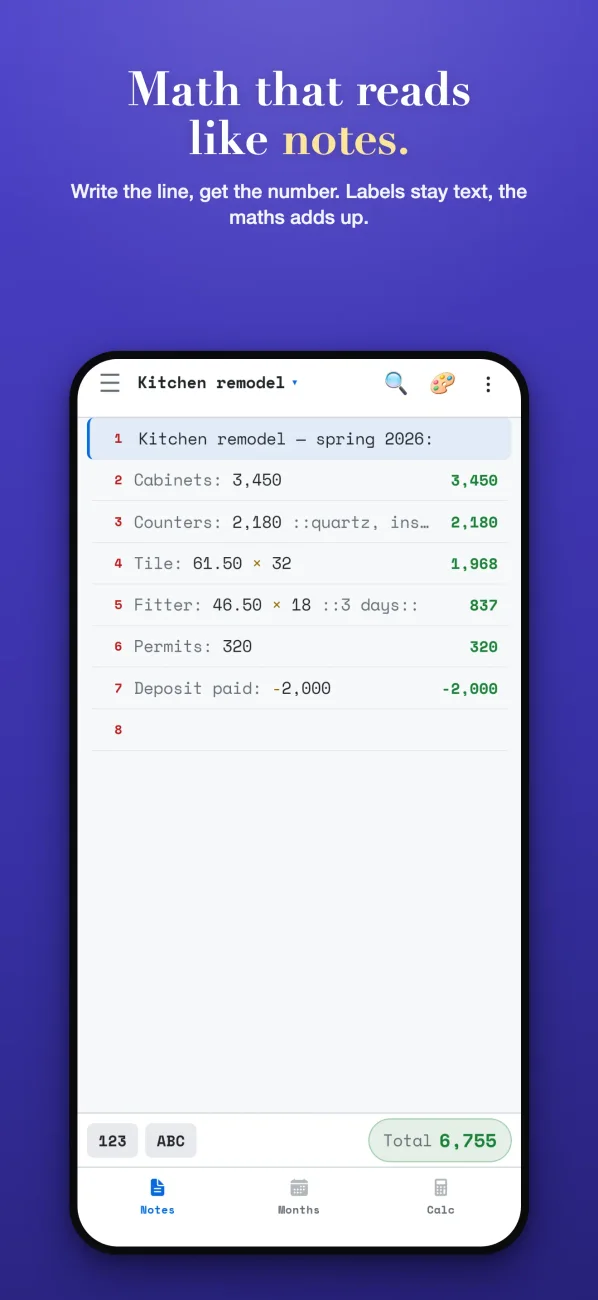
Easy Note Calc is a notepad you can do maths in. Write a line the way you'd write it on paper — "Rent: 1,200" or "Tile: 61.50 × 32" — and the answer appears beside it. Nothing to set up, no cells, no formula bar.
Write it like a note
Put a label before a colon and it stays plain text. "Kitchen remodel — spring 2026:" is a heading, not a sum. Anything after the colon is the maths. Wrap an aside in double colons — ::quartz, installed:: — and it's a comment the calculator ignores. Your notes read like notes, and still add up.
Point at other lines with @
• @1 — the result of line 1
• @rent — every line containing that word, added together
• @s2 — the total of another saved note, pulled into this one
Change one number and everything pointing at it follows. Use @rent for a running subtotal and it updates as you add lines, without you touching it.
Months, filled in automatically
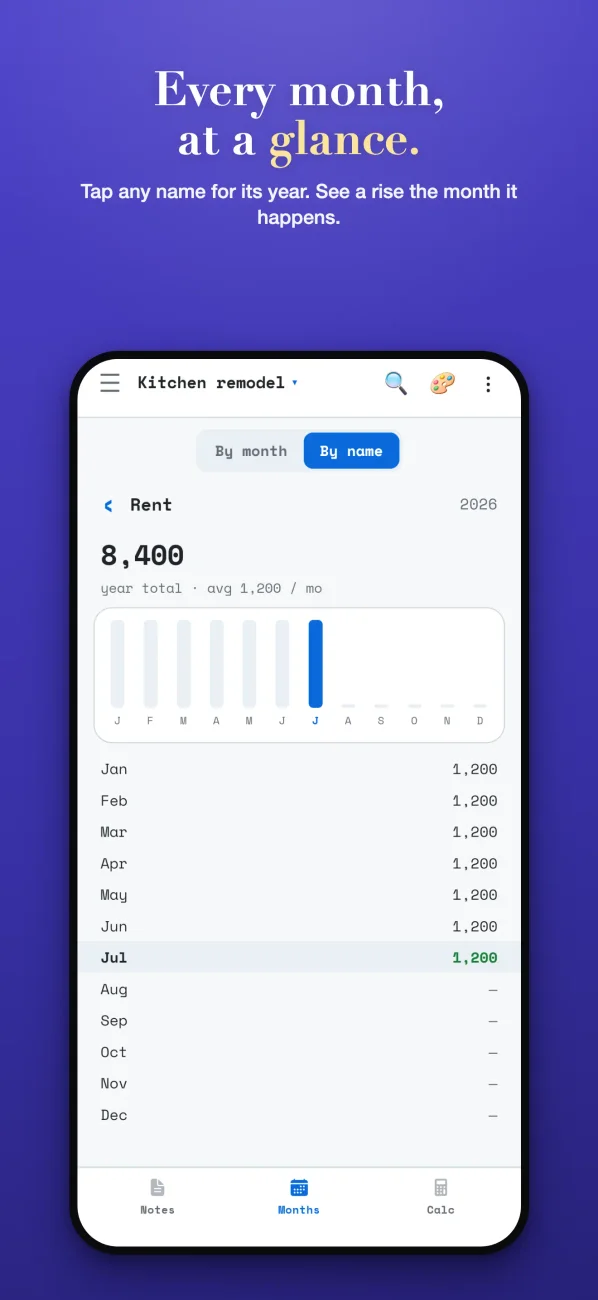
Every line with a number lands in the Months tab, grouped by the month you wrote it. See a month's total and how it compares with the month before. Switch to "By name" and every repeated word becomes its own running total for the year — tap one for a 12-month chart. There is nothing to categorise or tag. If you type "Rent" every month, Rent starts tracking itself.
A real calculator too
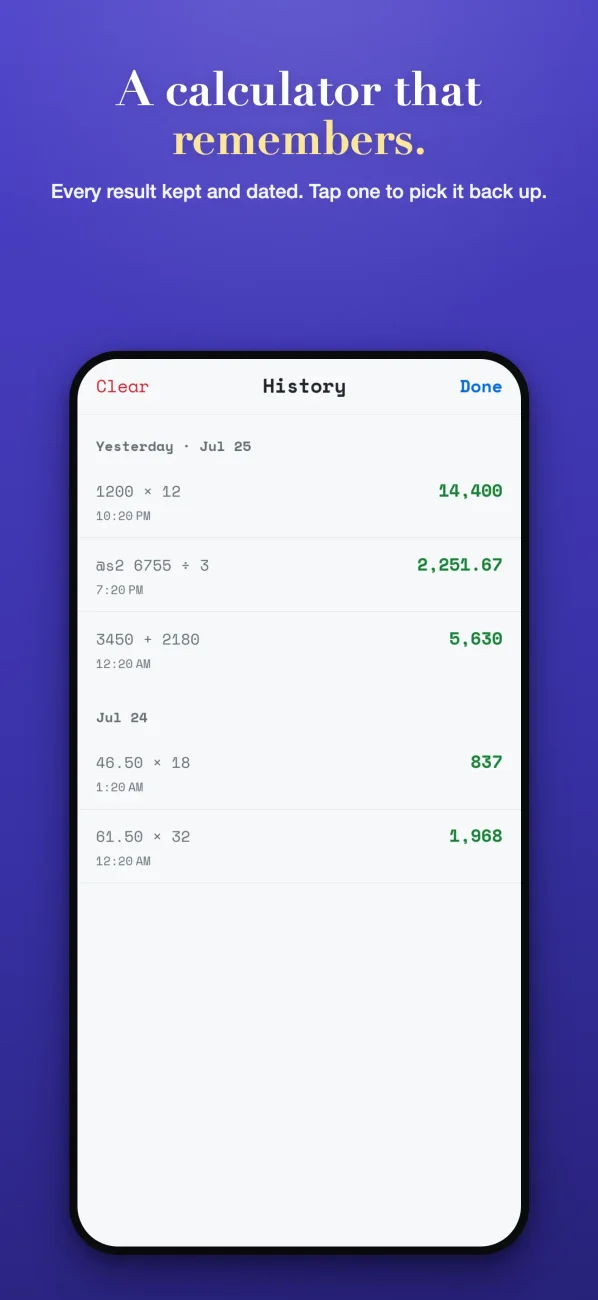
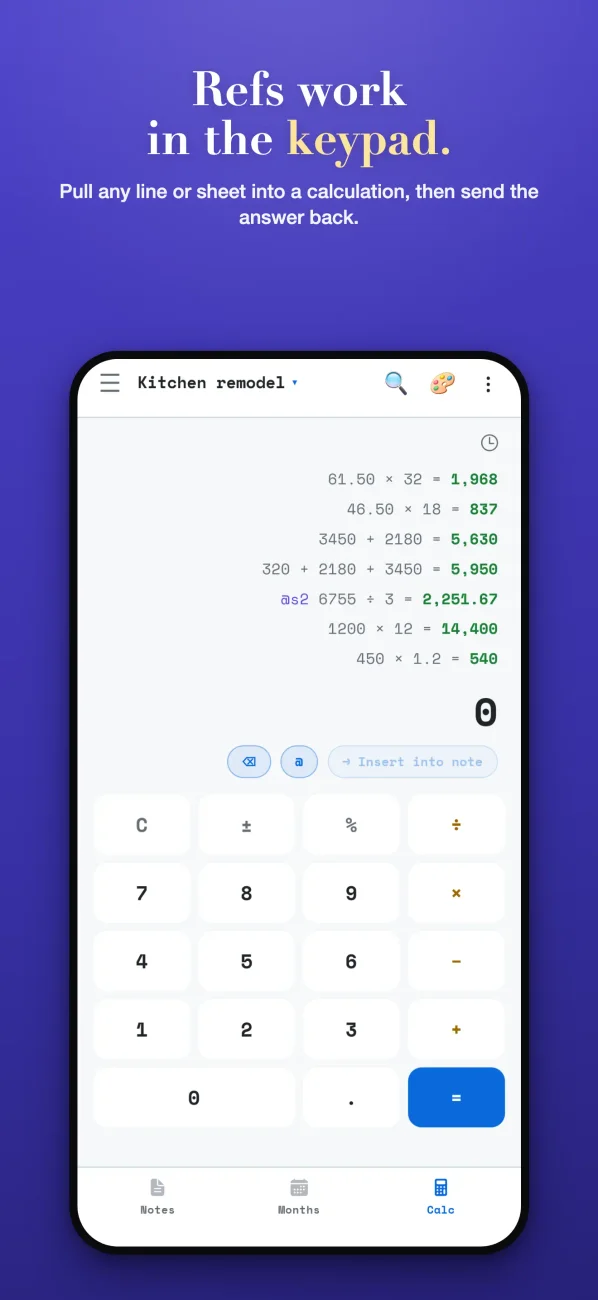
A full keypad with a running tape, kept and grouped by day, so yesterday's sums are still there tomorrow. Tap any past result to carry on from it. The same @ references work here — pull in a line, or a whole saved note's total, then send the answer back into your note.
Everything else
• Multiple notes, each saved as you type
• Scientific functions — sin, cos, tan, log, ln, sqrt, factorial, π and e
• 10 themes, five dark and five light
• Search across every note
• Share or export as text or as an image
• Undo and redo
• A tap-friendly keypad, or just use your keyboard
Your notes stay on your device
No account. No sign-up. Works completely offline. Everything you write is stored on your phone and is never uploaded anywhere.
Easy Note Calc is free, supported by ads.
Good for budgets, quotes and invoices, shopping totals, homework, unit conversions, job costing, splitting bills, or any time you want a scratch pad that does the adding for you.
Novedades
Versión 2.0.3 · 6/11/2026
• Press and hold any line to copy or delete it. It's now in How to use and the intro.
• New Notes text size setting: Small, Default, Large, XL.
• Long results no longer get cut off.
• Android: the line menu now closes with Back.
• Privacy choices in Settings where your region requires it.
Privacidad de la aplicación
Lo que Den Digital LLC declara en App Store sobre cómo esta aplicación gestiona los datos.
-
Datos usados para rastrearte
Pueden usarse para rastrearte en aplicaciones y sitios web propiedad de otras empresas.
- Identificadores
-
Datos vinculados a ti
Pueden recopilarse y vincularse a tu identidad.
- Identificadores
Las prácticas de privacidad pueden variar, por ejemplo, según las funciones que uses o tu edad.
Información
- Vendedor
- Den Digital LLC
- Categoría
- Productividad
- Versión
- 2.0.3
- Actualizado
- 6/11/2026
- Publicado
- 5/6/2026
- Tamaño
- 30,4 MB
- Requiere
- iOS 15.1 o posterior
- Clasificación por edad
- 4+
- Precio
- Gratis
- Idiomas
- Inglés
- Copyright
- © 2026 Den Digital LLC
Quizá también te guste
-
 Tally Board CounterProductividad
-
 GroceryLissProductividad
-
 SolverPad - Notepad CalculatorProductividad
-
 Riverbed - Info ManagementProductividad
-
 CalcNote: Calc Log & FoldersProductividad
-
 NoteCalc: a Notepad CalculatorProductividad
-
 CalcNotes - Bloc de cálculoCalculadora + Bloc de notas
-
 LockScreenNotes & WidgetProductividad
-
 NoteCalcu: Note CalculatorProductividad
-
 SumNote - Notes with SumsProductividad