
GridPlayer | Multi Video Play
Split Screen & Camera Footage
Diseñada para iPhone, iPad
Gratis · Compras en la aplicación
- Clasificación por edad4+
- CategoríaFoto y vídeo
- DesarrolladorAbdullah Alakeel
- IdiomasInglés+ 11 más
- Tamaño20,5 MB
Enlaza a la página oficial de App Store
Download.org no aloja ningún archivo de GridPlayer | Multi Video Play. El botón abre la página de la aplicación en App Store, donde la publica Abdullah Alakeel. Ficha comprobada por última vez el 26/11/2026.
Capturas de pantalla
Acerca de
El desarrollador no ha proporcionado este texto en tu idioma.
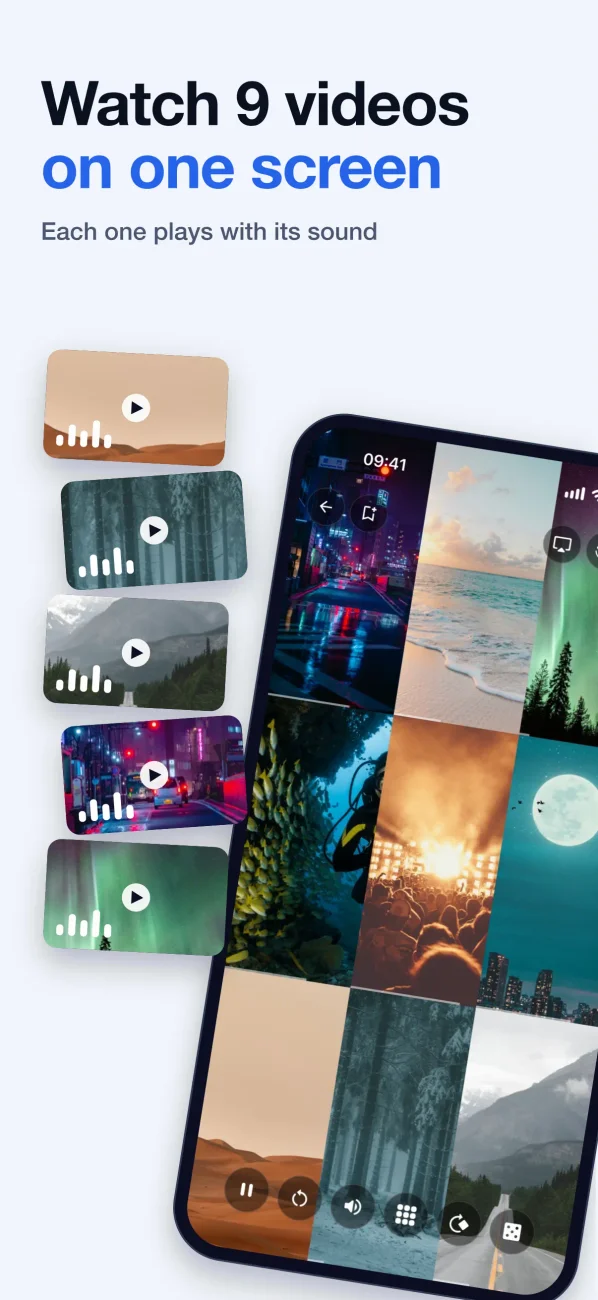
**One screen. Nine videos. Endless possibilities.**
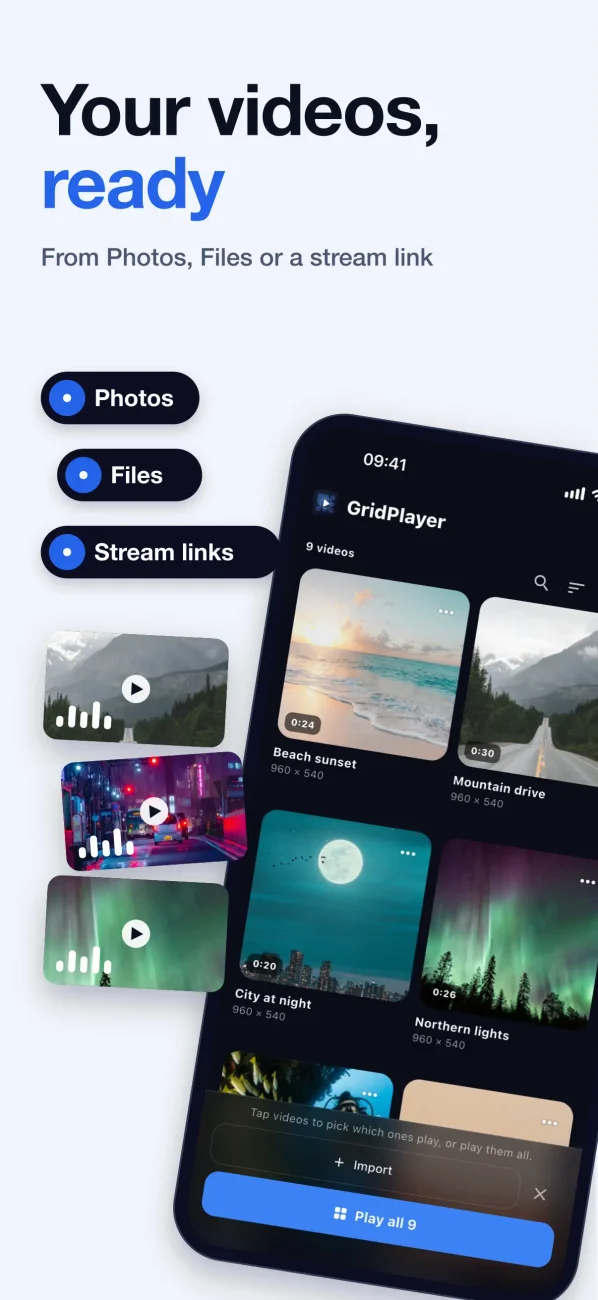
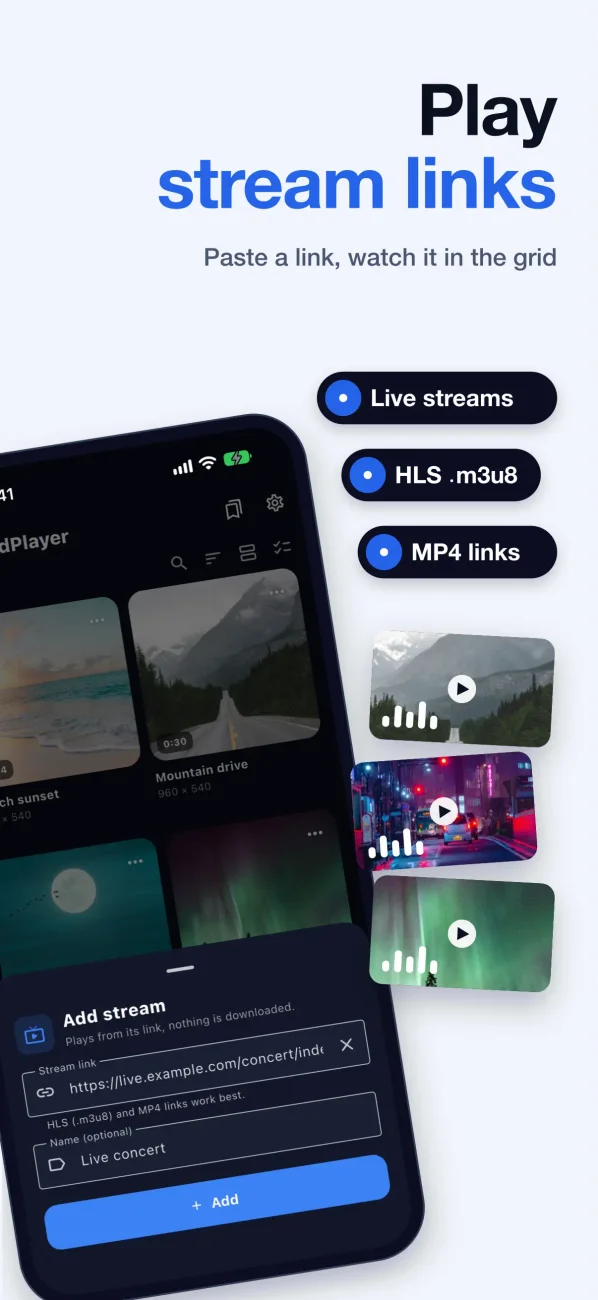
GridPlayer is a powerful multi-video player that lets you watch up to nine videos simultaneously on a single screen. Play movies, sports, dashcam recordings, camera footage or personal videos side by side with individual audio and customizable layouts.
Simply import videos from Photos or Files, choose your grid layout, and start watching. No complicated setup, no account, and no internet required.
**MULTI VIDEO PLAYER & SPLIT SCREEN**
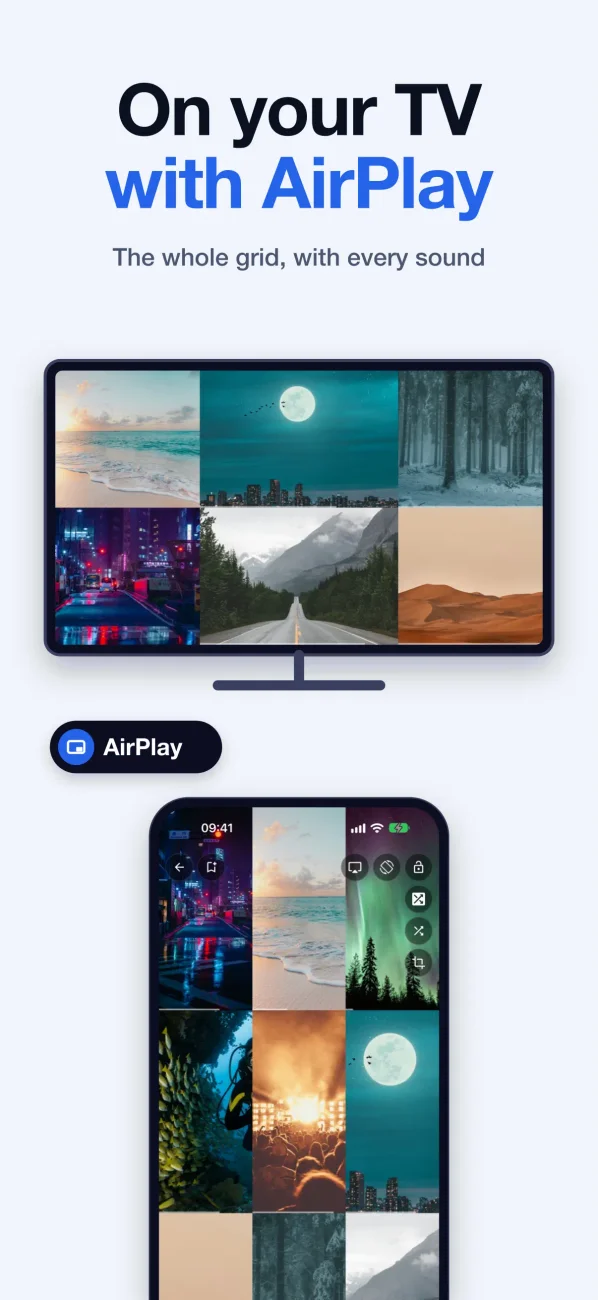
• Play up to 9 videos simultaneously on one screen
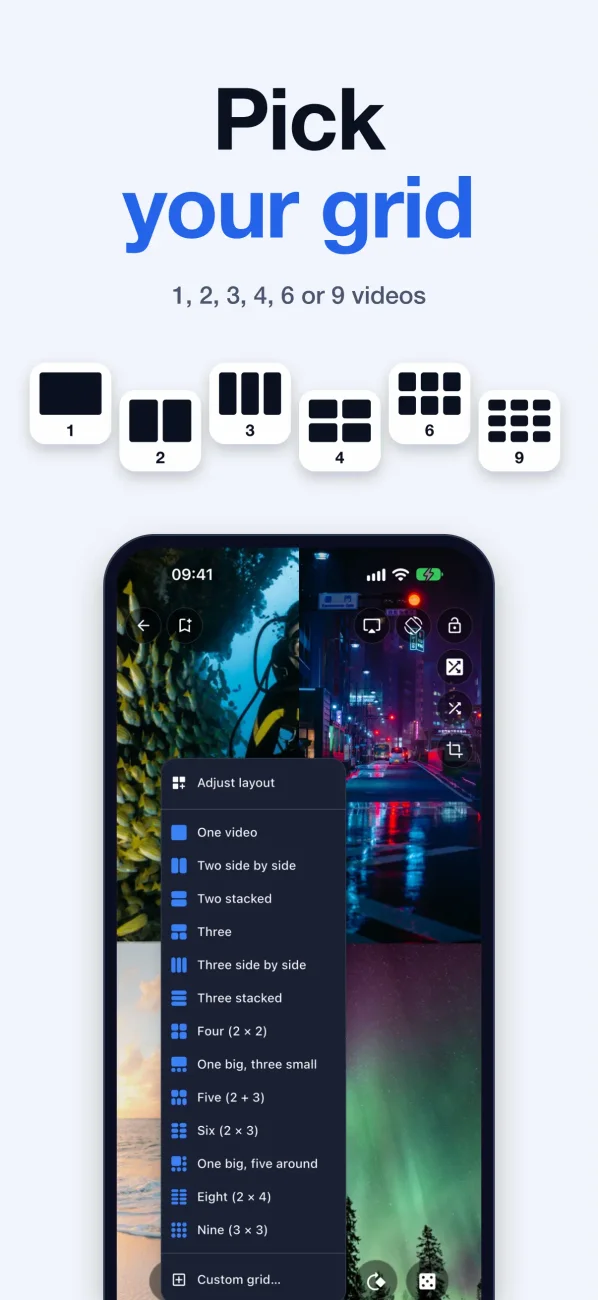
• Choose from 1, 2, 3, 4, 6 or 9-video grid layouts
• Watch videos side by side or stacked vertically
• Enjoy individual audio from every video
• Mute individual videos or all videos at once
• Play, pause or restart all videos with one tap
• Choose Fill, Fit or Stretch for each video
• Enjoy landscape full-screen playback with hidden controls
• Lock your layout to prevent accidental changes
**CUSTOMIZE YOUR VIDEO GRID**
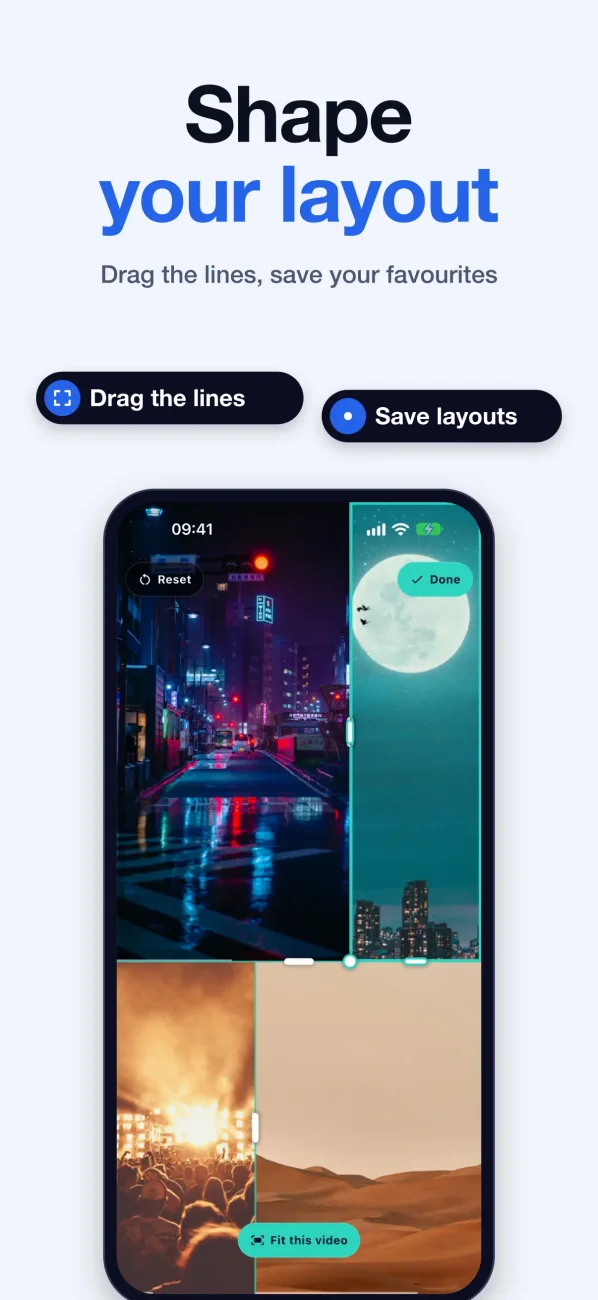
• Create your own personalized video wall
• Resize individual video tiles by dragging borders and corners
• Automatically fit tiles to their original video proportions
• Eliminate unwanted black bars
• Save and name your favorite layouts
• Restore saved layouts with their videos and playback positions
**SHUFFLE, SWAP & ARRANGE**
• Instantly shuffle videos across your grid
• Randomize playback positions to discover different moments
• Drag and drop videos to swap their positions
• Double-tap to jump forward or backward by 30 seconds
• Arrange your videos exactly the way you want
**ADVANCED VIDEO PLAYBACK**
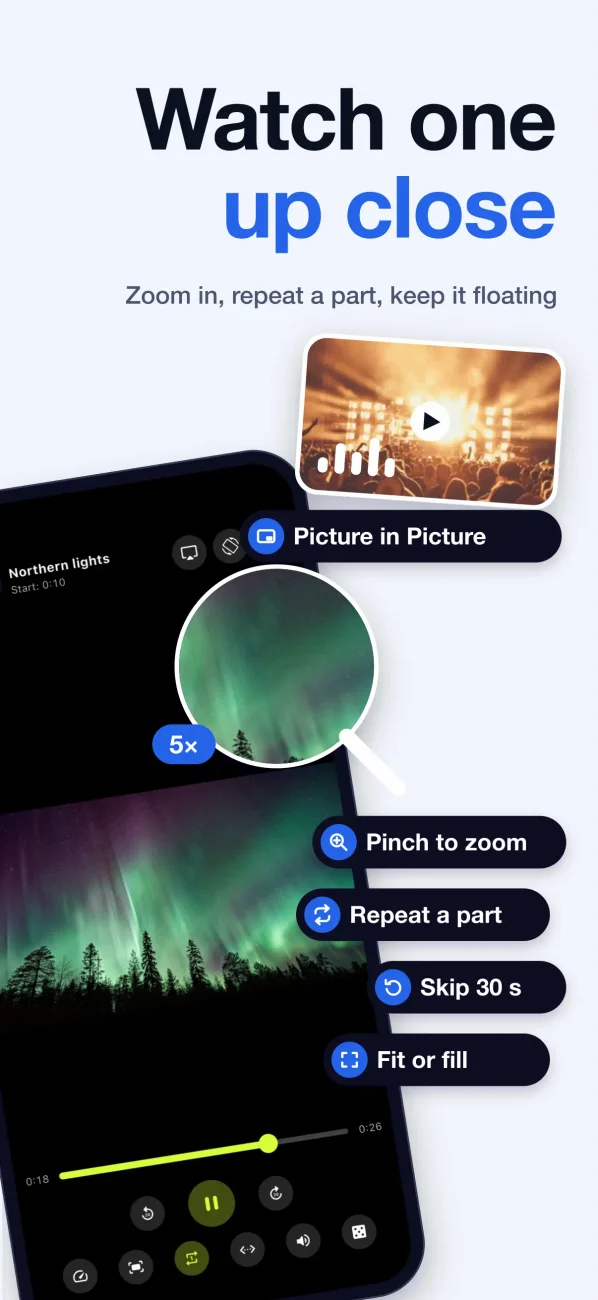
• Focus on any video while the others continue playing quietly
• Control playback speed and seek to any moment
• Repeat individual videos
• Set custom A-B loop points to repeat specific scenes
• Keep loops running when returning to the grid
• Pinch to zoom and explore video details
**PERFECT FOR**
• Watching multiple videos simultaneously
• Comparing sports performances and recordings
• Reviewing dashcam and camera footage
• Analyzing videos side by side
• Watching movies and personal video collections
• Creating a customized multi-screen video wall
**100% PRIVATE & OFFLINE**
Your videos belong to you. Everything happens directly on your iPhone.
• No account required
• No tracking
• No uploads
• No internet connection required
Download GridPlayer and experience a smarter way to watch multiple videos at once. Your videos, your layout, your control.
Questions or suggestions? We read every message. Tap Support below.
Novedades
Versión 2.3.2+36 · 25/11/2026
App enhancements
Privacidad de la aplicación
Lo que Abdullah Alakeel declara en App Store sobre cómo esta aplicación gestiona los datos.
-
No se recopilan datos
El desarrollador no recopila ningún dato de esta aplicación.
Las prácticas de privacidad pueden variar, por ejemplo, según las funciones que uses o tu edad.
Información
- Vendedor
- Abdullah Alakeel
- Categoría
- Foto y vídeo
- Versión
- 2.3.2+36
- Actualizado
- 25/11/2026
- Publicado
- 6/11/2026
- Tamaño
- 20,5 MB
- Requiere
- iOS 16.0 o posterior
- Clasificación por edad
- 4+
- Precio
- Gratis
- Compras en la aplicación
- Sí
- Idiomas
- Inglés, Árabe, Francés, Alemán, Hindi, Japonés, Coreano, Portugués, Ruso, Chino simplificado, Español, Turco
- Copyright
- © 2026 GridPlayer
Quizá también te guste
-
 Flick - Video PlayerFoto y vídeo
-
 Tiledmedia PlayerFoto y vídeo
-
 CozyView — Sites & VideosFoto y vídeo
-
 RealAd AI: UGC Ad MakerFoto y vídeo
-
 Subtítulos automáticos: VídeosReproductor, traductor, editor
-
 MOVINdow - Multi Video PlayerFoto y vídeo
-
 Collage fácil: fotos y vídeosMezcla clips sin marca de agua
-
 Remaster AI - Mejora VideosAumenta calidad y resolución
-
 PiP & Background Video/iPlayerFoto y vídeo
-
 TalgiaFoto y vídeo