
Ember - Now & Next
Simple tasks. Powerful focus.
Diseñada para iPhone
Gratis · Compras en la aplicación
- Clasificación por edad4+
- CategoríaProductividad
- DesarrolladorArvind Verma
- IdiomasInglés
- Tamaño35,3 MB
Enlaza a la página oficial de App Store
Download.org no aloja ningún archivo de Ember - Now & Next. El botón abre la página de la aplicación en App Store, donde la publica Arvind Verma. Ficha comprobada por última vez el 20/11/2026.
Capturas de pantalla

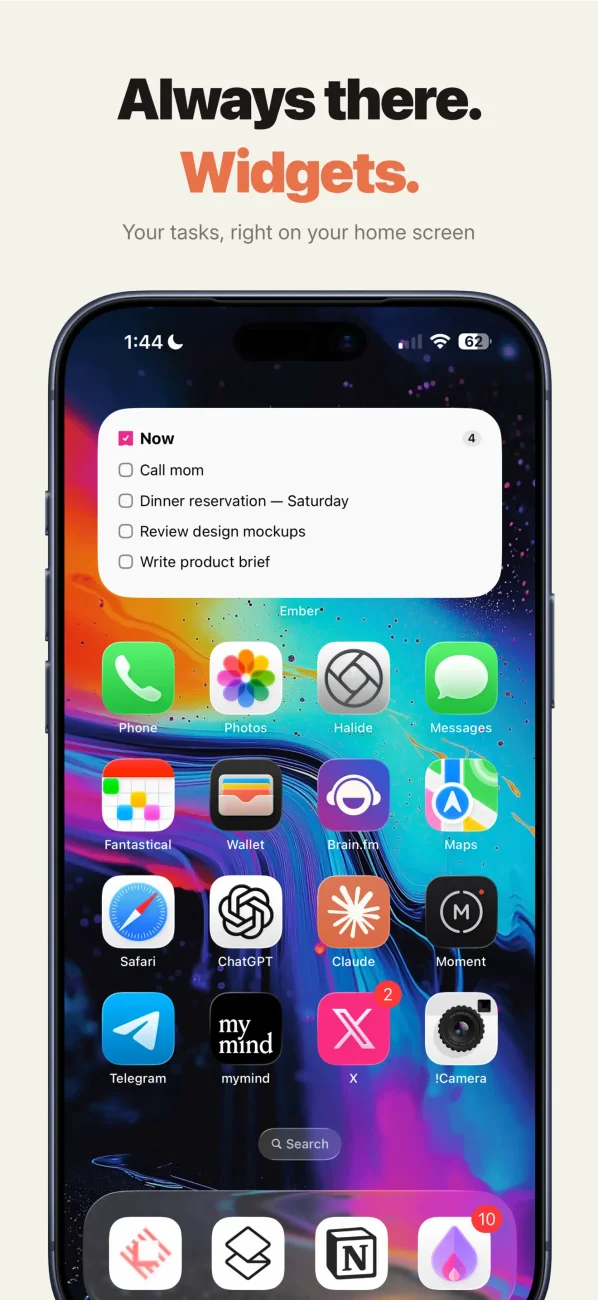
Acerca de
El desarrollador no ha proporcionado este texto en tu idioma.
Notes-app simplicity. Task-app power. AI when you're stuck.
You've tried every task app. They all made you configure projects, tap through modals, and manage systems instead of just... doing things.
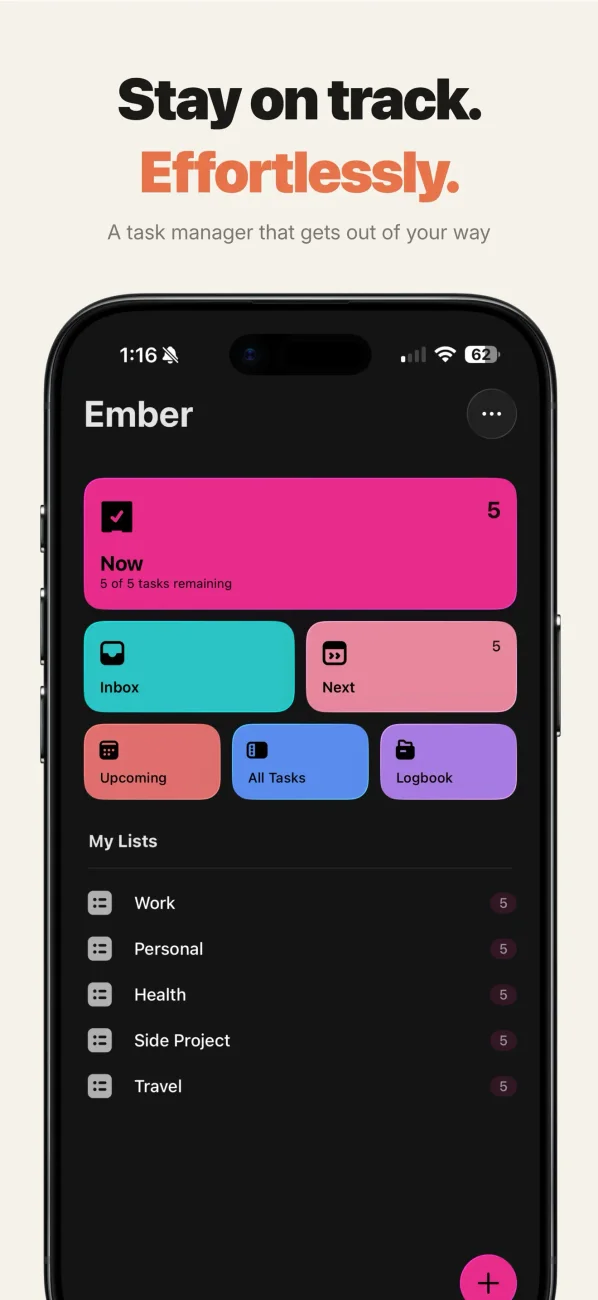
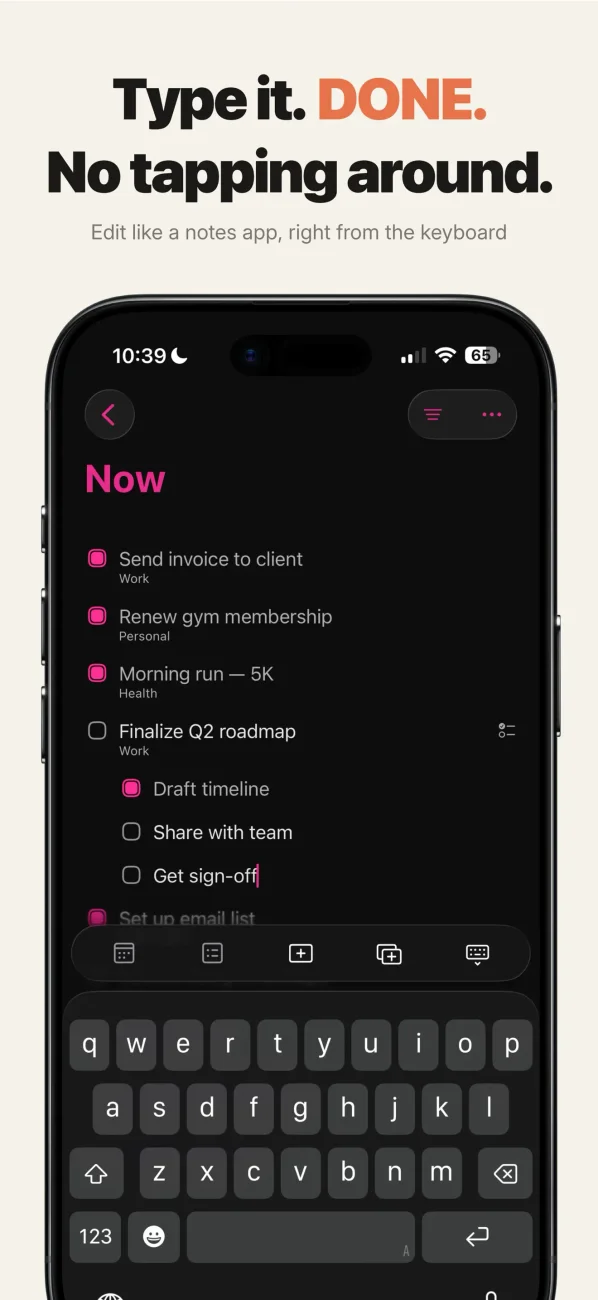
Ember is different. It works like a notes app — one tap, start typing, press return for the next task. Brain dump without friction. But underneath, it's a real task manager.
TWO VIEWS. THAT'S IT.
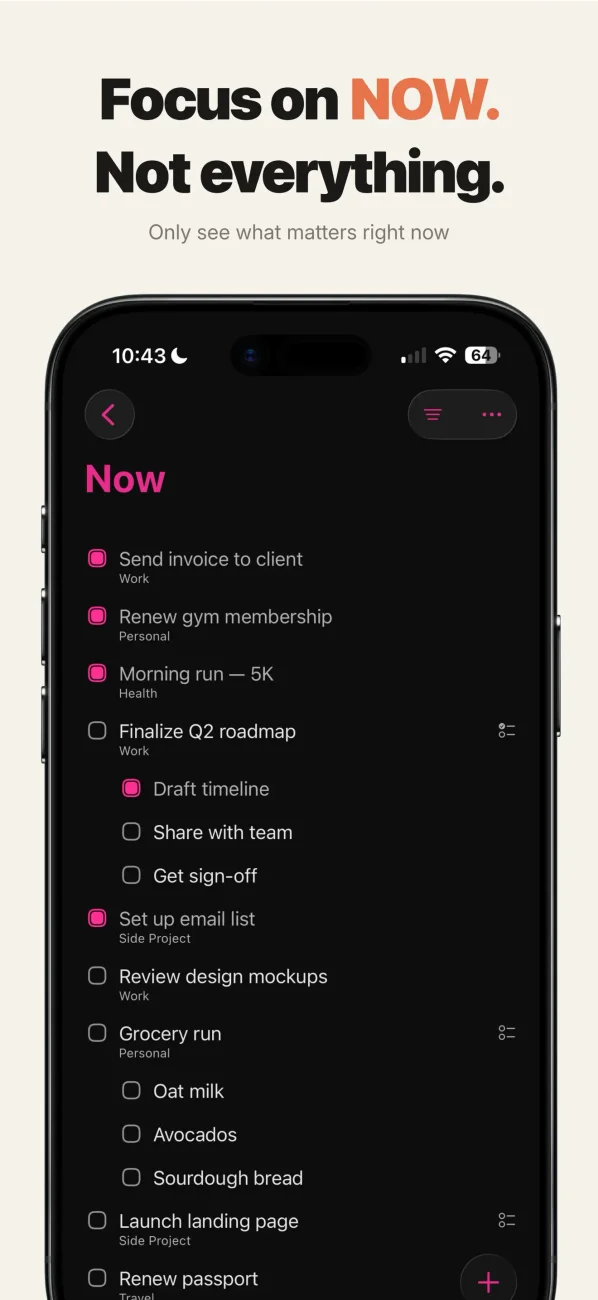
• Now — What you're focused on right now
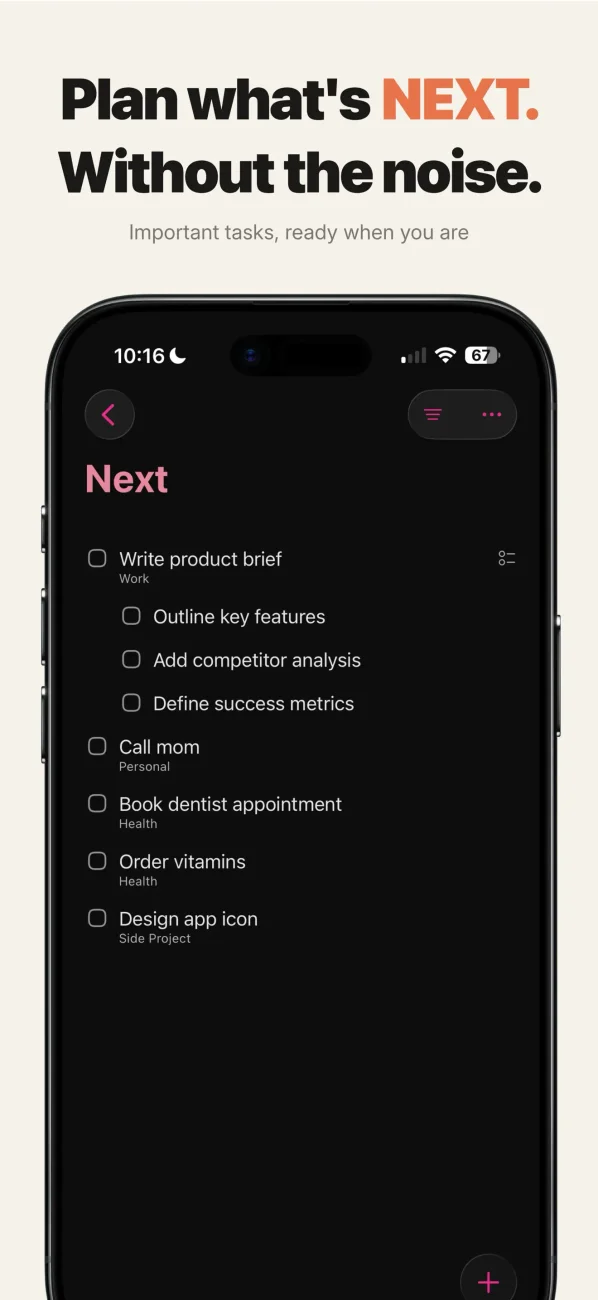
• Next — What's important but not yet
Move tasks between them like a personal kanban — without the board, the columns, or the complexity. Just what matters now, and what's coming.
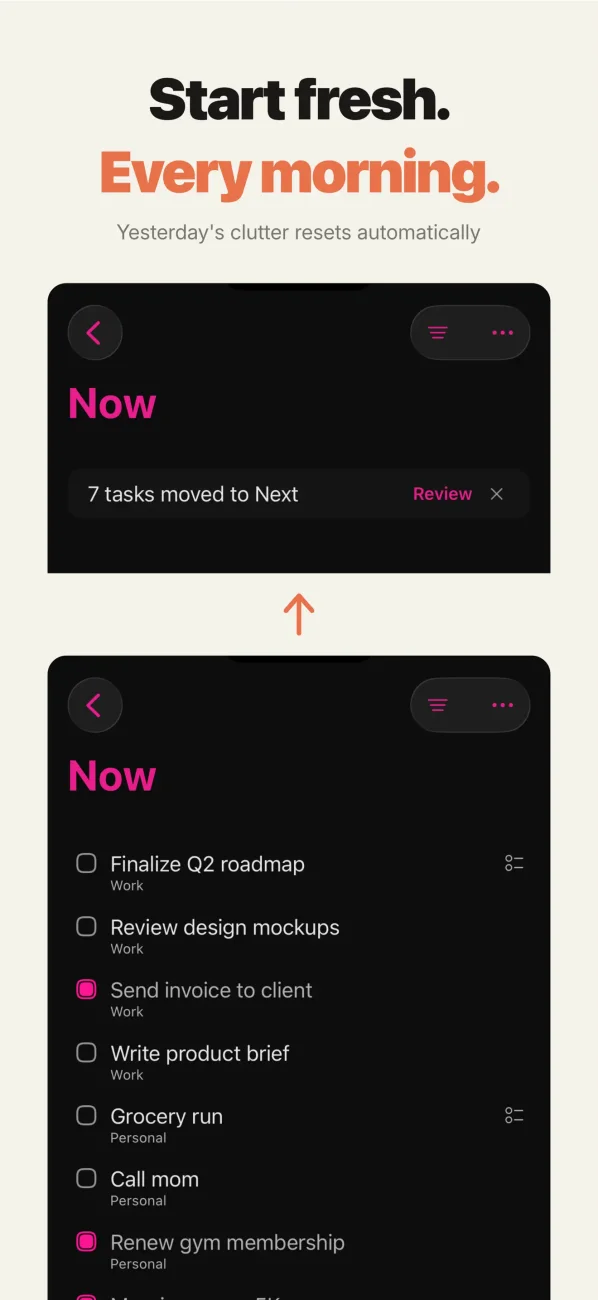
DAILY RESET
Every morning, Ember moves unfinished tasks from Now back to Next. Clean slate. No carryover guilt. If something's still important, pull it back into Now — intentionally, not by default. Clean slate, every morning. This is how you break the accumulation cycle.
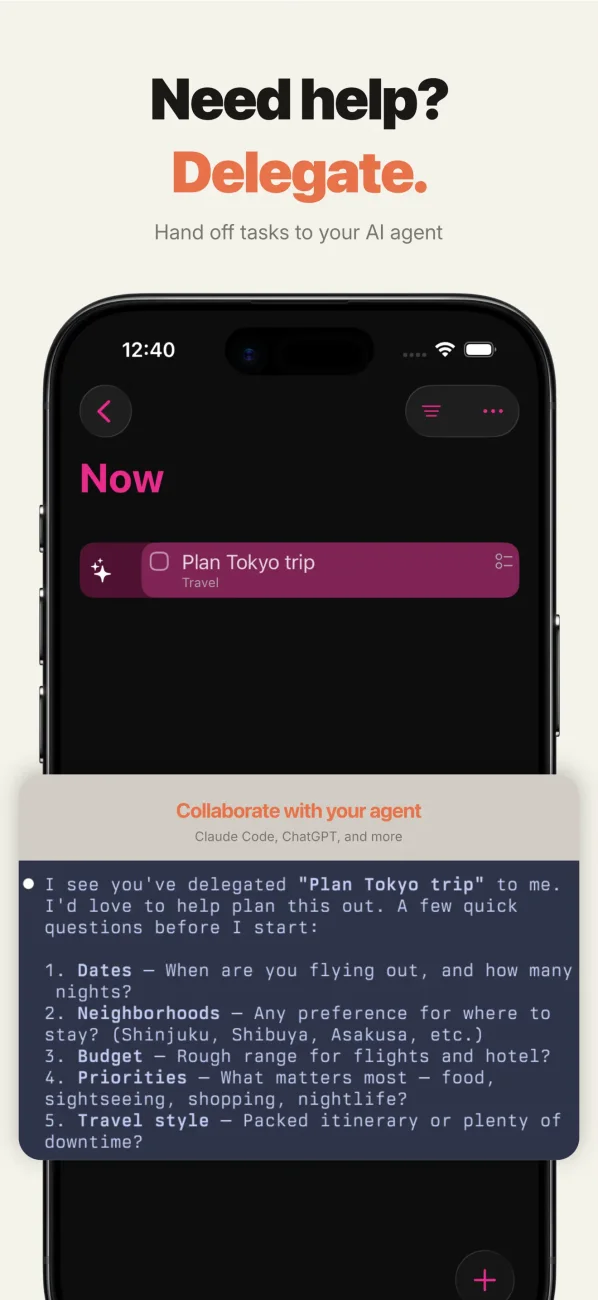
DELEGATE TO AI
Some tasks sit in your list for days — not because they're hard, but because they're vague. "Research venue options for team offsite." Where do you even start?
Tap delegate. Your AI assistant (ChatGPT, Claude) picks it up, asks the right questions, scopes the work, and gets you moving. No prompts to write.
• Tag it, don't prompt it — One gesture during your normal task review. No blank prompt to stare at.
• Works with your tools — Claude, ChatGPT, Cursor, and any agent that supports Model Context Protocol. Bring the agent you already use.
• Not autopilot — Your agent asks before it acts. It's a capable colleague, not a black box.
CAPTURE IN SECONDS
Press plus. Start typing. Press return. Keep going. No modals. No "save" buttons. No three-step creation flows. Brain dump like you're writing notes, but every line becomes a real task.
REPEATING TASKS
Daily, weekly, monthly — or every other Friday, twice a week, whatever cadence your life needs. Tasks appear in Now when they're due. Finish early? Ember automatically reschedules.
LISTS + VIEWS
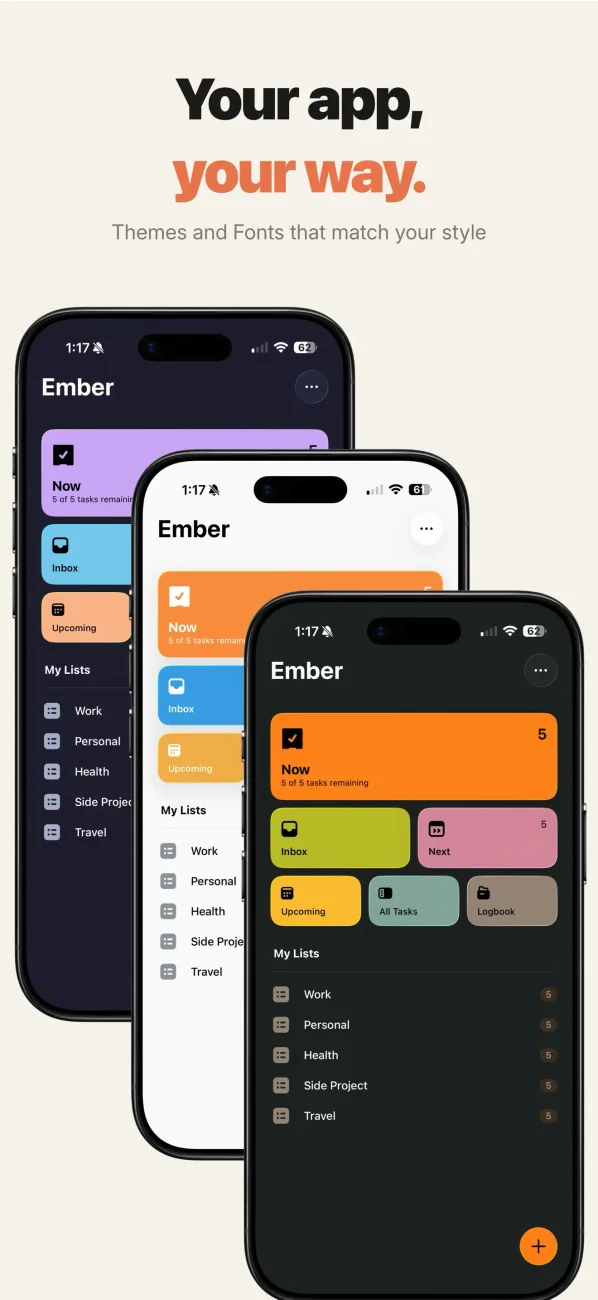
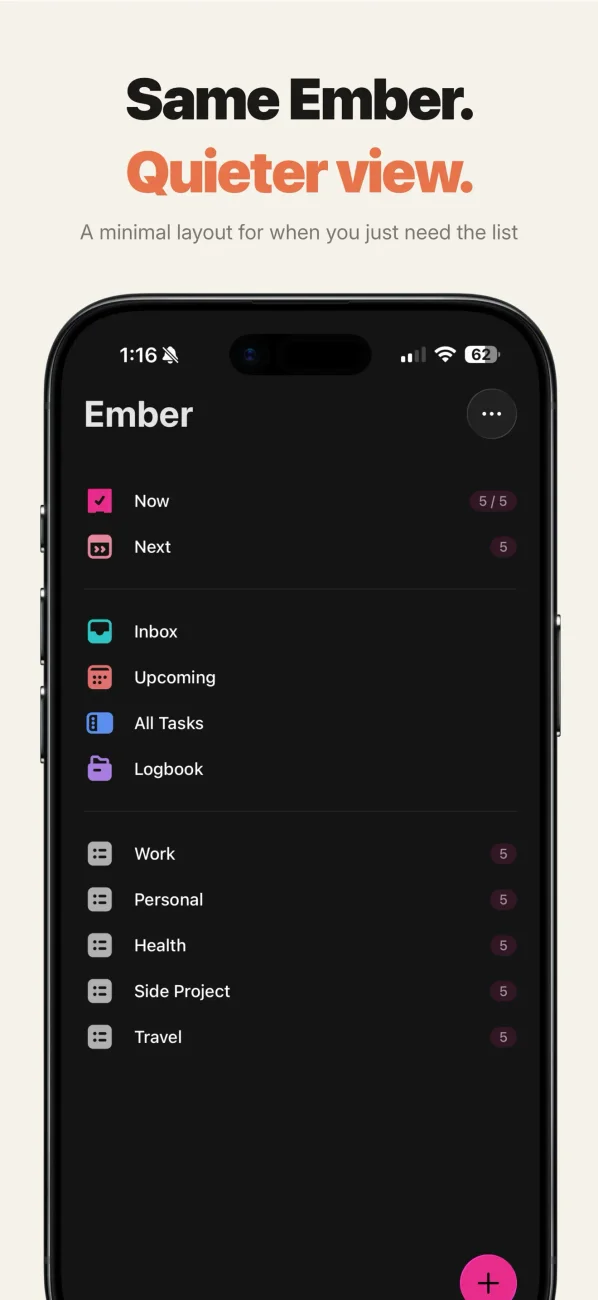
Lists hold your tasks (Home, Work, Finances). Views show you what to focus on (Now, Next, Upcoming). Pull tasks from any list into Now when you're ready. Organization without overhead.
SUBTASKS
Break big tasks into steps. Check them off as you go. Simple.
BUILT FOR YOUR BRAIN
Most task apps create a wall of shame — an ever-growing list of things you didn't do. Ember doesn't do that.
Now holds what you're working on. Next holds what matters but isn't urgent. Nothing stares at you. Nothing guilts you. You move things to Now when you're ready — not because a badge told you to.
• No friction — Capture is instant. If it takes more than 2 seconds, you won't do it.
• No decisions — Now or Next. No priority levels, no color-coded tags, no "which project?"
• No overwhelm — You only see what's relevant right now.
• No wall of shame — Important things stay in Next without the guilt.
THEMES THAT FEEL LIKE HOME
Multiple color themes like: Dracula, Tokyo Night, Rosé Pine, Catppuccin, Nord, and Ember Pink. Dark mode that actually looks good. Make it your own.
SIMPLE BY DESIGN
Ember isn't the task app that does everything. It's the one that clears your head every morning — and helps use AI to get things done.
Terms & Conditions: https://www.embertask.app/terms
Privacy Policy: https://www.embertask.app/privacy-policy
Any feedback? Contact us at contact@embertask.app
Novedades
Versión 1.2 · 6/5/2026
• Try Ember free — no payment up front
• Faster scrolling on long task lists
• Drop new tasks anywhere with drag-to-insert
• Daily reset now syncs across all your devices
• New minimal layout for a denser view
• Polish, sync, and reliability improvements throughout
Details:
Try Ember free
Start with a free trial — no payment up front. Explore the full experience before you decide.
A fresh coat of polish
Glass-tinted list cards with adaptive contrast, cleaner toolbars, smoother task-completion animations, and refined drag previews throughout the app.
Faster, smoother, more reliable
Big speedups on long lists, smoother scrolling, and a long list of fixes across task sync, completing tasks, drag-and-drop, and the app icon badge count.
Drag tasks from the quick-add button
Pick up a new task right from the add button and drop it exactly where you want it in your list.
Daily reset, in sync
Your daily reset preference now lives with your account and stays consistent across all your devices.
Minimal layout option
A new denser layout for fitting more on screen, with a redesigned glass quick-add button.
Archived lists, in order
Archived lists now sort newest first, with tighter spacing so they're easier to scan.
Sync & reliability fixes
- App icon badge now matches your Today incomplete count
- Fixed a race that could re-check tasks at launch
- More resilient handling of edits made on multiple devices at once
Privacidad de la aplicación
Lo que Arvind Verma declara en App Store sobre cómo esta aplicación gestiona los datos.
-
Datos vinculados a ti
Pueden recopilarse y vincularse a tu identidad.
- Información de contacto
- Identificadores
-
Datos no vinculados a ti
Pueden recopilarse, pero no se vinculan a tu identidad.
- Diagnóstico
Las prácticas de privacidad pueden variar, por ejemplo, según las funciones que uses o tu edad.
Información
- Vendedor
- Arvind Verma
- Categoría
- Productividad
- Versión
- 1.2
- Actualizado
- 6/5/2026
- Publicado
- 12/3/2026
- Tamaño
- 35,3 MB
- Requiere
- iOS 26.0 o posterior
- Clasificación por edad
- 4+
- Precio
- Gratis
- Compras en la aplicación
- Sí
- Idiomas
- Inglés
- Copyright
- © 2026 Aether Creations LLC
Quizá también te guste
-
 Ike OrganizerProductividad
-
 StarLens Visual Notes & TasksProductividad
-
 Mirror: Time Tracker & LogProductividad
-
 The Next To-DoProductividad
-
 Block It OutProductividad
-
 Checkon - Checklist ManagerProductividad
-
 QuickClipperProductividad
-
 IkeMatrixProductividad
-
 Habit Plus: Hábitos DiariosRutina, Planificador & Metas
-
 Ember Arc: Goal TrackerProductividad