EVStudio
Offline dashboard for your EV
Diseñada para iPhone, iPad
Compras en la aplicación
- Clasificación por edad4+
- CategoríaUtilidades
- DesarrolladorCHANG JUI SHU
- IdiomasChino tradicional+ 3 más
- Tamaño56,4 MB
Es posible que EVStudio no esté disponible en App Store en este momento
No se pudo acceder a la ficha de la tienda en nuestra última comprobación. El enlace sigue llevando a la página oficial de App Store.
Capturas de pantalla


Acerca de
El desarrollador no ha proporcionado este texto en tu idioma.
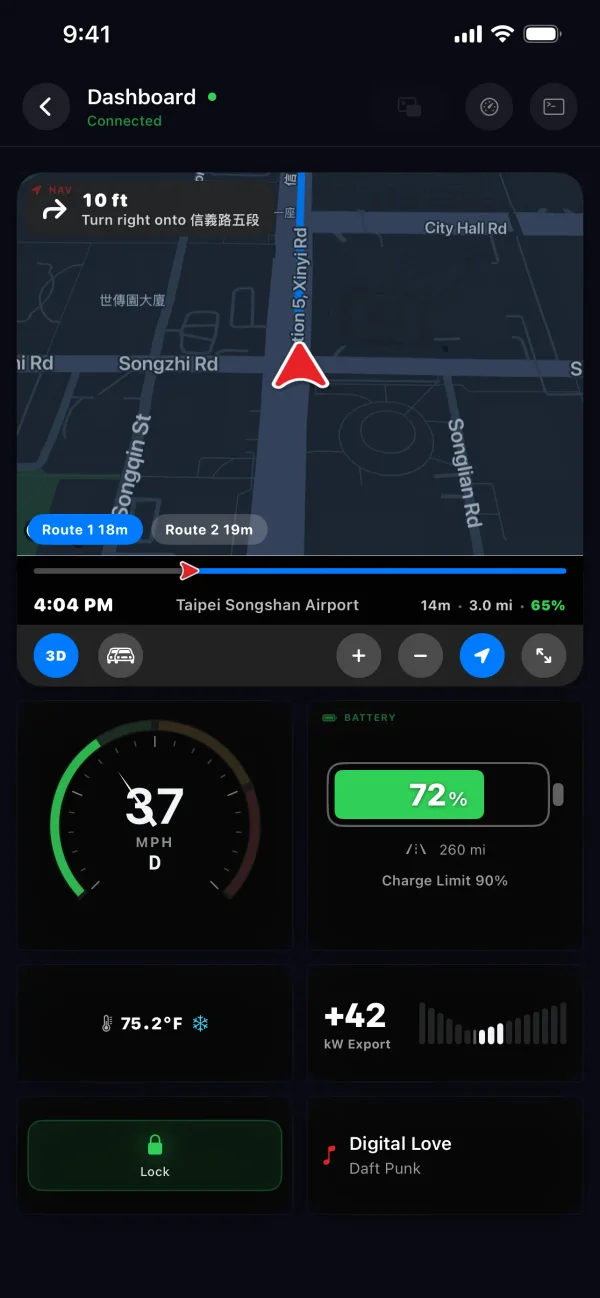
Turn your iPhone into a second display for your car. The live dashboard talks to the vehicle directly over Bluetooth, so it keeps working in an underground garage or anywhere with no signal. Live traffic, cloud charging records, subscription validation and iCloud sync need a network connection.
[Bluetooth Live Dashboard] Free
- Connects straight to the car over Bluetooth and keeps reading supported live data with no network
- Speed, gear, battery and range, all four tire pressures, door and window status
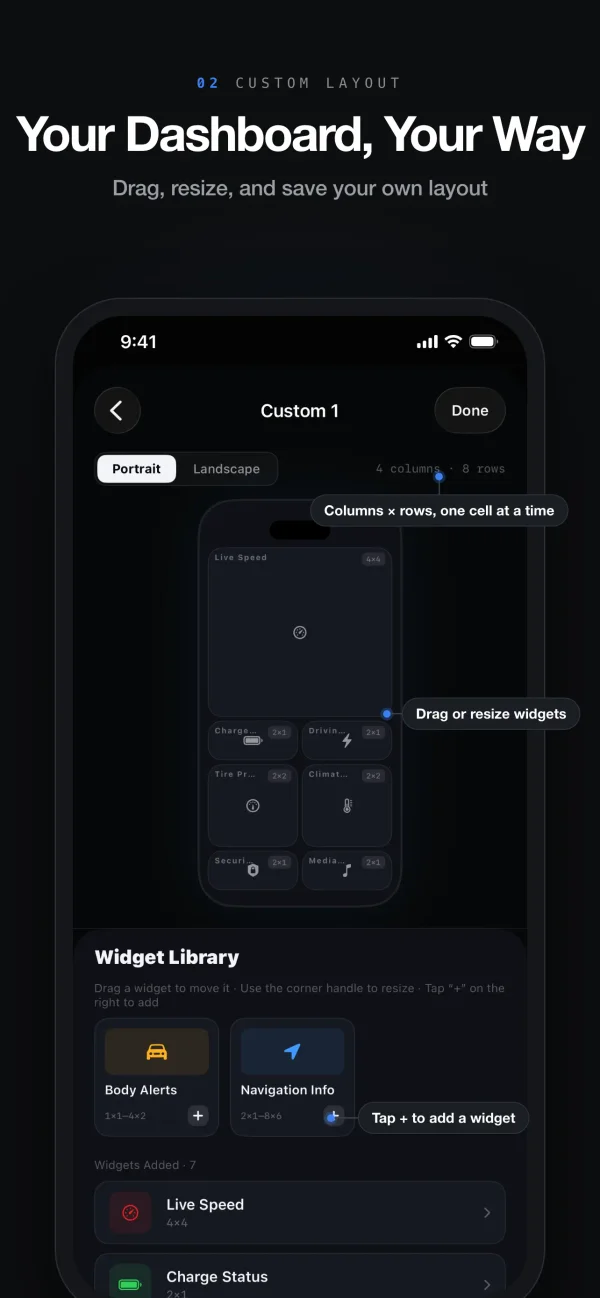
- Drag and drop your own dashboard layout; portrait and landscape both supported
- Lock Screen and Dynamic Island updates (Live Activity; some cloud updates need a network)
- Floating window (Picture in Picture): tap the Floating Window button on the dashboard to keep speed, gear, regen and speed-camera alerts visible over other apps such as Google Maps or Apple Maps. It opens only when you tap it.
- Supported models: Model 3, Model Y and Cybertruck, plus Model S and Model X from the 2021 refresh onward. 2015-2020 Model S and Model X use a key fob, have no phone key, and cannot pair with the Bluetooth dashboard.
[Trip Share Cards] Free
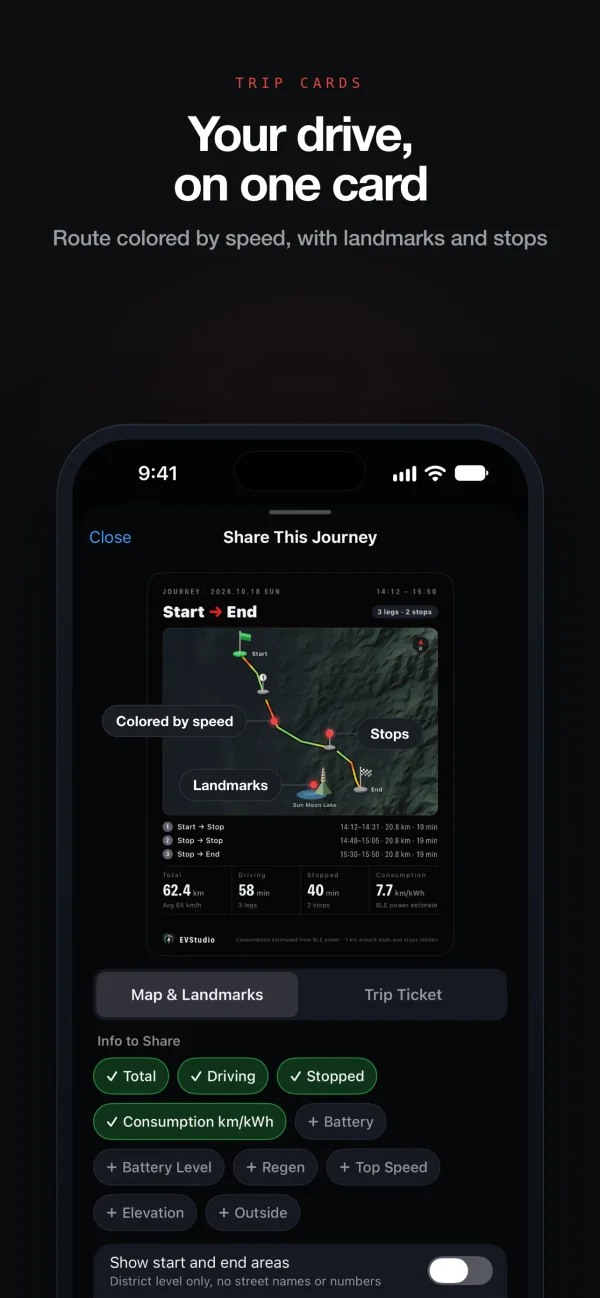
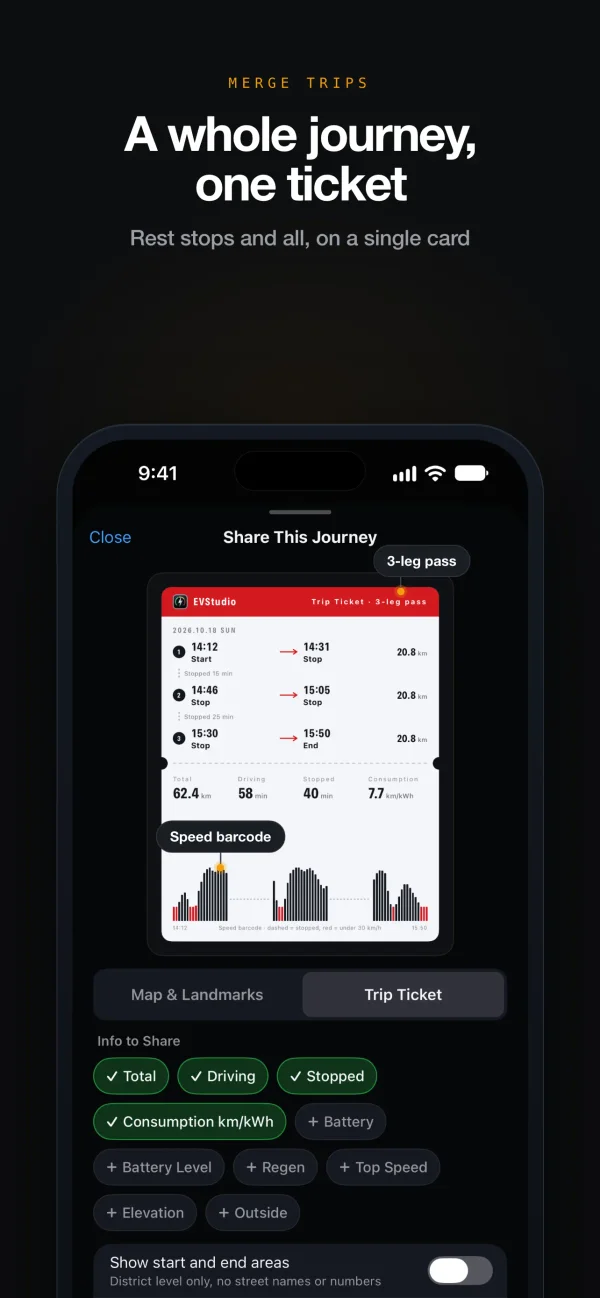
- While the Bluetooth dashboard is open, your route is recorded on your device. Afterwards, turn it into a Map & Landmarks card or a Trip Ticket, then save it to Photos or share it
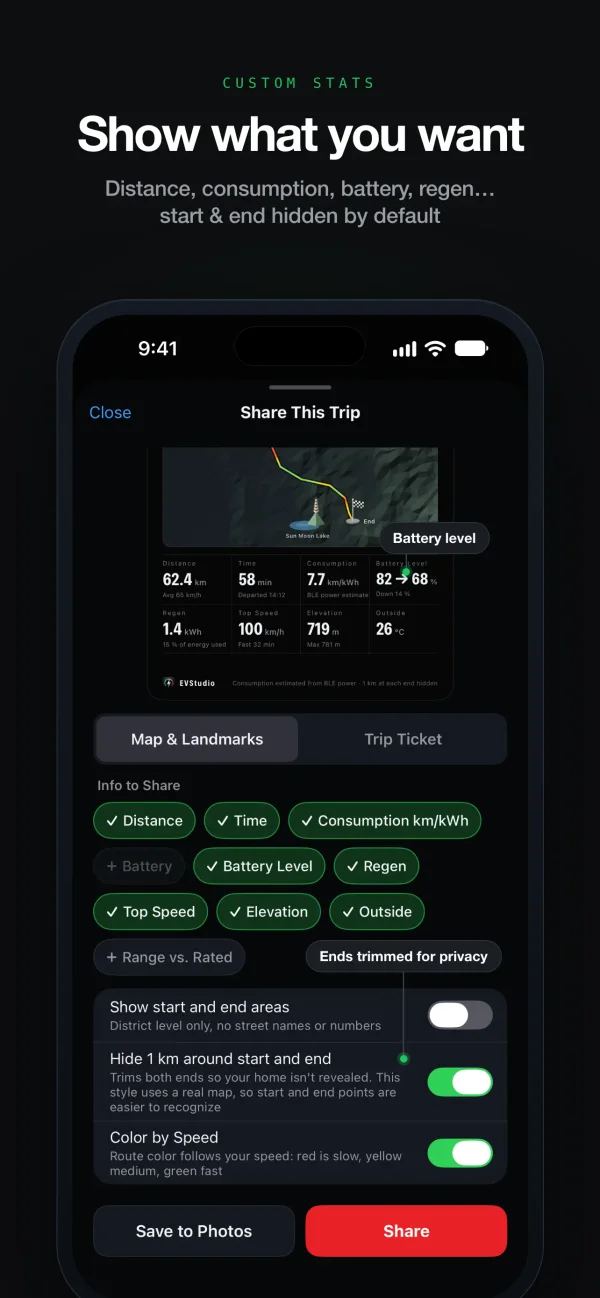
- Pick the stats to show, such as distance, time, battery level and consumption; start and end areas are hidden by default and the ends of the route are trimmed
- Merge a journey split by rest stops into one card; trip tracks stay on your device and are never uploaded
[Navigation] Free (live traffic is Premium)
- Speed camera alerts cover Taiwan only. There is no camera data for other countries.
- Alert distance scales with your speed, plus reroute suggestions
- Switch between Google and Apple routing engines; traffic-aware routing is a Premium feature and needs a network
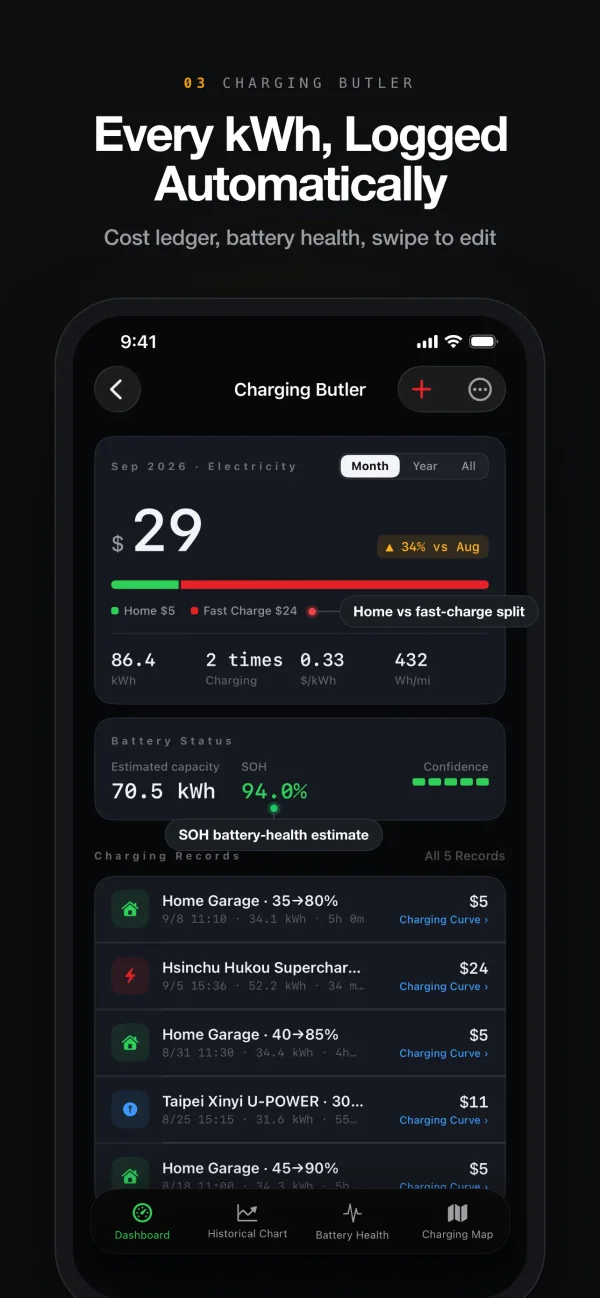
[Charging Butler] Premium
- Connect your Tesla account and finish Fleet Telemetry setup to detect and log charging sessions automatically
- Time-of-use electricity plans for Taiwan, with cost per kWh
- Charging curves, battery health (SOH) trends and a charging map
- iCloud sync across your devices
- Also unlocks Google traffic-aware routing in navigation
[Sentry Videos] Free
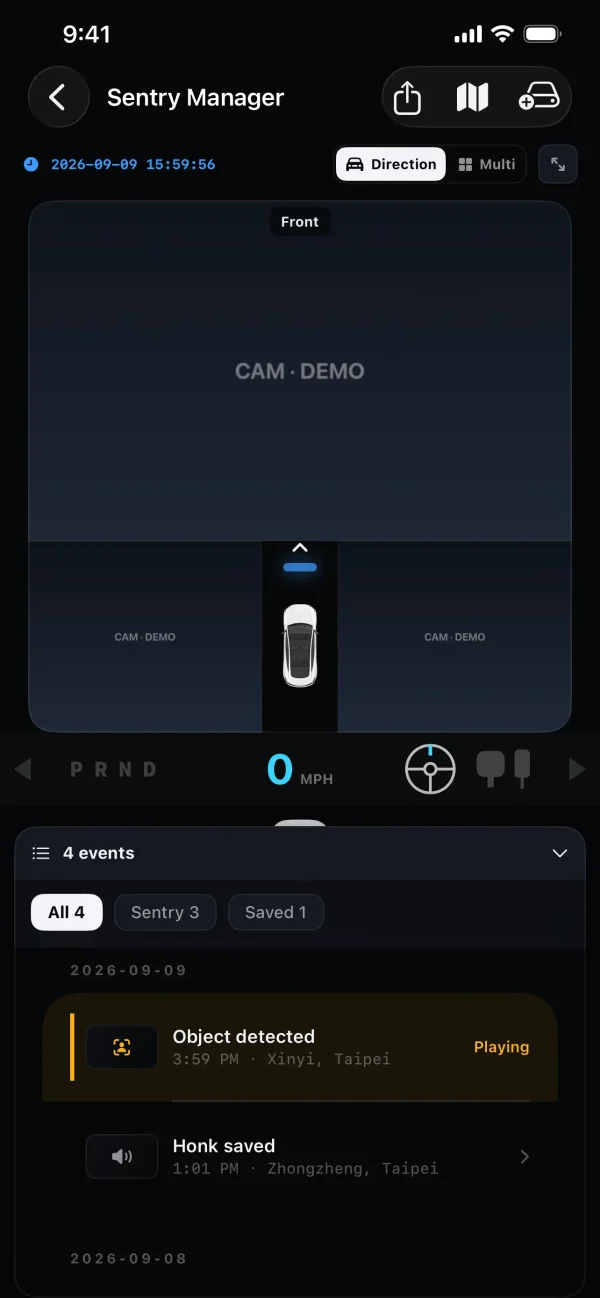
- Import the Sentry and dashcam clips you choose, then play six cameras in sync
- Event timeline and map overview; export a single camera or the six-camera grid, with an optional plate watermark
- Clips are processed on your device and are never uploaded to EVStudio servers automatically
[Light Show Studio] One-time purchase
- Upload a track, generate a base light show and fine-tune each channel
- Export to a USB drive, plug it into the car and play; single car or a full formation
- The built-in editor works offline
-
Subscription details: EVStudio Pro is an auto-renewing subscription, offered monthly or yearly. The exact price for your region is shown in the App Store and in the app before you confirm. Eligible new customers get a 7-day free trial on the monthly plan or a 1-month free trial on the yearly plan. Subscriptions renew automatically unless cancelled at least 24 hours before the end of the current period, and can be managed or cancelled at any time in your App Store account settings.
Privacy Policy: https://evstudio.netlify.app/privacy-en
Terms of Use (EULA): https://www.apple.com/legal/internet-services/itunes/dev/stdeula/
EVStudio is an independent third-party app. It is not affiliated with, sponsored by or endorsed by Tesla, Inc. Tesla is a registered trademark of Tesla, Inc.
Novedades
Versión 2.8.0 · 17/11/2026
• Now available in Japanese and Korean. EVStudio follows your iPhone language, or pick one in iOS Settings > EVStudio > Language.
• See Auto Record status at a glance (Pro): Charging Butler, Home and Settings show whether auto-recording is working and when the last session was recorded. If something needs attention, such as an expired Tesla account authorization, it tells you what to do next.
• Tire pressure records now include the outside temperature at the time, so you can tell whether a change is just the weather.
• Trip share cards: time spent waiting in Park before setting off no longer counts as driving time, and Trip Ticket route thumbnails no longer show stray fragments at service area entrances and exits.
• Trip share card maps now include 13 more landmarks, such as CKS Memorial Hall, Taichung Theater, Buddha Museum and Qixingtan Beach. They appear on the card when your route passes nearby.
• "Sentry Video Manager" is now called "Sentry Videos".
• Bluetooth Module Diagnostics (Beta): while parked, check a Bluetooth module you installed in your car — whether it connects and what data it sends. Read-only, never controls the vehicle, and records stay on your iPhone. Find it in Settings › About.
• Sentry Videos: the driving data bar on videos now uses the same layout as videos exported from the Tesla app. Turn signals show as green arrows on either side of the speed, along with brake, gear, steering and accelerator. Exported videos now follow your speed unit setting.
• Map & Landmarks trip cards now show roads and city blocks, with map data sources credited.
• Charging Butler (Pro): when 2 or more charges are waiting to be imported, tap "Import All" to import them at once.
• Sentry Videos: when an export finishes, you now see a checkmark and "Saved to Photos", and the screen stays until you tap Done instead of disappearing at 100%.
• Trip history is no longer limited to the most recent 50 trips. Older trips are no longer deleted automatically, and the list shows all of them.
• Fixed: "Bluetooth disconnected" could appear when reconnecting right after stopping the dashboard.
• Fixed: the music picker button text in the Light Show Editor was cut off.
• Bug fixes and stability improvements.
Privacidad de la aplicación
Lo que CHANG JUI SHU declara en App Store sobre cómo esta aplicación gestiona los datos.
-
Datos vinculados a ti
Pueden recopilarse y vincularse a tu identidad.
- Compras
- Ubicación
- Información de contacto
- Contenido del usuario
- Identificadores
- Diagnóstico
- Otros datos
-
Datos no vinculados a ti
Pueden recopilarse, pero no se vinculan a tu identidad.
- Historial de búsqueda
Las prácticas de privacidad pueden variar, por ejemplo, según las funciones que uses o tu edad.
Información
- Vendedor
- CHANG JUI SHU
- Categoría
- Utilidades
- Versión
- 2.8.0
- Actualizado
- 17/11/2026
- Publicado
- 3/9/2026
- Tamaño
- 56,4 MB
- Requiere
- iOS 17.0 o posterior
- Clasificación por edad
- 4+
- Compras en la aplicación
- Sí
- Idiomas
- Chino tradicional, Japonés, Inglés, Coreano
- Copyright
- © 2026 EVStudio