
- Clasificación por edad4+
- CategoríaUtilidades
- DesarrolladorStandardWings Technologies Pvt. Ltd.
- IdiomasInglés
- Tamaño115,3 MB
Enlaza a la página oficial de App Store
Download.org no aloja ningún archivo de FaceTik. El botón abre la página de la aplicación en App Store, donde la publica StandardWings Technologies Pvt. Ltd. Ficha comprobada por última vez el 18/11/2026.
Capturas de pantalla

Acerca de
El desarrollador no ha proporcionado este texto en tu idioma.
Face Tik: A Smartphone Attendance App for Shops and Small Businesses
Overview
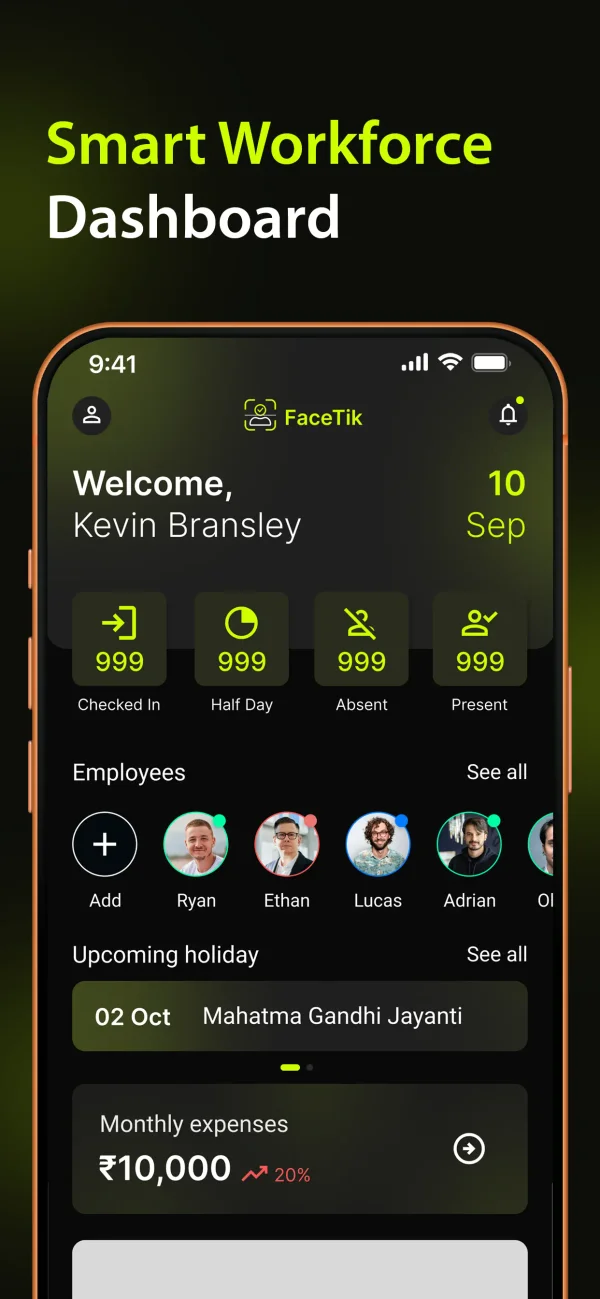
Face Tik is a mobile-first attendance system designed for retail establishments, service companies, and small businesses. By using geofencing and facial recognition, it removes inaccurate attendance, stops proxy clock-ins, and streamlines workforce management - all from the administrator's phone.
Face Tik: Why Use It?
Face Tik offers admin-only, centralized control over costs, leaves, shifts, and attendance. For small organizations seeking safe, hassle-free attendance control without complicated hardware, its user-friendly interface and sophisticated features make it perfect.
Essential Elements
Admin-Only Control
Employee addition, holiday scheduling, shift management, leave approval, and expense monitoring are all administrative functions that are only accessible by the administrator.
Geofence-Based Attendance
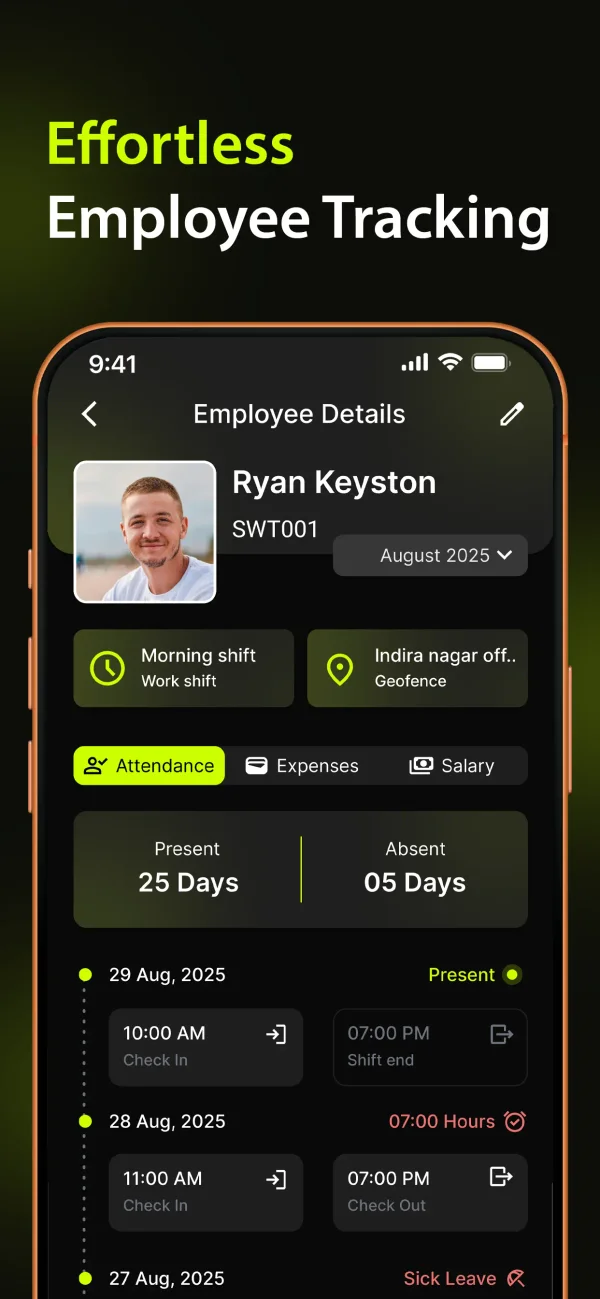
Only the admin-designated geofenced locations may be used for attendance marking. This prevents fraud by ensuring that employees are physically present at the workplace.
Attendance at Remote Locations
Geofenced zones are ideal for field or offsite teams since administrators can modify them at any time to accommodate changing work locations.
Facial Recognition Requirement
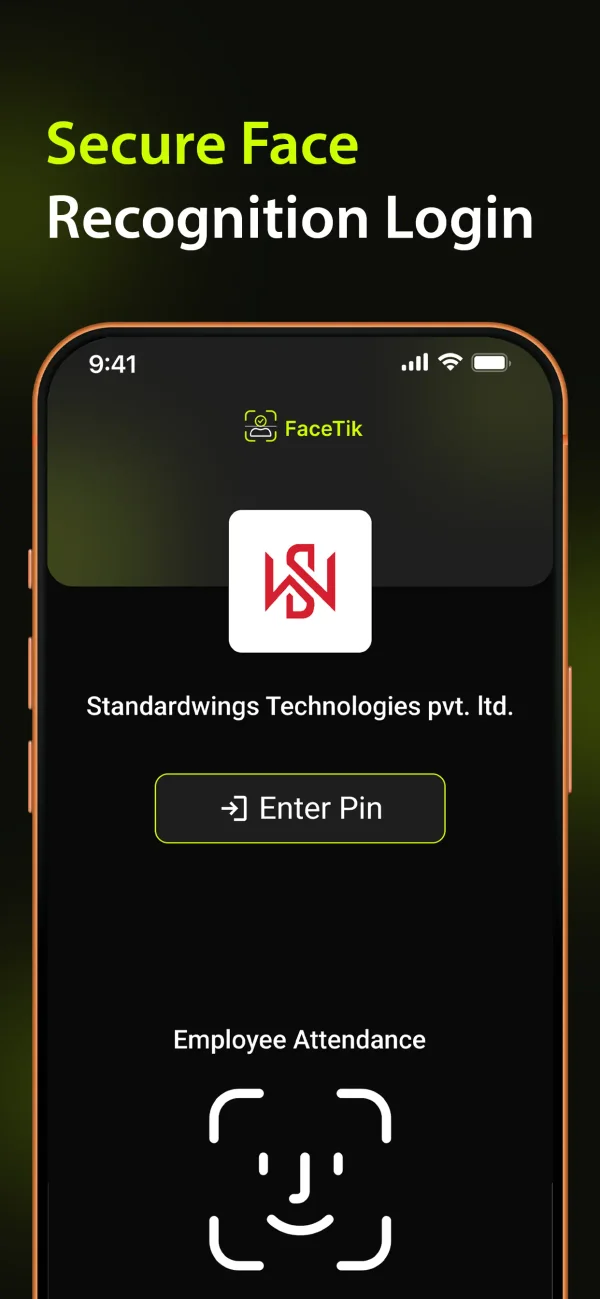
Before recording attendance, employees must use facial recognition to confirm their identity. This required feature ensures that attendance is recorded only by the authorized individual.
Expense Monitoring
From the app, administrators can record and track expenses such as equipment or supply distributions.
Monthly and Daily Reports
Payroll can be streamlined, and transparent records can be maintained by simply exporting attendance and expense reports.
Offline Mode
Attendance can be marked offline, and it will automatically sync once the device is back online.
Principal Advantages
Simple Interface: Easy to use, even for non-technical administrators.
Accurate Attendance: Prevents proxy attendance through geofence and face recognition.
Flexible Location Support: Update attendance zones based on business needs.
Expense Management: Track employee-related expenses directly in the app.
Offline Friendly: Employees can mark attendance without an internet connection.
Downloadable Reports: Simplifies payroll processing with ready-to-export reports.
How It Operates
The administrator adds staff members and creates a business profile.
Geofenced attendance zones, holidays, shifts, and leaves are established.
Employees within geofenced regions use facial recognition to clock in.
The administrator can monitor attendance, approve leaves, and record expenses.
Reports can be generated and exported for compliance or payroll purposes.
FAQs
Can I monitor more than one location?
Yes, it is possible to designate and switch between multiple geofenced zones.
What happens if an employee is outside the geofence?
Attendance marking will be disabled until the employee enters the approved area.
Is facial recognition required?
Yes, attendance is considered valid only after successful face verification within the geofence.
Can I export payroll attendance?
Yes, daily and monthly reports are available for download.
Is it offline compatible?
Yes, attendance can be marked offline and synced automatically when connected to the internet.
Can I manage expenses through the app?
Yes, administrators can add and track expenses directly within the app.
Conclusion
Face Tik is a complete attendance management system for small businesses that combines expense tracking, geofence-based attendance, and facial recognition into one mobile application. It is easy to use, secure, and does not require any additional hardware.
Start managing your workforce more intelligently with Face Tik today.
Novedades
Versión 1.0.8 · 5/2/2026
Our latest update delivers important UI bug fixes and performance enhancements to ensure a smoother and more reliable app experience.
Privacidad de la aplicación
Lo que StandardWings Technologies Pvt. Ltd. declara en App Store sobre cómo esta aplicación gestiona los datos.
-
Datos vinculados a ti
Pueden recopilarse y vincularse a tu identidad.
- Ubicación
- Información de contacto
- Contenido del usuario
- Identificadores
- Datos de uso
- Otros datos
-
Datos no vinculados a ti
Pueden recopilarse, pero no se vinculan a tu identidad.
- Identificadores
- Datos de uso
Las prácticas de privacidad pueden variar, por ejemplo, según las funciones que uses o tu edad.
Información
- Vendedor
- STANDARDWINGS TECHNOLOGIES PRIVATE LIMITED
- Categoría
- Utilidades
- Versión
- 1.0.8
- Actualizado
- 5/2/2026
- Publicado
- 20/11/2025
- Tamaño
- 115,3 MB
- Requiere
- iOS 16.0 o posterior
- Clasificación por edad
- 4+
- Precio
- Gratis
- Idiomas
- Inglés
- Copyright
- © StandardWings Technologies Pvt. Ltd.
Quizá también te guste
-
 AiFacer Swap Old Photo RestoreUtilidades
-
 Attendance System (Jaimini)Utilidades
-
 Numberie KeyboardUtilidades
-
 Digi ConnectCore Quick SetupUtilidades
-
 Cinematic AI Video - AI MovieUtilidades
-
 Location Tracker v2Utilidades
-
 Texto a Voz - Exportar WAVÚtil herramienta de voz
-
 Convertidor Vídeo AudioMP3, MP4, WAV y más
-
 Qibla Finder by Time.nowUtilidades
-
 Omnia ReaderLector universal de libros