Flags: Widgets & Faces
Your flag, where you'll see it
Diseñada para iPhone, iPad
Gratis
- Clasificación por edad4+
- CategoríaUtilidades
- DesarrolladorEnricco Gemha
- IdiomasInglés
- Tamaño22,0 MB
Enlaza a la página oficial de App Store
Download.org no aloja ningún archivo de Flags: Widgets & Faces. El botón abre la página de la aplicación en App Store, donde la publica Enricco Gemha. Ficha comprobada por última vez el 18/11/2026.
Capturas de pantalla



Acerca de
El desarrollador no ha proporcionado este texto en tu idioma.
Put a flag where you'll actually see it.
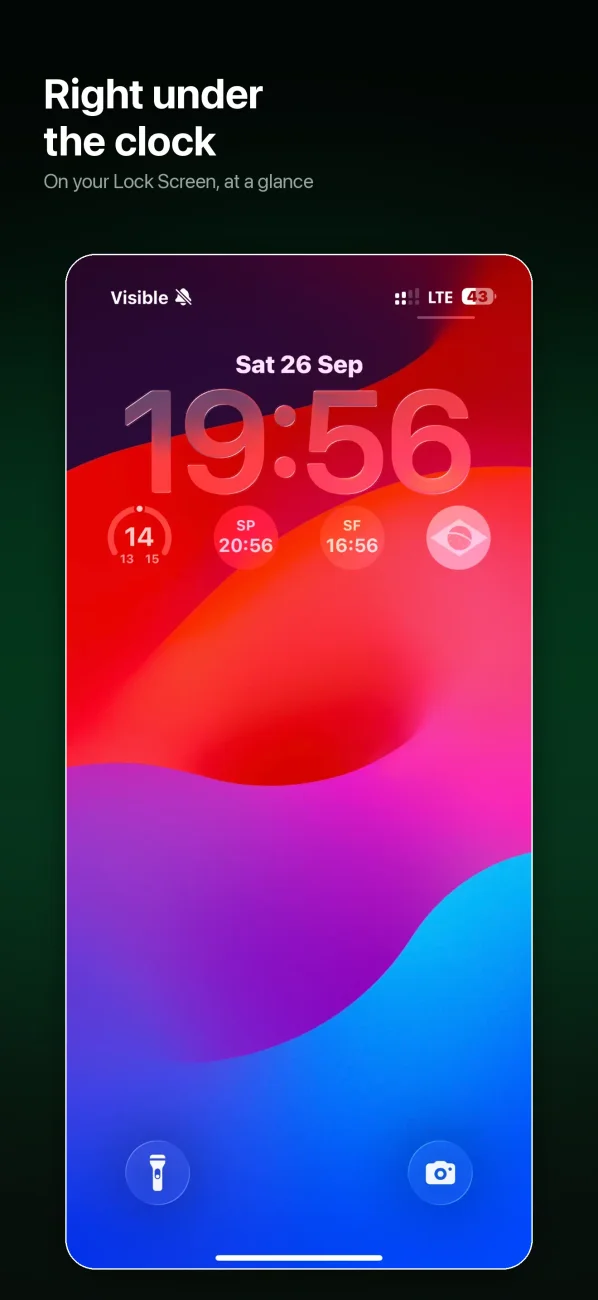
Pick a country and its flag sits on your Apple Watch face, your iPhone Lock Screen, or your Home Screen. That's the whole app.
It exists because I'm Brazilian and I live abroad, and I wanted my flag somewhere I'd catch it a hundred times a day.
WHAT YOU GET
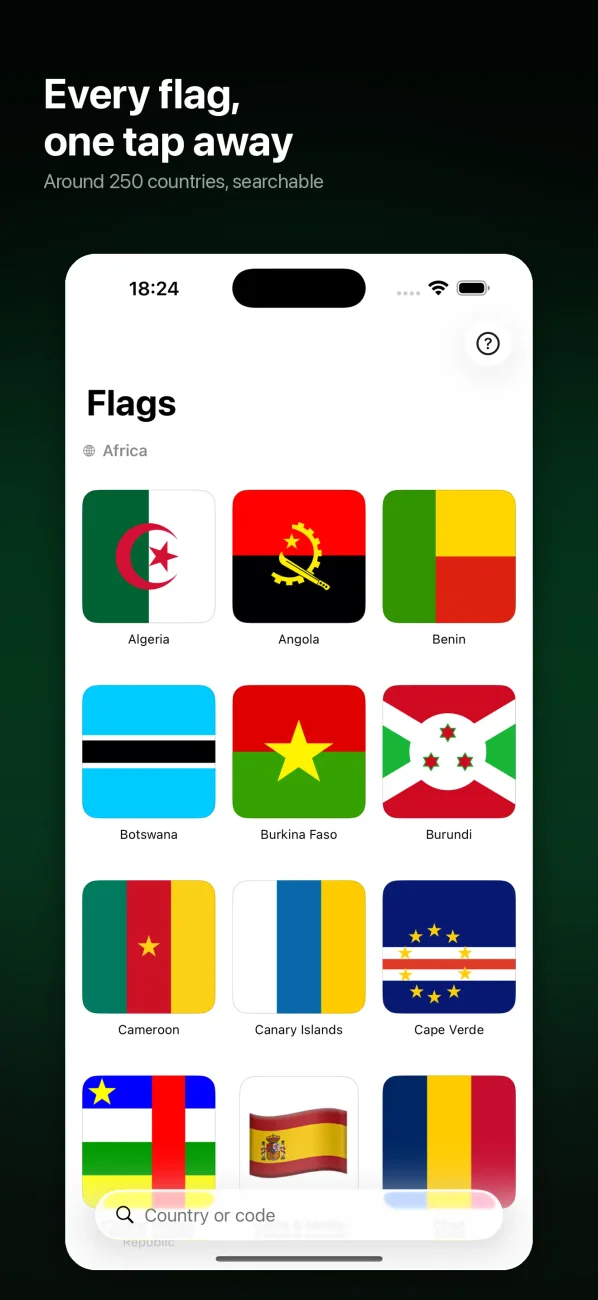
- Every country your device knows about, roughly 250 of them
- Apple Watch complications, Lock Screen widgets and Home Screen widgets
- A circle, or filling the whole slot, whichever suits where you put it
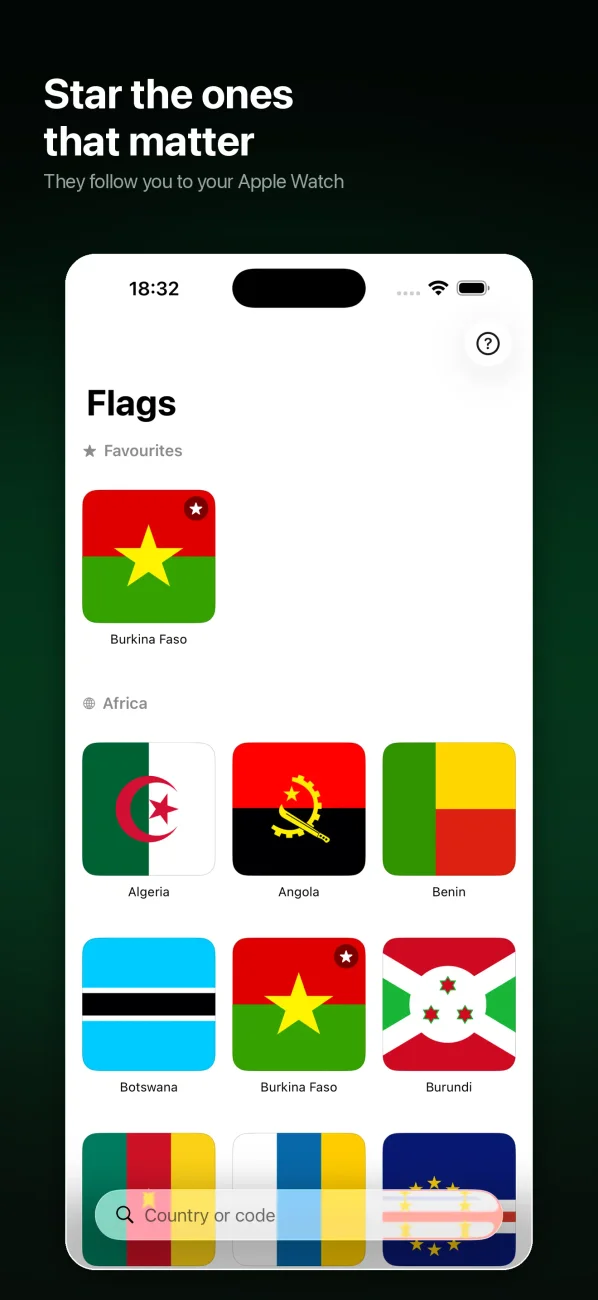
- Star the flags you use and they follow you between iPhone and Watch over iCloud
- Country names come from the system, so they are already in your language
WHAT IT DOESN'T DO
No account. No sign-in. No tracking, no analytics, no advertising. The app has no server and makes no network requests. Your favourites go to your own iCloud and nowhere else.
Free, with nothing to buy, and open source. The code is on GitHub if you want to read it or send a fix.
Novedades
Versión 1.1 · 22/10/2026
You can now pick how a flag looks on your widgets and watch face: Full colour, Muted, Greyscale or Translucent.
On a Home Screen widget, press and hold it, tap Edit Widget, and choose a Style.
On Apple Watch, star a flag in the app. The complication list then offers it in all four styles.
Privacidad de la aplicación
Lo que Enricco Gemha declara en App Store sobre cómo esta aplicación gestiona los datos.
-
No se recopilan datos
El desarrollador no recopila ningún dato de esta aplicación.
Las prácticas de privacidad pueden variar, por ejemplo, según las funciones que uses o tu edad.
Información
- Vendedor
- Enricco Gemha
- Categoría
- Utilidades
- Versión
- 1.1
- Actualizado
- 22/10/2026
- Publicado
- 21/10/2026
- Tamaño
- 22,0 MB
- Requiere
- iOS 17.0 o posterior
- Clasificación por edad
- 4+
- Precio
- Gratis
- Idiomas
- Inglés
- Copyright
- © 2026 Enricco Gemha
Quizá también te guste
-
 US Zip Code FinderUtilidades
-
 Evens: Dividir cuenta y gastosEscanea tickets, salda deudas
-
 BlurlyNo ads, just blur
-
 Flag ProtocolUtilidades
-
 Tyre Tracks - Tread AnalyserDesgaste de neumáticos
-
 ShinyDex - Shiny TrackerUtilidades
-
 AC Remote ControllerUtilidades
-
 Timr - Multiple TimersUtilidades
-
 TranslateEase - Voice & PhotoUtilidades
-
 Hyrule CompanionUtilidades