- Clasificación por edad4+
- CategoríaEducación
- DesarrolladorOthman Alzahrani
- IdiomasInglés+ 10 más
- Tamaño227,8 MB
Enlaza a la página oficial de App Store
Download.org no aloja ningún archivo de Flat Earth Pro. El botón abre la página de la aplicación en App Store, donde la publica Othman Alzahrani. Ficha comprobada por última vez el 26/11/2026.
Capturas de pantalla

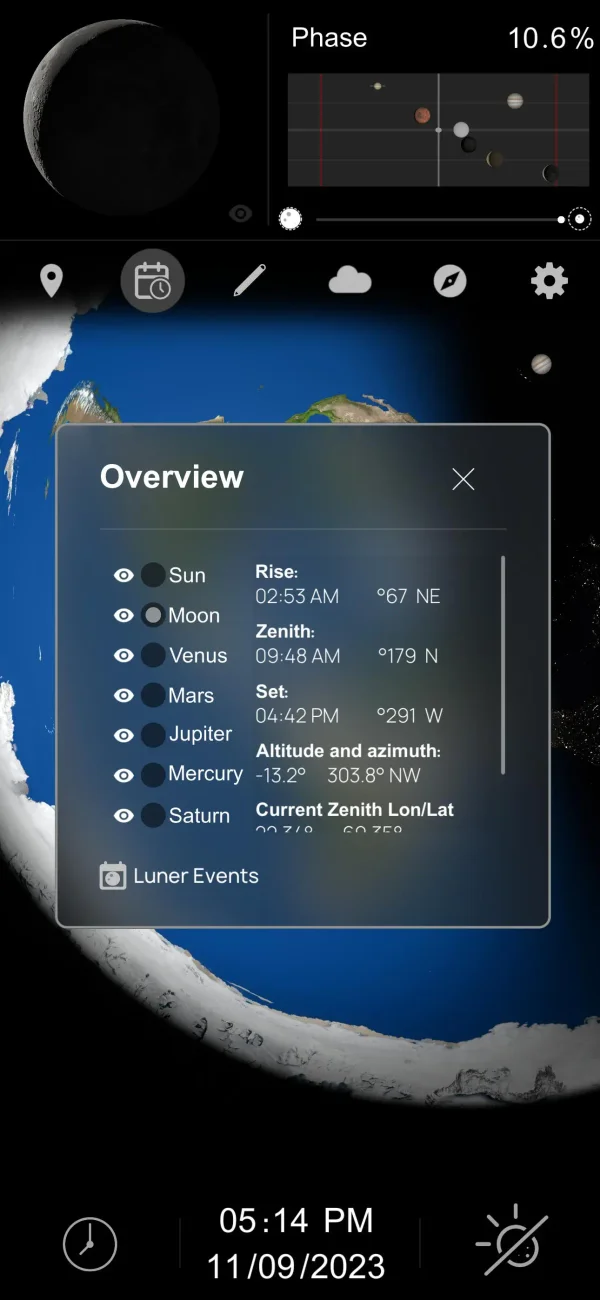
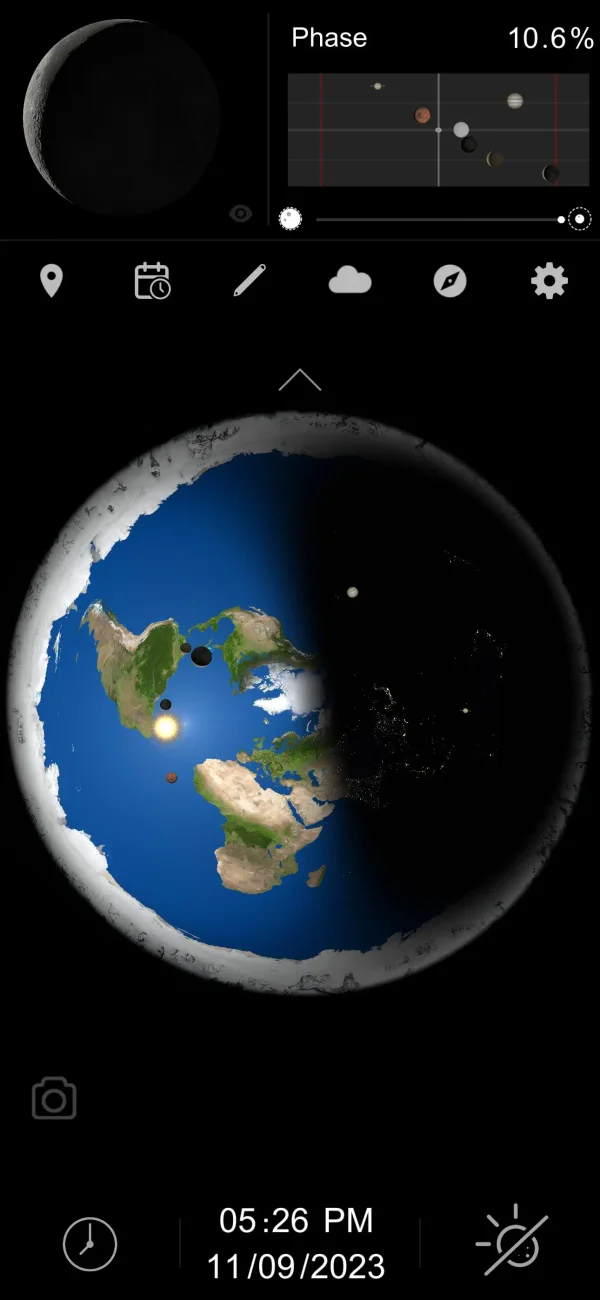
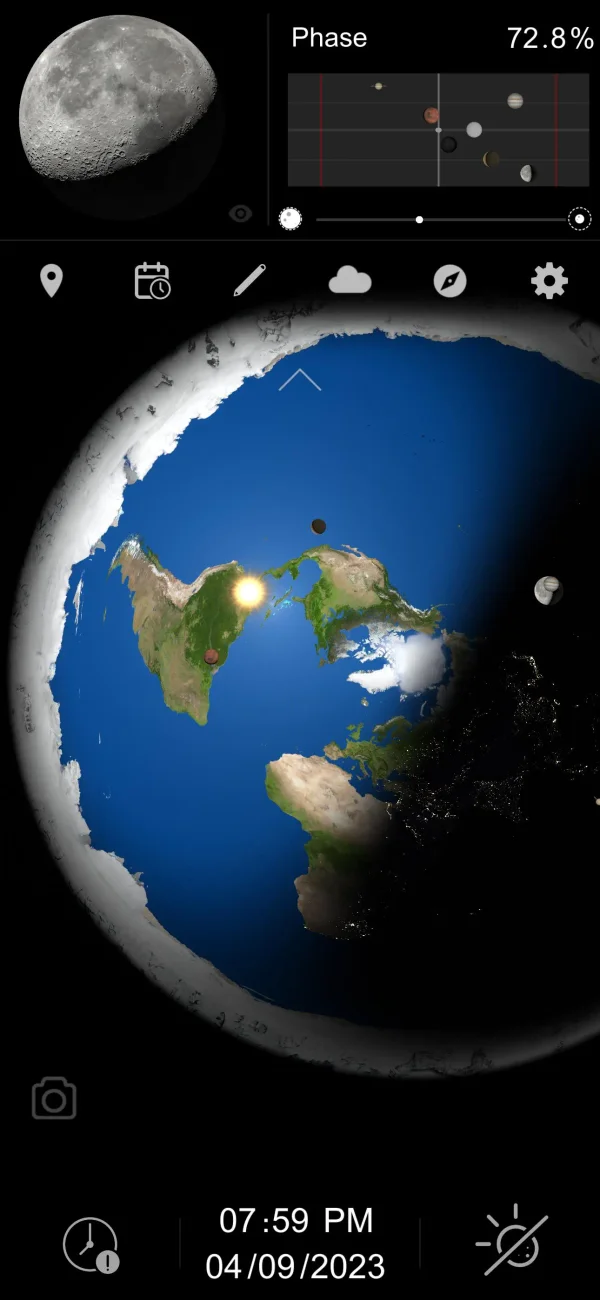
Acerca de
El desarrollador no ha proporcionado este texto en tu idioma.
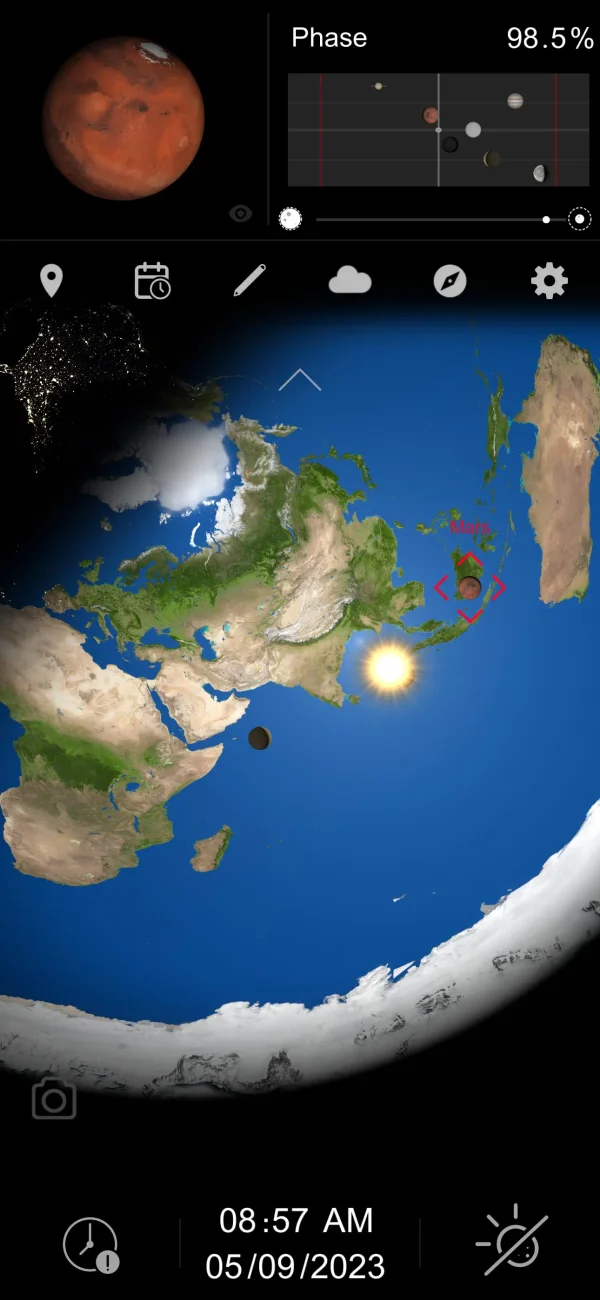
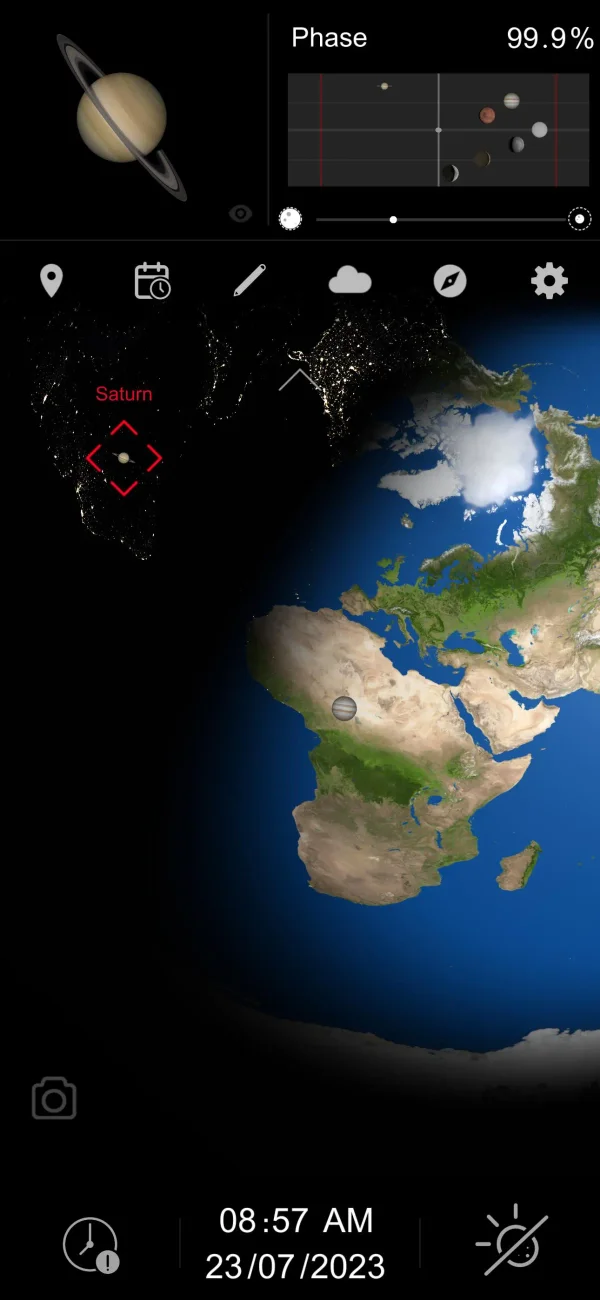
Flat Earth Pro app combines an interactive Earth map with a simulation of the sky as seen from any point on Earth. Both views run on the same astronomical model and the same clock, so you can look at where the Sun, Moon and planets are over the Earth, then switch to what an observer at a chosen location would see overhead.
MAP MODE
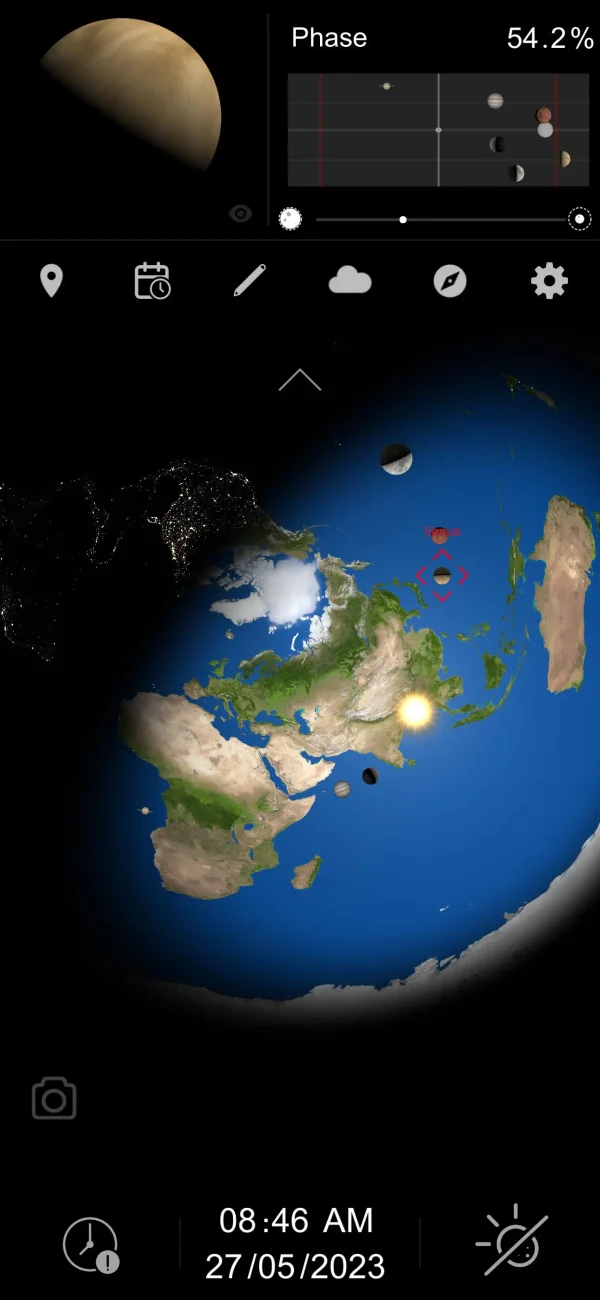
Map Mode shows the Earth in a range of geographical projections, starting with Azimuthal Equidistant as the default. You control time, rotation and camera position directly with touch gestures, and you can zoom with a pinch or the on-screen control.
The Sun, Moon, planets and other bodies are plotted at their subsolar or substellar points, meaning the spot on Earth where each one is directly overhead at the selected time. Stars and constellations can be added as optional overlays.
• Full geographical map, or a daylight map showing which parts of the Earth are lit
• Positions of celestial objects relative to the Earth’s surface
• Smooth animated transitions between projections, including between rectangular and polar layouts
• Default, biome and topographic map styles
TELESCOPE MODE
Telescope Mode simulates the local sky for any latitude and longitude, at any date and time. Stars, constellations, planets and the Moon appear where they would actually be, and zooming in reveals detail at their true angular sizes.
• Moon phases and lunar surface rendering
• Jupiter with its four Galilean moons, including their shadows crossing the planet’s disc
• Saturn and its moons
• The Sun, the planets and constellation patterns
• Daytime sky, where sunlight hides the stars and most objects, though the Moon can remain visible
• Automatic, grassland, desert, snow and sea observing scenes
When you switch between modes, an animated transition takes you from the map to the matching sky view, and back.
TIME CONTROLS
Time is central to the app. Change it in one mode and the other follows.
• Jump back to the current date and time
• Pick an exact date and time with a wheel-style picker
• Drag along a timeline to move through time continuously
• Play, pause, rewind and fast-forward the simulation
• Look at past or future dates
SEARCH AND OBJECT INFORMATION
Search for a star or celestial object, select it, and it is highlighted in the view. Depending on the object, the information panel can show:
• Right ascension and declination
• Altitude and azimuth
• Distance from Earth
• Apparent angular diameter
• Rise, transit and set times
• Lunar phase and illumination
ECLIPSE CALENDAR
Browse upcoming and historical solar and lunar eclipses, with their date, time and type. Selecting an event sets the simulation to that moment, so you can watch it in Map Mode or Telescope Mode.
COMPASS
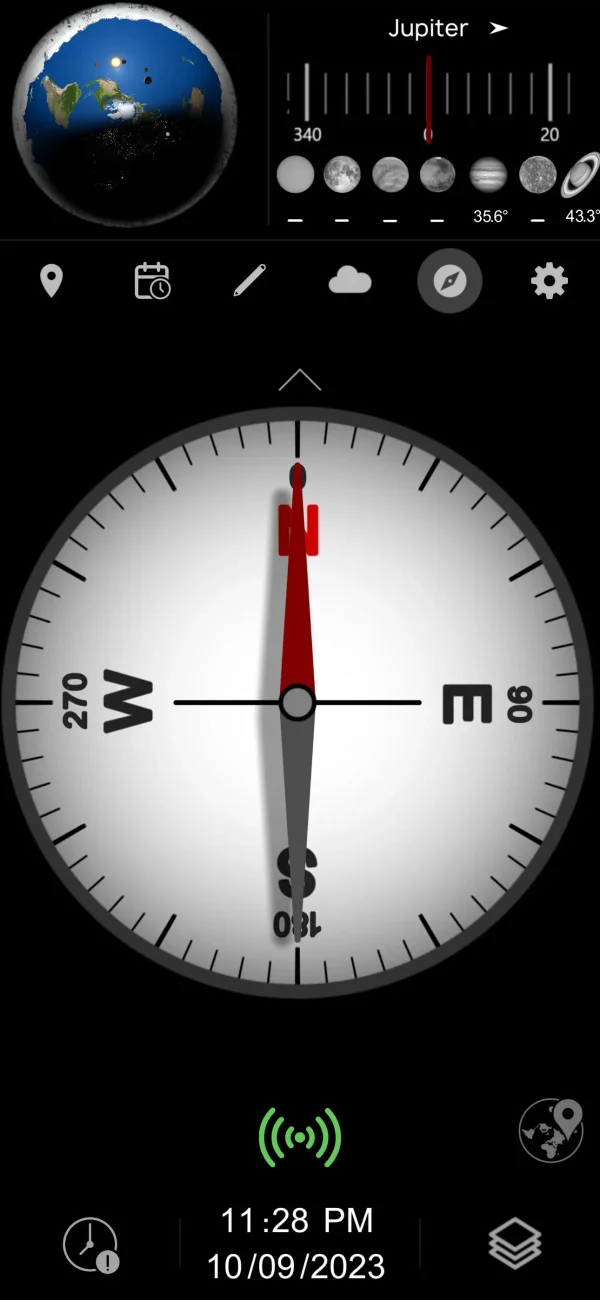
A built-in compass shows conventional orientation and can point toward a selected celestial object in your local sky.
CUSTOMIZATION
Choose which layers are visible, including celestial objects, stars, constellations and other overlays. Labels can be turned on or off and filtered by category. Set your observer location by searching for a city or entering coordinates manually.
Novedades
Versión 3.0.4 · 19/11/2026
- Localization fixes, especially for Indonesian.
- Added a Metrics button in Big Picture, showing subsolar/subobserver lines (restored feature).
- Reduced memory consumption via texture streaming and VRAM compression, improving startup, and background lifetime.
- Fixed overlooked bugs and tweaked UI behaviour for consistency.
- Added a switch between in-place or pointing-arrow for compass heading.
- Fixed rotate-to-change-time in Big Picture view when the Moon is maximized.
Privacidad de la aplicación
Lo que Othman Alzahrani declara en App Store sobre cómo esta aplicación gestiona los datos.
-
No se recopilan datos
El desarrollador no recopila ningún dato de esta aplicación.
Las prácticas de privacidad pueden variar, por ejemplo, según las funciones que uses o tu edad.
Información
- Vendedor
- Othman Alzahrani
- Categoría
- Educación
- Versión
- 3.0.4
- Actualizado
- 19/11/2026
- Publicado
- 16/1/2023
- Tamaño
- 227,8 MB
- Requiere
- iOS 15.0 o posterior
- Clasificación por edad
- 4+
- Precio
- 9,99 €
- Idiomas
- Inglés, Árabe, Francés, Alemán, Indonesio, Japonés, Portugués, Ruso, Chino simplificado, Español, Turco
- Copyright
- © 2026 oproject
Quizá también te guste
-
 Flat Earth Firmament TrackersEducación
-
 Astrolabe ClockReferencia
-
 Connected EarthEducación
-
 Earth 3DEducación
-
 Zadok - Ancient Hebrew (Paleo)Learning Ancient Hebrew Paleo
-
 Solar Walk 2: Naves EspacialesEnciclopedia del Sistema Solar
-
 El Apocalipsis HebreoSantiago, Judas, Apocalipsis
-
 Geneva Bible 1599 Audio: GNVReferencia
-
 Good Lion TVEducación
-
 Book of Enoch ○Referencia