Framehound
On-device packet analysis
Diseñada para iPhone, iPad, Mac
Gratis · Compras en la aplicación
- Clasificación por edad4+
- CategoríaPara desarrolladores
- Desarrolladormobiadroit, llc
- IdiomasInglés
- Tamaño26,0 MB
Enlaza a la página oficial de App Store
Download.org no aloja ningún archivo de Framehound. El botón abre la página de la aplicación en App Store, donde la publica mobiadroit, llc. Ficha comprobada por última vez el 18/11/2026.
Capturas de pantalla
Acerca de
El desarrollador no ha proporcionado este texto en tu idioma.
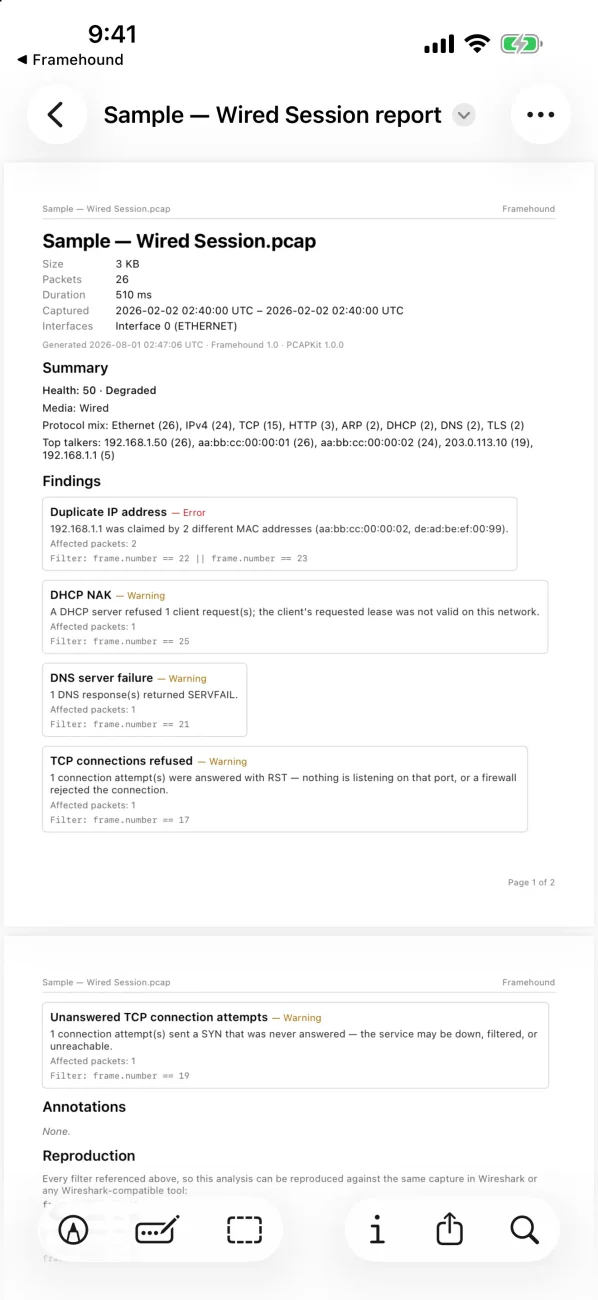
Framehound opens .pcap and .pcapng captures and analyses them on your device.
You're in a wiring closet or on a customer site, something is broken, you have a capture, and your laptop is somewhere else. Framehound is for that moment: built for touch, and built on the assumption that you want an answer before a packet list.
ANALYSIS, NOT JUST A PACKET LIST
Open a capture and it has already been analysed. Nobody presses "analyse."
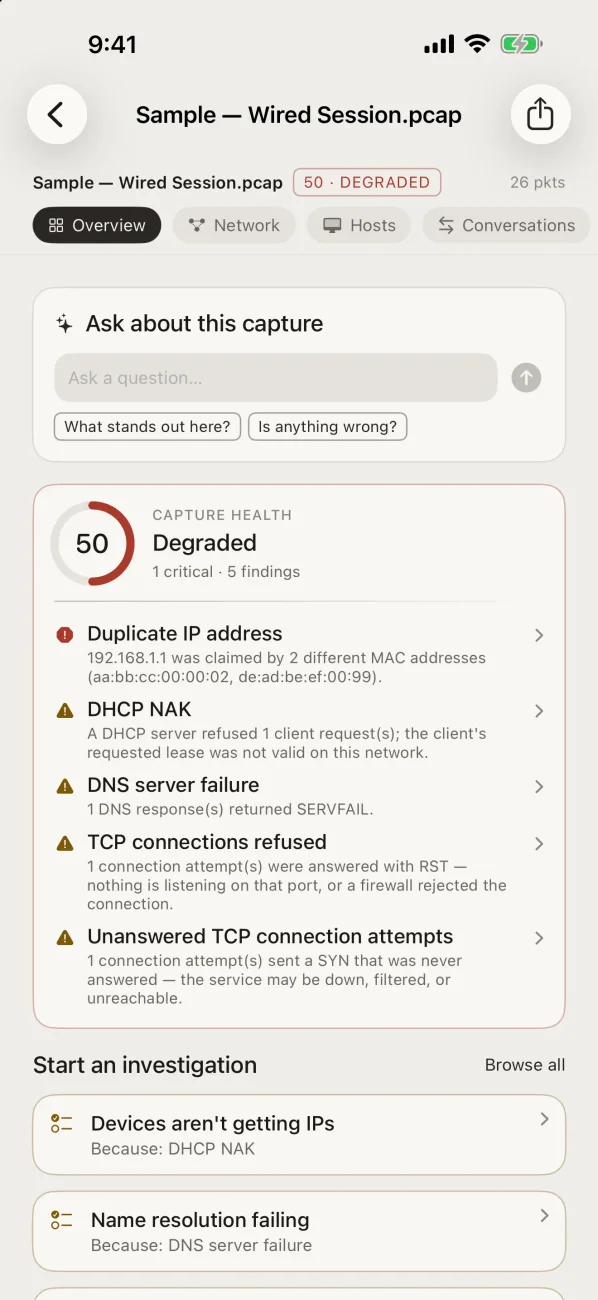
• Overview — a health score with ranked, tappable issues, headline metrics, protocol mix and top talkers
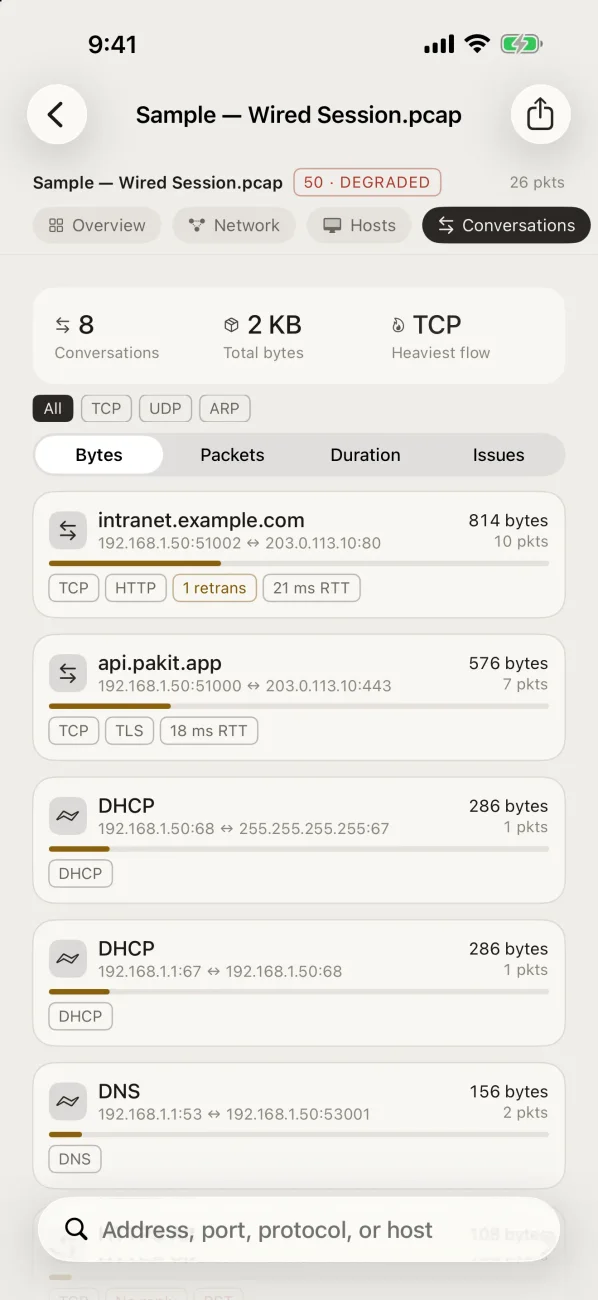
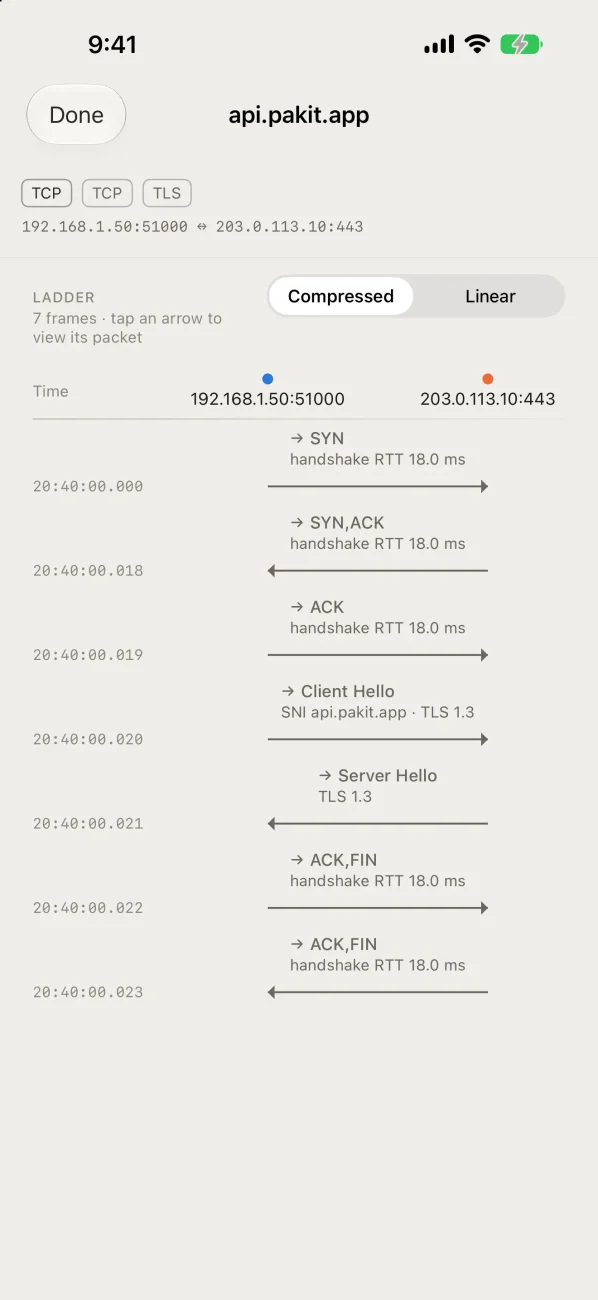
• Conversations — every exchange, named from what it actually is: TLS SNI, HTTP Host or Bonjour service. TCP flows carry handshake RTT, retransmissions, duplicate ACKs, zero-window events and how the connection closed
• Hosts and VLANs — inventory with vendor resolution and drill-downs
• Expert findings — severity-ranked results from the rule engine, each traceable to the packets behind it
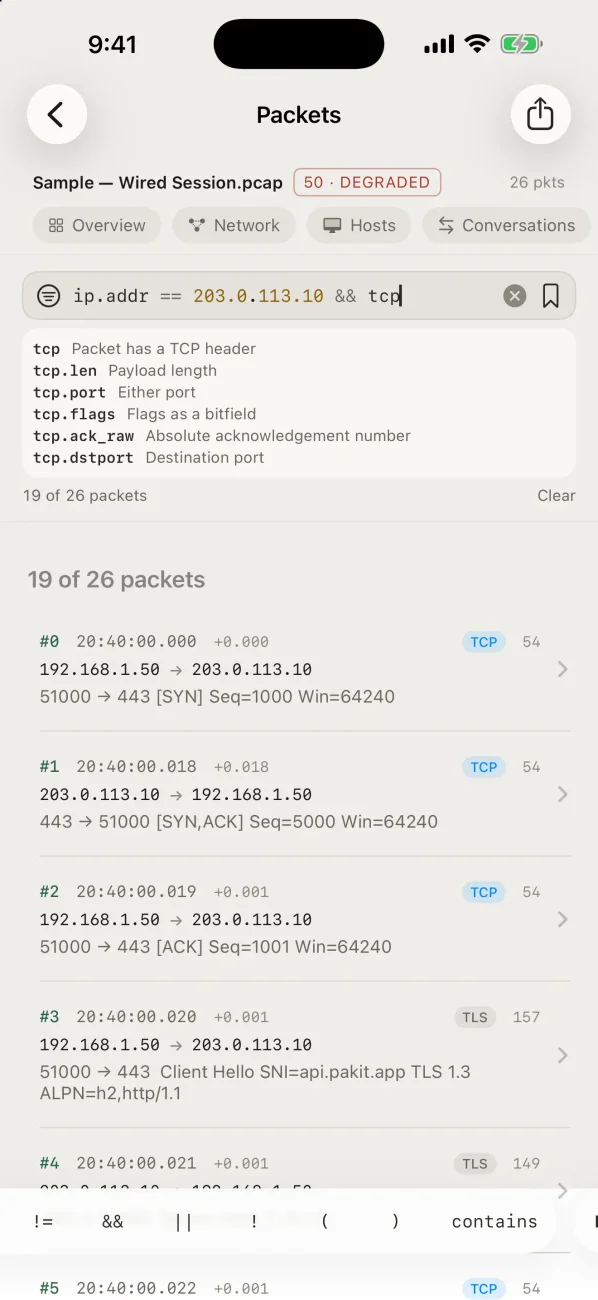
• Packets — the full list with a layer tree and hex dump
TYPE THE FILTER YOU ALREADY KNOW
Display filters work the way your muscle memory expects: ip.addr == 192.168.1.1 && tcp.flags.reset == 1. Every chart mark, table row, ladder arrow and finding carries the filter that produced it — tap it and that expression lands on an editable breadcrumb you can peel back one term at a time.
MARK IT WHILE YOU'RE LOOKING AT IT
Mark a packet, colour it, write on it. Note a conversation, a host or a finding. Annotations export back out as pcapng comments, so a capture annotated on an iPad opens in a desktop tool with the notes attached.
FRAMEHOUND PRO
An optional upgrade adding the specialist analysis:
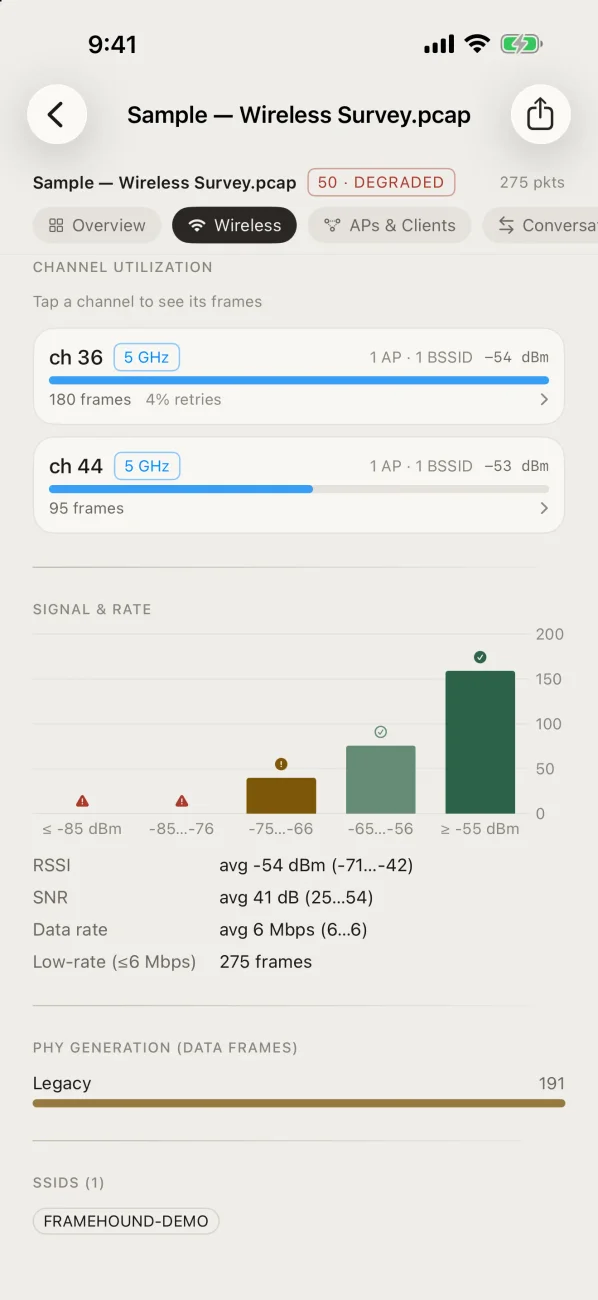
• Wireless analysis — frame-type mix, band and channel utilisation, retry rate, RSSI and SNR distribution, PHY generation mix
• APs & Clients — beacon and AP inventory with information-element inspection, client capabilities inferred from probe requests, association sessions
• Roaming analysis — 802.11r, k and v exchanges, roam events with their timing, and sticky-client verdicts
• VoIP analysis — call setup and media quality end to end, MOS, jitter and loss per leg, and a timeline showing when audio broke
• Protocol-aware ladders — SIP, TLS, DHCP, DNS, TCP and Wi-Fi association ladders with labelled messages, status codes and round-trip times
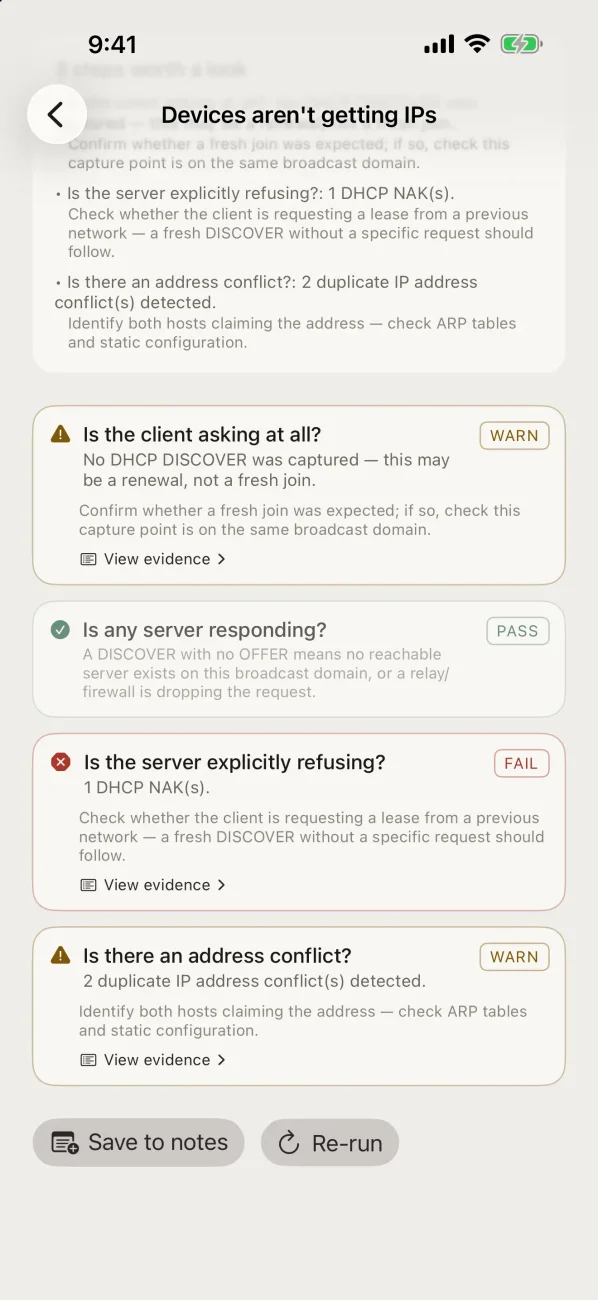
• Guided investigations — pick a symptom and Framehound runs the checks in order, shows pass or fail with evidence, and names the next thing to look at
• Apple Intelligence briefs — a plain-language read of the capture, what the findings mean together, and questions answered, entirely on device (requires an Apple Intelligence device)
• Capture comparison — diff two captures to see what changed between a working state and a broken one
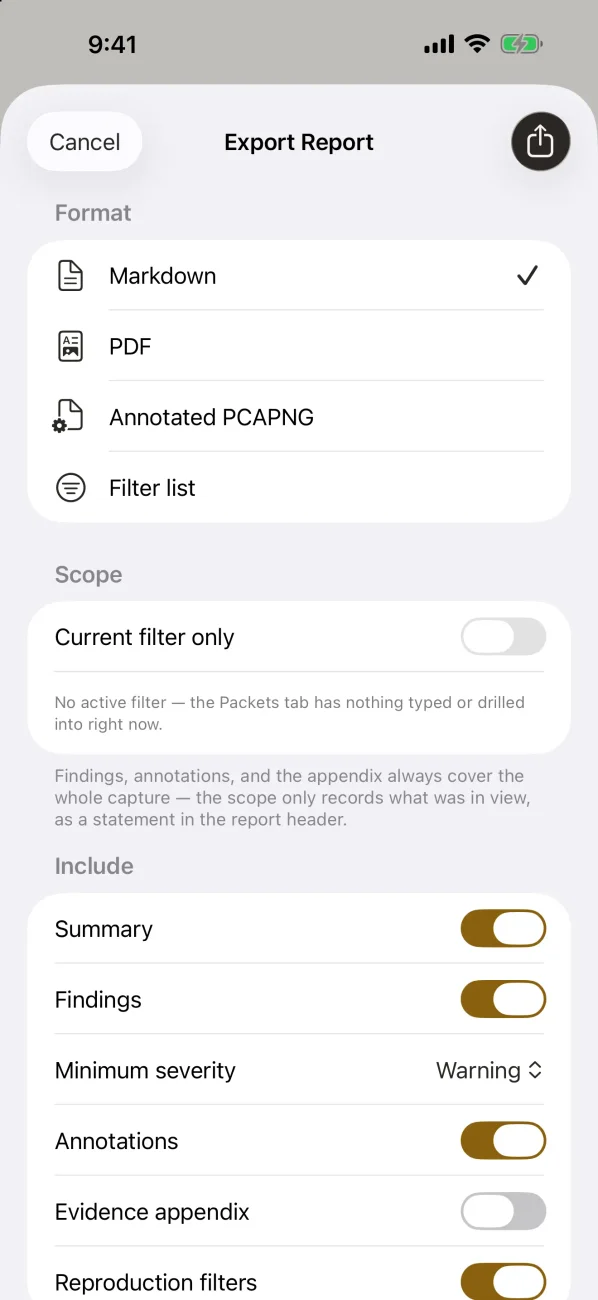
• Report export — Markdown, PDF, annotated PCAPNG and filter lists, so what you found leaves as something a ticket can hold
• Cloud import — pull captures straight from Cisco Meraki, Juniper Mist and Link-Live, with no laptop in the middle
Pro is available monthly, annually with a 7-day free trial, or as a one-time purchase including all 1.x updates.
PRIVACY
Analysis is always on device. No account, no telemetry, no background sync. Networking exists in exactly two places, both off unless you turn them on and both user-initiated every time: pulling a specific capture from an integration you configured, and an opt-in local upload server that accepts one paired file push from another device.
Apple Intelligence runs on-device and sees only a few hundred tokens of payload-free summary statistics. Packet payloads never reach the model.
WHAT IT IS NOT
It does not capture traffic — iOS cannot. It reads capture files you already have. It does not decrypt: pcapng Decryption Secrets Blocks are surfaced so you know they're there, and never used.
GETTING CAPTURES IN
Import from Files, use the share sheet from any app, drag and drop on iPad and Mac, or drop a file into On My iPhone → Framehound. Three sample captures are built in, so you can see it work first.
Novedades
Versión 1.2 · 21/10/2026
Framehound 1.2 is the biggest update yet.
• Built for iPhone Duo. Panes sit either side of the fold, and the capture you have open stays put when you fold or unfold.
• Present. Walk a customer through the findings on one screen split in two, with MAC addresses and frame numbers hidden.
• Capture over SSH. Record from a device you own with nothing to install on it, using a pasted key or a key file. WLAN Pi setup fills in the details, puts the adapter into monitor mode, frees a busy radio and shows the device clock before you start. Mark moments as you go and they land in the capture's notes.
• Wireshark profiles. Import a profile and its filters appear in the filter bar, grouped the way you grouped them. The packet list gains a Group column.
• Timeline. See your captures on one clock and line them up with a measured offset.
• Help. Forty built-in articles in Settings, all available offline.
• Save to Files for library captures and exports.
• Text follows your Dynamic Type size, and packet rows stack instead of clipping on narrow screens.
Fixes: tcp.port no longer matches UDP traffic, the # column shows the real frame number, wlan.qos.priority filters work, refused fast transitions are no longer counted as roams, and Mac layouts no longer hide the highlighted filter or cut off footers.
Privacidad de la aplicación
Lo que mobiadroit, llc declara en App Store sobre cómo esta aplicación gestiona los datos.
-
No se recopilan datos
El desarrollador no recopila ningún dato de esta aplicación.
Las prácticas de privacidad pueden variar, por ejemplo, según las funciones que uses o tu edad.
Información
- Vendedor
- MOBIADROIT L. L. C.
- Categoría
- Para desarrolladores
- Versión
- 1.2
- Actualizado
- 21/10/2026
- Publicado
- 4/8/2026
- Tamaño
- 26,0 MB
- Requiere
- iOS 26.0 o posterior
- Clasificación por edad
- 4+
- Precio
- Gratis
- Compras en la aplicación
- Sí
- Idiomas
- Inglés
- Copyright
- © 2026 mobiadroit, llc
Quizá también te guste
-
 DeltaPad: JSON & Dev ToolsPara desarrolladores
-
 Nan - Packet CapturePara desarrolladores
-
 GitFlow para GitHub ActionsTu CI/CD siempre a mano
-
 Pulse – Network LoggerPara desarrolladores
-
 CraftOS-PCPara desarrolladores
-
 ProxygenPara desarrolladores
-
 ShellBean - AI SSH ClientPara desarrolladores
-
 Packet Capture Pro: HTTPSCaptura HTTPS y depura API
-
 Termix Pro: SSH & SFTP ClientPara desarrolladores
-
 Encontrar mi dispositivo₊Buscar mi iphone ubicacion