
- Clasificación por edad4+
- CategoríaCartas
- DesarrolladorJerome Haegeli
- IdiomasFrancés+ 1 más
- Tamaño10,0 MB
Enlaza a la página oficial de App Store
Download.org no aloja ningún archivo de Gain Stat. El botón abre la página de la aplicación en App Store, donde la publica Jerome Haegeli. Ficha comprobada por última vez el 12/11/2026.
Capturas de pantalla

Acerca de
El desarrollador no ha proporcionado este texto en tu idioma.
Gain Stat lets you follow the evolution of your winnings when you play with friends for stakes, for example at Poker.
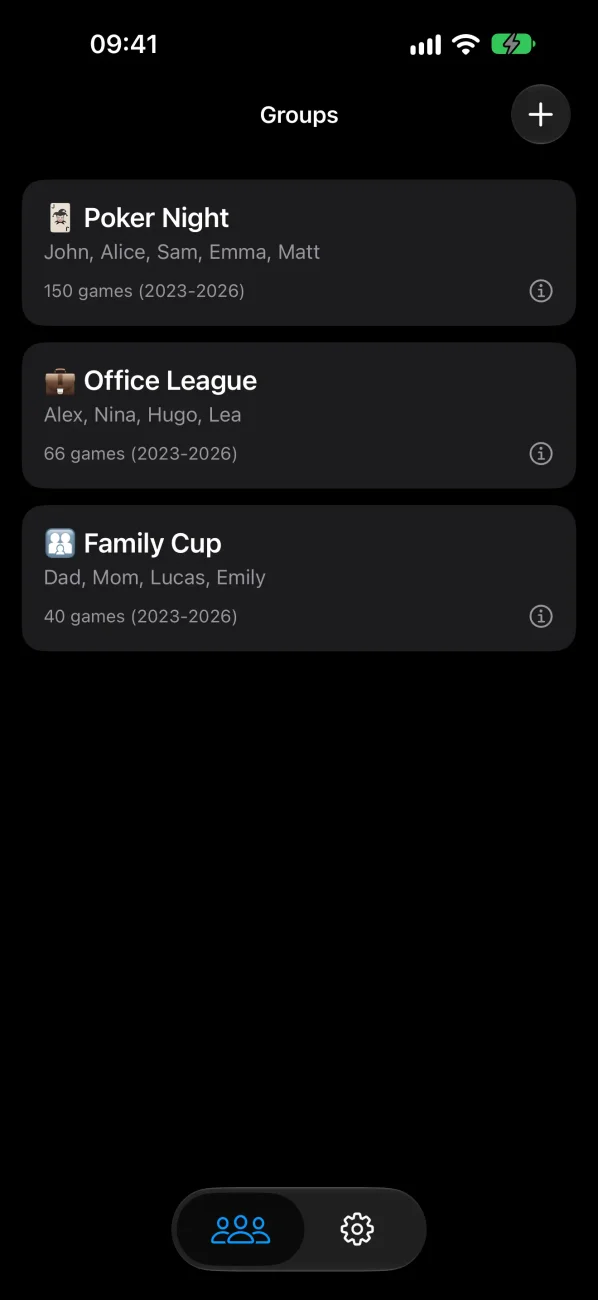
Gain Stat lets you create groups of people who usually play together. Its advantage is that you can follow your winnings while sometimes being absent, and sometimes having guests.
Each group you create offers the following features:
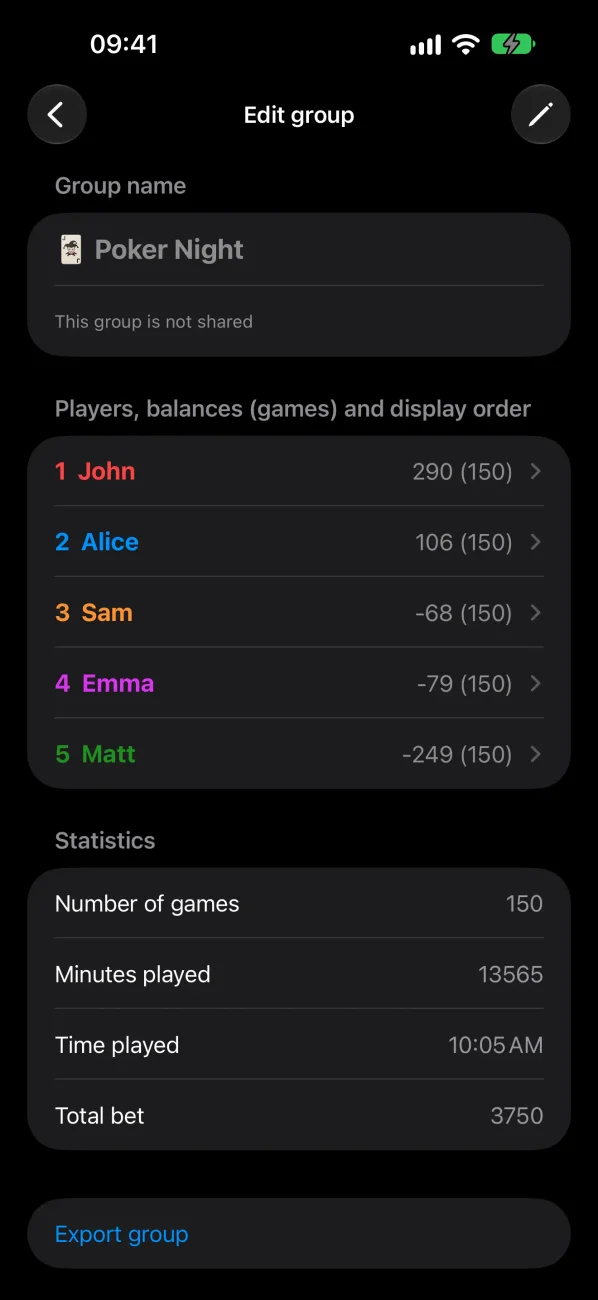
- rename the group
- change the name, color and order of the players, and add new players
- start a new game with Siri
- add a single game or a grouped set of games
- possibility of being absent
- possibility of including one or more guests
- automatic ranking of players based on winnings
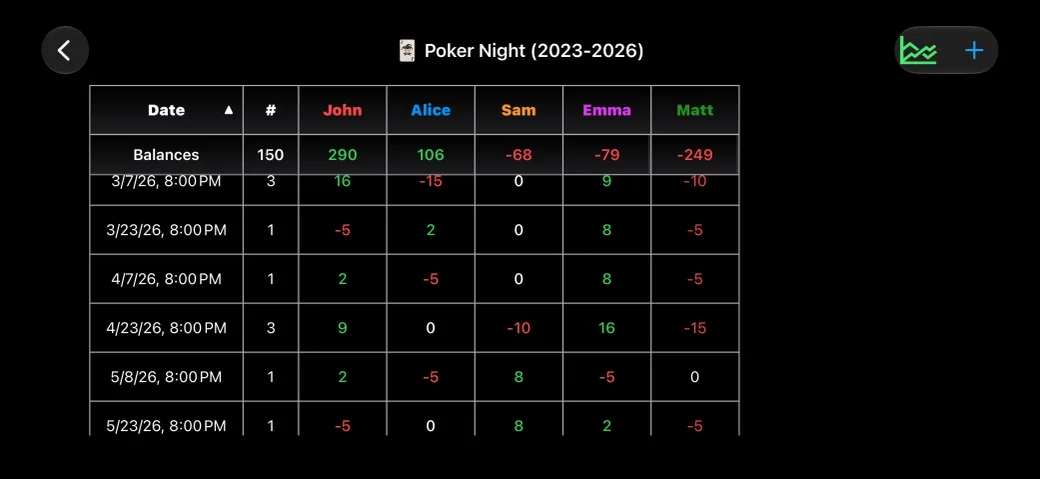
- score table with an indication when winnings are distributed incorrectly
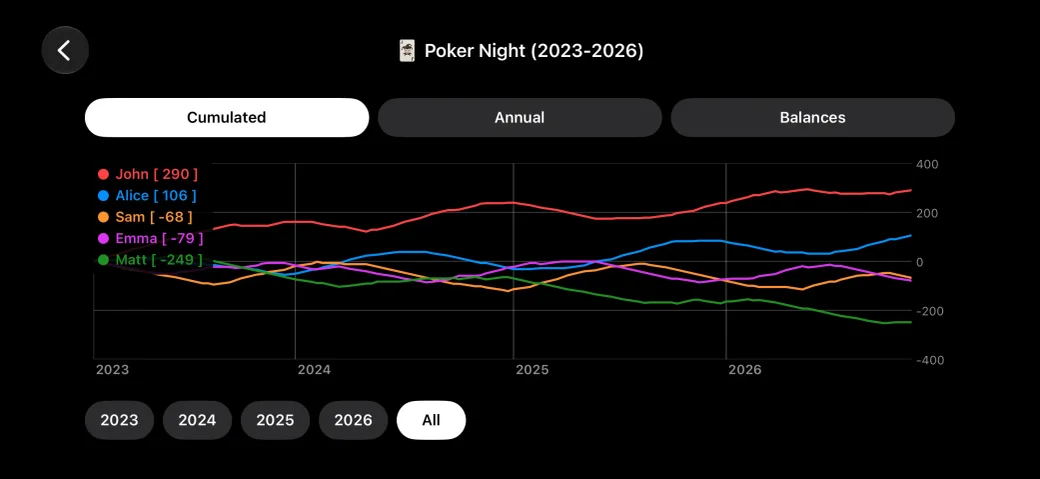
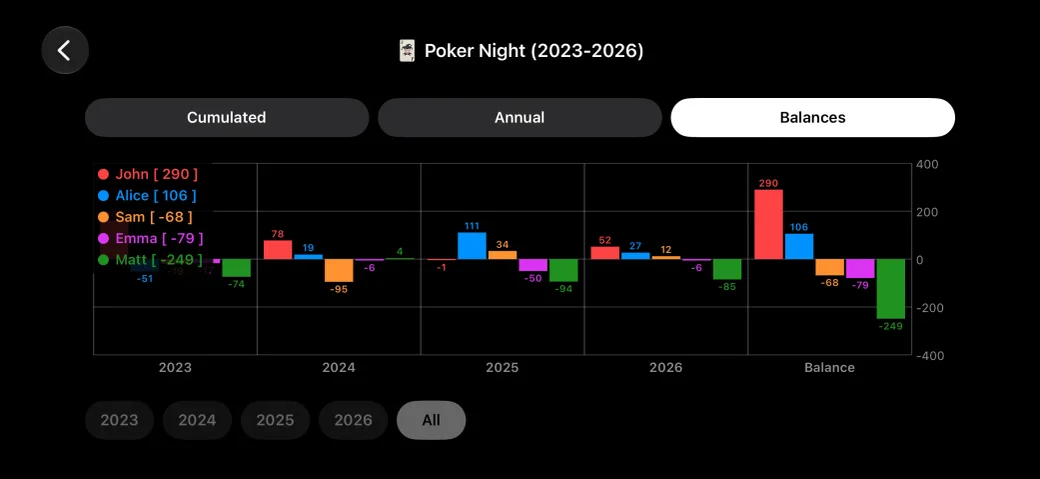
- three chart types: evolution of annual or cumulative balances, and balances per year
- statistics for the group and for each player
Gain Stat syncs across all your devices signed in to the same Apple ID via iCloud.
Gain Stat also lets you share groups or subscribe to them, with real-time synchronization whenever you or another participant makes a change.
By default, participants of a group are read-only, but you can individually allow each of them to create or edit games.
You can also export a group as a file to make a manual backup, or manually sync another device by importing the file.
How to use:
First, create a group with a set of players.
You can then change the players' name, color and order, and add more players (they will be marked absent for games already played).
Tap "Save".
Once the group is created, tap it to see the list of games.
Start a game with the + button at the top right.
When the game is over, tap "Game in progress" and confirm the dialog.
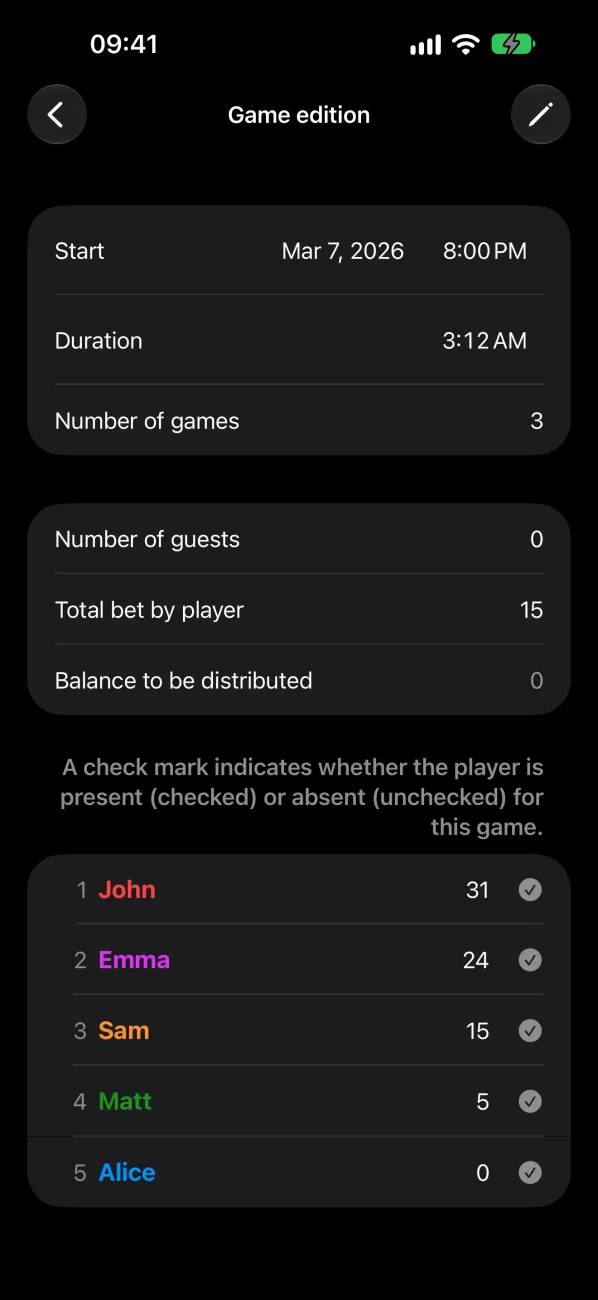
Check the date and duration, then enter (default value):
- the number of guests (0)
- the number of games covered (1)
- the total stake per player (taken from the previous game, otherwise 0) (the number of games is only used for statistics and not in the stake calculation. When grouping games, enter the total stake per player)
- any absent players
Then distribute the WINNINGS among the regular players (min 0).
Players are ranked automatically.
A line is displayed below the stake with yourself:
- the balance left to distribute if there are no guests
- the guests' winnings, if any
A negative balance means there is an error in the distribution of winnings!
The games table and the charts show everyone's BALANCES, calculated automatically from the stake. For example, if the stake was 5 and the person lost, their balance is -5. If someone else won 7, their balance is 2.
To delete a game, it must first be validated, then edited.
Using Siri:
Each time you start a game in a group, a suggestion is made to Siri.
Then go to iOS Settings -> Siri & Search -> All Shortcuts and look for Gain Stat.
The idea is to assign a phrase to a suggestion so Siri can record and run it.
Pick a suggestion, tap "+", then record the proposed phrase or any phrase of your choice and confirm.
In Gain Stat, make sure there is no game in progress for the group, then go back to the Home screen.
Say the phrase you recorded to Siri and Gain Stat will open and start a new game for the group.
Novedades
Versión 2.4.0 · 24/10/2026
- Fully modernized interface: group list as cards, settings, creating and editing groups, players and games
- Pick each player's color when creating a group
- Add a player to an existing group (marked absent for games already played)
- Charts: title shows the group name and years; the current year is now visible in the year bar
- Settings: sync status, and the sync switch is disabled until an iCloud account is set up
- Improved iCloud sharing: group name and Gain Stat logo, message when a sync is in progress
- Many crash and freeze fixes (deleting, syncing)
- Better performance for groups with a lot of games
Privacidad de la aplicación
Lo que Jerome Haegeli declara en App Store sobre cómo esta aplicación gestiona los datos.
-
No se recopilan datos
El desarrollador no recopila ningún dato de esta aplicación.
Las prácticas de privacidad pueden variar, por ejemplo, según las funciones que uses o tu edad.
Información
- Vendedor
- Jerome Haegeli
- Categoría
- Cartas
- Versión
- 2.4.0
- Actualizado
- 24/10/2026
- Publicado
- 7/3/2019
- Tamaño
- 10,0 MB
- Requiere
- iOS 18.0 o posterior
- Clasificación por edad
- 4+
- Precio
- Gratis
- Idiomas
- Francés, Inglés
- Copyright
- © Jeko
Quizá también te guste
-
 ScoreAppJuegos de mesa
-
 The ScoreKeeperJuegos
-
 Cara o Cruz - Decisión FácilLanzar Moneda RA: Juego 3D
-
 Yams ExpertJuegos de mesa
-
 Soocer BlastrJuegos
-
 Penguia Click JumpioJuegos
-
 Rumba: Binairo+ RompecabezasUn Takuzu nuevo cada mañana
-
 Drop Strike - BounceBallJuegos
-
 Bingo Prizes - Win Real CashJuegos de mesa
-
 Vaultum Break FunJuegos