- Clasificación por edad4+
- CategoríaFoto y vídeo
- DesarrolladorJustin Wood
- IdiomasInglés
- Tamaño70,3 MB
Enlaza a la página oficial de App Store
Download.org no aloja ningún archivo de Ghost Arcade. El botón abre la página de la aplicación en App Store, donde la publica Justin Wood. Ficha comprobada por última vez el 26/11/2026.
Capturas de pantalla
Acerca de
El desarrollador no ha proporcionado este texto en tu idioma.
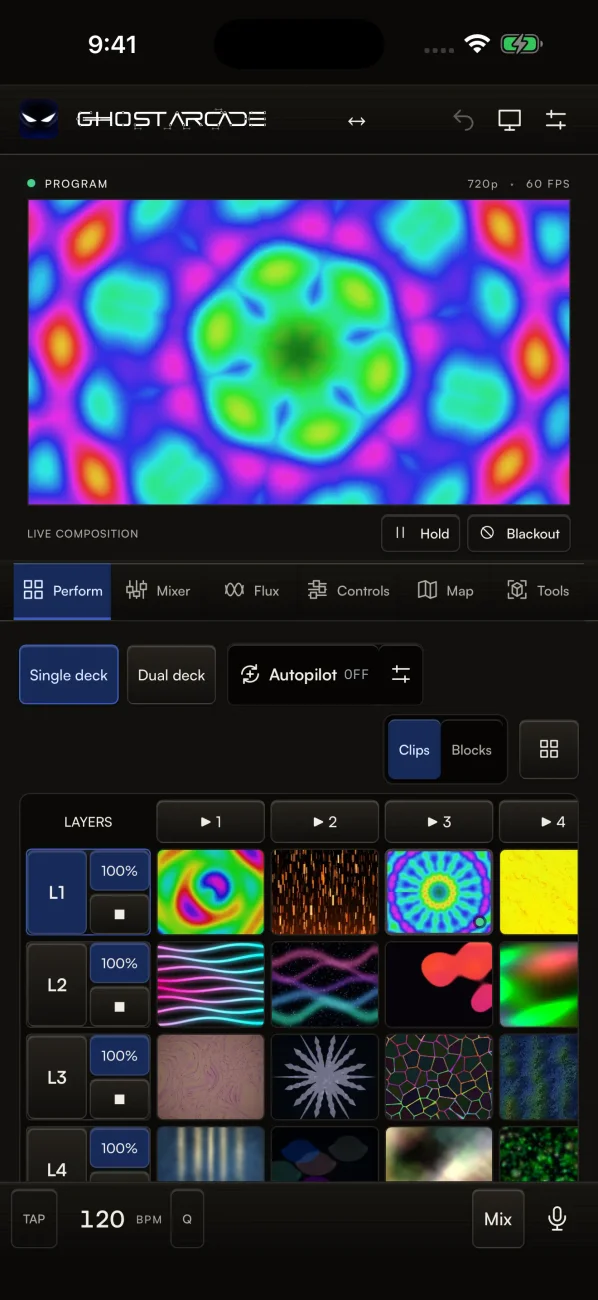
Turn your iPhone or iPad into a live visual instrument. Ghost Arcade brings clip launching, generative shaders, layered mixing and projection mapping into one touch-friendly workspace.
PERFORM
Start with a full deck of included shader clips. Launch visuals, select a playing clip to adjust its controls, and double-tap to stop. Mix four layers per deck and explore A/B crossfades in dual-deck mode.
SHAPE YOUR VISUALS
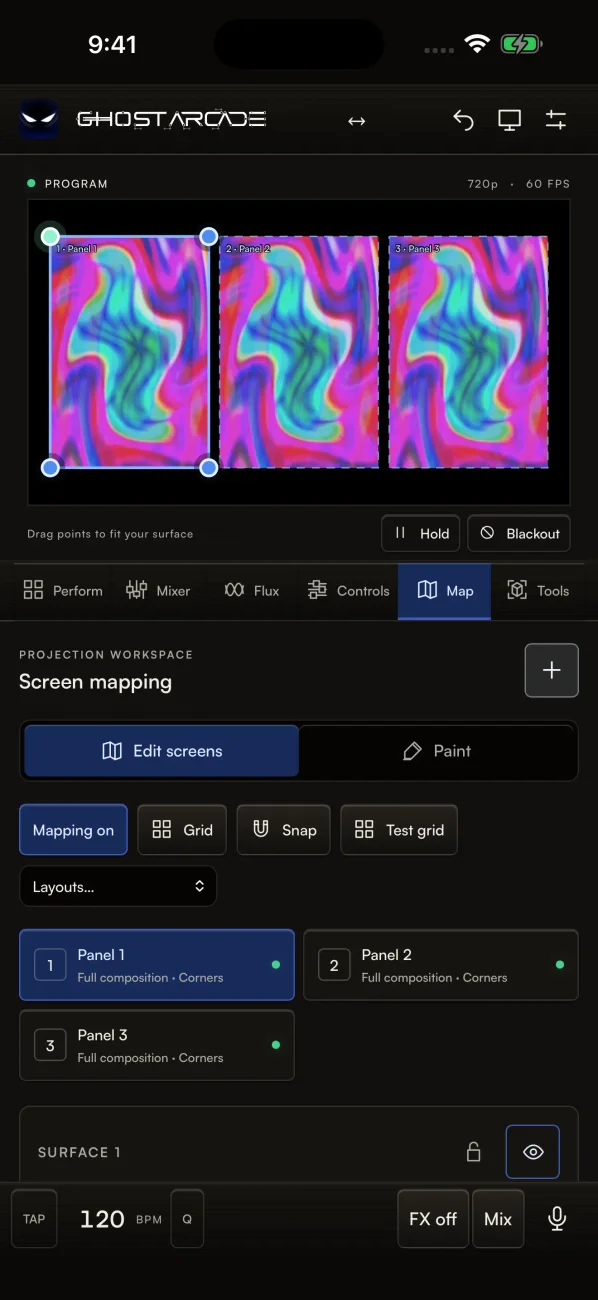
Create projection surfaces and adjust corner or mesh points directly in the preview. Route your composition or individual layers to screens, then add edge effects and Looks.
PLAY YOUR EFFECTS
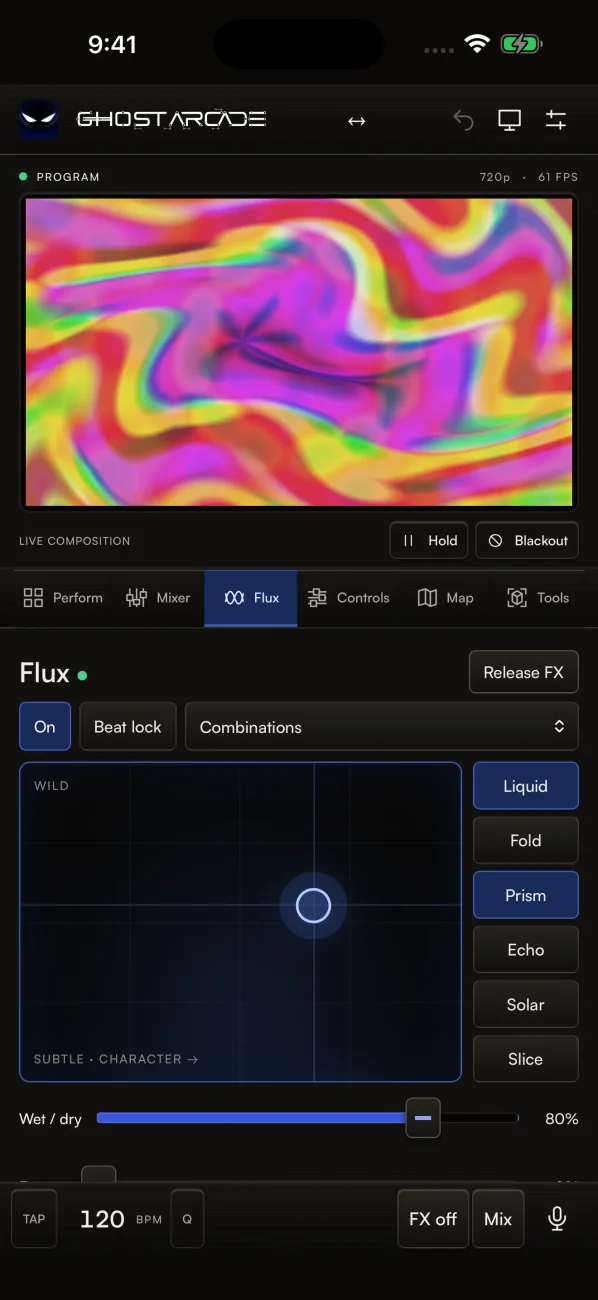
Apply effects to clips, layers or the composition. Flux combines a touch-controlled X/Y pad with stackable effects for expressive live performance. GhostFX adds smoothly changing, music-responsive visuals.
BRING THE WORLD INTO YOUR SET
Use live camera feeds as creative inputs. Supported devices also offer depth effects, simultaneous front/rear capture and LiDAR point-cloud scanning with export for desktop workflows. Hardware support varies by device.
SAVE YOUR SETUPS
Save sets and clip blocks to return to your favorite combinations. Standalone performance does not require an account or a desktop computer.
Novedades
Versión 1.2 · 25/11/2026
Ghost Arcade 1.2 is a big mapping update.
- Map anything: corner pins, mesh warps up to 9×9 with curved edges, or free-form shapes with as many points as you need.
- Masks: polygon, circle, freehand or a photo, with soft edges and invert.
- Precise editing: zoom in up to 8×, a magnifier beside your finger, pixel nudging, snapping, and corners that weld together.
- Templates: a window, doorway, stacked boxes, house front, DJ booth or table, with a visual on every surface. Drag the corners and you're done.
- Any clip on any surface. Move, zoom and turn the picture inside a surface, or span one picture across several.
- 26 blend modes, plus blend and opacity for each surface.
- Audio voices: 24 new music-driven visuals that follow the kick, the bass or the chords.
- Projector setup inside the app: pick an AirPlay display or plug in a cable, see a test pattern, then turn, mirror or fit the picture. Present mode keeps the phone dark during a show.
- Record your show with its sound and share it.
- Sound from the microphone, the built-in player, or other apps on your phone.
- LiDAR mapping for curved objects on iPhone and iPad models with LiDAR.
- Auto-map your projector from the phone with Ghost Arcade on your computer.
- A cleaner look, with clearer controls and help behind the i buttons.
Get the free desktop app for Mac, Windows and Linux at ghostarcade.live/download
Privacidad de la aplicación
Lo que Justin Wood declara en App Store sobre cómo esta aplicación gestiona los datos.
-
No se recopilan datos
El desarrollador no recopila ningún dato de esta aplicación.
Las prácticas de privacidad pueden variar, por ejemplo, según las funciones que uses o tu edad.
Información
- Vendedor
- Justin Wood
- Categoría
- Foto y vídeo
- Versión
- 1.2
- Actualizado
- 25/11/2026
- Publicado
- 1/10/2026
- Tamaño
- 70,3 MB
- Requiere
- iOS 16.0 o posterior
- Clasificación por edad
- 4+
- Precio
- 1,99 €
- Idiomas
- Inglés
- Copyright
- © 2026 Risk Capital Media LLC
Quizá también te guste
-
 A«iDFoto y vídeo
-
 HappyMapperFoto y vídeo
-
 One Big Projector: MappingProyecciones para fiestas
-
 Proyector de luces - GlowCastVideo mapping para Navidad
-
 3DD CaptureCapture 3D depth data
-
 Circular Tiny Planet EditorFoto y vídeo
-
 Pointcloud ScannerFoto y vídeo
-
 Stream Studio - RTMP StreamingFoto y vídeo
-
 100VJFoto y vídeo
-
 CUBE - AR Camera EffectsFoto y vídeo