
ghostWriter Markdown
Accessible Markdown Editor
Diseñada para iPhone, iPad
Gratis · Compras en la aplicación
- Clasificación por edad4+
- CategoríaProductividad
- DesarrolladorMarco Salsiccia
- IdiomasInglés
- Tamaño5,6 MB
Enlaza a la página oficial de App Store
Download.org no aloja ningún archivo de ghostWriter Markdown. El botón abre la página de la aplicación en App Store, donde la publica Marco Salsiccia. Ficha comprobada por última vez el 23/11/2026.
Capturas de pantalla
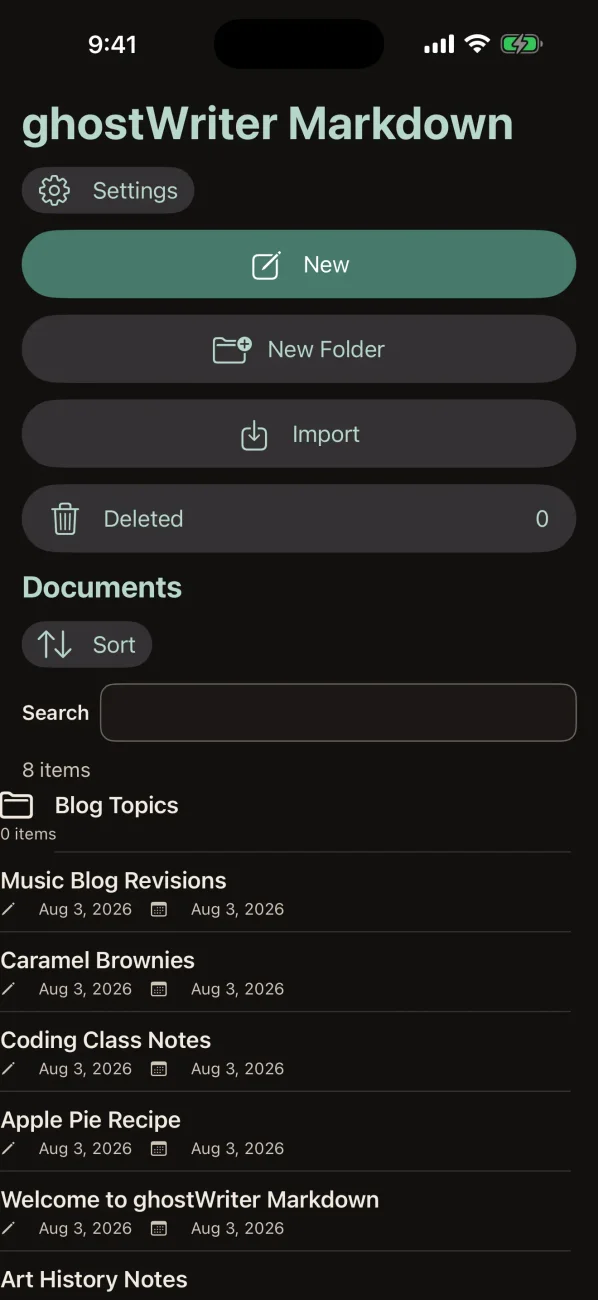
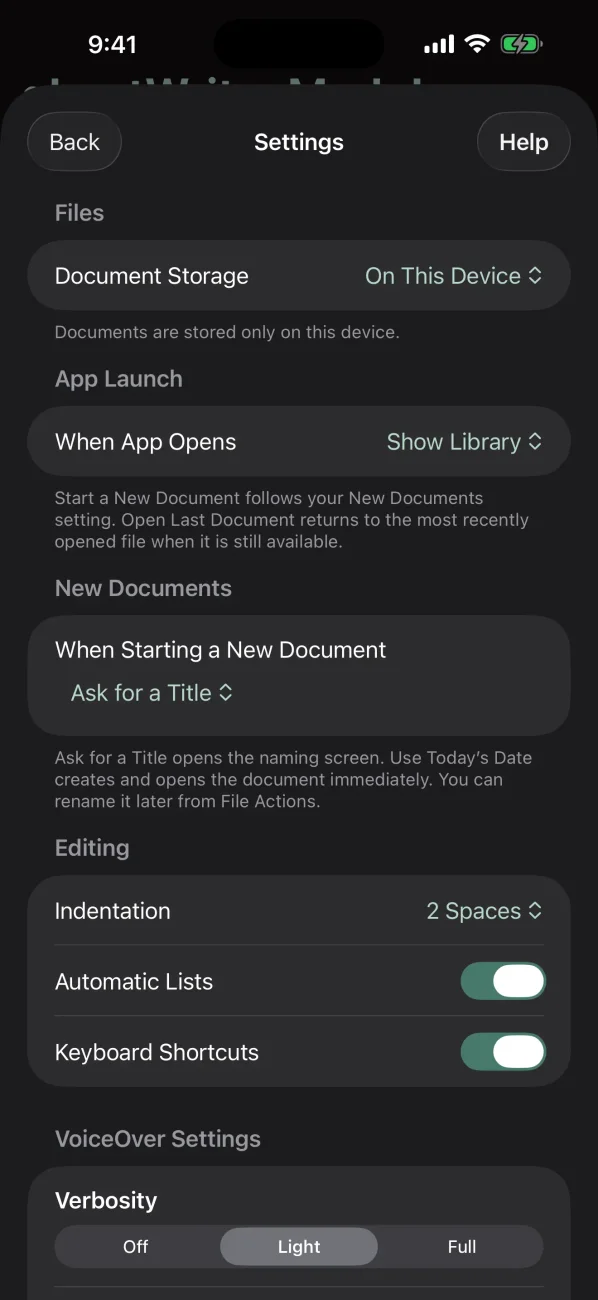
Acerca de
El desarrollador no ha proporcionado este texto en tu idioma.
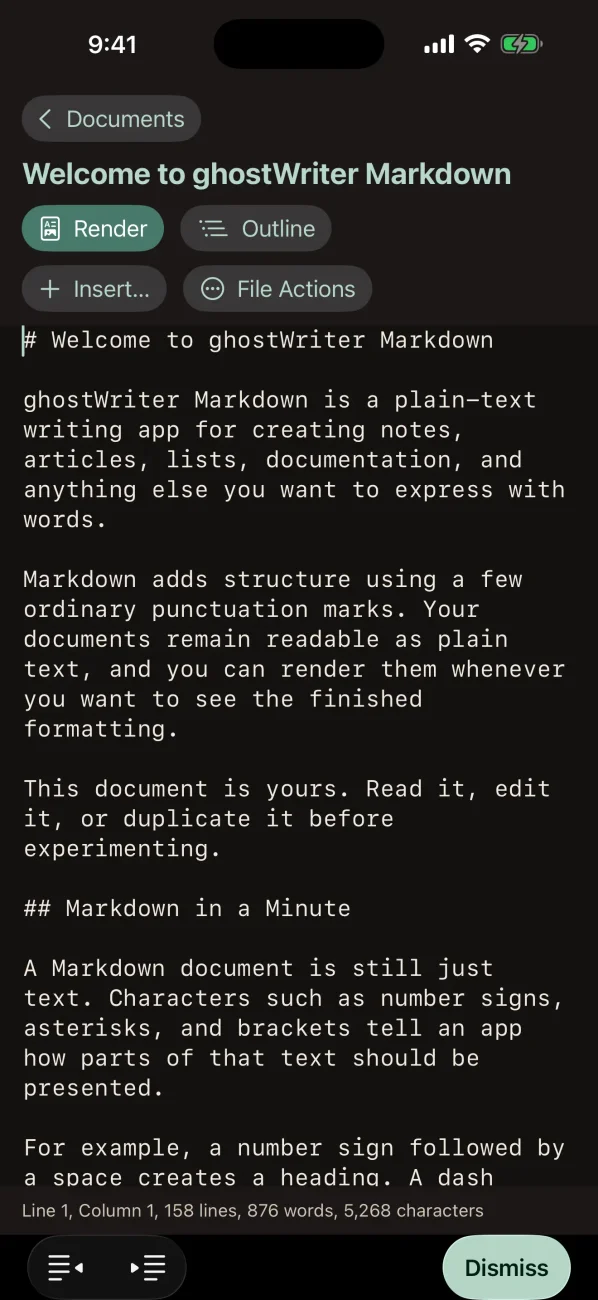
ghostWriter Markdown is an accessibility-first, plain-text writing app for notes, articles, documentation, and full manuscripts. Write individual documents, organize chapters, and compile your work into a finished export.
VoiceOver was at the center of the design from the first line of code. Created by a blind developer, ghostWriter gives screen reader users and anyone who loves plain text a clean, native place to write.
So what's Markdown?
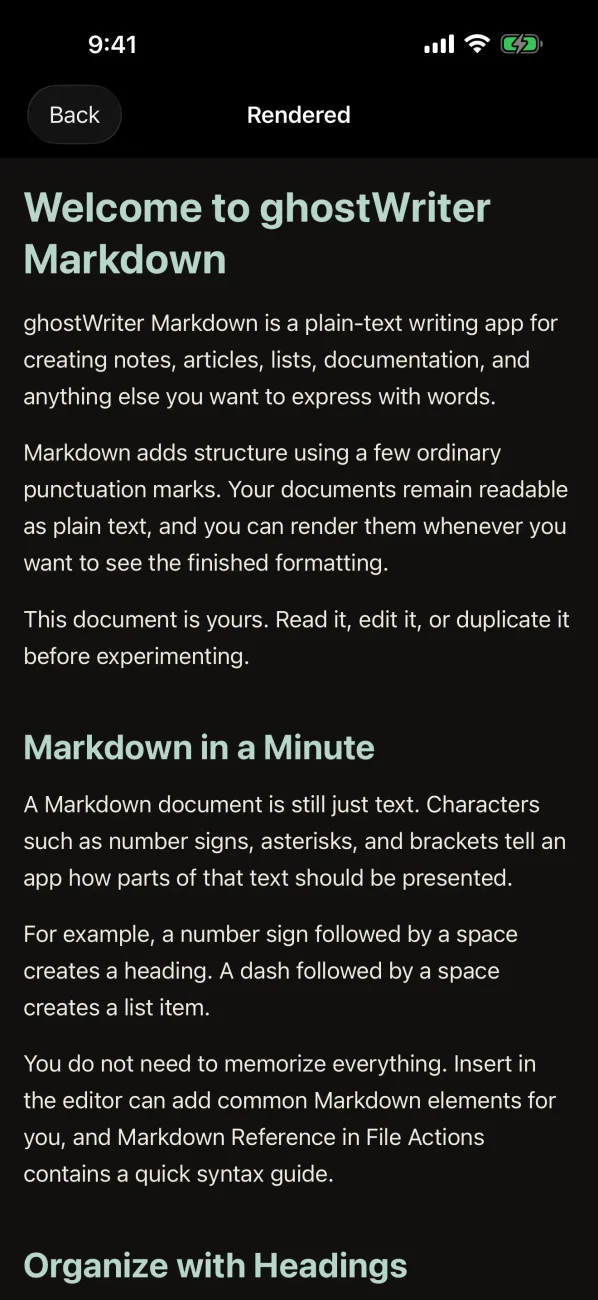
Markdown adds structure using ordinary punctuation. A number sign makes a heading. A dash makes a list item. Your document stays readable as plain text, and you can render it to see the finished formatting.
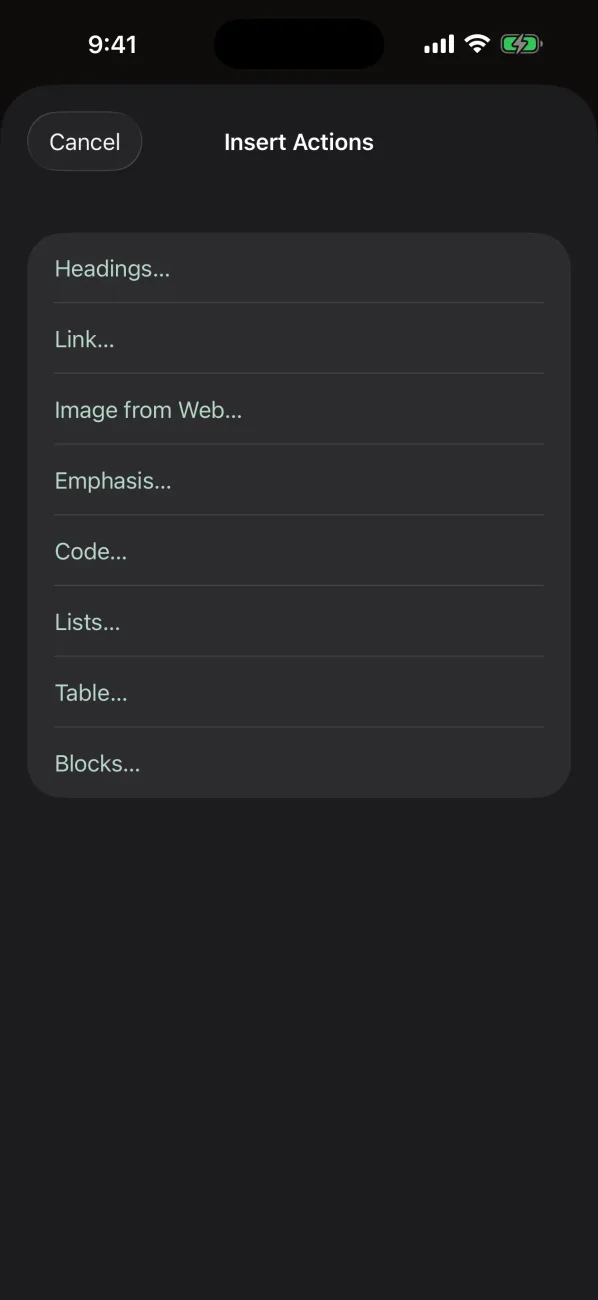
You don't have to know Markdown to start. Insert Actions adds common elements, the Markdown Reference provides examples, and the included ghostWriter Help Manual explains writing, organizing, and exporting your work.
Writing Made Easy:
• A native editor that keeps Markdown punctuation visible and you in control of the source
• Insert links, images, headings, quotes, code, lists, tasks, tables, and rules
• Automatic continuation for bullets, numbered lists, and tasks
• Indent and outdent with tabs or spaces
• Native Find and Replace, dictation, braille input, and text selection
• A configurable Status Bar with line and column position, word, sentence, and character counts, heading level, and selection counts
• Automatic saving, plus collision detection if the same document is open on separate devices
• Start in the Library, a new document, or your last document
Useful Navigation:
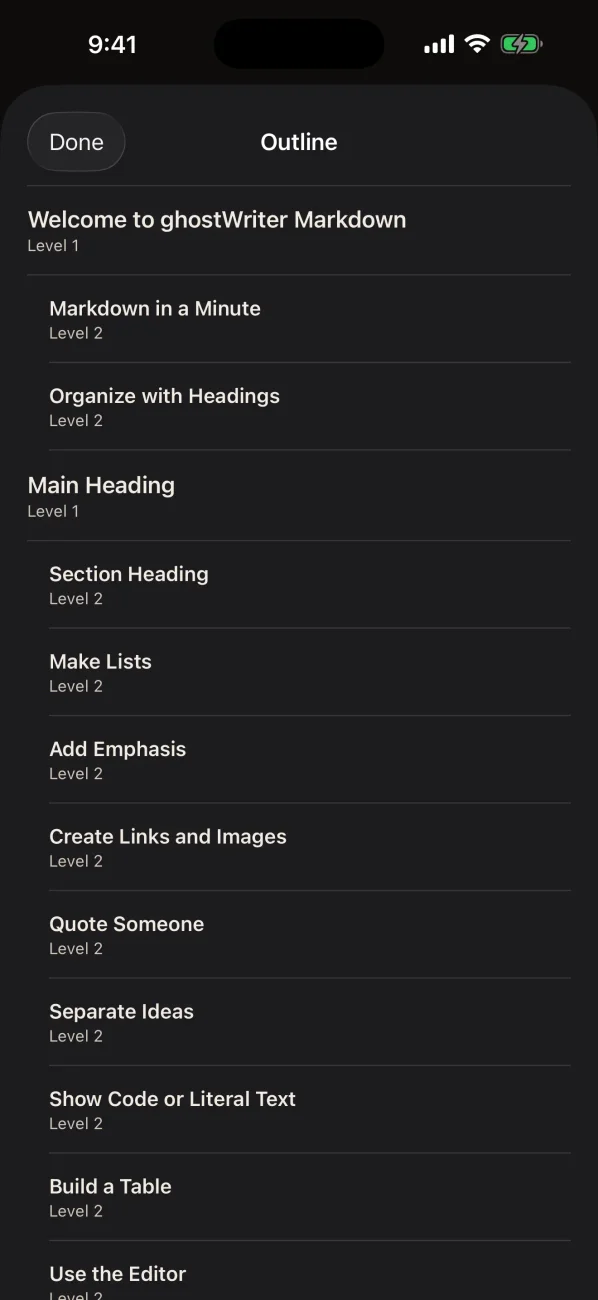
• Use Outline to jump to document headings
• Move through headings with a three-finger horizontal VoiceOver swipe while editing
• Jump to Line in long documents
• Search document names and contents
• Return to your remembered editing position in each file
Keep Files Organized:
• Create, rename, and move nested folders
• Pin documents you keep coming back to
• Sort by name, created, modified, or last opened, or arrange files and folders manually
• Restore removed files from Recently Deleted
• Import Markdown, plain text, Word documents, and PowerPoint presentations into Markdown
Build Your Manuscript:
• Compile documents from nested folders into a single export
• Choose which files to include and arrange chapters for each compilation
• Keep research and notes nearby while excluding them from compilations
• Track word, sentence, and character totals for individual files or whole folders
• Control heading structure when combining documents
Render and Share:
• Render Markdown as structured HTML with semantic headings, lists, tables, and links
• Export individual documents or compilations as Markdown, plain text, HTML, EPUB, PDF, Word, PowerPoint, eBraille, or BRF
• Customize Word exports with your own JSON stylesheets, optional title and subtitle styles, and a supplied Large Print stylesheet
Your Files, Your Devices:
• Ordinary Markdown files, visible in the Files app
• On-device storage or iCloud Drive syncing across iPhone, iPad, and Mac
• Open and edit your files in other apps that read text
• No proprietary format and no dependence on ghostWriter to keep your work
Accessibility:
Developed toward WCAG 2.2 Level AA and tested with VoiceOver as a primary interaction method.
• Native controls with familiar roles and behaviors
• Dynamic Type, including accessibility text sizes
• System, monospaced, rounded, and serif editor typefaces
• Light, dark, and system appearance
• Voice Control, Switch Control, and hardware keyboard support
• Optional keyboard shortcuts for common actions
• Reduced-motion support
Privacy:
No accounts. No sign-in. No ads. No analytics. No tracking. No data collection. No AI tools.
There is no server behind this app. Your documents stay on your device or in your own iCloud, and they never travel anywhere you don't send them.
Made by a blind developer who got tired of tools that treated screen reader support as an afterthought.
Novedades
Versión 1.7.1 · 19/11/2026
We've swept a few more cobwebs out of the crypt.
This update strengthens file security, improves how shared images stay with your documents, and tidies up temporary exports. Updated braille translation and clearer Help round out the housekeeping.
Your words deserve a well-kept haunt.
Privacidad de la aplicación
Lo que Marco Salsiccia declara en App Store sobre cómo esta aplicación gestiona los datos.
-
No se recopilan datos
El desarrollador no recopila ningún dato de esta aplicación.
Las prácticas de privacidad pueden variar, por ejemplo, según las funciones que uses o tu edad.
Información
- Vendedor
- Marco Salsiccia
- Categoría
- Productividad
- Versión
- 1.7.1
- Actualizado
- 19/11/2026
- Publicado
- 12/8/2026
- Tamaño
- 5,6 MB
- Requiere
- iOS 17.6 o posterior
- Clasificación por edad
- 4+
- Precio
- Gratis
- Compras en la aplicación
- Sí
- Idiomas
- Inglés
- Copyright
- © 2026
Quizá también te guste
-
 KurzgedachtProductividad
-
 Perspective TranscribeProductividad
-
 Remote Incident Manager MobileProductividad
-
 Folio: Cuadernos de RegistroMedicinas, Facturas, Libros
-
 AnagnosiProductividad
-
 I Saved This. Why?Productividad
-
 Scribe for DocumentsProductividad
-
 Perspective IntelligenceProductividad
-
 RemindFocus: ADHD Focus TimerFocus Timer y Guarda Enlaces
-
 Xarra: Lee, escucha, céntrateDocumentos, artículos y notas