
- Clasificación por edad17+
- CategoríaProductividad
- DesarrolladorRajath Bail
- IdiomasInglés+ 30 más
- Tamaño231,5 MB
Enlaza a la página oficial de App Store
Download.org no aloja ningún archivo de HillNote. El botón abre la página de la aplicación en App Store, donde la publica Rajath Bail. Ficha comprobada por última vez el 23/11/2026.
Capturas de pantalla


Acerca de
El desarrollador no ha proporcionado este texto en tu idioma.
Hillnote is where you think.
A local-first, markdown-native workspace that captures your work in AI-native formats - notes, plans, drafts, ideas, decisions. Built on plain markdown, stored on your device, paired with your desktop, and ready for the AI tools you already use.
Built for builders, makers, writers, and small teams who think on the move and want their workspace to come with them.
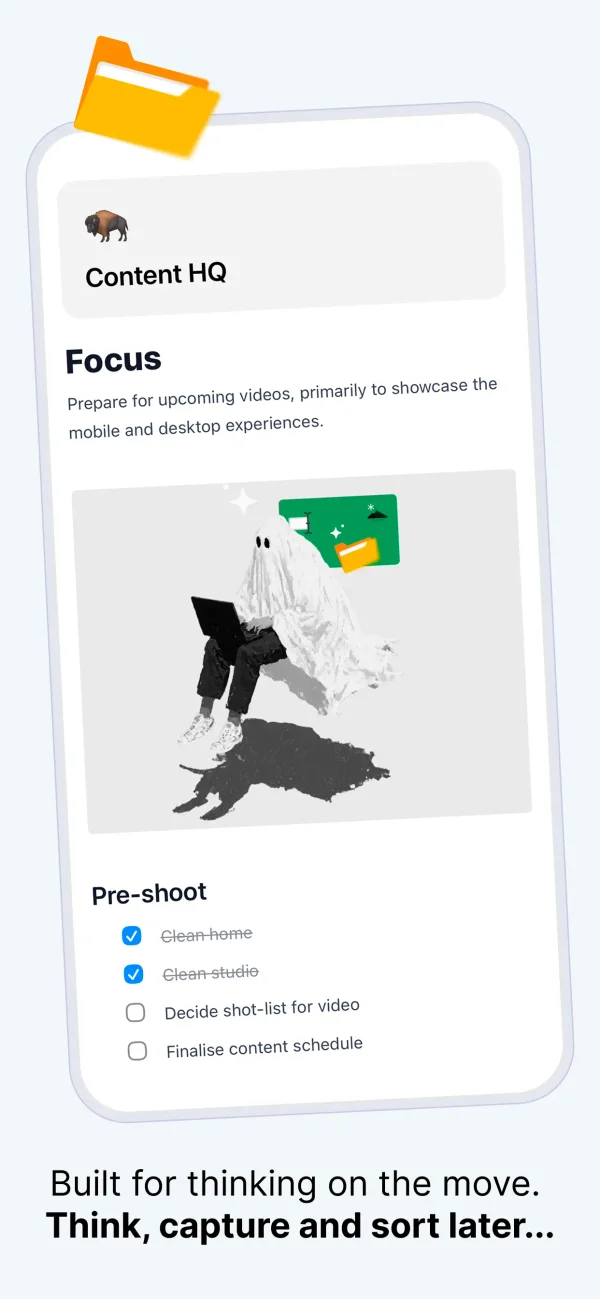
Write as you think, the way you think. A clean markdown editor designed for capture, not arrangement. A floating toolbar above the keyboard handles formatting; standard markdown shortcuts work out of the box.
Quicknotes for everything in between. Tap + to capture an idea the moment it lands. Save and it's in your workspace; keep typing if you want to expand it. No friction between a thought and a file.
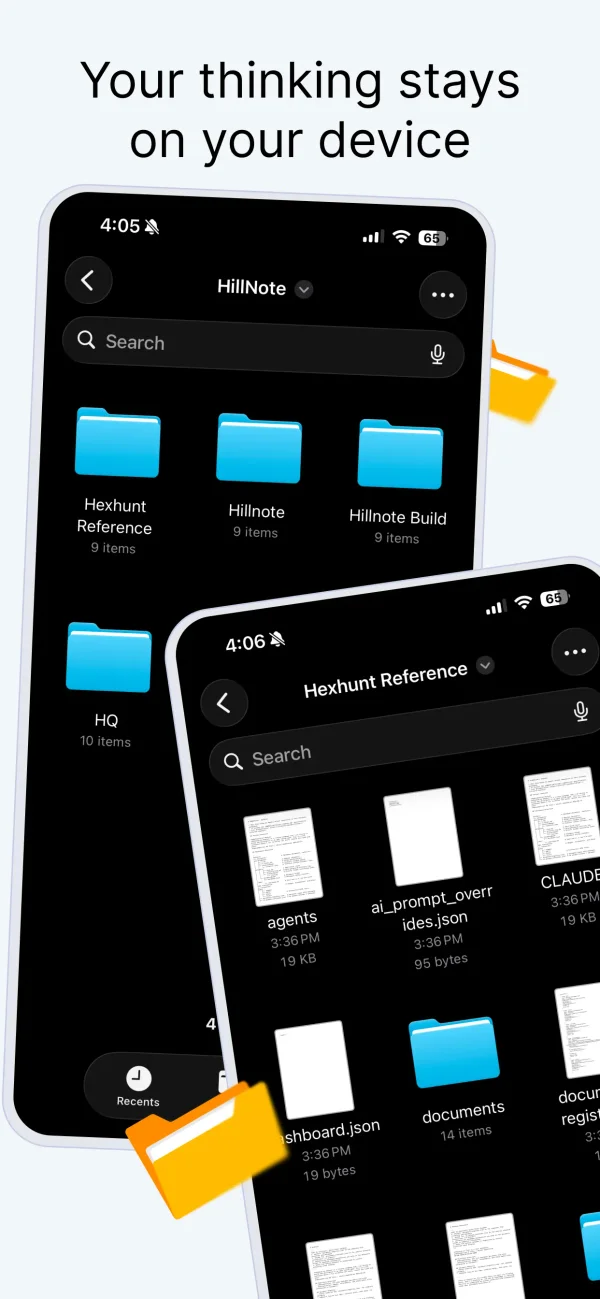
Your thinking stays on your device. Every file lives locally as plain markdown. No rented database, no required account, no lock-in. Your work is yours from day one, and yours if you cancel.
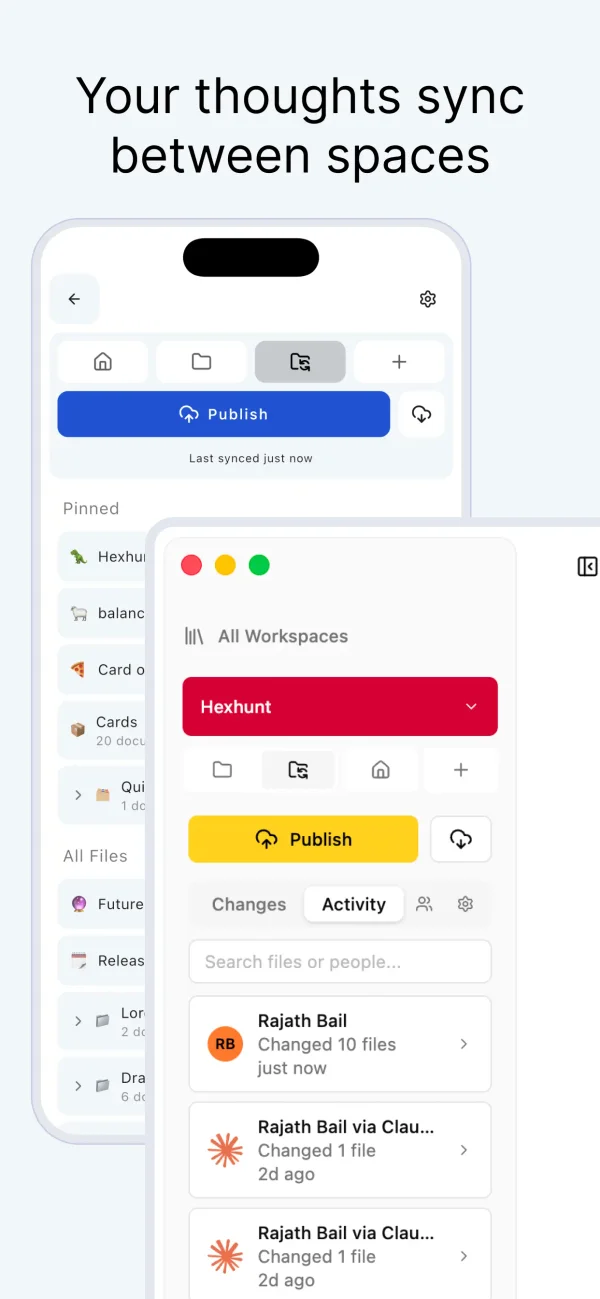
Free sync across iPhone, iPad, and desktop. The first 100MB syncs free -more than enough for years of notes. Capture on your phone, expand on your desktop, review anywhere.
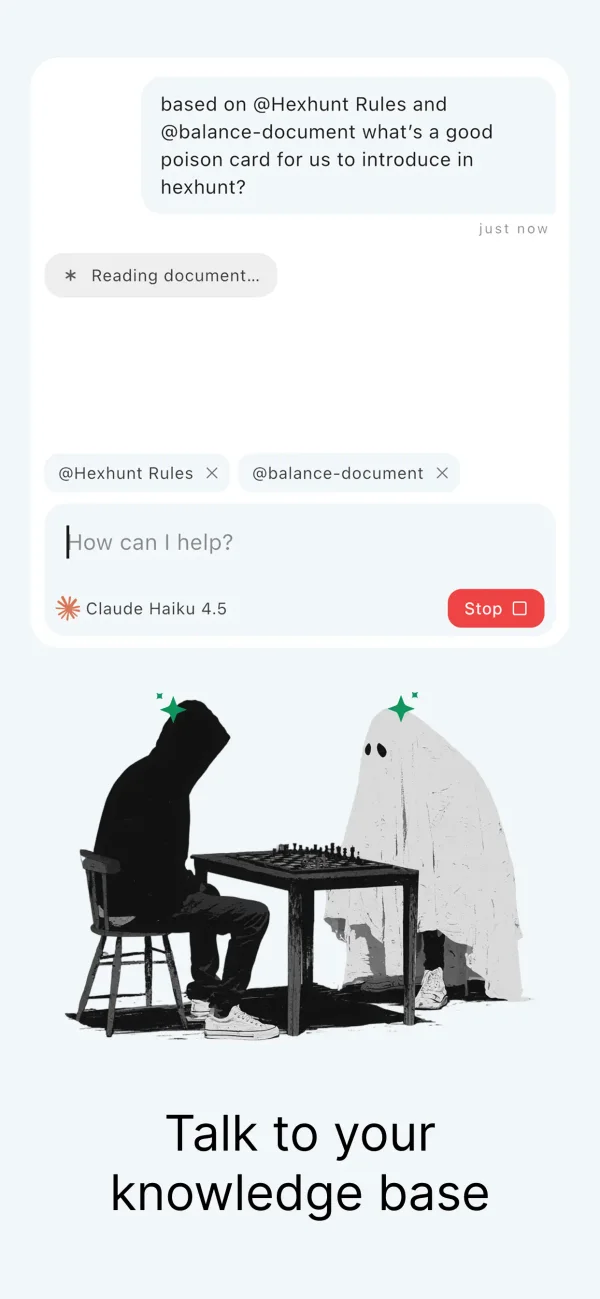
Talk to your knowledge base. Built-in chat reads your own files, edits them, creates new ones, and pulls context from your workspace. Upload images and have them read aloud. Auto mode picks the right model; switch manually when you want to.
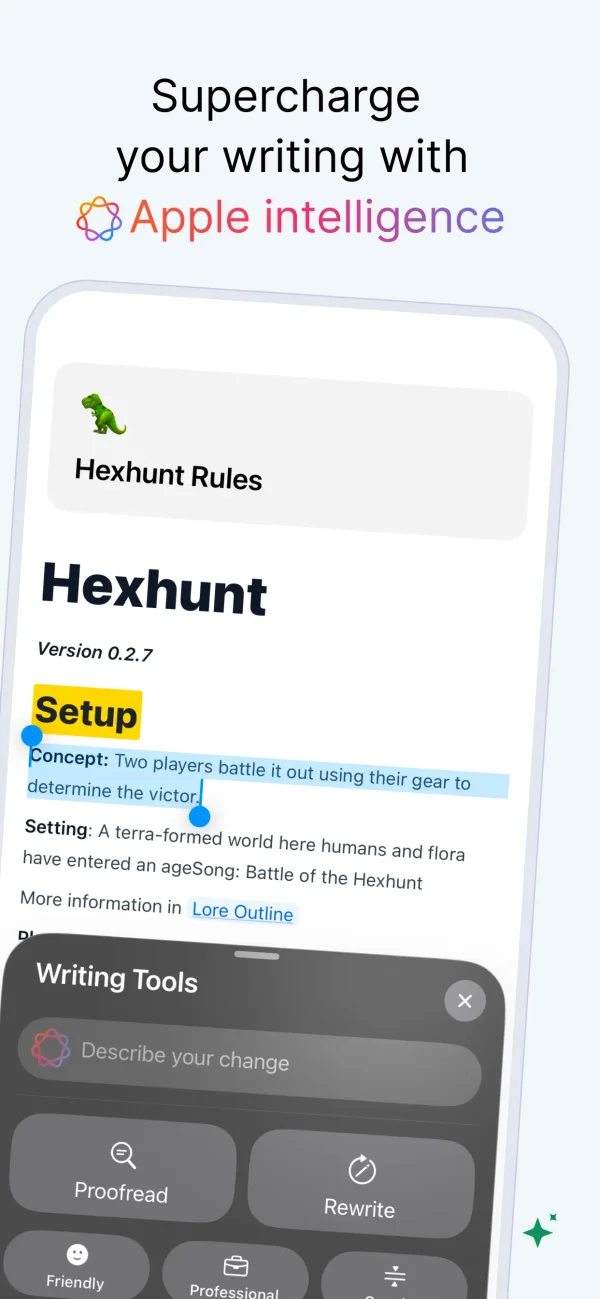
Supercharge your writing with Apple Intelligence. Native integration with Apple Intelligence writing tools - proofread, rewrite, reformat -via the AI button or text selection.
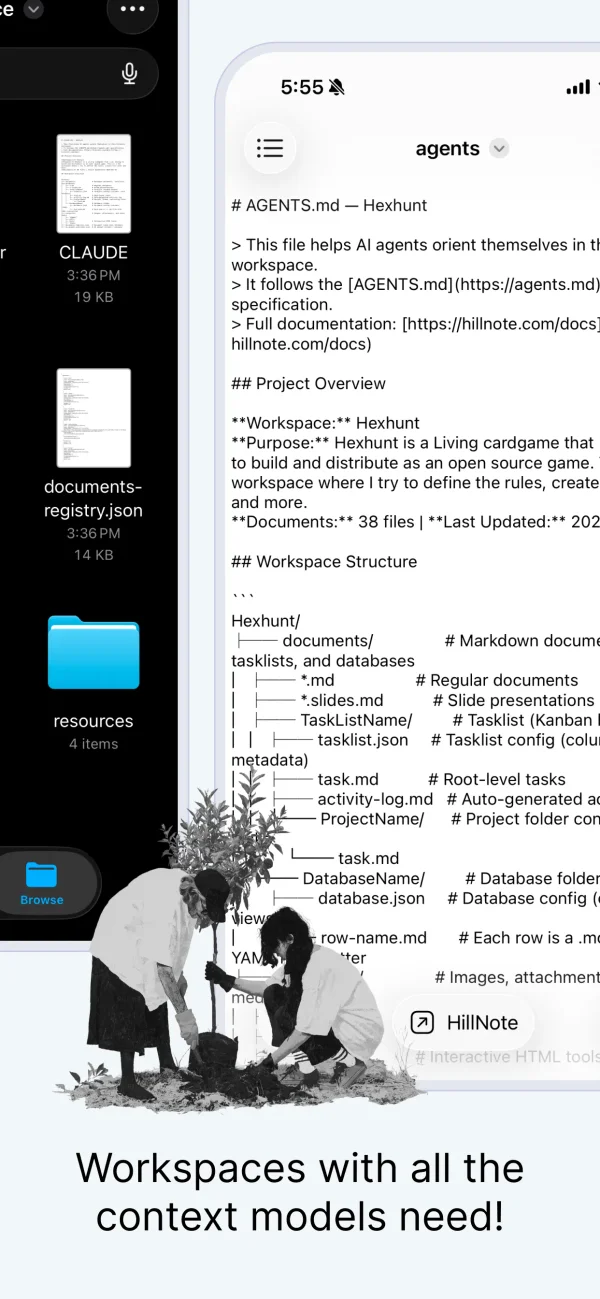
Workspaces with all the context AI models need. Hillnote automatically generates context files (AGENTS.md, CLAUDE.md, document registries) so any AI tool you connect can navigate your workspace immediately - no setup, no plugins.
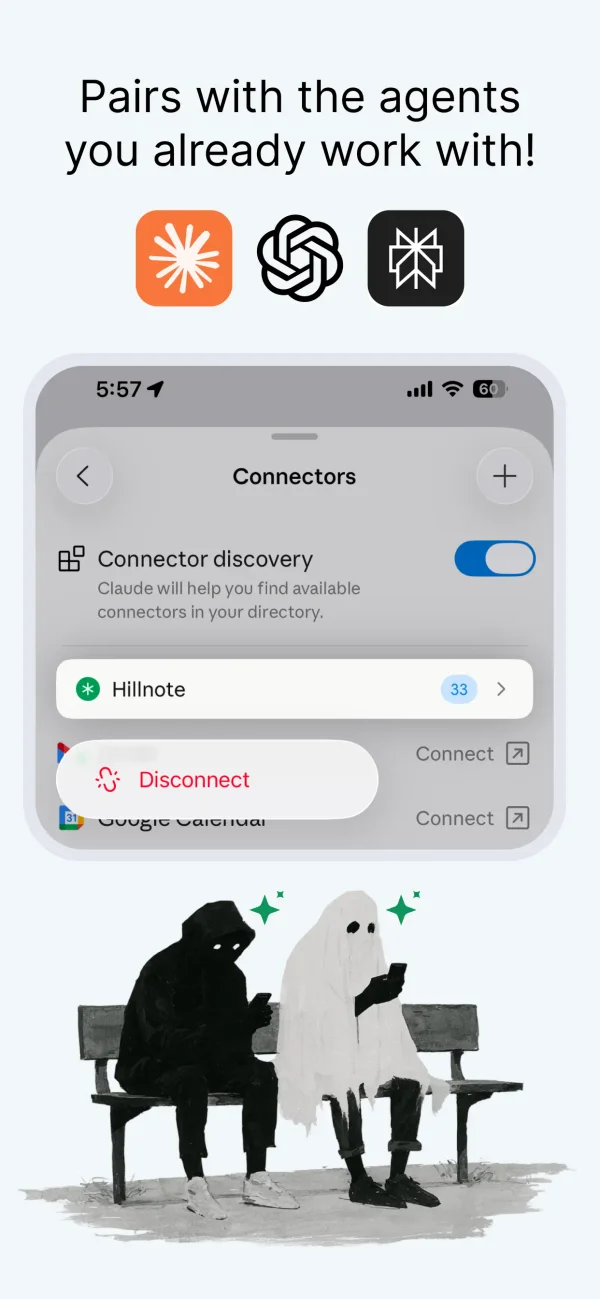
Pairs with the agents you already work with. Claude, ChatGPT, Codex, Cursor, Cowork, Claude Code - connect via local or cloud MCP, or point them at the workspace folder directly. Plain markdown means no exports, no conversions. They read and edit the same files you do.
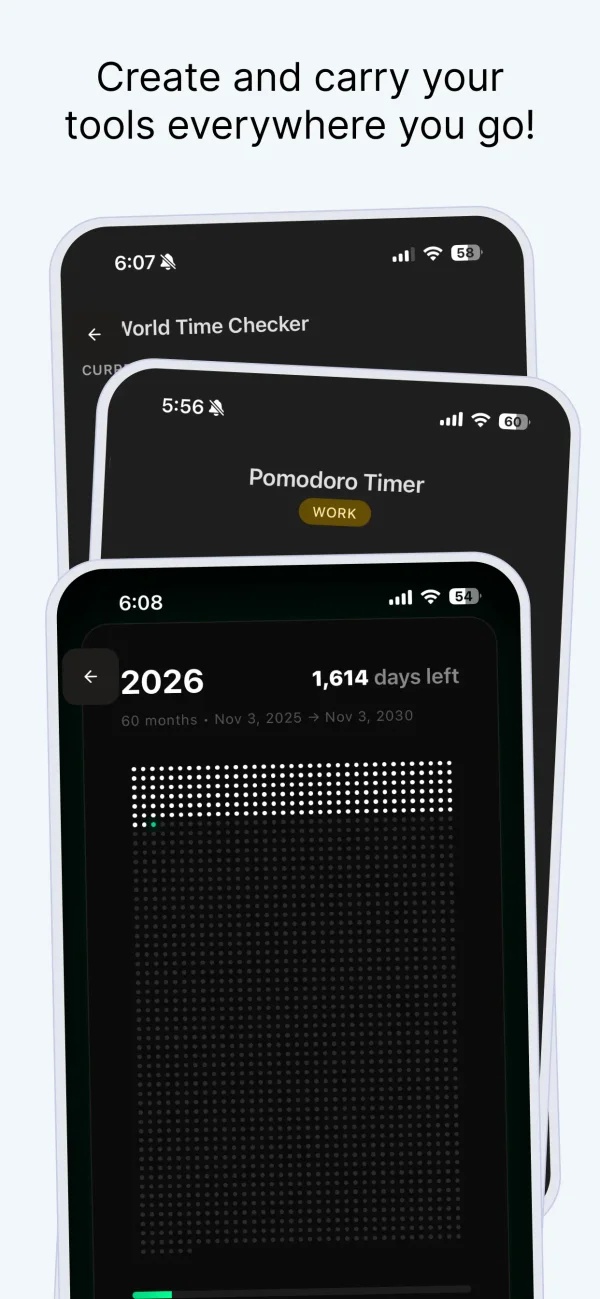
Carry your tools, not just your notes. Build small HTML tools - pomodoro timers, day counters, focus checklists, anything else - that travel inside your workspace. Pin them as widgets. Your tools live next to the work they support.
A different model. We separate what's a service from what's yours. You subscribe to the workspace and pay for cloud features (expanded sync, frontier AI, publishing, routines, BYO key) only when you need them. Free accounts include limited premium model usage. Your data stays on your device as plain markdown, always canonical, always portable.
Start free. Sync free. Stay local. Add cloud when you outgrow it.
Download Hillnote and bring your thinking with you.
Novedades
Versión 0.33.68 · 19/11/2026
Talk ideas through with Brainstorm(if your device supports), mention teammates, find recent files fast, and
enjoy a fresh new look.
NEW
- Brainstorm: switch the Record tab to Brainstorm and talk an idea through. An
on-device model answers out loud and pushes back, then writes it up in Quick Notes.
No internet needed, on newer phones.
- Mentions: type @ in a document in a synced workspace to mention a teammate. When
you're mentioned, the workspace card shows @ with a count.
- Recent files: tap the clock next to Settings on Home to see the documents you
opened lately. Shared with me lists the files people have shared with you.
- Chat replies keep coming when you lock your phone or switch apps, and a
notification tells you when the answer is ready.
- A new first-run setup: tell us what brings you to Hillnote, set up offline AI and
start with a workspace shaped around it.
- When you delete a workspace you can now also delete its folder and files from this
device.
IMPROVED
- A fresh look across the app, with new colours, buttons and sheets that match
Hillnote on desktop.
- Database tables on a phone now show one card per row, so every value is in view.
- Tools you build in Chat now keep their data in a Sheet in Tools. Older tools show
a Migrate button to move it over.
- Anything that needs an account now asks you to sign in right there instead of
failing.
- Documents show their outline while they load, and empty and error screens have new
illustrations.
- On iPad, mentions work in the workspace and sign-in opens wherever a feature needs
it.
FIXED
- Chat no longer stops with "unable to respond right now" on big requests such as
building a tool.
- The retry button on a chat error now sends your message again.
- On iPhone, the editor no longer jumps or drops the keyboard while you type.
Privacidad de la aplicación
Lo que Rajath Bail declara en App Store sobre cómo esta aplicación gestiona los datos.
-
Datos vinculados a ti
Pueden recopilarse y vincularse a tu identidad.
- Información de contacto
-
Datos no vinculados a ti
Pueden recopilarse, pero no se vinculan a tu identidad.
- Ubicación
- Información de contacto
- Contenido del usuario
- Identificadores
- Datos de uso
- Diagnóstico
Las prácticas de privacidad pueden variar, por ejemplo, según las funciones que uses o tu edad.
Información
- Vendedor
- Rajath Bail
- Categoría
- Productividad
- Versión
- 0.33.68
- Actualizado
- 19/11/2026
- Publicado
- 16/6/2026
- Tamaño
- 231,5 MB
- Requiere
- iOS 16.0 o posterior
- Clasificación por edad
- 17+
- Precio
- Gratis
- Idiomas
- Inglés, Árabe, Bengalí, Checo, Danés, Neerlandés, Filipino, Finés, Francés, Alemán, Griego, Hebreo + 19 más
- Copyright
- © Hillnote 2026
Quizá también te guste
-
 mrkdwn — Notas en MarkdownEscritura privada y enfocada
-
 WitNote: IA Markdown y notasPrivado, offline, IA local
-
 Song: Diario y TareasCaptura rápida, diario privado
-
 Muse: Visual BookmarksProductividad
-
 slowDigestSend Articles to Your E-Reader
-
 BLISS Note: notas, PDF, agendaManuscrita, tareas, diario
-
 quicklookYour multitasking companion
-
 Marqly: Guardar Enlaces y WebsMarcadores y leer más tarde
-
 note2tell – Notes for laterProductividad
-
 Markdown.md - LectorLee y edita Markdown offline