
- Clasificación por edad4+
- CategoríaUtilidades
- DesarrolladorFutoshi Ebata
- IdiomasInglés+ 1 más
- Tamaño994,0 KB
Enlaza a la página oficial de App Store
Download.org no aloja ningún archivo de HLS Stream Player. El botón abre la página de la aplicación en App Store, donde la publica Futoshi Ebata. Ficha comprobada por última vez el 8/11/2026.
Capturas de pantalla
Acerca de
El desarrollador no ha proporcionado este texto en tu idioma.
This app plays HLS (.m3u8) streams that are protected with HTTP Basic
authentication -- the kind of stream a private or office server provides.
You register the URL of your own server. The app ships with no stations and no
stream list of its own.
FEATURES
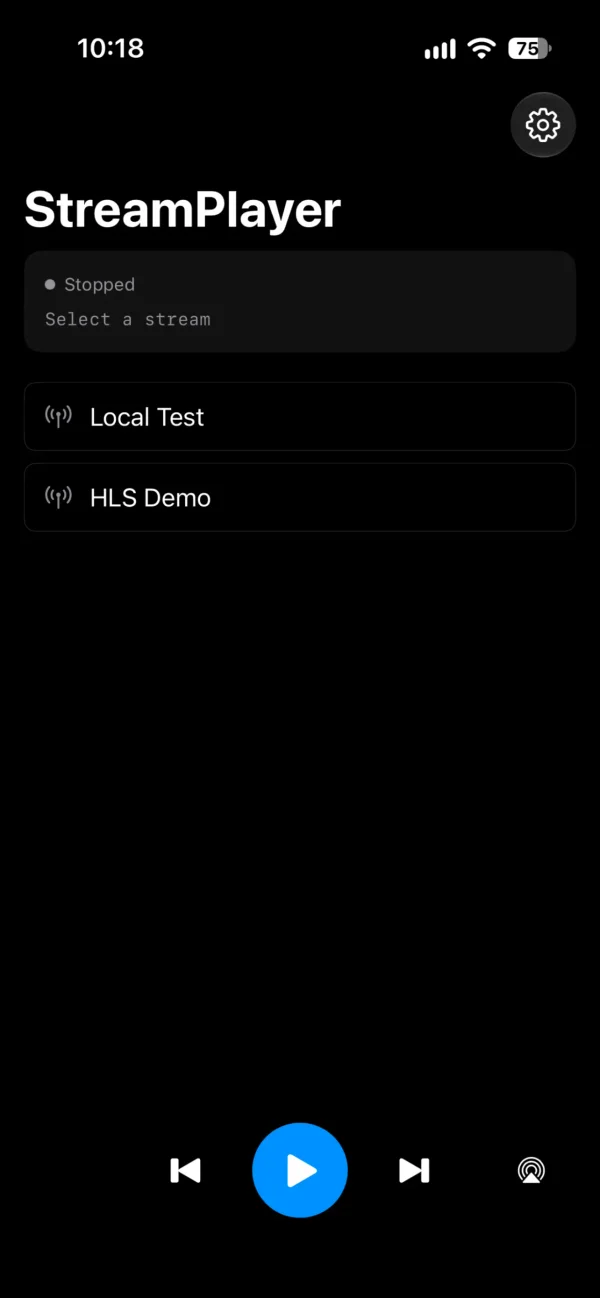
- Register several streams and switch between them with one tap.
- Works with streams that require a user name and password, over http or https.
- Background playback. Audio keeps playing while you use other apps or with the
screen off, and you can control it from the Lock Screen and Control Center.
- The track forward and back controls on headphones and car audio switch to the
next and previous stream.
- Connection Test verifies the URL and the credentials before you try playback.
- Import and export a settings file, so one person can configure the streams and
everyone else imports them instead of typing URLs.
- Automatic reconnection when the network drops, with a backoff of 1, 2, 4, 8 and
16 seconds.
- Send the audio to an AirPlay speaker or a Bluetooth device from the output button
on the main screen.
- Give each stream its own artwork for the Lock Screen with an image URL, in the
stream editor or the settings file. The app icon is used when none is set.
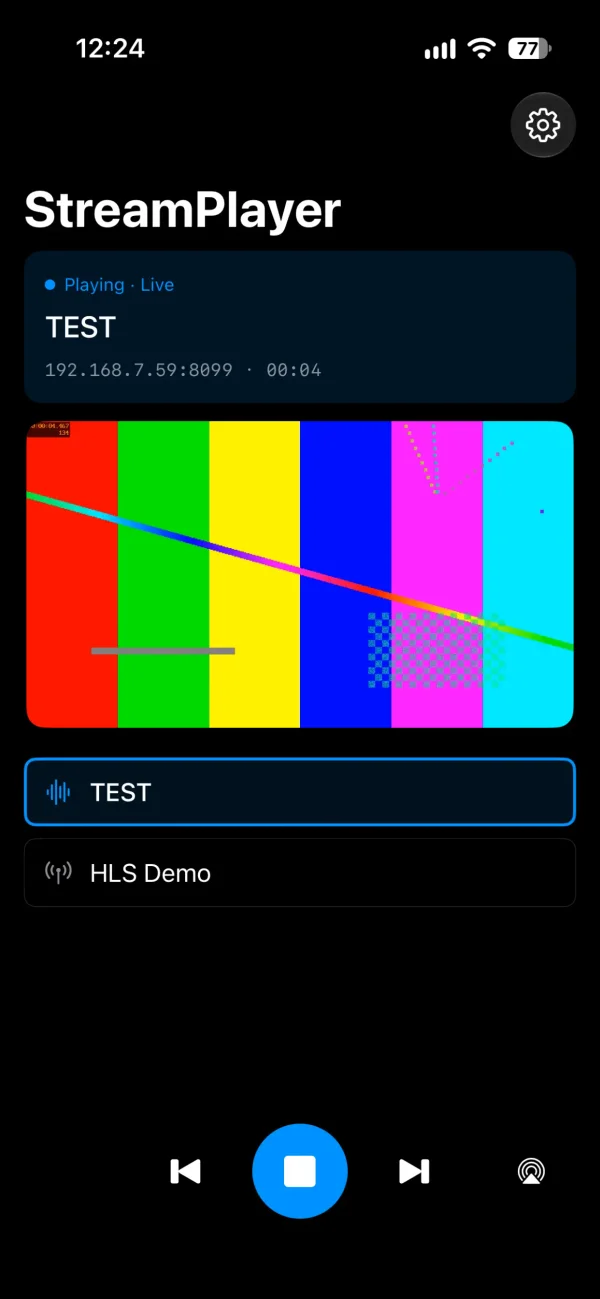
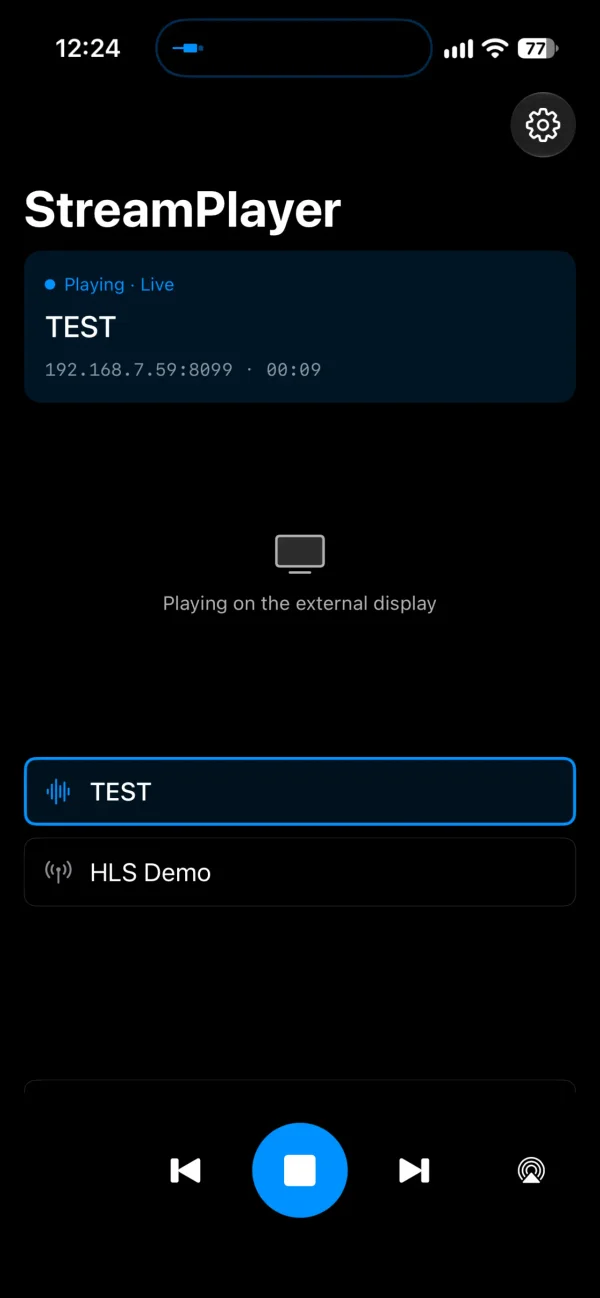
- Streams with video show the picture on the main screen, and fill the screen when
you turn the iPhone sideways. With a display connected by an HDMI cable, the
picture appears on that display only. Streams without authentication can also
show the picture on an Apple TV chosen from the output button; streams with
authentication send only the audio.
- Start and stop a stream from the Shortcuts app, from an automation such as
connecting to your car over Bluetooth, or by asking Siri. Include the app name,
for example "Play Office Radio with StreamPlayer".
WHAT IT DOES NOT DO
- In the background or with the screen locked, only the audio plays.
- No offline playback and no recording.
- One stream at a time.
On http streams the user name and password are sent in near-plain text, so use
them only on a private network. The app shows a warning when you do.
Novedades
Versión 1.6.0 · 28/9/2026
Apple TV
- With an Apple TV chosen from the output button, streams without authentication now
show their picture on the Apple TV as well. The iPhone shows "Playing on the external
display" and stays upright.
- Streams that need a user name and password still send only the audio to the Apple TV,
and the picture stays on the iPhone.
Privacidad de la aplicación
Lo que Futoshi Ebata declara en App Store sobre cómo esta aplicación gestiona los datos.
-
No se recopilan datos
El desarrollador no recopila ningún dato de esta aplicación.
Las prácticas de privacidad pueden variar, por ejemplo, según las funciones que uses o tu edad.
Información
- Vendedor
- Futoshi Ebata
- Categoría
- Utilidades
- Versión
- 1.6.0
- Actualizado
- 28/9/2026
- Publicado
- 14/9/2026
- Tamaño
- 994,0 KB
- Requiere
- iOS 27.0 o posterior
- Clasificación por edad
- 4+
- Precio
- Gratis
- Idiomas
- Inglés, Japonés
- Copyright
- Copyright © 2026 EVA Titer. All rights reserved.
Quizá también te guste
-
 Acceleration Unit ConverterUtilidades
-
 GPS Data – Velocidad & AltitudGPS, altitud, velocidad y mapa
-
 Speed Units ConverterUtilidades
-
 Power Units ConverterUtilidades
-
 TriCalc:Utilidades
-
 Volume Units ConverterUtilidades
-
 Weight Units ConverterUtilidades
-
 Area-Unit ConverterUtilidades
-
 LG Signage ManagerUtilidades
-
 WearWithAllUtilidades