HyFlow: Awesome Note, Evolved
Calendar, Notes, Daily Journal
Diseñada para iPhone, iPad
Gratis · Compras en la aplicación
- Clasificación por edad4+
- CategoríaProductividad
- DesarrolladorBRID
- IdiomasInglés+ 8 más
- Tamaño127,4 MB
Enlaza a la página oficial de App Store
Download.org no aloja ningún archivo de HyFlow: Awesome Note, Evolved. El botón abre la página de la aplicación en App Store, donde la publica BRID. Ficha comprobada por última vez el 20/11/2026.
Capturas de pantalla
Acerca de
El desarrollador no ha proporcionado este texto en tu idioma.
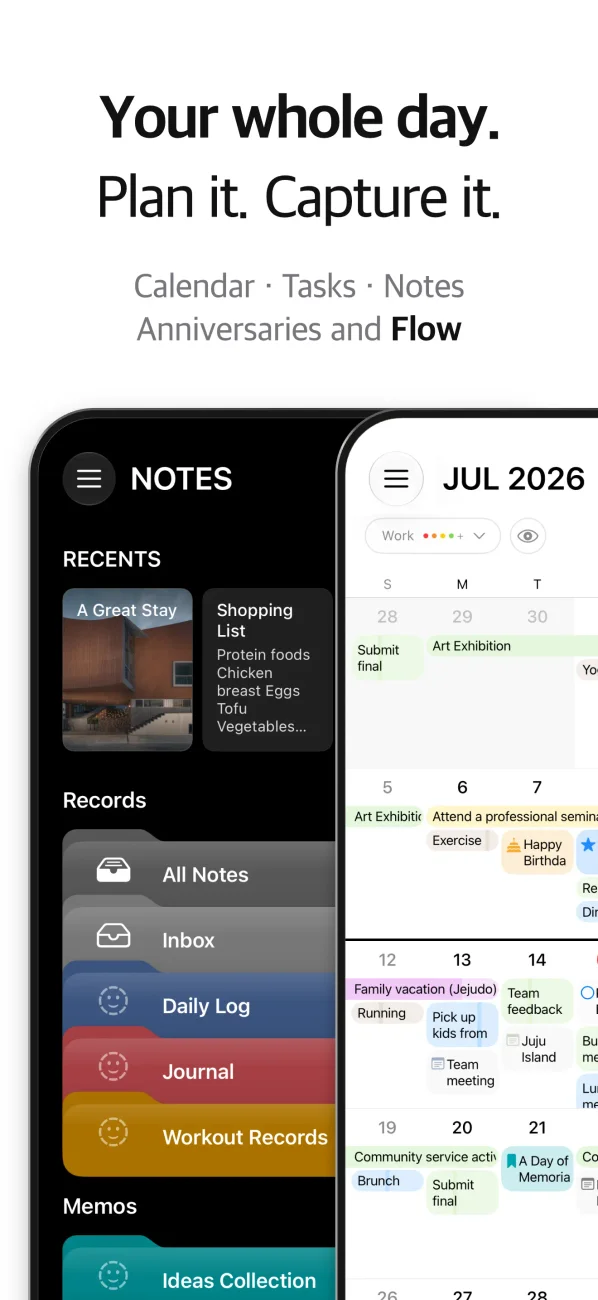
Your whole day. Plan it. Capture it.
Calendar · Tasks · Notes · Anniversaries, and Flow.
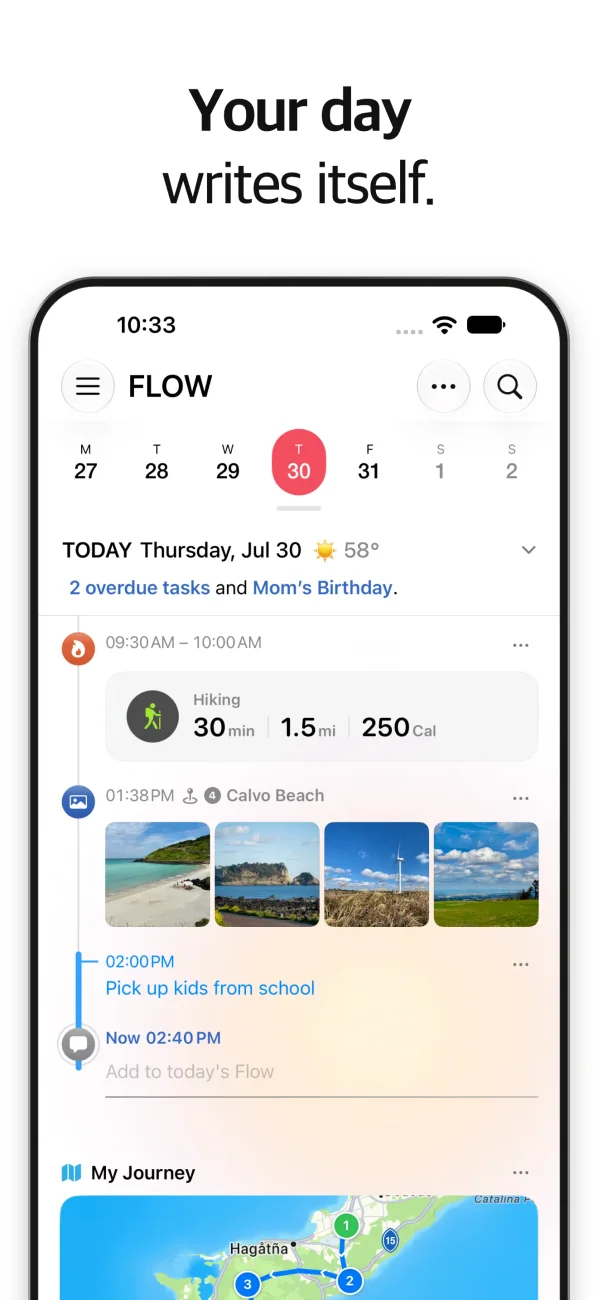
Your day writes itself.
What you plan today becomes what you remember tomorrow.
Photos and notes, plans and moods gather day by day.
This isn't four separate apps stacked in one place.
They are stitched into each other along one line of time.
So HyFlow isn't somewhere your days are stored.
It opens them back up — what your day was actually like.
That is what the name means: HyFlow, from Hybrid + Flow — the separate streams of your day, woven into one.
And the last stream that name promised is Flow.
A Flow is everything that happened in your day, in order.
On top of what you planned and wrote down, the day you actually lived is added.
You don't have to work at keeping a record —
and the only person who can see it is you.
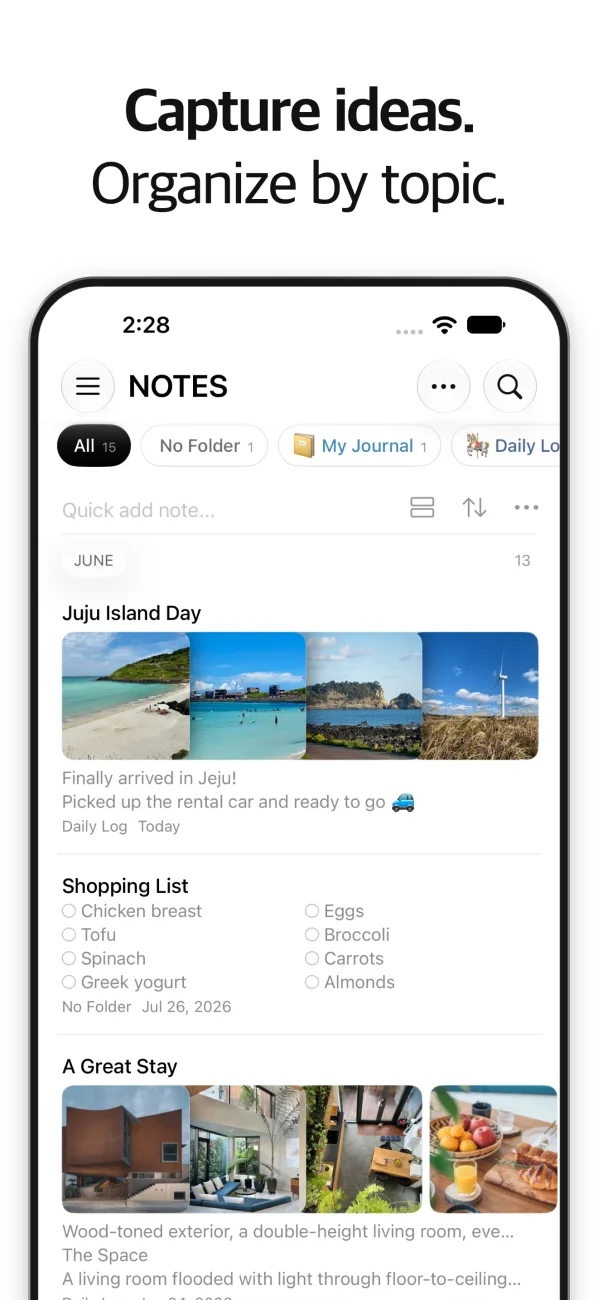
■ Notes
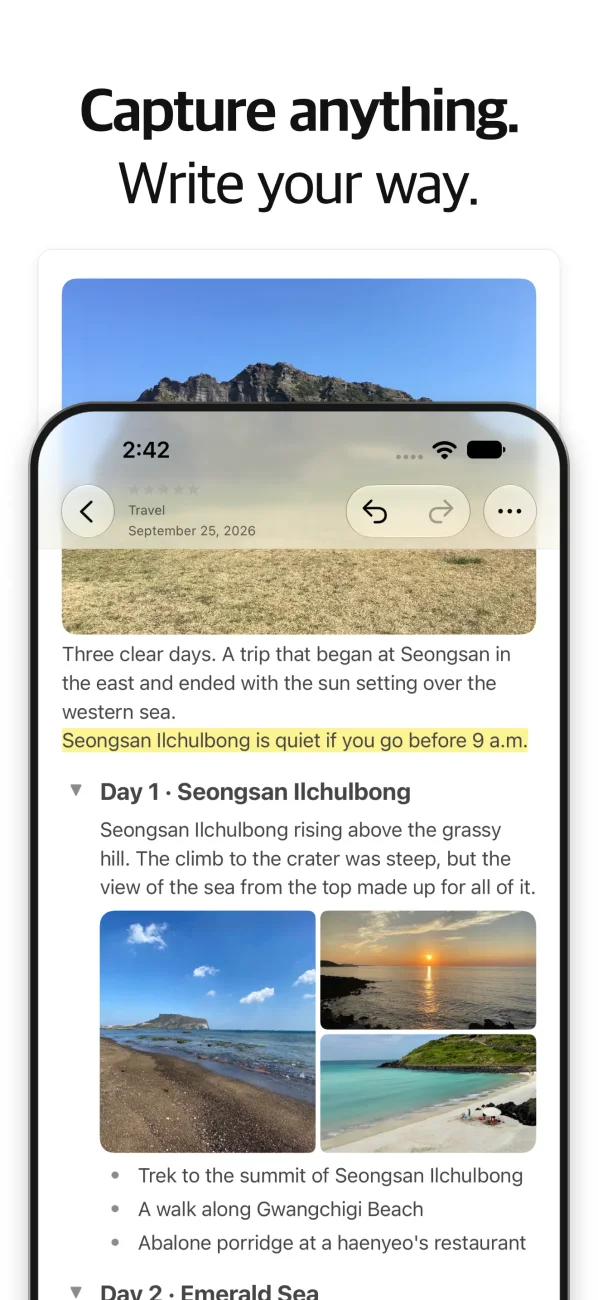
Capture anything. Write your way.
Text, photos, video, sketches, voice recordings, locations, links.
Write as freely as you would on paper, and fold long pieces into collapsible groups.
Jot ideas down the moment they come, then organize them by topic with folders, folder groups and #tags.
Find and replace inside a note, export to PDF or images, and import Markdown or plain text.
Notes in HyFlow stand on their own as a complete notes app.
■ Calendar
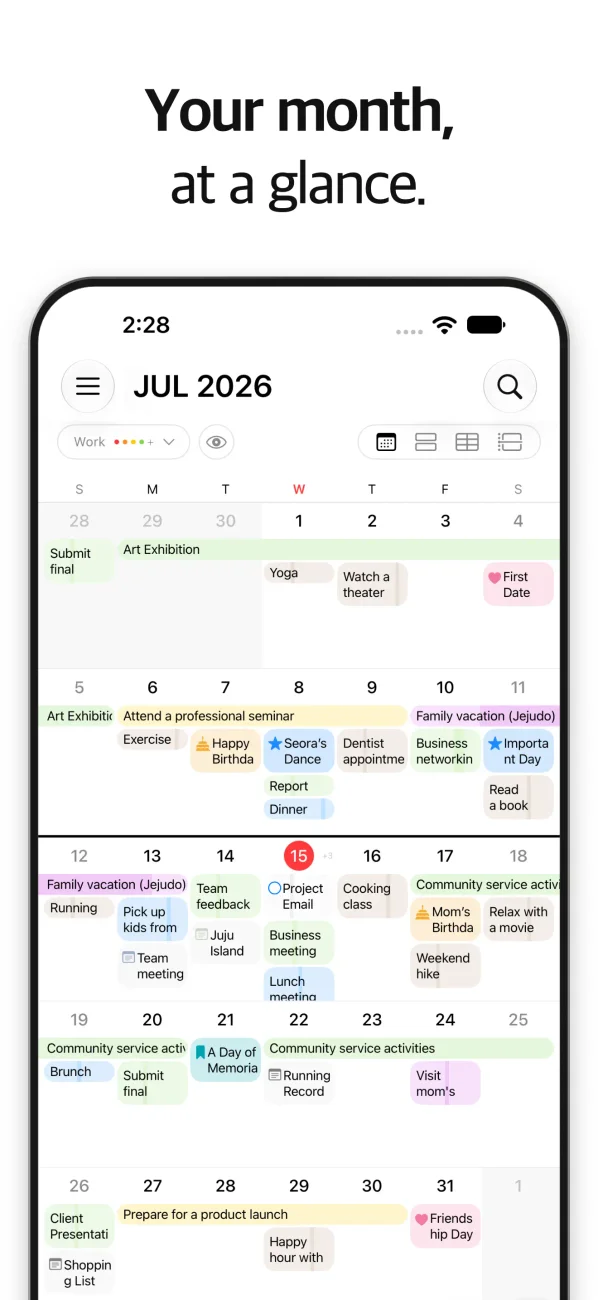
Move freely between year, month, week and day views.
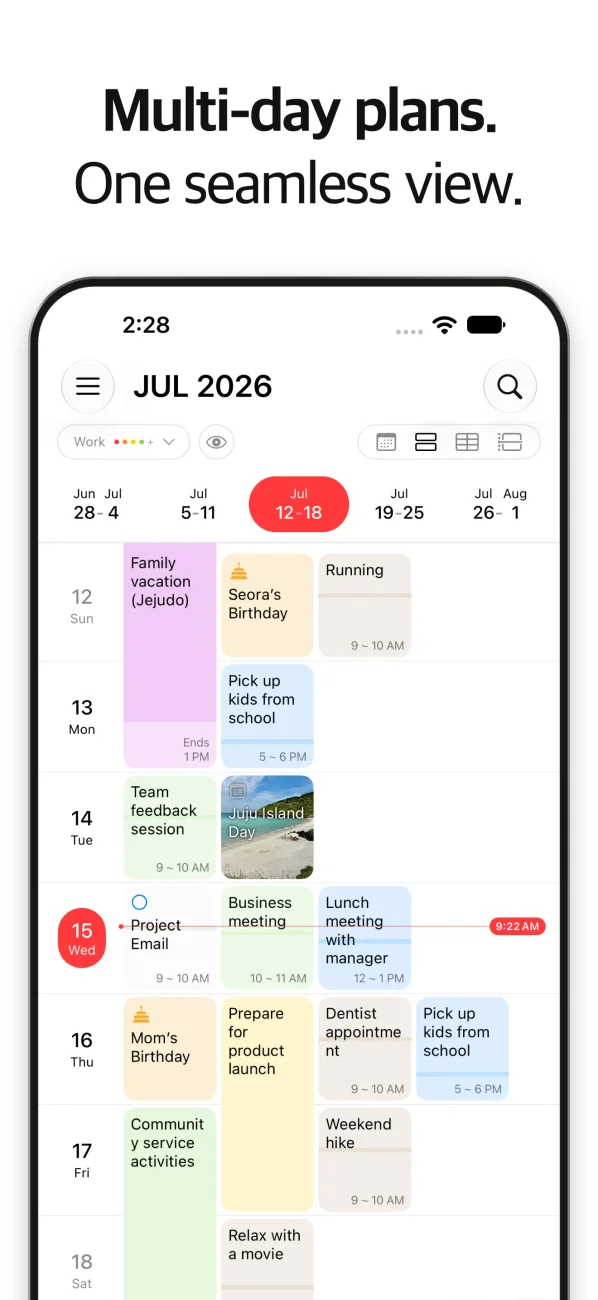
Your month at a glance, and plans that span several days in one seamless view.
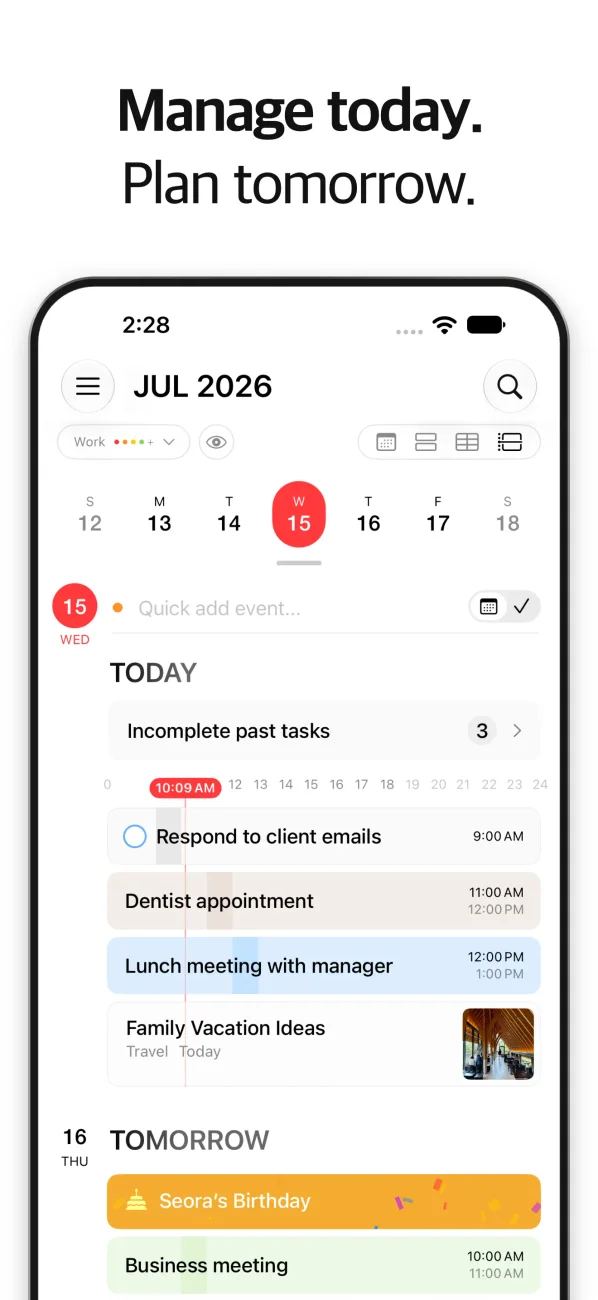
In the day view, events, tasks, notes and anniversaries appear together on their day,
and unfinished tasks from past days gather at the top of today.
Drag and drop to reschedule, lunar calendar support,
and smart input that reads "meeting tomorrow at 3pm" the way you would say it.
■ Tasks
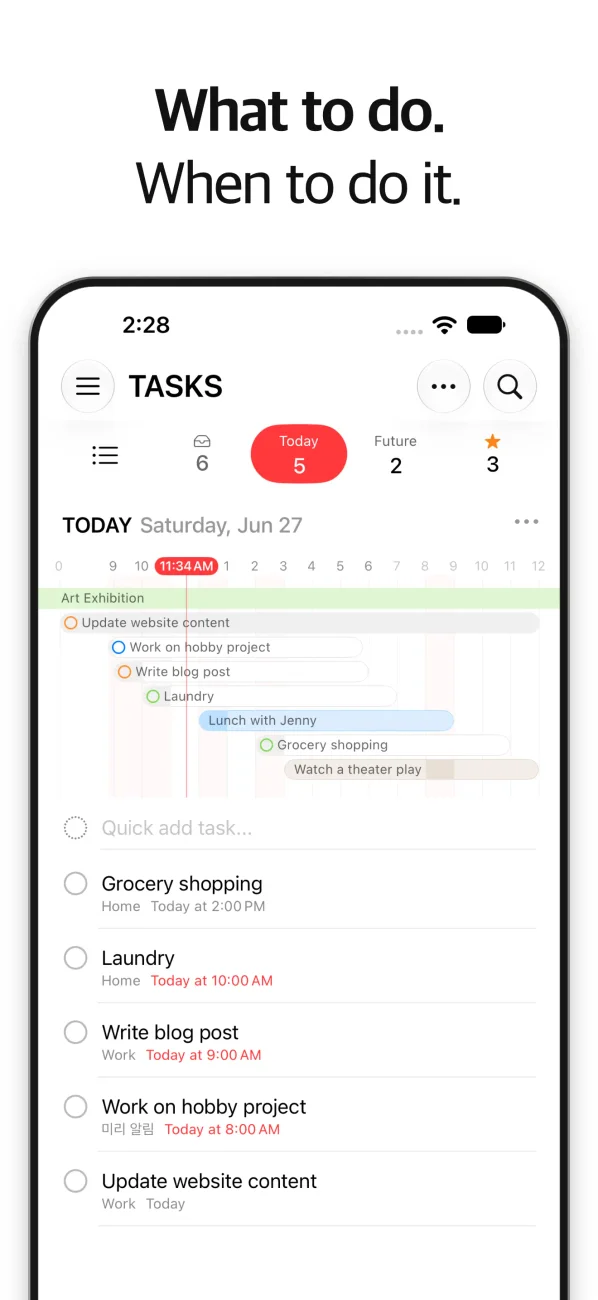
Today / Tomorrow / Upcoming — see what to do, and when to do it.
Categories, priority, repeat rules.
Completed tasks don't vanish. They stay as what you got done that day.
■ Anniversaries
D-day counts and custom alerts for birthdays, anniversaries and memorials.
Birthdays show the age, anniversaries the number of years.
■ Flow (iPhone only)
· Photos, places you've been, workouts, events and tasks gather in Flow in the order they happened
· Works with Apple Health: workouts, sleep, and steps are read and gathered in Flow (read-only — nothing is written to Health)
· When a thought passes, one line is enough — Flow remembers the time and the place
· Link a memo to a photo or a place, and a moment becomes a story
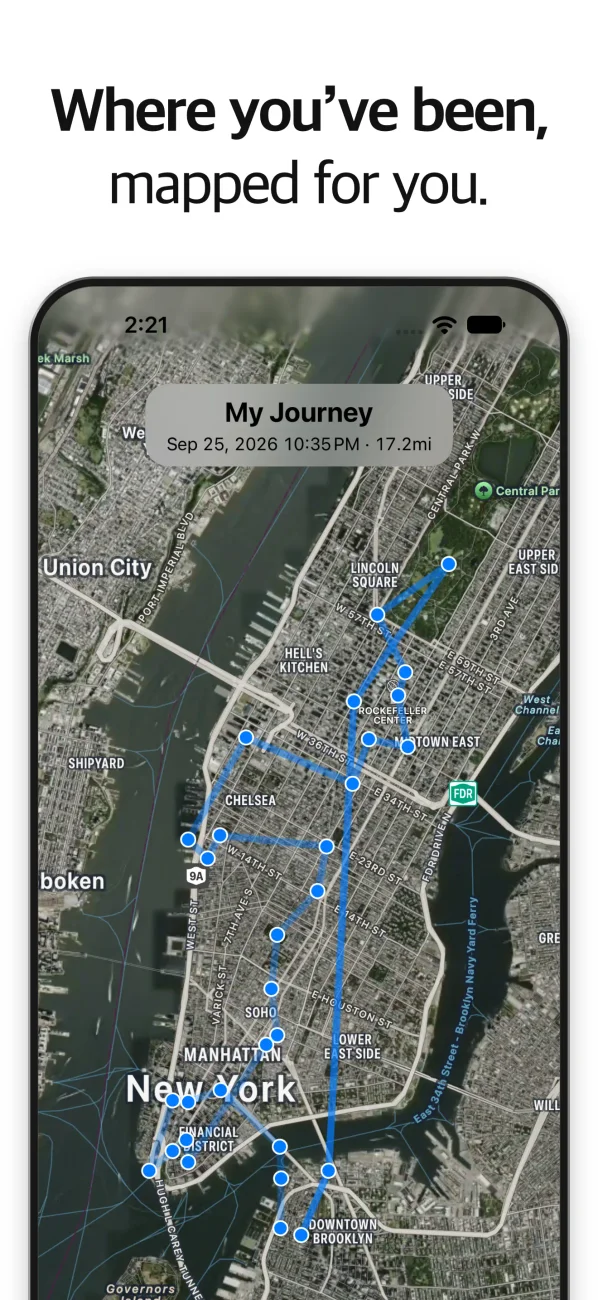
· Where you've been, mapped for you in "My Journey"
· At the end of the day, one tap turns today into a journal entry
■ Privacy
For an app that records your day on its own, privacy isn't a feature. It is the premise.
Your records stay in two places: your iPhone and your iCloud.
No servers of our own, no sign-up, no analytics or tracking — not even we can see them.
Face ID lock, and hiding for anything you would rather not keep.
What stays is always your decision.
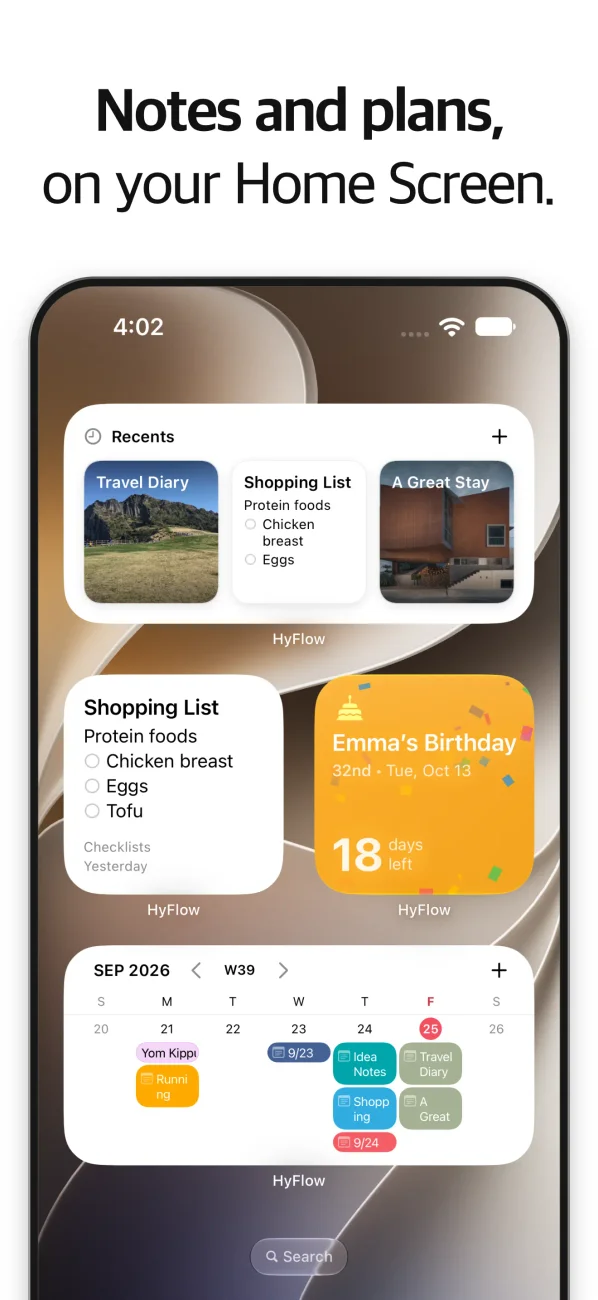
■ Widgets · Quick Access
Notes and plans, right on your Home Screen.
One tap from anywhere to see today and add to it.
■ iPad
A sidebar and split-view layout built for the larger screen.
■ Design
A clean, modern interface, with Dark Mode.
Bring everything you wrote in Awesome Note.
One backup file restores folder structure, text color and formatting,
images, sketches and voice memos — without loss.
Keep the notes you know. Move into a wider day.
Calendar · Tasks · Notes · Journal · Life log · Planner —
all of it done properly, and all of it on one timeline.
Hybrid + Flow. HyFlow.
Terms of Use: https://www.apple.com/legal/internet-services/itunes/dev/stdeula/
Privacy Policy: https://www.bridworks.com/privacy
Novedades
Versión 7.0.0 · 18/11/2026
■ Notes (NEW)
• View as Calendar added to the note list
• Photos can now be shown small
• Bookmarked notes are gathered at the top of the list
• Lists and checklists are kept when copying and pasting with Apple Notes
■ Tasks (NEW)
• To-do notes are now shown in task lists and search results
■ Urgent Alarms (NEW)
• Set an Urgent Alarm for individual events, tasks, and special days (iOS 26 or later)
■ Flow (NEW)
• Redesigned Flow entry screen
• Daily weather shown in the weekly calendar at the top
• Location added to the "Add Flow Entry" shortcut
■ Calendar
• Switch between event, task, note, and special day right in the add screen
■ Widgets
• Display Period setting and extra large size added to the calendar widget
• The 2-Week View and 3-Week View widgets will be discontinued in the next update
■ Settings
• App icon selection added
■ Other Improvements
• Fixed special days moving one day earlier after visiting another time zone
• Various UI improvements
• Various bug fixes
Privacidad de la aplicación
Lo que BRID declara en App Store sobre cómo esta aplicación gestiona los datos.
-
No se recopilan datos
El desarrollador no recopila ningún dato de esta aplicación.
Las prácticas de privacidad pueden variar, por ejemplo, según las funciones que uses o tu edad.
Información
- Vendedor
- BRID
- Categoría
- Productividad
- Versión
- 7.0.0
- Actualizado
- 18/11/2026
- Publicado
- 6/3/2023
- Tamaño
- 127,4 MB
- Requiere
- iOS 18 o posterior
- Clasificación por edad
- 4+
- Precio
- Gratis
- Compras en la aplicación
- Sí
- Idiomas
- Inglés, Árabe, Francés, Alemán, Japonés, Coreano, Ruso, Chino simplificado, Chino tradicional
- Copyright
- Copyright © 2026 BRID. All rights reserved.
Quizá también te guste
-
 ToDo Calendar - dolfyProductividad
-
 Ulti-Planner Calendario HábitoPlanificador diario y proyecto
-
 Across: Calendario a tu maneraSimple pero profundo
-
 Planit: Calendar & To-Do ListProductividad
-
 FirstSeed CalendarCalendarios y widgets
-
 Calendario: Schedule PlannerPlanificador Semanal & Horario
-
 Calendario Awesome(Lite)Organiza tu vida atareada
-
 Week Calendar ProProductividad
-
 ScheduleNote - Simple CalendarProductividad
-
 NABI - Agenda y CalendarioEventos y notas en una app