
- Clasificación por edad4+
- CategoríaFoto y vídeo
- DesarrolladorSpmaker
- IdiomasInglés+ 1 más
- Tamaño49,4 MB
Enlaza a la página oficial de App Store
Download.org no aloja ningún archivo de iPortraitPhotoMaker. El botón abre la página de la aplicación en App Store, donde la publica Spmaker. Ficha comprobada por última vez el 16/11/2026.
Capturas de pantalla
Acerca de
El desarrollador no ha proporcionado este texto en tu idioma.
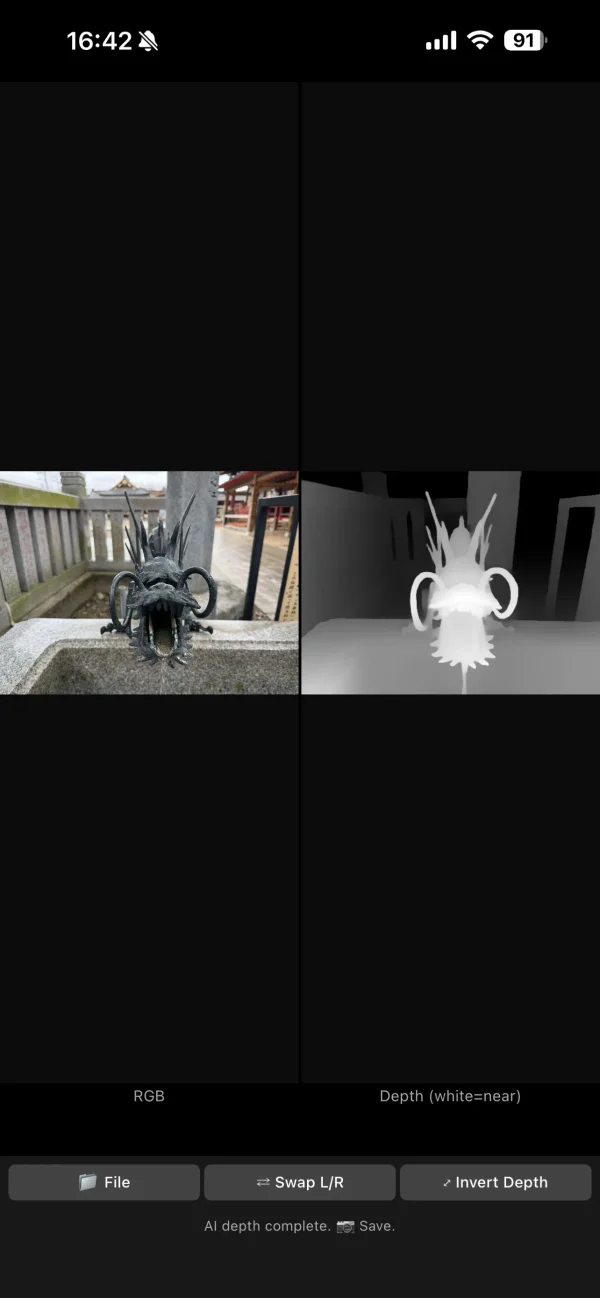
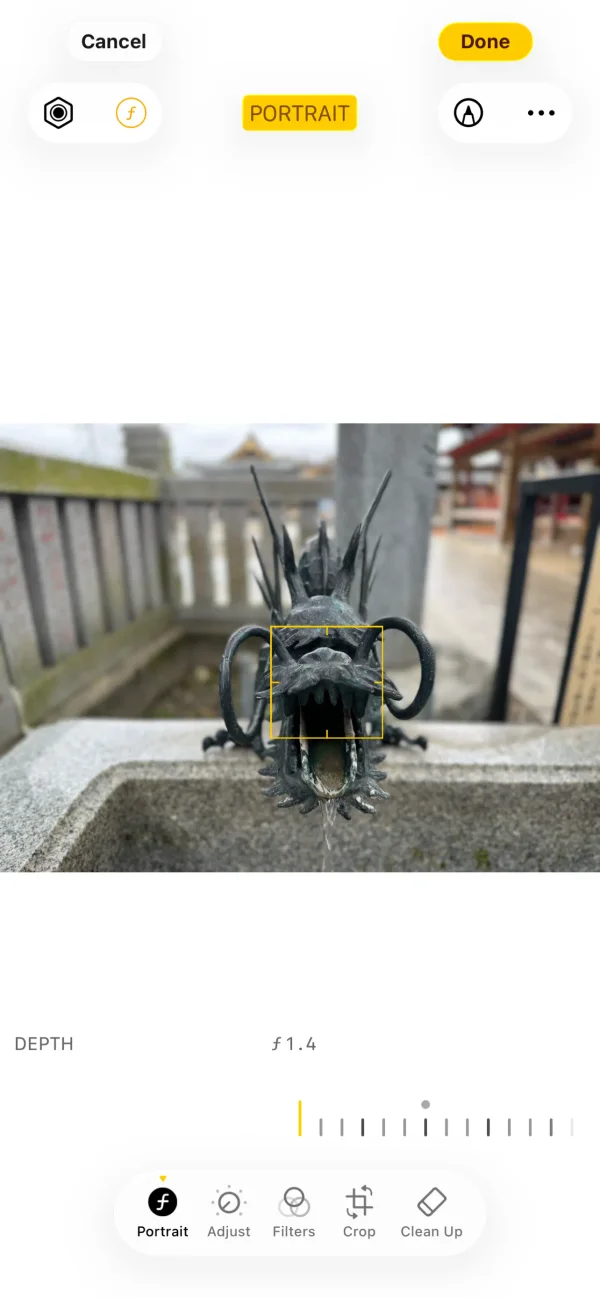
iPortraitPhotoMaker converts ordinary photos into iPhone Portrait Photos (with disparity depth data) that can be edited natively in the iOS Photos app.
KEY FEATURES
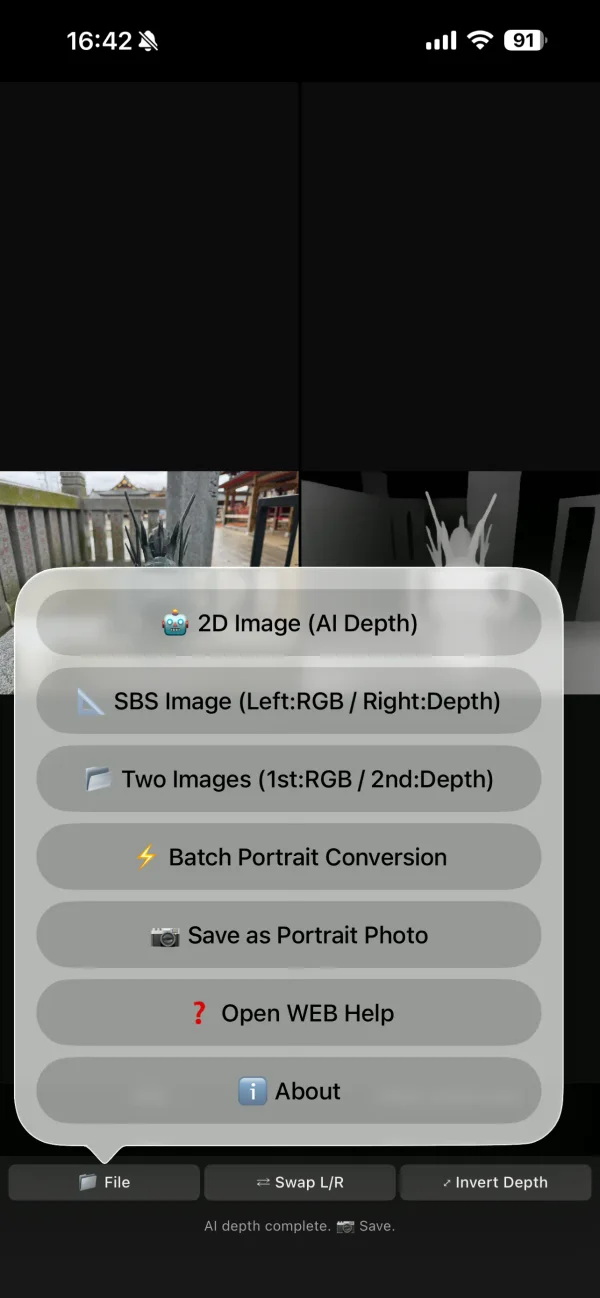
- AI Depth Generation (Depth Anything V2) - Automatically create a depth map from any 2D photo
- SBS (Side-by-Side RGBD) Input - Split SBS images into RGB + Depth pairs
- Two-Image Input - Load RGB and Depth images separately
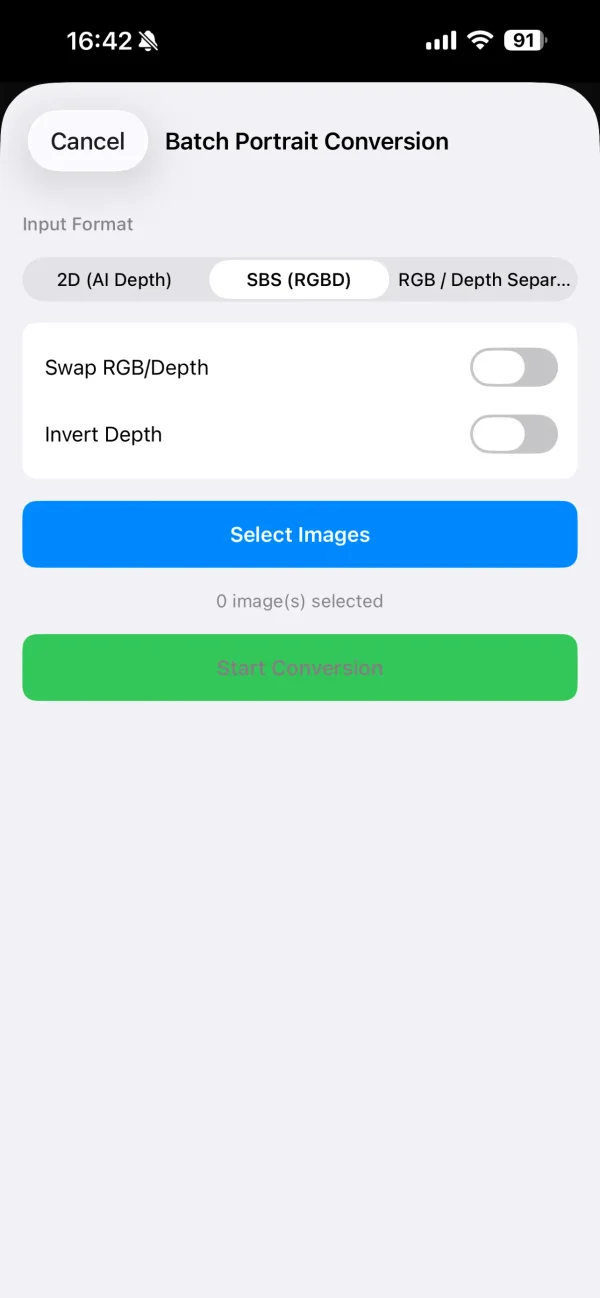
- Batch Conversion - Convert multiple images at once and save to a dedicated 'ConvPort' album
- Portrait Photo Output - Saved photos embed a disparity map and can be edited in iOS Photos app
- Depth Invert - Correct depth maps where black = near
- Swap L/R - Fix reversed image pairs with one tap
- Portrait & Landscape Support - Handles images in any orientation
HOW IT WORKS
1. Open the File menu and choose your input method.
2. Review the RGB (left) and Depth (right) previews.
3. Use Swap L/R or Invert Depth if needed.
4. Tap Save as Portrait Photo from the File menu.
5. Open the saved photo in the Photos app and tap Edit > Portrait to adjust bokeh.
BATCH CONVERSION
Process dozens of images at once using the Batch Portrait Conversion feature. Supports all three input formats, with options to swap pairs and invert depth. Results are saved to the ConvPort album with filenames in the format originalname_Port.heic.
NOTE: AI depth generation requires the Depth Anything V2 model to load on first use. SBS and two-image modes require no model loading and are instant.
Privacidad de la aplicación
Lo que Spmaker declara en App Store sobre cómo esta aplicación gestiona los datos.
-
No se recopilan datos
El desarrollador no recopila ningún dato de esta aplicación.
Las prácticas de privacidad pueden variar, por ejemplo, según las funciones que uses o tu edad.
Información
- Vendedor
- MASUJI SUTO
- Categoría
- Foto y vídeo
- Versión
- 1.0
- Actualizado
- 28/3/2026
- Publicado
- 28/3/2026
- Tamaño
- 49,4 MB
- Requiere
- iOS 17.0 o posterior
- Clasificación por edad
- 4+
- Precio
- Gratis
- Idiomas
- Inglés, Japonés
- Copyright
- © @Muttyan 2026
Quizá también te guste
-
 Depth3DFoto y vídeo
-
 Mapas de Profundidad AI MAGMADepthmap para Fotos y Vídeos
-
 Matte ViewerFoto y vídeo
-
 Tracket Motion: Video EditorSeguimiento y estabilización
-
 Velox – AI Video & PhotoFoto y vídeo
-
 TOVA - Tokti AI Video EditorFoto y vídeo
-
 Kit de Medios EspacialesConvierte fotos y videos 3D
-
 TopzAI: Photo Video EnhancerFoto y vídeo
-
 Time Cut: Cámara Lenta SuaveFreeze & SloMo editor de vídeo
-
 Topaz for MobileFoto y vídeo