
IT Playbook
Narrated IT courses & quizzes
Diseñada para iPhone, iPad, Mac
Gratis · Compras en la aplicación
- Clasificación por edad4+
- CategoríaEducación
- DesarrolladorSERGEY OKINCHUK
- IdiomasInglés
- Tamaño24,7 MB
Enlaza a la página oficial de App Store
Download.org no aloja ningún archivo de IT Playbook. El botón abre la página de la aplicación en App Store, donde la publica SERGEY OKINCHUK. Ficha comprobada por última vez el 23/11/2026.
Capturas de pantalla


Acerca de
El desarrollador no ha proporcionado este texto en tu idioma.
What actually happens when you type git push? Why does Kubernetes bring a container back after you kill it? How does a database find one row among millions in a blink?
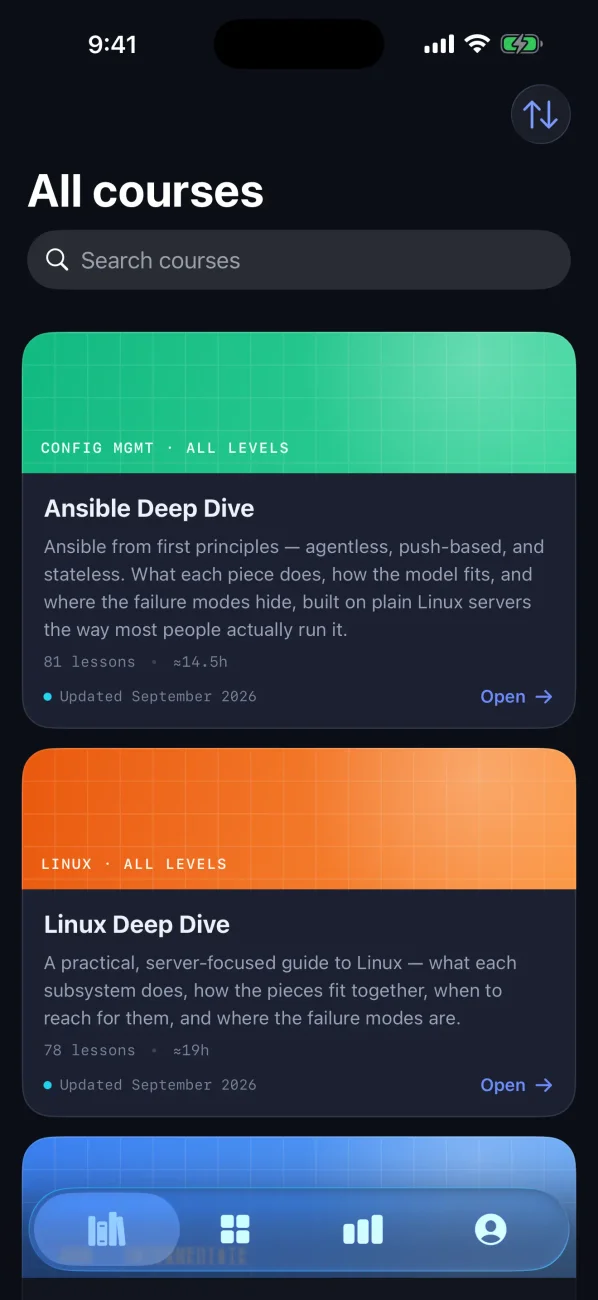
IT Playbook answers questions like these in 32 courses, from your first line of Python to Linux, Docker and Kubernetes, the cloud, networking, security and AI. Each one is written like a good book: one idea at a time, in plain words, nothing skipped.
READ IT, OR JUST LISTEN
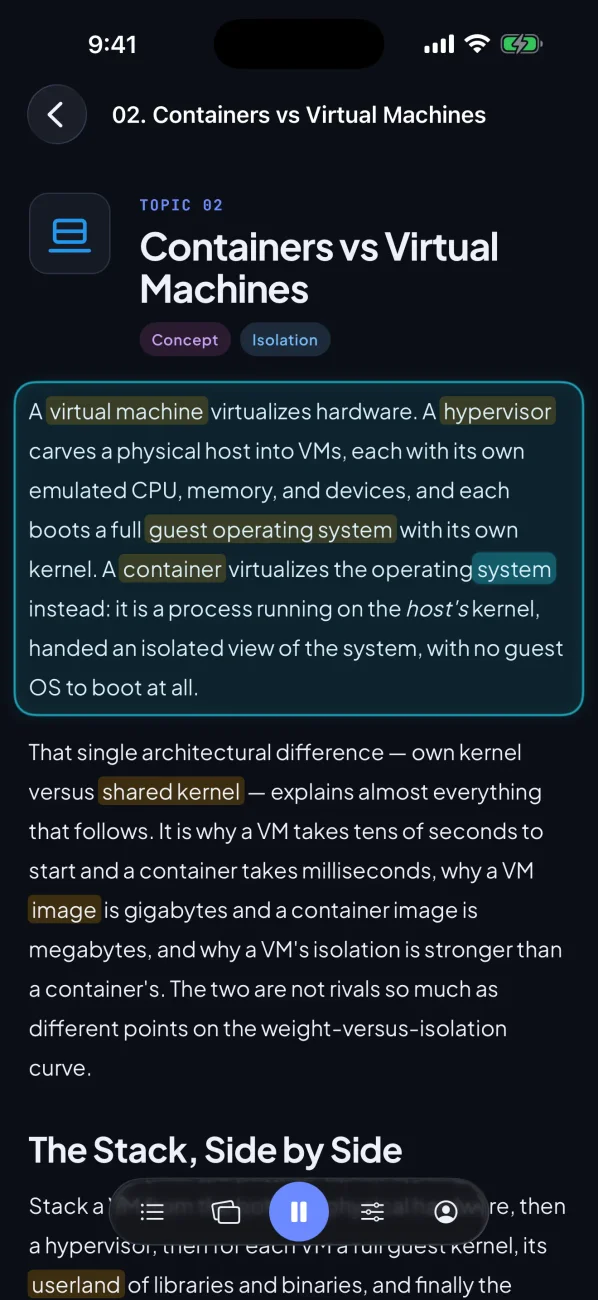
Every lesson is read aloud in a natural voice, sentence by sentence, and the sentence you are hearing lights up on the page. Follow along, or switch on Play in background, put the phone in your pocket and keep learning on a walk, in the car or at the gym: the narration keeps going with the screen off.
DON'T JUST READ ABOUT IT. PLAY WITH IT.
379 diagrams in the courses are alive. Kill a pod and watch Kubernetes bring it back. Break one step of a CI pipeline and see where everything stops. Drop numbers into a search tree, let an algorithm find the shortest route, watch scattered points sort themselves into groups. Tap, change a value, and see what happens. Things that take a page to explain click in ten seconds when you can poke them yourself.
FLASHCARDS, HANDS-FREE
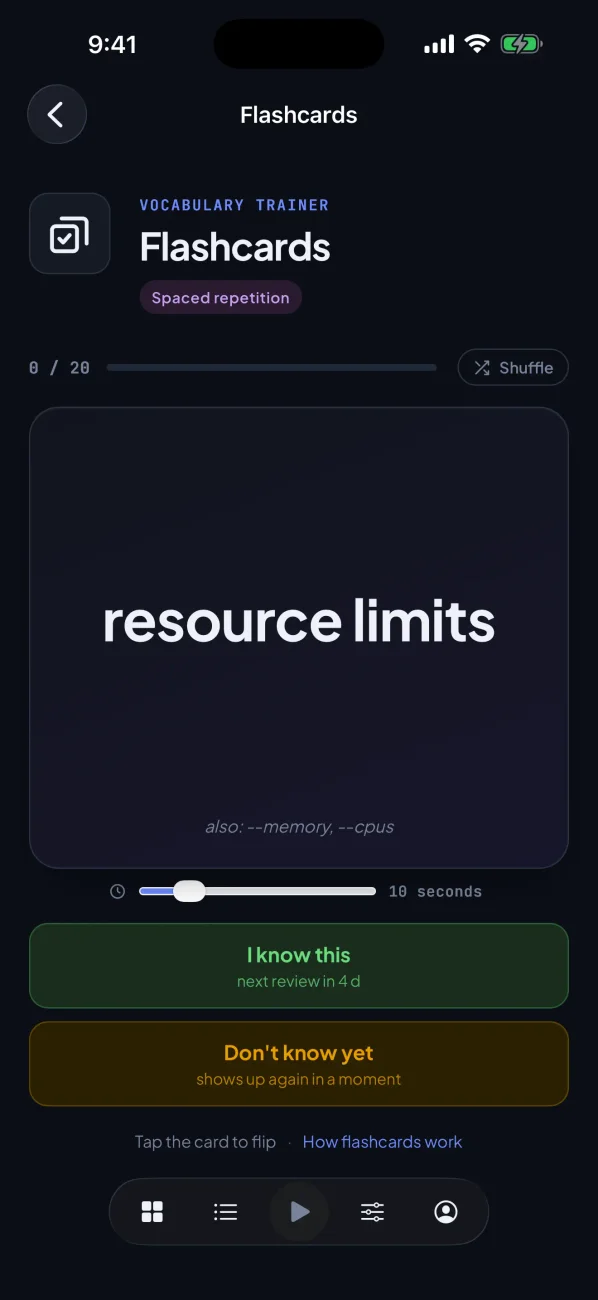
Every course comes with its own flashcards, built from its glossary: about 7,500 terms in all. Switch on Hands-free and the trainer runs by voice. It reads a definition, you say the term out loud, it tells you whether you got it and moves on. No tapping, no looking at the screen. Do a round while you cook or walk the dog, and the words simply stay with you. A smart schedule brings each card back right before you would forget it.
ALSO INSIDE
- One beginner course free every month, in full, for anyone with a free account. No credit card needed.
- On top of that, the first chapter of all 32 courses is free, so you can try any topic before you decide.
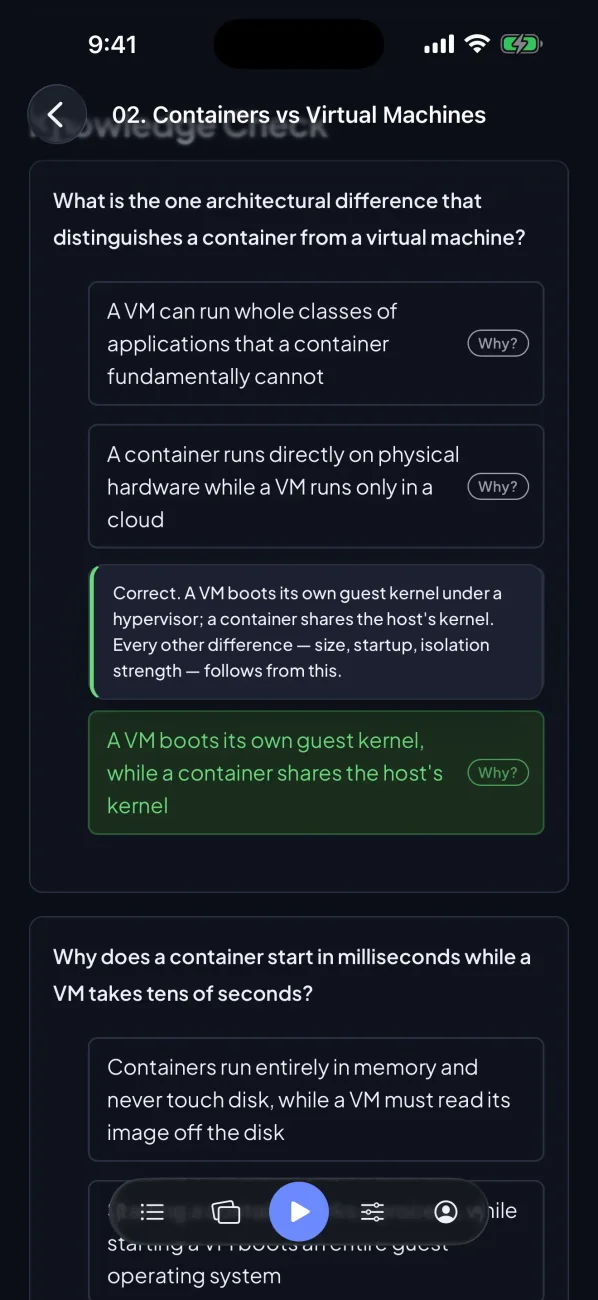
- A short quiz after every lesson, with an explanation for every answer, the wrong ones too.
- Two voices, the speed you like, and a pause between sentences you can stretch while an idea sinks in.
- Whole courses saved for offline, so a flight or a tunnel is no reason to stop.
- A daily streak that counts reading and flashcards, because you need both.
- Courses re-checked against the official documentation on a regular schedule, so what you learn is still true today.
FREE, AND PAID
Chapter one of every course is free, and so is every chapter overview and one beginner course each month, in full. An All Courses subscription opens everything: $16.00 a month, or $119.99 a year. Half price for the first year: $8.00 a month for the first twelve months, or $60.00 for the first year. Payment is charged to your Apple Account at confirmation of purchase. The subscription renews automatically unless it is cancelled at least 24 hours before the end of the current period, and it can be managed or cancelled in your Apple Account settings at any time.
ONE ACCOUNT EVERYWHERE
Your progress, your streak and your flashcard schedule follow you between the iPhone, the iPad, the Mac and the website, because they are the same account and the same data. Start a lesson on a laptop, finish it on a bus.
Sign in with Apple or with Google. Delete the account, and everything with it, from Settings whenever you want.
Terms of Use: https://itplaybook.org/portal/academy/terms.html
Privacy Policy: https://itplaybook.org/portal/academy/privacy.html
Novedades
Versión 1.1.6 · 18/11/2026
Flashcards can now give you a hint: the term's first or last letter, or its length, fades in while you think. Choose when in Settings. New Auto pause between sentences fits each pause to the text.
Privacidad de la aplicación
Lo que SERGEY OKINCHUK declara en App Store sobre cómo esta aplicación gestiona los datos.
-
Datos vinculados a ti
Pueden recopilarse y vincularse a tu identidad.
- Compras
- Información de contacto
- Contenido del usuario
- Identificadores
- Datos de uso
Las prácticas de privacidad pueden variar, por ejemplo, según las funciones que uses o tu edad.
Información
- Vendedor
- SERGEY OKINCHUK
- Categoría
- Educación
- Versión
- 1.1.6
- Actualizado
- 18/11/2026
- Publicado
- 21/9/2026
- Tamaño
- 24,7 MB
- Requiere
- iOS 17.0 o posterior
- Clasificación por edad
- 4+
- Precio
- Gratis
- Compras en la aplicación
- Sí
- Idiomas
- Inglés
- Copyright
- © 2026 Sergey Okinchuk
Quizá también te guste
-
 ThreatDrillEducación
-
 Wordmile: Vocab Widget & PlanEducación
-
 InterviewGuru: Entrevista IASimulacro de entrevista y CV
-
 FlashLearn ITEducación
-
 Rooty: Ciberseguridad, HackingAprende Linux, pentest y CTF
-
 CompTIA Exam Prep & Quiz 2026Educación
-
 Diksy: Coach de Oratoria IAHablar en público y dicción
-
 K8s GuideEducación
-
 DevPrep: Coding InterviewEducación
-
 PAKEDOUSimulador de paquetes de red