- Clasificación por edad4+
- CategoríaNavegación
- DesarrolladorKian Hean Lim
- IdiomasInglés
- Tamaño48,7 MB
Es posible que JamWatch no esté disponible en App Store en este momento
No se pudo acceder a la ficha de la tienda en nuestra última comprobación. El enlace sigue llevando a la página oficial de App Store.
Capturas de pantalla


Acerca de
El desarrollador no ha proporcionado este texto en tu idioma.
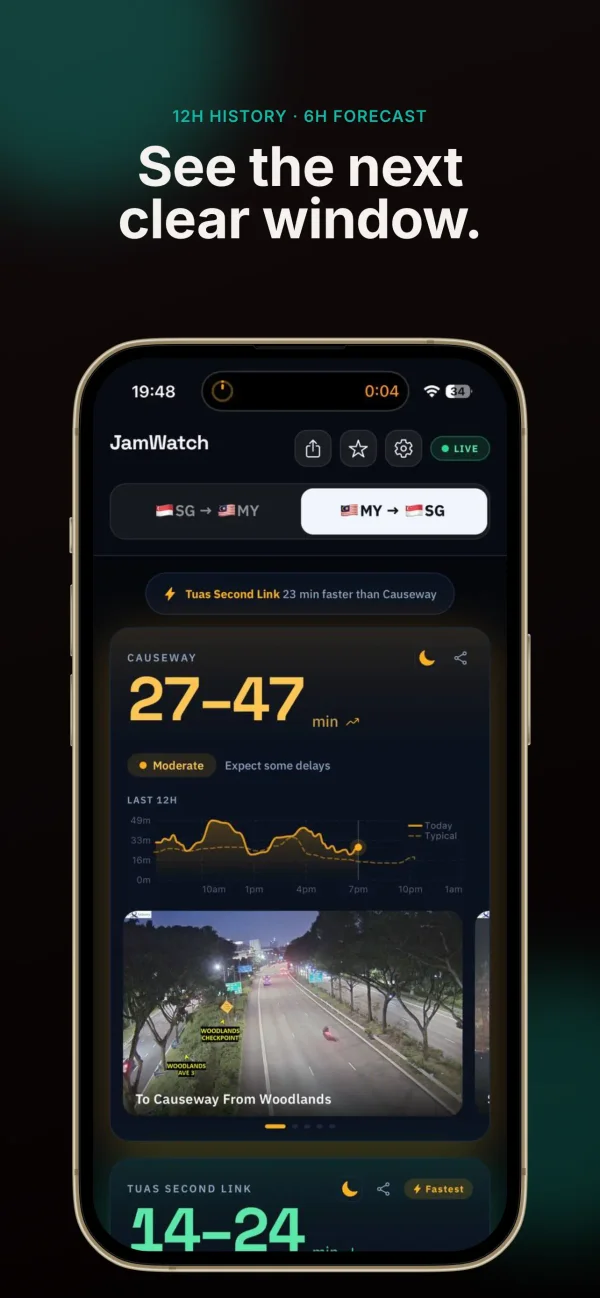
Causeway jam right now? JamWatch tells you exactly how long the crossing takes at Woodlands Checkpoint and Tuas Second Link — live, in both directions, before you leave the house.
Two crossings. One glance. No guessing.
WHAT JAMWATCH ANSWERS
"How bad is the Causeway jam now?"
Live travel time for Woodlands Causeway, refreshed continuously while the app is open.
"Woodlands or Tuas — which one is faster?"
JamWatch names the faster crossing and tells you exactly how many minutes you save by taking it.
"Can I check without picking up my phone?"
Yes. JamWatch runs on Apple CarPlay and on Apple Watch. On the car screen both crossings and both directions are listed at once, fastest first. On your wrist, one swipe changes direction, and a complication keeps the wait on your watch face.
"When should I leave?"
Every crossing shows 12 hours of real traffic history against a typical-day average, then projects 6 hours ahead so you can see the next clear window instead of guessing.
"What does it actually look like right now?"
Live camera stills from both checkpoints — approaching, entering and exiting — sourced from Singapore and Malaysia traffic cameras.
"Will the weather make it worse?"
Rain and thunderstorms automatically add buffer time to your estimate, so the number you see is the number you should plan for.
FEATURES
Live travel times
Real-time estimates for Woodlands Causeway and Tuas Second Link, both directions, SG to MY and MY to SG.
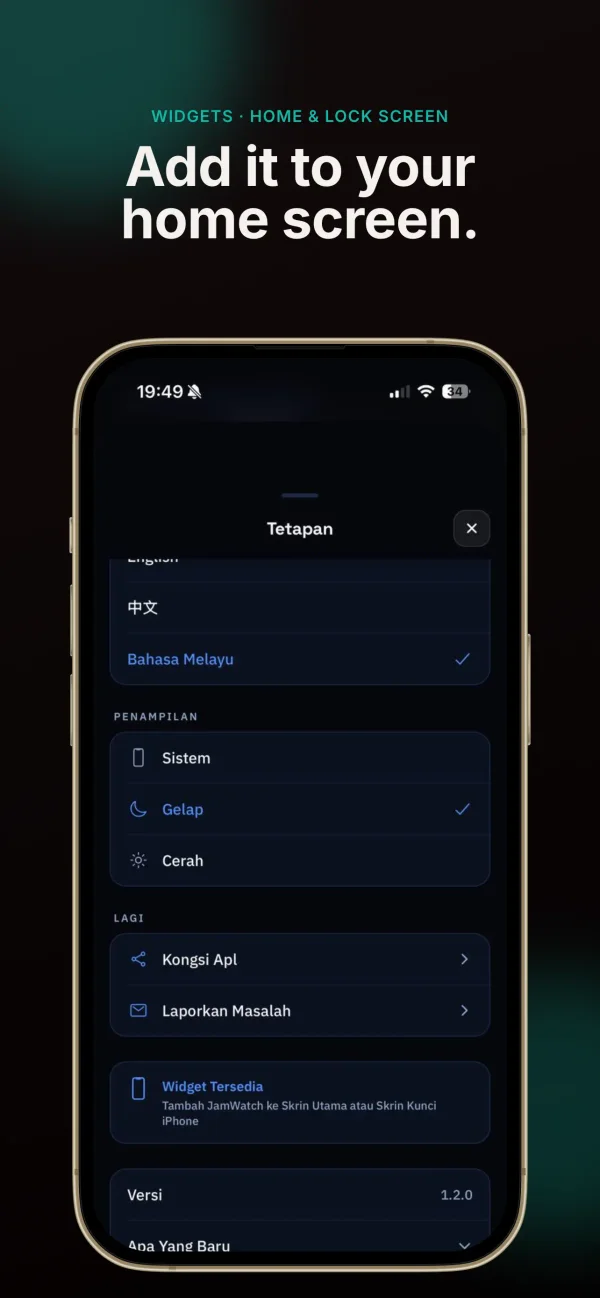
Home Screen and Lock Screen widgets
Small (2x2) and Medium (4x2) WidgetKit widgets show the current wait without opening the app. Glance at your Lock Screen and decide whether to go now or wait.
Apple CarPlay
All four crossings on one CarPlay screen — Woodlands and Tuas, SG to MY and MY to SG — ordered fastest first with the minutes saved in the section header. Refreshes every 2 minutes and needs no taps while you are driving.
Apple Watch app
A standalone watchOS 10 app. Swipe between SG to MY and MY to SG for each crossing's wait range, congestion level and 12-hour trend sparkline. Four complication styles — circular, rectangular, inline and corner — put the current wait on your watch face.
Fastest route
The faster of the two crossings is highlighted with the exact time saved.
Congestion at a glance
Four clear levels — Smooth, Moderate, Heavy, Severe — colour-coded so you know the situation in under a second.
Smart departure buffers
Recommended buffer times based on current congestion and weather at each checkpoint.
Direction toggle
One tap to flip between SG to MY and MY to SG.
Trend charts
12 hours of history with a dashed typical-day overlay, plus a 6-hour forecast.
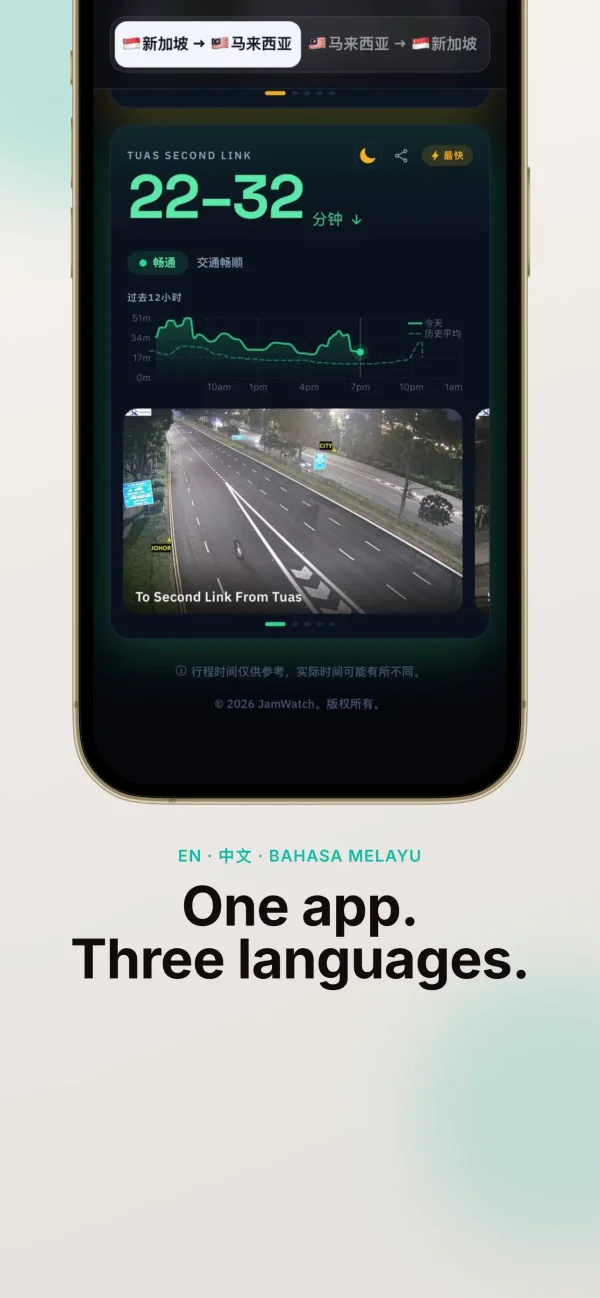
Three languages
English, Chinese and Bahasa Melayu. Switch anytime in Settings and the whole interface changes instantly.
Share and refresh
Send the current wait to a friend or your group chat through the standard share sheet. Pull down to refresh.
WHO IT IS FOR
Daily commuters crossing for work. Families heading to Johor Bahru for the weekend. Anyone catching a bus, driving, or riding a motorcycle across the Causeway or the Second Link. Anyone who has ever sat on the Causeway for two hours wondering if the other crossing was clear.
WHERE THE DATA COMES FROM
JamWatch aggregates official checkpoint APIs, traffic sensors, and LTA camera feeds into a single live picture of both crossings.
PRIVACY
No account. No sign-up. No ads. No subscriptions. JamWatch does not collect your name, email, or location, and does not request GPS access. Usage analytics are anonymous. Everything the app shows is publicly available traffic and weather data.
Requires iOS 14.0 or later. The Apple Watch app requires watchOS 10 or later.
jamwatchsg.com
Novedades
Versión 1.3.1 · 5/8/2026
- watchOS version
- updated carplay visuals
Privacidad de la aplicación
Lo que Kian Hean Lim declara en App Store sobre cómo esta aplicación gestiona los datos.
-
Datos no vinculados a ti
Pueden recopilarse, pero no se vinculan a tu identidad.
- Diagnóstico
Las prácticas de privacidad pueden variar, por ejemplo, según las funciones que uses o tu edad.
Información
- Vendedor
- Kian Hean Lim
- Categoría
- Navegación
- Versión
- 1.3.1
- Actualizado
- 5/8/2026
- Publicado
- 6/3/2026
- Tamaño
- 48,7 MB
- Requiere
- iOS 15.1 o posterior
- Clasificación por edad
- 4+
- Idiomas
- Inglés
- Copyright
- © 2026 Jamwatchsg