
- Clasificación por edad4+
- CategoríaProductividad
- Desarrolladorthisadee chornbulom
- IdiomasInglés+ 1 más
- Tamaño15,7 MB
Es posible que JaoPluk no esté disponible en App Store en este momento
No se pudo acceder a la ficha de la tienda en nuestra última comprobación. El enlace sigue llevando a la página oficial de App Store.
Capturas de pantalla


Acerca de
El desarrollador no ha proporcionado este texto en tu idioma.
Meet JaoPluk, the new name for ODIN ALARM and your little companion for every shift. Plan work, choose wake-up times and share your schedule with the people close to you.
YOUR SHIFTS, TOGETHER IN ONE CALENDAR
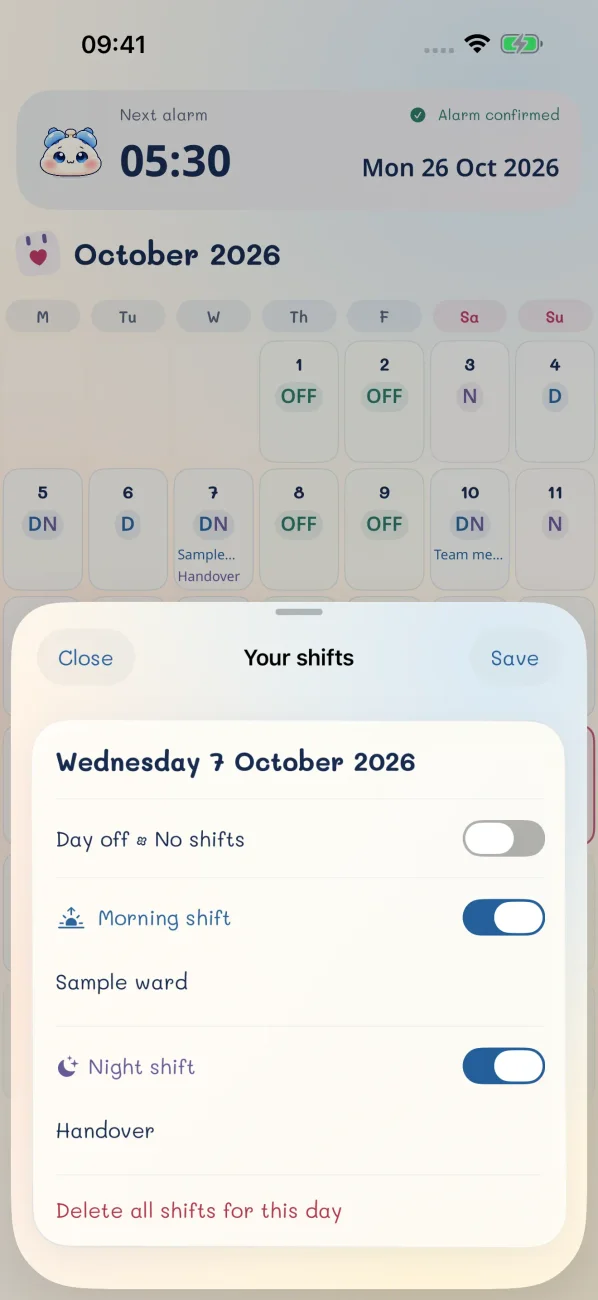
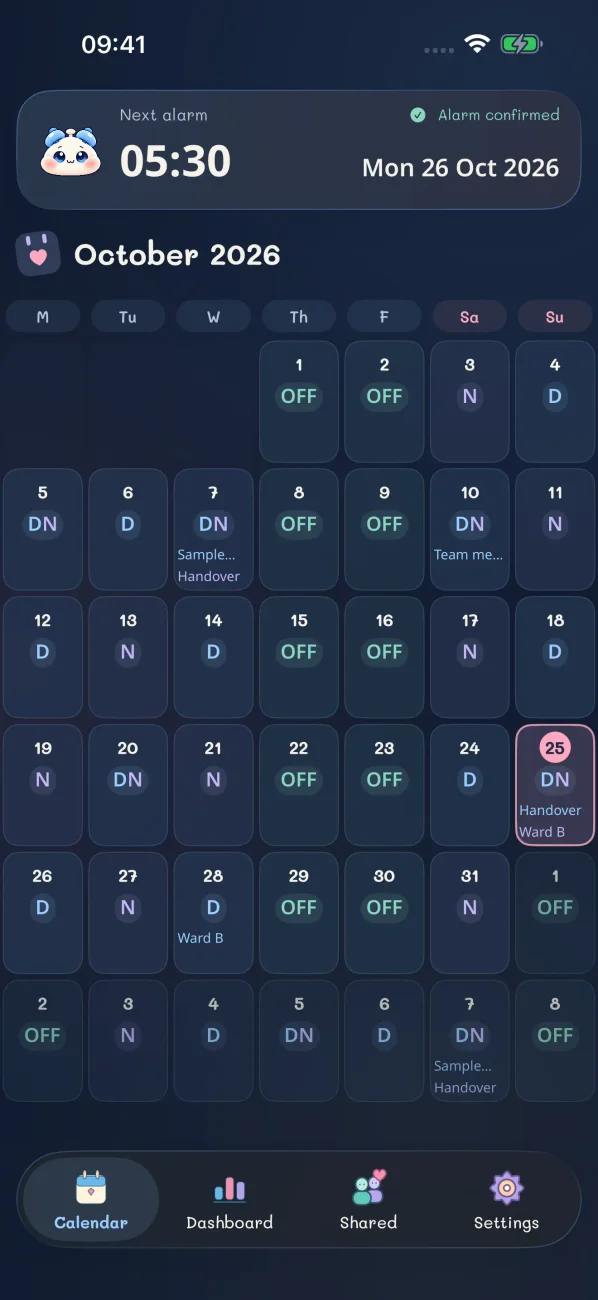
• Plan morning, afternoon and night shifts or days off, including multiple shifts on one day.
• Add a note for each shift, read it in the calendar and tap a date for the full details.
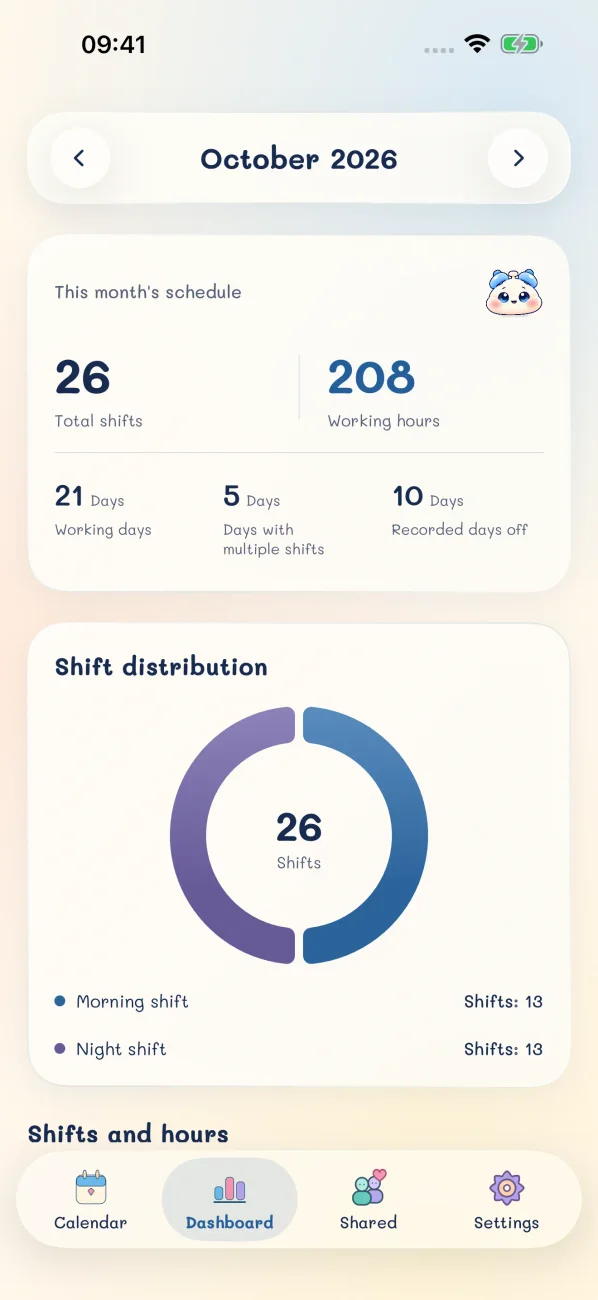
• Swipe between months and see monthly totals of planned shifts and hours.
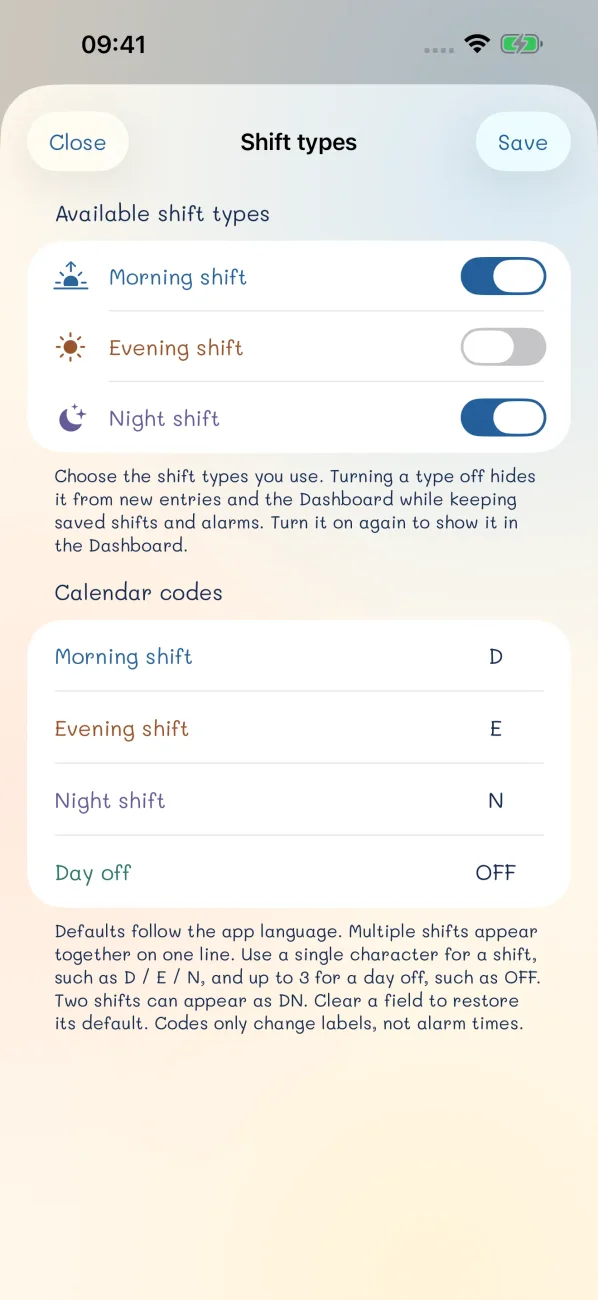
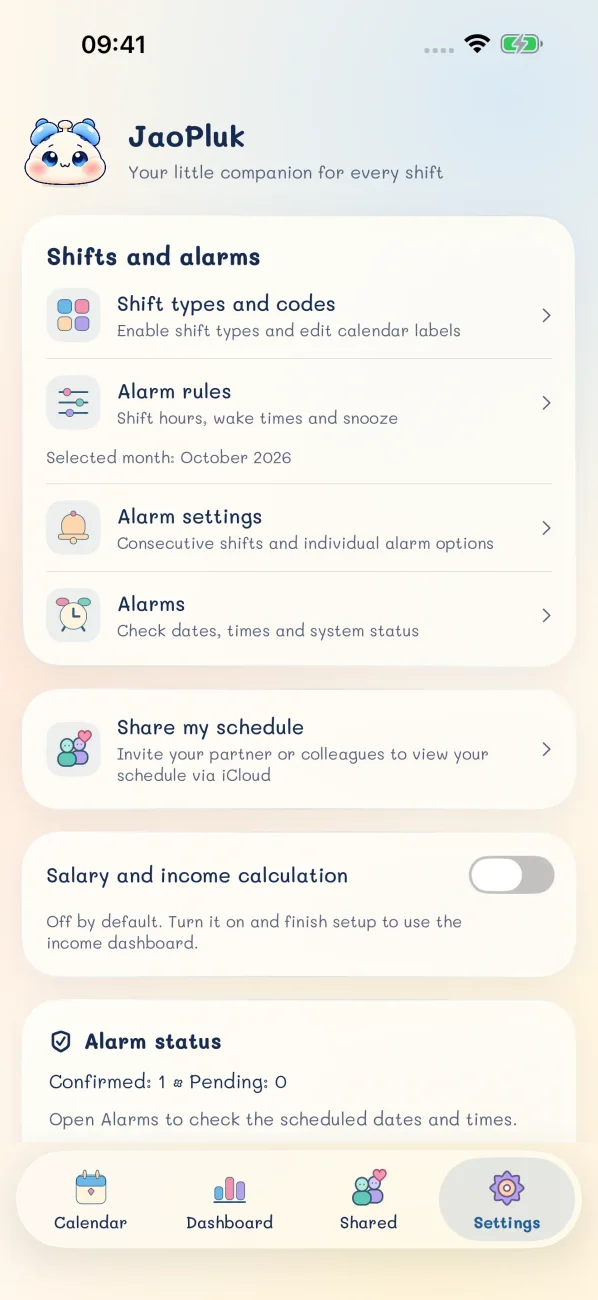
• Choose the shift types and calendar codes that fit your workplace.
GET READY FOR YOUR NEXT SHIFT
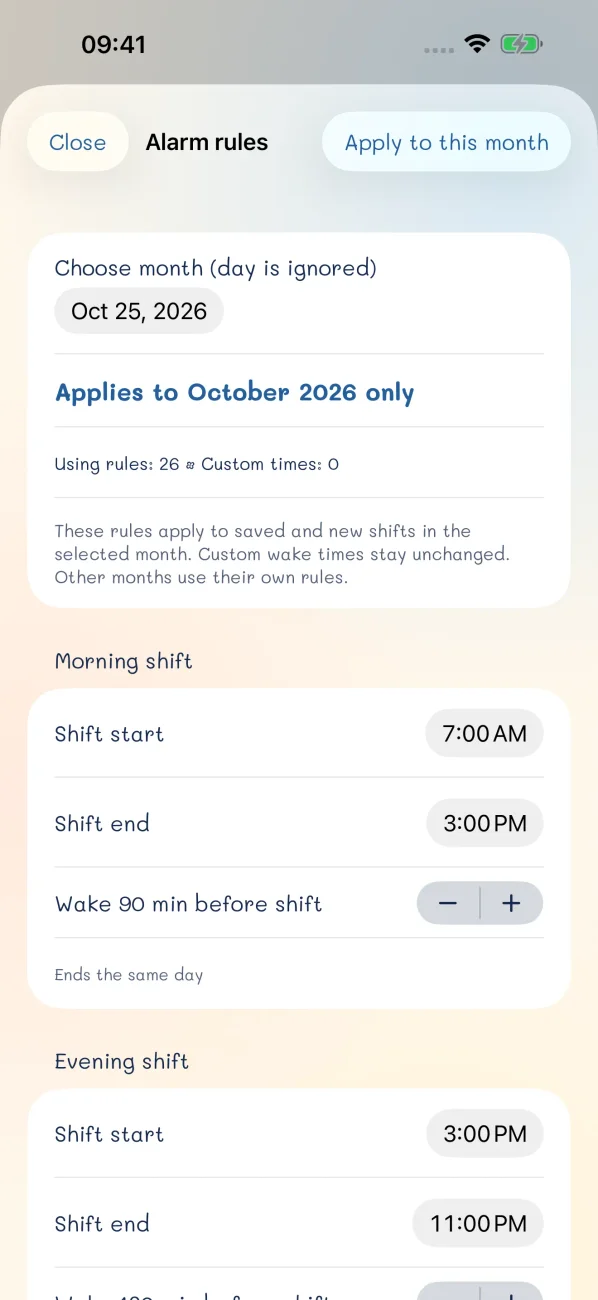
• Set shift start and end times and wake-up times.
• Adjust individual shift alarms and check which alarms the system has confirmed or are still pending.
• Keep using the calendar even if you do not allow alarms.
SHARE WITH PEOPLE YOU CHOOSE
• Invite your partner or colleagues to view your schedule through Apple iCloud.
• Switch between received schedules and choose whether to include your notes when sharing.
• Recipients can view only. Your alarms and income data are not shared.
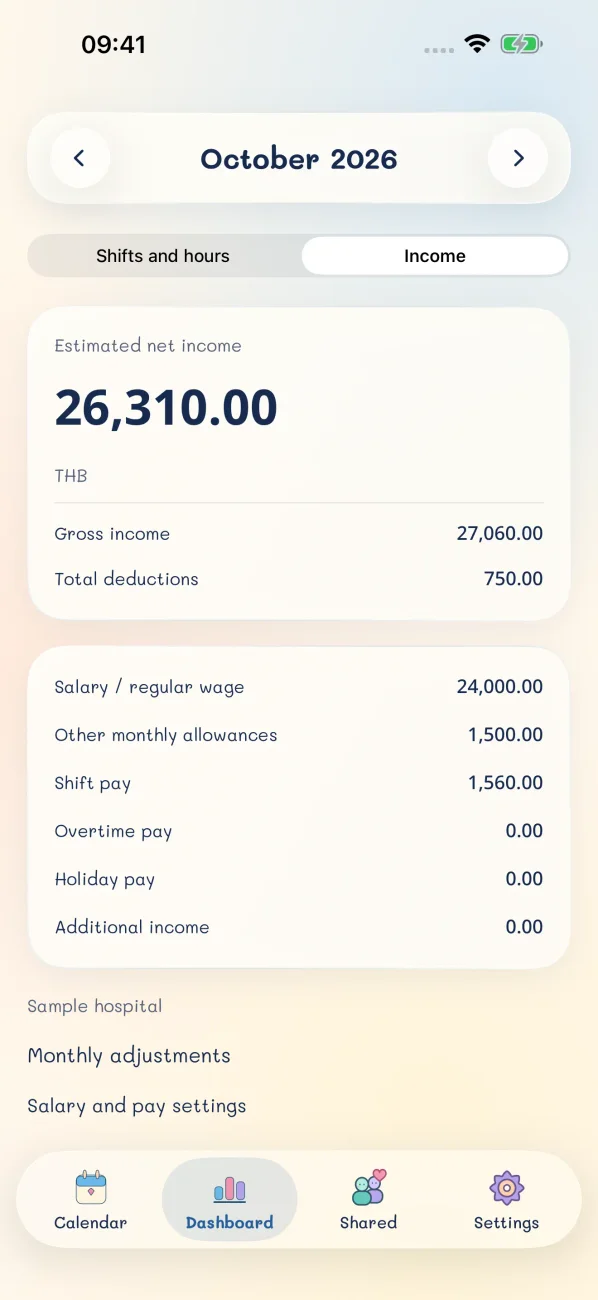
INCOME ESTIMATES, WHEN YOU WANT THEM
• Off by default, with no income information on Dashboard until you enable it and finish setup.
• Enter your salary, allowances, shift rates, agreed hourly OT and deductions, then review and confirm your settings.
• Add adjustments for each month and hide income again whenever you choose.
A LITTLE MORE JOY IN EVERY DAY
JaoPluk blinks, changes expression and bounces when you tap to say hello. Animated menu icons, pastel colors, handwriting and translucent surfaces bring a softer feel to your planner. Use Thai or English and follow your device's Light or Dark appearance. The mascot rests as a still image with Reduce Motion or Low Power Mode enabled.
Personal planning works offline on iPhone and iPad with iOS/iPadOS 26 or later. No app account, ads or in-app purchases. Your personal roster and income settings are stored on your device. Optional sharing requires each person's Apple Account and internet access; a copy of the roster you choose to share is stored through iCloud. Recipients do not receive your alarms.
Income figures are estimates from your own entries and rates, not payslips, an eligibility check or automatic tax calculations. Planned hours include overnight shifts, follow the date a shift starts and do not deduct breaks.
Alarms require system permission. Check alarm dates, times and registration status in the app, and try an alarm on your device before using it for a real shift. Deleting the app may delete local data.
Novedades
Versión 2.0 · 25/10/2026
ODIN ALARM is now JaoPluk! Your familiar shift planner has a new name and a fresh look, with your existing shifts and settings kept in place.
• Get started with four clear steps: choose your shift types, set start and finish times, choose how early to wake up, then review before opening the calendar.
• Unfinished setup remembers your choices so you can return later. Existing configured users continue to their calendar.
• Meet four new mascot scenes during setup: curious, focused, waking and celebrating. JaoPluk reacts when you tap or change a choice.
• Start using the calendar without requesting alarm permission, and enable alarms later if you choose.
• Enjoy a new app icon, pastel calendars, rounded day tiles and clearer shift and today badges in personal and shared schedules.
• Discover animated menu icons, Thai and English handwriting and translucent surfaces in Light and Dark appearance.
• Animations rest with Reduce Motion or Low Power Mode, with layouts that adapt to larger text and screen rotation.
Thank you for making JaoPluk part of your working day.
Privacidad de la aplicación
Lo que thisadee chornbulom declara en App Store sobre cómo esta aplicación gestiona los datos.
-
No se recopilan datos
El desarrollador no recopila ningún dato de esta aplicación.
Las prácticas de privacidad pueden variar, por ejemplo, según las funciones que uses o tu edad.
Información
- Vendedor
- thisadee chornbulom
- Categoría
- Productividad
- Versión
- 2.0
- Actualizado
- 25/10/2026
- Publicado
- 5/10/2026
- Tamaño
- 15,7 MB
- Requiere
- iOS 26.0 o posterior
- Clasificación por edad
- 4+
- Idiomas
- Inglés, Tailandés
- Copyright
- © 2026 thisadee chornbulom
Quizá también te guste
-
 ตารางเวรพยาบาล: ตารางเวลา, กะProductividad
-
 Faktir : Invoicing toolProductividad
-
 WorkShift - Turnos TrabajoHorario laboral y cuadrante
-
 ScheduleWork: Plan de TurnosCalendario rápido para turnos
-
 Calendario de Turnos y HorasTrabajo, descansos y sueldo
-
 Turno de Trabajo FácilPlanifica tu jornada
-
 Ichimoku: Turnos y AlarmaNocturnidad, sueldo y guardias
-
 Nursie: Turnos EnfermeríaHoras extra y avisos