
- Clasificación por edad4+
- CategoríaMedicina
- DesarrolladorAntonio Jose Paes de Andrade Junior
- IdiomasInglés
- Tamaño11,1 MB
Enlaza a la página oficial de App Store
Download.org no aloja ningún archivo de Juru AAC. El botón abre la página de la aplicación en App Store, donde la publica Antonio Jose Paes de Andrade Junior. Ficha comprobada por última vez el 13/11/2026.
Capturas de pantalla
Acerca de
El desarrollador no ha proporcionado este texto en tu idioma.
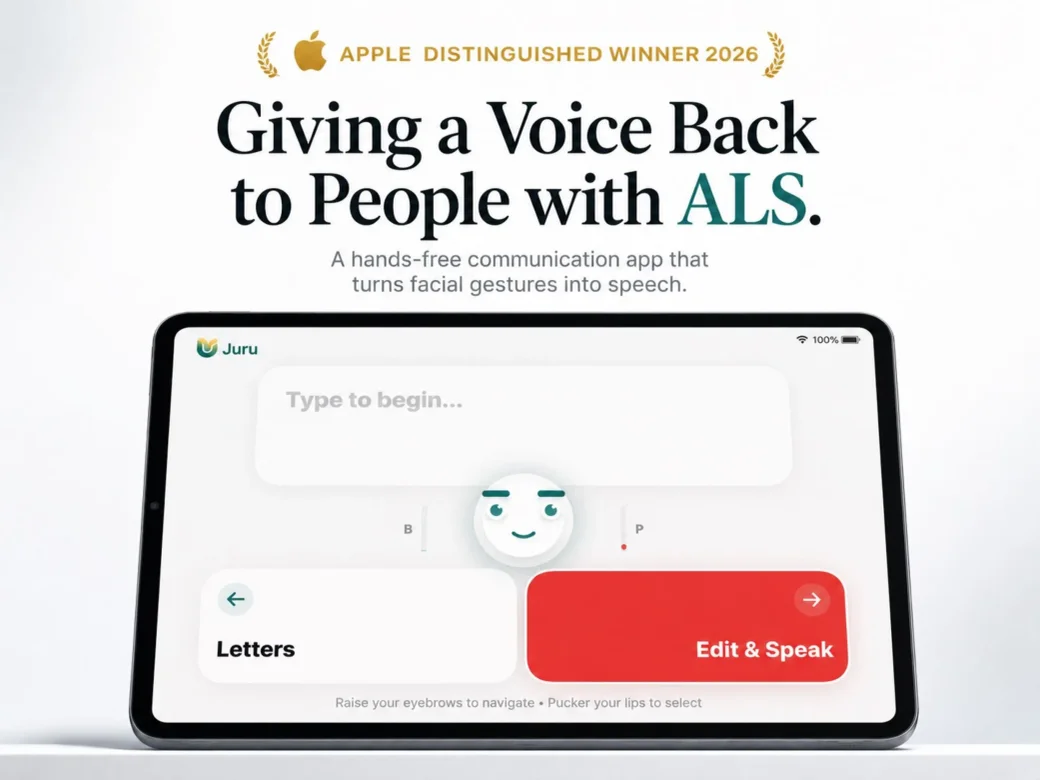
Juru AAC turns subtle facial gestures — or your gaze alone — into typed words
and spoken speech. Designed primarily for people living with ALS (Amyotrophic
Lateral Sclerosis) and people recovering from hemorrhagic stroke, Juru gives
you a voice using only the muscles you can still move.
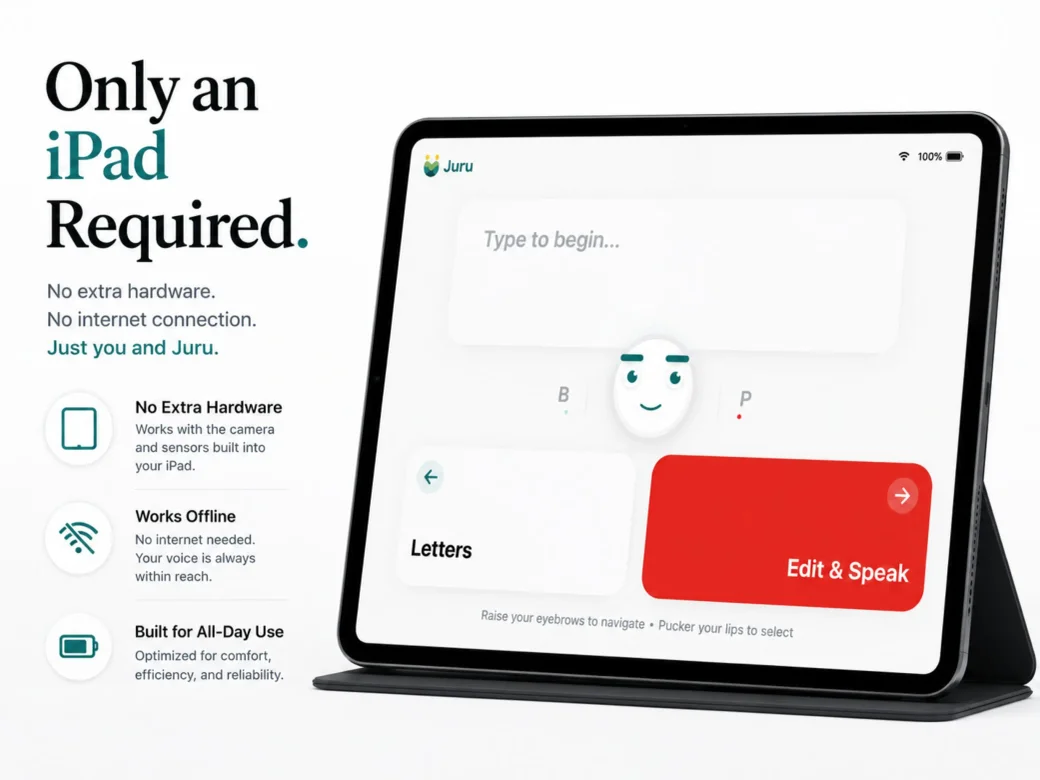
No accounts. No internet connection. No data collection. Juru runs entirely
on your iPad.
TWO WAYS TO CONTROL IT
You choose during setup, and you can change your mind at any time.
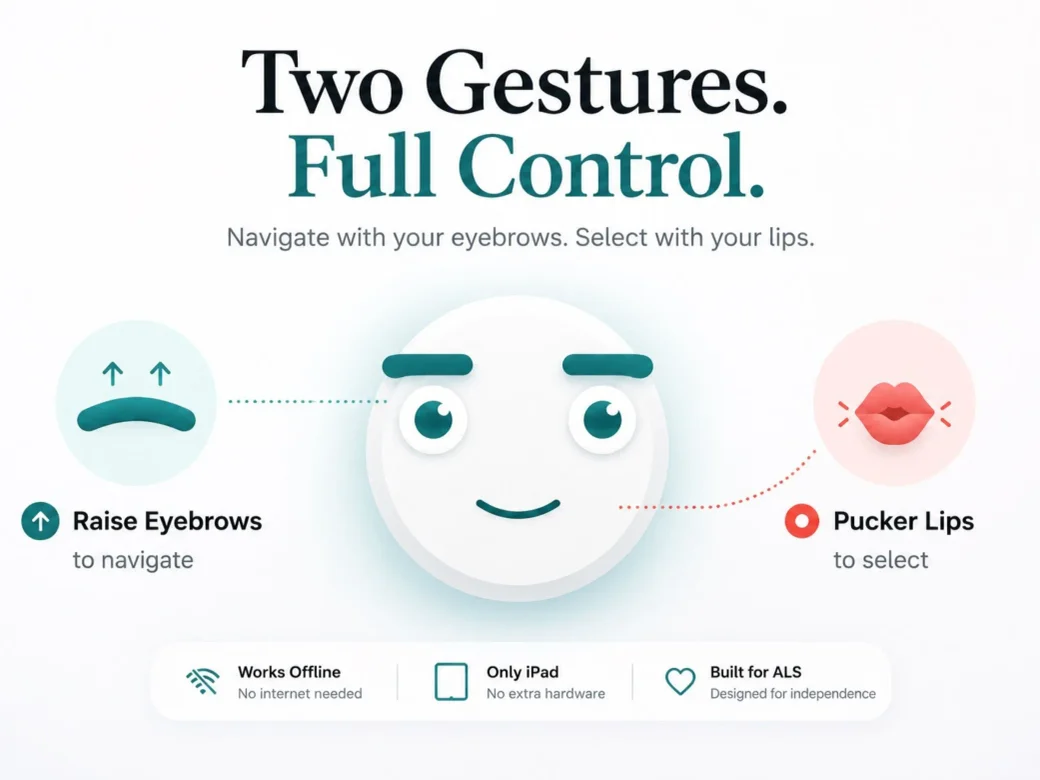
Facial gestures. A brow raise navigates between letter groups. A short lip
pucker (kiss) selects. A longer pucker undoes. Two gestures, full expression.
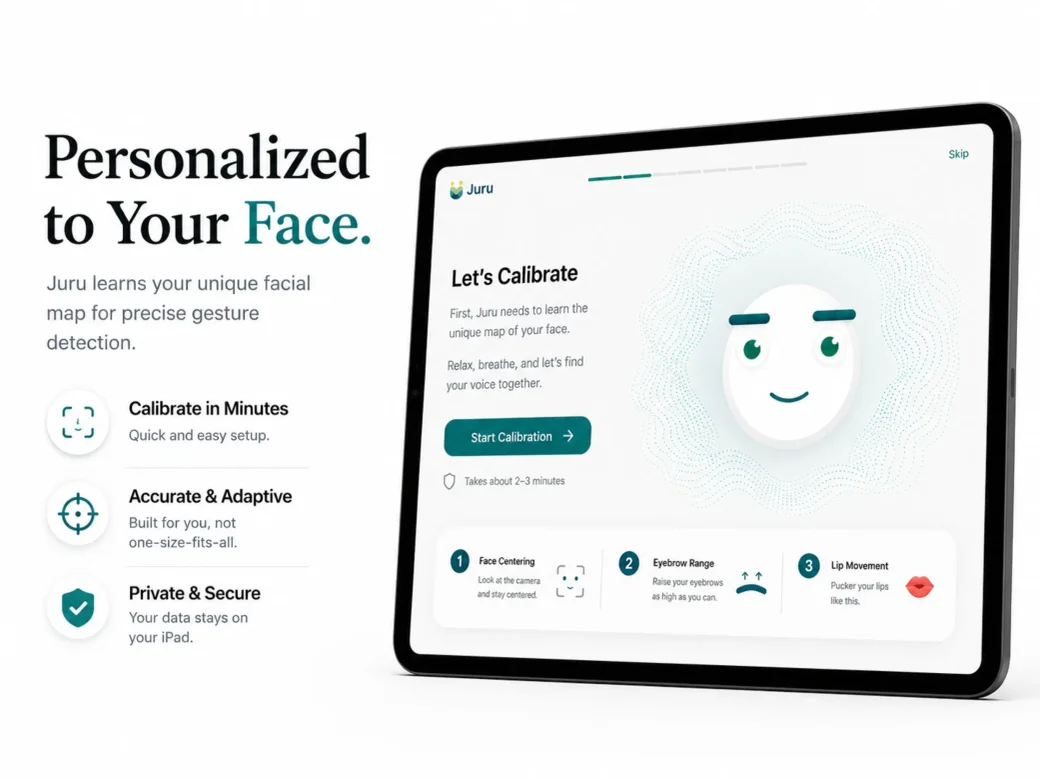
Juru's calibration adapts to your range of motion, so the gestures work
whether you can lift your eyebrows fully or just slightly. The thresholds are
personal to you and tuned through a brief, guided setup.
Eye tracking. Look at an option and hold your gaze to choose it. Juru builds
this mode on iPadOS's own Eye Tracking, which also means Switch Control,
Voice Control and Head Tracking operate the app.
This choice exists because ALS is not the same for everyone, and not the same
over time. As facial control changes, the way you speak through Juru does not
have to.
KEY FEATURES
• Two-gesture text composition through a binary tree of letters
• Eye tracking mode with large targets, and a Back card always within reach
• Personalized calibration that adapts to your facial range of motion
• Context-aware word prediction that weighs the sentence, not just the letters
• Quick Words that shift with the time of day and with what you tend to say
• Natural speech synthesis powered by Apple's voices
• Full accessibility support: VoiceOver, Dynamic Type, Reduce Motion
• Built for iPad's front camera face tracking — no extra hardware needed
• Runs entirely offline — works on a plane, in rural homes, anywhere
PRIVACY FIRST
We collect nothing. Your camera feed never leaves your device — facial
geometry is processed in real time by Apple's ARKit and immediately
discarded. No video, no images, no analytics, no tracking. Your calibration
thresholds stay privately on your iPad and never leave it.
In eye tracking mode, Juru does not access the camera at all. Word prediction
runs on device through CoreML.
WHO IT IS FOR
Juru AAC is built primarily for people living with ALS and people recovering
from hemorrhagic stroke who can no longer reliably use a touch screen,
keyboard, or voice. It is also useful for caregivers, speech-language
pathologists, and families supporting them.
Facial gesture mode works best for users who retain voluntary control over
their eyebrows and lips. If a condition affects facial motor control — facial
spasticity or significant tremor, for instance — eye tracking mode is likely
the better fit, since it asks nothing of those muscles. We recommend trying
both during setup to see which one answers your body.
IMPORTANT
Juru AAC is a communication assistance tool. It is not a medical device and
is not intended to diagnose, treat, or monitor any medical condition. If you
have clinical communication needs, please consult a speech-language
pathologist or assistive technology specialist.
REQUIREMENTS
• iPad with iPadOS 18 or later
• Facial gesture mode: a front-facing camera that supports face tracking, and
adequate ambient lighting
• Eye tracking mode: Eye Tracking switched on in Settings > Accessibility.
Juru shows you the path the first time, but you are the one who enables it
— no app is allowed to turn that feature on by itself
Distinguished Winner of the Apple Swift Student Challenge 2026.
Made with care in Recife, Brazil, by Antônio Paes de Andrade.
Novedades
Versión 1.1 · 7/9/2026
Eye Tracking
You now choose how to control Juru. Alongside facial gestures, the
app works entirely with iPad's Eye Tracking: look at a card and
hold your gaze to choose it.
Every control is now an accessibility button, so Switch Control,
Voice Control and Head Tracking operate Juru too — all with
features already built into iPad, no extra equipment.
• Pick your mode on first launch, change it whenever you like
• Tutorial adapted to each mode
• A Back card always visible, between the two options
• Settings with large targets, made to be used by gaze
• The avatar follows the side in focus
Smarter suggestions
Suggested words now consider the context of your sentence, not
just the letters you typed. Quick Words shift with the time of day
and what you tend to say.
Everything runs on your device. Nothing is recorded, stored, or
sent anywhere
Privacidad de la aplicación
Lo que Antonio Jose Paes de Andrade Junior declara en App Store sobre cómo esta aplicación gestiona los datos.
-
No se recopilan datos
El desarrollador no recopila ningún dato de esta aplicación.
Las prácticas de privacidad pueden variar, por ejemplo, según las funciones que uses o tu edad.
Información
- Vendedor
- Antonio Jose Paes de Andrade Junior
- Categoría
- Medicina
- Versión
- 1.1
- Actualizado
- 7/9/2026
- Publicado
- 23/6/2026
- Tamaño
- 11,1 MB
- Requiere
- iOS 18.0 o posterior
- Clasificación por edad
- 4+
- Precio
- Gratis
- Idiomas
- Inglés
- Copyright
- © 2026 Antônio Paes de Andrade
Quizá también te guste
-
 Speak for Me - AAC Talk & TTSSalud y forma física
-
 Steadier MotherhoodSalud y forma física
-
 My CODIMedicina
-
 UKPflegeMedicina
-
 MyVisualRoutine: Autismo TDAHHorarios Visuales y Tableros
-
 MedVenture AppMedicina
-
 AAC Watch as Speech AssistantText to speech and read aloud
-
 Vocable AACHands-free text-to-speech
-
 Hearing Buddy: Voz a textoSubtítulos y amplificador
-
 Pastore Assist AppMedicina