LinkFindr
AI Link Manager & Reader
Diseñada para iPhone, iPad
Gratis · Compras en la aplicación
- Clasificación por edad4+
- CategoríaProductividad
- DesarrolladorOpticell Limited
- IdiomasInglés
- Tamaño5,3 MB
Enlaza a la página oficial de App Store
Download.org no aloja ningún archivo de LinkFindr. El botón abre la página de la aplicación en App Store, donde la publica Opticell Limited. Ficha comprobada por última vez el 17/11/2026.
Capturas de pantalla



Acerca de
El desarrollador no ha proporcionado este texto en tu idioma.
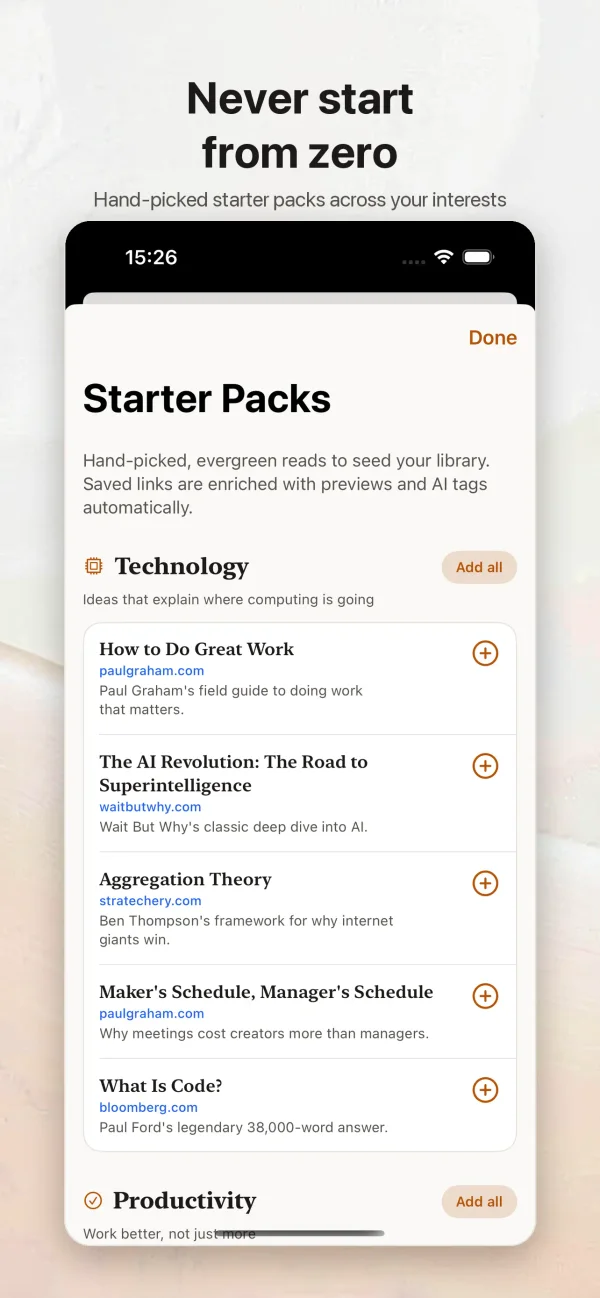
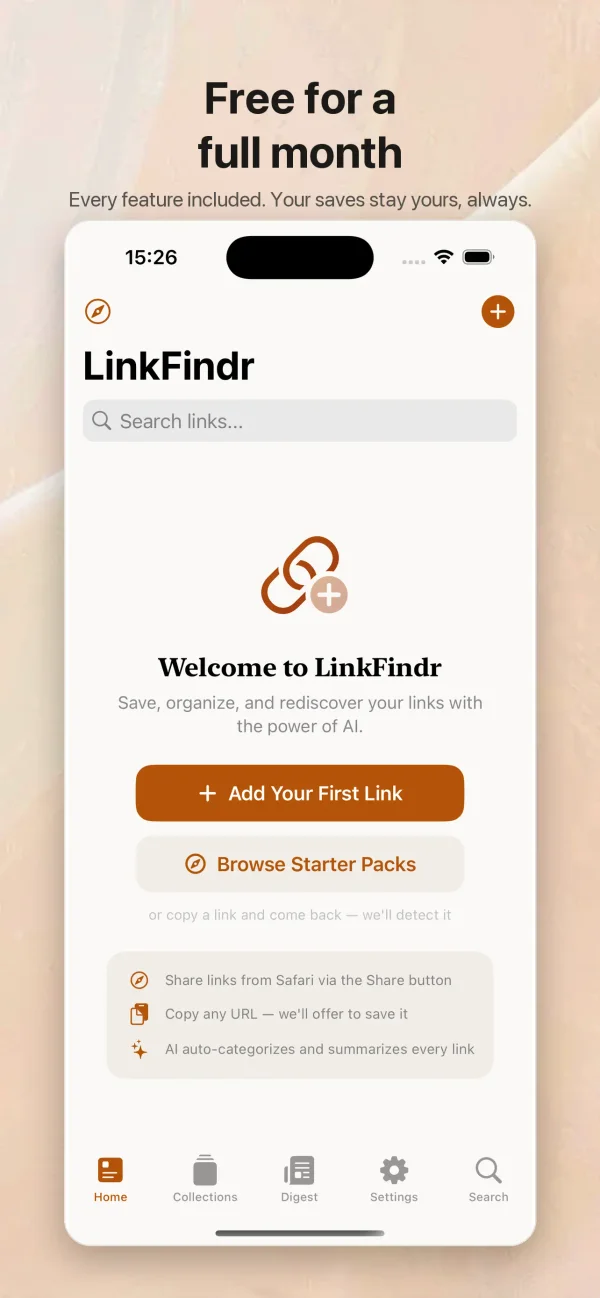
LinkFindr is your intelligent link manager — save, organize, and rediscover every link that matters. Powered by on-device AI, LinkFindr automatically categorizes your bookmarks, generates summaries, and keeps everything searchable across all your devices.
SAVE LINKS FROM ANYWHERE
Copy a link in Safari, Chrome, or any app — LinkFindr instantly detects it and offers a one-tap save. Use the Share Extension to save directly from any browser without switching apps. LinkFindr auto-fetches the page title, favicon, thumbnail, and description so you don't have to type anything.
AI-POWERED ORGANIZATION
LinkFindr uses Apple Intelligence to understand your links and organize them for you:
- Auto-categorization into projects based on content
- Smart tagging with relevant keywords
- AI-generated summaries so you remember why you saved it
- Intelligent search suggestions based on your collection
Works on every device — on older iPhones, LinkFindr uses a smart heuristic engine that categorizes links by domain and content patterns.
SMART COLLECTIONS
Go beyond folders with dynamic collections that update automatically:
- Unread links waiting for your attention
- Links added this week or this month
- AI-summarized content
- Articles available offline
- Links connected to tasks
- And more — all without manual sorting
READ OFFLINE
Download articles for distraction-free reading anywhere. LinkFindr's built-in reader strips away ads and clutter, showing just the content with adjustable text size. Reading time estimates help you pick the right article for your commute or break.
FIND EVERYTHING INSTANTLY
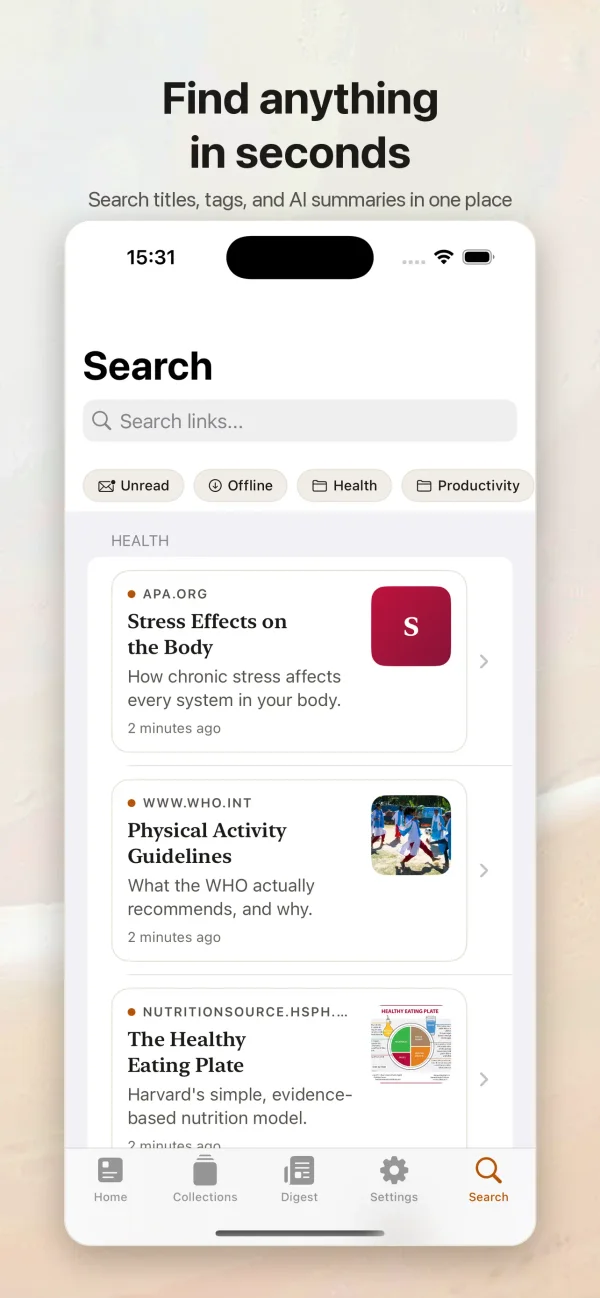
Your links are indexed in Spotlight — swipe down on your home screen and search to find any saved link. Inside the app, search across titles, URLs, projects, tags, and descriptions. AI-powered suggestions help you discover links you forgot you saved.
SYNCED ACROSS ALL DEVICES
iCloud keeps your entire link collection in sync across iPhone, iPad, and Mac. Save a link on your phone at lunch, read it on your iPad at home.
BUILT FOR PRODUCTIVITY
- Bulk operations — select multiple links to move, tag, or delete at once
- Project grouping with collapsible sections
- Task linking — connect links to your project tasks
- Import and export as JSON for backup or migration
- Duplicate URL detection warns you before saving twice
- Statistics dashboard with charts showing your link habits
SIRI & SHORTCUTS
"Hey Siri, save a link in LinkFindr" — use voice commands to save and search your links. Create custom Shortcuts automations for your workflow.
PRIVACY FIRST
All AI processing happens on-device. Your links, summaries, and browsing habits never leave your phone. No accounts, no tracking, no cloud AI.
Terms of Use (EULA): https://www.opticell-limited.com/linkr#terms
Privacy Policy: https://www.opticell-limited.com/linkr#privacy
Novedades
Versión 2.4 · 12/10/2026
LinkFindr 2.4: follow a project.
• Follow anything that posts updates: a GitHub project, a YouTube channel, a blog, a Substack, a Reddit community, a Mastodon or Bluesky profile. Paste its address and LinkFindr finds its updates.
• A new Following tab shows what's new, newest first. Nothing is ranked, there are no counts, and it ends with "You're all caught up".
• LinkFindr checks when you open the app or pull to refresh. Never in the background, and no notifications.
• Busy projects don't take over: each shows its latest three, with the rest a tap away.
• Save any update to a project to read later, offline, like any other link.
• Share what you follow as a list. A friend pastes it into Follow and follows the same.
• "What's new?" sums up your new updates in a sentence, using Apple Intelligence on your iPhone.
• Settings has moved to the gear at the top of Home.
Your follows sync through your own iCloud. LinkFindr has no servers; each site is read directly from your iPhone.
Privacidad de la aplicación
Lo que Opticell Limited declara en App Store sobre cómo esta aplicación gestiona los datos.
-
No se recopilan datos
El desarrollador no recopila ningún dato de esta aplicación.
Las prácticas de privacidad pueden variar, por ejemplo, según las funciones que uses o tu edad.
Información
- Vendedor
- Opticell Limited
- Categoría
- Productividad
- Versión
- 2.4
- Actualizado
- 12/10/2026
- Publicado
- 27/3/2026
- Tamaño
- 5,3 MB
- Requiere
- iOS 18.0 o posterior
- Clasificación por edad
- 4+
- Precio
- Gratis
- Compras en la aplicación
- Sí
- Idiomas
- Inglés
- Copyright
- © 2026 Opticell Ltd.
Quizá también te guste
-
 Trading Journal ProFinanzas
-
 Let's Tolk - Traductor offlineTeclado, cámara y voz
-
 App Lock · Block Apps & FocusProductividad
-
 Auto Detailing: Business AppProductividad
-
 MapItOutProductividad
-
 Command ControlProductividad
-
 PDF ToolBoxProductividad
-
 Read Aloud For Me PROProductividad
-
 Orbital Focus: ConcentraciónPomodoro para estudiar y TDAH
-
 SmartLess: teléfono tranquiloTu teléfono sin distracciones