
RemoteDock: Mac Remote Desktop
VNC Screen Sharing, mini & SSH
Diseñada para iPhone, iPad
Gratis · Compras en la aplicación
- Clasificación por edad4+
- CategoríaUtilidades
- Desarrollador灿灿 李
- IdiomasInglés+ 4 más
- Tamaño18,7 MB
Enlaza a la página oficial de App Store
Download.org no aloja ningún archivo de RemoteDock: Mac Remote Desktop. El botón abre la página de la aplicación en App Store, donde la publica 灿灿 李. Ficha comprobada por última vez el 25/11/2026.
Capturas de pantalla


Acerca de
El desarrollador no ha proporcionado este texto en tu idioma.
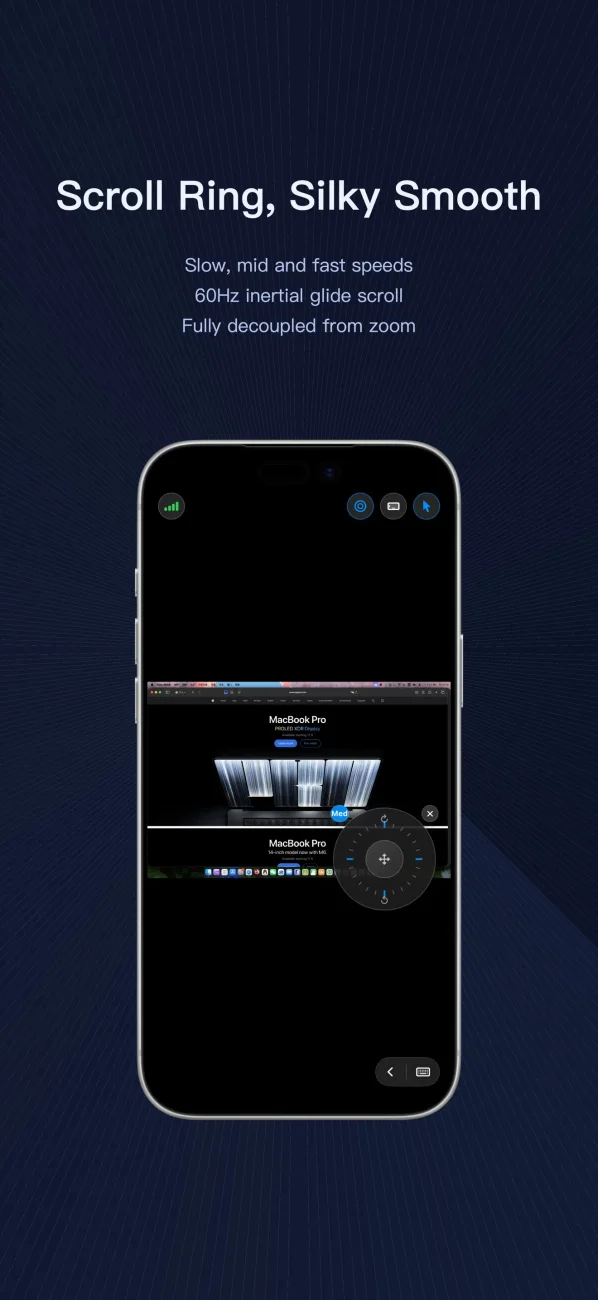
RemoteDock is a fast, easy-to-use Mac Screen Sharing and remote desktop app for iPhone and iPad. No extra software is needed on your Mac—just turn on macOS built-in "Screen Sharing" to control your Mac over your local network, even on a headless Mac mini with no monitor attached.
HEADLESS MAC MINI: WAKE & UNLOCK AFTER REBOOT
Using a Mac mini or Mac Studio without a monitor or keyboard as a home server, media center, or build machine? When a Mac powers on or restarts, it waits at the login screen before starting Screen Sharing—leaving ordinary remote apps unable to find your Mac or stuck on a black screen until you plug in a monitor.
With macOS "Screen Sharing" and "Remote Login" turned on in System Settings, RemoteDock handles the entire headless experience:
• Instant Discovery After Reboot: Finds your Mac on the home screen and shows it as Online right after a restart—even before desktop login.
• Wake Without a Monitor: Tap to wake the display and start Screen Sharing remotely without touching the machine.
• One-Tap "Unlock Mac" Button: Right after connecting, a floating "Unlock Mac" button appears (1s / 2s / 3s / 5s). Tap it once to enter your password and unlock the Mac desktop.
KEY FEATURES
1. Zero Mac Software Needed & Easy Sign-In
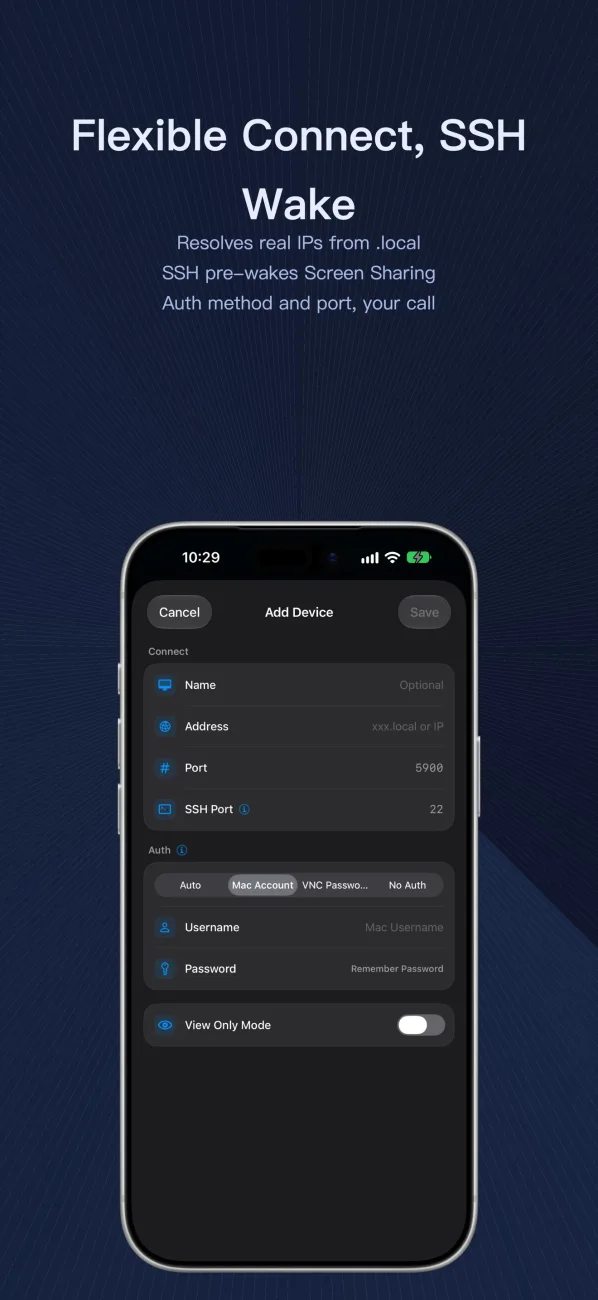
• Automatic Local Discovery: Finds Macs on your Wi-Fi or local network, or connect via hostname or IP.
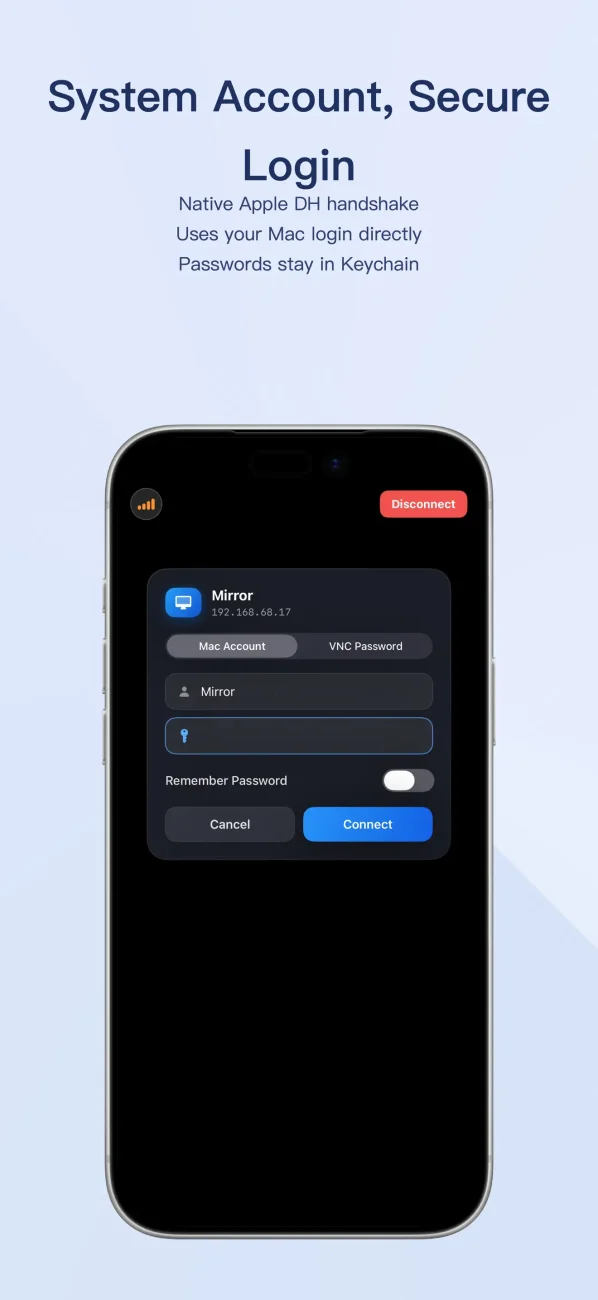
• Sign In with Your Mac Account: Log in using your Mac username and password, or use a standard VNC password (both free).
• Visual Setup Guide: Step-by-step guide shows which switches to turn on in macOS System Settings in under a minute.
2. One-Tap Desktop Unlock & Privacy Protection
• Floating "Unlock Mac" Pill: Unlock a locked Mac screen in one tap right after connecting.
• App Lock & Privacy Shield (Free): Lock the app with Face ID, Touch ID, or a passcode, and blur the screen in the app switcher.
3. Three Comfortable Touch Control Modes
• Simulated Virtual Mouse (Free): Separates the mouse buttons from the cursor so your finger never covers what you click. Supports left/right click, double-click, drag lock, edge pan, and reset.
• Rotary Scroll Wheel: Glide your thumb around the wheel to scroll web pages, documents, or code smoothly with 3 speeds (Slow / Standard / Fast) without triggering pinch-to-zoom.
• Trackpad & Direct Touch: Switch anytime between Direct Touch, Trackpad Pointer, and Virtual Mouse from the top toolbar.
4. Multi-Monitor Switching & Dual-Screen View
• Quick Display Switch: Switch between Display 1 and Display 2 in one tap with cursor centering.
• View All Displays & Equalized Scaling: See all monitors side by side, and match a secondary display (2K) to the same visual height as your main 4K display.
5. Smooth 60 FPS, True Color HD & Voice Keyboard
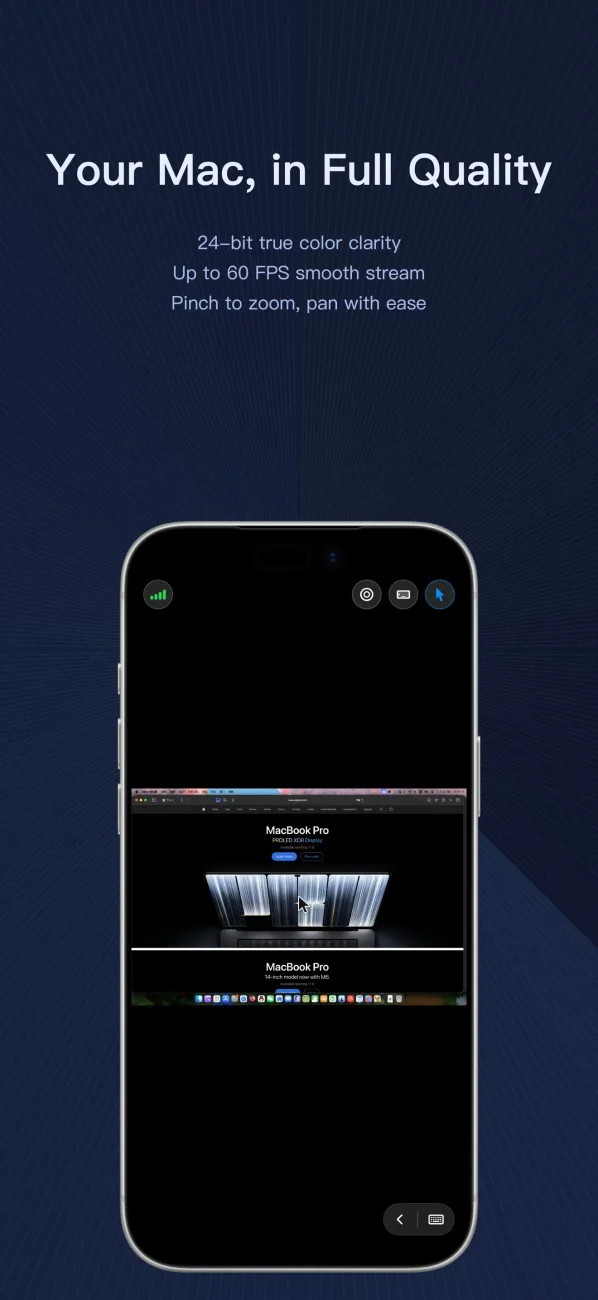
• Smooth & Crisp Picture: Up to 60 FPS and True Color HD clarity for everyday work, reading, and coding.
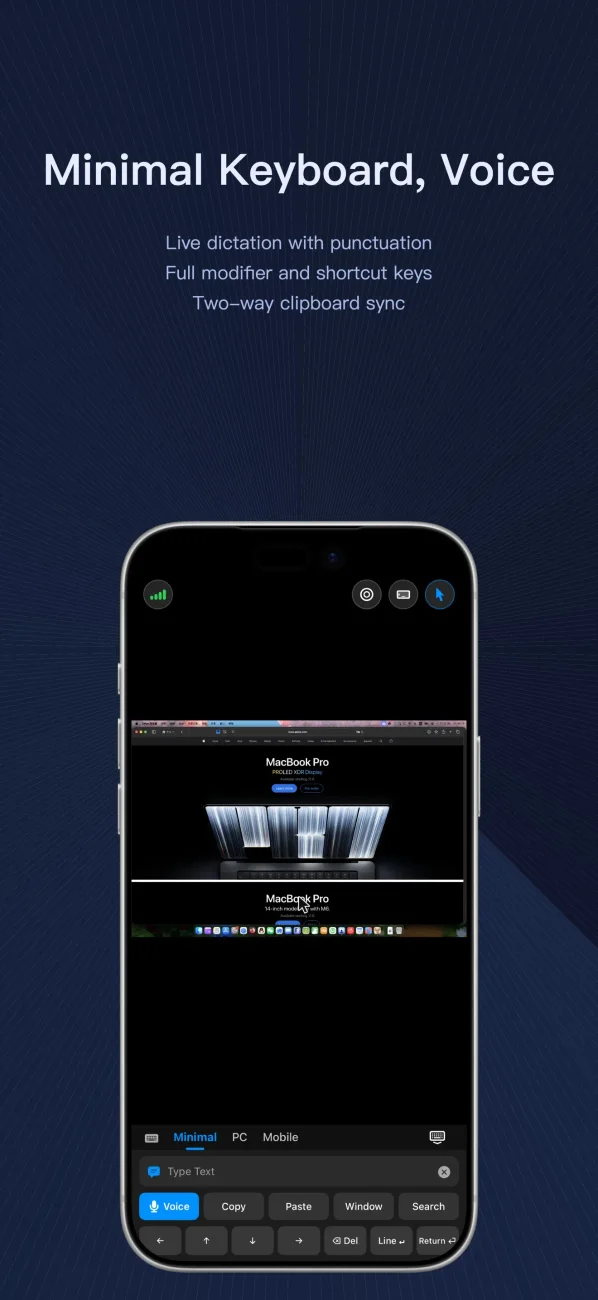
• Minimal Keyboard & Voice Input: Type, use dictation, or speak in real time with smart punctuation, then tap "Send" to insert text at your Mac cursor.
• Full Mac Keyboard & Shortcuts: Full Mac keyboard layout (Cmd, Opt, Ctrl, Shift, Esc, Fn, F1–F12), shortcut bar (Copy, Paste, Undo), and clipboard sync.
FREE VERSION VS. LINKSCREEN PRO
• Free Version: Save & connect to 1 Mac, local discovery, Mac account & VNC password login, App Lock, Virtual Mouse, single-display switching, Mac keyboard preview, plus 1 free Scroll Wheel session and 2 free Minimal Keyboard text sends per connection.
• RemoteDock Pro: Unlimited Macs, saved password auto-login & one-tap "Unlock Mac", remote wake after reboot, All Displays with Equalized Scaling, 30/60 FPS, True Color HD, unlimited Scroll Wheel, unlimited Minimal Keyboard sends, full Mac keyboard & shortcuts, and custom ports. Available as Pro Monthly, Pro Yearly (auto-renewing, cancel anytime), or Pro Lifetime.
End-User License Agreement (EULA):
https://www.apple.com/legal/internet-services/itunes/dev/stdeula/
Terms of Service:
https://icancan.cc/apps/linkscreen/terms/
Novedades
Versión 26.11.25 · 24/11/2026
[Fixed]
- Fast Switch would occasionally stop updating after sitting idle. It now refreshes itself.
- Fixed the "Connected" status appearing before the picture was actually ready.
[New]
- New "View Only" in the device menu: watch your Mac without sending a single keypress or click — just a small exit pill on screen.
- Hardware keyboards type more naturally now: your input method's candidates work as usual, while everything else goes straight to the Mac.
[From the Desk]
This release added a very quiet feature: View Only. Once connected, your Mac is like a small chalkboard — check the build progress or a download's percentage, glance and go, hands off the keyboard entirely.
Privacidad de la aplicación
Lo que 灿灿 李 declara en App Store sobre cómo esta aplicación gestiona los datos.
-
No se recopilan datos
El desarrollador no recopila ningún dato de esta aplicación.
Las prácticas de privacidad pueden variar, por ejemplo, según las funciones que uses o tu edad.
Información
- Vendedor
- 灿灿 李
- Categoría
- Utilidades
- Versión
- 26.11.25
- Actualizado
- 24/11/2026
- Publicado
- 6/11/2026
- Tamaño
- 18,7 MB
- Requiere
- iOS 18.0 o posterior
- Clasificación por edad
- 4+
- Precio
- Gratis
- Compras en la aplicación
- Sí
- Idiomas
- Inglés, Japonés, Coreano, Chino simplificado, Chino tradicional
- Copyright
- © Leon Lee
Quizá también te guste
-
 Puked by RockyUtilidades
-
 Storage Sweeper: LimpiadorComprimir vídeos, liberar GB
-
 CNAPS - 银行联行号银联号查询清算行号开户行联行号查询Utilidades
-
 Aspect Ratio ProCalculadora de regla de tres
-
 Headroom: Remote DesktopTu agente de IA, desde el sofá
-
 Octofile 3Utilidades
-
 4K UniPlayUtilidades
-
 iStoreLinkUtilidades
-
 图标色卡Utilidades
-
 Sensor ConfigurationUtilidades