- Clasificación por edad4+
- CategoríaEntretenimiento
- DesarrolladorVolodymyr Shuliar
- IdiomasInglés
- Tamaño3,8 MB
Enlaza a la página oficial de App Store
Download.org no aloja ningún archivo de LM player. El botón abre la página de la aplicación en App Store, donde la publica Volodymyr Shuliar. Ficha comprobada por última vez el 21/11/2026.
Capturas de pantalla
Acerca de
El desarrollador no ha proporcionado este texto en tu idioma.
Your Music. Your Rules. Your Folders.
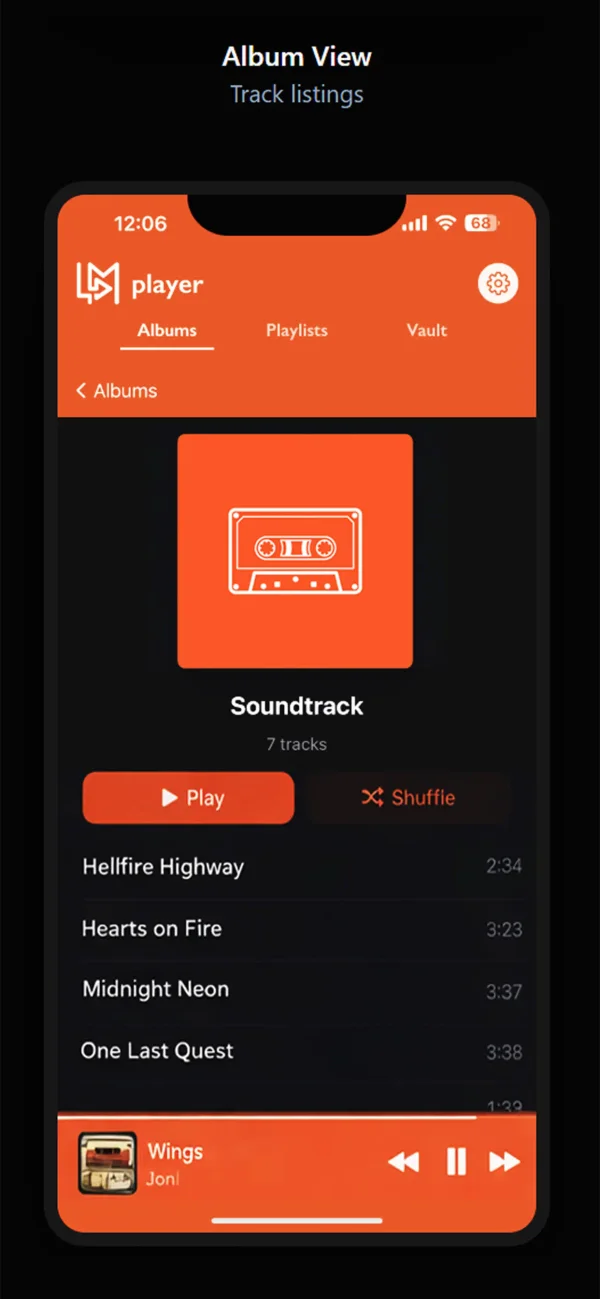
LM Player is a filesystem-driven offline music player built for people who organize their music in folders, just like on desktop. If your music looks right in your file system, it plays right in LM Player.
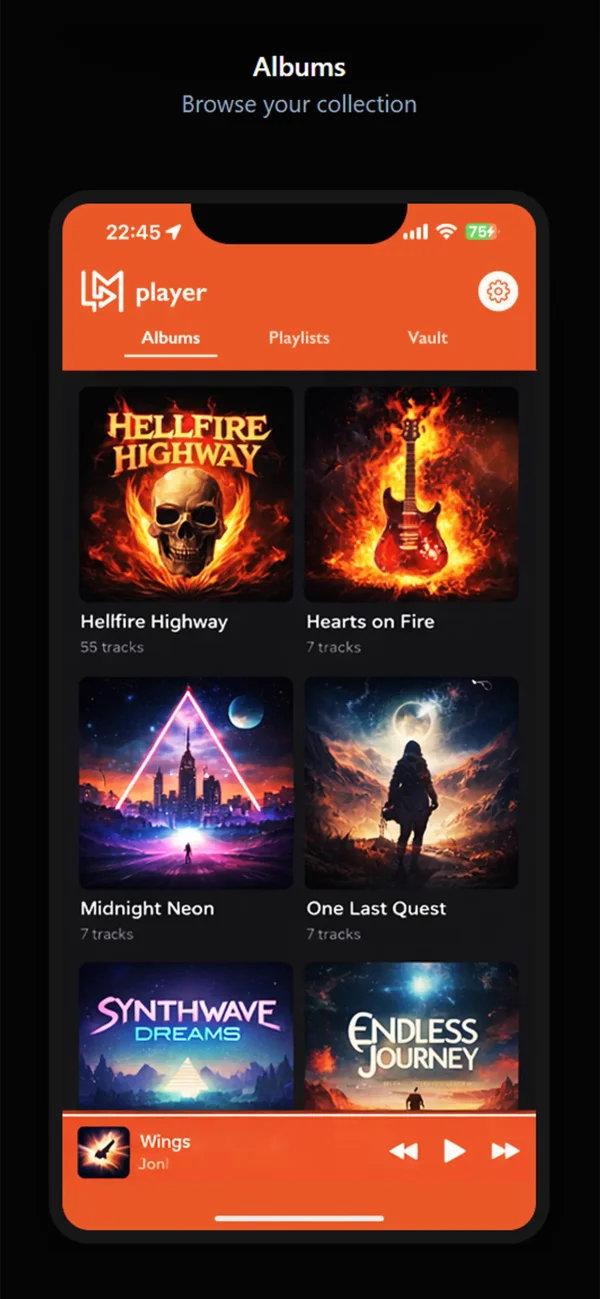
Folder-First Philosophy. Folders become albums automatically. Filenames are track titles. Your file organization is the single source of truth. Album artwork from folder images (cover.jpg, folder.png). Metadata tags are optional enhancements only.
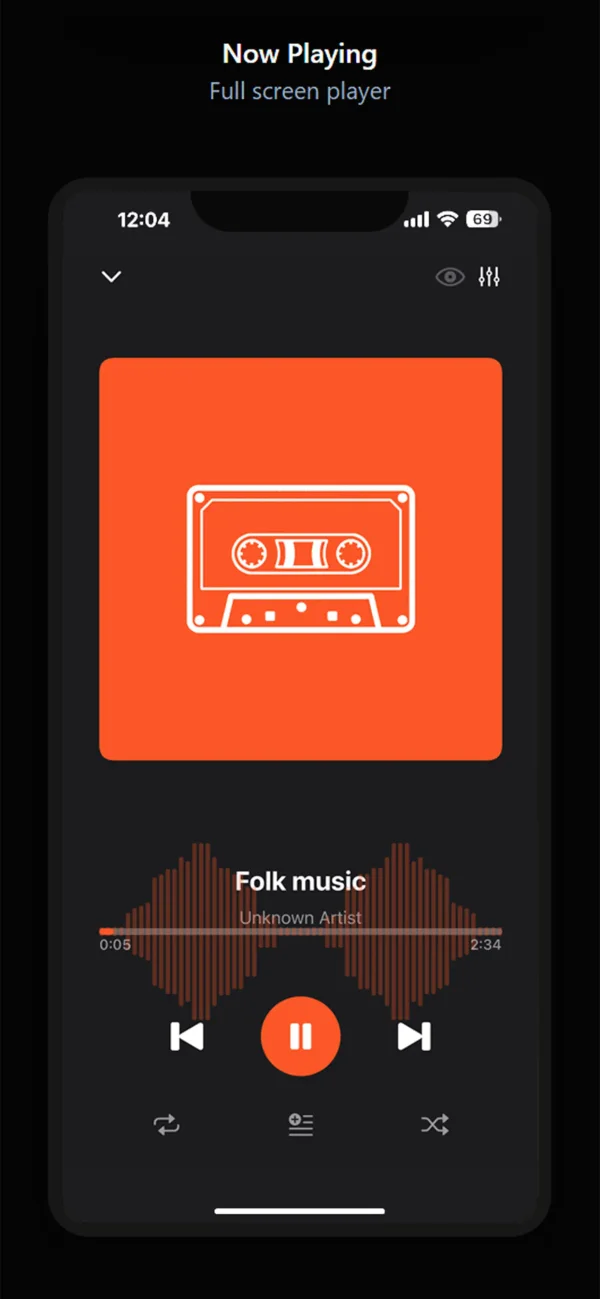
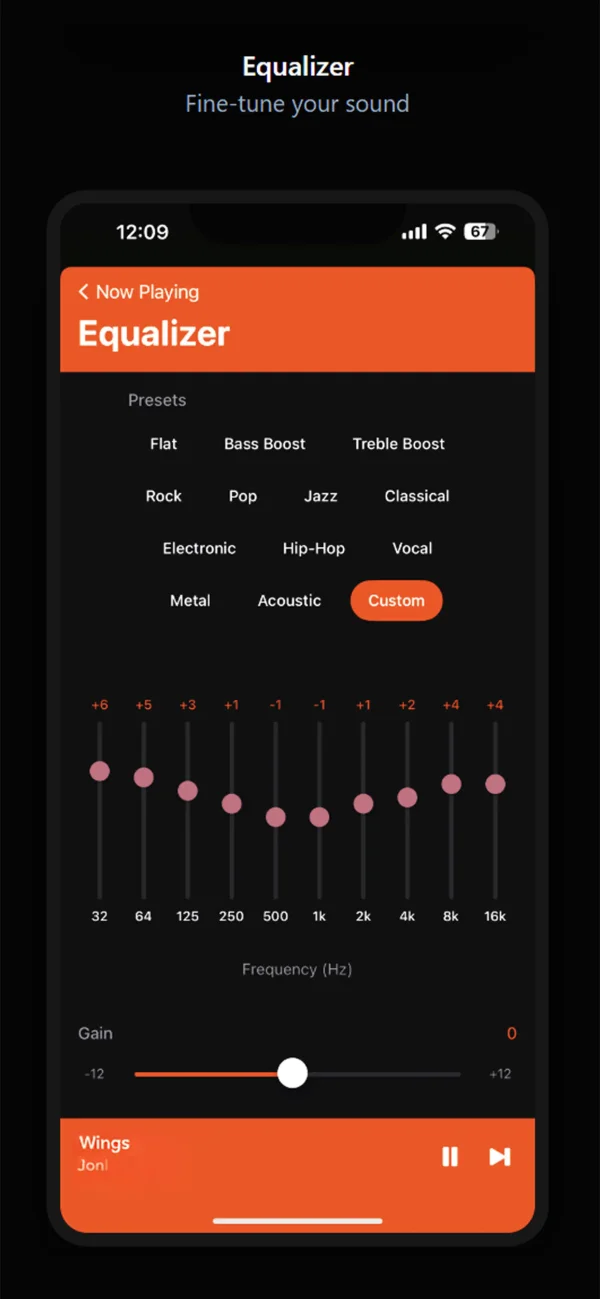
Professional Audio Engine. 10-band graphic equalizer (±12 dB per band). Built on AVAudioEngine for pristine sound quality. Gapless playback between tracks. Multiple EQ presets: Flat, Bass Boost, Treble Boost, Rock, Pop, Jazz. Create and save custom EQ profiles.
Complete Format Support: MP3, AAC, M4A, WAV, AIFF, ALAC, FLAC (high-resolution lossless). No conversions needed.
Powerful Features. Background playback with lock screen controls. Custom playlists. Deterministic track ordering (respects filename numbering) Clean, music-focused design.
Easy Music Management. Import via Files app. Windows users, need use ZIP archive, with auto-extraction. Rescan library anytime.
Upload Music via Windows
The Apple Devices app for Windows allows users to upload files to iPhones and iPads. Use ZIP archives to upload multiple folders.
Direct USB Transfer
Connect your device and drag files directly.
ZIP Archive Support
Upload entire folder structures in one ZIP file.
Works on macOS Too
Use Finder on Mac for the same functionality.
Privacy First. 100% offline - no streaming. No cloud integration. No tracking or analytics. Your music stays on your device. No internet connection required.
Perfect For: Audiophiles who demand quality. Users with large local music libraries. Anyone who prefers folder organization. People who want complete control over their music.
Mental Model: "If it looks right in the file system, it plays right in the app."
LM Player is designed for serious music listeners who value file organization, audio quality, and complete offline control. No subscriptions, no streaming, no compromises.
No music found. Open the Audio Vault Info page to learn how to import music.
Novedades
Versión 1.1 · 16/2/2026
Some small bugs fixed.
Privacidad de la aplicación
Lo que Volodymyr Shuliar declara en App Store sobre cómo esta aplicación gestiona los datos.
-
No se recopilan datos
El desarrollador no recopila ningún dato de esta aplicación.
Las prácticas de privacidad pueden variar, por ejemplo, según las funciones que uses o tu edad.
Información
- Vendedor
- Volodymyr Shuliar
- Categoría
- Entretenimiento
- Versión
- 1.1
- Actualizado
- 16/2/2026
- Publicado
- 10/2/2026
- Tamaño
- 3,8 MB
- Requiere
- iOS 16.6 o posterior
- Clasificación por edad
- 4+
- Precio
- 6,99 €
- Idiomas
- Inglés
- Copyright
- © 2026 Shuliar