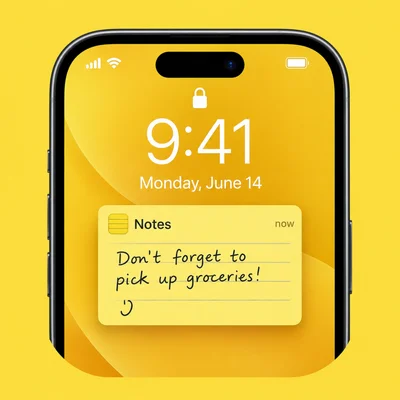
Lock Screen Notes - Pinbord
Big notes on your Lock Screen
Diseñada para iPhone, iPad
Gratis · Compras en la aplicación
- Clasificación por edad4+
- CategoríaProductividad
- DesarrolladorORIENTPRO - LAM AN INVESTMENT & TRADE.,JSC
- IdiomasInglés+ 1 más
- Tamaño15,4 MB
Enlaza a la página oficial de App Store
Download.org no aloja ningún archivo de Lock Screen Notes - Pinbord. El botón abre la página de la aplicación en App Store, donde la publica ORIENTPRO - LAM AN INVESTMENT & TRADE.,JSC. Ficha comprobada por última vez el 23/11/2026.
Capturas de pantalla

Acerca de
El desarrollador no ha proporcionado este texto en tu idioma.
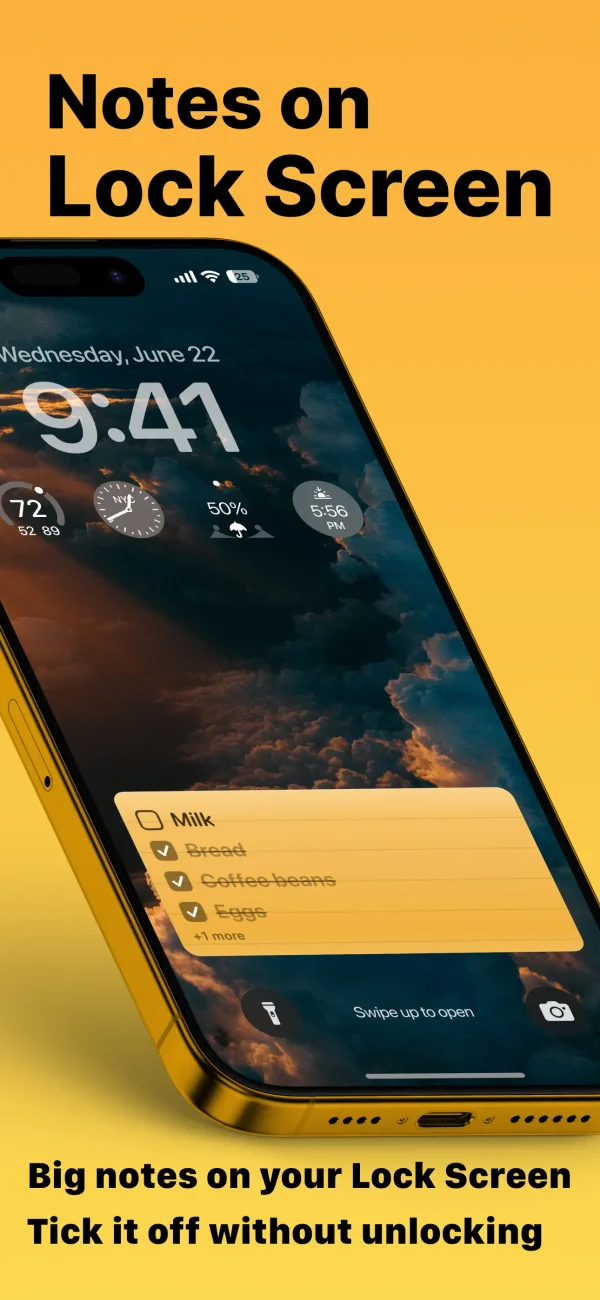
Your note. On your Lock Screen. Every time you pick up your phone.
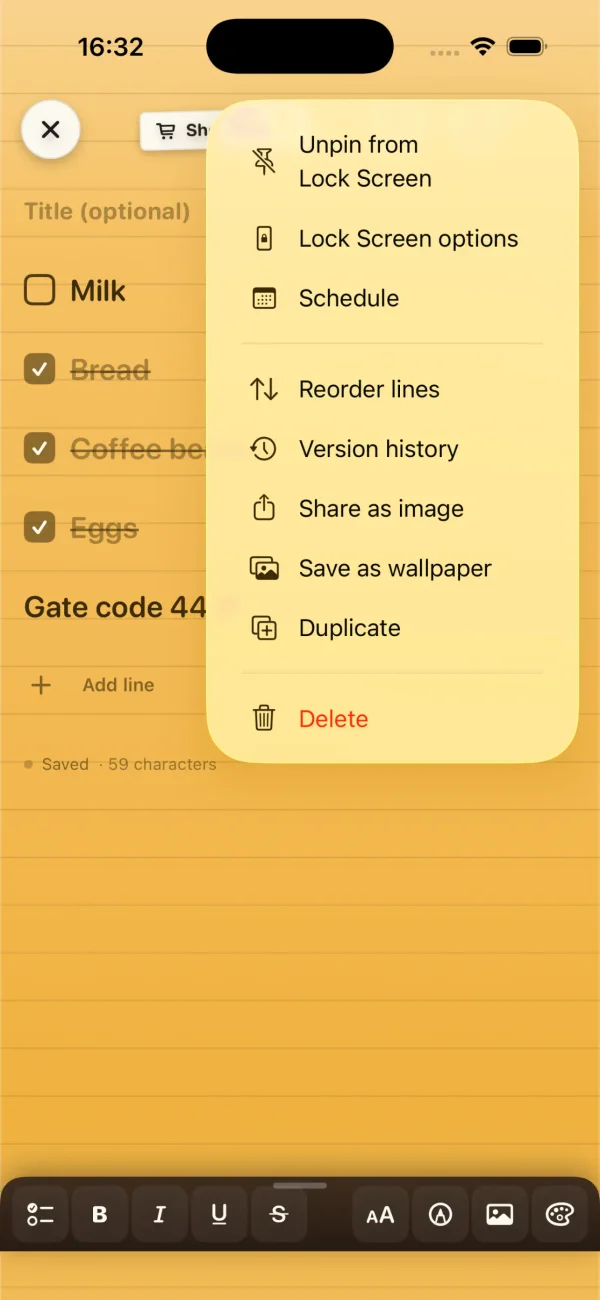
Tick items off without unlocking. No ads, nothing to share to unlock.
And unlike every other Lock Screen note app — it comes back by itself.
WHY PEOPLE USE PINBORD
• The shopping list you actually see at the shop
• The gate code, the parking level, the seat number
• Three things to do today, ticked off without unlocking
• A sentence you want in front of you a hundred times a day
• Bin day, medication, the school trip on Thursday
IT DOESN'T DISAPPEAR
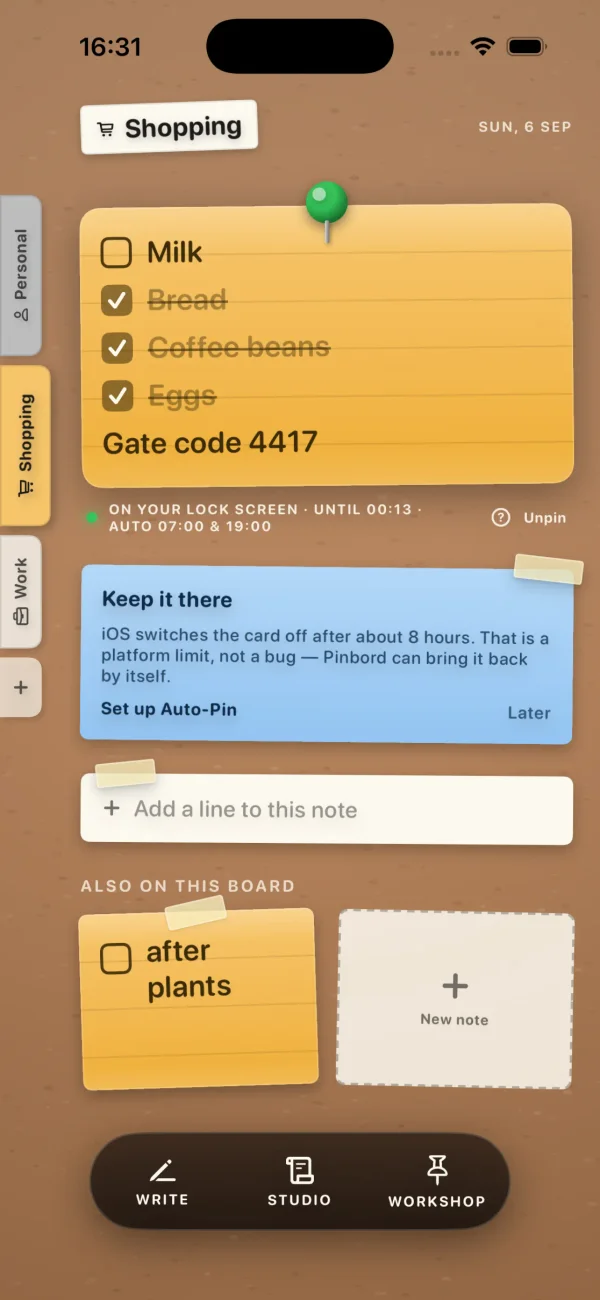
Other Lock Screen note apps rely on one iOS feature that the system switches off after a few hours — which is why your note keeps vanishing. Pinbord uses three: the big interactive card, a permanent Lock Screen widget, and an optional wallpaper. When the card expires, Pinbord brings it straight back — from a widget tap, Control Center, your Action Button, Siri, or a Shortcuts automation we help you set up in 20 seconds. Quietly: no buzzing, no notifications.
TICK IT OFF WITHOUT UNLOCKING
Tap a checkbox right on the Lock Screen. The note updates instantly. Completed items can hide themselves so your list stays clean.
MAKE IT YOURS
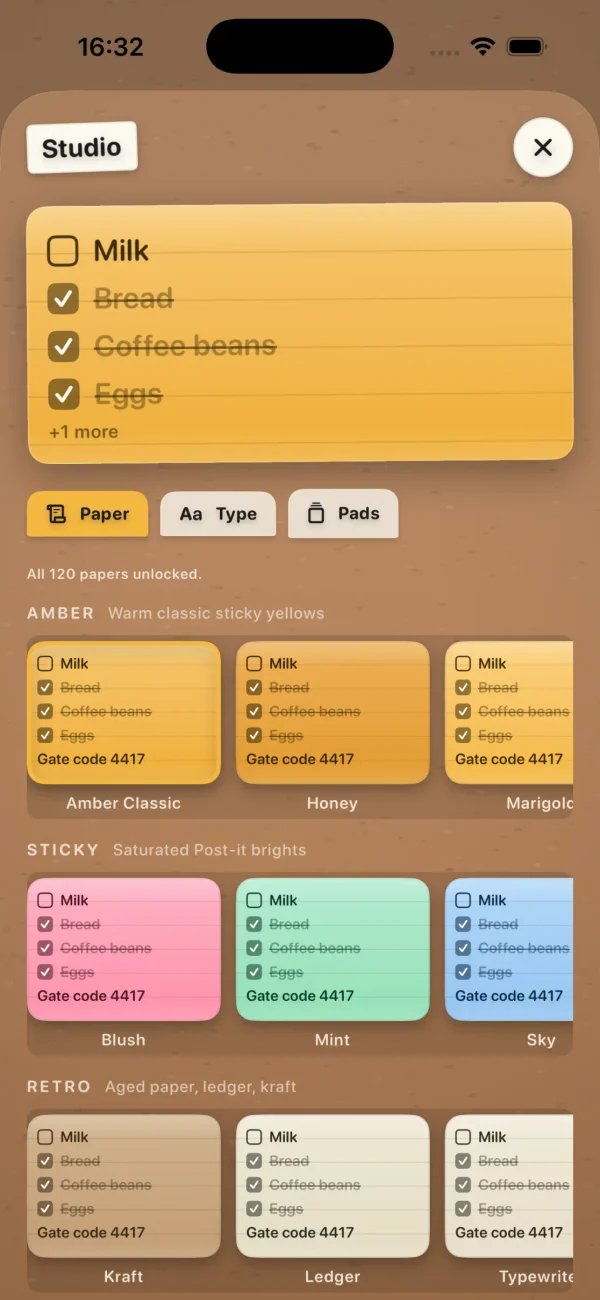
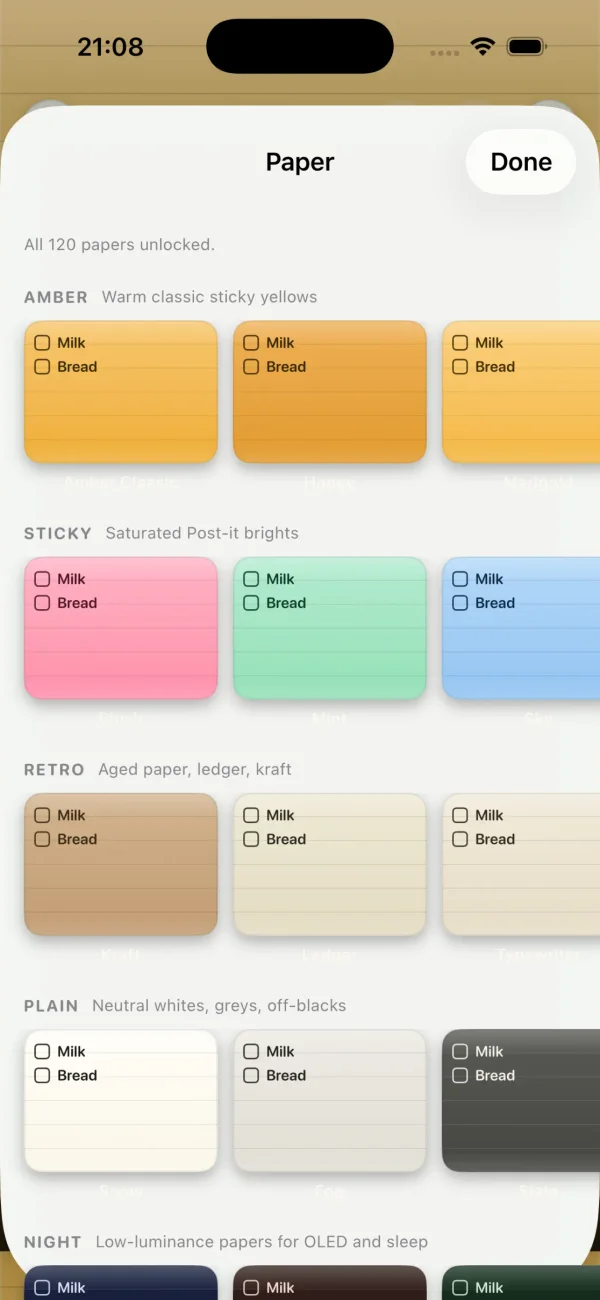
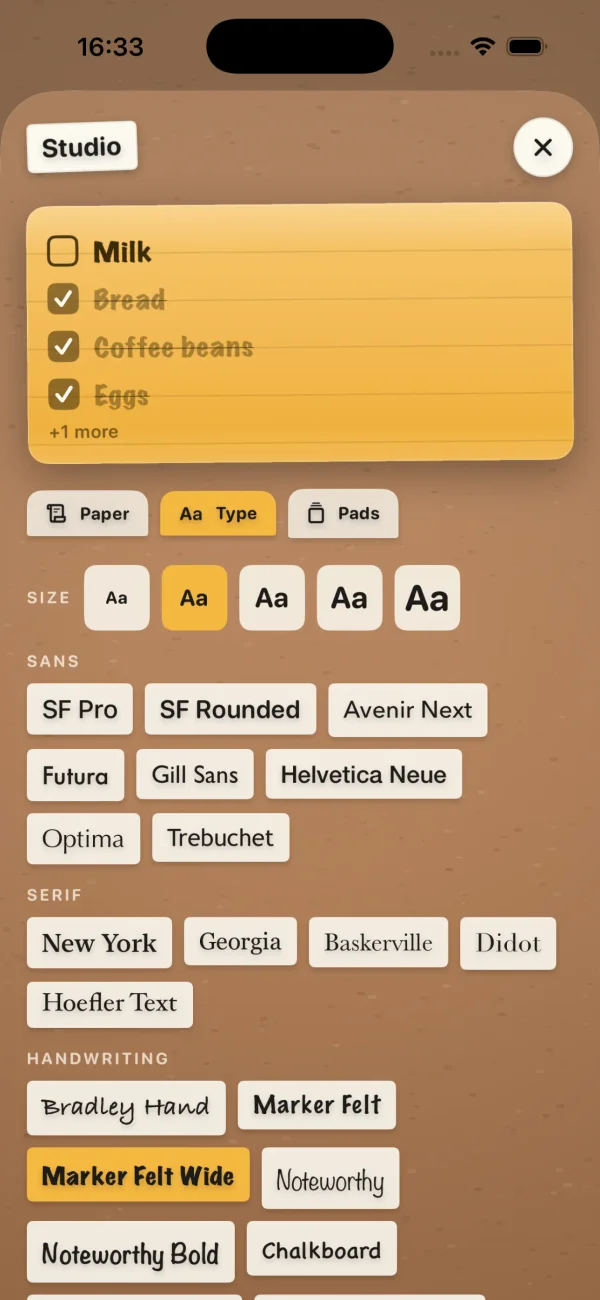
120 papers in eight families — amber, sticky, retro, plain, night, calm, clear and gradient. Lined, grid, dotted or blank. 30 fonts including handwriting styles. Draw with pen or marker. Add photos and stickers. Five text sizes, up to 34 pt, so it reads at arm's length.
BOARDS
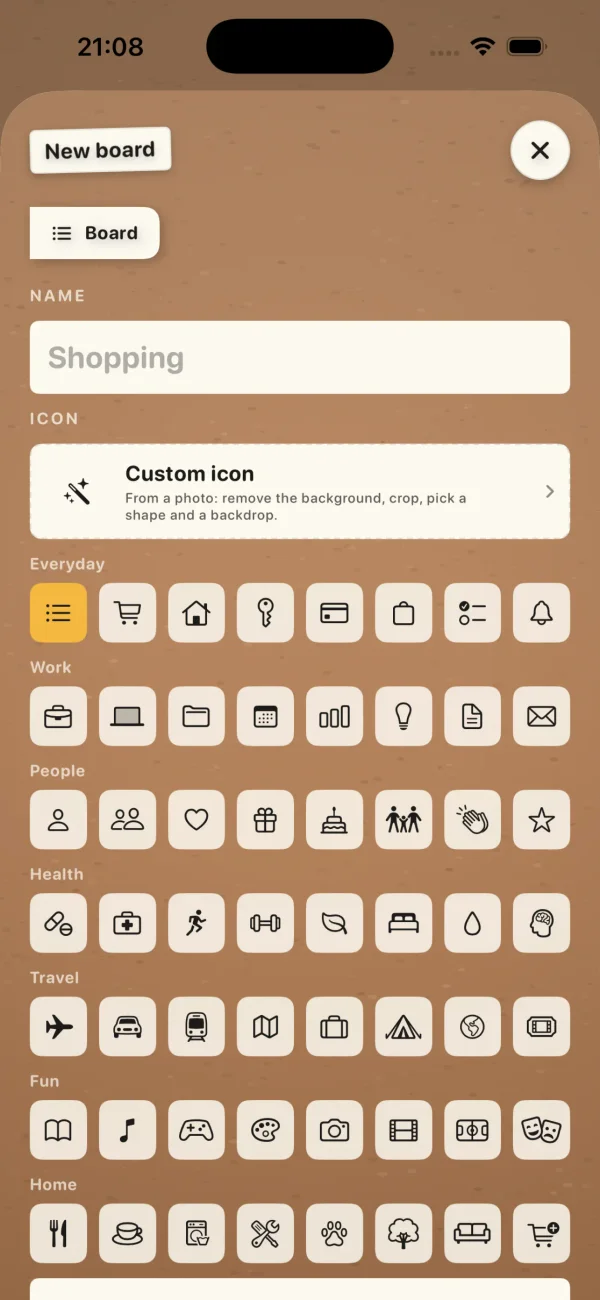
Keep Shopping, Work and Personal notes apart. Pin one, switch with Siri or from your Watch.
SCHEDULED PINS
Set a note to appear on the days it matters — every Tuesday, on the 1st, or one specific morning.
EVERYWHERE YOU LOOK
iPhone, iPad, Apple Watch, StandBy, CarPlay Dashboard, Control Center, Action Button, Shortcuts and Siri. Optional private iCloud sync.
NEVER LOSE A WORD
Every edit is saved and every version is restorable. Undo and redo anywhere. Deleted notes wait 30 days.
PRIVATE BY DESIGN
No servers, no accounts, no third-party trackers. Notes stay on your device, or in your own private iCloud. Our privacy label says Data Not Collected — because we collect nothing.
FREE FOREVER
The Lock Screen note, checkboxes, widgets, boards, sync and 30 papers are free, permanently. Studio Pass unlocks the full design library, unlimited boards and images, private boards and unlimited Scheduled Pins — as a one-time Forever purchase or a subscription.
Subscriptions renew automatically unless cancelled at least 24 hours before the end of the current period and are charged to your Apple Account. Manage or cancel in Settings → Apple Account → Subscriptions.
Privacy Policy: https://orlproducts.pages.dev/privacy.html
Terms of Use: https://www.apple.com/legal/internet-services/itunes/dev/stdeula/
Got ideas or feedback? Send them our way: info@orlproducts.com
Novedades
Versión 1.1 · 20/11/2026
Pinbord 1.1 is built for iPhone Duo.
• Two pages when you open it flat: your pinned note on the left, the rest of the board on the right. Nothing sits on the fold.
• While you write, the left page shows your Lock Screen and updates as you type or change paper.
• Stand it half open and the top shows your list while big tick buttons sit below.
• On the cover screen, everything stays clear of the camera and uses the full width below it.
• The editor toolbar now fits every screen, including Display Zoom and iPad Slide Over.
• Checkmarks stay inside their boxes at the largest text sizes.
Privacidad de la aplicación
Lo que ORIENTPRO - LAM AN INVESTMENT & TRADE.,JSC declara en App Store sobre cómo esta aplicación gestiona los datos.
-
No se recopilan datos
El desarrollador no recopila ningún dato de esta aplicación.
Las prácticas de privacidad pueden variar, por ejemplo, según las funciones que uses o tu edad.
Información
- Vendedor
- LAM AN INVESTMENT AND TRADE JOINT STOCK COMPANY
- Categoría
- Productividad
- Versión
- 1.1
- Actualizado
- 20/11/2026
- Publicado
- 16/9/2026
- Tamaño
- 15,4 MB
- Requiere
- iOS 18.0 o posterior
- Clasificación por edad
- 4+
- Precio
- Gratis
- Compras en la aplicación
- Sí
- Idiomas
- Inglés, Vietnamita
- Copyright
- © ORIENTPRO
Quizá también te guste
-
 Thought Inbox: Voice NotesProductividad
-
 VoistoProductividad
-
 Fridge: Lock Screen NotesNotas, listas y recordatorios
-
 Cassette: AI Note TakerProductividad
-
 MinDrop: Notes & RemindersProductividad
-
 Sticky Notes Sync - DeskStickProductividad
-
 Watch Notes: Notes for WatchNotas en el reloj
-
 Scan PDF: Escáner y OCRRecibos, DNI, imagen a PDF
-
 LockScreenNotes & WidgetProductividad
-
 PE Lite - VPNProductividad