
- Clasificación por edad4+
- CategoríaFoto y vídeo
- DesarrolladorJack Richmond
- IdiomasInglés
- Tamaño6,0 MB
Enlaza a la página oficial de App Store
Download.org no aloja ningún archivo de LogGrade. El botón abre la página de la aplicación en App Store, donde la publica Jack Richmond. Ficha comprobada por última vez el 16/11/2026.
Capturas de pantalla

Acerca de
El desarrollador no ha proporcionado este texto en tu idioma.
Log footage in. Graded video out.
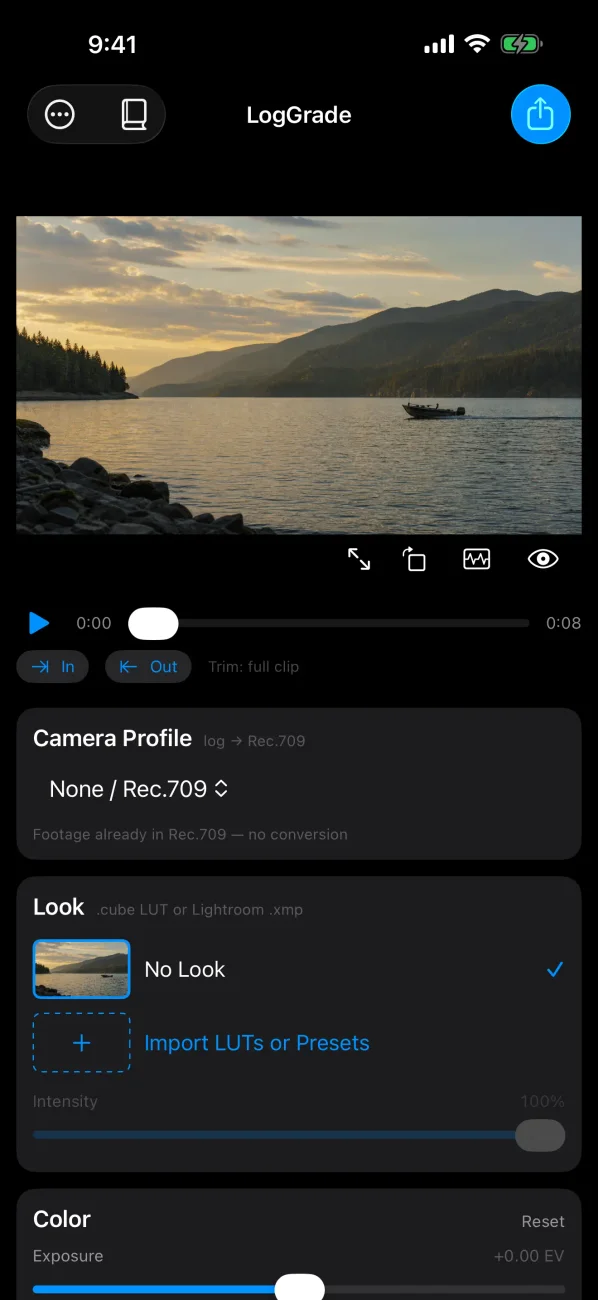
LogGrade is a focused, on-device color grading workflow for iPhone and iPad. Import log, HDR, or standard video, build a look, and export a finished Rec.709 video without moving footage to a desktop editor.
CAMERA AND COLOR PROFILES
• Standard iPhone and camera video with no log conversion
• Apple Log and Apple Log 2
• iPhone Display P3 SDR, HLG, and PQ/Dolby Vision
• DJI D-Log M
• GoPro GP-Log
• GoPro HERO11 10-bit Protune Flat
• Sony Cine4
CREATIVE TOOLS
• Fuji-inspired film simulations tuned for both normalized log and standard video
• Import, rename, organize, and remove .cube LUTs and Lightroom .xmp presets
• Exposure, contrast, highlights, shadows, temperature, tint, saturation, and vibrance
• Eight-band HSL color mixer
• High-quality adjustable noise reduction and clarity
• Adjustable grain, softness, bloom, halation, and vignette
• Save complete grades as reusable recipes
PRECISE, NON-DESTRUCTIVE EDITING
Compare with the original, inspect scopes, scrub and trim, rotate or reframe, and return to saved edits later. Preview is optimized for smooth playback while final export always reopens the original source.
INSTAGRAM STORY DELIVERY
Build an exact 9:16 Story canvas, scale and position horizontal or vertical video, choose any background color, then create a 1080×1920 H.264/AAC Story file with one tap.
PROFESSIONAL EXPORT
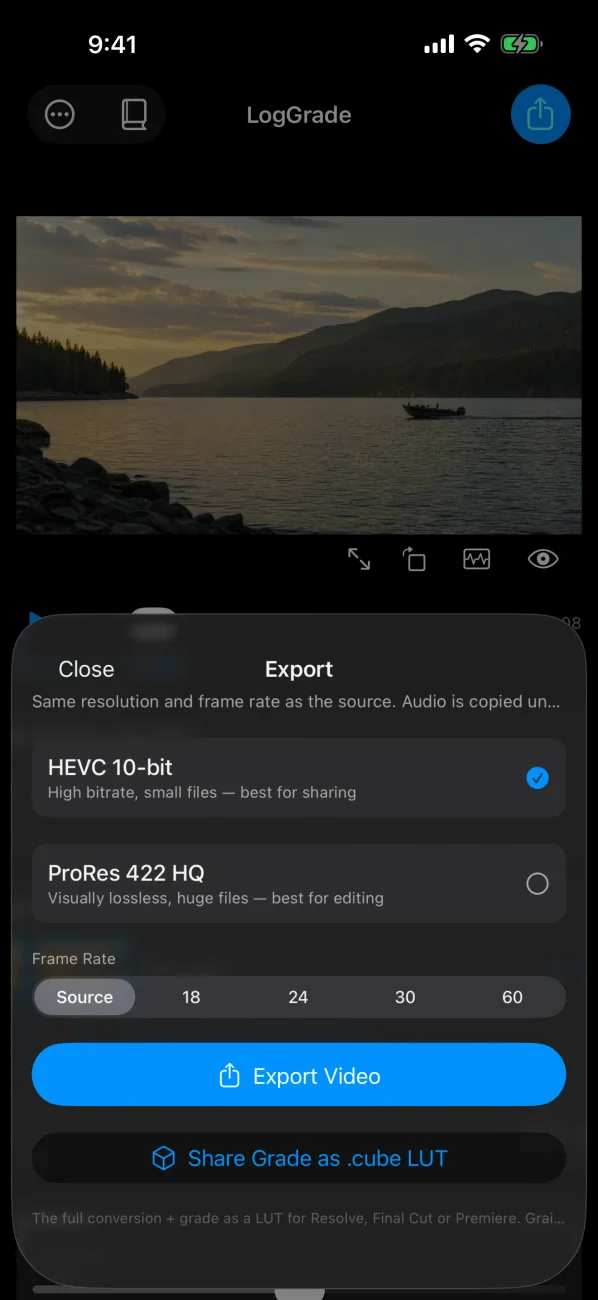
Export source-resolution HEVC 10-bit or ProRes 422 HQ with audio preserved. Keep the source frame rate or retime to 18, 24, 30, or 60 fps. Batch export up to 25 clips or share the finished grade as a .cube LUT.
PRIVATE BY DESIGN
Your videos and grades stay on your device. LogGrade has no accounts, advertising, analytics, or tracking.
Novedades
Versión 1.6 · 14/9/2026
• Slow motion: conform 60, 120, or 240 fps footage to a 24, 30, or 60 fps timeline, keeping every captured frame
• Two built-in looks, Addison and Hudson, ready to use without importing anything
• Full-screen editing now reaches every adjustment — color, HSL, film, and audio — by swiping between them
• Aspect ratio presets no longer require the Instagram Story canvas
• Tap any slider's value to type an exact number
• Playback pauses when you touch a control, so the first tap always lands
• More accurate film emulsion rendering, with true blacks and a smooth blend from neutral to full strength
• The screen stays awake for the whole export
• Clearer reporting when a LUT or preset fails to import, and saved recipes can keep your current camera profile
• Fixed an export failure affecting some DJI and large action-camera clips
Film emulsion rendering is more accurate in this version, so saved grades that use it may look slightly different.
Privacidad de la aplicación
Lo que Jack Richmond declara en App Store sobre cómo esta aplicación gestiona los datos.
-
No se recopilan datos
El desarrollador no recopila ningún dato de esta aplicación.
Las prácticas de privacidad pueden variar, por ejemplo, según las funciones que uses o tu edad.
Información
- Vendedor
- Jack Richmond
- Categoría
- Foto y vídeo
- Versión
- 1.6
- Actualizado
- 14/9/2026
- Publicado
- 8/7/2026
- Tamaño
- 6,0 MB
- Requiere
- iOS 17.0 o posterior
- Clasificación por edad
- 4+
- Precio
- Gratis
- Idiomas
- Inglés
- Copyright
- © 2026 Jack Richmond
Quizá también te guste
-
 LogGate LUTLabFoto y vídeo
-
 LogBloom: LUT Video GradingFoto y vídeo
-
 Color Grading: Video LUTsFoto y vídeo
-
 Color Grading - FärgFoto y vídeo
-
 Loot: Video Color GradingFoto y vídeo
-
 Lutter: Color y LUTsFiltros de cine, fotos y vídeo
-
 Luxmio: Batch LUTs & FiltersFoto y vídeo
-
 Editor de Color LUTFiltros de vídeo y foto
-
 Pocket Finish: Color GradingFoto y vídeo
-
 BlackRAW Studio: Editor vídeosColor, BRAW y ProRes RAW