LOLO Cam
RAW photo & Log video camera
Diseñada para iPhone
Gratis · Compras en la aplicación
- Clasificación por edad4+
- CategoríaFoto y vídeo
- DesarrolladorLeroy Filon
- IdiomasInglés
- Tamaño49,9 MB
Enlaza a la página oficial de App Store
Download.org no aloja ningún archivo de LOLO Cam. El botón abre la página de la aplicación en App Store, donde la publica Leroy Filon. Ficha comprobada por última vez el 30/11/2026.
Capturas de pantalla



Acerca de
El desarrollador no ha proporcionado este texto en tu idioma.
LOLO is a RAW photo and Log video camera for iPhone, with film built in.
Shoot RAW stills or flat Apple Log video, load a film, and develop your shots the way a lab would. Everything stays RAW, so you can change your mind later.
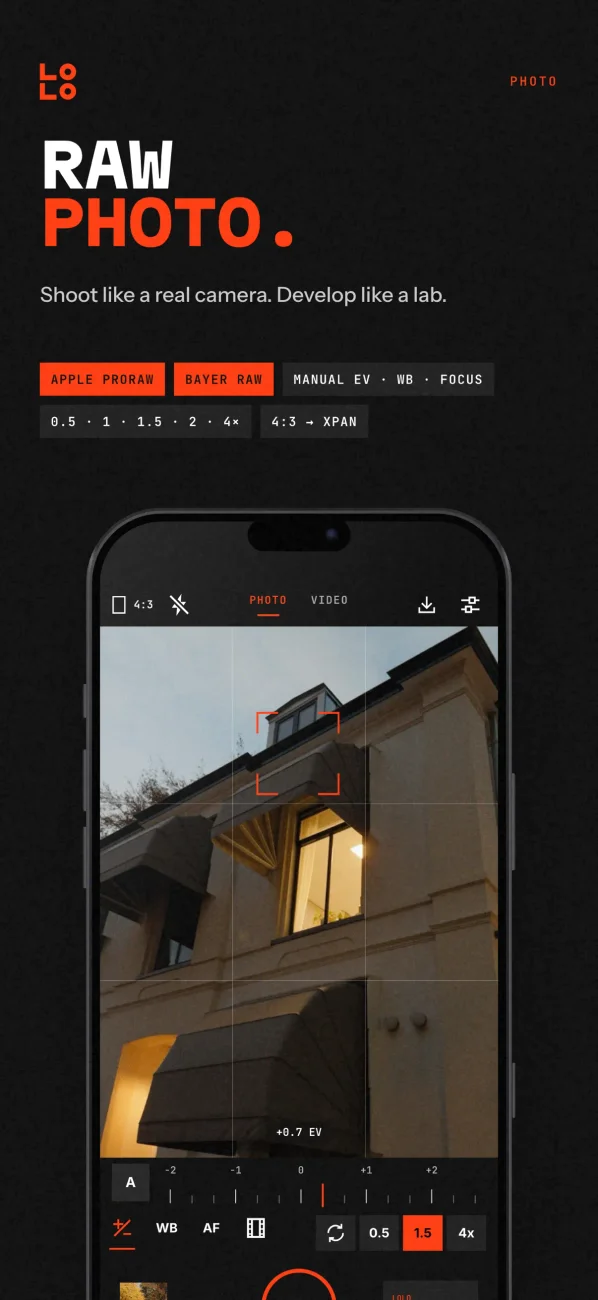
RAW PHOTO
• Apple ProRAW on iPhone Pro, Bayer RAW straight off the sensor on every iPhone
• Manual exposure, white balance and focus on precise rulers
• 0.5×, 1× and 4× lenses, plus 1.5 and 2× from the center of the 48 MP sensor, and the front camera
• Frame in 4:3, 3:2, 1:1, 16:9 or panoramic XPAN
• Use the volume buttons as a shutter
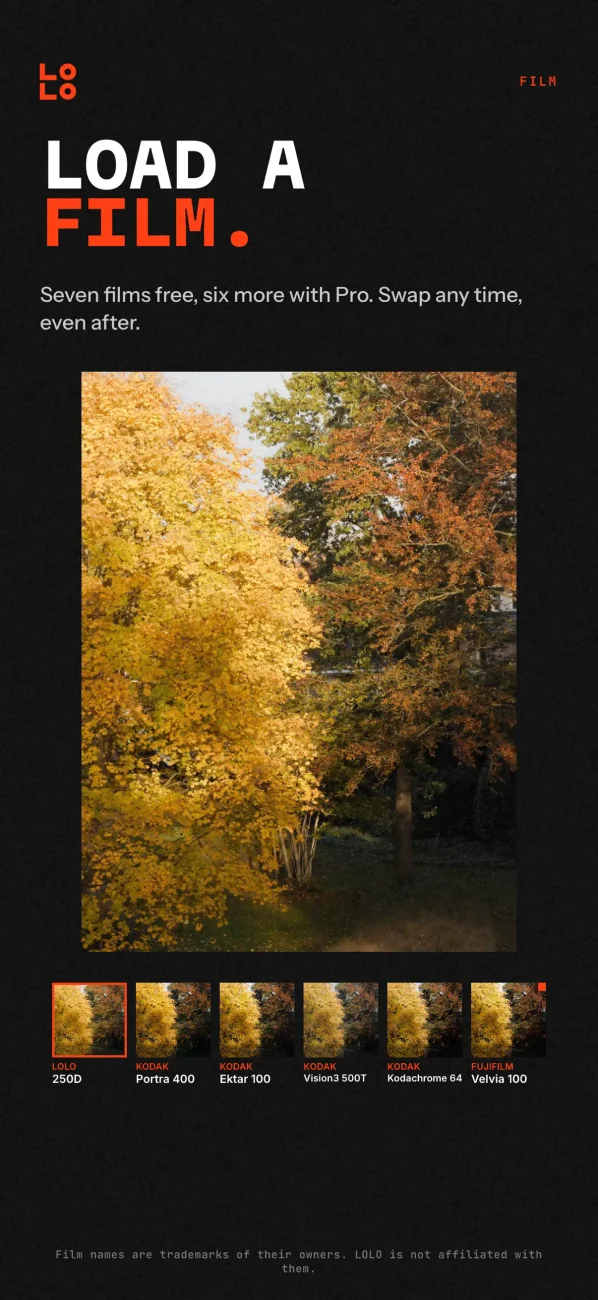
LOAD A FILM
• Seven classic film stocks plus LOLO 250D, our own daylight look
• Physically based colour, grain and halation, built from manufacturers' datasheets
• See the film live in the viewfinder, or shoot clean and choose later
• Set how strong the film is, per preset
RAW EDITOR
• Re-develop any shot at any time: film, strength, exposure, shadows, highlights, colour, halation, grain, denoise and crop
• Colour or neutral grain, with a default per film
• Save your own presets, copy settings and paste them onto a whole roll
• Export to Photos as HEIC, with date and location, one by one or all at once
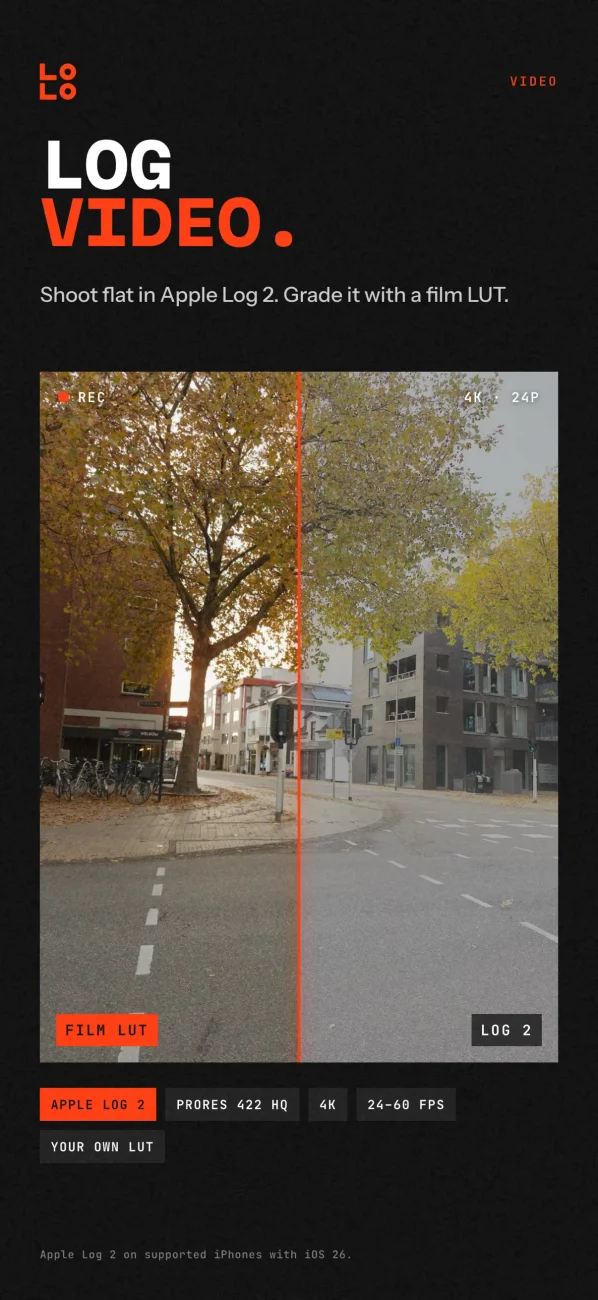
LOG VIDEO
• Apple Log and Apple Log 2 for maximum room in the grade
• ProRes 422 HQ, 422, LT and Proxy, or HEVC and H.264
• Up to 4K at 24, 25, 30, 48 or 60 fps
• Shutter angle, ISO, Kelvin and focus, like a cinema camera
• Exposure lock: tap where to meter, and it stays put while you record
• Film looks for Log, or your own .cube LUTs: monitor through them, bake them in, or keep clean Log
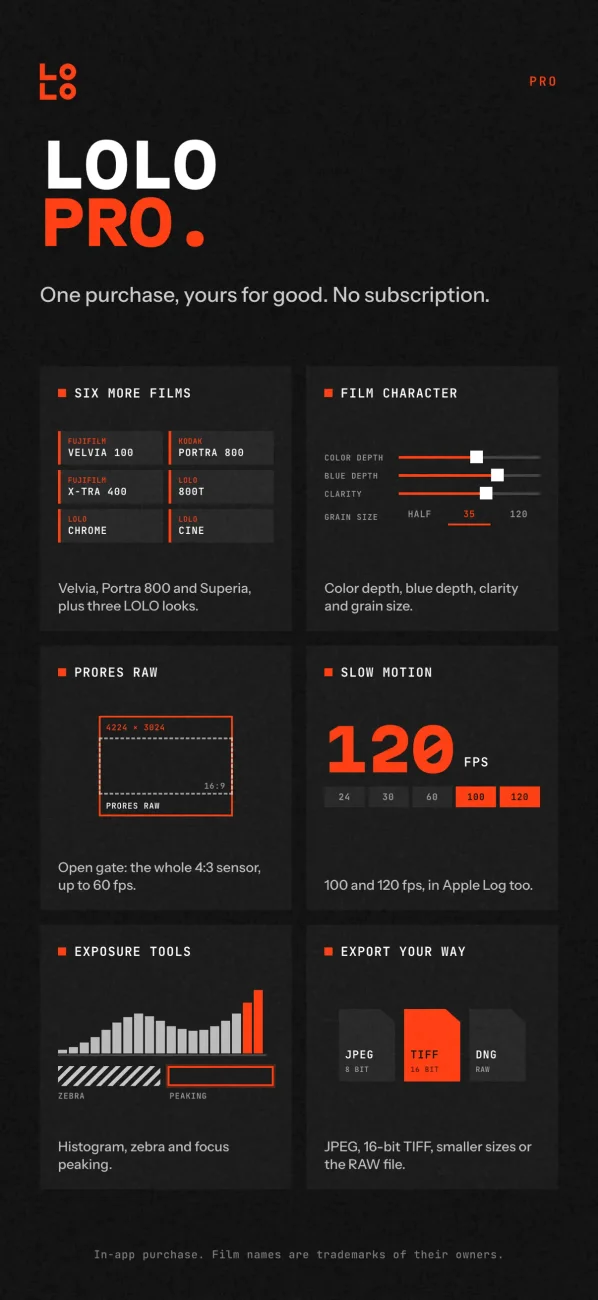
LOLO PRO
One purchase, yours for good. No subscription.
• Six more films: Velvia 100, Portra 800, Superia X-TRA 400, LOLO 800T, LOLO Chrome and LOLO Cine
• Film character: colour depth, blue depth, clarity and grain size
• ProRes RAW in open gate, up to 60 fps
• Slow motion at 100 and 120 fps, in Apple Log too
• Histogram, zebra and focus peaking
• Export as JPEG, 16-bit TIFF, smaller sizes or the RAW file itself
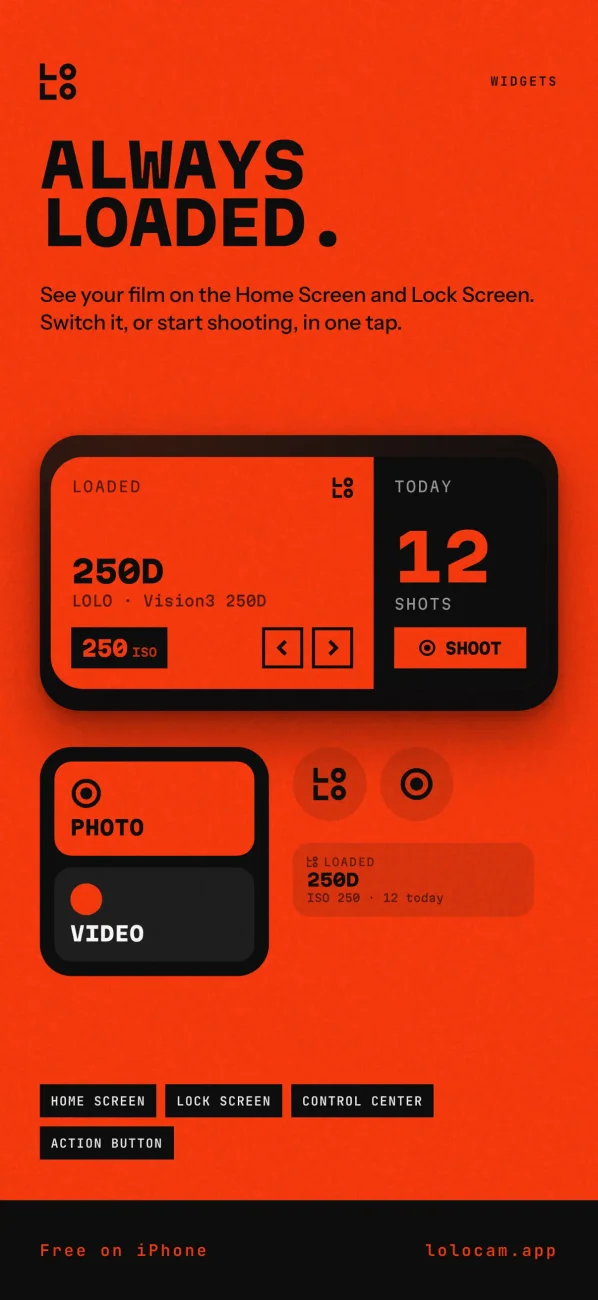
ALWAYS LOADED
• Home Screen widget that shows your film and today's shots, and switches films with a tap
• Quick Launch straight into photo or video
• Lock Screen, Control Center and Action button
PRIVATE BY DESIGN
No account, no ads, no tracking. LOLO collects no data and makes no network connections of its own. Your photos stay on your iPhone.
FREE TO DOWNLOAD
Everything outside LOLO Pro is free. If you like LOLO, leave a tip and unlock extra app icons.
Apple Log 2 requires iOS 26 on a supported iPhone. Apple ProRAW and ProRes RAW require an iPhone Pro; available formats depend on your iPhone.
Film data based on spektrafilm by Andrea Volpato (CC BY-SA 4.0).
Novedades
Versión 1.3 · 28/11/2026
LOLO 1.3 lets you grade your Log clips on the phone, adds two film looks, and makes the whole app faster.
GRADE YOUR CLIPS
• Open a Log clip in Clips and tap Grade. Pick a look and fine-tune it while the clip plays: exposure, contrast, highlights, shadows, white balance, tint and colour.
• Film controls: format (8, 16, 35 or 65 mm), halation, anamorphic, grain, grain size and detail.
• Pinch to zoom in and see the grain as it will export. Turn your phone sideways to grade full screen.
• Your clip stays untouched. The grade is saved with it, with undo and redo, and you can reset it any time. Hold the playing clip to see it ungraded.
• Save a grade as your own look. In Clips, hold a clip to copy its grade and paste it on other clips.
• Export a graded clip to Photos.
NEW LOOKS
• Betty: soft pastels and gentle highlights. It takes the place of The Wrestler.
• 70s: warm, with cream highlights, olive greens and lifted blacks.
• Both come as a film look with grain and halation, and as a plain LUT for Apple Log, Apple Log 2 and Rec.709.
FILM LOOKS IN THE CLIP
• A film look is now written into the clip while you film, in 1080p up to 60 fps and in 4K at 24 and 25 fps. Heavier formats are developed right after the take.
• In Clips, select several Log clips and apply a look to all of them.
• The viewfinder shows what you are recording: BAKED, LOG or RAW.
FASTER
• Film presets in the photo editor load about four times faster, and exposure edits apply in half the time.
• Film looks in video use half the memory.
• Clips opens faster: thumbnails are kept between sessions.
ALSO
• A layout that fits smaller iPhones.
• Exposure compensation works with AE-L on.
• Fixed: tapping a clip sometimes opened the one next to it.
Privacidad de la aplicación
Lo que Leroy Filon declara en App Store sobre cómo esta aplicación gestiona los datos.
-
No se recopilan datos
El desarrollador no recopila ningún dato de esta aplicación.
Las prácticas de privacidad pueden variar, por ejemplo, según las funciones que uses o tu edad.
Información
- Vendedor
- Leroy Filon
- Categoría
- Foto y vídeo
- Versión
- 1.3
- Actualizado
- 28/11/2026
- Publicado
- 6/11/2026
- Tamaño
- 49,9 MB
- Requiere
- iOS 17.0 o posterior
- Clasificación por edad
- 4+
- Precio
- Gratis
- Compras en la aplicación
- Sí
- Idiomas
- Inglés
- Copyright
- © 2026 LOLO