
Look: Virtual tours
360° Panorama Tour Creator
Diseñada para iPhone, iPad
Gratis · Compras en la aplicación
- Clasificación por edad4+
- CategoríaFoto y vídeo
- DesarrolladorSergei Vasilev
- IdiomasInglés+ 1 más
- Tamaño16,8 MB
Enlaza a la página oficial de App Store
Download.org no aloja ningún archivo de Look: Virtual tours. El botón abre la página de la aplicación en App Store, donde la publica Sergei Vasilev. Ficha comprobada por última vez el 16/11/2026.
Capturas de pantalla

Acerca de
El desarrollador no ha proporcionado este texto en tu idioma.
Capture an entire property — every floor, every room — as one interactive 360° walkthrough and share it with a single iCloud link. It opens in the Look app.
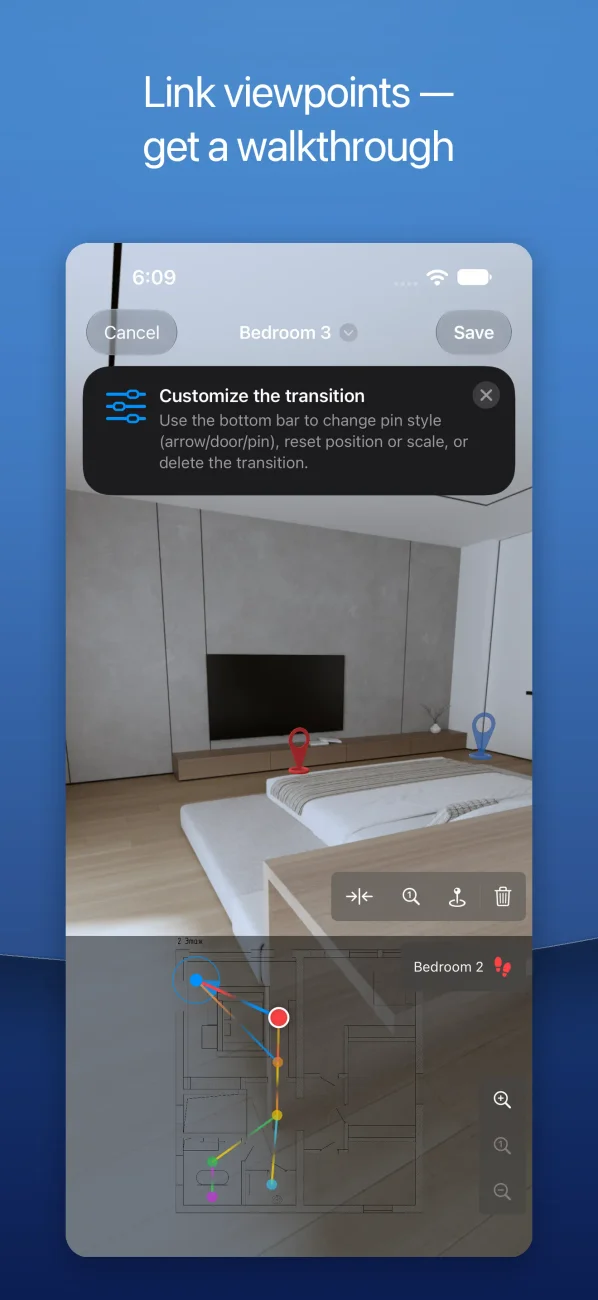
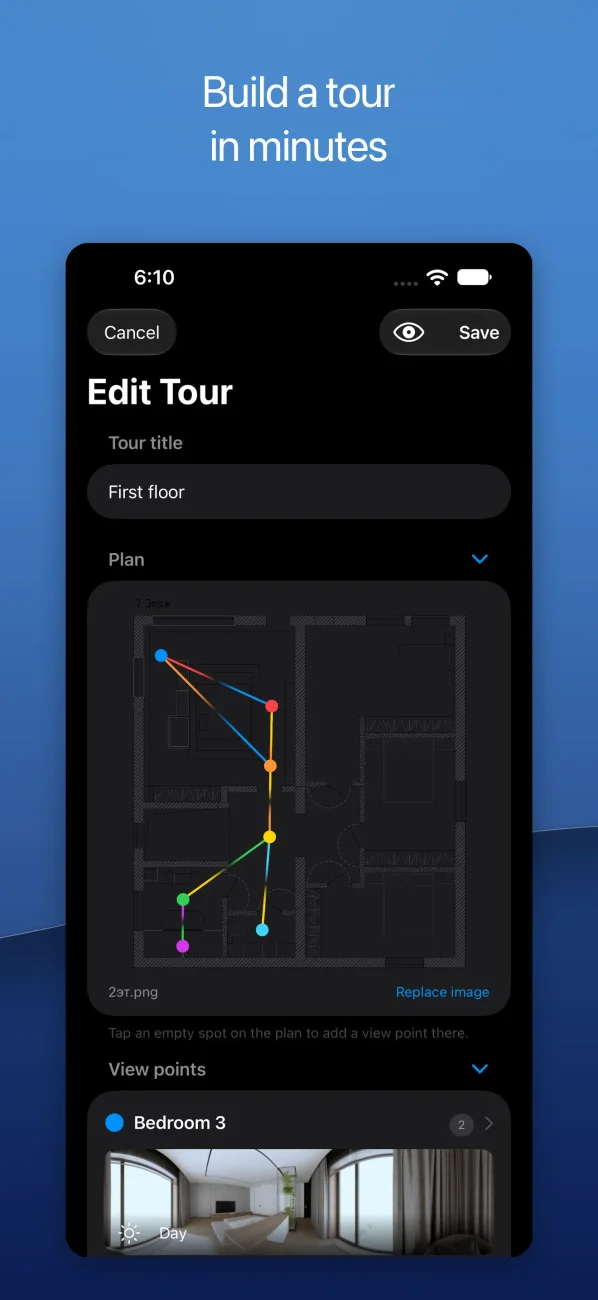
Look is built for interior designers. It turns finished 360° panoramas into a virtual tour with a floor plan, shooting points and transitions — the whole editor is right in the app. No desktop software, no web builder.
BUILDING A TOUR
• Add a floor plan and place shooting points with a tap.
• Import panoramas from Photos or Files — all at once, then assign them to points.
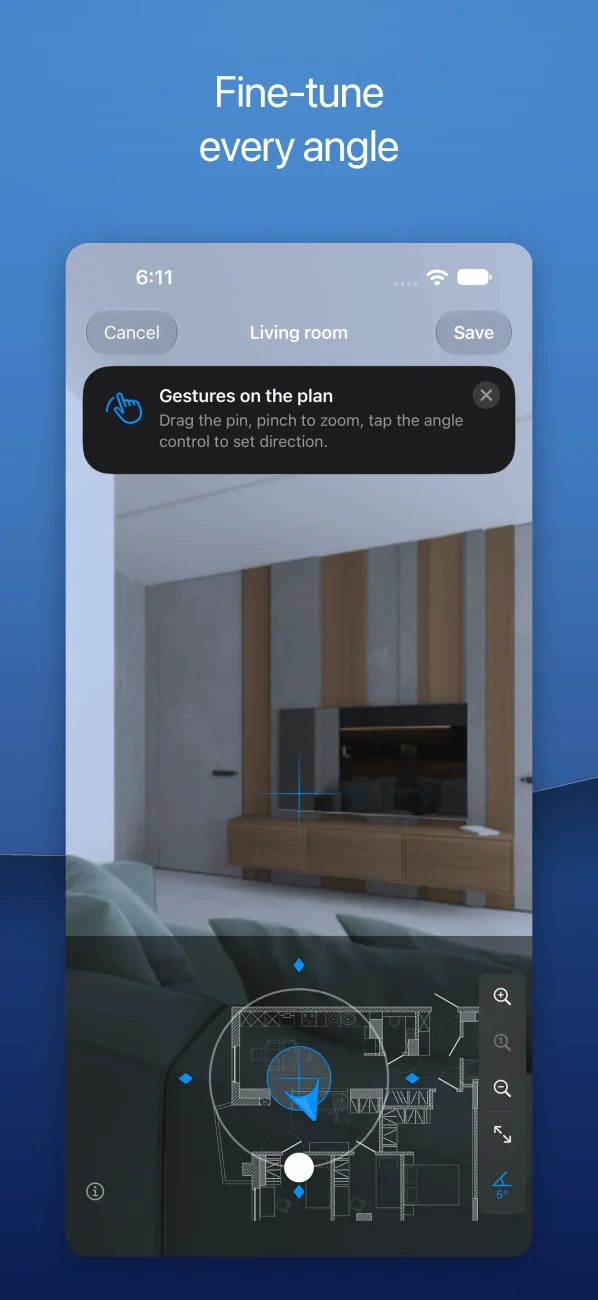
• Set the viewing direction for every point.
• Mark up the shot right inside the panorama: transitions between points, variant switches and comments go exactly where your finger puts them.
SCENE VARIANTS
Shoot one point in several states — day and night, before and after, parquet or tile, furnished or empty. Define the tour's parameters (ready-made templates: Lighting, Time of day, Flooring, Furniture — or your own) and the viewer flips between them right inside the panorama.
PROJECTS
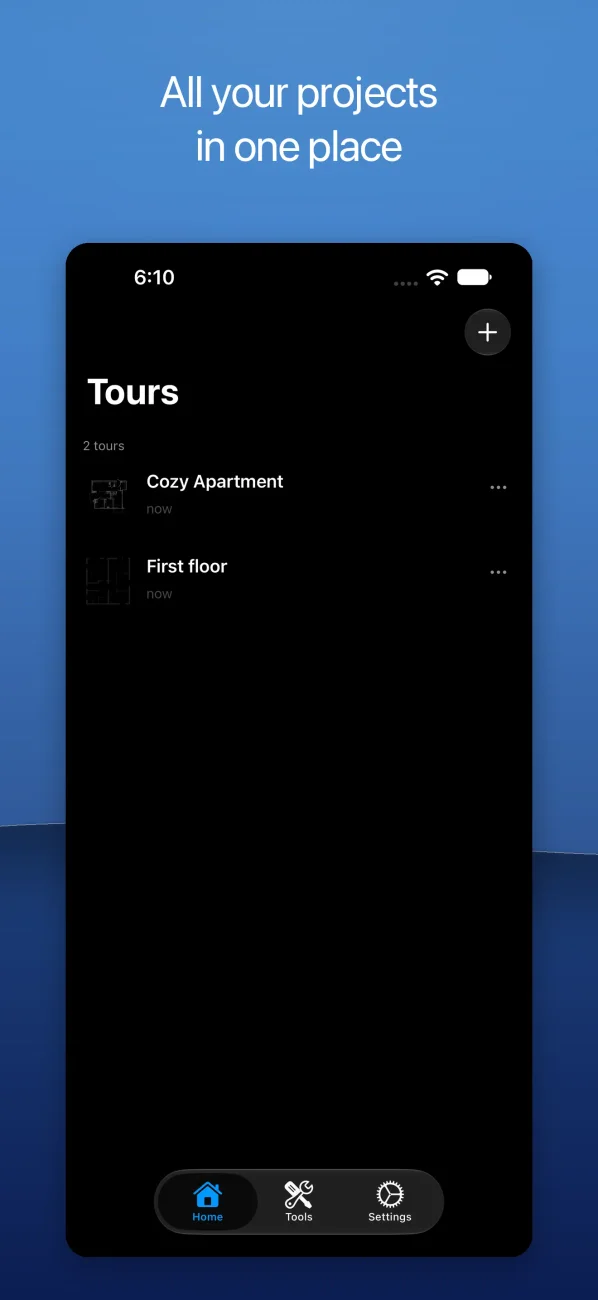
Combine several tours — floors of a house, separate buildings, connected rooms — into one Project with transitions between them inside the 3D walkthrough. One link covers the whole property.
VIEWING
• Full immersion: turn the device and the panorama follows (can be switched off).
• Floor-plan navigation: tap a point to jump to that room.
• 3D transitions: arrows in the frame lead from room to room.
• Viewing is free and unlimited — for you and for everyone you share a tour with.
SHARING A TOUR
• An iCloud link to a tour or Project: open to anyone who has it, or to invited people only. Revoke access with one tap.
• A .lookapp file — send it by messenger or email; it opens in Look without iCloud.
• To view it, the recipient needs the Look app — it is free.
YOUR DATA STAYS IN YOUR iCLOUD
Panoramas and plans are stored on the device and in your own iCloud (using your iCloud storage): synced between your devices, available offline once downloaded. There are no third-party servers — Look does not keep your work anywhere else.
FREE AND LOOK PRO
Free: up to 2 tours of your own, up to 2 transitions per tour, 1 panorama per point, one variant switch and one comment per point, up to 2 tours per Project. Viewing, importing and sharing are unlimited.
Look Pro removes these limits: unlimited tours, transitions, panoramas per point, markup elements and floors per Project. Monthly or yearly plans; the monthly plan starts with a 7-day free trial. The subscription renews automatically and can be cancelled at any time in your Apple ID settings.
Terms of Use: https://www.apple.com/legal/internet-services/itunes/dev/stdeula/
Privacy Policy: https://look.svasilev.com/privacy/
Novedades
Versión 3.4.0 · 21/10/2026
Show the property as if the viewer were already inside.
• Scene variants in Look Pro. Shoot a point by day and by evening, before and after renovation, furnished and empty — define the tour's parameters, and the viewer switches them right inside the panorama, for free.
• In-frame markup. Transitions between points, variant switches and comments are placed with a finger right in the panorama — exactly where they belong.
• A shooting point on the plan is now created with a single tap.
• A new Project can be started from the Tools tab — even before you have any tours.
For the recipient nothing changes: they open the link or file in the free Look app and walk the property as many times as they like.
Privacidad de la aplicación
Lo que Sergei Vasilev declara en App Store sobre cómo esta aplicación gestiona los datos.
-
No se recopilan datos
El desarrollador no recopila ningún dato de esta aplicación.
Las prácticas de privacidad pueden variar, por ejemplo, según las funciones que uses o tu edad.
Información
- Vendedor
- Sergei Vasilev
- Categoría
- Foto y vídeo
- Versión
- 3.4.0
- Actualizado
- 21/10/2026
- Publicado
- 2/10/2023
- Tamaño
- 16,8 MB
- Requiere
- iOS 17.0 o posterior
- Clasificación por edad
- 4+
- Precio
- Gratis
- Compras en la aplicación
- Sí
- Idiomas
- Inglés, Ruso
- Copyright
- © Sergei Vasilev
Quizá también te guste
-
 TridiarFoto y vídeo
-
 Homescope: 360° Virtual ToursFoto y vídeo
-
 CloudPano Virtual Tour CreatorFoto y vídeo
-
 Garden Gnome Package ViewerFoto y vídeo
-
 Travvir: Panorama & 360 CameraFoto y vídeo
-
 Teleport: 360° Virtual TourFoto y vídeo
-
 Sphere - 3D Real Estate ToursFoto y vídeo
-
 VirtualVisit MobileFoto y vídeo
-
 GoThru 360 Virtual Tour MakerFoto y vídeo
-
 RICOH360 ToursFoto y vídeo