- Clasificación por edad4+
- CategoríaEducación
- DesarrolladorByteFrame LLC
- IdiomasInglés
- Tamaño14,1 MB
Enlaza a la página oficial de App Store
Download.org no aloja ningún archivo de LoopoMini. El botón abre la página de la aplicación en App Store, donde la publica ByteFrame LLC. Ficha comprobada por última vez el 22/11/2026.
Capturas de pantalla
Acerca de
El desarrollador no ha proporcionado este texto en tu idioma.
LoopoMini turns your child's daily routine into a beautiful, color-coded clock they can actually understand.
Instead of telling your child "we leave in 10 minutes" — they can see exactly where they are in the day, what's coming next, and how much time is left. Less negotiating. More calm.
WHY PARENTS LOVE LOOPOMINI
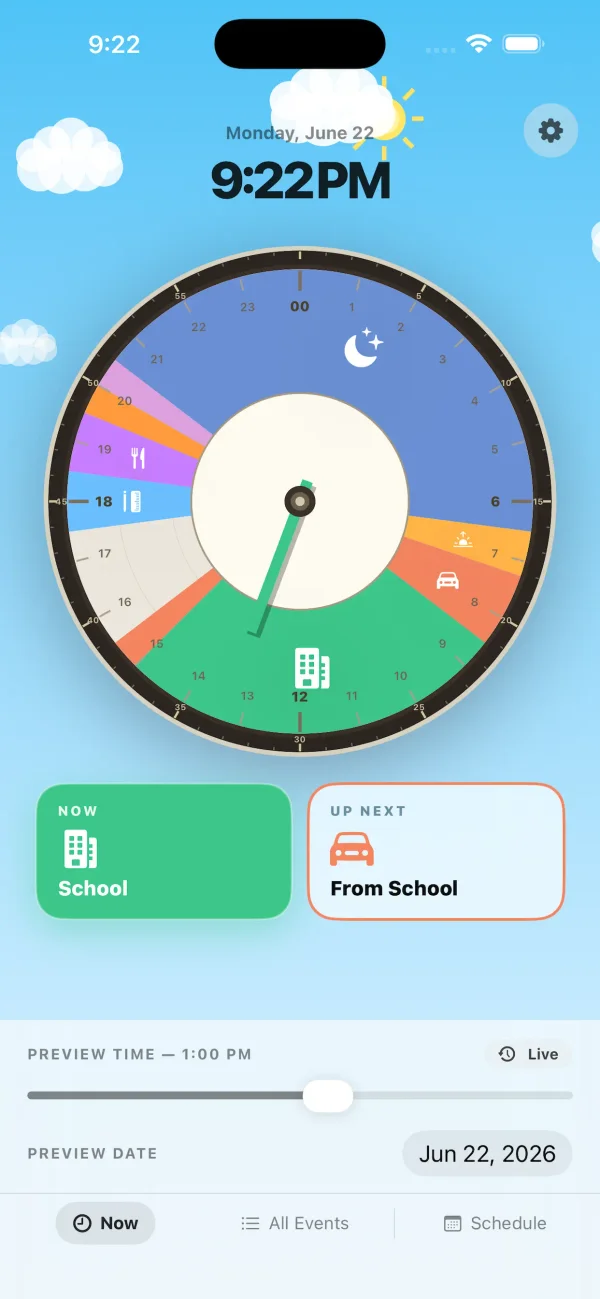
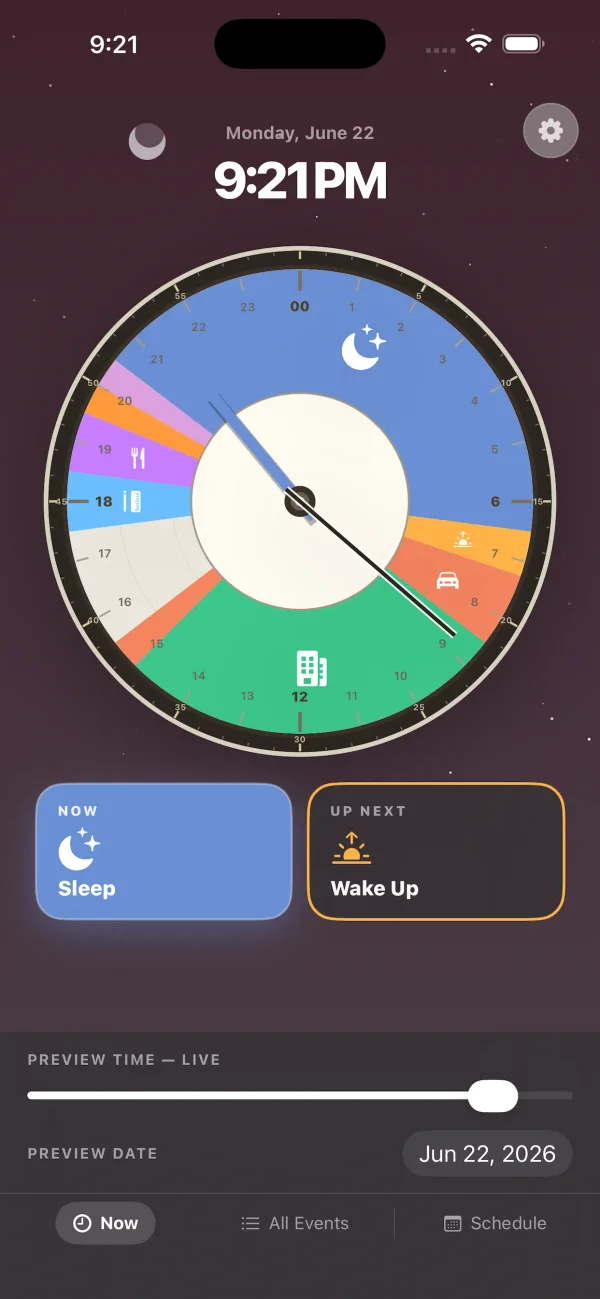
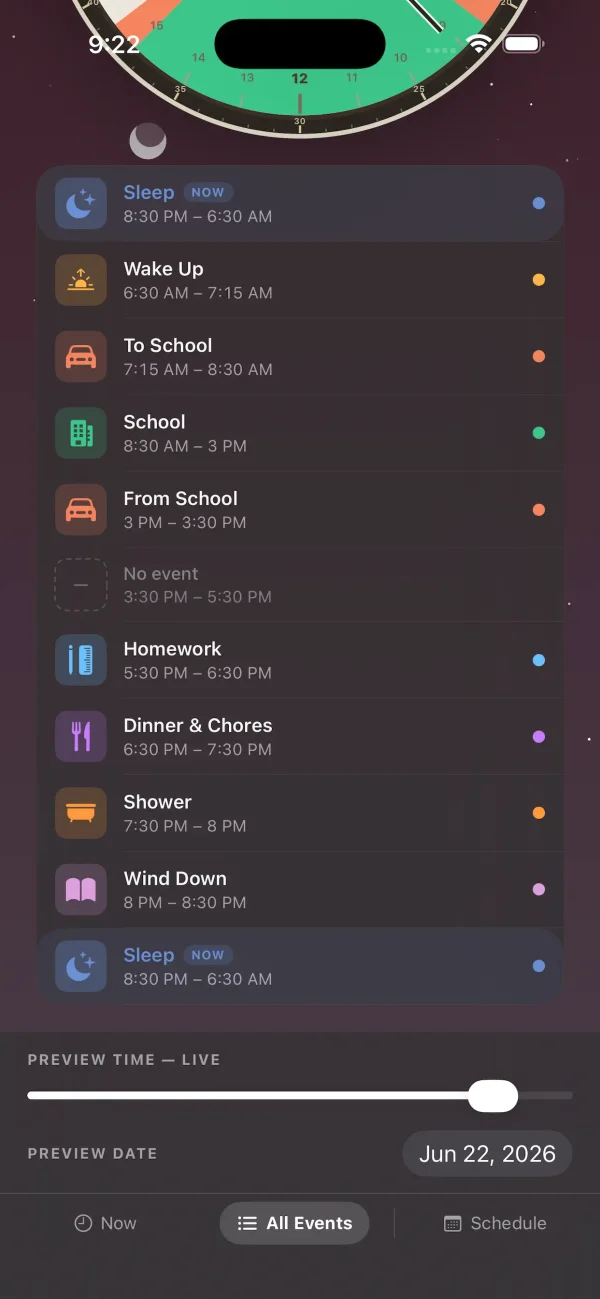
Visual clock face — color-coded segments for each activity make the schedule easy to read at a glance, even for pre-readers
Now & Up Next — always shows the current activity and what's coming right after, so kids always know where they are in the day
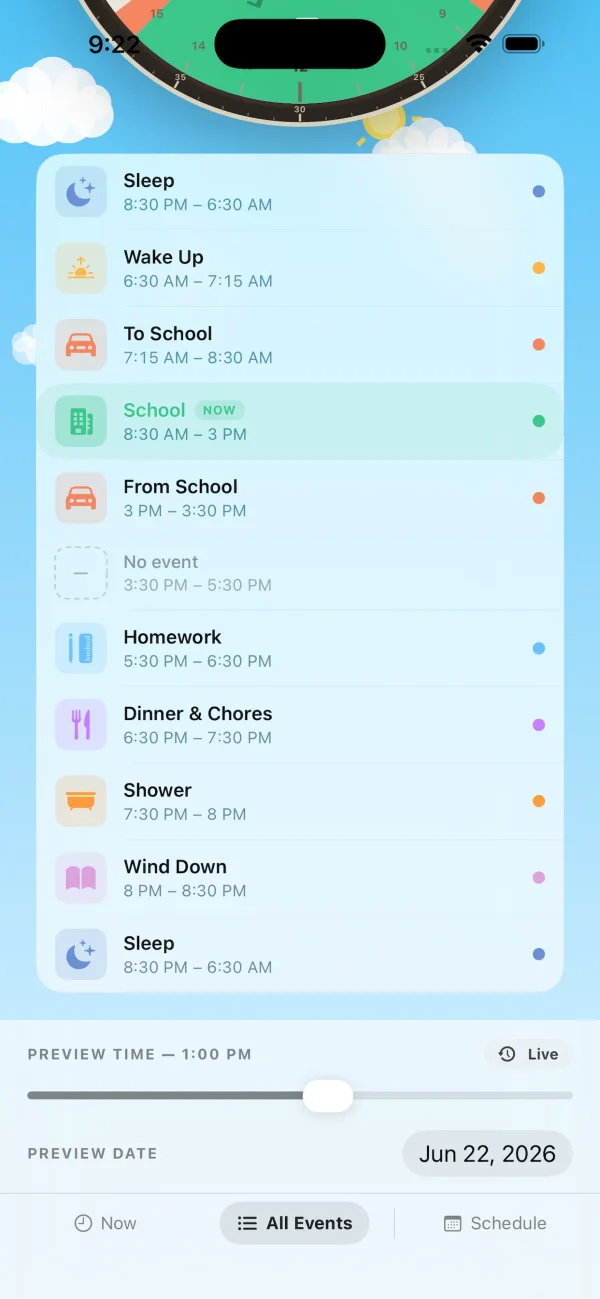
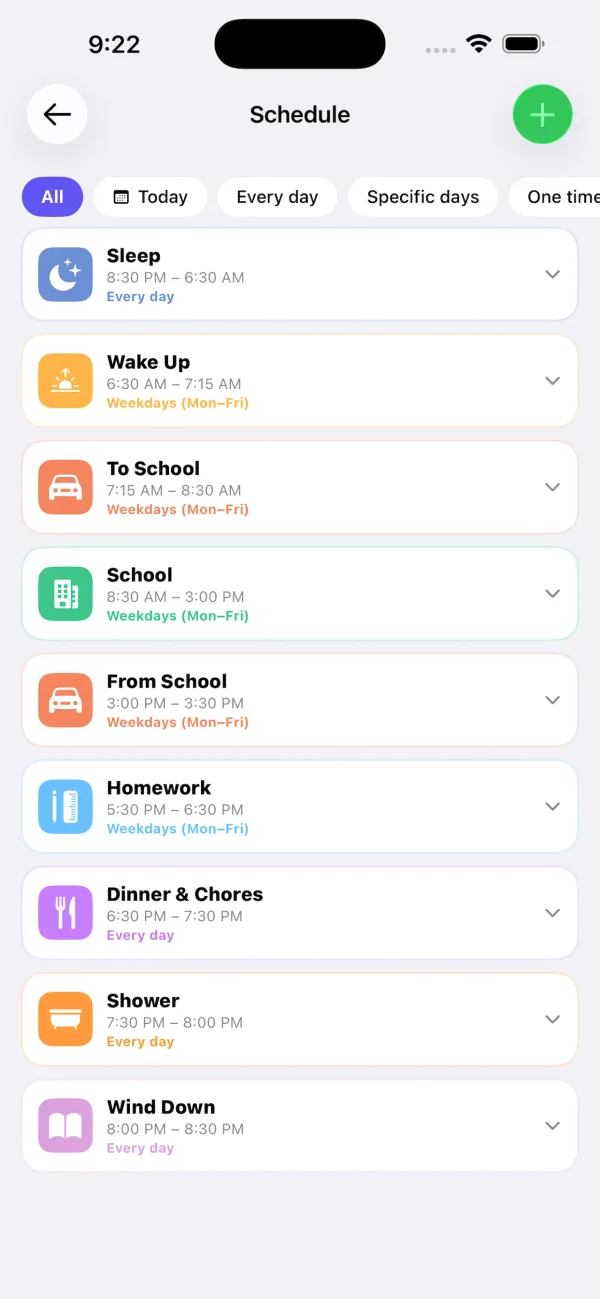
Full day timeline — a scrollable list of every activity with gaps clearly marked, so nothing feels like a surprise
Day to night sky — the background shifts naturally from dawn to dusk to night, helping kids feel the rhythm of the day
Gentle chimes — soft sounds mark transitions between activities (can be turned off)
PIN lock — let kids view the schedule but not edit it
Syncs across your devices — your schedule is automatically backed up and synced via iCloud, so it's always up to date on every device
WORKS FOR EVERY FAMILY
Set different schedules for weekdays and weekends. Add one-time events for special days. Works on iPhone and iPad in portrait and landscape — the clock scales beautifully to any screen size.
No ads. No accounts. No personal data collected. Your schedule syncs privately across your own devices via iCloud — just a calm, clear routine your child can follow anywhere.
Novedades
Versión 2.0 · 29/7/2026
LoopoMini is now faster, smarter, and much easier to set up — this is the biggest update since launch.
Home Screen Widget
See your child's current and next activity right from the Home Screen, no need to open the app.
Schedule Wizard
New to Loopo? The setup wizard asks a few quick questions and builds a full daily schedule in seconds.
School Holidays
Parents can now mark days off — holidays, sick days, teacher training days — directly from LoopoClock. LoopoMini automatically hides school events on those days.
Improved Pairing
Connecting to a parent's LoopoClock is now more reliable, with a cleaner flow and automatic conflict resolution if schedules differ between devices.
Contact Support
Need help? Reach us directly from inside the app via Settings → Contact Support.
Plus a refreshed app icon, smoother animations, and a new welcome screen for first-time users.
Privacidad de la aplicación
Lo que ByteFrame LLC declara en App Store sobre cómo esta aplicación gestiona los datos.
-
No se recopilan datos
El desarrollador no recopila ningún dato de esta aplicación.
Las prácticas de privacidad pueden variar, por ejemplo, según las funciones que uses o tu edad.
Información
- Vendedor
- ByteFrame LLC
- Categoría
- Educación
- Versión
- 2.0
- Actualizado
- 29/7/2026
- Publicado
- 26/6/2026
- Tamaño
- 14,1 MB
- Requiere
- iOS 17.6 o posterior
- Clasificación por edad
- 4+
- Precio
- Gratis
- Idiomas
- Inglés
- Copyright
- © 2026 LoopOClock
Quizá también te guste
-
 Klokko: Aprender la horaJuego de reloj para niños
-
 Homeschool LedgerEducación
-
 Kidology - Parenting CoachEducación
-
 EarmarkEducación
-
 Horario de Clases y DeberesOrganizador de Estudio Escolar
-
 OLE VALMIS!Educación
-
 Phonogram SoundsEducación
-
 Monster Math 2: Super JuegosPráctica para los grados K-5
-
 ASL Otty: Aprende Rápido ALSLenguaje de Señas Americano
-
 Kodable BasicsProgramación para niños 4-10