MCTap
Learn Morse Code by Touch
Diseñada para iPhone, iPad
Gratis · Compras en la aplicación
- Clasificación por edad4+
- CategoríaEducación
- DesarrolladorSwiftSherpas LLC
- IdiomasInglés
- Tamaño10,8 MB
Enlaza a la página oficial de App Store
Download.org no aloja ningún archivo de MCTap. El botón abre la página de la aplicación en App Store, donde la publica SwiftSherpas LLC. Ficha comprobada por última vez el 18/11/2026.
Capturas de pantalla
Acerca de
El desarrollador no ha proporcionado este texto en tu idioma.
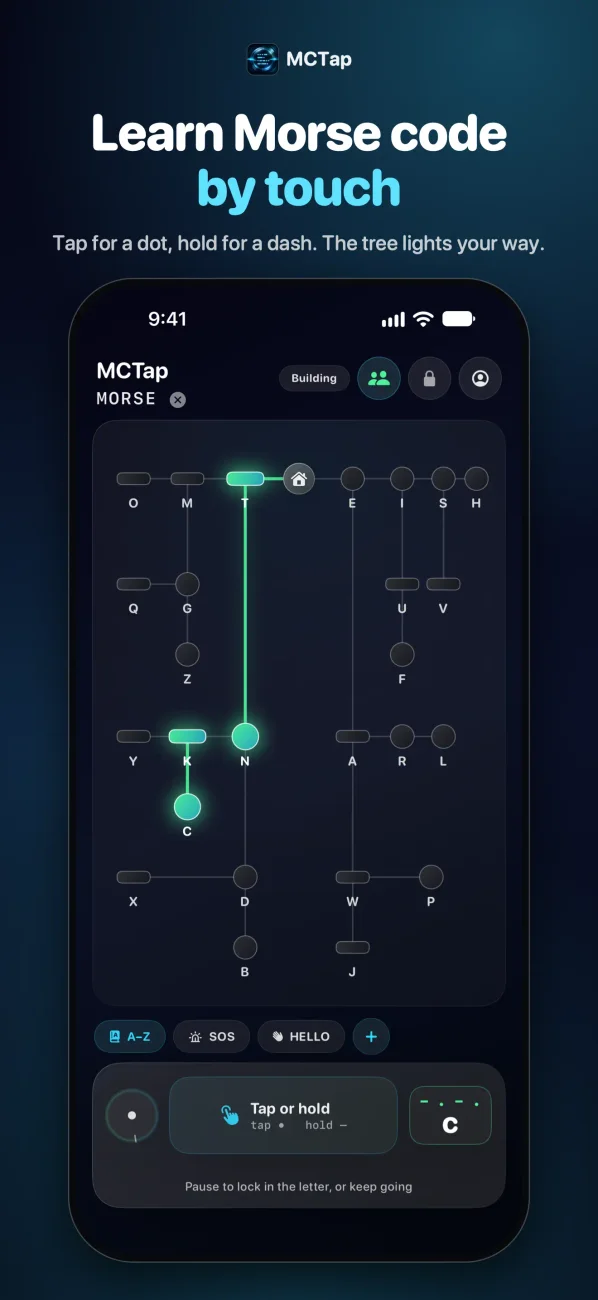
MCTap is the Morse code trainer that teaches through touch and sight, not memorization. Instead of staring at a chart, you trace paths on an animated decision tree that lights up as you key each dot and dash.
NEW: DUO MODE
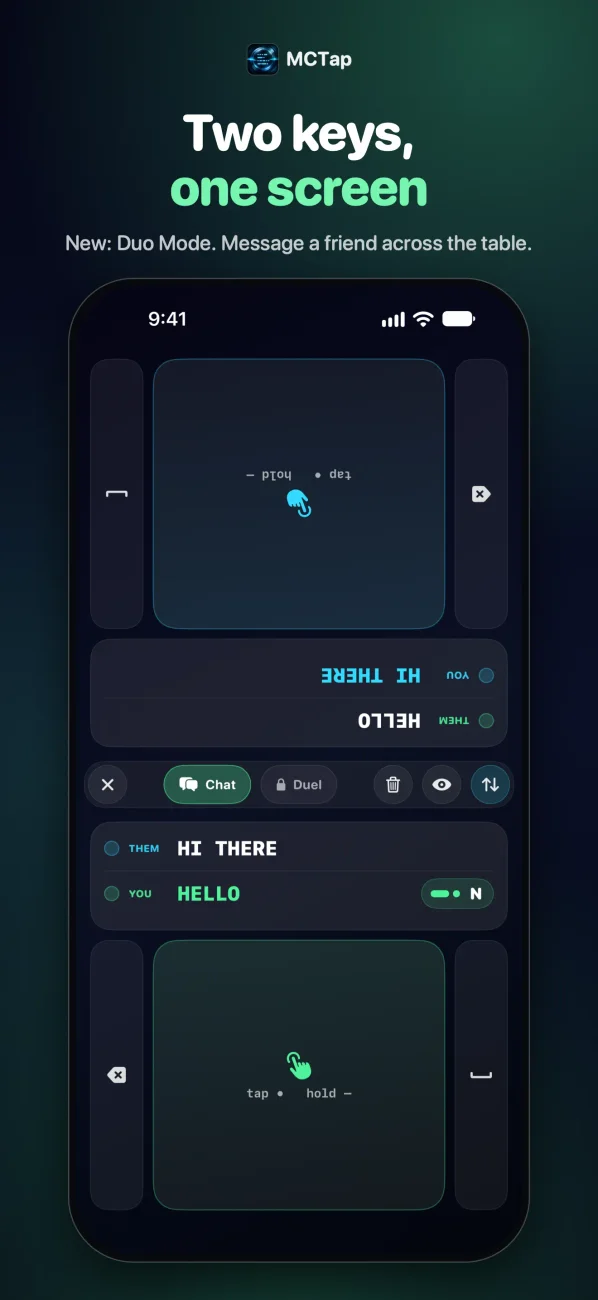
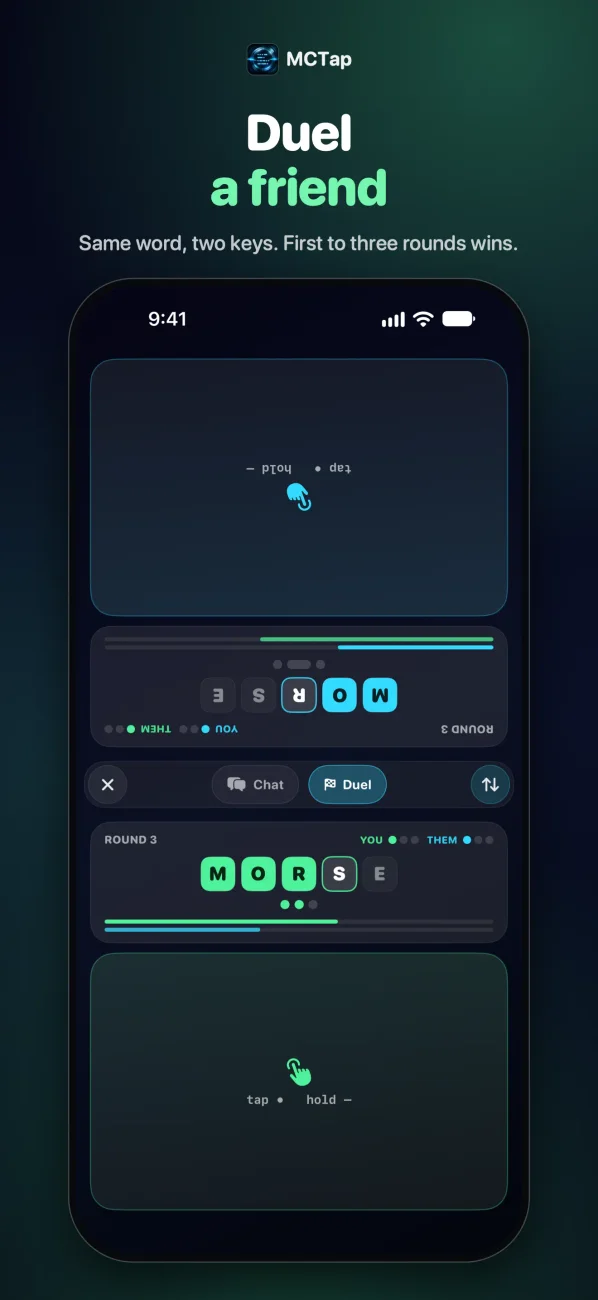
Two Morse keys on one screen. Sit across from a friend, take a side each, and tap messages to each other. Every key has its own tone and its own lamp, so you can read your friend's code by eye and by ear. Hide the letters when you are ready for a challenge.
Duo Mode is made for iPhone Duo. Open it flat between you, or bend it and get a side each, split right at the fold. It works on every iPhone and iPad too.
HOW IT WORKS
Press the key. A quick tap sends a dot. A longer hold sends a dash. As you build each letter, the Morse tree highlights your path. Pause, and the letter locks in to your message. It is intuitive, tactile, and close to real keying.
THE MORSE TREE
The heart of MCTap is a 26-letter tree drawn as an interactive map. Every letter is a node. Every dot or dash is a branch. Watching your path light up makes the structure of Morse code click in a way flashcards never do.
CODE BOOK AND DEMOS
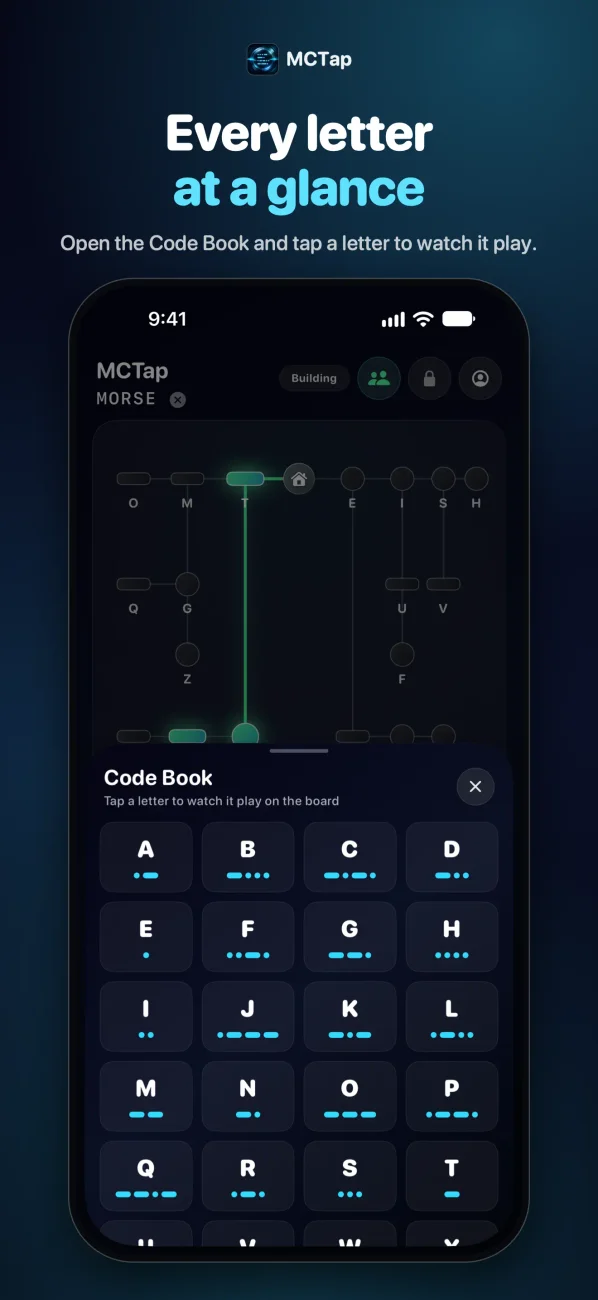
Open the Code Book to see the code for every letter, and tap one to watch it play on the tree. Tap SOS or HELLO to see and hear a whole word, or save up to 10 words of your own.
HERO MODE (PRO)
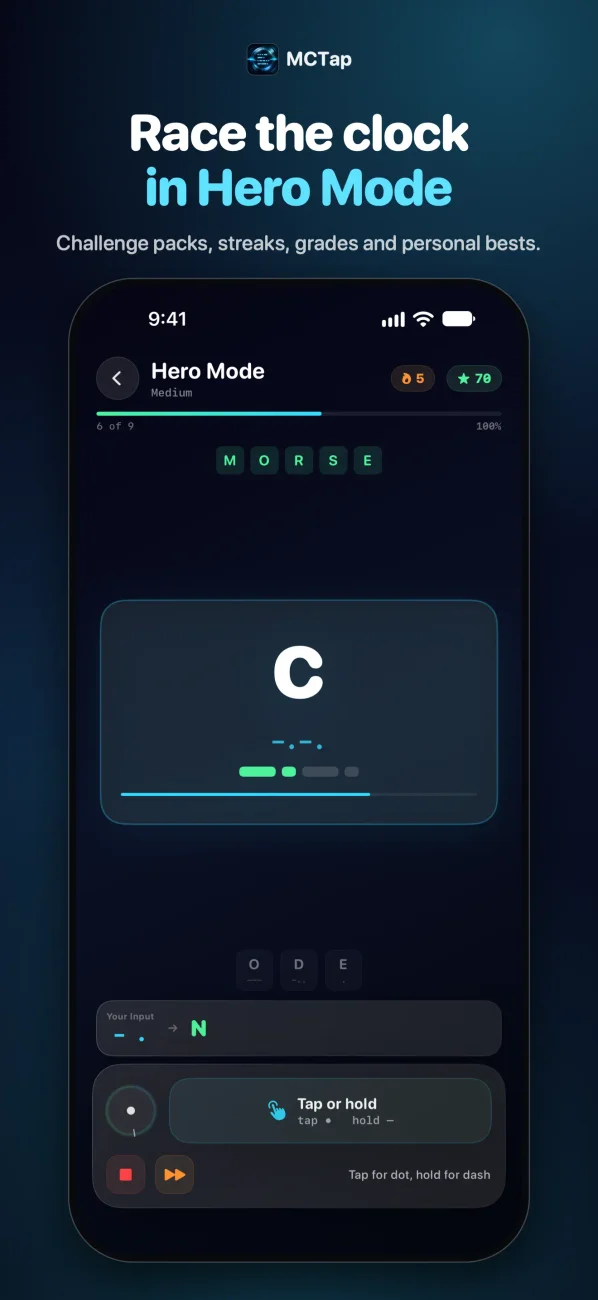
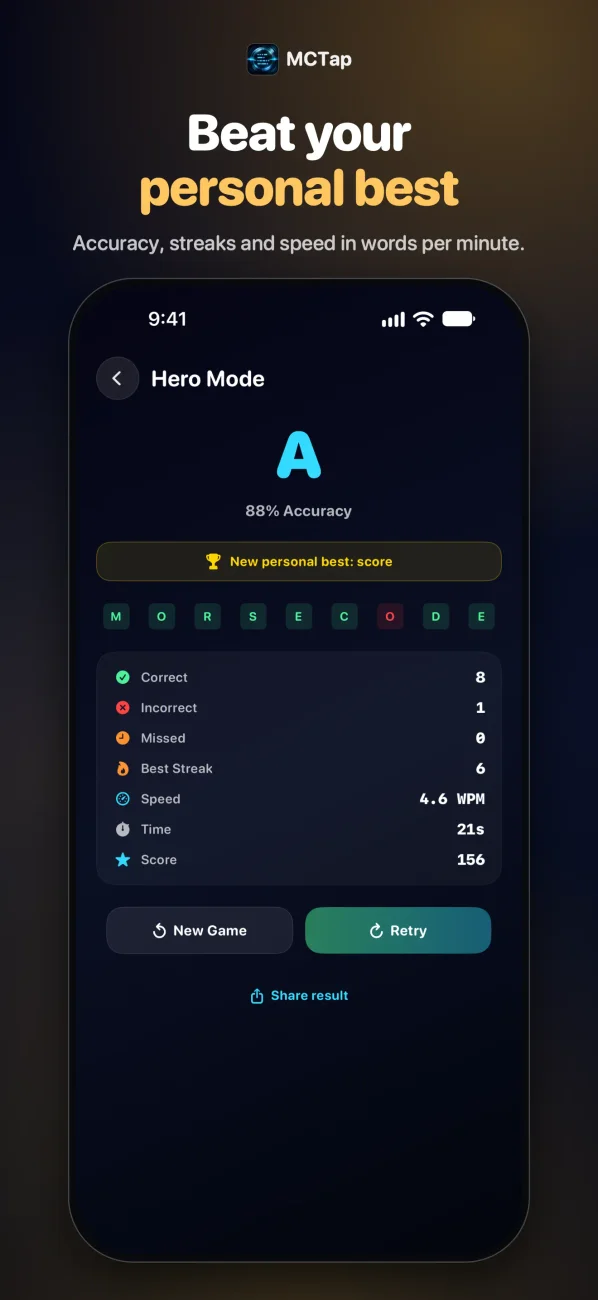
Put your skills to the test. Pick a ready-made challenge pack or type any phrase, choose a difficulty from Beginner to Expert, and key it letter by letter against the clock. Build streaks for bonus points, earn grades from D to S, see your speed in words per minute, and chase your personal bests. Prefer no pressure? Switch the clock off and practice.
DUELS (PRO)
Race a friend in Duo Mode. You both get the same word. First to key it takes the round, and first to three rounds takes the match.
MAKE IT YOURS (PRO)
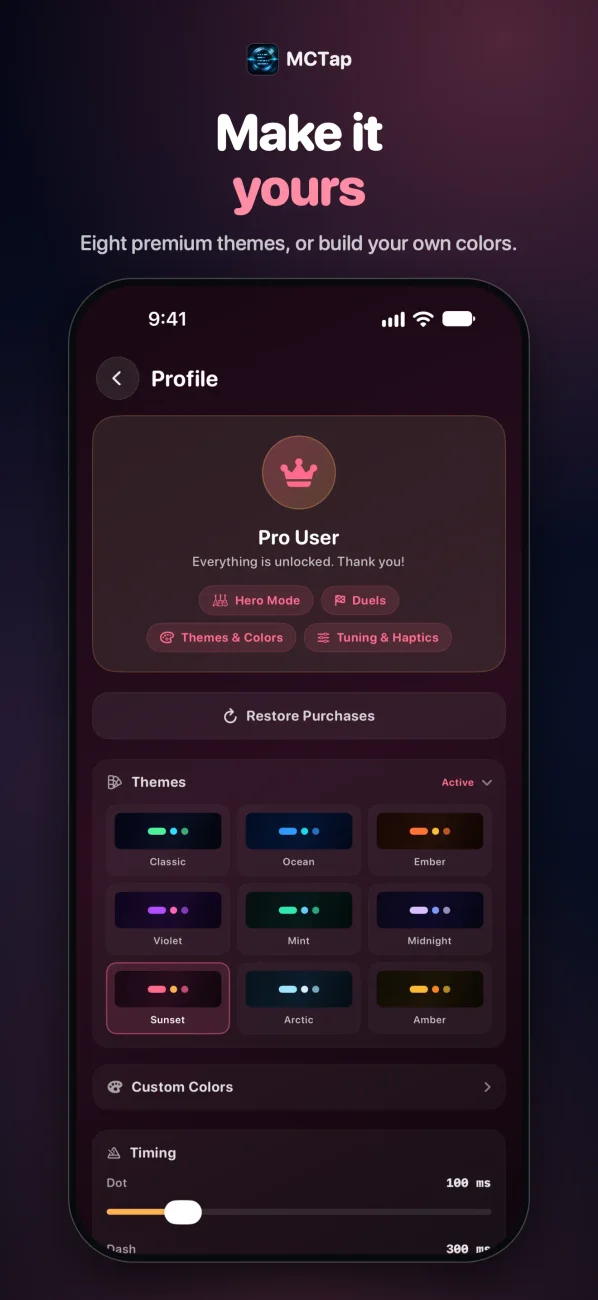
- Eight premium themes, or your own primary, secondary and background colors
- Dot, dash and gap timing (the defaults follow the standard 1:3 ratio at 12 words per minute)
- Tone pitch from 300 to 1200 Hz, and volume
- Haptics: feel every tap, and feel demo words as they play
WHAT'S FREE
The full trainer, the Morse tree, tones, the Code Book, demo playback, saved words and Duo Mode chat are free. No ads. No subscriptions. No account.
MCTAP PRO: ONE-TIME PURCHASE
A single lifetime purchase unlocks Hero Mode, duels, premium themes and custom colors, timing and audio tuning, haptics, and every Pro feature added later.
MCTap works in portrait and landscape on iPhone and iPad, and on both screens of iPhone Duo.
Whether you are a curious beginner, a ham radio enthusiast, or looking for a calm focus exercise, MCTap makes learning Morse code enjoyable.
Novedades
Versión 1.4 · 13/11/2026
Duo Mode is here: two Morse keys on one screen.
- Tap messages back and forth with a friend. Each side has its own key, tone and lamp, and the far side turns to face whoever sits across from you.
- Made for iPhone Duo: open it flat between you, or bend it and get a side each, split at the fold. Works on every iPhone and iPad.
- Duels (Pro): race to key the same word. First to three rounds wins.
Also new:
- Code Book: the code for every letter in one place. Tap a letter to watch it play.
- Hero Mode (Pro): challenge packs, a "get ready" count, personal bests, speed in words per minute, a practice option with no clock, and results you can share.
- Three new themes (Pro): Sunset, Arctic and Amber.
- Haptics (Pro) now play along with demo words.
- Landscape is properly laid out, with the tree beside the key.
- Cleaner tones with no clicks, a bigger key, a brighter tree and better VoiceOver labels.
- Fixed: holding for a dash now registers properly on iPad, and stopping a demo stops it straight away.
Privacidad de la aplicación
Lo que SwiftSherpas LLC declara en App Store sobre cómo esta aplicación gestiona los datos.
-
No se recopilan datos
El desarrollador no recopila ningún dato de esta aplicación.
Las prácticas de privacidad pueden variar, por ejemplo, según las funciones que uses o tu edad.
Información
- Vendedor
- SwiftSherpas LLC
- Categoría
- Educación
- Versión
- 1.4
- Actualizado
- 13/11/2026
- Publicado
- 31/5/2026
- Tamaño
- 10,8 MB
- Requiere
- iOS 17.6 o posterior
- Clasificación por edad
- 4+
- Precio
- Gratis
- Compras en la aplicación
- Sí
- Idiomas
- Inglés
- Copyright
- © SwiftSherpas LLC
Quizá también te guste
-
 Morse Trail: aprende al tactoCódigo morse, sin conexión
-
 Simple Phonic StoriesEducación
-
 (LispLab)Educación
-
 Sancta Missa 1962Referencia
-
 Cadenza: aprende morseCW de oído, método Koch
-
 Morse Code Trainer & KeyboardEducación
-
 SESSIONS ConnectEducación
-
 MorseLink – Aprende morse CWEscucha, emite y practica CW
-
 MORSE CODE +Educación
-
 Romanian Dictionary ProEducación