- Clasificación por edad4+
- CategoríaProductividad
- Desarrolladorlindotech GmbH
- IdiomasInglés
- Tamaño51,0 MB
Enlaza a la página oficial de App Store
Download.org no aloja ningún archivo de MedishiftMobile. El botón abre la página de la aplicación en App Store, donde la publica lindotech GmbH. Ficha comprobada por última vez el 23/11/2026.
Capturas de pantalla

Acerca de
El desarrollador no ha proporcionado este texto en tu idioma.
medishift – Staff scheduling, team chat and AI for your medical practice.
Say goodbye to paper schedules, WhatsApp groups and constantly asking who is working when. medishift brings your staff schedule, working hours and entire team together in one app. And with KIRA, your AI assistant, you can manage your schedule through conversation instead of spreadsheets.
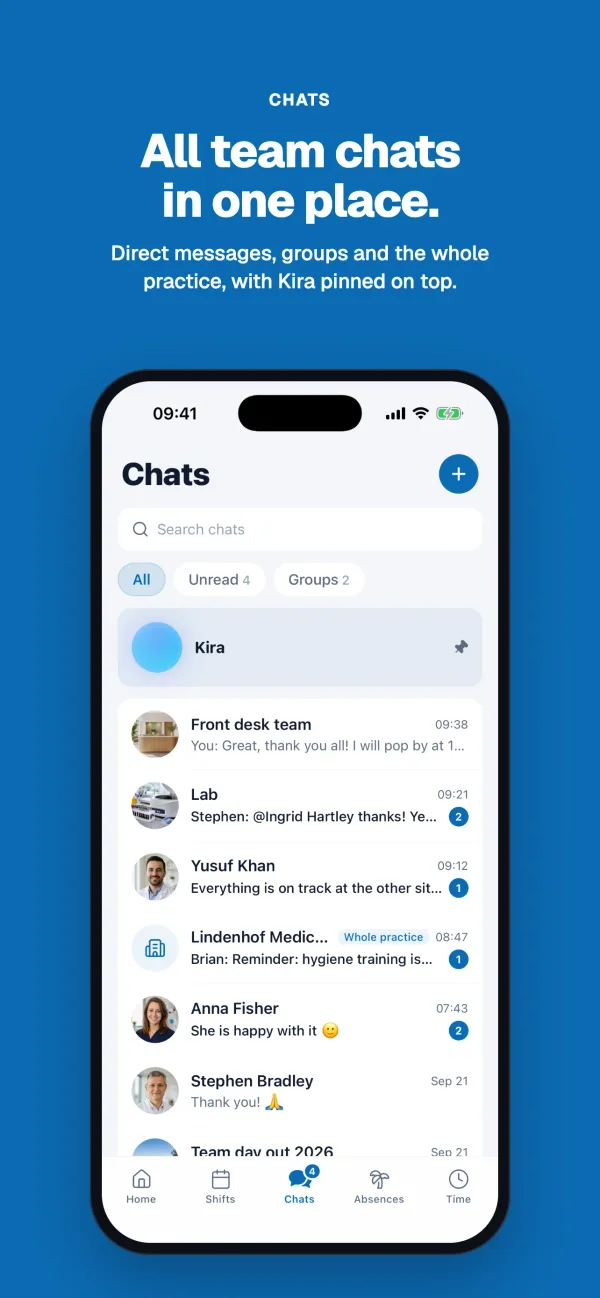
TEAM CHAT
* Message your coworkers directly in medishift without sharing private phone numbers
* Direct messages and group chats with custom group names and group images
* Share images, react to messages, quote and edit them
* Mention coworkers with @ so nothing gets missed
* Get push notifications for new messages
* Keep work-related communication in your practice tool instead of your private messenger
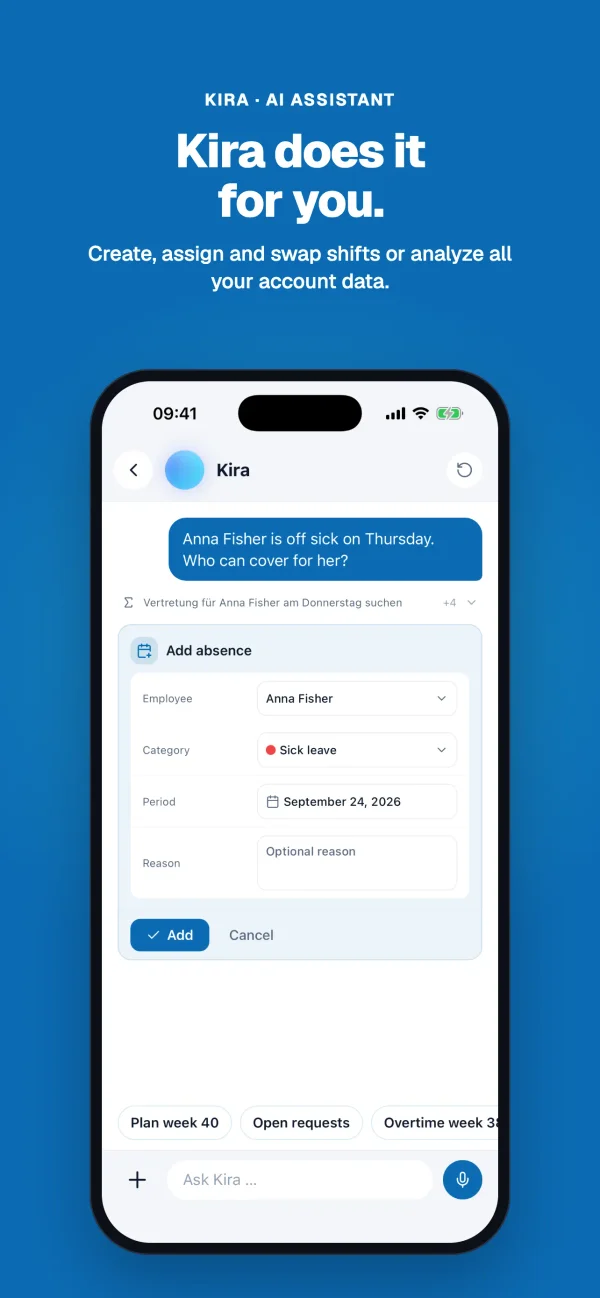
KIRA – YOUR AI ASSISTANT
KIRA understands everyday language and knows your practice: schedules, team members, absences and working hours.
* Just ask: “Who is working today?”, “Who is on vacation this week?”, “Which shifts are still open?”
* Analyze your practice data without Excel: “Who worked the most weekend shifts this year?”, “What is Anna’s overtime balance?”
* Let KIRA handle tasks: create and move shifts, enter absences, reactivate employees and publish the schedule. You confirm every change before it is saved.
* Define your scheduling rules in your own words, such as required rest periods between shifts
* Import an existing staff schedule from a file or photo
* Talk to KIRA instead of typing
YOUR STAFF SCHEDULE
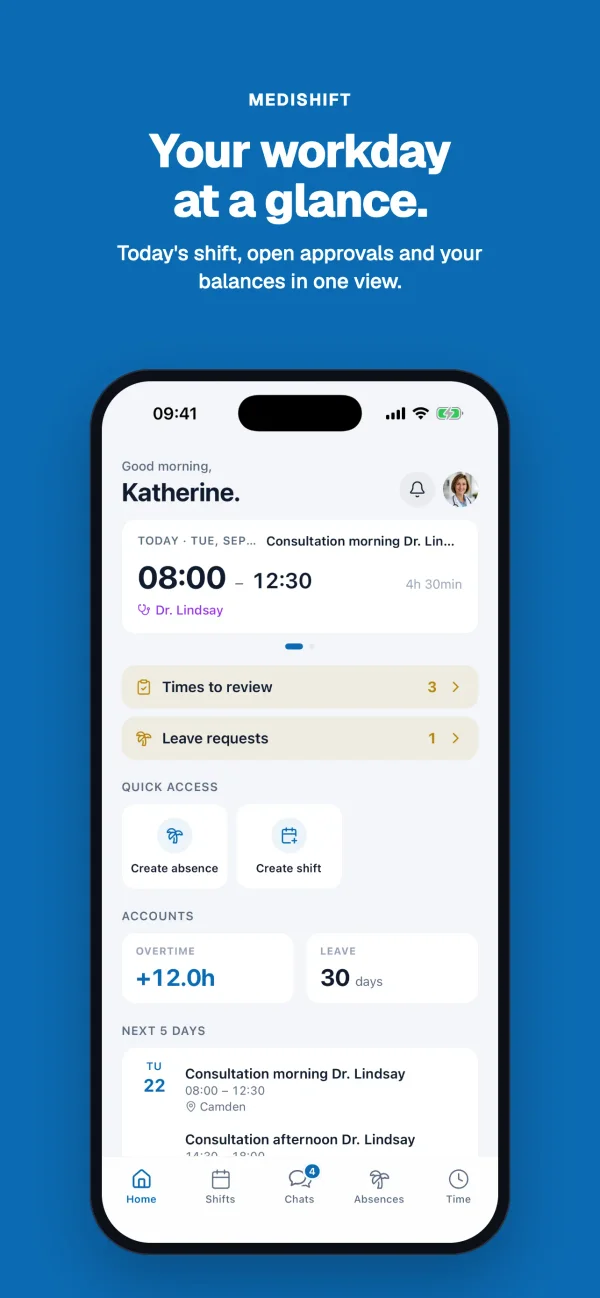
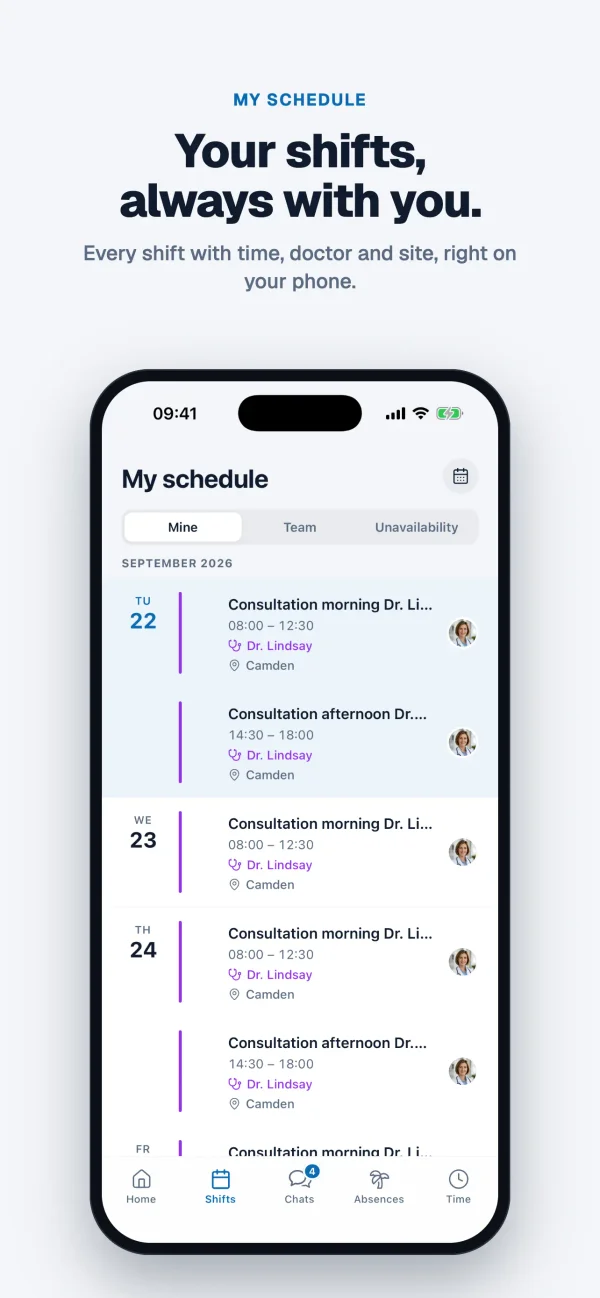
* See at a glance when you are scheduled and who is working with you
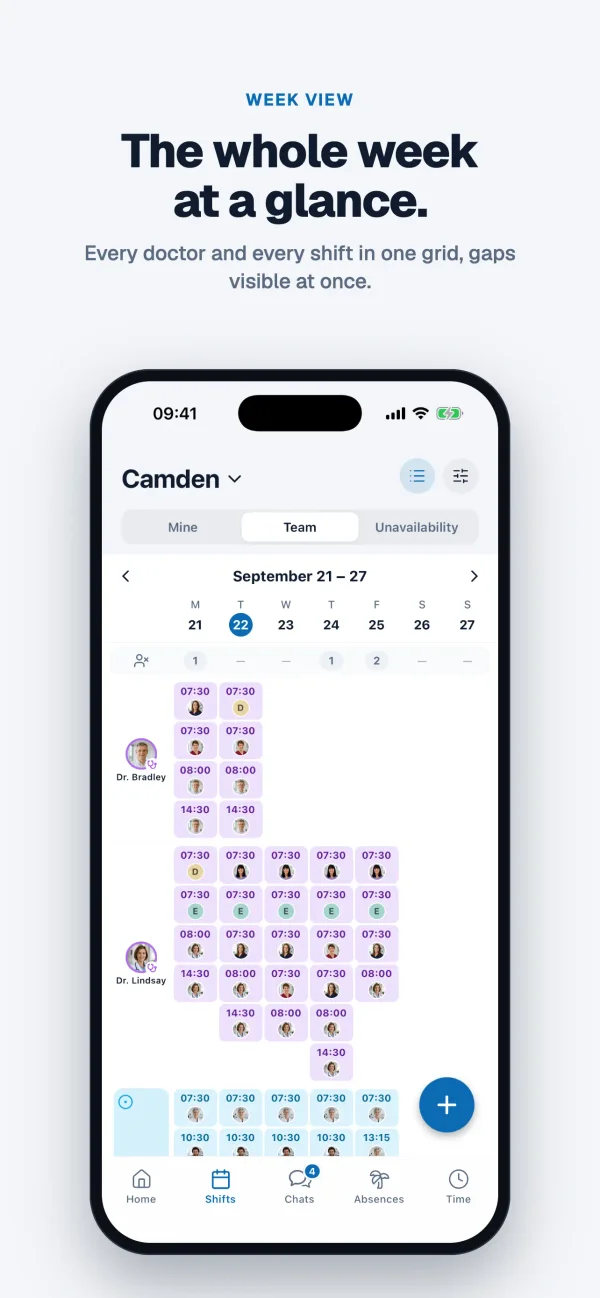
* Keep an eye on your entire team’s schedule
* Pick up open shifts with one tap
* Swap shifts directly with coworkers
* Automatically add your shifts to your personal calendar
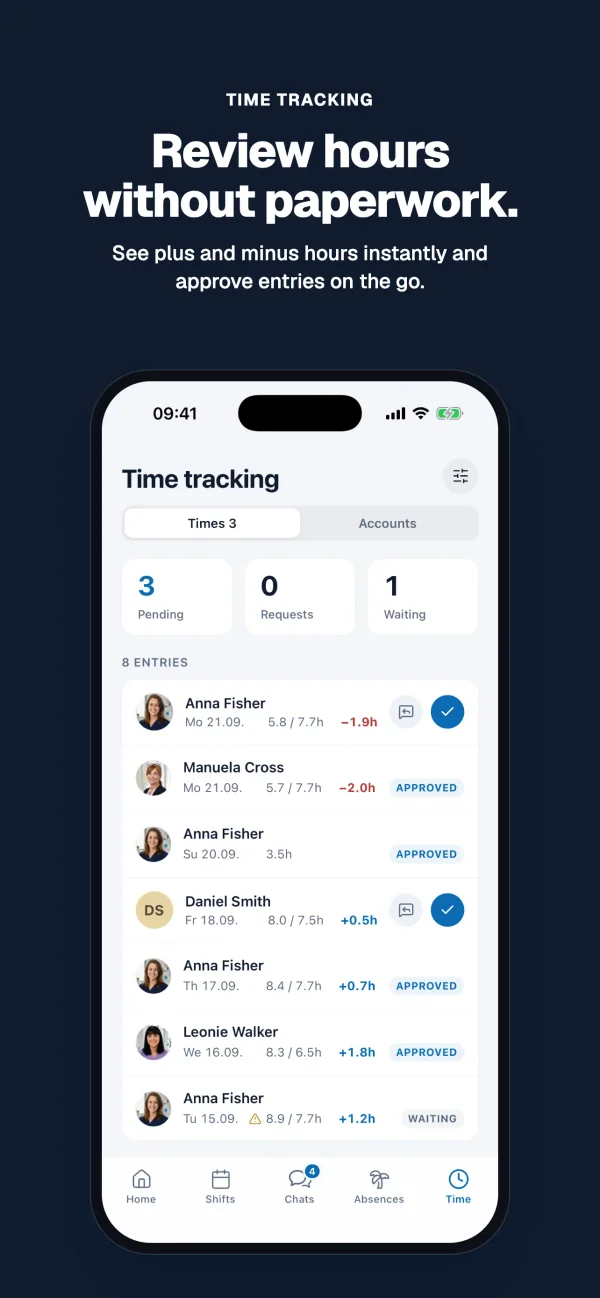
TIME TRACKING
* Clock in and out with one tap, including your breaks
* Or skip clocking in and out: if your practice enables this option, your scheduled shift counts as working time, and you only report when a day was different
* See your scheduled hours for today and your overtime balance
* Keep track of your working hours by day and month
* Request a correction or add missing working hours
* Terminal mode: Turn a tablet at your practice into a time clock, with everyone clocking in using their own PIN
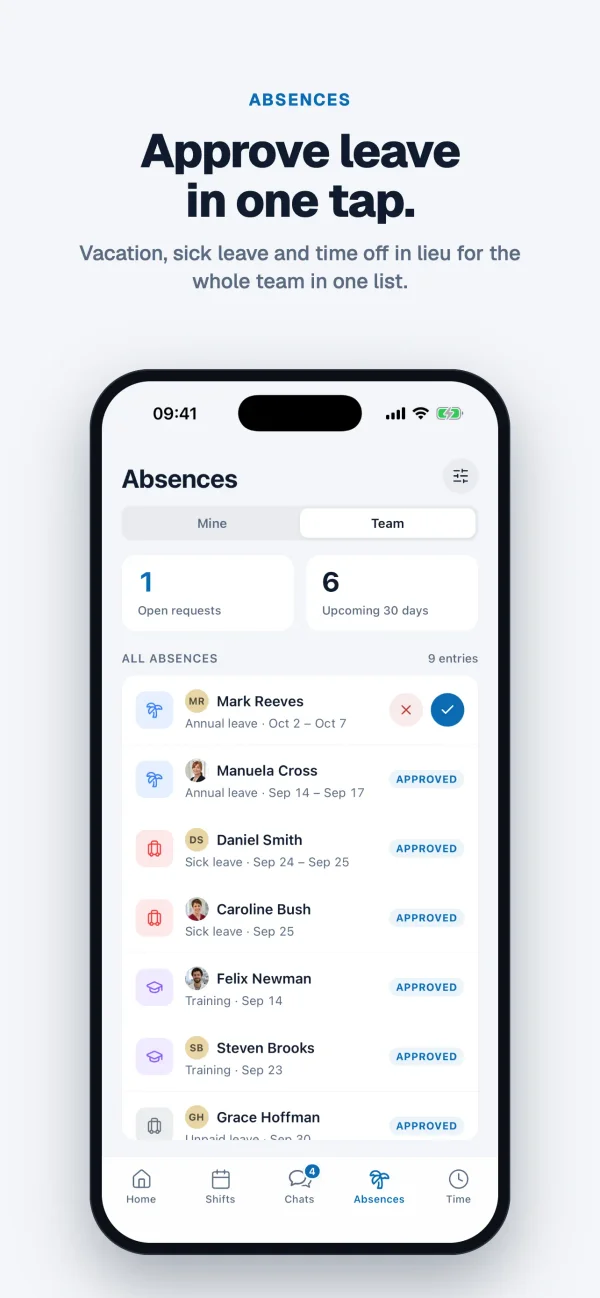
VACATION & ABSENCES
* Request time off directly in the app
* Keep track of your vacation balance
* Let your team know when you are unavailable
FOR PRACTICE MANAGERS
* See live who is currently working or on a break
* Approve time entries on the go, reject them or request changes
* Plan and edit shifts directly in the app
* Set office hours for healthcare providers
ALWAYS UP TO DATE
* Get a notification whenever your schedule changes or someone messages you
* Web and app are always synchronized
medishift is for employees and practice managers in medical practices, medical centers and other healthcare facilities. Your practice not listed? Try medishift for free at medishift.com.
Novedades
Versión 2.15.0 · 4/11/2026
New in medishift 2.15
Clock in with NFC
• Hold your phone to the sticker at your practice – done
• No searching, no tapping in the app
• Admins set up the stickers right in the app
Forgot to clock out?
• After 16 hours the app asks when you left
• The time goes to your lead for review automatically
Setup time & capping
• Fixed setup time per working day, e.g. 15 minutes for changing
• With the punch clock: time before a shift only counts up to a set limit
• Your clock-in is always kept unchanged
Your hours at a glance
• Every entry shows gross time, breaks, setup time and what gets counted
For leads
• Correct and discard times from the new ⋯ menu
Privacidad de la aplicación
Lo que lindotech GmbH declara en App Store sobre cómo esta aplicación gestiona los datos.
-
Datos vinculados a ti
Pueden recopilarse y vincularse a tu identidad.
- Información de contacto
Las prácticas de privacidad pueden variar, por ejemplo, según las funciones que uses o tu edad.
Información
- Vendedor
- lindotech GmbH
- Categoría
- Productividad
- Versión
- 2.15.0
- Actualizado
- 4/11/2026
- Publicado
- 22/2/2026
- Tamaño
- 51,0 MB
- Requiere
- iOS 15.1 o posterior
- Clasificación por edad
- 4+
- Precio
- Gratis
- Idiomas
- Inglés
- Copyright
- © 2026 lindotech GmbH