Midiflow
MIDI Router and Processor
Diseñada para iPhone, iPad, iPod touch
8,99 € · Compras en la aplicación
- Clasificación por edad4+
- CategoríaMúsica
- DesarrolladorJohannes Doerr
- IdiomasInglés
- Tamaño3,8 MB
Enlaza a la página oficial de App Store
Download.org no aloja ningún archivo de Midiflow. El botón abre la página de la aplicación en App Store, donde la publica Johannes Doerr. Ficha comprobada por última vez el 6/11/2026.
Capturas de pantalla


Acerca de
El desarrollador no ha proporcionado este texto en tu idioma.
Midiflow allows you to send MIDI from app to app in a similar way to what you already do with audio. That way, you can sync apps with each other or send MIDI parts from a sequencer app to different synth apps. You can also route the MIDI from your keyboard to apps and assign different key zones to them. Different settings can be stored as a preset, recalled later and inserted into another preset. Furthermore, all MIDI transfer can be monitored in order to find problems or just to learn what MIDI is doing (normally) behind the scenes.
Important news: There is a full documentation on the Midiflow website now!
HOW DOES IT WORK?
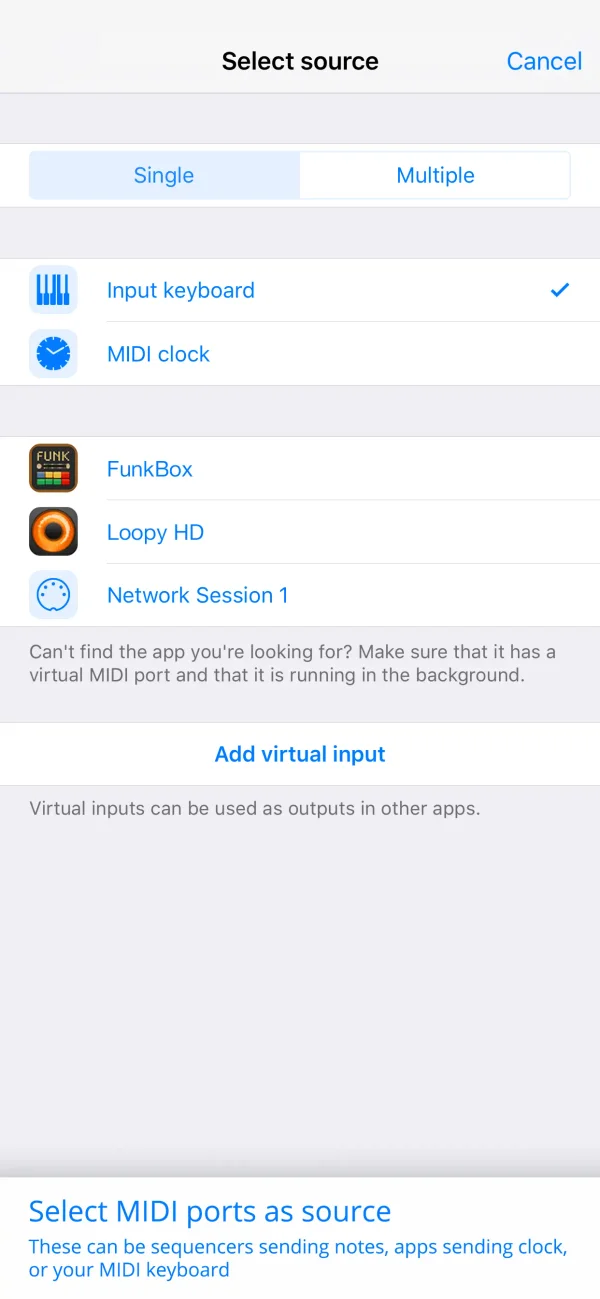
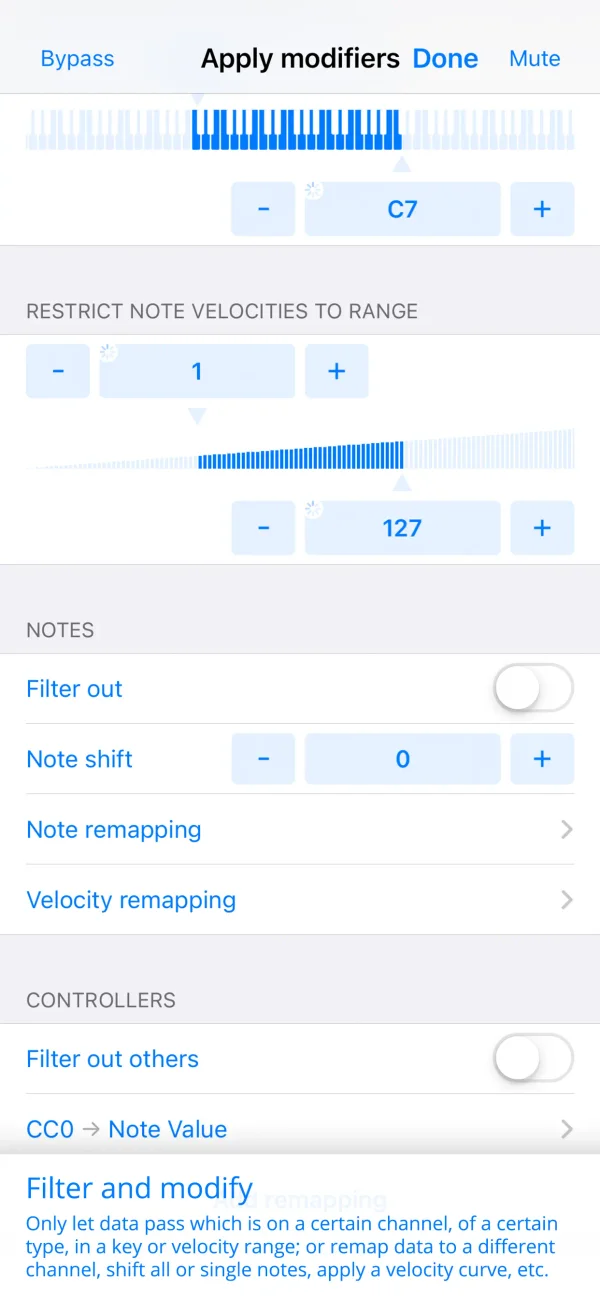
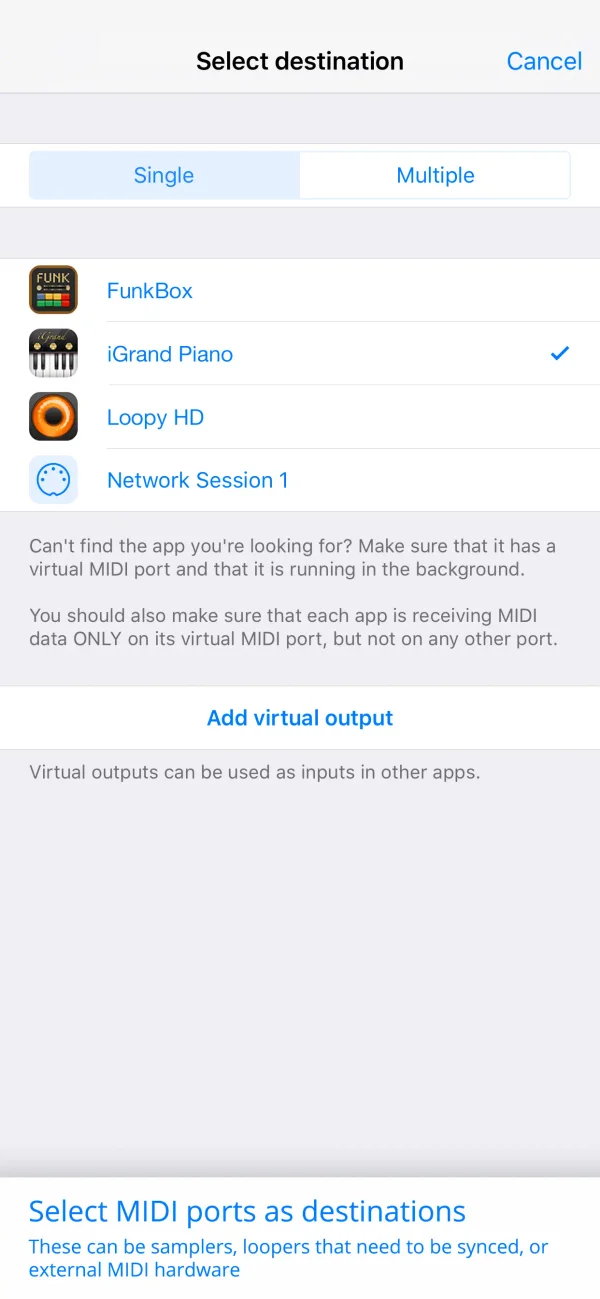
Midiflow allows you to create multiple routings. Each routing receives MIDI data on its source and sends it to its destination. The selectable sources and destinations include your CoreMIDI compatible MIDI interface and other apps if they provide a virtual MIDI port. You can also create custom ports that can be used by other apps to receive data from Midiflow or send data to it. A routing also has a modifier which allows you to filter data or modify it. That way, you can transpose notes, limit them to a key range, change the MIDI channel of the incoming data, etc. (see the feature list below).
LIST OF FEATURES
+ MIDI clock – specify tempo and your apps will be in sync
+ Channel filtering and remapping
+ Velocity filtering – a routing is only active for notes in a given velocity range
+ Note shift – shift all notes by a given number of half-tone steps
+ Note remapping – shift each note individually
+ Velocity remapping – apply a velocity curve, transform to fixed velocity, or specify the map value by value. In the latter case, you can also export the mapping to the clipboard, edit it in another app like Apple Numbers, and paste it back in Midiflow
+ Filtering out Clock or dividing the tempo into subdivisions
+ Filtering out SysEx
+ Connect to other iPads/iPhones via Bluetooth MIDI (iOS8 or higher)
+ Save a configuration as a preset, which can be recalled later or inserted into another preset
+ Custom virtual MIDI ports, which can be selected in other apps as a source or destination
+ Control aspects of Midiflow via MIDI. For example, select presets or control the clock with any MIDI command
+ Launch your synth apps from Midiflow (works with an increasing number of apps)
+ Sharing your configurations
ADDITIONAL FEATURES (available as an In-app purchase)
+ Filtering and remapping of controllers – transform (a) the controller type, e.g. from CC1 to pitch-bend or note value to CC1, and (b) transform the value in several ways: as a linear remapping from an input range to an output range, as a curve, or as a value by value list. In the latter case, you can also export the mapping to the clipboard, edit it in another app like Apple Numbers, and paste it back in Midiflow. This allows you to create very sophisticated remappings.
+ Controller conditions – adjust your routings depending on other MIDI messages. This allows you to create sophisticated behavior within your setup by switching routings on and off.
DOES MIDIFLOW WORK WITH MY SYNTH APPS?
Midiflow works with every app that has a correct MIDI implementation. In the best case, it has an own virtual MIDI port and can be configured so that it receives MIDI only on that port. Unfortunately, some apps don't have that, but can at least be restricted to one MIDI channel. In that case, you can send to that channel on the global MIDI port "Network Session 1". If you can't select a channel either, then the app won't work with Midiflow. There is a tutorial video on www.midiflow.com that explains this in more detail.
Novedades
Versión 2.2.20 · 8/5/2024
Compatibility improvements for recent iOS versions
Privacidad de la aplicación
Lo que Johannes Doerr declara en App Store sobre cómo esta aplicación gestiona los datos.
-
No se recopilan datos
El desarrollador no recopila ningún dato de esta aplicación.
Las prácticas de privacidad pueden variar, por ejemplo, según las funciones que uses o tu edad.
Información
- Vendedor
- Johannes Doerr
- Categoría
- Música
- Versión
- 2.2.20
- Actualizado
- 8/5/2024
- Publicado
- 22/6/2014
- Tamaño
- 3,8 MB
- Requiere
- iOS 9.0 o posterior
- Clasificación por edad
- 4+
- Precio
- 8,99 €
- Compras en la aplicación
- Sí
- Idiomas
- Inglés
- Copyright
- © 2024 Johannes Dörr