- Clasificación por edad4+
- CategoríaViajes
- DesarrolladorJohn Grey
- IdiomasInglés
- Tamaño3,9 MB
Enlaza a la página oficial de App Store
Download.org no aloja ningún archivo de Mini Radar. El botón abre la página de la aplicación en App Store, donde la publica John Grey. Ficha comprobada por última vez el 16/11/2026.
Capturas de pantalla

Acerca de
El desarrollador no ha proporcionado este texto en tu idioma.
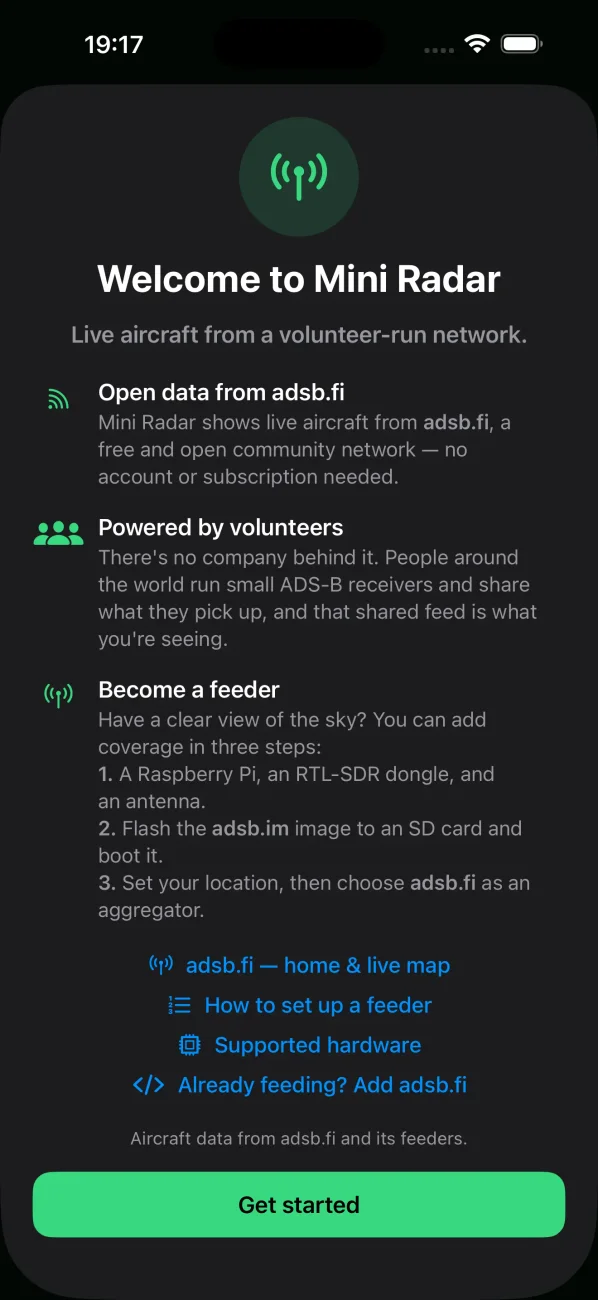
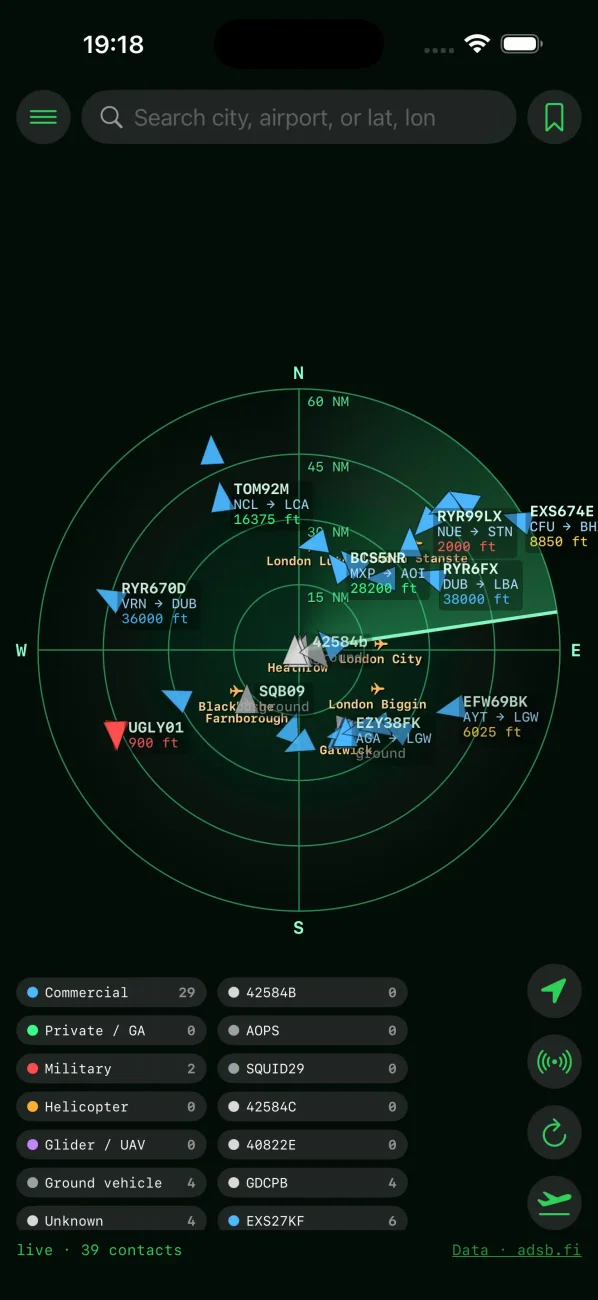
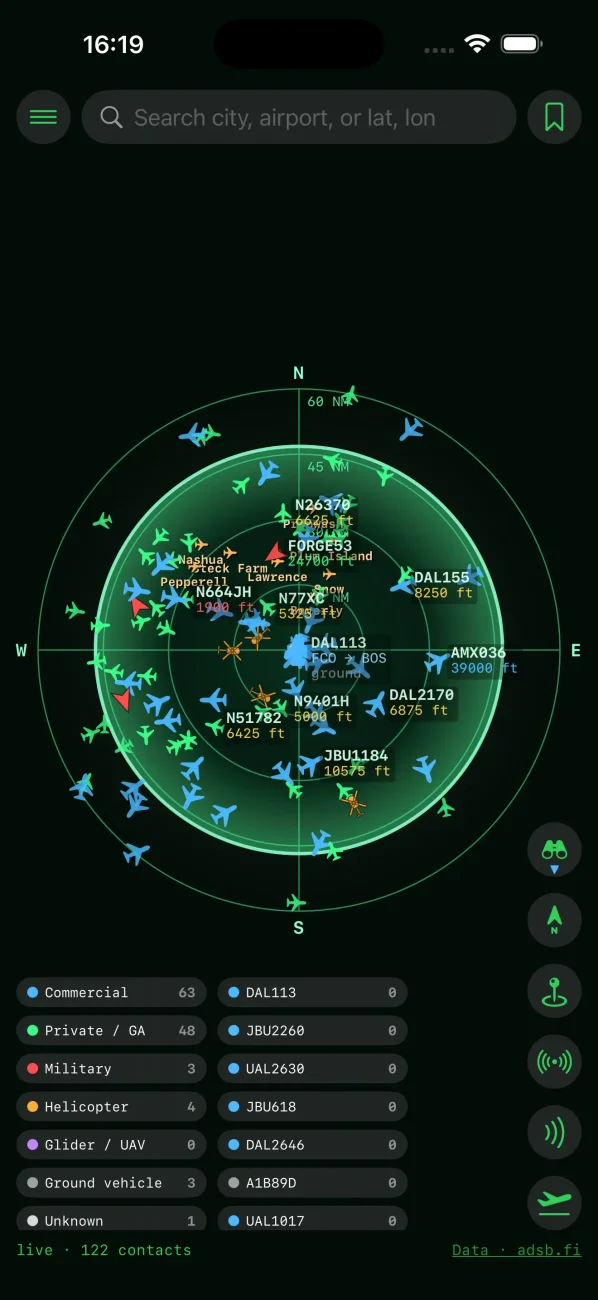
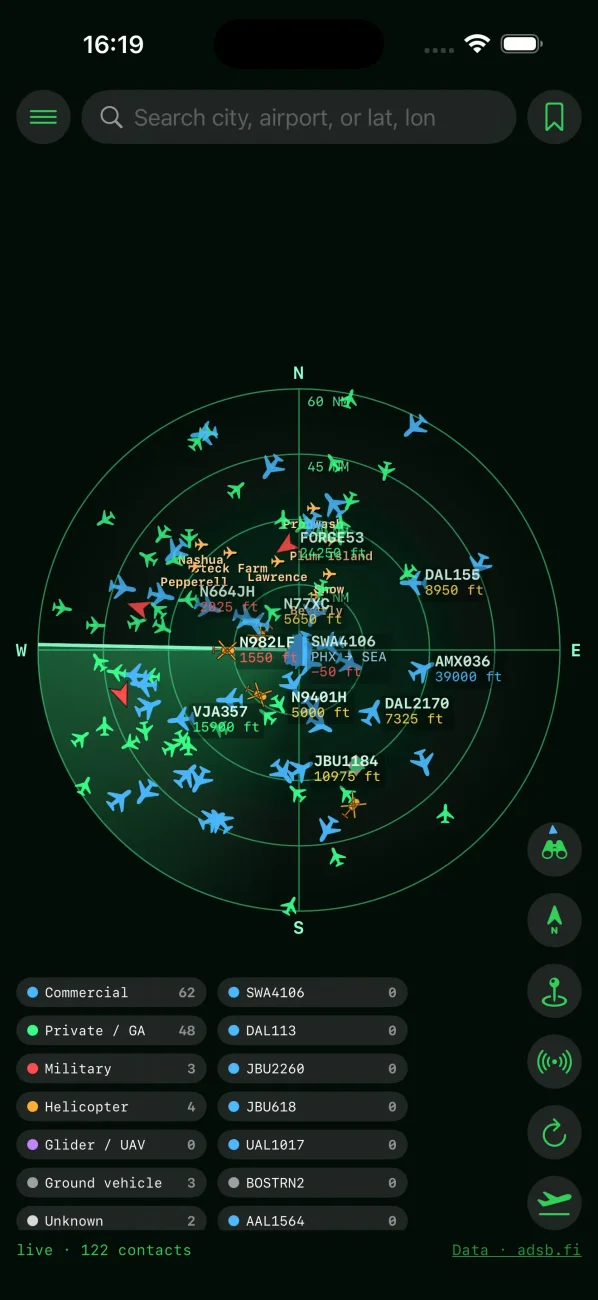
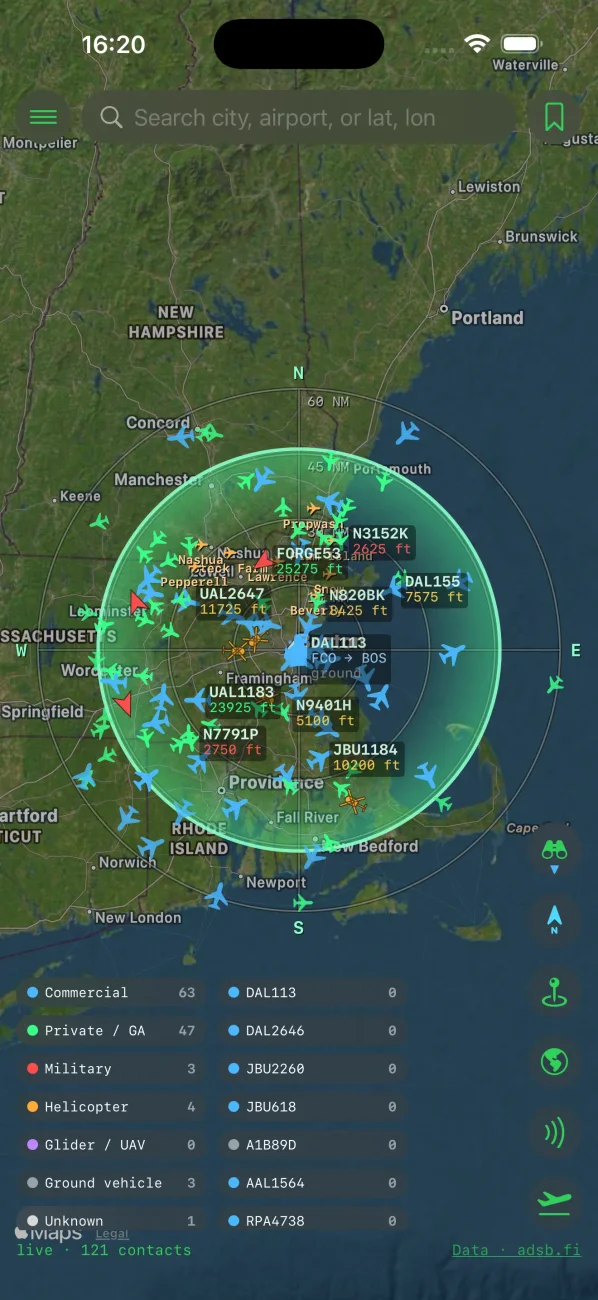
Mini Radar shows the aircraft flying around you, live, on a clean radar scope.
It's built on adsb.fi — a free, community-run ADS-B network. Volunteers around the world run small receivers and share what they pick up, and that shared feed is what you see. No account, no subscription, no ads.
WHAT YOU GET
• A live radar centered on you — or anywhere you search
• Tap any aircraft for details: type, registration, altitude, speed, heading, squawk, and route (origin to destination) when available
• Switch between a classic radar scope and a satellite map backdrop
• Pinch, double-tap, or drag to zoom — from a few miles out to 250 NM
• Color aircraft by type (commercial, private, helicopter, glider, military…) or by altitude, or switch on distinct per-type icons
• North-up or heading-up — one tap on the compass button rotates the scope (radar or satellite) so the direction you're facing is up
• A live contacts list and class filters, right on the scope
• Sweep or pulse animation — your choice
• A nearest-aircraft compass that always points to the closest plane
POINT AT THE SKY
• AR Sky View — hold up your phone and see the aircraft overhead, labeled in real space; pinch to zoom in
ON YOUR WRIST
• A standalone Apple Watch radar — zoom with the Digital Crown, tap a plane for details
ALWAYS-ON GLANCE
• Dynamic Island and Lock Screen tracking for what's overhead — your favorites, or any aircraft nearby, with a live bearing arrow
FAVORITES & ALERTS
• Star aircraft by tail number, callsign, or hex — they're highlighted whenever they appear nearby
• Optional alert when a favorite comes within 10 NM of you (opt-in; uses background location only while it's turned on)
SAVED PLACES
• Save and name locations to jump between them
• Choose what the radar opens to: your live location, the nearest airport, or a saved spot
MADE TO READ EASILY
• Colorblind-friendly palette
• Light, dark, or automatic theme
A NOTE ON COVERAGE
Because the data comes from volunteer receivers, coverage is best where people are feeding and can have gaps elsewhere. Not every aircraft broadcasts ADS-B, and route lookups aren't available for every flight. Mini Radar is for curiosity and learning — not for navigation or any operational use.
Want better coverage where you live? Anyone can become a feeder with a Raspberry Pi, an RTL-SDR dongle, and an antenna. There's a short how-to inside the app.
Data by adsb.fi. Route information by adsbdb.
Novedades
Versión 2.2 · 11/6/2026
Mini Radar 2.2 is a big tune-up plus two much-requested features:
iPad app - same look and feel as the iOS app, just... bigger!
Apple Watch app - a standalone radar on your wrist. Turn the Digital Crown to zoom, tap a plane for its details, with a live compass arrow to the nearest aircraft.
AR Sky View - point your phone at the sky and see the aircraft around you, labeled in real space. Pinch to zoom in on a contact.
Dynamic Island & Lock Screen - keep a live eye on what's overhead. Track just your favorites, or any aircraft nearby, with a bearing arrow pointing the way.
Aircraft icons - an optional, accessibility-friendly mode swaps the colored triangles for distinct shapes per type - airliners, private planes, military, helicopters and more - on the radar, in AR, and on the watch, kept in sync across your devices.
Nearest-aircraft compass that points toward the closest plane, throughout the app.
Overhead alerts - get a notification when a favorite aircraft comes within a range you choose.
Plus performance and battery improvements throughout. Still free - no account, no ads.
Heading-up mode - not great with compass directions? Tap the new compass button on the radar and the whole scope rotates smoothly so whatever direction you're facing is up. It works over the radar and the satellite view, the needle always shows you where north is, and the watch follows the same setting automatically. North-up stays the default for the classic scope feel.
A proper helicopter icon - the icon mode now draws helicopters with rotor blades, cabin and tail, so they're recognizable at a glance on the radar, in AR, and on the watch.
Performance and battery, tuned end to end:
- The radar render engine now caches everything it can between data updates - smoother on busy airspace, lighter on the battery.
- The AR sky view uses far less power (smarter frame pacing and camera settings).
- The watch app polls and redraws more efficiently and pauses when your wrist is down.
- Background overhead alerts use coarser GPS fixes - same alerts, less battery.
- Slow network days are handled gracefully instead of showing errors.
Plus route info for planes you tap or favorite now loads immediately, and accessibility labels were added throughout.
Privacidad de la aplicación
Lo que John Grey declara en App Store sobre cómo esta aplicación gestiona los datos.
-
Datos no vinculados a ti
Pueden recopilarse, pero no se vinculan a tu identidad.
- Ubicación
Las prácticas de privacidad pueden variar, por ejemplo, según las funciones que uses o tu edad.
Información
- Vendedor
- John Grey
- Categoría
- Viajes
- Versión
- 2.2
- Actualizado
- 11/6/2026
- Publicado
- 9/6/2026
- Tamaño
- 3,9 MB
- Requiere
- iOS 16.0 o posterior
- Clasificación por edad
- 4+
- Precio
- Gratis
- Idiomas
- Inglés
- Copyright
- © 2026 (John Grey)
Quizá también te guste
-
 Plane Radar - Aircraft TrackerNavegación
-
 Airspace Live: Flight RadarViajes
-
 ARDAR - AR Flight TrackerViajes
-
 AirPingViajes
-
 Intercept RadarNavegación
-
 SkyPinger: Aircraft TrackerNavegación
-
 De Plane! Aviones cercanosDescubre qué vuela sobre ti
-
 Coffee & RadarViajes
-
 Sky Spy: What's above me?Viajes
-
 Airplanes.liveViajes