Mockline
Design. Mock. Export.
Diseñada para iPhone, iPad, iPod touch
Compras en la aplicación
- Clasificación por edad4+
- CategoríaDiseño gráfico
- DesarrolladorGeorge Hammond
- IdiomasInglés
- Tamaño37,0 MB
Es posible que Mockline no esté disponible en App Store en este momento
No se pudo acceder a la ficha de la tienda en nuestra última comprobación. El enlace sigue llevando a la página oficial de App Store.
Capturas de pantalla

Acerca de
El desarrollador no ha proporcionado este texto en tu idioma.
Mockline is a tool-first, efficient way to create, organize, and export professional clothing mockups and product grids directly on your iPhone. Use one hand, no desktop software, no complicated tools, no accounts, no waiting. available on IPad.
FINALLY, INSTANT PRODUCT GRIDS, AND NO F****** PINCH TO SCALE!
As a Creative Admin. I always found myself with stacks of loose artwork or mocks in my text messages and camera roll, rushing back to my computer to simply bounce out a quick line sheet or mock. So I created this simple, bare-bones mock-up and linesheet tool I could use while I'm lying in bed or pumping gas. I have found it very helpful and decided to share it in the App Store.
I will never send you an email or share your email. Submitting an email is simply to make sure you're set up when I launch cross-device sharing.
@mockzuckerberg on Instagram & @MOCK_LINE on X
UPLOAD YOUR ARTWORK
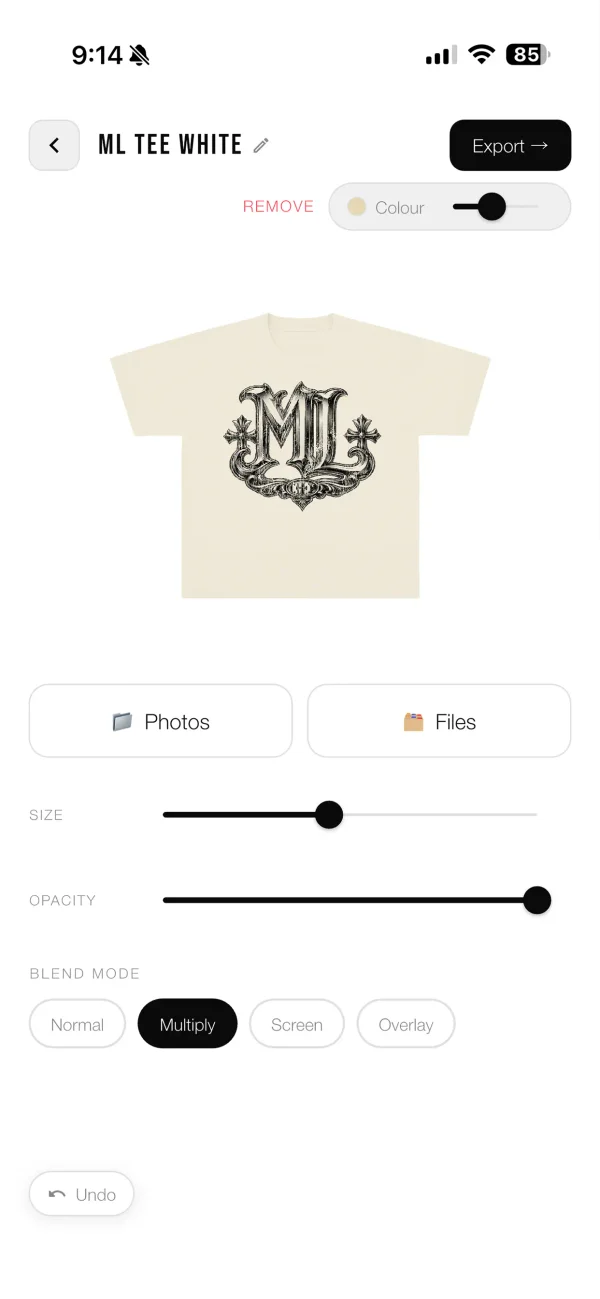
Bring in your designs from anywhere. Import directly from your Photos library, or connect to Files, Dropbox, Google Drive and iCloud to pull in artwork from wherever you store it. Mockline supports PNG, JPG, WEBP and HEIC formats.
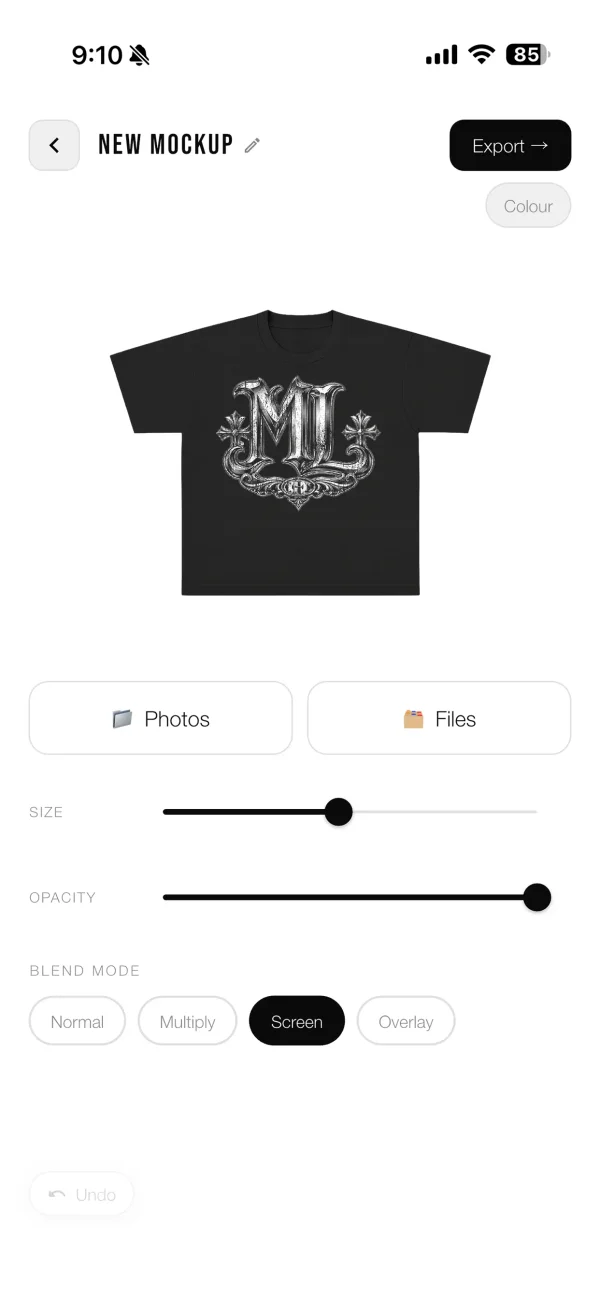
PLACE IT PERFECTLY
Drag your artwork directly on the canvas to position it exactly where you want it. Use the Size slider to scale up or down, and the Opacity slider to dial in the right print density. Choose from Normal, Multiply, Screen and Overlay blend modes to achieve realistic print effects on any garment colour.
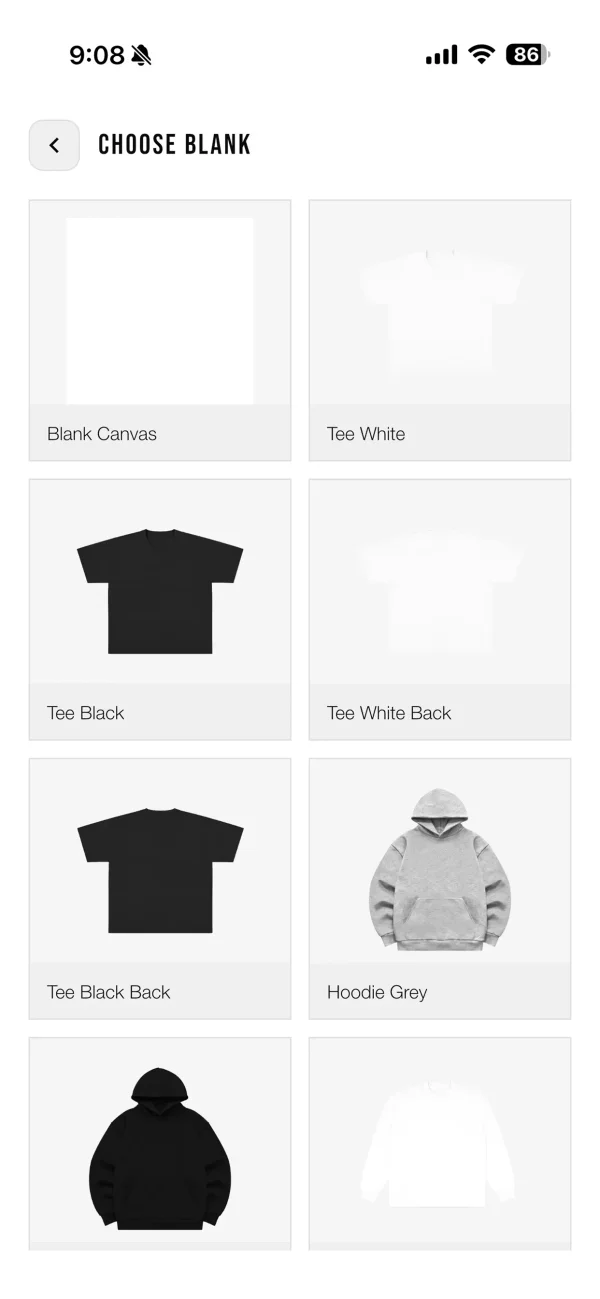
A FULL GARMENT LIBRARY
Mockline comes with a growing library of high quality blank garments to mock your designs on.
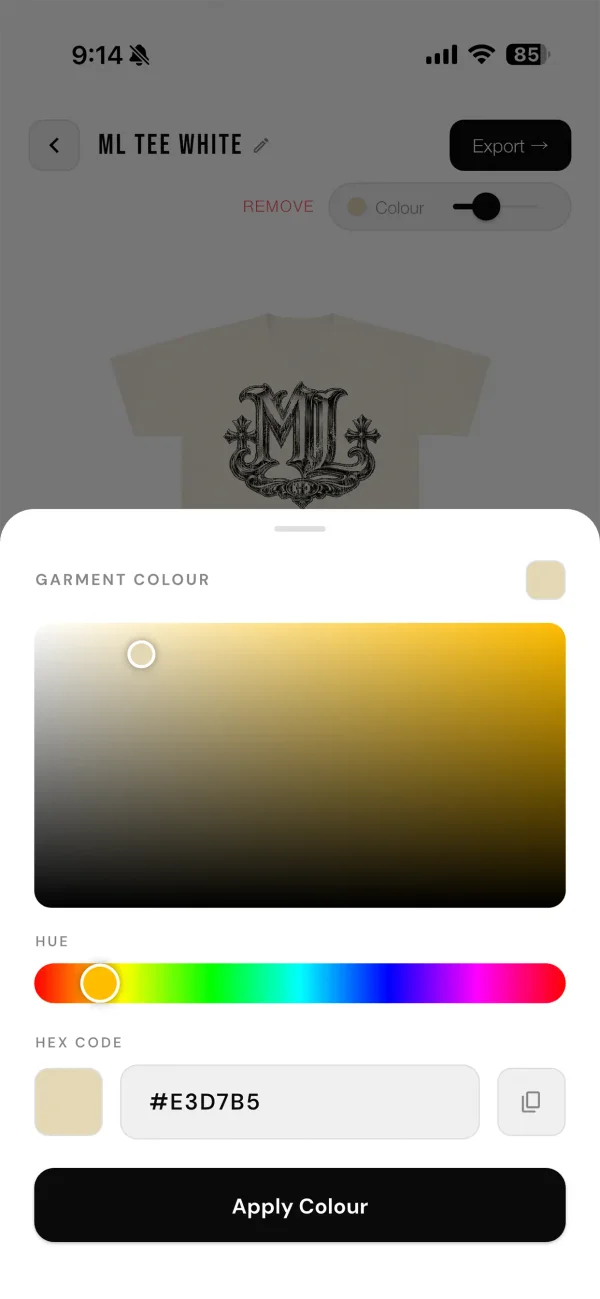
COLOUR YOUR GARMENTS
Not seeing the colourway you need? Use the built-in colour picker to tint any garment to any colour. Adjust the intensity slider to get the exact shade you're after — from a subtle wash to a full solid colour.
EXPORT IN ANY FORMAT
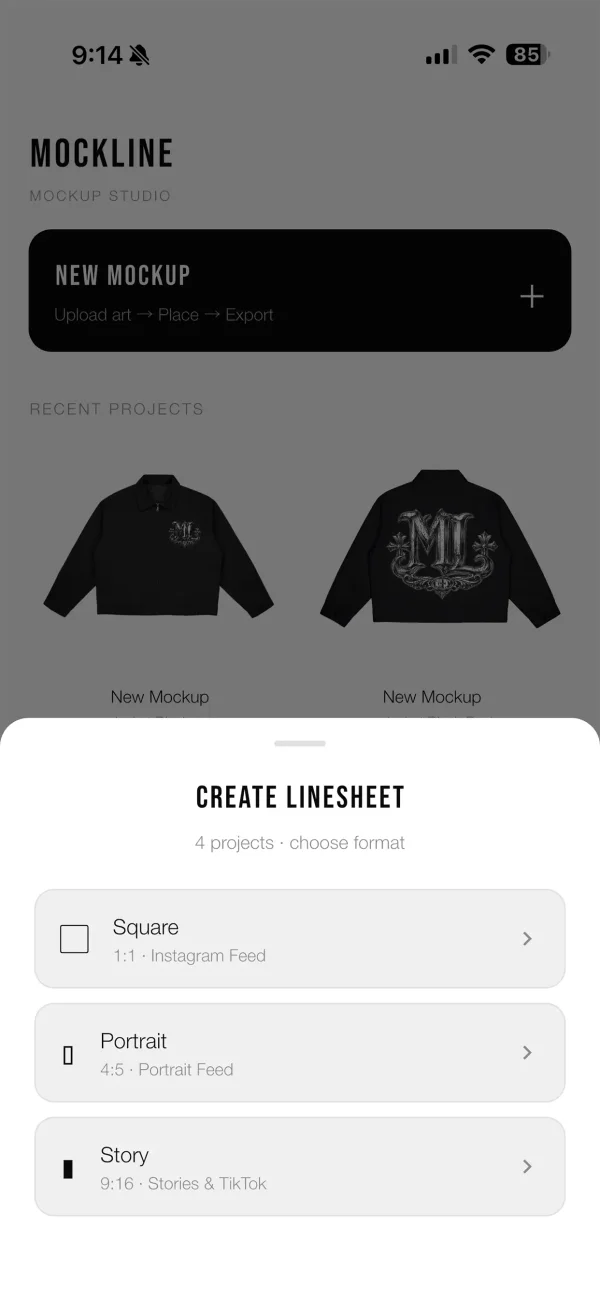
When your mockup is ready, export it in the format that works for you:
- Square 1:1 for Instagram Feed
- Portrait 4:5 for Portrait Feed
- Story 9:16 for Instagram Stories and TikTok
All exports are saved at 1170px resolution directly to your Camera Roll, ready to post, send or present.
CREATE LINESHEETS IN ONE TAP
Building a collection? Select multiple mockups from your home screen and generate a clean linesheet grid in seconds. Export your entire range as a single image — perfect for wholesale buyers, brand decks, lookbooks and pitch presentations.
ORGANISE YOUR PROJECTS
Keep your mockups organised with a clean project grid on your home screen. Rename projects, drag to reorder, and select multiple to build linesheets. Every project saves your artwork placement, garment choice, blend mode and colour settings so you can come back and edit at any time.
MOCKLINE PRO
Unlock the full Mockline experience with a Pro subscription:
- Access all premium blanks including hoodies, crewnecks, jackets, sweatpants, hats, totes and blank canvas
- Unlocks artwork layers 2 & 3
- Unlimited watermark-free exports
$4.99 per month or $29.99 per year — cancel any time.
Payment will be charged to your Apple ID account at confirmation of purchase. Subscriptions automatically renew unless cancelled at least 24 hours before the end of the current period. You can manage and cancel your subscription in your App Store account settings.
Mockline is built for creators who move fast. No bloated feature sets, no steep learning curves — just a clean, focused tool that helps you make great mockups and get back to building your brand.
Terms of Use: https://www.apple.com/legal/internet-services/itunes/dev/stdeula/
Novedades
Versión 1.4.4 · 5/4/2026
• Fixes projects syncing slowly after session timeout.
• Fixed artwork rendering on iPad
• Unobstructed canvas (removed redundant overlays)
Privacidad de la aplicación
Lo que George Hammond declara en App Store sobre cómo esta aplicación gestiona los datos.
-
Datos vinculados a ti
Pueden recopilarse y vincularse a tu identidad.
- Información de contacto
-
Datos no vinculados a ti
Pueden recopilarse, pero no se vinculan a tu identidad.
- Contenido del usuario
Las prácticas de privacidad pueden variar, por ejemplo, según las funciones que uses o tu edad.
Información
- Vendedor
- George Hammond
- Categoría
- Diseño gráfico
- Versión
- 1.4.4
- Actualizado
- 5/4/2026
- Publicado
- 26/3/2026
- Tamaño
- 37,0 MB
- Requiere
- iOS 15.0 o posterior
- Clasificación por edad
- 4+
- Compras en la aplicación
- Sí
- Idiomas
- Inglés
- Copyright
- © 2026 George Hammond
Quizá también te guste
-
 Mock・3D Mockups・Cloth DesignerDiseño gráfico
-
 CoutureMock – Fashion DesignCreate Your Clothing Brand
-
 FitMockup - 3D Clothes MockupsDiseño gráfico
-
 Clothes Designer - Mockup LabDiseño gráfico
-
 StokX:T Shirt Designer RopaDiseñar Camisetas, Mockup 3D
-
 3D Mockups: Clothes DesignerDiseño gráfico
-
 StitchCraft: Design ClothesDiseño gráfico
-
 3D Clothing Mockup: MockLab 3DDiseño gráfico
-
 Mockwear: 3D Clothing MockupDiseño gráfico
-
 3D Mockups - T-Shirt DesignDiseño gráfico