
Modotti: Projects & Notes
Markdown + your AI assistant
Diseñada para iPhone, Mac, iPod touch
Gratis · Compras en la aplicación
- Clasificación por edad4+
- CategoríaProductividad
- DesarrolladorMarcel van der Steen
- IdiomasInglés+ 1 más
- Tamaño25,3 MB
Enlaza a la página oficial de App Store
Download.org no aloja ningún archivo de Modotti: Projects & Notes. El botón abre la página de la aplicación en App Store, donde la publica Marcel van der Steen. Ficha comprobada por última vez el 24/11/2026.
Capturas de pantalla


Acerca de
El desarrollador no ha proporcionado este texto en tu idioma.
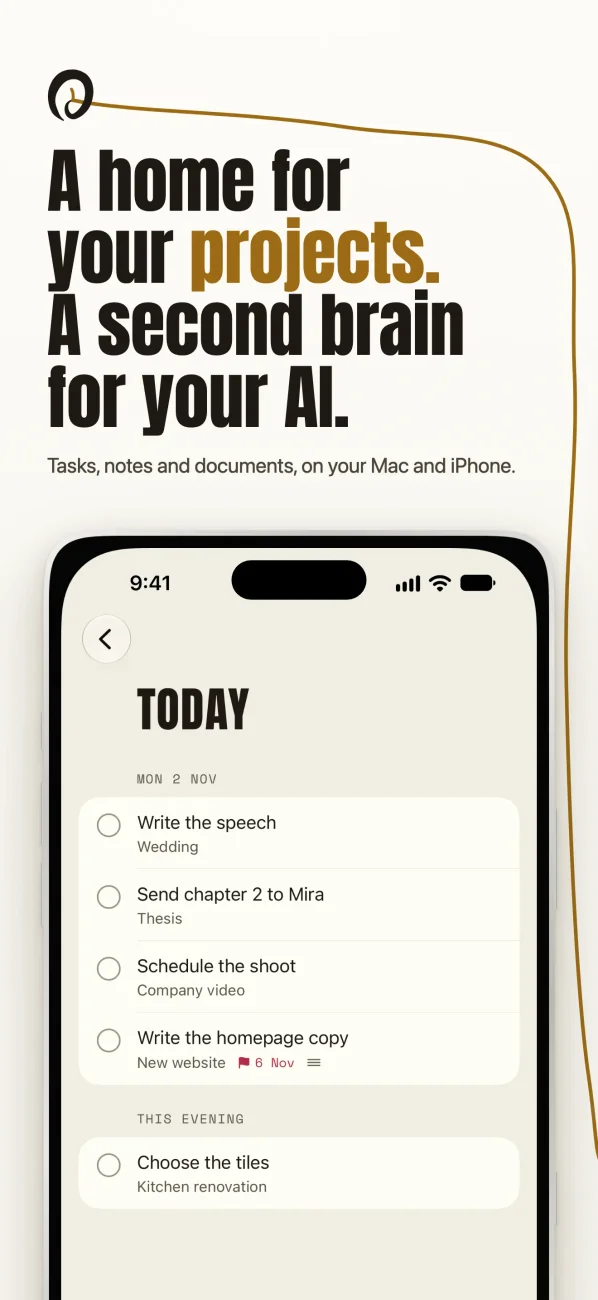
Modotti is a home for your projects and a second brain for your AI. Your tasks, notes and documents live together in one app, on Mac and iPhone, as plain files in a folder you choose. No account, no lock-in, and your notes never touch a Modotti server.
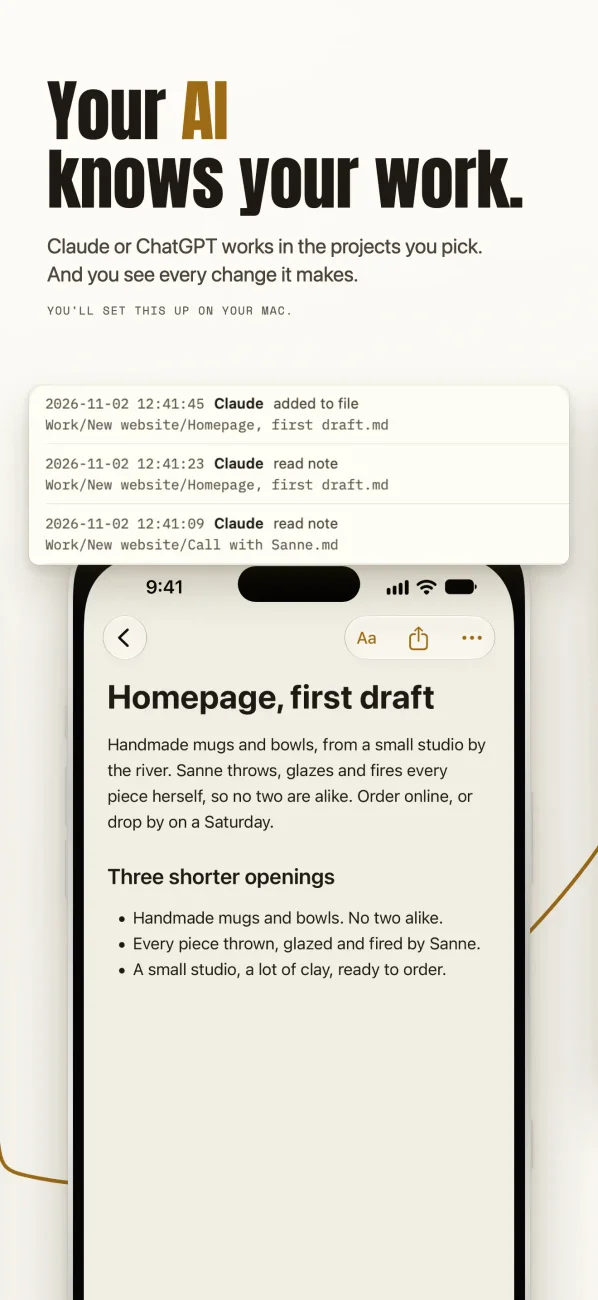
YOUR AI KNOWS YOUR WORK
Connect Claude or ChatGPT on your Mac, and your assistant can read the projects you pick, add tasks to your lists and write notes where they belong. So next time, you both pick up where you left off.
You set the limits. Reading and writing are separate permissions for each assistant. Choose one project or all of them, and keep certain files out. Every change shows up in a log on your Mac, and you can revoke access at any time. Modotti runs no AI of its own: the connector uses the Claude or ChatGPT account you already have.
YOUR TASKS LIVE NEXT TO YOUR NOTES
Plan your day in Today and This Evening, give a task a deadline or a repeat, and park the rest in One Day. Every task belongs to a project, and that project's notes are one click away. No second app, no second system to keep up with.
THE WHOLE PROJECT IN ONE PLACE
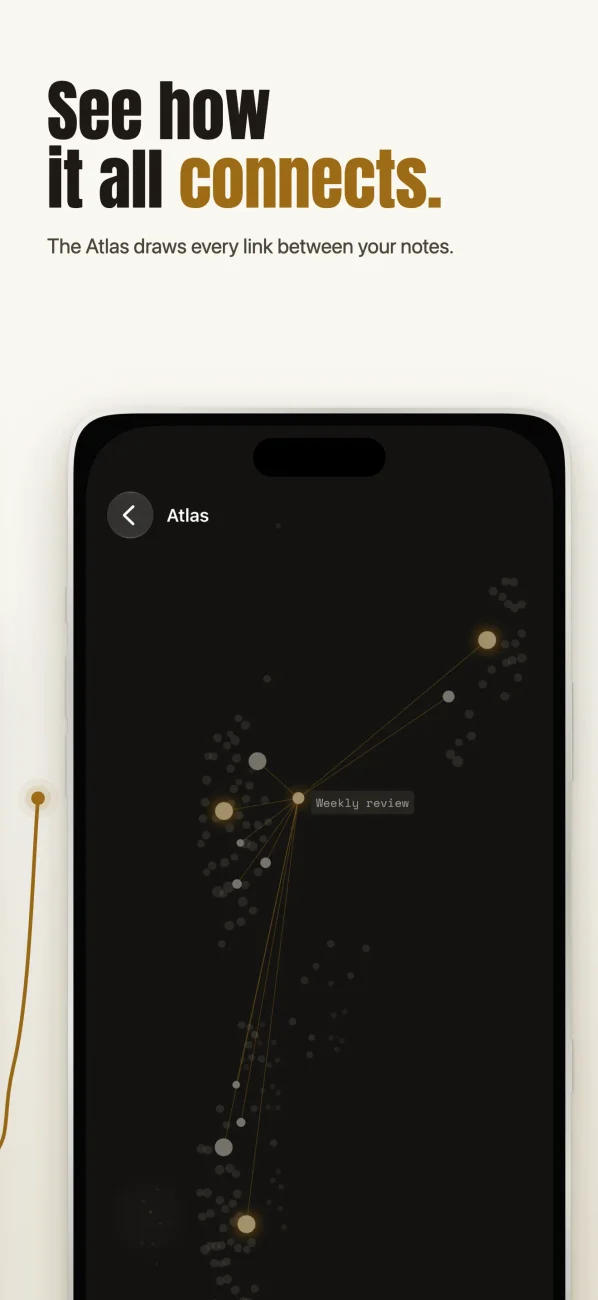
Notes, photos, PDFs, recordings and saved articles sit side by side. Add a photo or a PDF straight into a note. Save a web page with the Safari Web Clipper on your Mac, or share it to Modotti from your iPhone. Link your notes, and the Atlas shows you how it all connects. Share a note as text, or save it as a PDF in Modotti's own layout.
YOUR DAY AT A GLANCE
Widgets put Today on your Home Screen and your Mac desktop, and your deadlines on your Lock Screen. If you like, Modotti sends you a morning overview of your day and, later on, an evening overview of what you've planned for This Evening.
YOUR FILES STAY YOURS
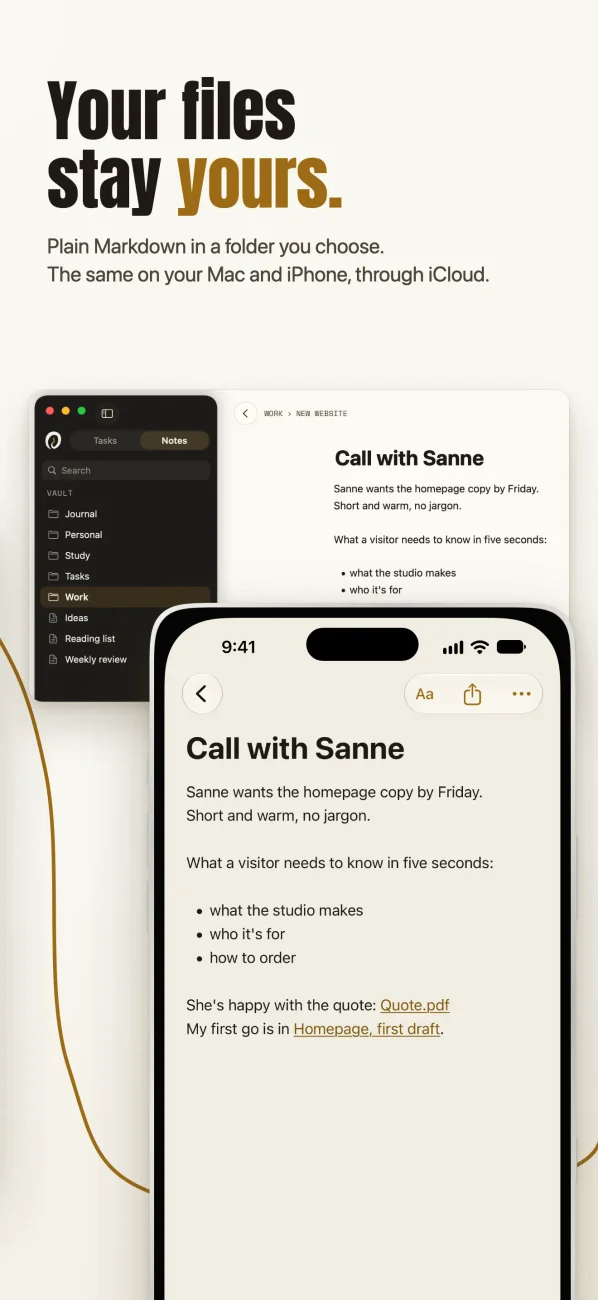
Everything is plain Markdown, in a folder you choose. Open the files in any text editor, with or without Modotti. Already keep your notes in an Obsidian vault? Point Modotti at it, and both apps work in the same folder.
Put the folder in iCloud under your own Apple Account, and Apple keeps your Mac and iPhone in step. Modotti has no sync server and never gets a copy.
PAY ONCE OR SUBSCRIBE
Yearly and monthly plans start with seven days free for eligible App Store accounts. Or buy Modotti once, with no subscription. Every option covers Mac and iPhone; the App Store shows the price for your country.
If you stop paying, your files stay yours, in your own folder, and you can still read them in Modotti.
Need help? The manual is at getmodotti.com/manual, in English and Dutch.
Terms of Use (Standard EULA): https://www.apple.com/legal/internet-services/itunes/dev/stdeula/
Modotti is made by Marcel van der Steen, a Dutch journalist, photographer and documentary maker. He built it for his own reporting and documentaries, and now uses it every day. It's for anyone whose work runs on projects: a new website, a thesis, a renovation, a podcast.
Novedades
Versión 1.2.2 · 23/11/2026
New in 1.2.2:
• Typing in very long notes no longer lags, and inline code and the cursor stay put.
• In Upcoming, drag a task to another day, even an empty one in the week ahead. The label says where it goes: "Move to Friday".
• Renaming a note in its title field no longer asks which version to keep.
• Widgets now show dates the way the app does: "6 Nov". The Deadlines widget no longer shows "0 overdue", only "2 upcoming" or "No deadlines".
Modotti 1.2 is rebuilt from the ground up as a native app for Mac and iPhone.
• Widgets: Today on your Home Screen and Mac desktop, your deadlines on your Lock Screen.
• A morning overview and an evening overview, if you want them. Off by default, and set per device.
• Add photos and PDFs to a note. On the Mac, drag them in or paste a screenshot.
• On iPhone, shake to undo: bring back a task you ticked off, moved or deleted.
• On the Mac, drag notes onto a folder, put a task in One Day from the When menu, and Modotti asks before it deletes a task.
• Choose which folder your new notes go into.
• A new welcome with a short tour. Starting a free trial? Leave your email address and you'll get a heads-up on day 5, two days before your first payment.
• The manual is now online, in English and Dutch. On the Mac, open it from the Help menu.
Privacidad de la aplicación
Lo que Marcel van der Steen declara en App Store sobre cómo esta aplicación gestiona los datos.
-
Datos vinculados a ti
Pueden recopilarse y vincularse a tu identidad.
- Información de contacto
Las prácticas de privacidad pueden variar, por ejemplo, según las funciones que uses o tu edad.
Información
- Vendedor
- Marcel van der Steen
- Categoría
- Productividad
- Versión
- 1.2.2
- Actualizado
- 23/11/2026
- Publicado
- 2/9/2026
- Tamaño
- 25,3 MB
- Requiere
- iOS 15.0 o posterior
- Clasificación por edad
- 4+
- Precio
- Gratis
- Compras en la aplicación
- Sí
- Idiomas
- Inglés, Neerlandés
- Copyright
- © 2026 Marcel van der Steen
Quizá también te guste
-
 SetsoProductividad
-
 Markdown.md - LectorLee y edita Markdown offline
-
 To-do y Calendario - PlannduLista de tareas y recordatorio
-
 Shelver: Organización hogarInventario del hogar
-
 Day Planner – Daily ScheduleProductividad
-
 TaskForge: Tareas ObsidianTo-do en Markdown y widgets
-
 HOBART SmartConnectProductividad
-
 Miracal: Calendario y AgendaTareas, cumpleaños y diario
-
 Stedin eKlokProductividad
-
 James-HorecaProductividad