
MoE Code: Shortcuts Actions
AI, data, widgets, and more!
Diseñada para iPhone, iPad
Gratis
- Clasificación por edad17+
- CategoríaPara desarrolladores
- DesarrolladorBENJAMIN ANDREW HOOPER
- IdiomasInglés
- Tamaño13,3 MB
Enlaza a la página oficial de App Store
Download.org no aloja ningún archivo de MoE Code: Shortcuts Actions. El botón abre la página de la aplicación en App Store, donde la publica BENJAMIN ANDREW HOOPER. Ficha comprobada por última vez el 23/11/2026.
Capturas de pantalla
Acerca de
El desarrollador no ha proporcionado este texto en tu idioma.
65 actions to solve functionality gaps in the Shortcuts app.
Where lists are mentioned: Shortcuts lists, JSON arrays, and delimited strings (e.g., CSVs) are supported for input, and the first two for output.
• AI
◦ "Count Tokens For On-Device AI Model" (iOS 27+ only)
◦ "Is Apple Intelligence Functional?"
◦ "Is Apple Intelligence-Capable?"
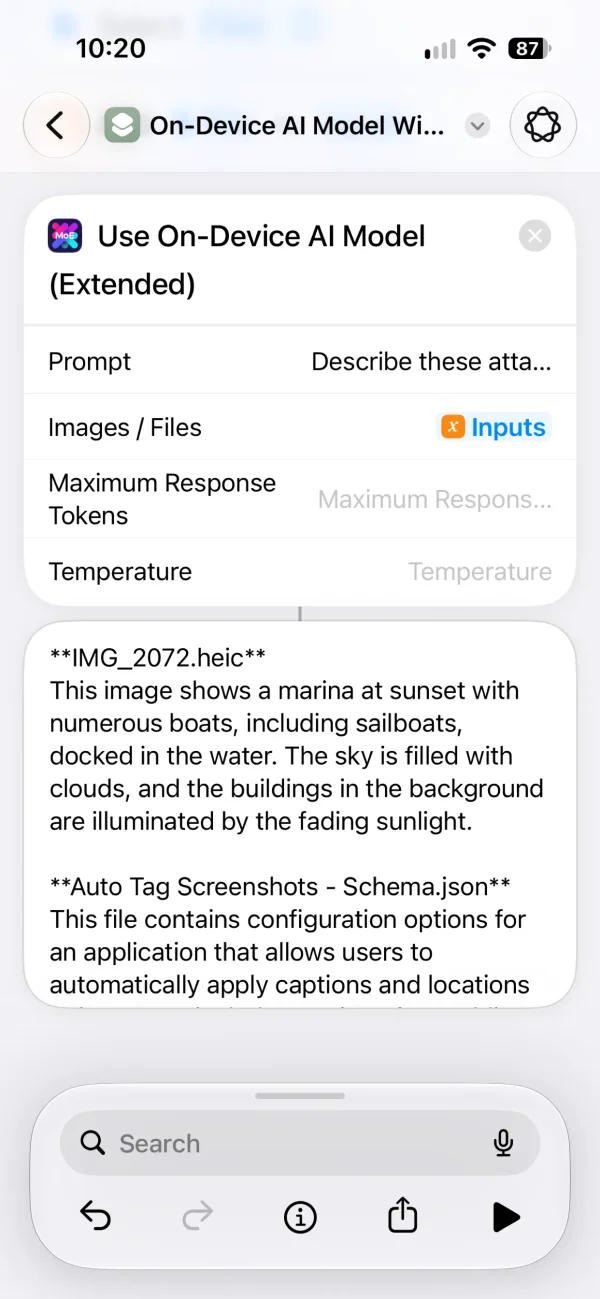
◦ "Use On-Device AI Model (Extended)" (iOS 27+ only): Images / files, max tokens, and temperature
• Clipboard (arbitrary formats, binary supported via Base64)
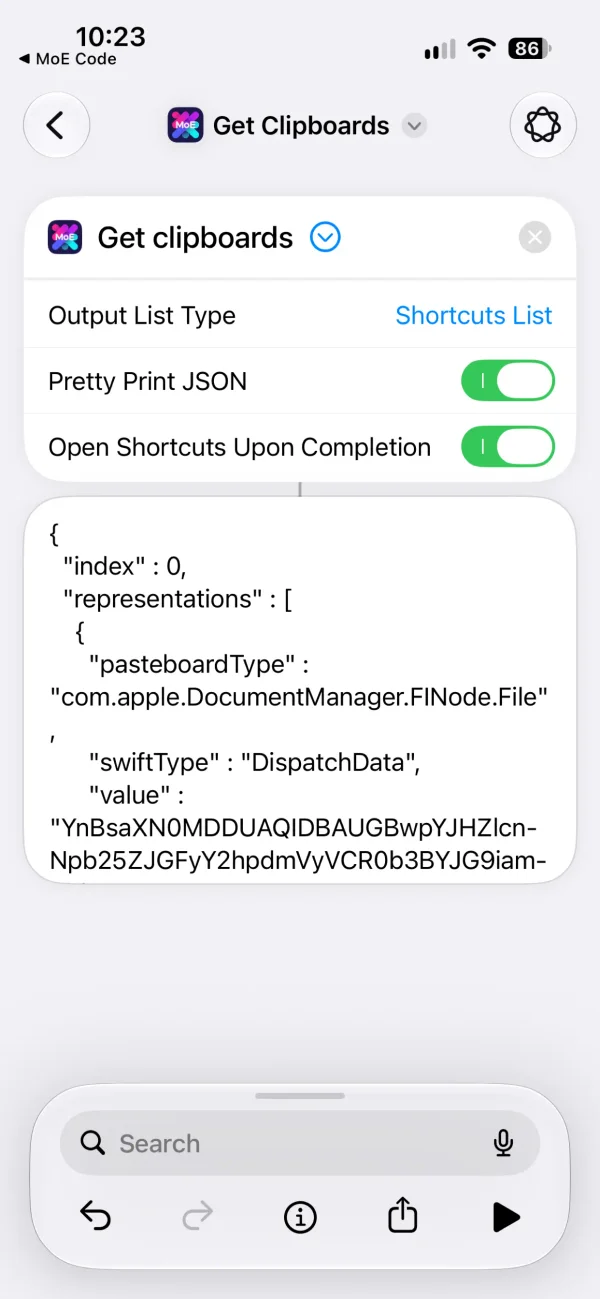
◦ "Get Clipboards"
◦ "Set Clipboards": routinehub.co/shortcut/22016/
• Data: HTML
◦ "Convert HTML Tables To JSON"
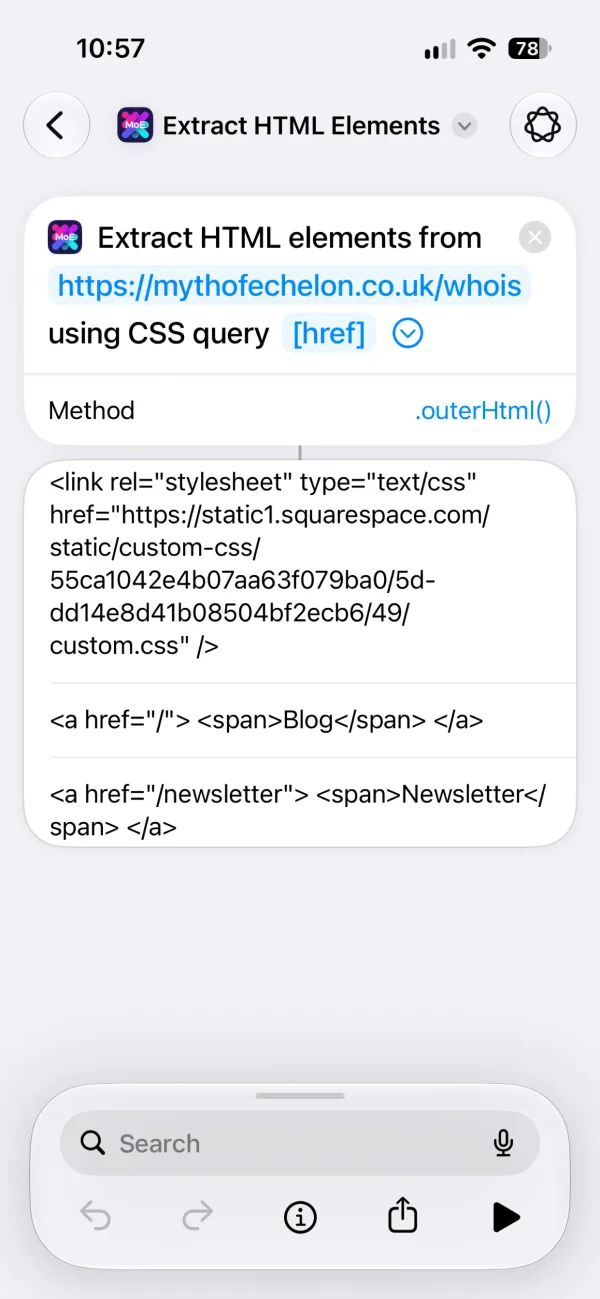
◦ "Extract HTML Elements Using SwiftSoup"
• Data: JSON
◦ "Delete Nested Dictionary / JSON Object Key"
◦ "Pretty Print Dictionaries / JSON"
◦ "Set Nested Dictionary / JSON Object Value"
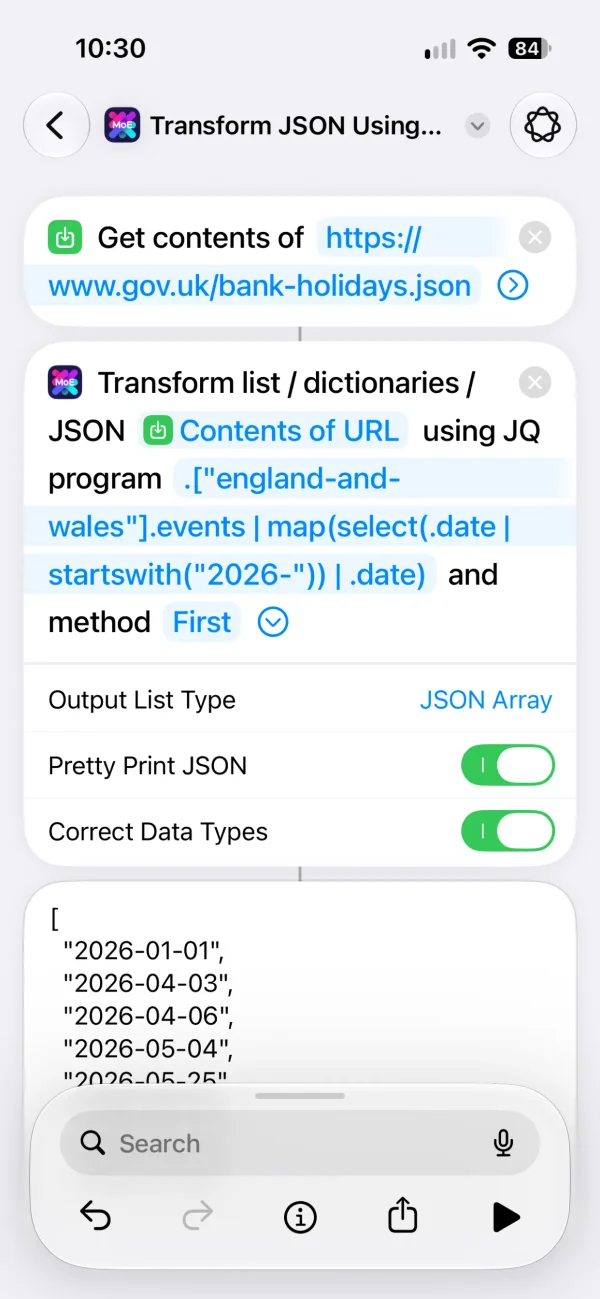
◦ "Transform List / Dictionaries / JSON Using JQ": Extract, filter, deduplicate, etc. routinehub.co/shortcut/21809/
• Data: Lists (significantly faster than using loops)
◦ "Add Value(s) To List / Merge Lists"
◦ "Convert JSON Array To Shortcuts List"
◦ "Convert String / Shortcuts List To JSON Array"
◦ "Get Items From List At Indexes (Values)"
◦ "Get Items From List At Indexes (Files)"
◦ "Get Value Position In List"
◦ "List Contains List?"
◦ "List Contains Value?"
◦ "Remove Value From List"
◦ "Sort Keys Of Dicts In List"
◦ "Subtract Lists"
• Data: Text
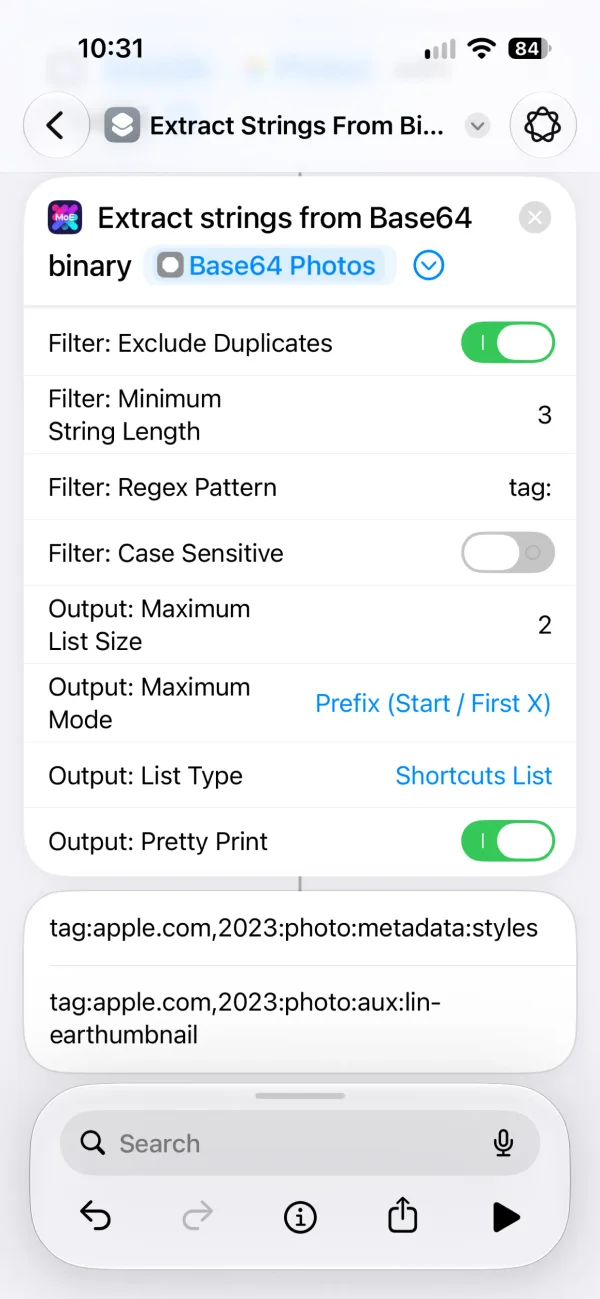
◦ "Extract Strings From Binary"
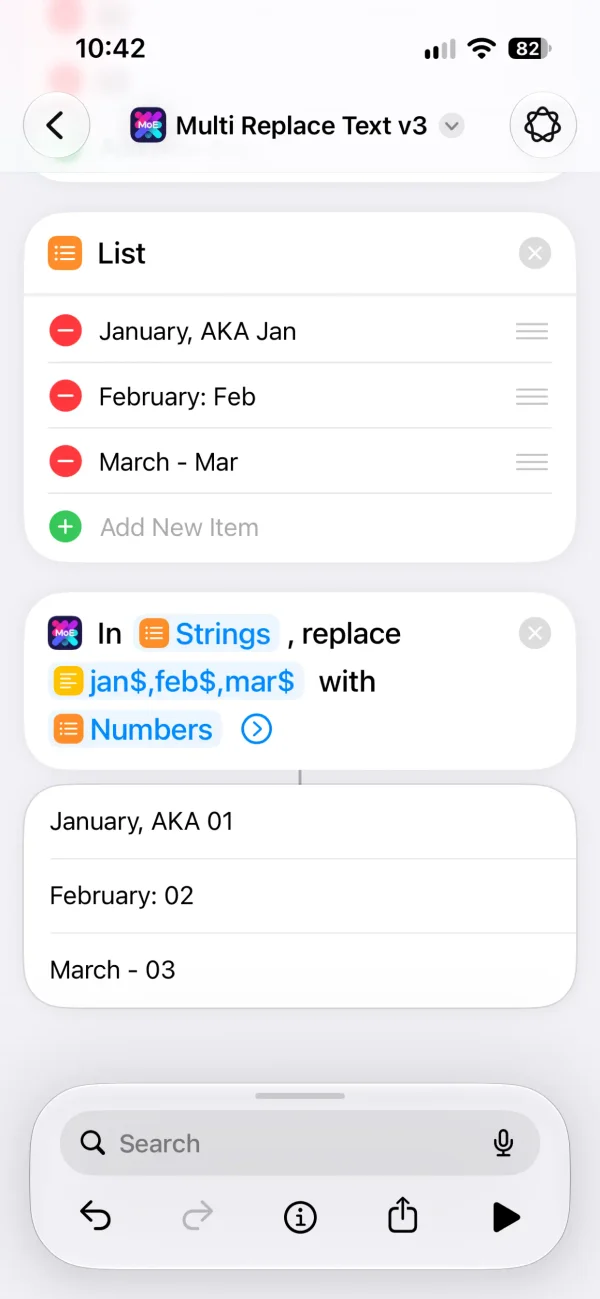
◦ "Multi Replace Text": Lists of strings, string or regex targets, and substitutions. routinehub.co/shortcut/26330/
• Device
◦ "Get Device Ground Speed"
◦ "Get Device Model"
◦ "Get Device Type"
◦ "Is App Installed?": Actions, Microsoft Outlook, Pythonista, Scriptable, and WhatsApp
• Files
◦ "Get Details of File / Folder": Unescaped file paths, top-level folder paths in the same format as Shortcuts
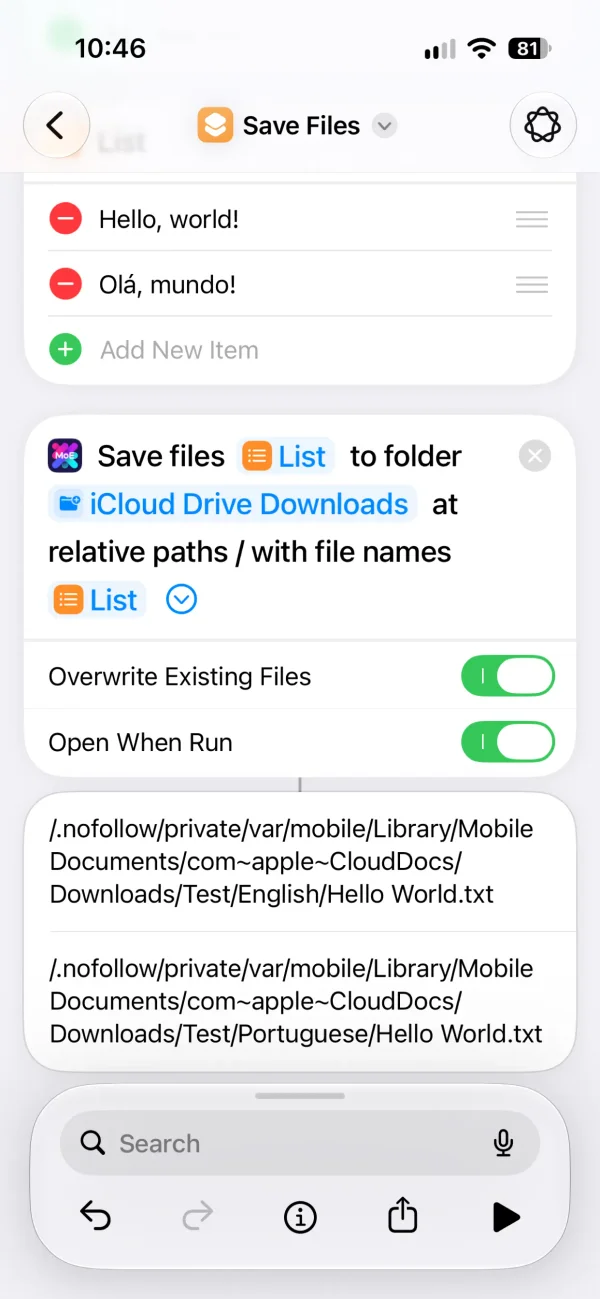
◦ "Save Files": List of files to list of relative paths. routinehub.co/shortcut/26330/
• Maps
◦ "Is Location In Bounding Box?"
◦ "Select Map Bounding Box Coordinates"
• Media (changes are made in-place for a smoother experience)
◦ "Change Photos Items' Captions" (iOS 27+ only): routinehub.co/shortcut/26535/ routinehub.co/shortcut/21792/
◦ "Change Photos Items' Creation Dates"
◦ "Change Photos Items' Locations": routinehub.co/shortcut/26535/ routinehub.co/shortcut/21792/
◦ "Chunk Video"
◦ "Find Photos Items By Captions" (iOS 27+ only)
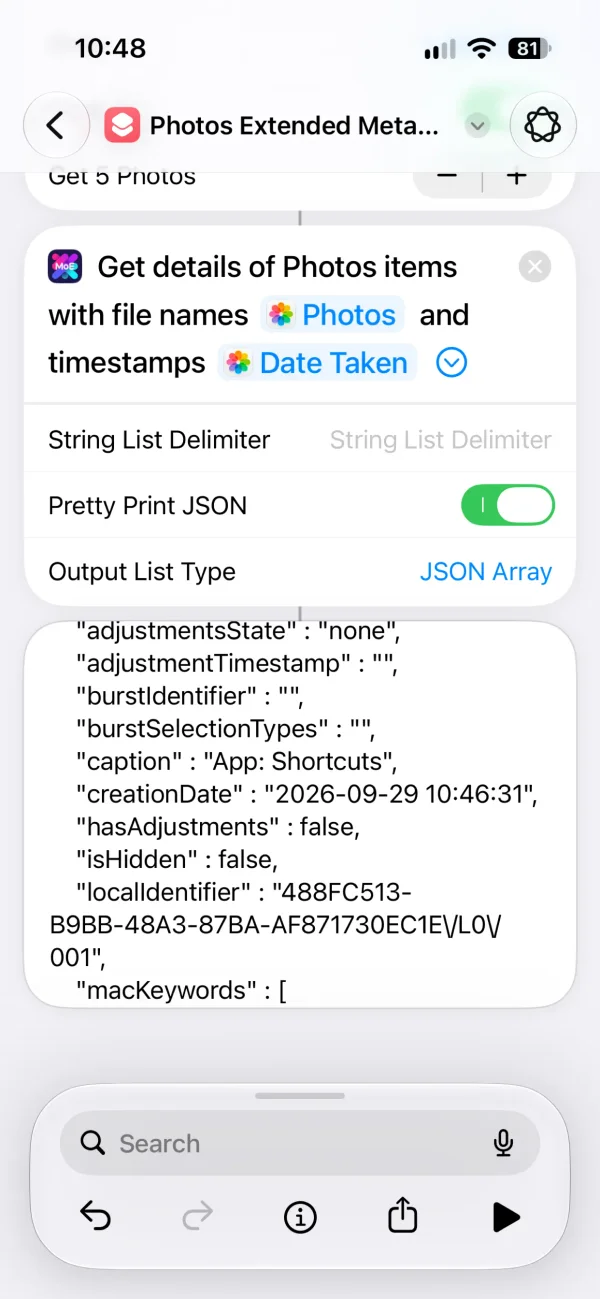
◦ "Get Details of Photos Items (Extended)" (iOS 27+ only)
◦ "Mark Photos Items As Favourited, Unfavourited, Or Hidden"
◦ "Play System Sound"
◦ "Remove Photos Items' Captions" (iOS 27+ only)
◦ "Remove Photos Items' Locations"
◦ "Resize Images With Fill (HDR)" (iOS 26+ only): routinehub.co/shortcut/21785/
• Network
◦ "Get Certificate Chain"
◦ "Is Internet-Connected?": routinehub.co/shortcut/24566/
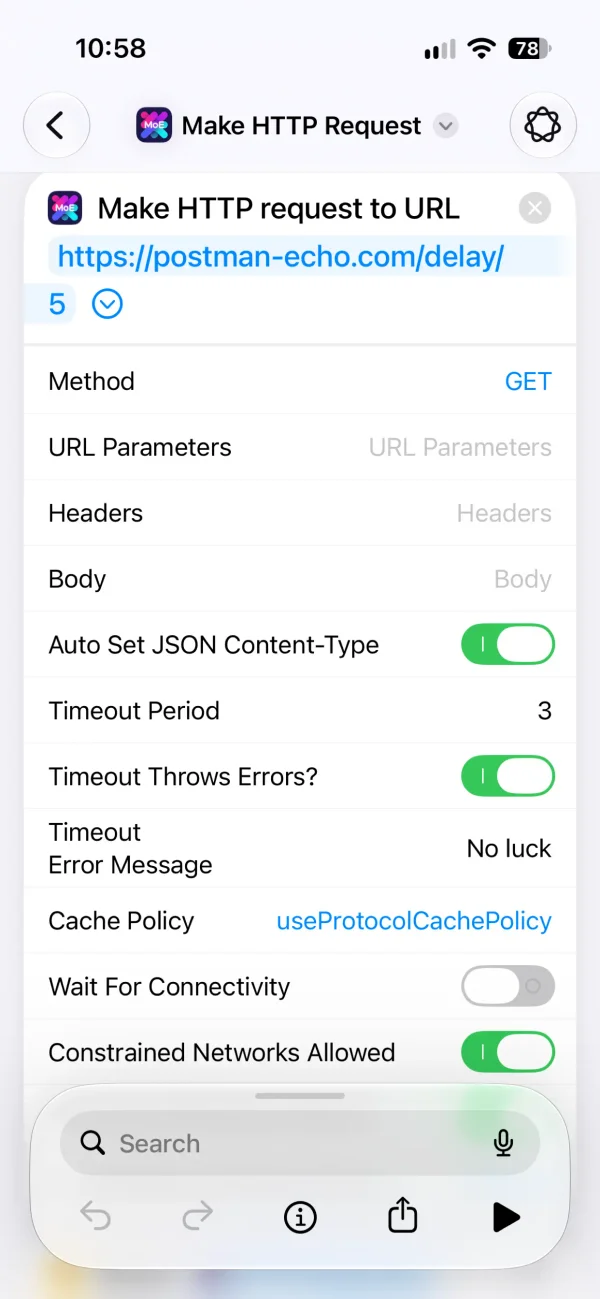
◦ "Make HTTP Request": Long run times supported, routinehub.co/shortcut/21809/
• Settings
◦ "Get Reminders Default List"
◦ "Open Settings Deep Link"
• Shortcuts: routinehub.co/shortcut/22016/
◦ "Convert JSON To PLIST" (XML or Base64-encoded binary)
◦ "Convert PLIST Binary To JSON"
◦ "Extract Action Blocks"
◦ "Extract Magic Variable Names"
◦ "Extract Non-Magic Variable Names"
◦ "Find Invalid If Statements"
◦ "Find Invalid Variable References"
◦ "Get MoE Code App Version"
• UI
◦ "Choose From List (Rich Text)"
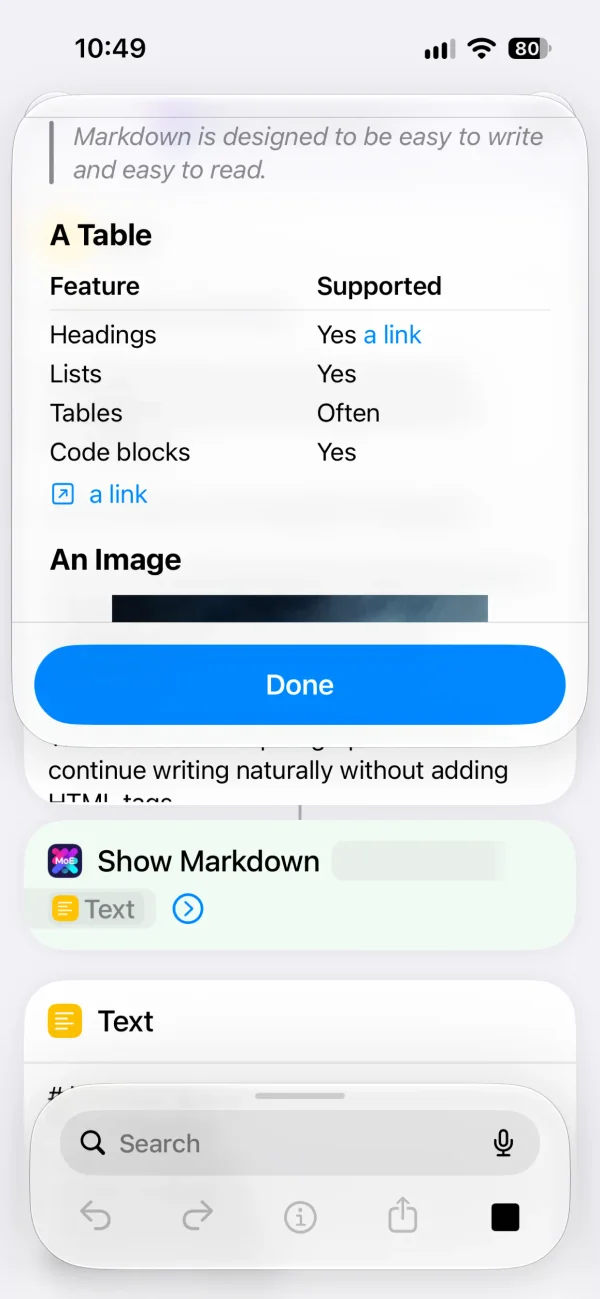
◦ "Render And Show Markdown"
◦ "Reorganise List"
• Widget: routinehub.co/shortcut/25942/
◦ "Delete Widget / Complication Key"
◦ "Get Widget / Complication Value"
◦ "Set Circular Gauge Widget / Complication Value"
◦ "Set Text Widget / Complication Value"
◦ "Sync And Reload App Widgets"
Novedades
Versión 1.26.1 · 20/11/2026
Functional changes / improvements:
• Media actions' search for PHAsset identifiers:
◦ Changed end time to be the "Time Taken" minute plus 60 seconds, rather than 59 seconds. This fixes a bug where the timestamp is a fraction of the 59th second.
◦ Changed start time to be the "Time Taken" minute minus 5 minutes earlier. This fixes a bug due to unexpected behaviour with screenshotting where if markup is done then Photos displays the time of when the screenshot was taken but Shortcuts shows the time when the marked-up screenshot was saved.
◦ Improved error message to suggest that it may be a permissions problem.
• Action "Get MoE Code App Version": Changed example from 001023000 to 1023000 as Shortcuts doesn't allow numbers to begin with zeros.
Cosmetic changes / improvements:
• Renamed actions:
◦ "Extract Named Magic Variables" → "Extract Magic Variable Names"
◦ "Extract Named Non-Magic Variables" → "Extract Non-Magic Variable Names"
• Renamed "Circular Widget" and "Circular Complication" to "Circular Gauge Widget" and "Circular Gauge Complication", as the text-based widget / complication can also display in a circle.
Privacidad de la aplicación
Lo que BENJAMIN ANDREW HOOPER declara en App Store sobre cómo esta aplicación gestiona los datos.
-
No se recopilan datos
El desarrollador no recopila ningún dato de esta aplicación.
Las prácticas de privacidad pueden variar, por ejemplo, según las funciones que uses o tu edad.
Información
- Vendedor
- BENJAMIN ANDREW HOOPER
- Categoría
- Para desarrolladores
- Versión
- 1.26.1
- Actualizado
- 20/11/2026
- Publicado
- 28/4/2026
- Tamaño
- 13,3 MB
- Requiere
- iOS 18.0 o posterior
- Clasificación por edad
- 17+
- Precio
- Gratis
- Idiomas
- Inglés
- Copyright
- © 2026 Ben Hooper
Quizá también te guste
-
 Text Editor : Code EditorPara desarrolladores
-
 OpenMono: AI Coding AgentPara desarrolladores
-
 Forge Database ManagerGestor de bases de datos
-
 JavaScript IDE: Editor HTMLEjecuta y Aprende JS + TS
-
 Smart JSON & XML EditorVisor, Formateador y Editor
-
 Swift IDE : SwiftPad CompilerCode Editor for Swiftui, Xcode
-
 Device Monitor: Test del MóvilBatería, pantalla y sensores
-
 Scripting: AI Agent & ToolsPara desarrolladores
-
 Remodex - Remote AI CodingPara desarrolladores
-
 HTML Viewer: Editor y CreatorVisor HTML local y Crear, edit