
MP AR - Motion Control
Design | Upload | Shoot
Diseñada para iPhone, iPad
29,99 €
- Clasificación por edad4+
- CategoríaFoto y vídeo
- DesarrolladorMotorized Precision, LLC
- IdiomasInglés
- Tamaño170,4 MB
Enlaza a la página oficial de App Store
Download.org no aloja ningún archivo de MP AR - Motion Control. El botón abre la página de la aplicación en App Store, donde la publica Motorized Precision, LLC. Ficha comprobada por última vez el 25/11/2026.
Capturas de pantalla
Acerca de
El desarrollador no ha proporcionado este texto en tu idioma.
MP AR is a go-anywhere do-everything motion control robotics tool.
Pre-viz: Visualize your robots on location with built-in IK. The 1:1 robot model will move to the position in your space so you can see if it fits and how the move will take place.
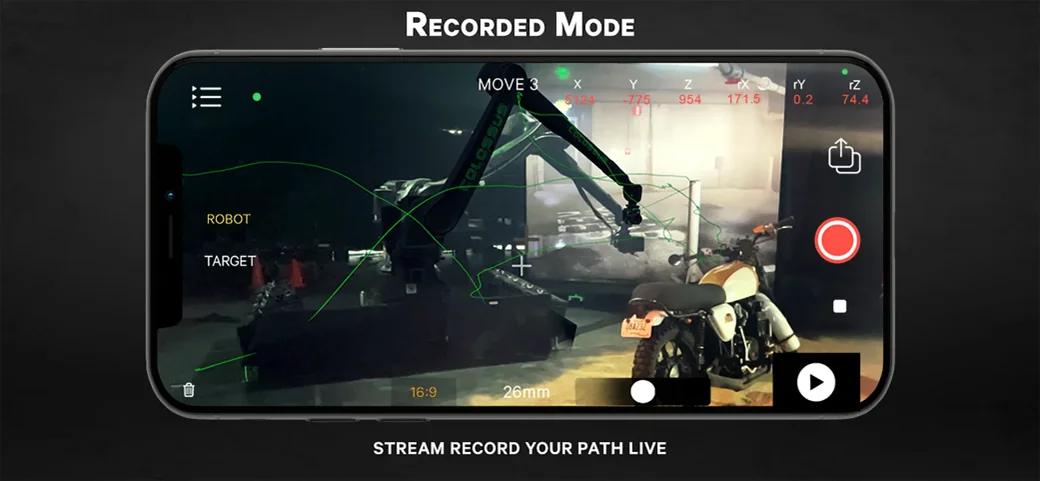
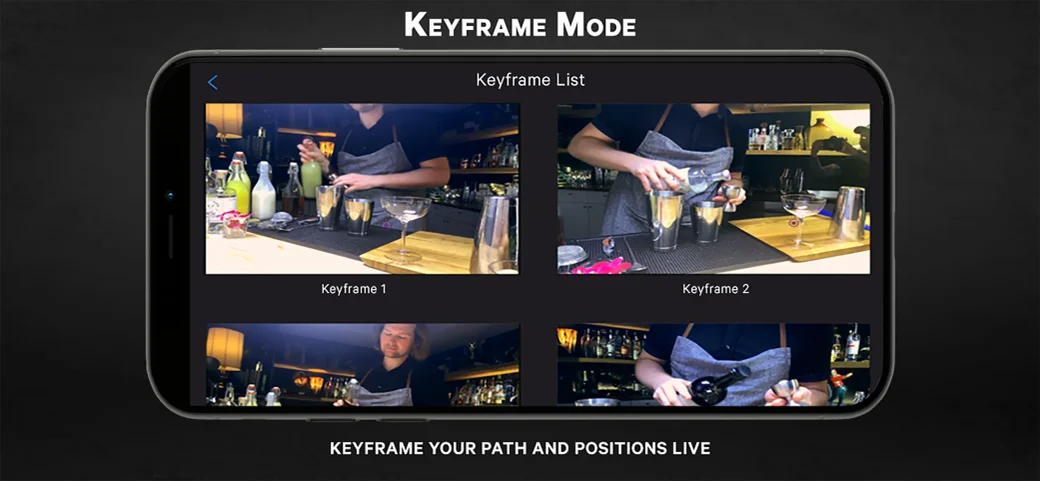
Design Moves: Use recorded or keyframed move types to design out and test any idea you have in your head inside a real-world environment. Include importing of USDZ AR objects.
Playback: Playback your moves in-app to see what the moving path looks like and how the robot will move inside your location.
Export: Export your move to MP Studio software to run directly on the robot after the move is exported. You can also export a clip to share via Imessage or email to your clients or as a reference of the shot.
Novedades
Versión 1.6.1 · 24/11/2026
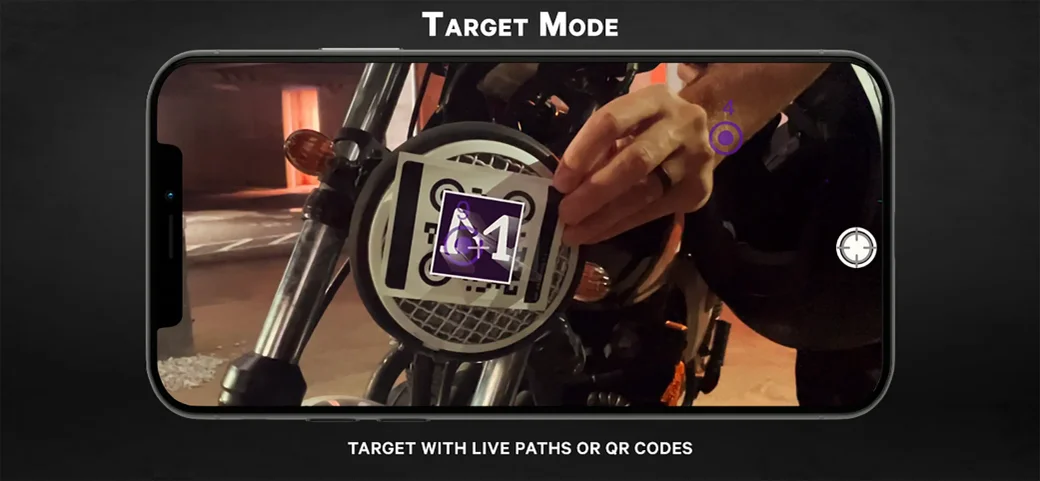
MP AR 1.6 is a major update: a punch-in viewfinder, detached mode, smoother recordings, new robots, tracks and cameras, a redesigned iPhone layout, and everything needed for live control and reference markers in MP Studio 5.
VIEWFINDER
• Punch in: magnify the viewfinder to your frame guide to see the shot as the camera will.
• Spread two fingers to zoom in and pinch to zoom out, as everywhere else on iOS.
• Optional high-resolution camera feed for a sharper punched-in picture.
• The frame guide always fits on screen, at every aspect ratio.
DETACHED MODE
• Tap Detach to leave the robot's camera where it is, then hold Move and move your device to steer it from a distance.
• Motion can follow the camera's own axes or the room's, scaled from 3:1 to 1:3 for fine adjustments.
• Pose, keyframe and record as usual while detached.
NEW ROBOTS, TRACKS AND CAMERAS
• New robots: Kira 3, Atlas, and Eva.
• Every robot rebuilt from the manufacturers' CAD models to match MP Studio.
• New tracks and bases: Evo Modular Track (1 to 10 sections), 6', 8', 10' and custom Evo sliders, Evo Tripod, Nano Track for Kino, KL4000 for Atlas, and the Kira 3 pedestal.
• New cameras and lens: iPhone 17 Pro, Sony A7 III, FX3, FR7 and the Sony FE 16–35mm F4.
• Changing a camera, lens or tool no longer sends you back to floor calibration.
CALIBRATION AND RECORDING
• Robot placement starts where you're looking: the robot appears on the floor at the centre of the screen, facing you.
• Smoother recordings: every frame is captured and tracking noise is cleaned up while keeping the hand-held feel. Turn it off in Settings to compare.
• Smoother playback of recorded moves.
DESIGN AND EASE OF USE
• Redesigned for iPhone and updated for the latest iOS.
• Bigger, easier-to-hit buttons throughout, especially when holding the device up to frame a shot.
• Swipe back in Settings and move screens.
• VoiceOver labels on the app's buttons, and clearer text over the camera picture.
PERFORMANCE AND RELIABILITY
• Smoother frame rate during playback and when a shot is out of the robot's reach.
• Lower memory use when loading robot models and with large projects.
• The connection to MP Studio recovers on its own after the workstation restarts or the network drops.
• TOO CLOSE and FLOOR COLLISION warnings now update as you move.
• Fixed the robot model standing at its zero pose during calibration instead of matching the connected robot.
• Fixed camera models appearing rotated or offset on the robot.
• Fixed number fields resetting to zero, a rare loss of recent project edits, and a crash with some modular track setups.
Privacidad de la aplicación
Lo que Motorized Precision, LLC declara en App Store sobre cómo esta aplicación gestiona los datos.
-
No se recopilan datos
El desarrollador no recopila ningún dato de esta aplicación.
Las prácticas de privacidad pueden variar, por ejemplo, según las funciones que uses o tu edad.
Información
- Vendedor
- MOTORIZED PRECISION LLC
- Categoría
- Foto y vídeo
- Versión
- 1.6.1
- Actualizado
- 24/11/2026
- Publicado
- 7/6/2022
- Tamaño
- 170,4 MB
- Requiere
- iOS 18.0 o posterior
- Clasificación por edad
- 4+
- Precio
- 29,99 €
- Idiomas
- Inglés
- Copyright
- © 2026 Motorized Precision, LLC
Quizá también te guste
-
 CamPlot RecorderFoto y vídeo
-
 Camera Tools para DJI®Control remoto de cámaras DJI
-
 RED control proFoto y vídeo
-
 iPhantom XFoto y vídeo
-
 iPhantomFoto y vídeo
-
 bit.ctrlFoto y vídeo
-
 LookPocketFoto y vídeo
-
 Kessler kOSFoto y vídeo
-
 Live Streamer: en directoTransmisión en vivo GoPro/DJI
-
 NanoLockit LoggerFoto y vídeo