
Mulux
Lights down, worlds up。
Diseñada para iPhone, iPad
Gratis · Compras en la aplicación
- Clasificación por edad4+
- CategoríaEntretenimiento
- Desarrollador志凌 方
- IdiomasInglés+ 1 más
- Tamaño96,4 MB
Enlaza a la página oficial de App Store
Download.org no aloja ningún archivo de Mulux. El botón abre la página de la aplicación en App Store, donde la publica 志凌 方. Ficha comprobada por última vez el 13/11/2026.
Capturas de pantalla


Acerca de
El desarrollador no ha proporcionado este texto en tu idioma.
Mulux Cinema
Bring your favorite films into your own cinema. Open your library on iPhone, iPad, Apple TV, or Apple Vision Pro, pick up where you left off, and settle in for a movie.
Understand the Story, Even Without Subtitles
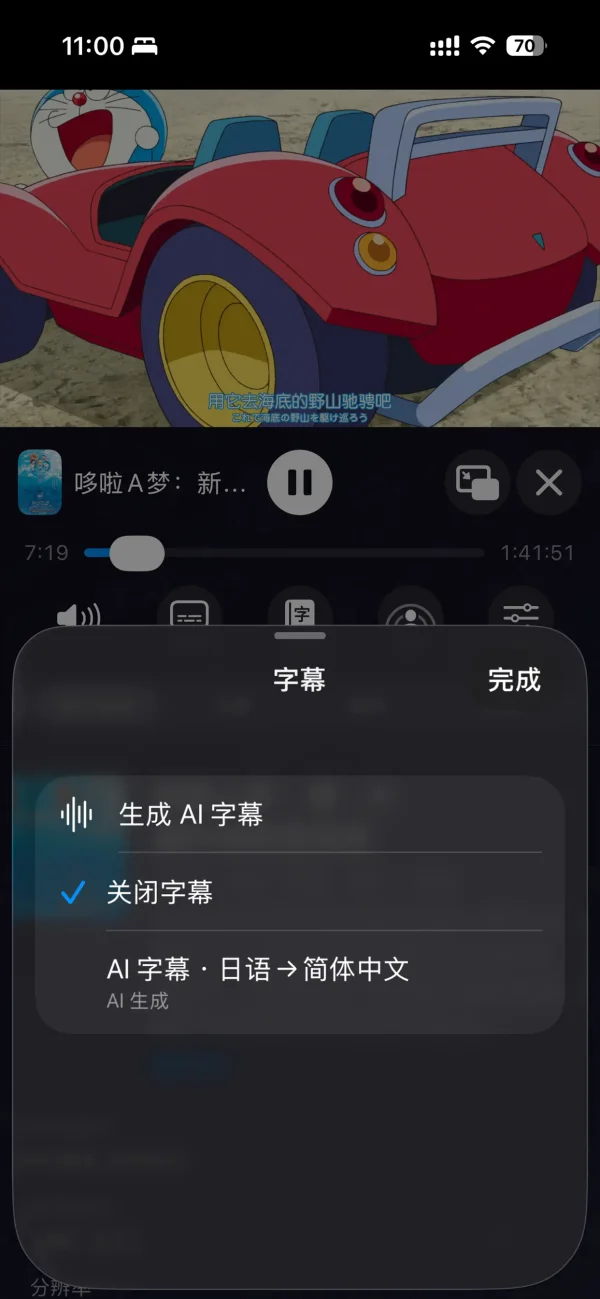
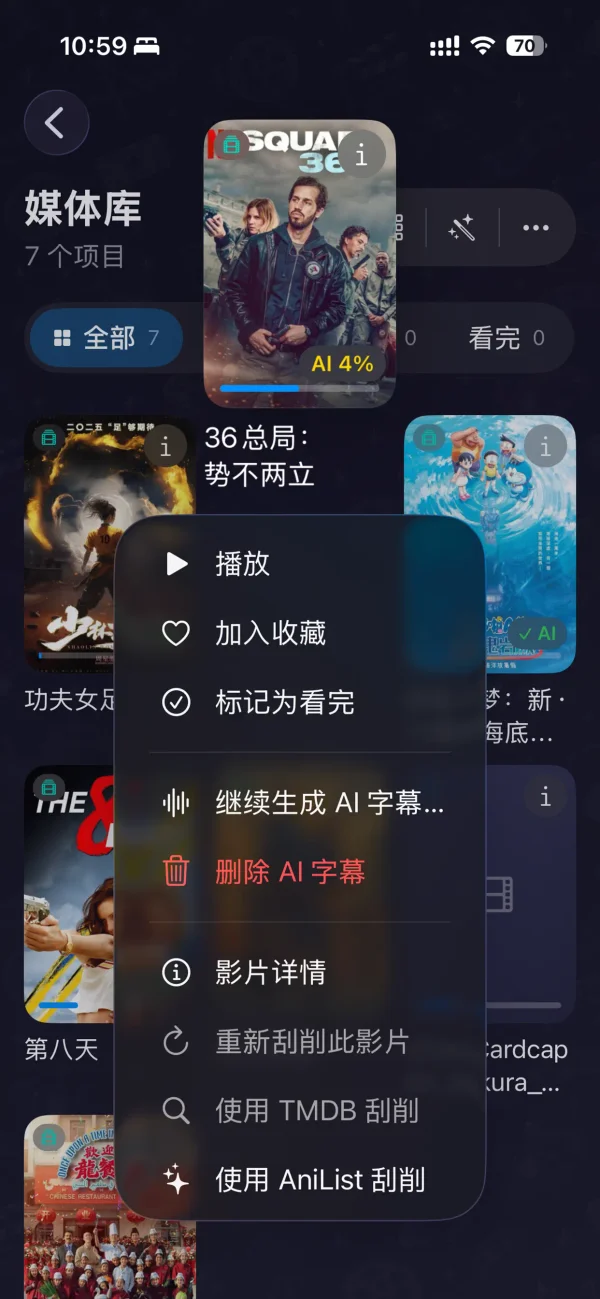
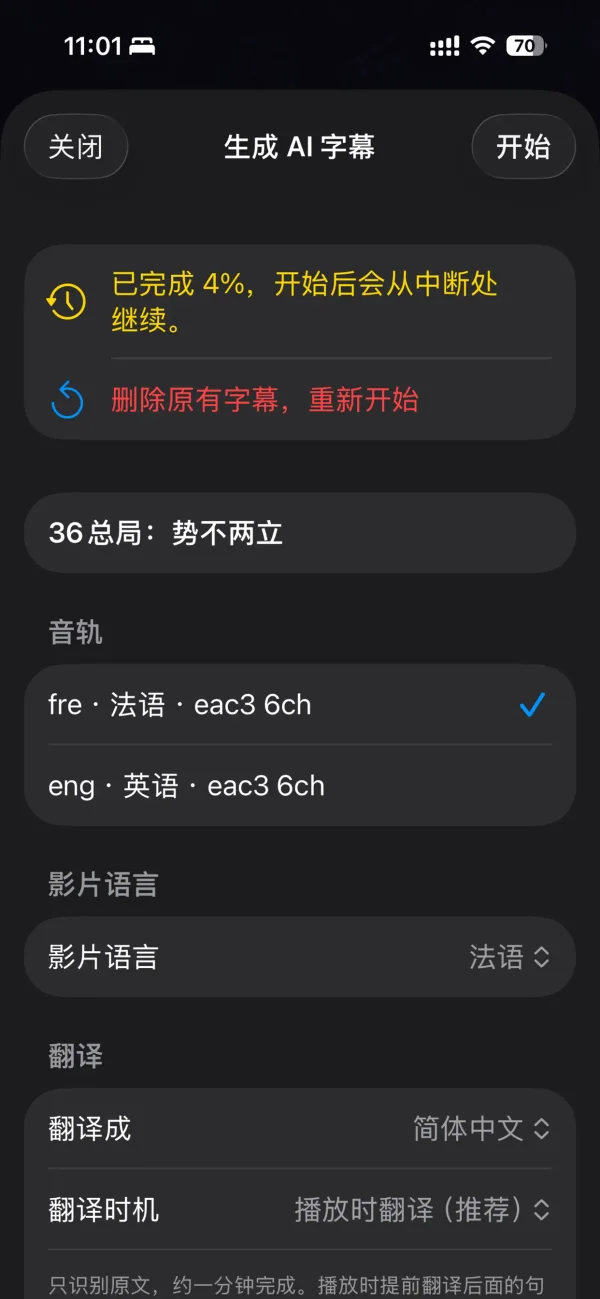
Found a film without subtitles? You no longer have to wait for someone to create them. Mulux Cinema uses AI speech recognition to generate subtitles from the dialogue and translate them into your preferred language.
Already have subtitles? Use AI subtitle translation to make foreign-language dialogue easier to follow. Generated AI subtitles can also sync across devices, so you can create them on a supported device and use them on your other devices.
Your Films, Wherever You Keep Them
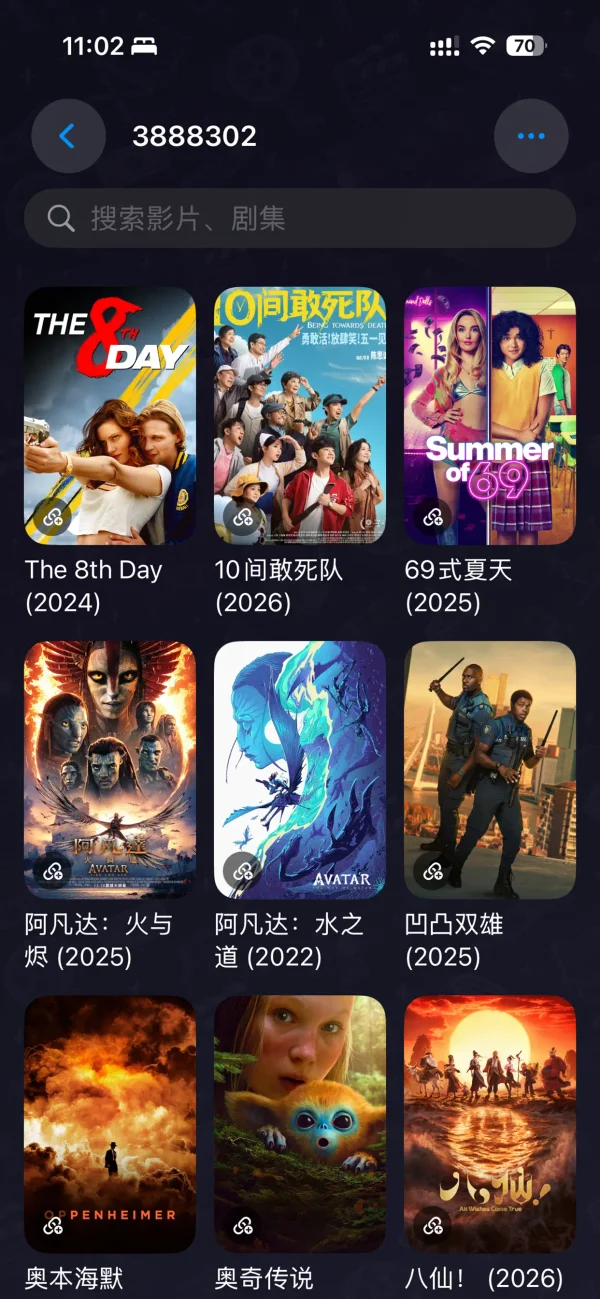
Play local files in a wide range of common video formats, or connect to network shares and media servers.
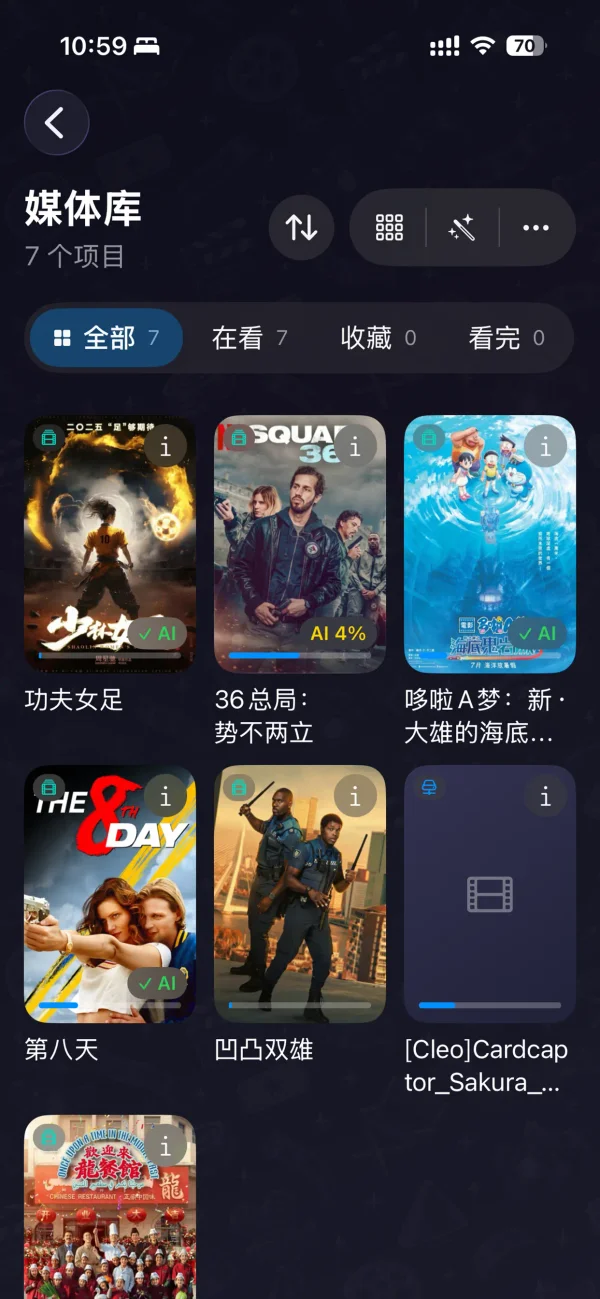
Supports SMB, WebDAV, and FTP, along with Emby, Jellyfin, and Plex libraries. Whether your films are stored on your device, computer, or NAS, browse them in one place and find your next watch by its poster.
Switch Devices. Keep Watching.
Sync playback progress, library information, AI subtitles, and more through iCloud. Watch on your iPhone while you’re out, then switch to your iPad or TV at home. As long as both devices can access the same video source, you can continue where you left off.
SharePlay lets you watch in sync with friends and family, so you can enjoy a movie together even when you’re apart.
A Viewing Experience for Every Screen
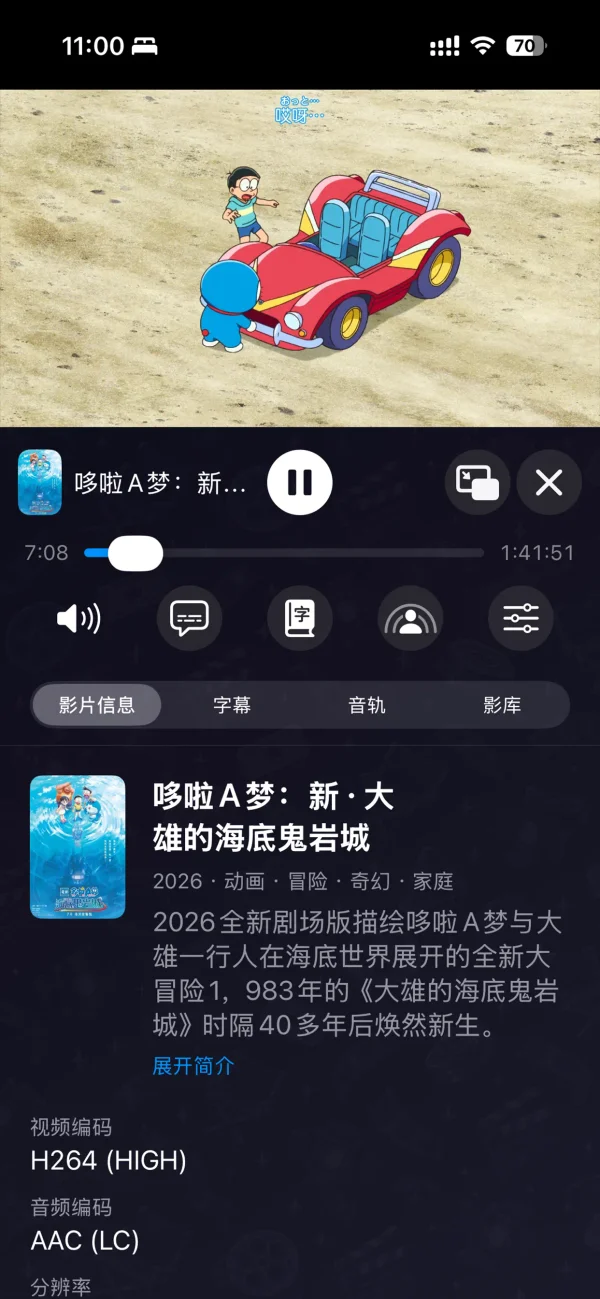
Portrait playback on iPhone and iPad uses a split layout: watch the video at the top, with playback, subtitle, and audio controls below. View the synopsis and technical details, or browse your library while watching. When chapter or episode information is available, jump to a chapter or choose another episode with ease.
The layout also adapts to different iPhone Duo screen configurations.
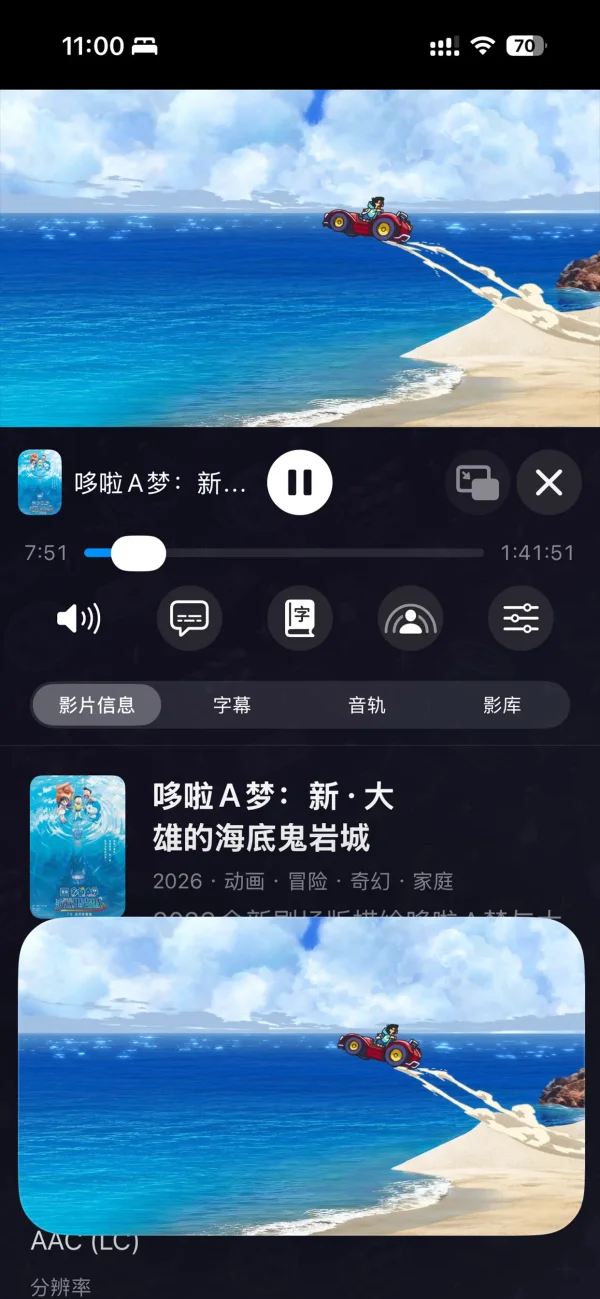
Picture in Picture on iOS lets you keep watching while replying to messages or using other apps.
On Apple TV, an interface designed for the big screen and remote control turns your living room into your everyday cinema.
An Immersive Cinema, Exclusively on Apple Vision Pro
Step into an immersive cinema and let the film take center stage. Choose your cinema environment and seat, then enjoy the big-screen experience in your own viewing space.
Subtitles and Playback, Your Way
Adjust subtitle fonts, size, color, and position. Switch audio tracks and choose how the video fits the screen. Resume where you left off, play videos in sequence, and skip intros when the relevant information is available. Set things up the way you like, then enjoy the movie.
Choose from Apple’s built-in translation, Apple Intelligence translation, or translation through a large language model API that you configure.
Some AI features depend on your device model, system version, language, and the availability of Apple services. Speech recognition and translation accuracy may vary depending on the source content. Cross-device sync requires the same Apple Account and the relevant sync settings to be enabled. Local video files are not transferred automatically. The app does not provide movies or TV shows. Please use content you are authorized to access.
Privacidad de la aplicación
Lo que 志凌 方 declara en App Store sobre cómo esta aplicación gestiona los datos.
-
No se recopilan datos
El desarrollador no recopila ningún dato de esta aplicación.
Las prácticas de privacidad pueden variar, por ejemplo, según las funciones que uses o tu edad.
Información
- Vendedor
- 志凌 方
- Categoría
- Entretenimiento
- Versión
- 1.1
- Actualizado
- 6/10/2026
- Publicado
- 21/9/2026
- Tamaño
- 96,4 MB
- Requiere
- iOS 26.0 o posterior
- Clasificación por edad
- 4+
- Precio
- Gratis
- Compras en la aplicación
- Sí
- Idiomas
- Inglés, Chino simplificado
- Copyright
- © 2026. Shanghai Qapla Games Co., LTD.
Quizá también te guste
-
 Marquee: Reproductor de vídeoPelículas 4K HDR desde tu NAS
-
 ZeoPlayerMuchos formatos de vídeo
-
 ArcroomEntretenimiento
-
 Loge ProReproductor para tus películas
-
 Gravity: Your Cloud Media HubEntretenimiento
-
 MumoStreamEntretenimiento
-
 Zplayer Private CinemaEntretenimiento
-
 GreenPlayer: Media PlayerEntretenimiento
-
 Kosmos - Emby ClientEntretenimiento
-
 弥•彩Entretenimiento