Muse — Composition Camera
Your eye for composition
Diseñada para iPhone
Gratis · Compras en la aplicación
- Clasificación por edad4+
- CategoríaFoto y vídeo
- Desarrollador亚 张
- IdiomasInglés+ 5 más
- Tamaño103,9 MB
Enlaza a la página oficial de App Store
Download.org no aloja ningún archivo de Muse — Composition Camera. El botón abre la página de la aplicación en App Store, donde la publica 亚 张. Ficha comprobada por última vez el 23/11/2026.
Capturas de pantalla
Acerca de
El desarrollador no ha proporcionado este texto en tu idioma.
YOUR MOMENTS, READY TO REVISIT
Capture photos and videos without leaving the camera. Muse keeps originals, reference examples and editing drafts in your Works gallery. Organize photos into themes, return to your edits, and create cards with adjustable photo corners.
**She asks for one photo. Muse makes sure it's a good one.**
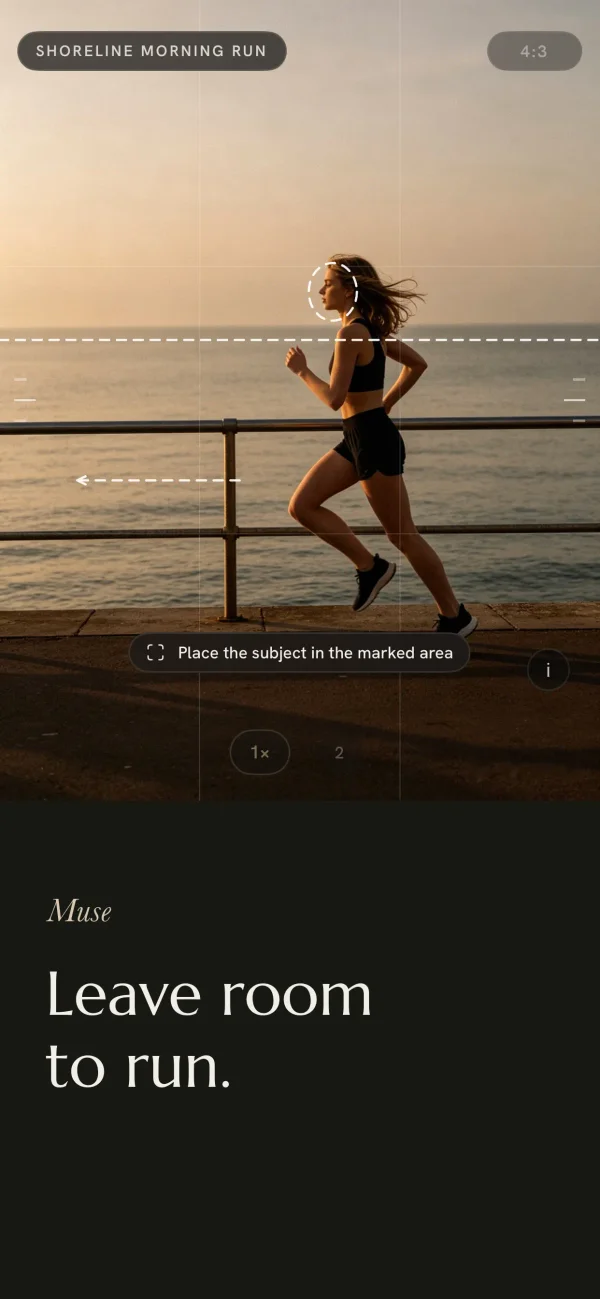
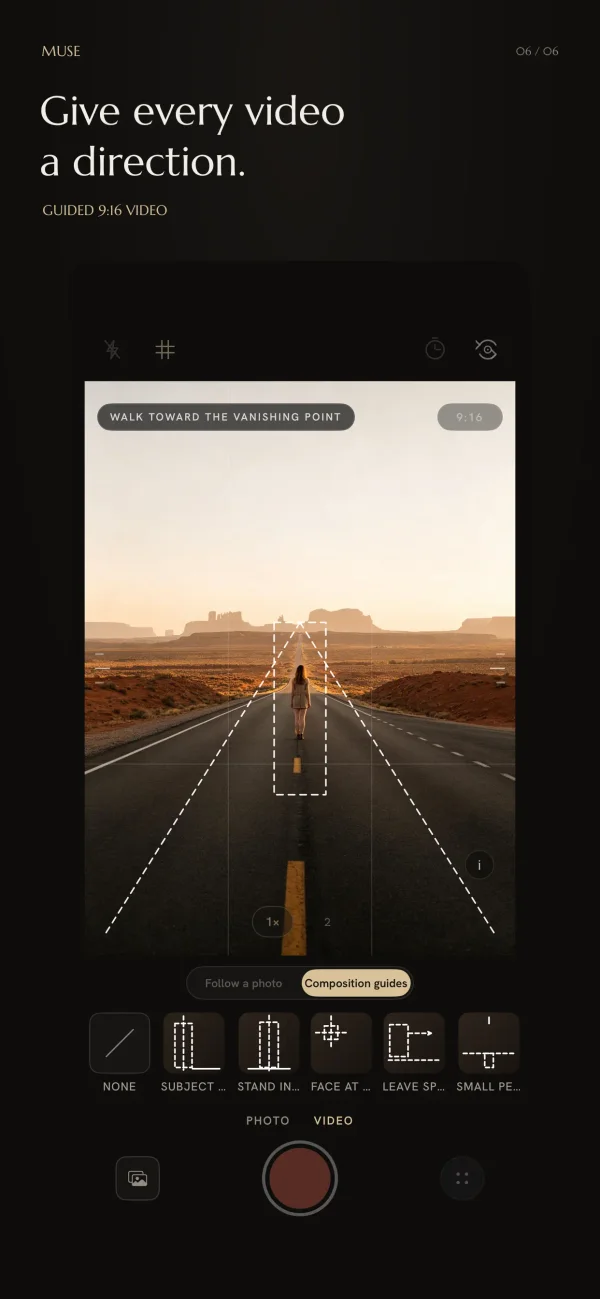
Muse draws elegant dashed guidelines right on your camera — where she should stand, where the horizon belongs, where her face fits. Move until the lines rest on her, wait for the dashes to turn green, and shoot.
**HOW IT WORKS**
• Pick a composition — portraits, travel in Taiwan, Japan, Korea, Hong Kong and Europe, shots of him, home, night and outfit looks, couples, fur babies, and family
• Align the dashes — they turn green as your subject locks in
• All green? Shoot. One tap, done.
**WHAT'S INSIDE**
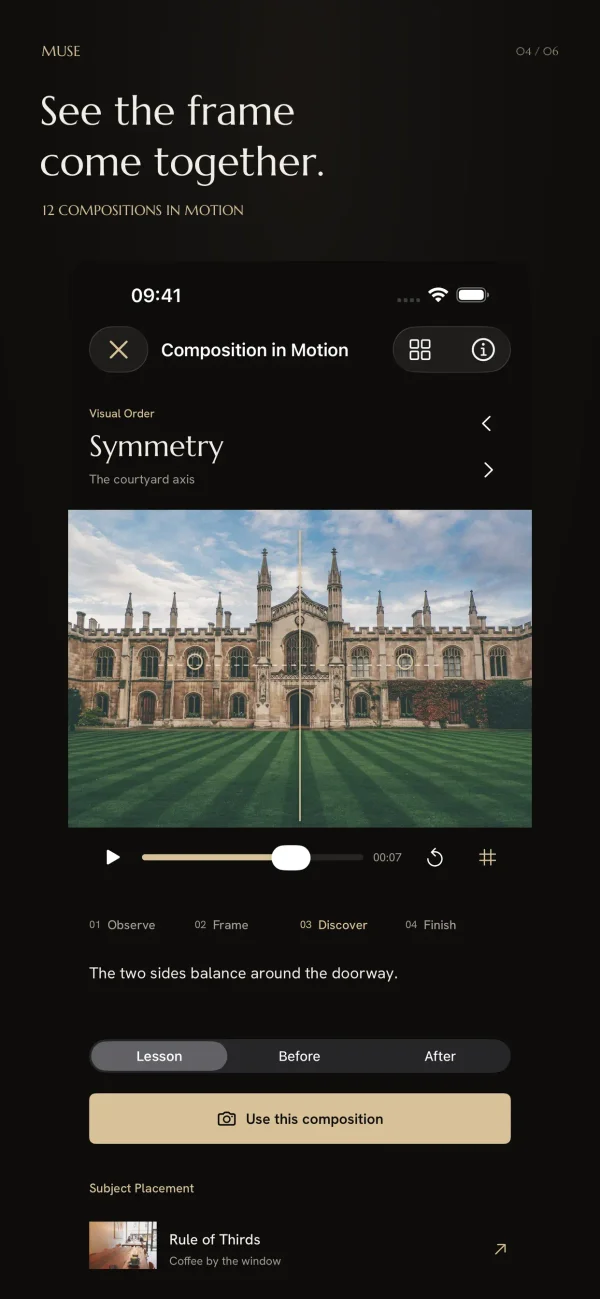
• Composition in Motion: 8 free lessons and 4 advanced lessons included with Muse Pro. Preview every lesson for free; the matching camera guides stay free.
• 24 free, scene-independent guides for portraits, close-ups, back views, food, scenery and architecture
• Guided 9:16 video with sound; trim the ends, apply a film tone or mute before saving
• Live guides that recognize people, cats and dogs — fully on-device
• Hand-curated composition templates, each paired with an exemplar photo
• An exemplar photo behind every template — tap Compare to overlay it on your viewfinder
• Three short tips per template: where to stand, how high to hold, when to zoom
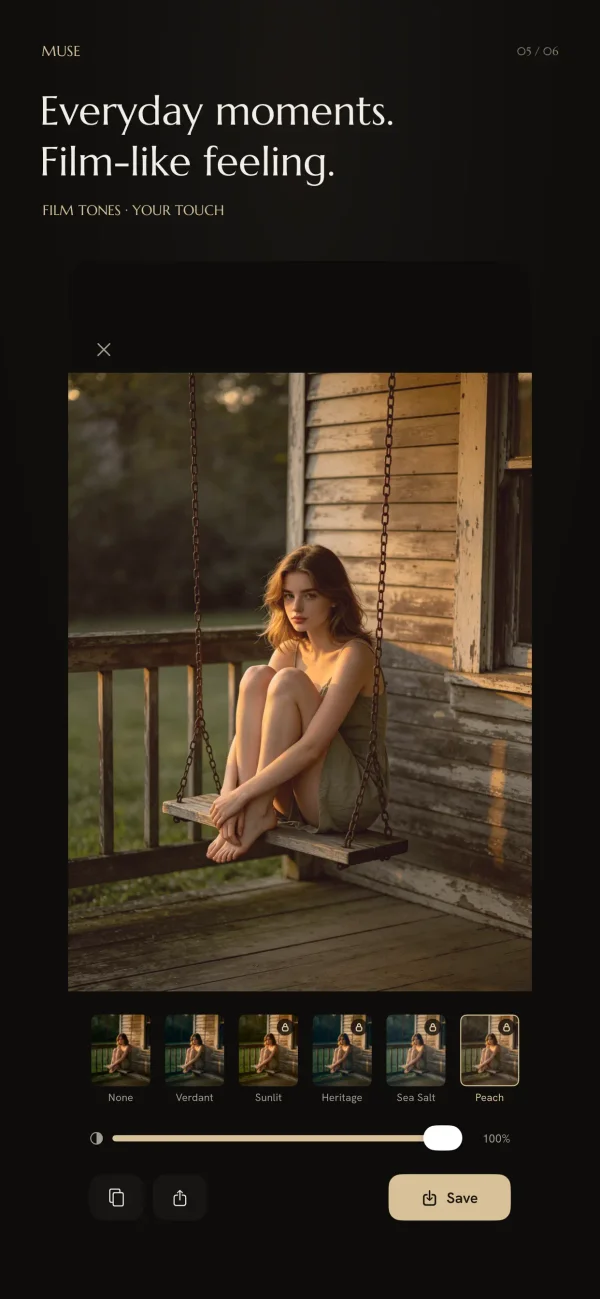
• Film-tone filters (Dawn, Fog, Cine, Butter, Noir) — muted, warm, never loud
• Rule-of-thirds grid, level indicator with a soft haptic, 4:3 / 1:1 / 16:9
• Import any reference photo — Muse reads its composition and turns it into guides you can save as your own template
• Photo cards — frames, background colors, a line of your words and the date, right after the shot
**QUIET BY DESIGN**
• No account. No subscription. No data collected.
• One-time purchase unlocks every curated scene example and Pro filter — future scene packs included.
Made for anyone who's ever heard "you press it, I'll pose" — and panicked.
Novedades
Versión 2.7.1 · 21/11/2026
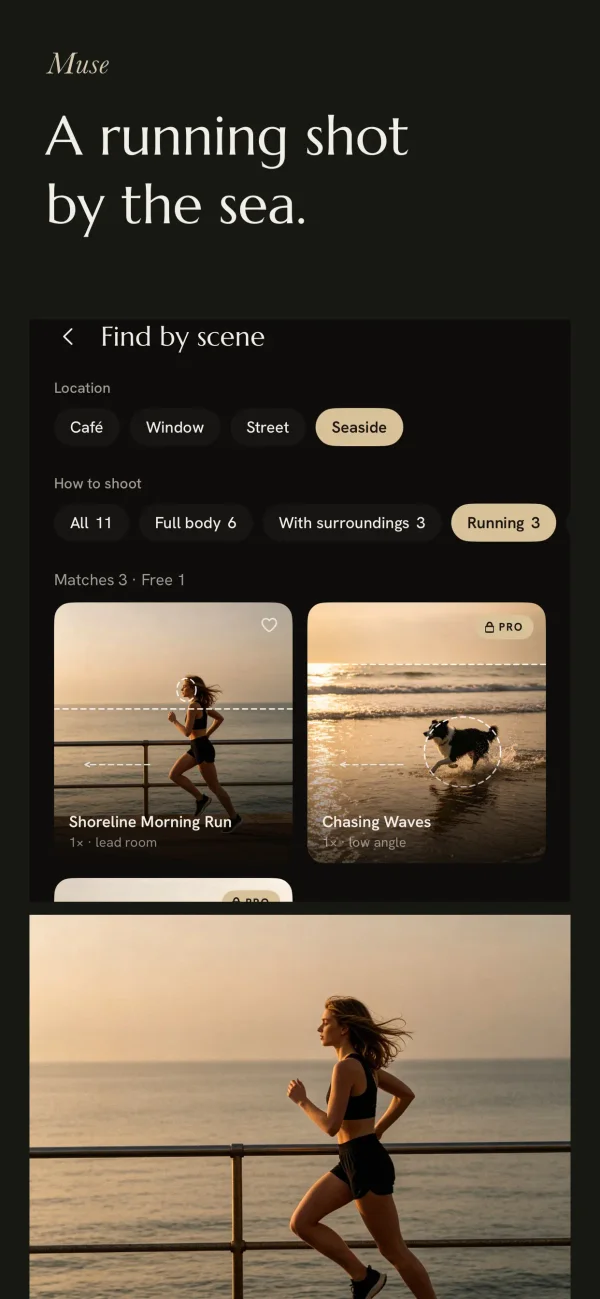
- Use Find by scene to pick a location and a shot, like a seated portrait at a café or a full-body shot by the sea.
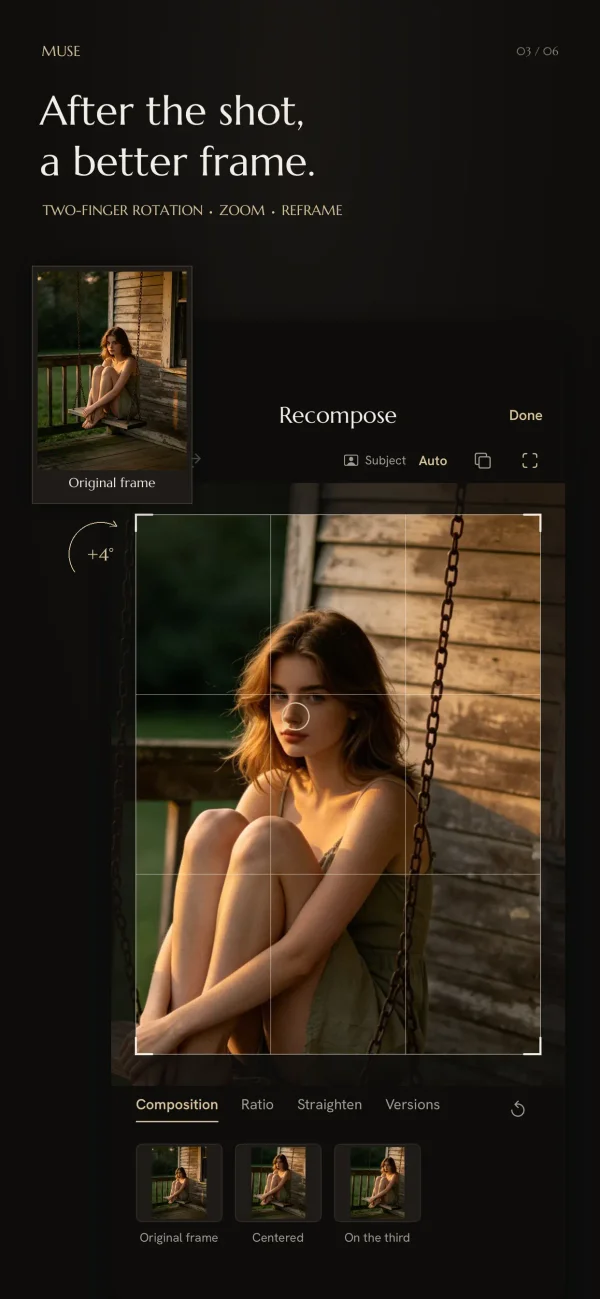
- Compare frames shows two crops of the same photo side by side, so you can choose the framing you like.
- On iPhone Duo, the controls have more room when you shoot or edit with the phone unfolded in landscape. In portrait, the top buttons sit a little farther from the edge.
Privacidad de la aplicación
Lo que 亚 张 declara en App Store sobre cómo esta aplicación gestiona los datos.
-
No se recopilan datos
El desarrollador no recopila ningún dato de esta aplicación.
Las prácticas de privacidad pueden variar, por ejemplo, según las funciones que uses o tu edad.
Información
- Vendedor
- 亚 张
- Categoría
- Foto y vídeo
- Versión
- 2.7.1
- Actualizado
- 21/11/2026
- Publicado
- 6/7/2026
- Tamaño
- 103,9 MB
- Requiere
- iOS 17.0 o posterior
- Clasificación por edad
- 4+
- Precio
- Gratis
- Compras en la aplicación
- Sí
- Idiomas
- Inglés, Japonés, Coreano, Chino simplificado, Tailandés, Chino tradicional
- Copyright
- © 2026 nooption
Quizá también te guste
-
 GridCam Cámara CinematográficaGuías de Composición, Looks
-
 Muse: Your AI Art PartnerFoto y vídeo
-
 Slay: Cámara de Composición IARegla de tercios y fotos pro
-
 Hackshot - Pose CameraFoto y vídeo
-
 Fovi Camera: AI CompositionFoto y vídeo
-
 Compo: Photo CompositionFoto y vídeo
-
 Sfuma: AI Cam &Photo CoachPuntaje, álbum, marca pro
-
 Aurea Cam: composición cámaraGuía cámara y composición
-
 GudoCam: AI Composition CameraAI guidance for better photos
-
 Pralo: Pose & Composition CamFoto y vídeo