mvSkriptThek - Notes & OCR
Scan · Dictation · Tasks · OCR
Diseñada para iPhone, iPad
- Clasificación por edad4+
- CategoríaProductividad
- DesarrolladorMichael Veith
- IdiomasAlemán+ 1 más
- Tamaño4,7 MB
Es posible que mvSkriptThek - Notes & OCR no esté disponible en App Store en este momento
No se pudo acceder a la ficha de la tienda en nuestra última comprobación. El enlace sigue llevando a la página oficial de App Store.
Capturas de pantalla

Acerca de
El desarrollador no ha proporcionado este texto en tu idioma.
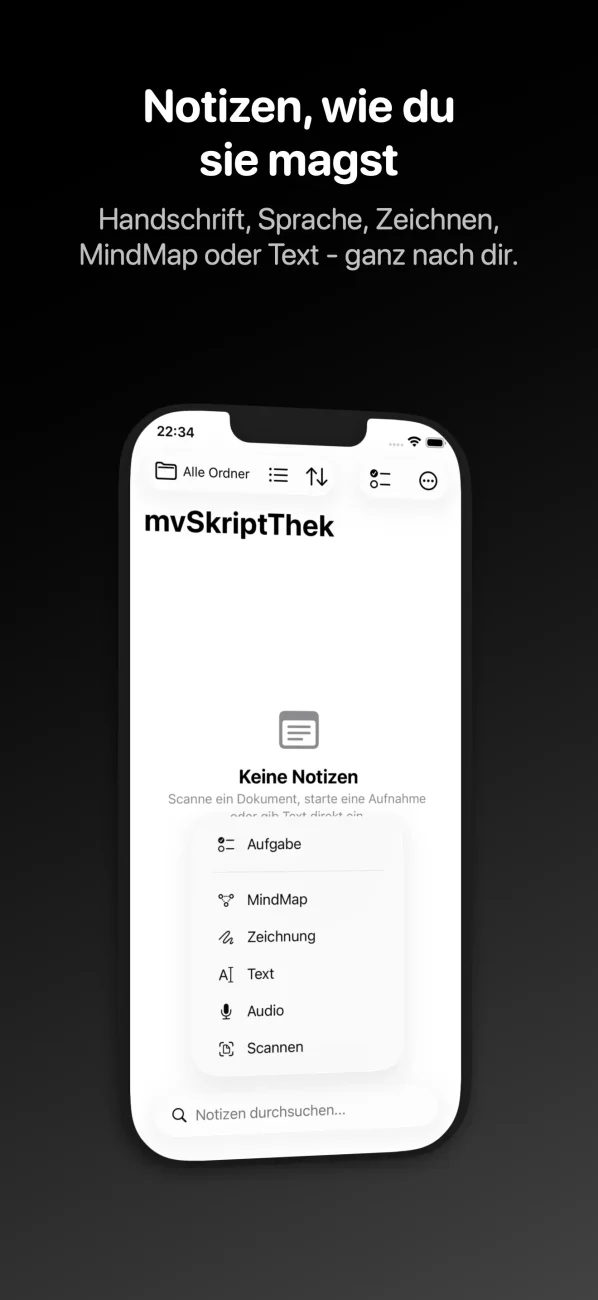
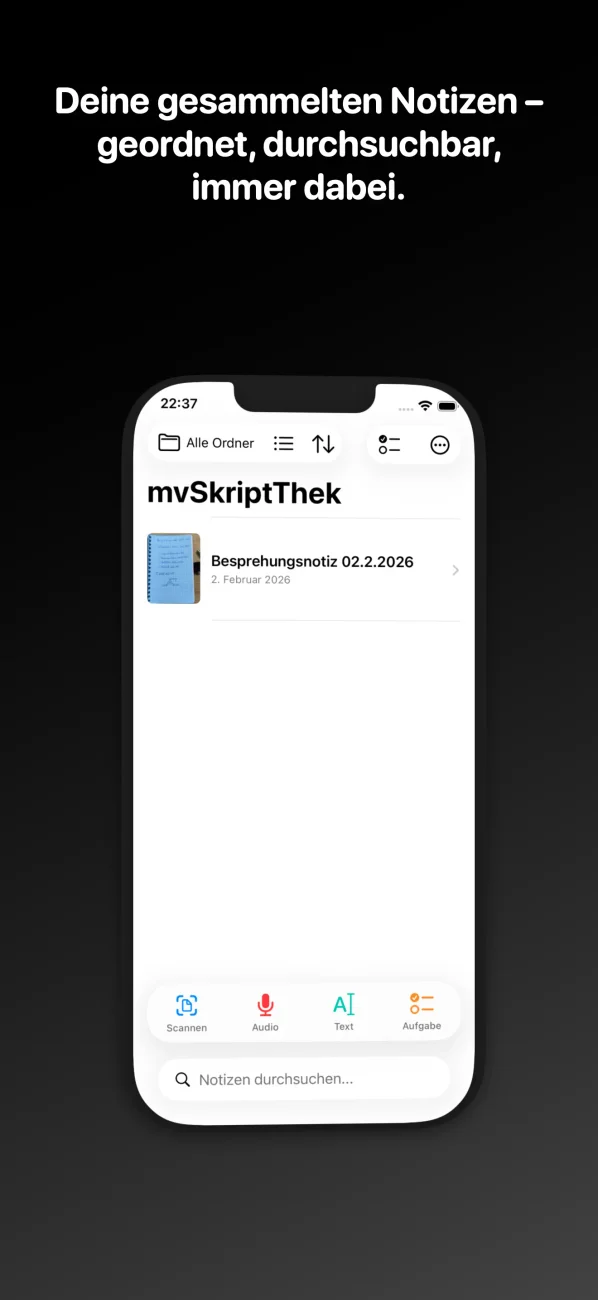
You write by hand. You record meetings. You type out quick thoughts. You sketch an idea or organize your thinking as a mind map. mvSkriptThek turns all of it into a searchable, organized note – entirely on your device.
SIX WAYS TO CAPTURE A NOTE
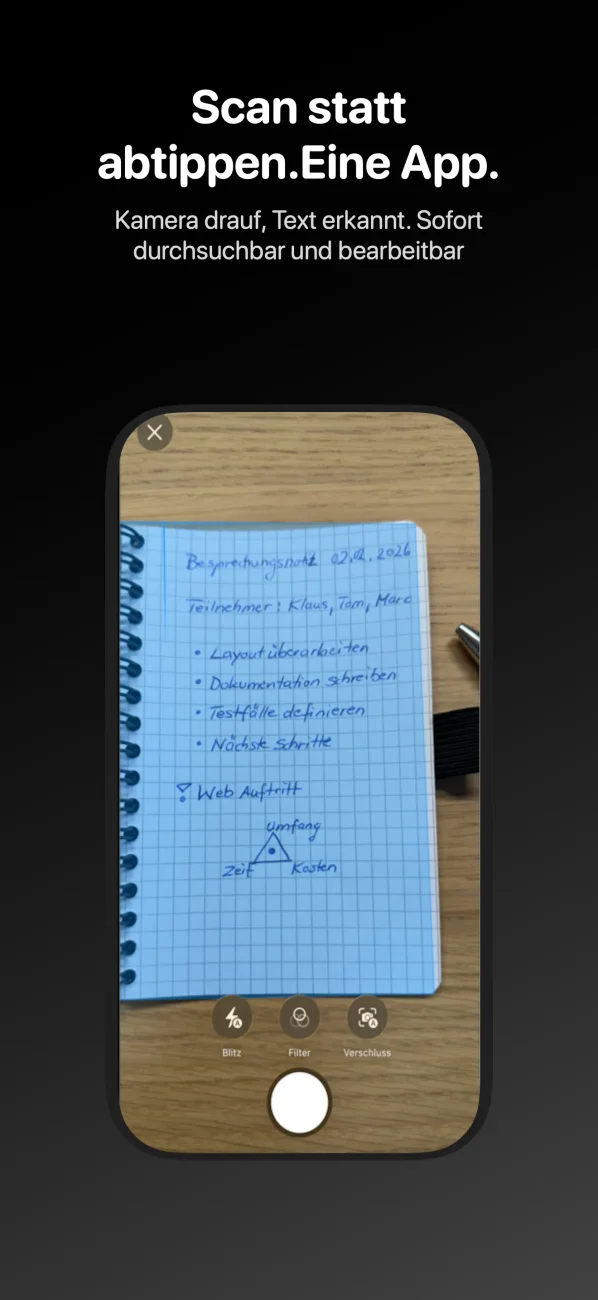
SCAN
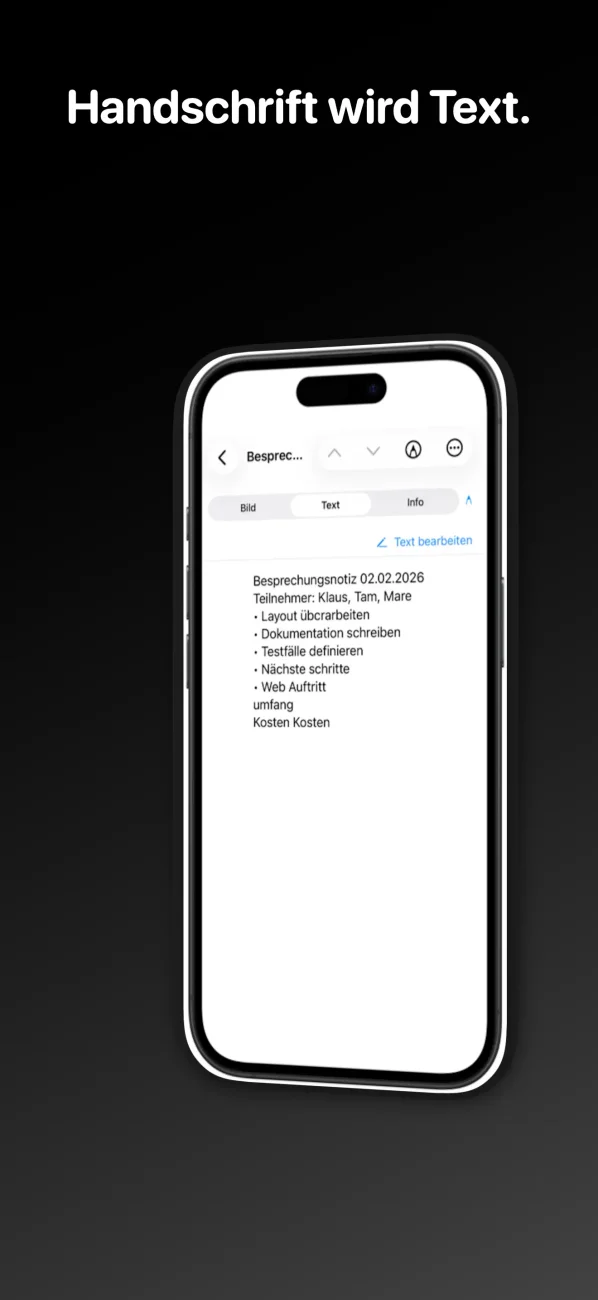
Point the camera at handwriting, lecture notes, or documents. mvSkriptThek recognizes the text automatically – including German umlauts and technical terms. No internet required. Or import a photo directly from your library.
RECORD
Speak into the microphone – meetings, dictation, spontaneous thoughts. The app transcribes entirely on your device. No audio ever leaves your iPhone. Perfect for lawyers, doctors, and anyone who prefers speaking to typing.
TYPE
Start right away, no camera or microphone needed. Text notes are instantly searchable and can be extended with recordings or scans at any time.
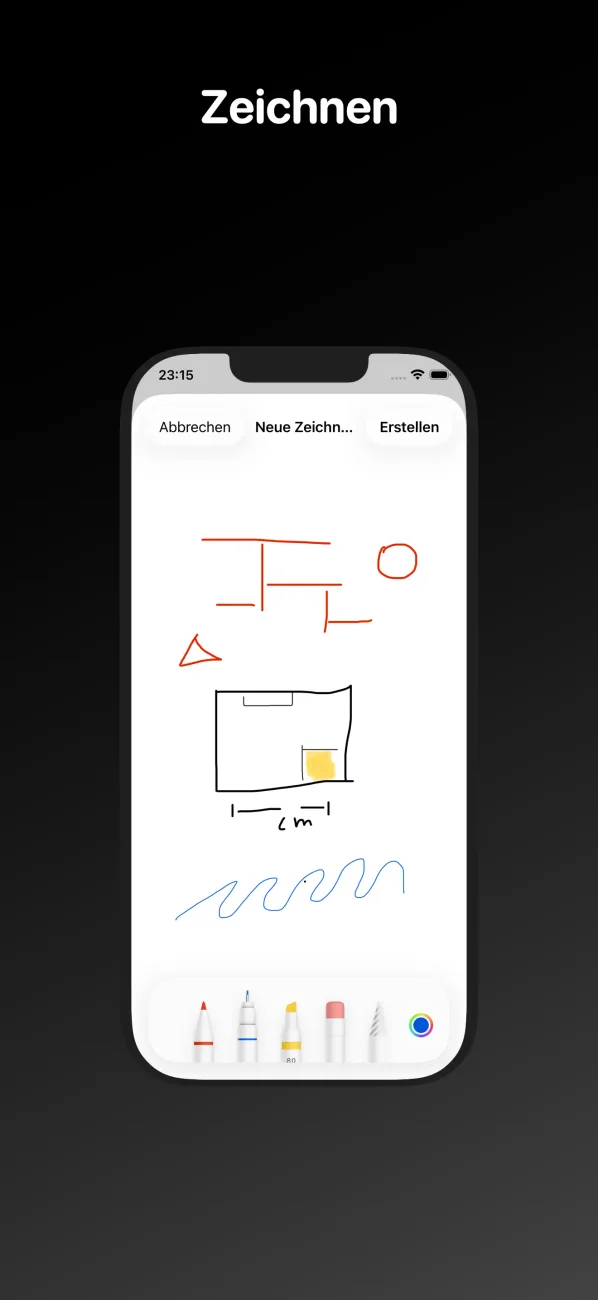
DRAW
Start a note on a blank sheet and draw freely with Apple Pencil or your finger. Great for sketches, diagrams, or spontaneous visual notes.
MIND MAP
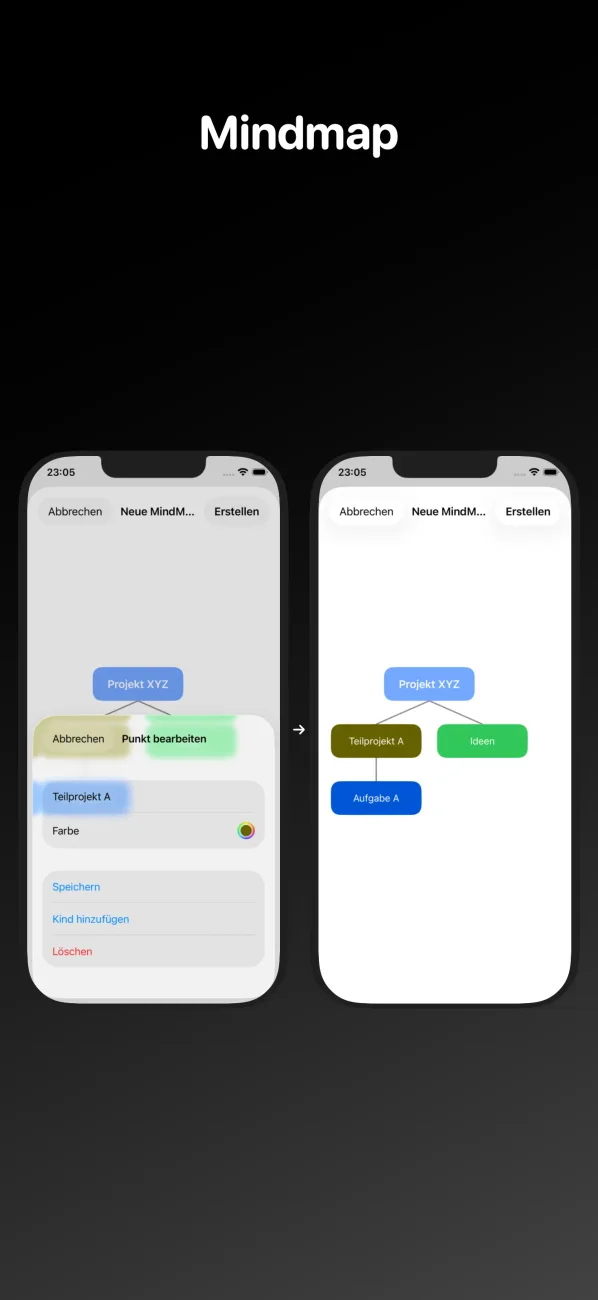
Gather and organize ideas directly in the app as a mind map – with a freely chosen color for each node. Always expandable: edit the structure or add to it with Apple Pencil.
TASKS
Create a task directly from a line of text – one tap is all it takes. Or quickly add a new task without leaving the notes list.
All six ways are accessible from a central button in the notes list.
CUSTOM FIELDS
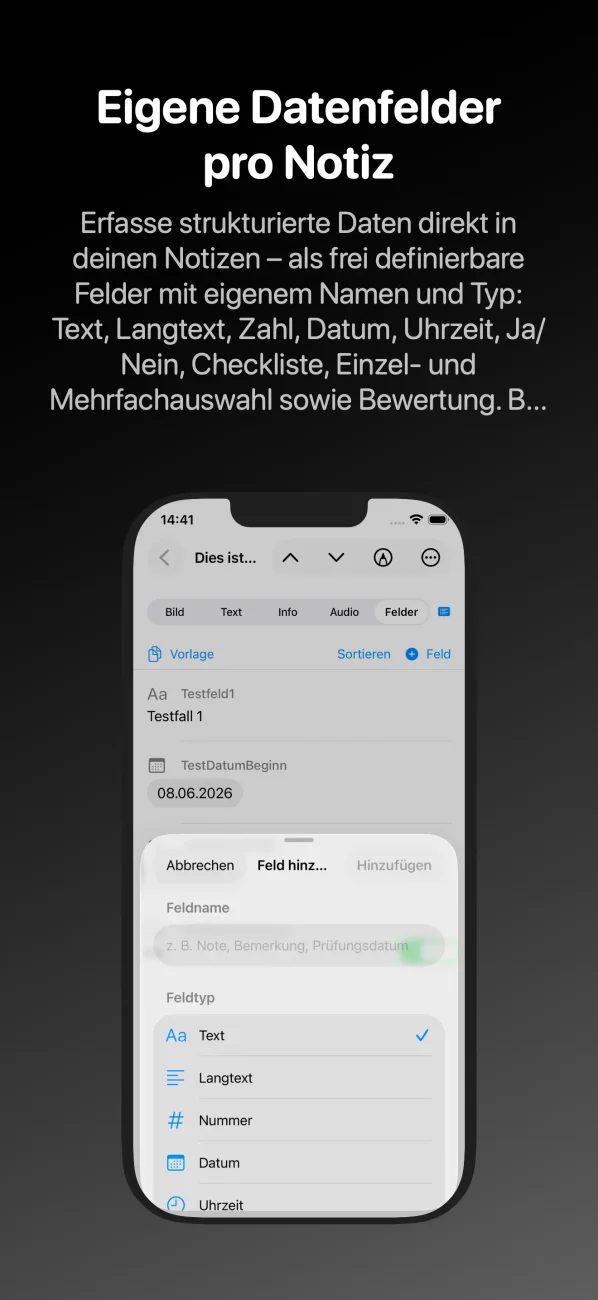
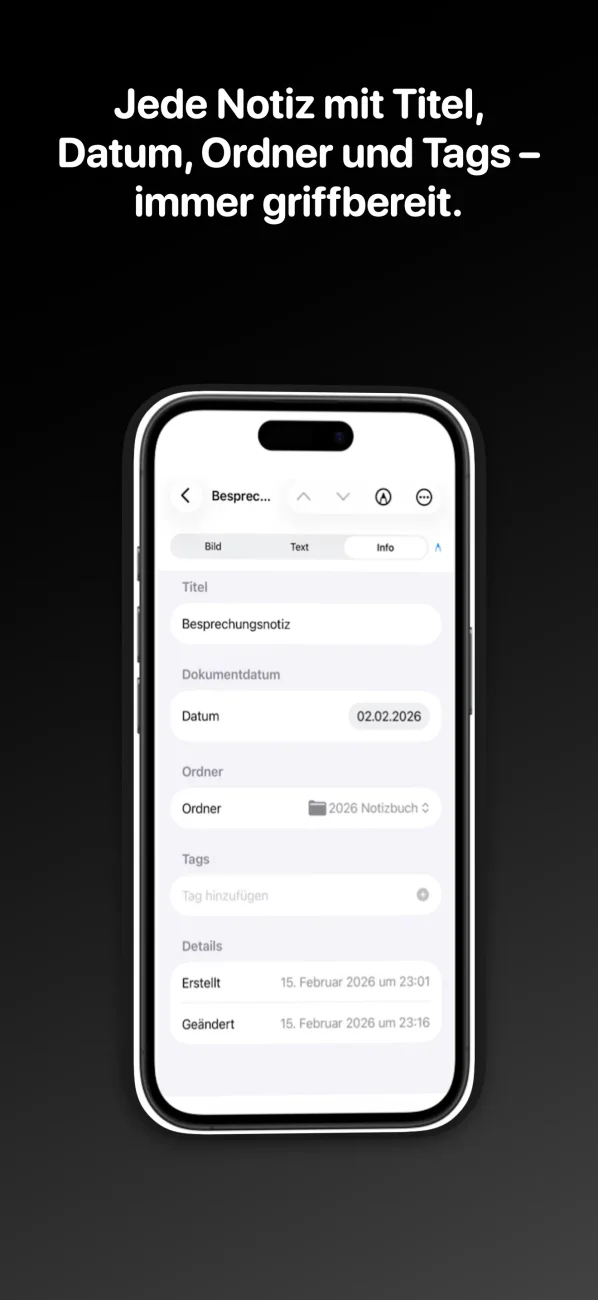
Add freely defined data fields to any note – Text, Long Text, Number, Date, Time, Yes/No, Checklist, Single or Multiple Choice, and Rating. Add as many fields as you like, named and typed the way you want. Save a field set as a template and apply it to any other note with a single tap.
ORGANIZE
• Folders & tags – structure notes your way
• Sort by creation date, document date, or title
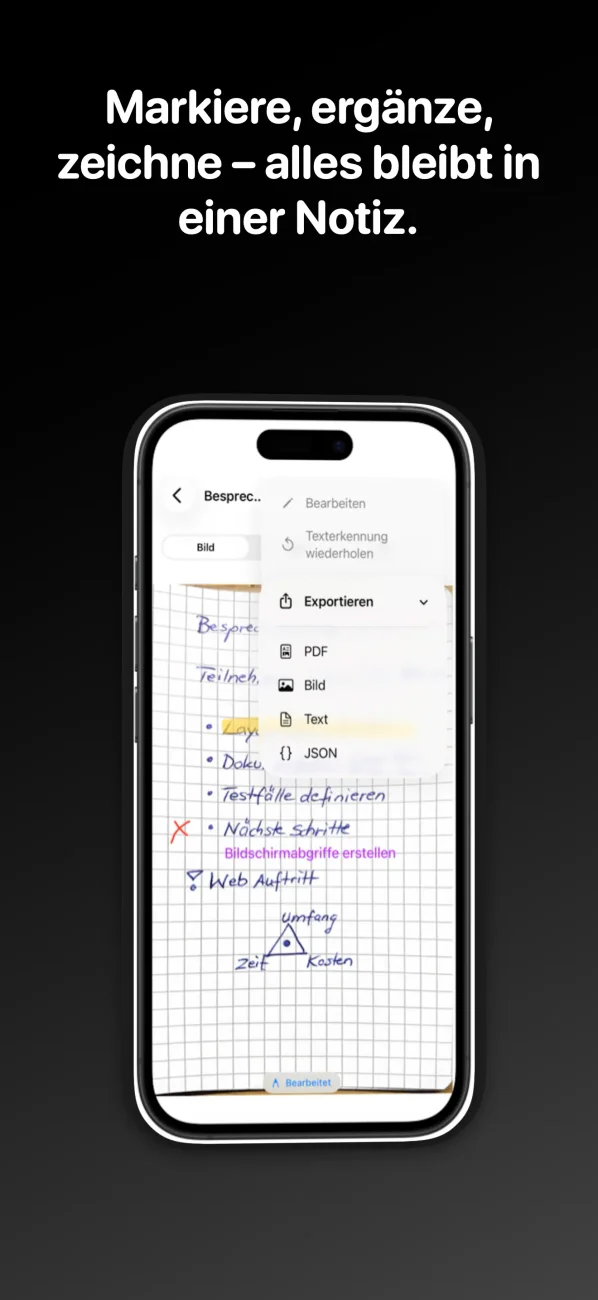
• Annotations: draw and write directly on scans, sketches, and mind maps (PencilKit)
EXPORT
• PDF, Text, CSV, JSON, and JPEG
• iCloud sync – automatically across all your devices
PRIVACY
Your data belongs to you – and stays with you.
• All scans, transcriptions, and recordings stay on your device
• No servers, no subscription, no ads
• OCR and speech recognition run entirely on-device
• GDPR compliant
WHO IS THIS FOR?
Students – scan and rediscover lecture notes
Lawyers & doctors – turn dictation straight into text
Meetings – record discussions, generate minutes automatically
Creatives & planners – gather and structure ideas as mind maps
Teachers & examiners – capture structured ratings, checklists, and form data
Anyone with a notebook – finally, fully searchable
Free. No subscription. Your notes, your device.
Novedades
Versión 1.7 · 17/10/2026
Improved text recognition
• Better recognition of handwriting on lined and squared paper: guide lines are automatically removed before recognition.
• Uncertain passages are now re-analyzed individually for more accurate results.
• More reliable merging of multiple recognition passes.
• New in Settings: English can now be recognized in addition to German, e.g. for technical terms and loanwords.
All processing still happens entirely on your device.
Mind Map notes: zoom, pan & more
• Mind map notes can now be zoomed and panned (pinch gesture, double-tap, or zoom buttons) – even large mind maps stay fully in view
• The mind map editor now uses the full screen
• Undo/redo for all changes in the mind map editor
• Nodes can now be reassigned to a different parent by dragging or via the context menu
• Each mind map node can now hold a text note and a voice memo
• Custom color picker in addition to the preset palette
• Fixed: overlapping nodes when collapsing/expanding branches
Privacidad de la aplicación
Lo que Michael Veith declara en App Store sobre cómo esta aplicación gestiona los datos.
-
No se recopilan datos
El desarrollador no recopila ningún dato de esta aplicación.
Las prácticas de privacidad pueden variar, por ejemplo, según las funciones que uses o tu edad.
Información
- Vendedor
- Michael Veith
- Categoría
- Productividad
- Versión
- 1.7
- Actualizado
- 17/10/2026
- Publicado
- 21/2/2026
- Tamaño
- 4,7 MB
- Requiere
- iOS 17.0 o posterior
- Clasificación por edad
- 4+
- Idiomas
- Alemán, Inglés
- Copyright
- © Michael Veith
Quizá también te guste
-
 ADO Field Service & JobsProductividad
-
 HandNote: Texto manuscritoEscanea, edita y guarda notas
-
 Doora D2DProductividad
-
 Imagen a Texto – Escáner OCRFoto a PDF y DOCX
-
 Max.Storage-AppProductividad
-
 Escáner manuscrito - WriteScanOCR para apuntes y agendas
-
 Maiß Lehrer-AppProductividad
-
 BZSt IBAN+Productividad
-
 Generador de Nombres: BebéMarca, empresa, apodo, mascota
-
 Pen to Print Buscable PDF OCRImagen manuscrita a texto