MyVoltControl
Functions to enhance your Volt
Diseñada para iPhone, iPad, iPod touch
Gratis · Compras en la aplicación
- Clasificación por edad4+
- CategoríaUtilidades
- DesarrolladorCraftin De Apps LLC
- IdiomasInglés+ 2 más
- Tamaño19,6 MB
Enlaza a la página oficial de App Store
Download.org no aloja ningún archivo de MyVoltControl. El botón abre la página de la aplicación en App Store, donde la publica Craftin De Apps LLC. Ficha comprobada por última vez el 20/11/2026.
Capturas de pantalla

Acerca de
El desarrollador no ha proporcionado este texto en tu idioma.
MyVoltControl is designed specifically for the Chevrolet Volt (and related models), and the Chevrolet Bolt. ("Related models" include the Cadillac ELR, Cadillac CT6, Opel Ampera, Holden Volt, Opel Ampera-e.)
MyVoltControl requires the use of an OBD adapter that complies with the ELM327 specification (most do). You can use either:
- an OBDLink MX+ OBD adapter (preferred) (firmware 5.13.1 or later)
- an OBDLink MX-WiFi OBD adapter
- a Bluetooth-Low-Energy (aka Bluetooth 4) OBD adapter. (Classic bluetooth adapters are not supported by iOS.)
- a generic WiFi OBD adapter will work in most cases (but is not recommended).
If you need to buy an adapter, or to see a list of some that aren't ELM327 compatible, refer to the information in our FAQ page at http://www.CraftinDeApps.com/FAQ#MVC
These adapters plug into the OBD-II port under the left side of your dash.
The App itself is free. Use of the functions described below requires one-time in-app purchases to enable each one that you want to use.
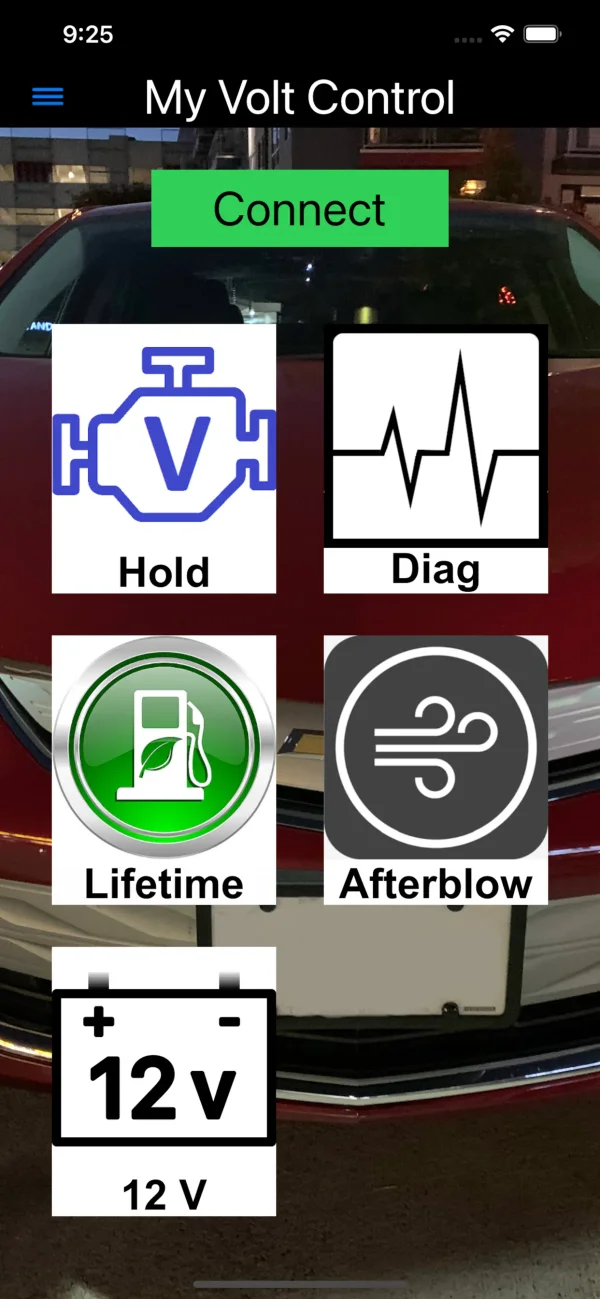
MyVoltControl consolidates four functions, long available for other phones, and makes them available for the iPhone and iPad. In addition, the last one is unique to this app. These are known as:
-->> MyVoltHold
-->> MyVoltLifetime
-->> MyVoltDiag
-->> MyVoltAfterblow
-->> MyVolt12v
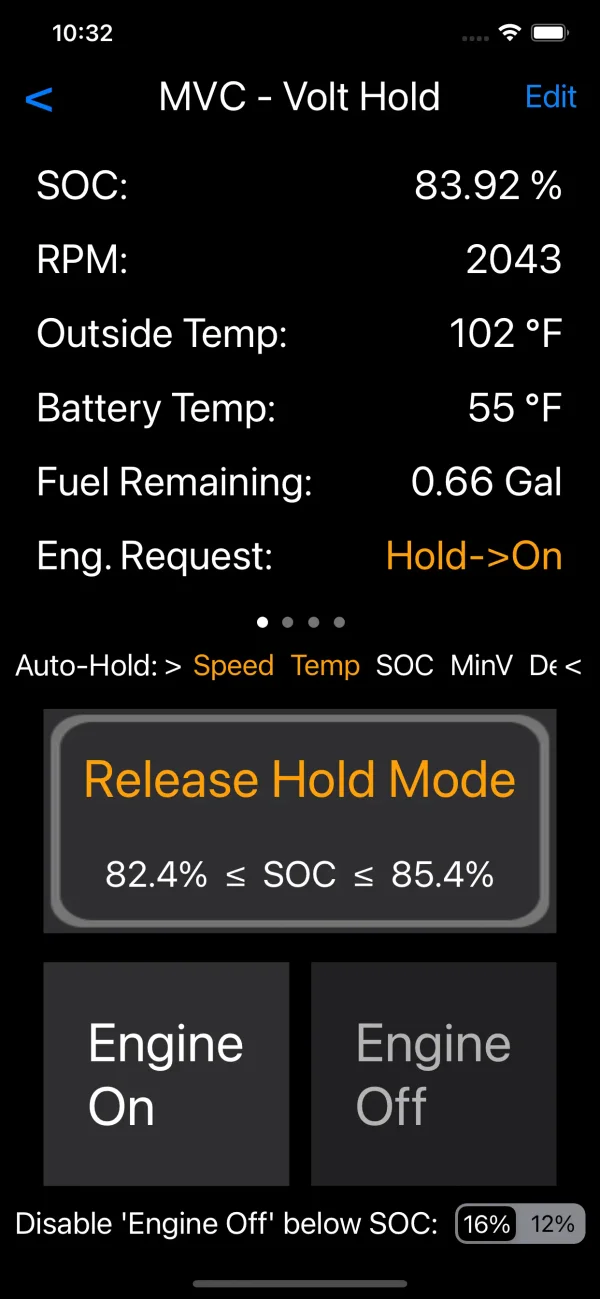
-->> The Volt Hold function does four things.
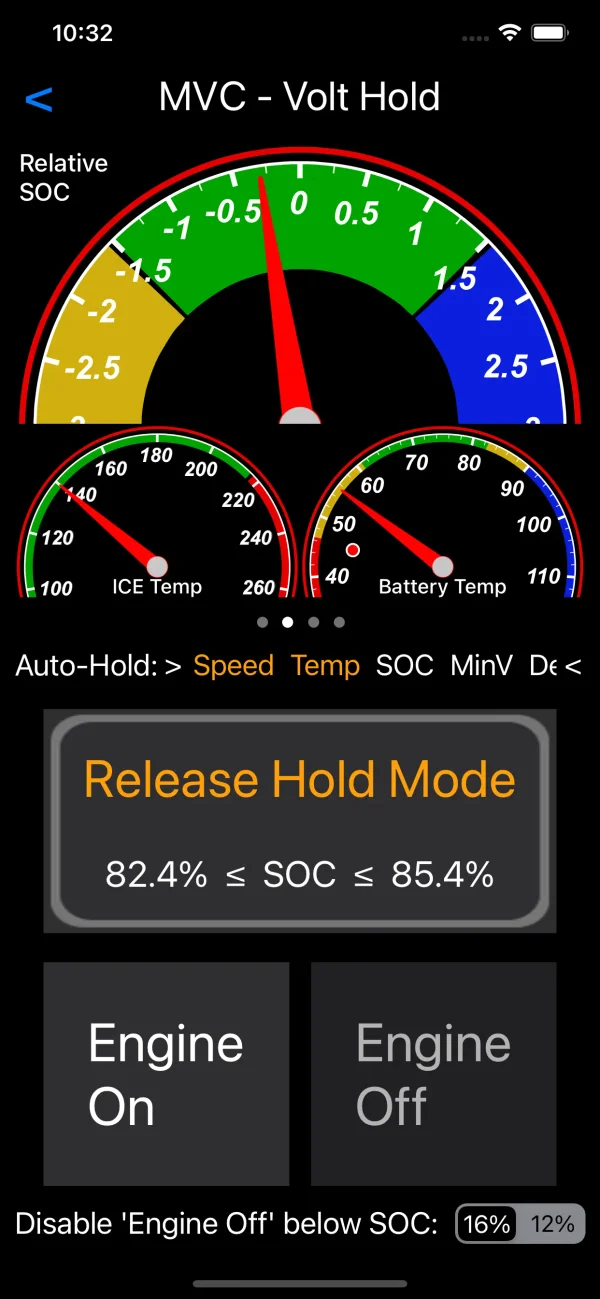
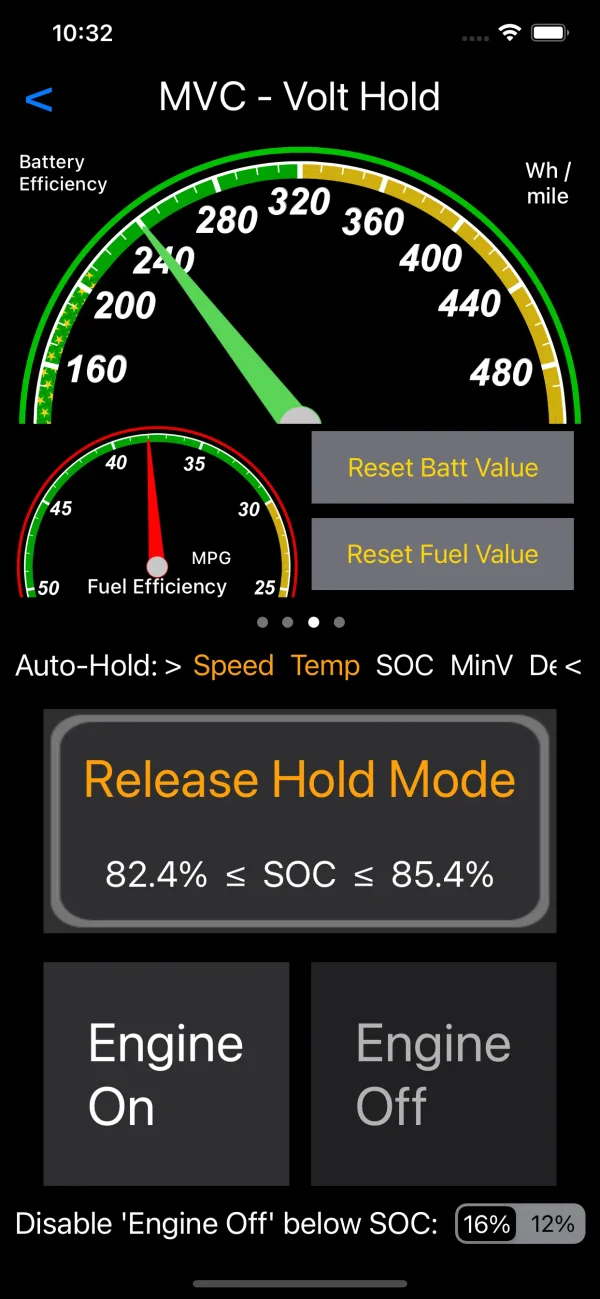
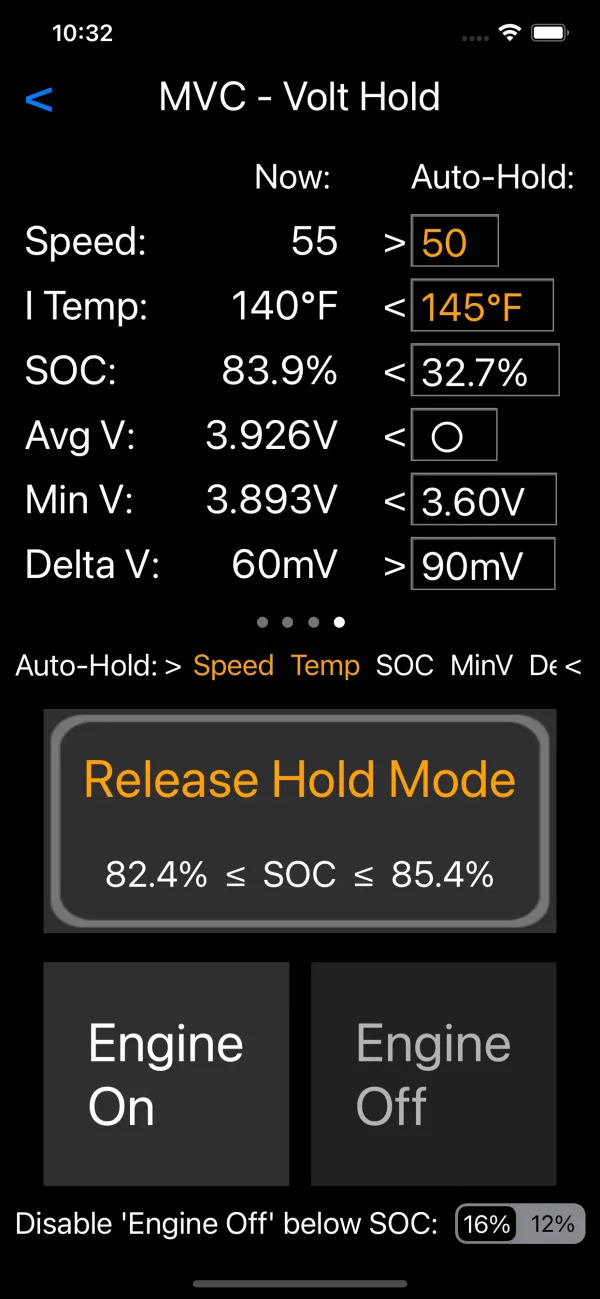
- First, at the top, it has several "information pages" that you can switch between to see information about your car. These are shown in the photos above.
- Second, it allows you to turn on a "Hold" mode which approximates the Hold mode built into the car beginning with the 2013 model. This Hold mode turns on the internal combustion engine (ICE) as needed to try to maintain a State of Charge value that is close to the charge that was present when you turned the mode on. So why, you may ask, would I want that function on a newer car. Very simple really. Since Sport mode and Hold mode are mutually exclusive, this function allows you to use the car Mode button to engage Sport mode, while using the Hold function in this App to achieve Hold mode at the same time! Hold mode can also be automatically engaged based on several factors.
- Next, it allows you to ask the car to run the internal combustion engine. You can use this to get heat from the engine on a cold morning, or to manually simulate your own Hold mode if you prefer.
- Finally, you can also use this function to force the ICE off, which you might want to do if the ICE is running due to low temperature (done for driver comfort).
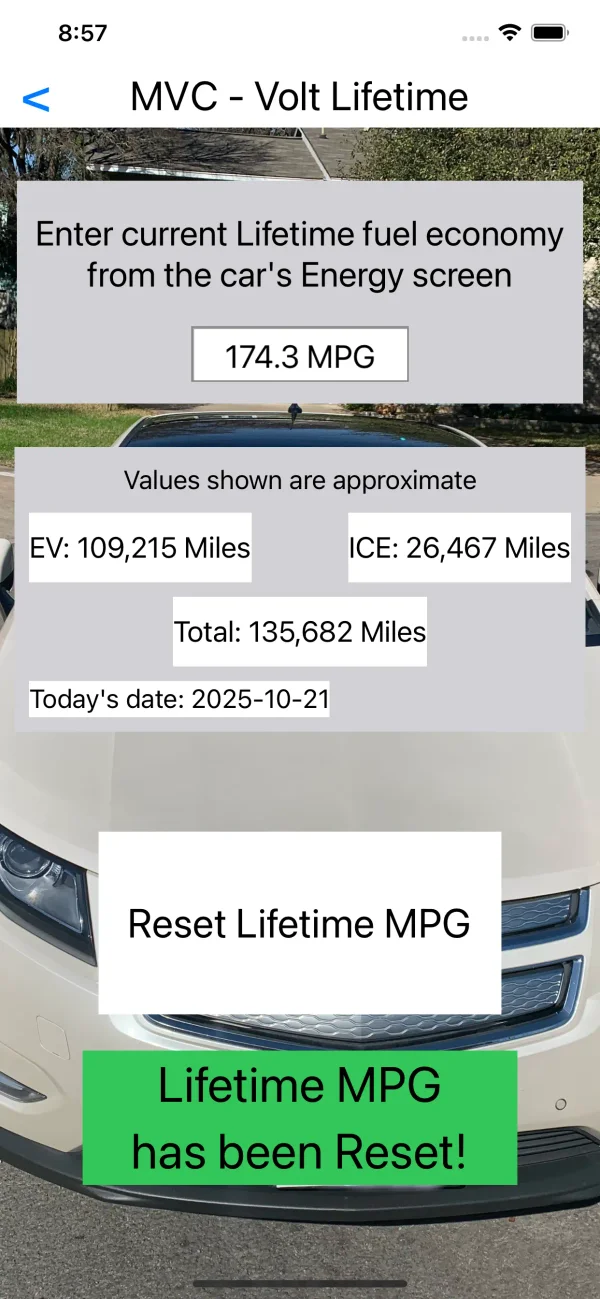
-->> The Volt Lifetime function allows you to reset the lifetime fuel economy value ("Lifetime MPG" or "Lifetime L/100km") value for your car. You will find this useful if you've purchased a car which has recorded the previous owner's fuel economy results. You can also use this to calculate the distance travelled in both EV mode and on the ICE by entering the Lifetime Economy number shown on your dash. The Volt Lifetime function is not available (and would serve no purpose) on the Chevrolet Bolt models.
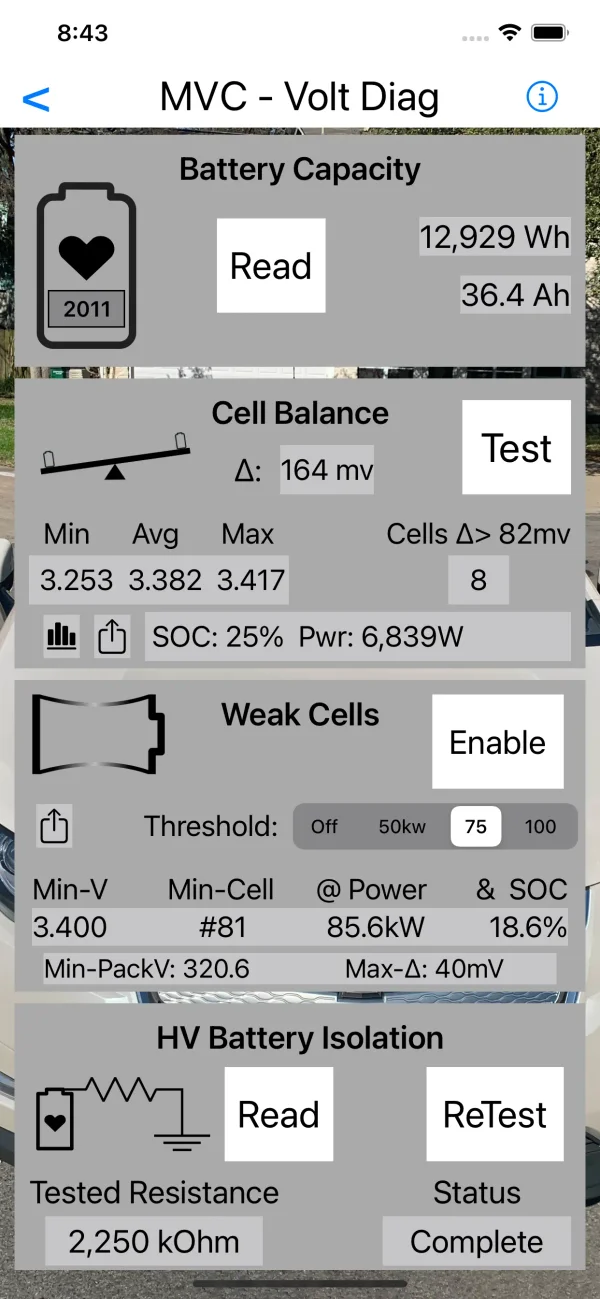
-->> The Volt Diag function allows you to run some tests on your high-voltage (traction) battery.
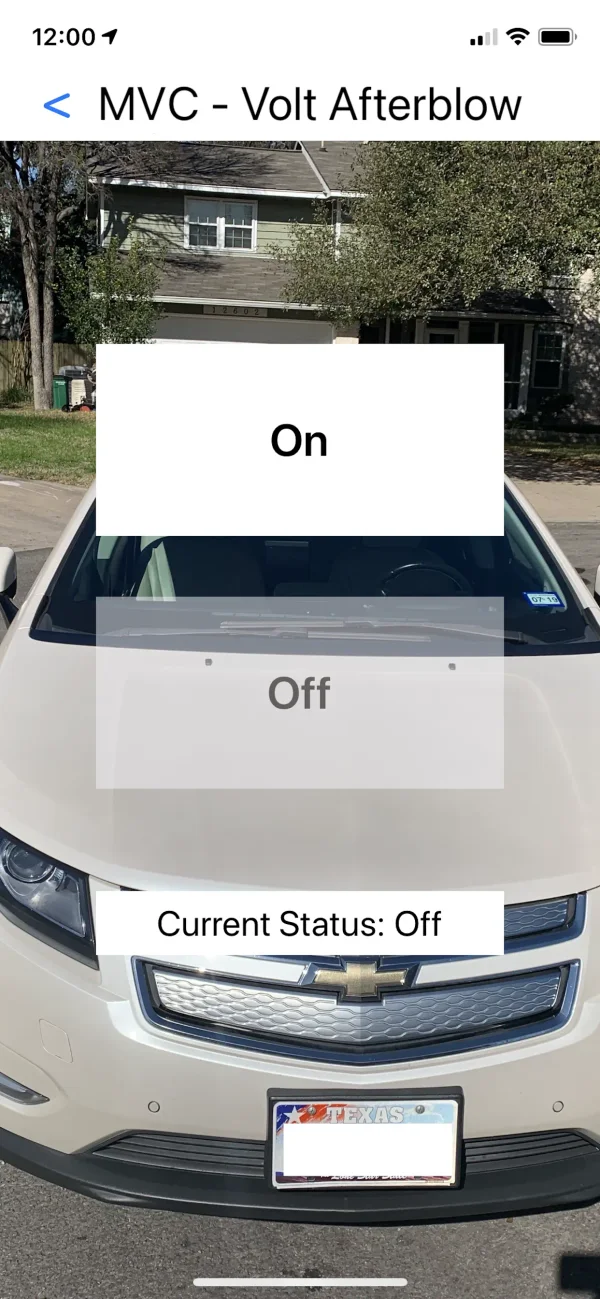
-->> The Volt Afterblow function allows you to control a system that GM added to your car to dry out the A/C vents. This system is OFF by default and the Volt Afterblow function allows you to turn it on (or back off).
This app function is not available for 2013 model year cars.
- You can use the Volt Afterblow feature ONLY if you are using an OBD adapter which supports the SWCAN (aka GMLAN) bus. It must also support the "ST" command set (in addition to the common "AT" command set). Very few adapters offer this support. The known to be good and recommended adapters for this are the OBDLink MX+ or the OBDLink MX-Wifi adapters.
-->> The Volt 12v function displays graphs showing the values of voltage and current on your 12 volt battery.
Novedades
Versión 2.10.1 · 16/11/2026
Version 2.10.1 fixes an error with the Volt Diag "Weak Cells" test that occurred on some OBD adapters.
If you are using the OBDLink MX+ adapter, it is important that you update the firmware to version 5.13.1 or later. This is done with the OBDLink app.
Privacidad de la aplicación
Lo que Craftin De Apps LLC declara en App Store sobre cómo esta aplicación gestiona los datos.
-
No se recopilan datos
El desarrollador no recopila ningún dato de esta aplicación.
Las prácticas de privacidad pueden variar, por ejemplo, según las funciones que uses o tu edad.
Información
- Vendedor
- Craftin De Apps LLC
- Categoría
- Utilidades
- Versión
- 2.10.1
- Actualizado
- 16/11/2026
- Publicado
- 13/1/2020
- Tamaño
- 19,6 MB
- Requiere
- iOS 15.0 o posterior
- Clasificación por edad
- 4+
- Precio
- Gratis
- Compras en la aplicación
- Sí
- Idiomas
- Inglés, Neerlandés, Ucraniano
- Copyright
- © 2019, 2020, 2021, 2022, 2023, 2024, 2025, 2026 Craftin De Apps LLC
Quizá también te guste
-
 Voltage: Volt Ampera Bolt OBDClear SHVCS, battery health
-
 tes•LAX - CAN Bus ExplorerUtilidades
-
 Engine Link - OBD II diagnosisUtilidades
-
 scan my T3SLAUtilidades
-
 LELink ScannerUtilidades
-
 Dr. Prius / Dr. HybridUtilidades
-
 OBDGO PROUtilidades
-
 ANCEL BM300 ProUtilidades
-
 evDash OBD2Utilidades
-
 ELMCheckUtilidades