- Clasificación por edad4+
- CategoríaUtilidades
- DesarrolladorEvansWerks
- IdiomasInglés
- Tamaño95,4 MB
Es posible que Nairobi Control no esté disponible en App Store en este momento
No se pudo acceder a la ficha de la tienda en nuestra última comprobación. El enlace sigue llevando a la página oficial de App Store.
Capturas de pantalla




Acerca de
El desarrollador no ha proporcionado este texto en tu idioma.
Nairobi Control is the companion app for your array of Nairobi universal lighting systems.
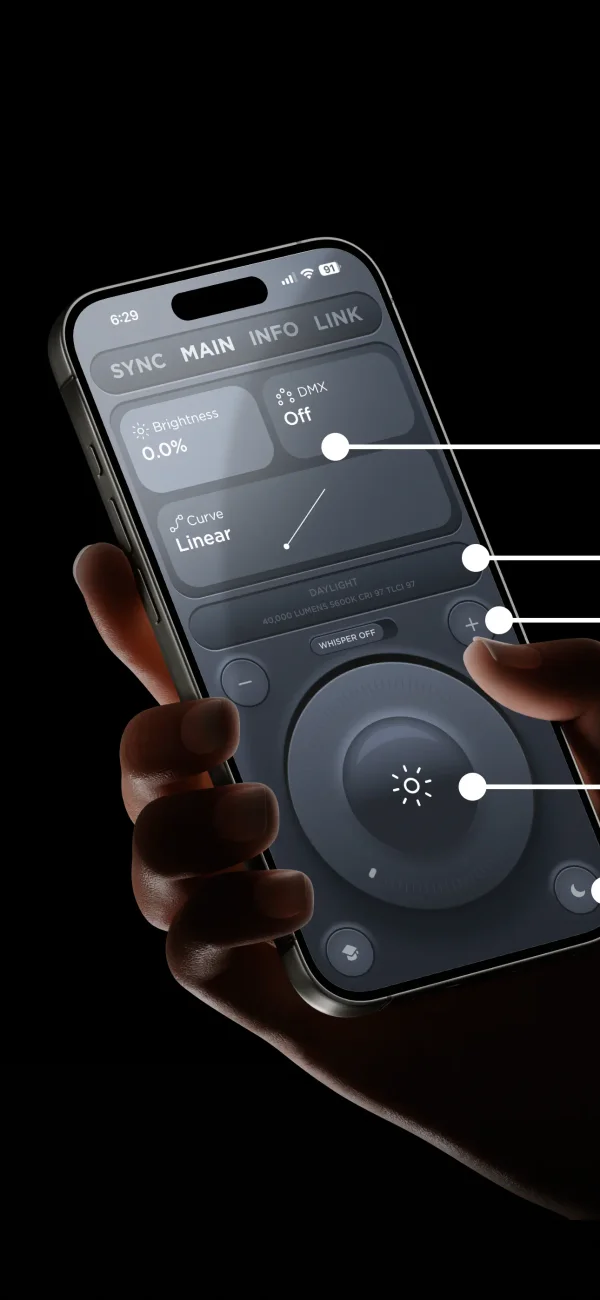
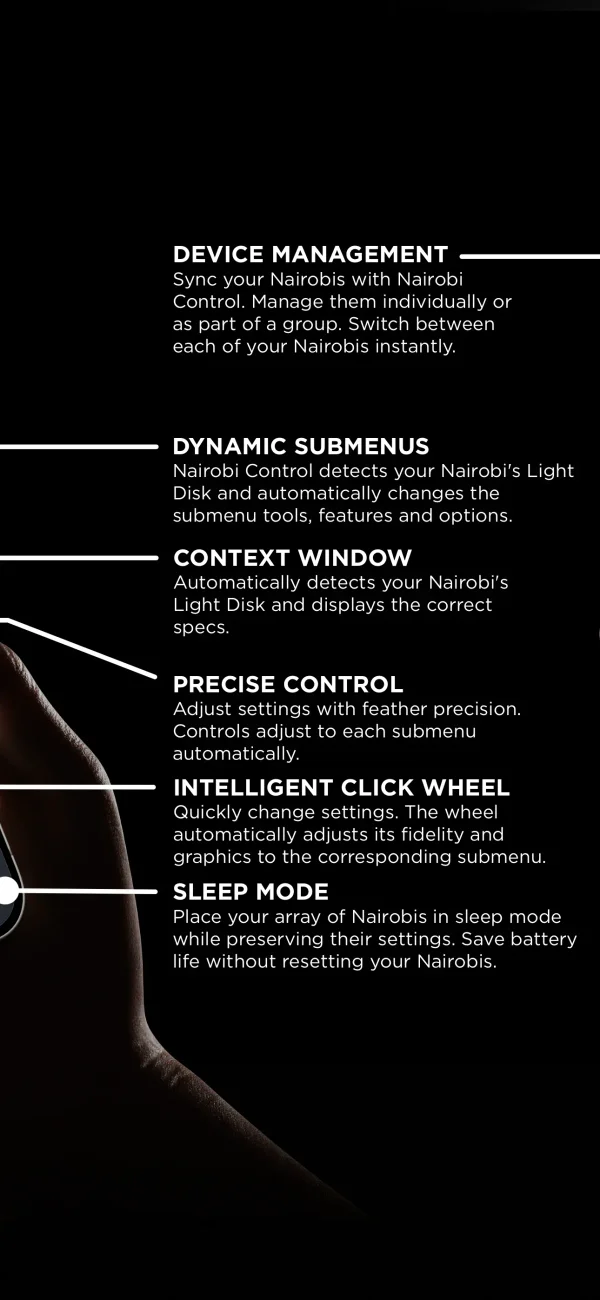
Syncing your Nairobi to Nairobi Control automatically reconfigures the app's interface, menus and tools. It's not a single controller. It's every controller. Invisibly. Effortlessly. And its already future-proofed for Light Disks and Electronic Accessories not yet available for Nairobi.
Imagine if a TARDIS and Swiss Army Knife had a baby that wanted to be the Bellagio's buffet...that's Nairobi Control. It's not a generic controller...it's an infinite number of highly specific controllers for every Nairobi Light Disk. It's exactly what you need even when you didn't know you needed it.
UNIVERSAL FEATURES:
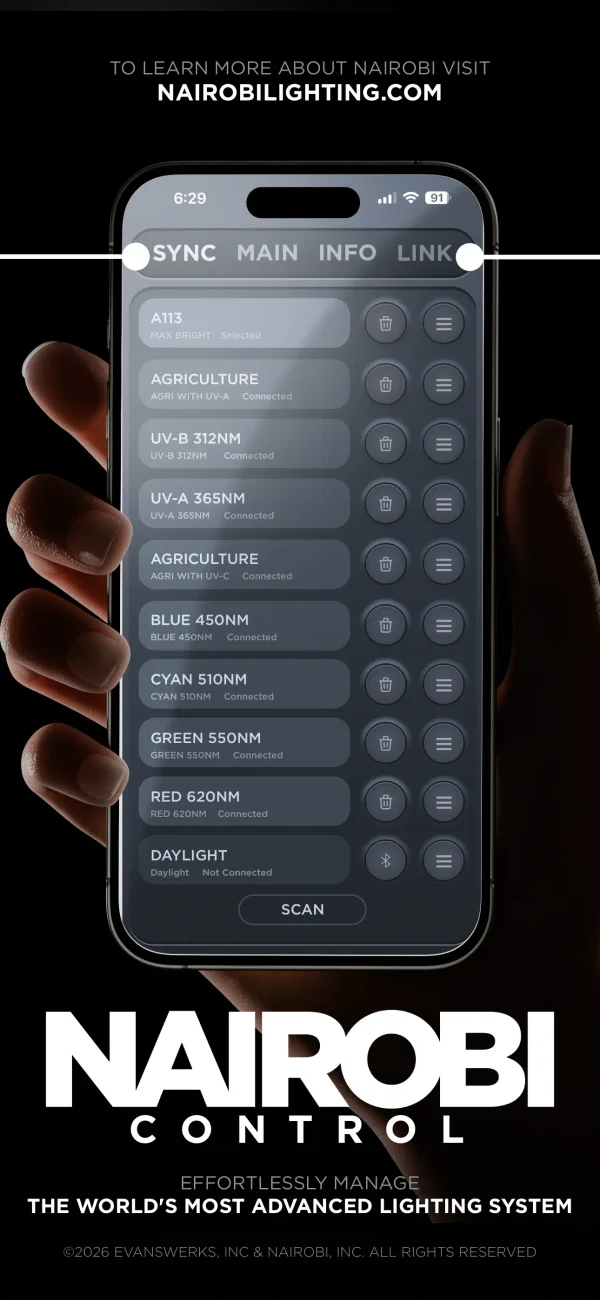
1: BLE Mesh Networking
Nairobi Control manages your Nairobis via BLE Mesh, an advanced, encrypted bluetooth protocol. Every Nairobi becomes a receiver and transmitter, giving you NLOS (Non-line-of-sight) control and automatic group repair. Think of it like Tyler Durden controlling The Borg. Tyler's the invisible boss that doesn't really exist...and every device knows resistance is futile. Remove one and the group remains intact.
Control individual Nairobis, linked groups working as a single unit, or a mixed environment with both individual units and groups. End-to-end encryption ensures secure operation in RF-dense environments. Sync in seconds. Reconfigure vast networks in less time than it takes to read your horoscope.
2: Light Disk Auto-Detection
Nairobi Control detects your Light Disk, identifies its model and type, and reconfigures the interface automatically. Industry-specific controls for every Light Disk — medical, military, media, agriculture and more. Nairobi Control reconfigures submenus, features and the central dial. The invisible changes include precision adjustments to your Nairobi's digital high-voltage power supply and reconfigurations to the physical circuitry.
Swap a Light Disk while powered on? Nairobi Control detects the changed disk instantly and reconfigures itself. The app just adapts. Like it always knew.
3: Sleep Mode
Press the half-moon icon and your Nairobi shuts down while preserving all settings. C-3PO and Data both had secret kill switches that allowed them to resume. So does your Nairobi.
4: Wireless Firmware Updating
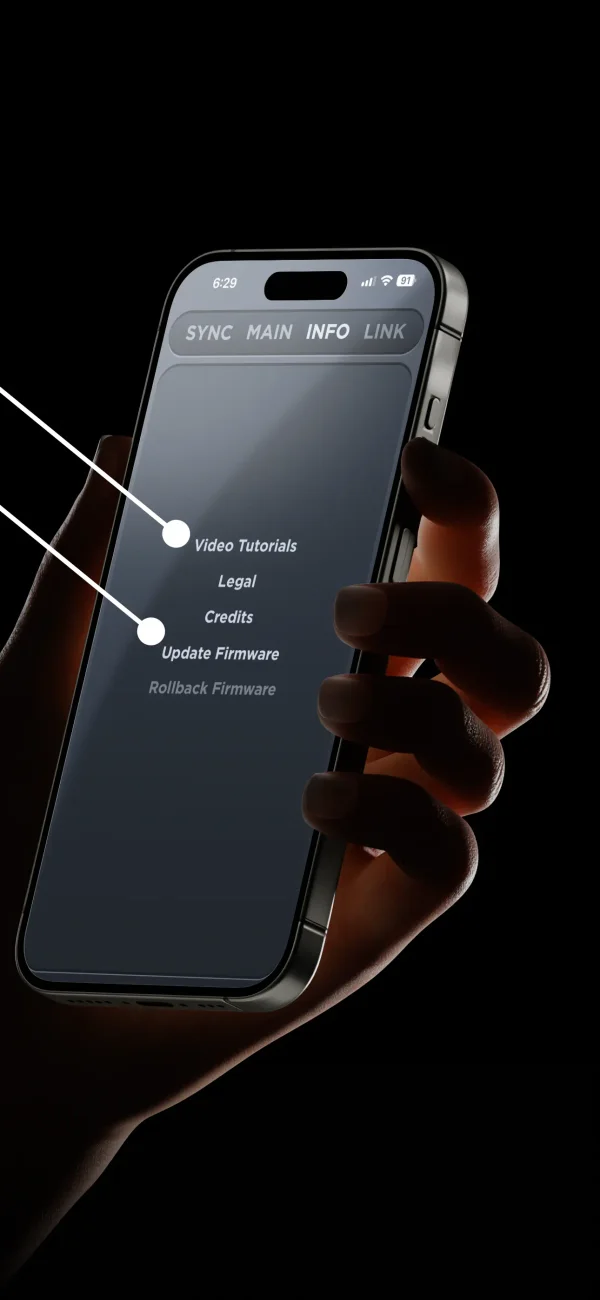
Cables are so 2010. Nairobi allows OTA (Over-The-Air) firmware updates. Input your router's address and password, hit update and track your progress.
5: Tutor Mode & Tutorials
How did you learn to ride a bike? With training wheels, right? Same goes for Nairobi. You don't have to be a physics major, cinematographer or Starfleet science officer to operate Nairobi. Toggle Tutor Mode and the Context Window displays educational summaries for every screen, submenu, button and dial — always Light Disk specific, so you learn across different fields and disciplines. For advanced concepts, visit our Video Tutorials on YouTube.
6: Scheduler Mode
Some lights need to work on a schedule. UV sterilization. Agricultural grow cycles. Phototherapy sessions. A step-by-step wizard lets you set duration, rest gaps, and repeat behavior. Choose "Until Stopped" for continuous cycling or set a fixed number of cycles. Your Nairobi handles the transitions — work, rest, repeat — so you don't have to babysit it. Set it once. Walk away.
DISK-DEPENDENT FEATURES:
1: DMX 512 Output
2: Whisper Mode
3: Dimming Curve Control
4: Dosage Timers
5: RGB Color Selection
6: CMY Color Selection
7: Agriculture RBW Selection
8: Dynamic Color Temperature Control
9: Variable UV Frequency Mixing
10: Animation Presets
11: Automated Work/Rest Scheduling
REQUIREMENTS:
1: iPhone running iOS 26.0 or later
2: Nairobi, Nairobi Pro or Nairobi Ultra
3: Your choice of Nairobi Light Disk
OPTIONAL:
Your choice of Nairobi accessory. You choose from an ever-expanding list of ways to mount or operate your Nairobi.
For more information visit nairobilighting.com
Novedades
Versión 5.0.0 · 26/9/2026
Version 5.0 is the release version of Nairobi Control.
Completely updated, overhauled and rebuilt, the App is now a sleek, sophisticated powerhouse that syncs with Nairobi in approximately 4 seconds (depending on distance and line of sight). Shake It twice to access the hidden training simulator.
Privacidad de la aplicación
Lo que EvansWerks declara en App Store sobre cómo esta aplicación gestiona los datos.
-
No se recopilan datos
El desarrollador no recopila ningún dato de esta aplicación.
Las prácticas de privacidad pueden variar, por ejemplo, según las funciones que uses o tu edad.
Información
- Vendedor
- EvansWerks, Inc.
- Categoría
- Utilidades
- Versión
- 5.0.0
- Actualizado
- 26/9/2026
- Publicado
- 6/9/2023
- Tamaño
- 95,4 MB
- Requiere
- iOS 26.1 o posterior
- Clasificación por edad
- 4+
- Idiomas
- Inglés
- Copyright
- © 2026 EvansWerks, Inc. & Nairobi, Inc.