Nota Scriptura: Sermon Notes
Bible study notes, verse-aware
Diseñada para iPhone, iPad, Mac
Gratis
- Clasificación por edad4+
- CategoríaReferencia
- DesarrolladorRobert Murdock
- IdiomasInglés
- Tamaño13,8 MB
Enlaza a la página oficial de App Store
Download.org no aloja ningún archivo de Nota Scriptura: Sermon Notes. El botón abre la página de la aplicación en App Store, donde la publica Robert Murdock. Ficha comprobada por última vez el 23/11/2026.
Capturas de pantalla
Acerca de
El desarrollador no ha proporcionado este texto en tu idioma.
Nota Scriptura is a notes app for sermons and Bible study that understands Scripture.
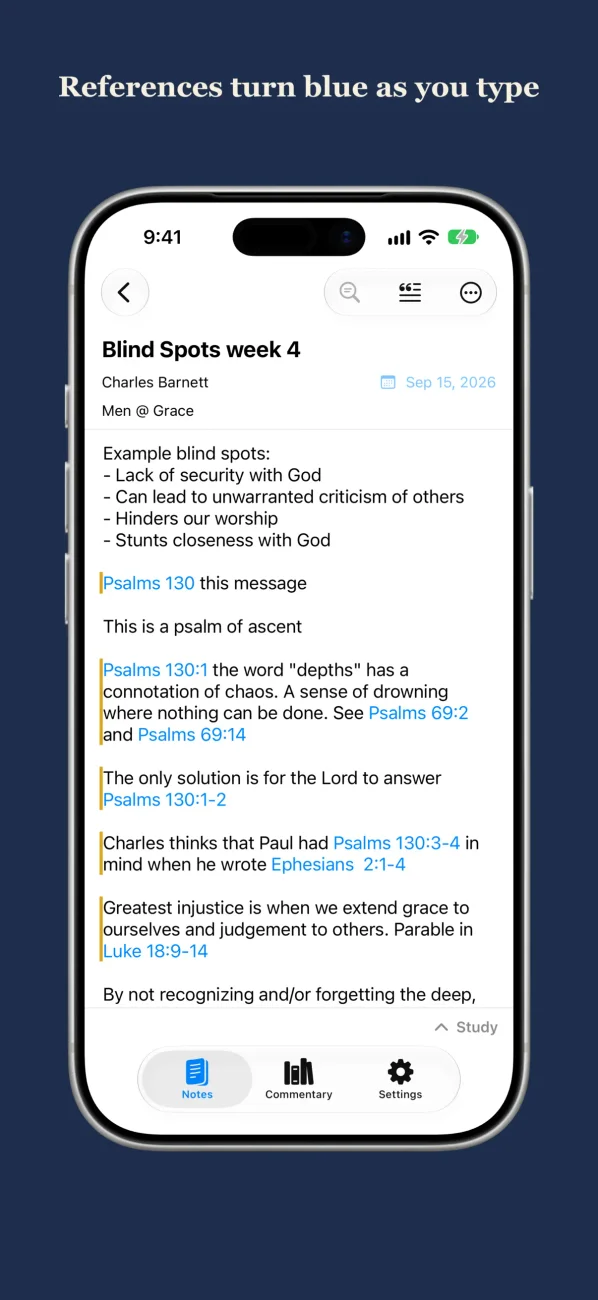
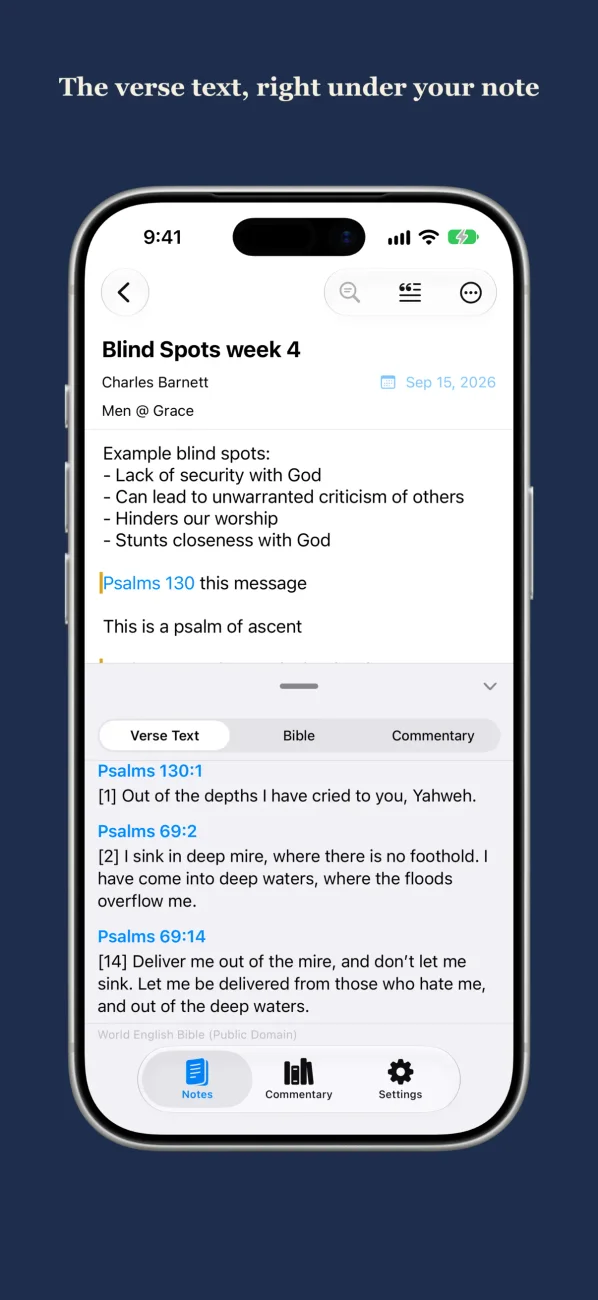
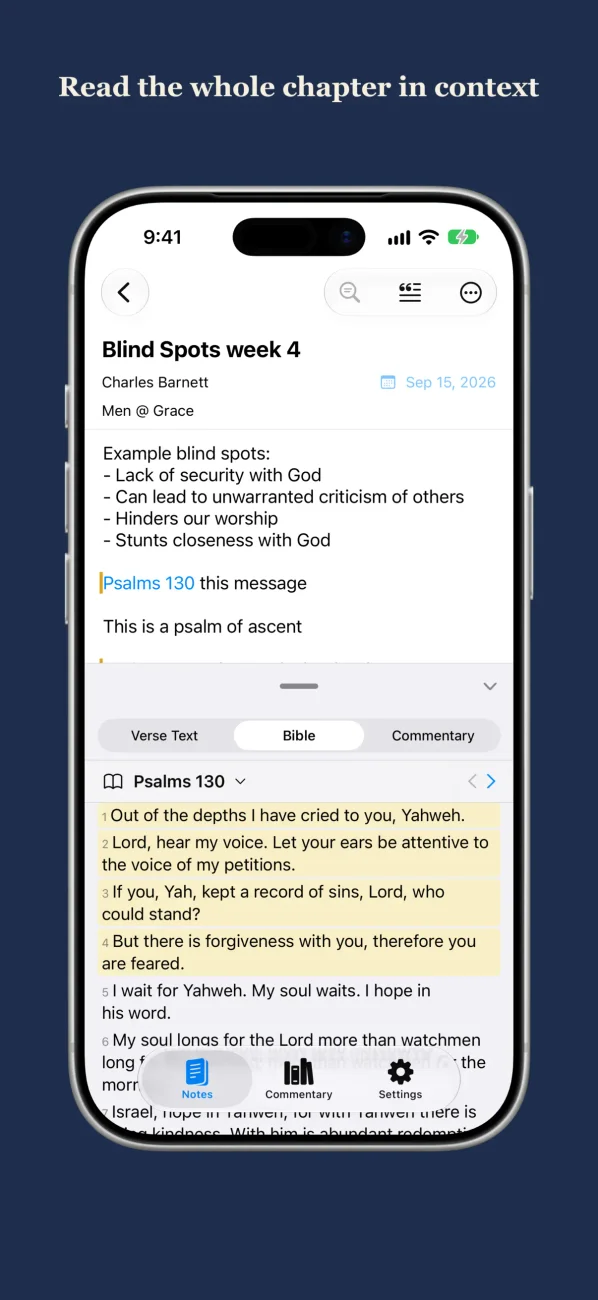
Type a reference like "Romans 8:28" or "1 Cor 13:4-7" anywhere in your notes and it's recognized as you write — turned blue, tied to that passage, and one tap away from the verse text. There's nothing to set up: the complete World English Bible is built into the app, so verse text is there immediately, even offline.
YOUR OWN COMMENTARY
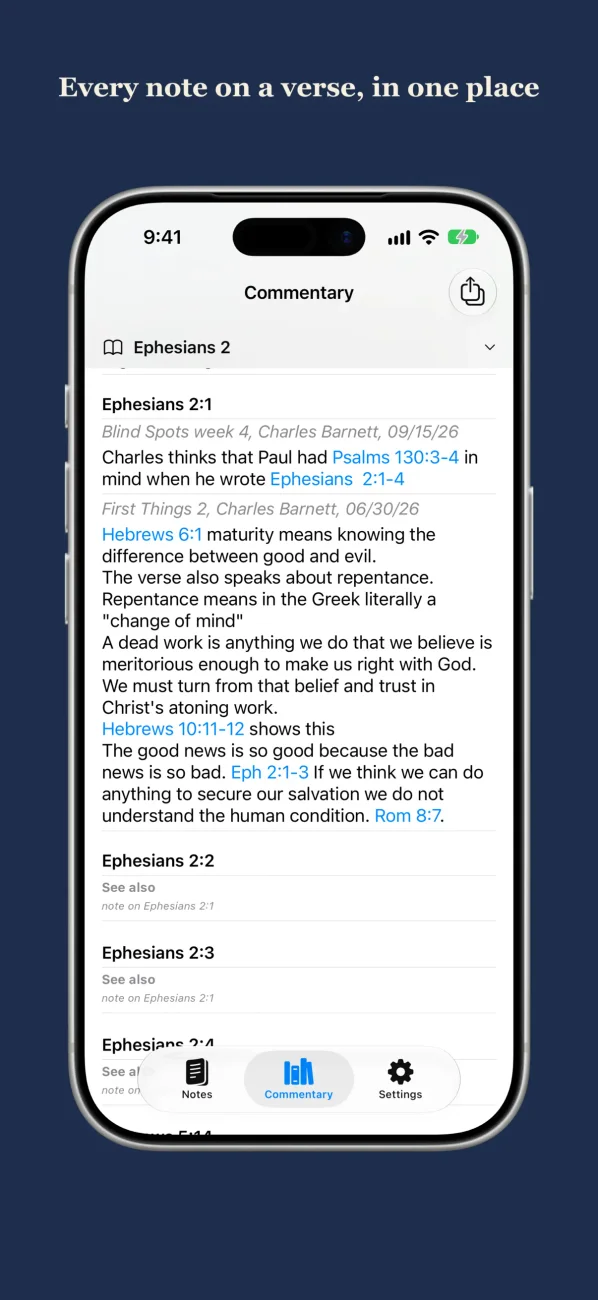
Mark any paragraph as a verse note and it joins your personal commentary — every insight you've ever written, gathered from every note and arranged in biblical order. Jump to any book and chapter, search it, and tap any entry to go back to the sermon it came from. Export the whole thing, a single book, or your search results as rich text.
JUST WRITE
• Bold, italic, underline, headings
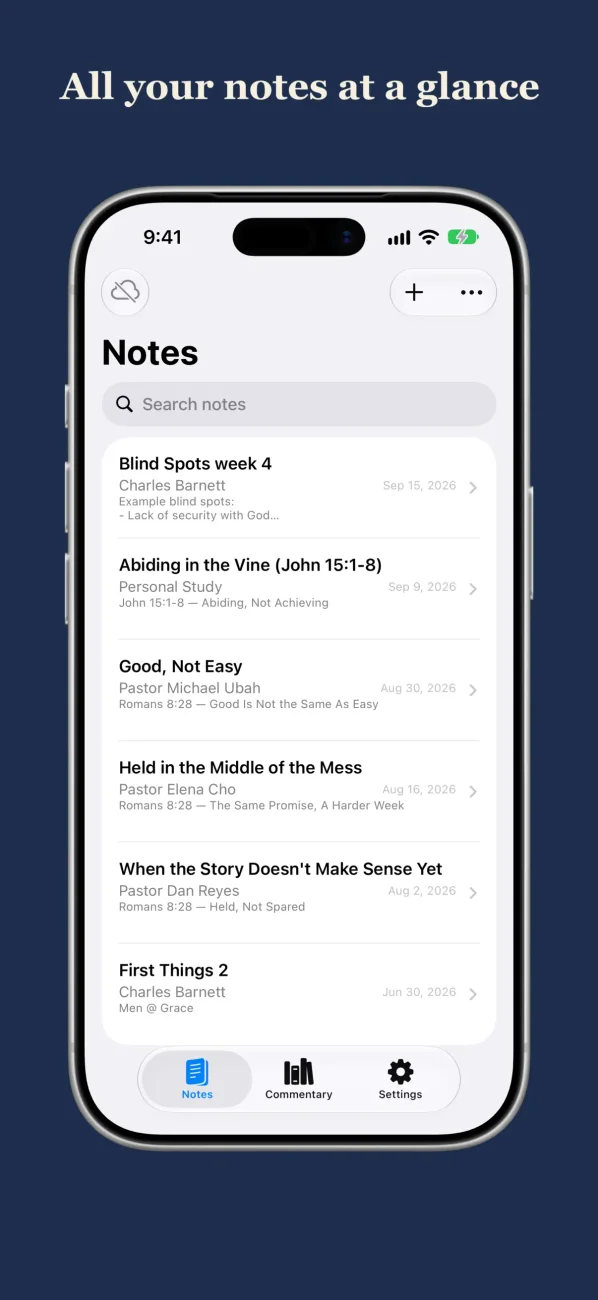
• Track the speaker and date for each sermon
• Recognizes single verses, ranges, cross-chapter ranges and lists ("Rom 1:1,3,5"), and optionally whole chapters
• Optionally expands abbreviations to full book names as you type
STUDY PANEL
Tap a reference to open the passage beside your notes — side by side on iPad and Mac, and as a slide-up panel on iPhone — along with the other notes you've written on those verses.
FIND ANYTHING
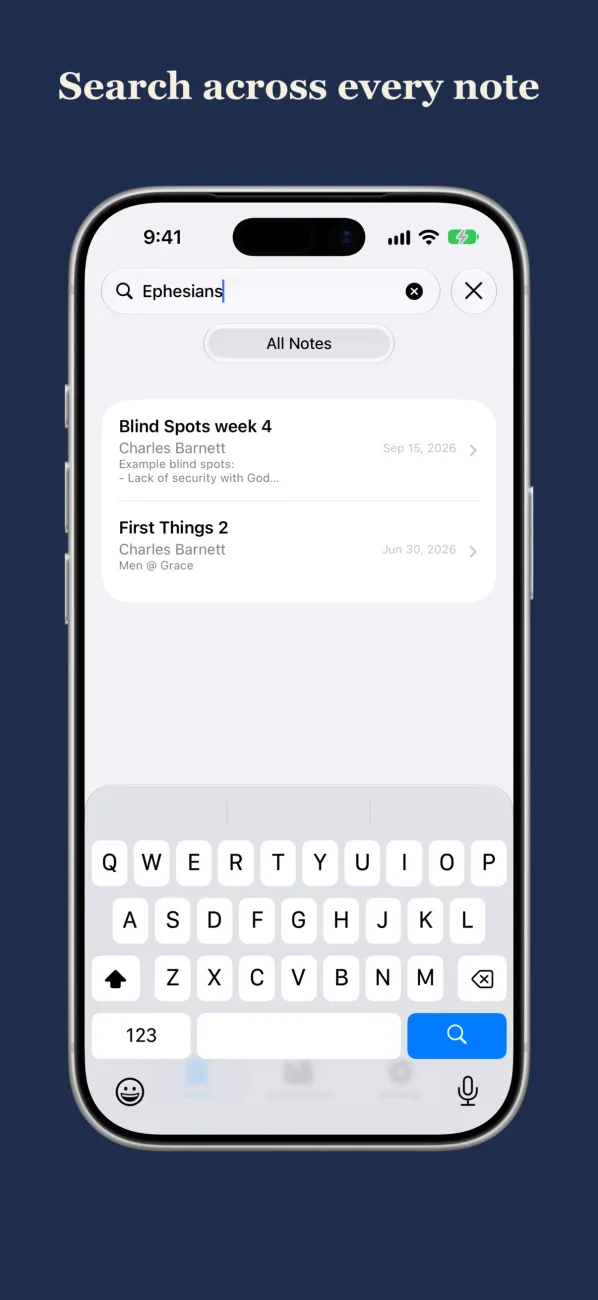
Search understands the Bible: search "Genesis" to find every note that touches it, or "John 3:16" to find notes on that verse — including notes that cover it within a range.
SAFE AND IN SYNC
• Notes sync through your own private iCloud Drive across iPhone, iPad and Mac
• Version history keeps recent versions of each note, so you can restore any of them
• Back up and restore your whole library
• Share notes as rich text or PDF, or send them to another Nota Scriptura user
PRIVATE BY DESIGN
No account. No ads. No analytics. No tracking. Nota Scriptura collects nothing — your notes live on your device and in your own iCloud, and the developer never sees them.
Novedades
Versión 1.2 · 11/11/2026
Mainly a bug-fix update, with a few small additions.
- Verse Text now lists every citation in the order your note cites it. A verse cited three times shows three times, and a range such as Mark 6:48-51 shows in full.
- The Bible tab's "In This Note" list does the same. Tap a repeated row and the arrows carry on from that copy.
- The Bible tab's arrows follow the order of your note, not Bible order.
- New optional Venue line on every note, with suggestions from places you have used before.
- One "..." menu on the note toolbar holds Share and Version History.
- A copy button on the verse pop-up copies the reference, the passage and its translation notice.
- References are read more reliably: "Rom 1:21, 2 Cor 4:4", "Jude 5", "Philem 6" and "1st Cor 2:14" all link correctly.
- Settings now reads "Last backup from this device".
- A gentle request to rate the app, shown once and only after you finish editing a note.
Privacidad de la aplicación
Lo que Robert Murdock declara en App Store sobre cómo esta aplicación gestiona los datos.
-
No se recopilan datos
El desarrollador no recopila ningún dato de esta aplicación.
Las prácticas de privacidad pueden variar, por ejemplo, según las funciones que uses o tu edad.
Información
- Vendedor
- Robert Murdock
- Categoría
- Referencia
- Versión
- 1.2
- Actualizado
- 11/11/2026
- Publicado
- 29/10/2026
- Tamaño
- 13,8 MB
- Requiere
- iOS 18.6 o posterior
- Clasificación por edad
- 4+
- Precio
- Gratis
- Idiomas
- Inglés
- Copyright
- © 2026 Robert Murdock