- Clasificación por edad17+
- CategoríaUtilidades
- Desarrollador壮 何
- IdiomasInglés+ 10 más
- Tamaño9,8 MB
Enlaza a la página oficial de App Store
Download.org no aloja ningún archivo de NoteAhead. El botón abre la página de la aplicación en App Store, donde la publica 壮 何. Ficha comprobada por última vez el 23/11/2026.
Capturas de pantalla



Acerca de
El desarrollador no ha proporcionado este texto en tu idioma.
Capture life's details. Make room for your day.
Appointments, meeting messages, shopping lists—the things you want to remember often live in screenshots and copied text. NoteAhead helps turn them into events, reminders, and checklists. Review the details, save your items, and receive local notifications when it's time.
- CAPTURE FROM SCREENSHOTS AND TEXT
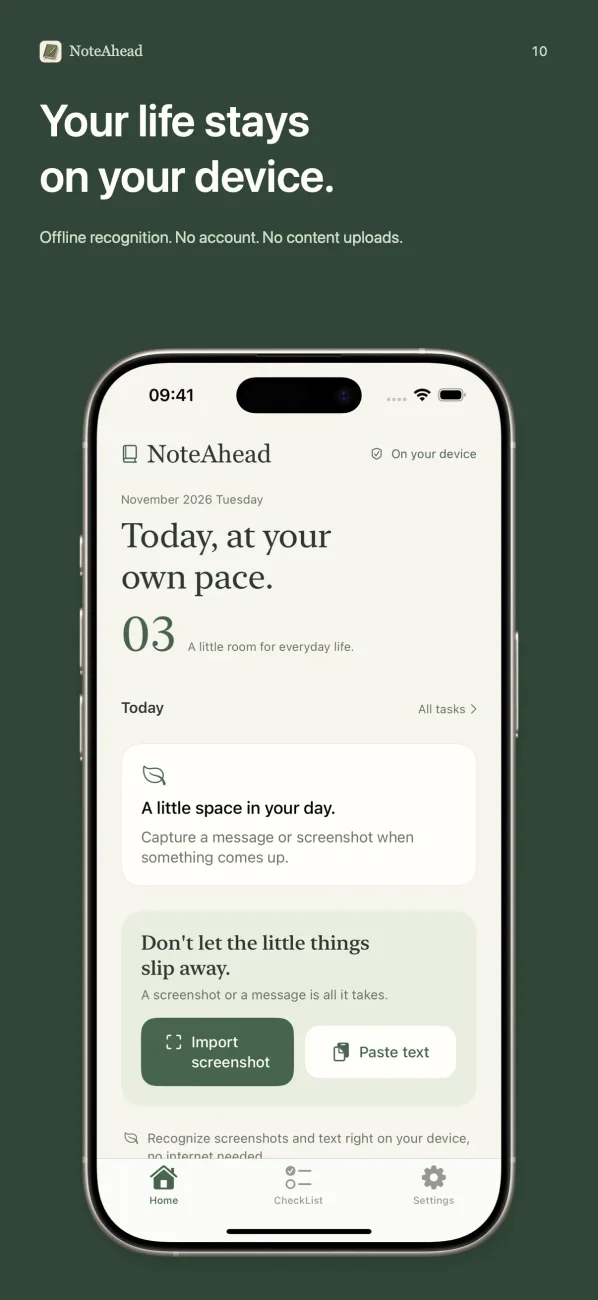
Import a screenshot or image to recognize its text, or paste a message to organize an upcoming plan. You can also send supported text and images to NoteAhead through the system share menu, reducing manual entry.
- ORGANIZE SEVERAL ITEMS AT ONCE
One message can contain more than one plan. NoteAhead can identify multiple items from a single import, so you can review each one, make changes, and save the items you choose together.
- REVIEW BEFORE YOU SAVE
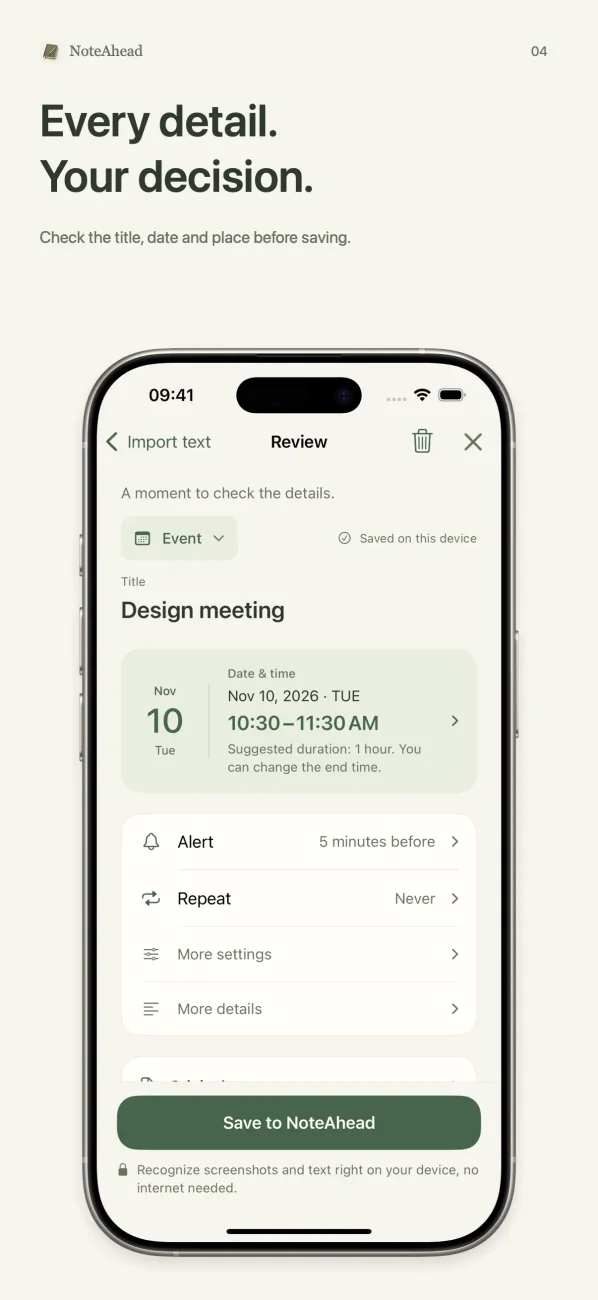
Check and edit titles, dates, times, locations, notes, and checklist contents. Refer to the original text as you review. Correct unclear or incomplete details before saving, so you stay in control of your plans.
- SET ALERTS YOUR WAY
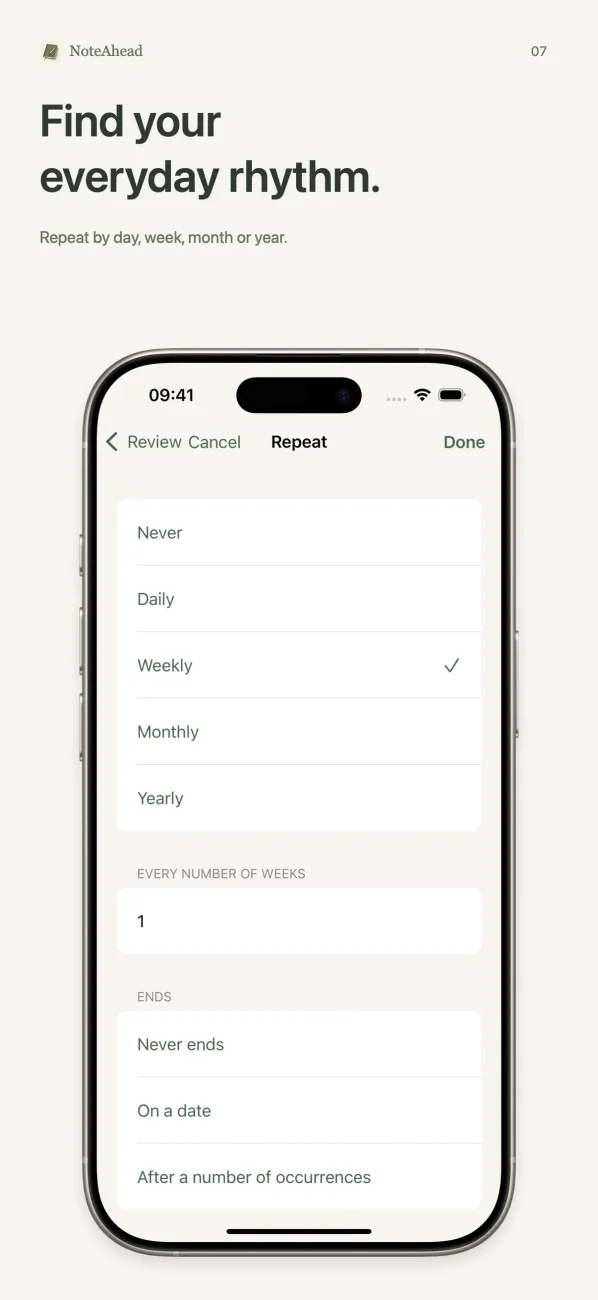
Choose an alert at the scheduled time or in advance. Set daily, weekly, monthly, or yearly repeats, adjust intervals and end conditions, and choose a time zone for each item.
- SEE TODAY AND WHAT'S NEXT
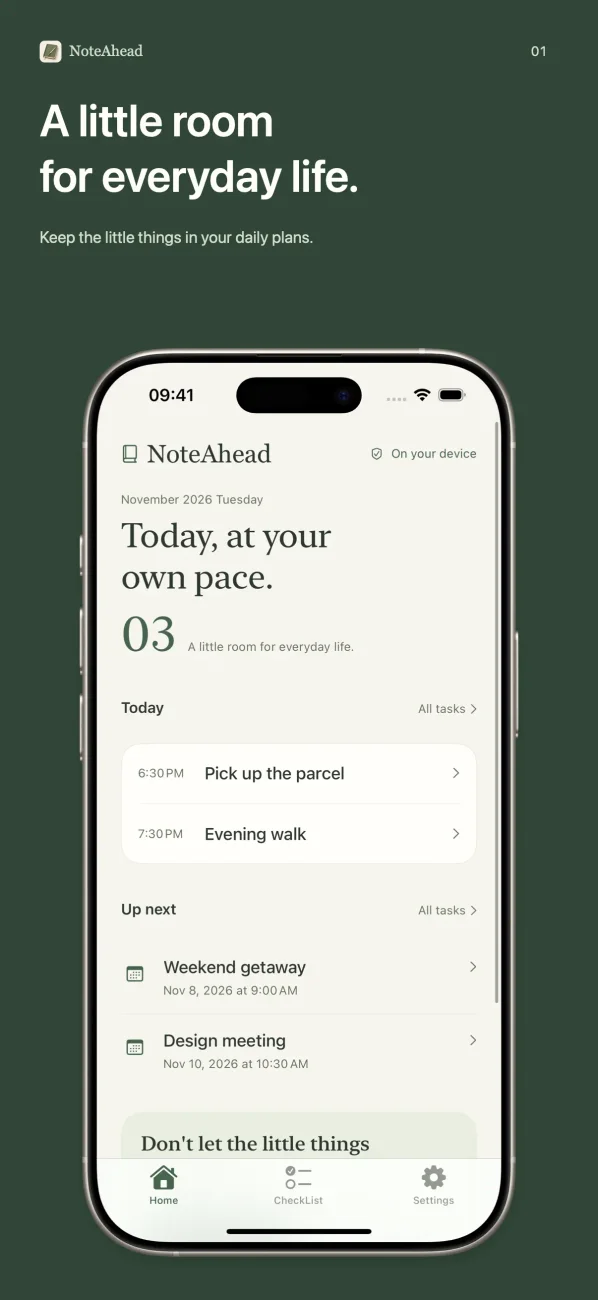
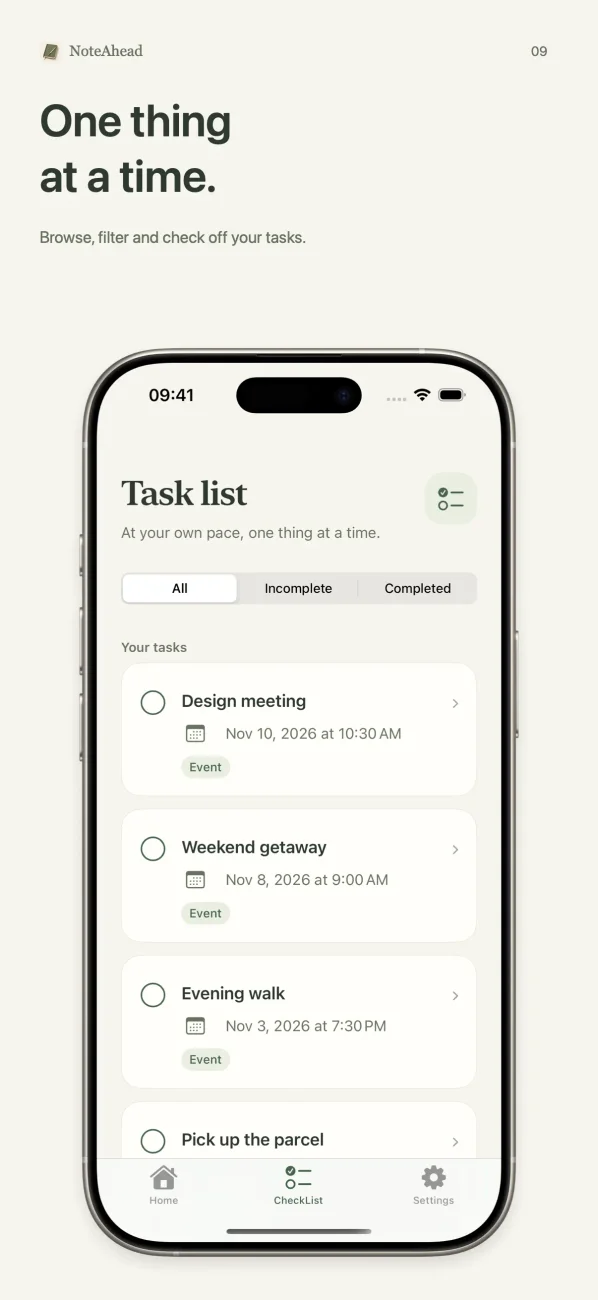
View today's agenda and upcoming items from the home screen. Filter your task list by all, incomplete, or completed items. Mark a task complete, undo completion, or delete it. Keep unfinished imports as drafts to continue later, and revisit your import history.
- KEEP PERSONAL DETAILS ON YOUR DEVICE
Text recognition and parsing happen on your device and work offline. No account is required. NoteAhead has no ads, tracking, or content uploads. Your items stay inside NoteAhead, with alerts delivered through local notifications.
- A CALMER PLACE FOR EVERYDAY PLANS
Cream paper tones and sage accents give NoteAhead the feel of a personal journal. Dark mode, scalable text, and 11 interface languages help it fit the way you use your device.
Please review recognition results before saving. Notifications require permission and depend on iOS settings, including Focus. NoteAhead queues up to 60 upcoming alerts; open the app regularly to refresh recurring reminders and remaining alerts. Cloud sync and data backup are not provided. Deleting the app removes its locally stored data.
Novedades
Versión 1.3.0 · 10/11/2026
1、The UI has been completely upgraded.
Privacidad de la aplicación
Lo que 壮 何 declara en App Store sobre cómo esta aplicación gestiona los datos.
-
No se recopilan datos
El desarrollador no recopila ningún dato de esta aplicación.
Las prácticas de privacidad pueden variar, por ejemplo, según las funciones que uses o tu edad.
Información
- Vendedor
- 壮 何
- Categoría
- Utilidades
- Versión
- 1.3.0
- Actualizado
- 10/11/2026
- Publicado
- 26/10/2026
- Tamaño
- 9,8 MB
- Requiere
- iOS 18.0 o posterior
- Clasificación por edad
- 17+
- Precio
- Gratis
- Idiomas
- Inglés, Árabe, Francés, Alemán, Hindi, Japonés, Coreano, Portugués, Ruso, Chino simplificado, Español
- Copyright
- © hezhuang
Quizá también te guste
-
 喵拆 · ZipCatUtilidades
-
 Speaker Super DryUtilidades
-
 Cheese: Conexión VPN privadaMás privacidad en Wi-Fi y web
-
 Readmory - Book NotesUtilidades
-
 ZipEazy-Descompresor MultiAbre zip/rar/7z+Con contraseña
-
 拾光日记Utilidades
-
 How Are You TodayUtilidades
-
 Alarm Pro: Shift Alarm ClockUtilidades
-
 Duo widget: Battery & WiFiUtilidades
-
 THLPlayUtilidades