NoteScribe: Loop & Beat Studio
Draw or tap to compose music
Diseñada para iPhone, iPad
Gratis · Compras en la aplicación
- Clasificación por edad4+
- CategoríaUtilidades
- DesarrolladorOussama Oumlil
- IdiomasInglés
- Tamaño1,0 MB
Enlaza a la página oficial de App Store
Download.org no aloja ningún archivo de NoteScribe: Loop & Beat Studio. El botón abre la página de la aplicación en App Store, donde la publica Oussama Oumlil. Ficha comprobada por última vez el 16/11/2026.
Capturas de pantalla
Acerca de
El desarrollador no ha proporcionado este texto en tu idioma.
**NoteScribe: Loop & Beat Studio** turns drawing into music. Sketch a line, tap a grid of colorful pixels, or press piano keys — every input locks to the key and scale you choose, so nothing you play is ever a wrong note.
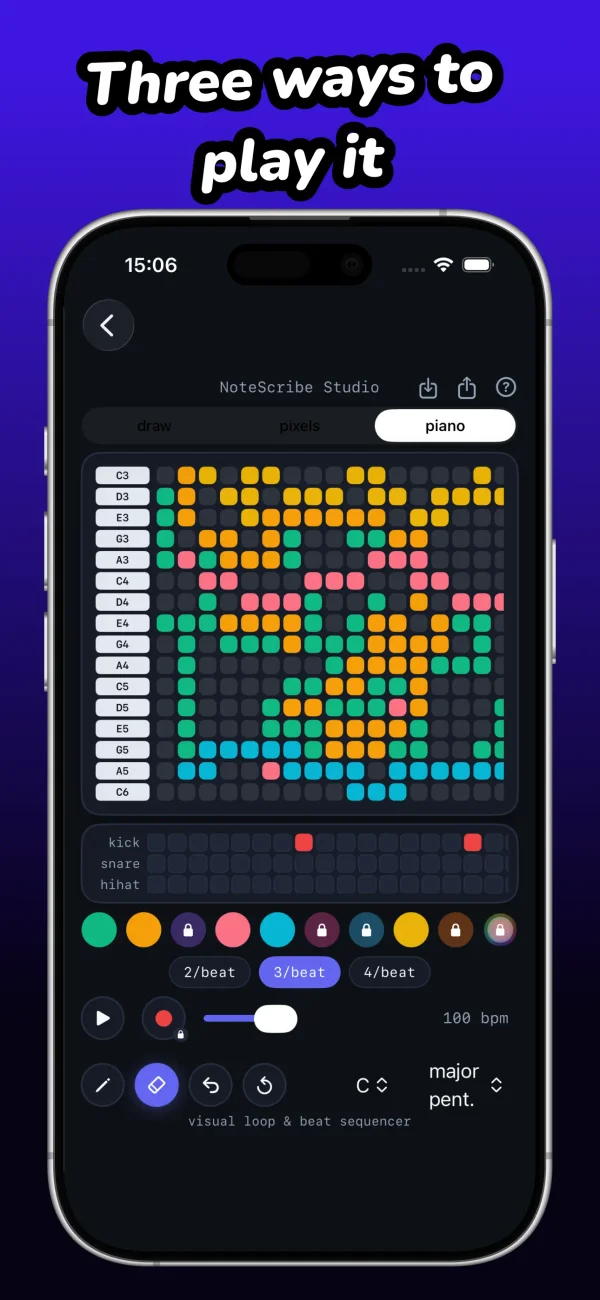
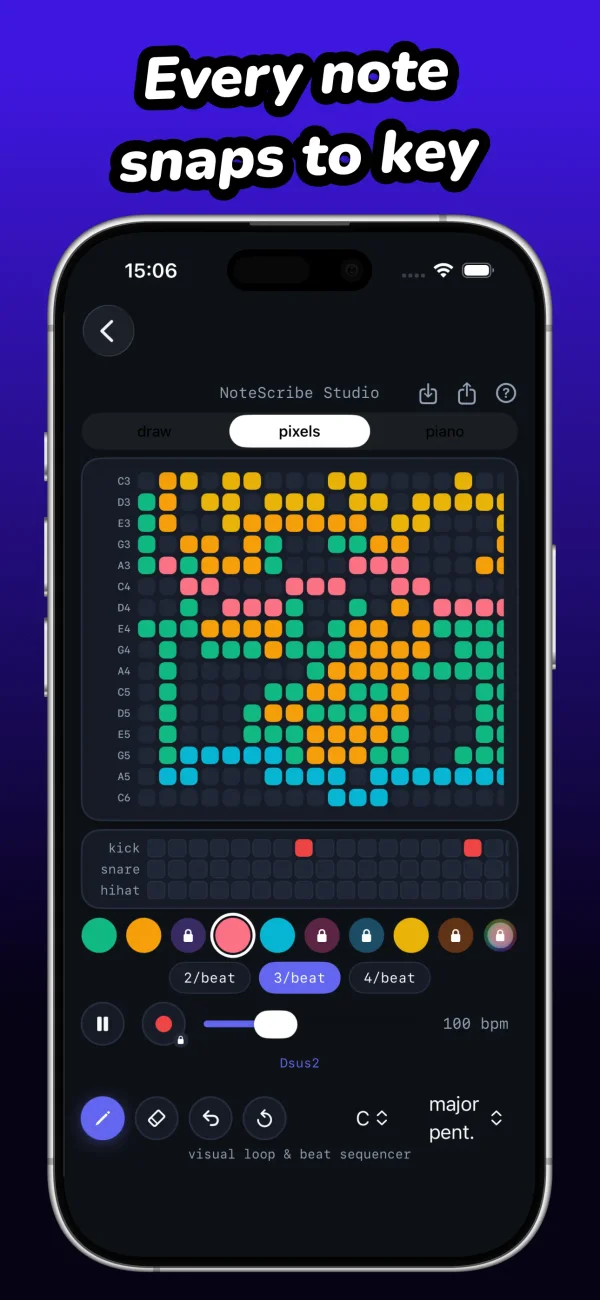
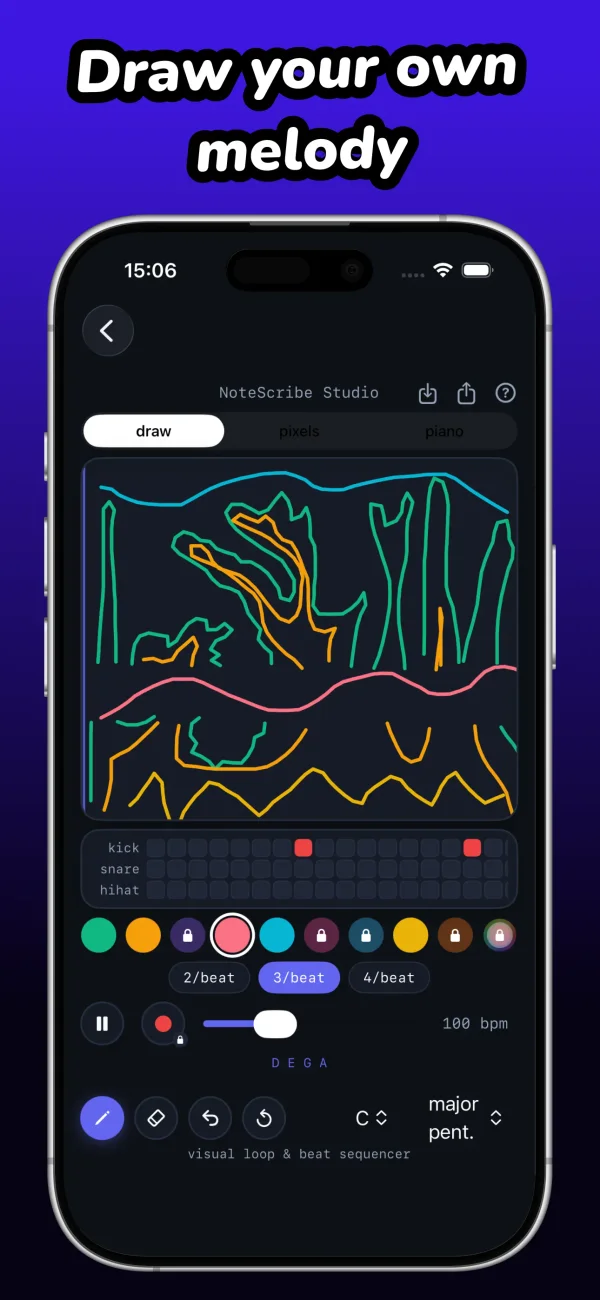
Three ways to create:
**Draw** — sketch freehand across the canvas and watch your line become a melody, mapped note by note to pitch and time.
**Pixels** — tap cells on a grid to place notes precisely, building patterns you can see as well as hear.
**Piano** — play a full on-screen keyboard that's already scale-locked, so improvising always sounds right.
Pick any key and scale — major, minor, and more — and every note you draw, tap, or press snaps to it. It's an easy way to explore music theory by ear: hear how a scale actually sounds instead of just reading about it.
Layer a beat under your melody with a built-in kick, snare, and hi-hat, and choose 2, 3, or 4 hits per beat to shape the groove.
Choose from a palette of instrument colors to give each part of your composition its own voice and its own color on the canvas, so a piece you draw is also a piece you can read at a glance.
When you're happy with what you made, export it as a MIDI file to bring into GarageBand, Logic, or any other music software, or export straight to WAV audio. Share a code so a friend can open your exact composition on their own device.
Built for anyone who wants to make music without already knowing music theory — kids learning their first scales, beginners who've never touched an instrument, and musicians who want a fast, visual way to sketch ideas. Because every note is scale-locked, there's no such thing as a wrong note: just draw, tap, or play, and it sounds like music.
Terms of Use (EULA): https://www.apple.com/legal/internet-services/itunes/dev/stdeula/
Privacy Policy: https://sites.google.com/view/melodymusicprivacy/home
Privacidad de la aplicación
Lo que Oussama Oumlil declara en App Store sobre cómo esta aplicación gestiona los datos.
-
No se recopilan datos
El desarrollador no recopila ningún dato de esta aplicación.
Las prácticas de privacidad pueden variar, por ejemplo, según las funciones que uses o tu edad.
Información
- Vendedor
- Oussama Oumlil
- Categoría
- Utilidades
- Versión
- 1.0
- Actualizado
- 29/9/2026
- Publicado
- 29/9/2026
- Tamaño
- 1,0 MB
- Requiere
- iOS 17.0 o posterior
- Clasificación por edad
- 4+
- Precio
- Gratis
- Compras en la aplicación
- Sí
- Idiomas
- Inglés
- Copyright
- © Mfagri 2026
Quizá también te guste
-
 YoDrum ProUtilidades
-
 Ark7 RentersUtilidades
-
 Ukulele -Tuner&Chords-Utilidades
-
 WaterCop WiFiUtilidades
-
 LudyActions160+ Actions for Shortcuts
-
 Filter of HopeUtilidades
-
 Easy Text to Speech ReaderUtilidades
-
 Panasonic TV RemoteUtilidades
-
 National Grid Charge Smart MAUtilidades
-
 FileBrowser: Documents ManagerFile Explorer & Media Player