- Clasificación por edad4+
- CategoríaProductividad
- DesarrolladorKEVIN COHEN
- IdiomasInglés
- Tamaño5,1 MB
Enlaza a la página oficial de App Store
Download.org no aloja ningún archivo de Notify AI. El botón abre la página de la aplicación en App Store, donde la publica KEVIN COHEN. Ficha comprobada por última vez el 14/11/2026.
Capturas de pantalla
Acerca de
El desarrollador no ha proporcionado este texto en tu idioma.
Notify: The Ultimate Digital Notebook for iPad
Notify transforms your iPad into a powerful, intelligent note-taking system designed for students, professionals, and creatives. Seamlessly blend handwriting, PDF annotation, and AI-powered enhancement in one beautifully crafted app.
KEY FEATURES
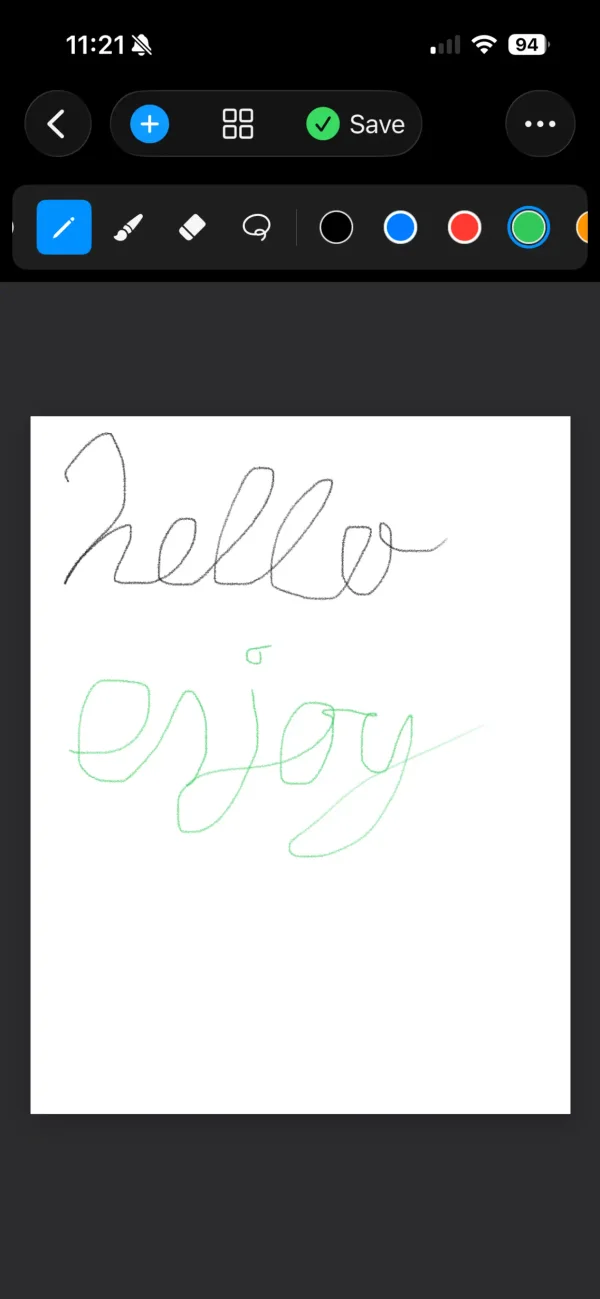
Natural Handwriting Experience
• Optimized for Apple Pencil with precise, lag-free writing
• Multiple pen types: pen, marker, pencil, and highlighter
• Customizable stroke width and unlimited color options
• Pencil-only mode for accidental touch prevention
• Eraser with stroke and pixel modes
Professional Drawing Tools
• Shape tools for perfect lines, circles, rectangles, and more
• Text boxes for typed annotations
• Rich color palette with custom color picker
• Auto-enhancement for cleaner, more readable handwriting
• Live handwriting recognition converts writing to text
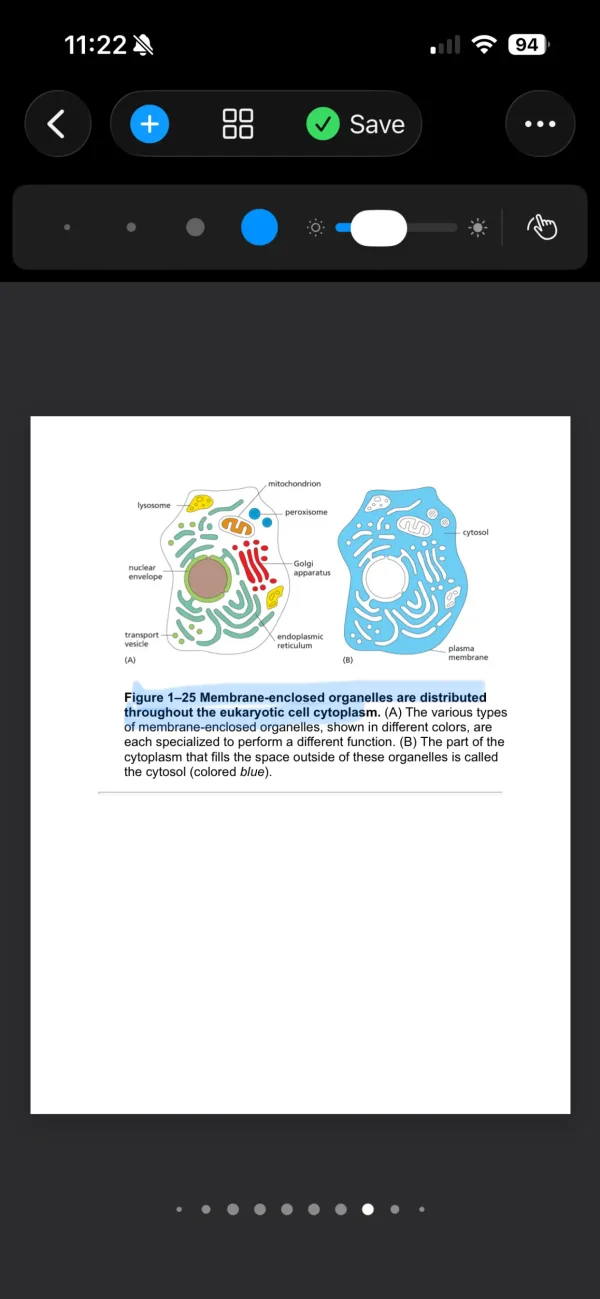
Powerful PDF Annotation
• Import and annotate PDF documents seamlessly
• Draw directly on PDFs with complete transparency
• Multi-page PDF support with page navigation
• Export annotated PDFs to share your work
• Maintain original PDF quality and formatting
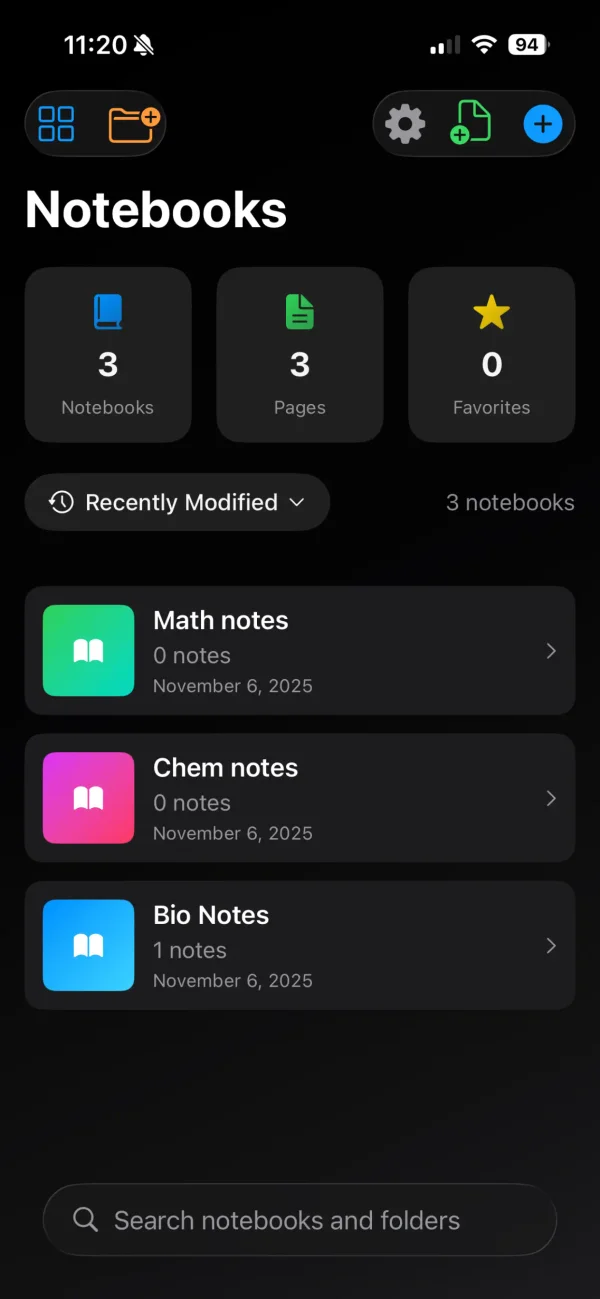
Intelligent Organization
• Unlimited notebooks and pages
• Multiple page templates: lined, grid, dot grid, Cornell notes, music sheets, graph paper, and more
• Page preview sidebar for quick navigation
• Visual page thumbnails for easy browsing
• Seamless page-to-page swiping
AI-Powered Features
• Auto-enhance handwriting for professional appearance
• Live handwriting recognition for instant text conversion
• Smart stroke smoothing and alignment
• Intelligent shape detection
Rich Templates
• Blank, Lined (wide, college, narrow ruled)
• Grid (small and large)
• Dot Grid and Isometric Grid
• Cornell Notes for structured note-taking
• Music Staff for musicians
• Graph Paper for technical drawings
• Calligraphy guides
• Hexagonal and custom templates
Attachments & Media
• Add photos and images directly to notes
• Attach audio recordings
• Link web resources
• Document imports (PDF, text files)
• Visual attachment thumbnails
Customization
• Dark and light mode support
• Adjustable highlighter opacity
• Custom stroke widths from 1-16 pixels
• Personalized color palettes
• Flexible toolbar layout
Premium Performance
• Instant page switching with no lag
• Efficient memory management
• Smooth 120Hz Apple Pencil support
• Auto-save prevents data loss
• Optimized for all iPad models
Seamless Workflow
• Export notes as PDF documents
• Share via Mail, Messages, or AirDrop
• Page-by-page or complete notebook export
• Professional-quality output
Privacy First
• All notes stored locally on your device
• Optional iCloud sync for backup
• No tracking or analytics
• Your data remains private
PERFECT FOR
Students
Take lecture notes, solve math problems, annotate textbooks, and organize study materials across unlimited subjects.
Professionals
Sketch ideas, mark up documents, take meeting notes, create presentations, and brainstorm with visual diagrams.
Creatives
Draw illustrations, design layouts, sketch concepts, and maintain visual journals with professional-grade tools.
Educators
Create lesson plans, annotate teaching materials, provide feedback on student work, and organize curriculum.
WHY NOTIFY?
Notify combines the natural feel of pen and paper with the power of digital technology. Whether you're taking notes in class, marking up contracts, sketching ideas, or organizing your thoughts, Notify provides the perfect canvas.
Our commitment to simplicity means you get powerful features without complexity. The intuitive interface lets you focus on your ideas, not learning the app.
REQUIREMENTS
• iPad with Apple Pencil support recommended
• iOS 17.6 or later
• Works with all Apple Pencil models
Download Notify today and experience the future of note-taking. Your perfect digital notebook awaits.
Novedades
Versión 1.05 · 12/11/2025
Bug Fixes & Performance Updates
Privacidad de la aplicación
Lo que KEVIN COHEN declara en App Store sobre cómo esta aplicación gestiona los datos.
-
No se recopilan datos
El desarrollador no recopila ningún dato de esta aplicación.
Las prácticas de privacidad pueden variar, por ejemplo, según las funciones que uses o tu edad.
Información
- Vendedor
- KEVIN COHEN
- Categoría
- Productividad
- Versión
- 1.05
- Actualizado
- 12/11/2025
- Publicado
- 8/11/2025
- Tamaño
- 5,1 MB
- Requiere
- iOS 17.6 o posterior
- Clasificación por edad
- 4+
- Precio
- Gratis
- Idiomas
- Inglés
- Copyright
- © Kevin Cohen
Quizá también te guste
-
 Lista de Tareas: 3 TasksPlanificador diario y enfoque
-
 GeekCleanProductividad
-
 RecordMark: AI Note TakerProductividad
-
 Jottr: Thought TimelineProductividad
-
 Paraphrase AI: ParafrasearReescribir y humanizar textos
-
 Calculator Notes - SpreadsheetProductividad
-
 AI Booster: VPN y Proxy rápidoWARP, WireGuard y gratis
-
 PDF Editor & Scanner:PDF ToolsProductividad
-
 Podcast Maker: Learn with AiProductividad
-
 PhotoHub - Clean,Blur,collageProductividad