OFFMODE - App Lock
Focus with scheduled app locks
Diseñada para iPhone, iPad
Gratis · Compras en la aplicación
- Clasificación por edad4+
- CategoríaProductividad
- DesarrolladorEklo
- IdiomasInglés
- Tamaño32,1 MB
Enlaza a la página oficial de App Store
Download.org no aloja ningún archivo de OFFMODE - App Lock. El botón abre la página de la aplicación en App Store, donde la publica Eklo. Ficha comprobada por última vez el 13/11/2026.
Capturas de pantalla



Acerca de
El desarrollador no ha proporcionado este texto en tu idioma.
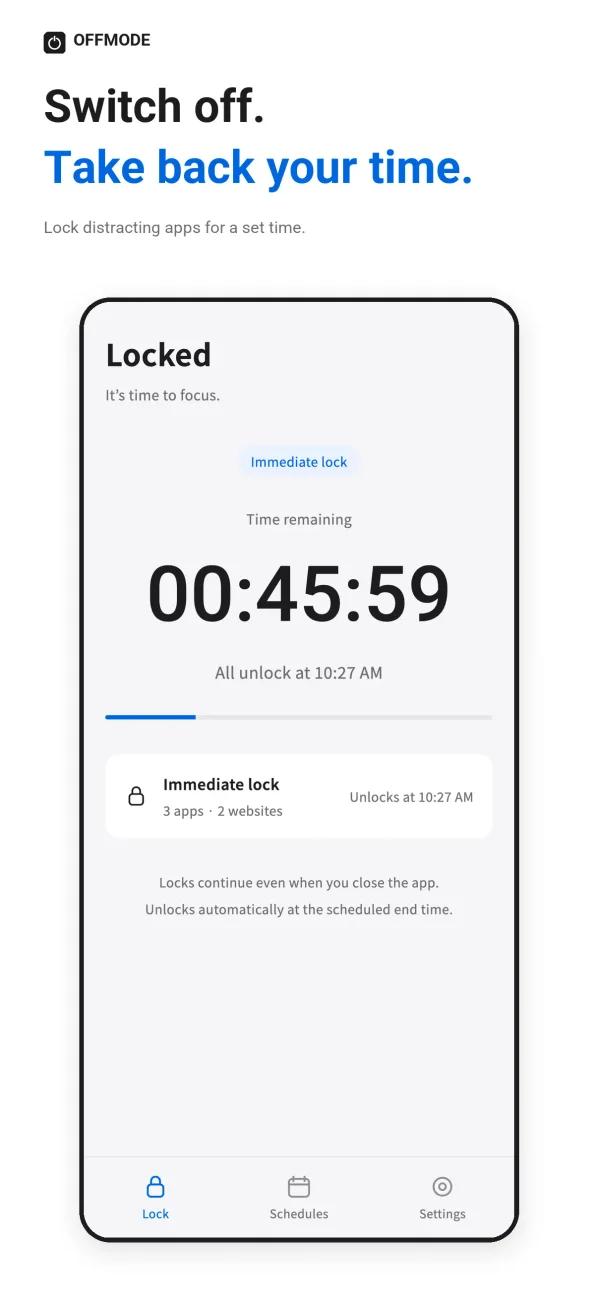
Keep distracting apps out of reach for the time you choose.
View selected app names and icons on timed-lock and schedule cards. Expand larger selections with Show all.
OFFMODE uses Apple’s Screen Time tools to block selected apps, categories and websites.
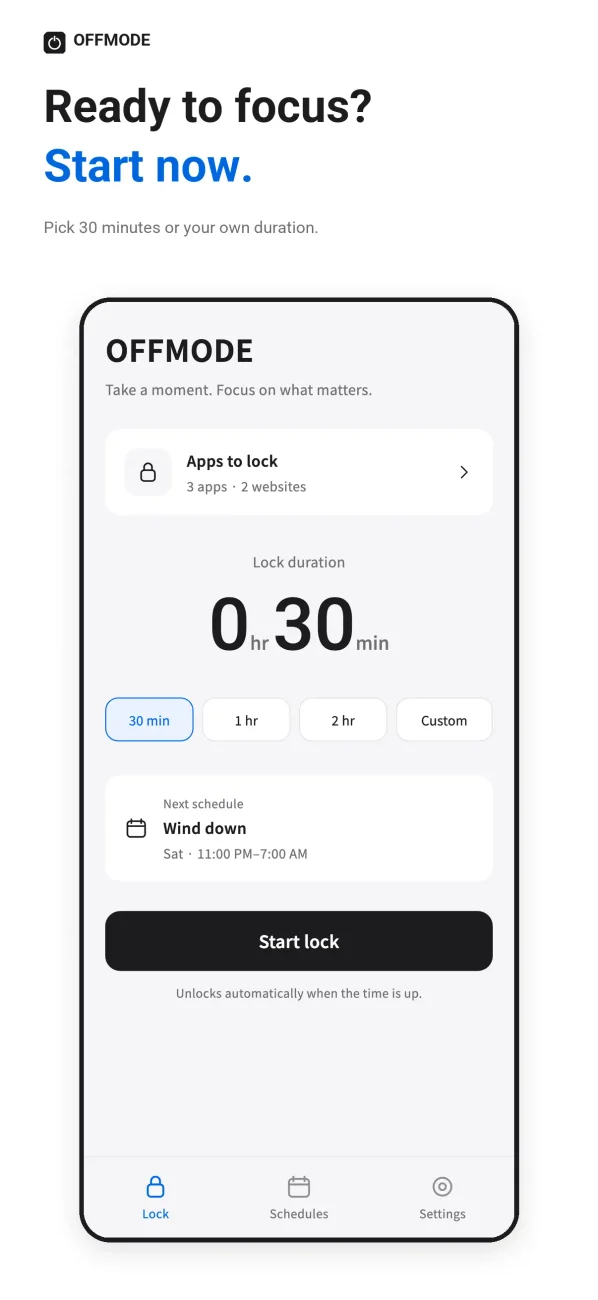
• Start now: 30 minutes, 1 hour, 2 hours or a custom duration
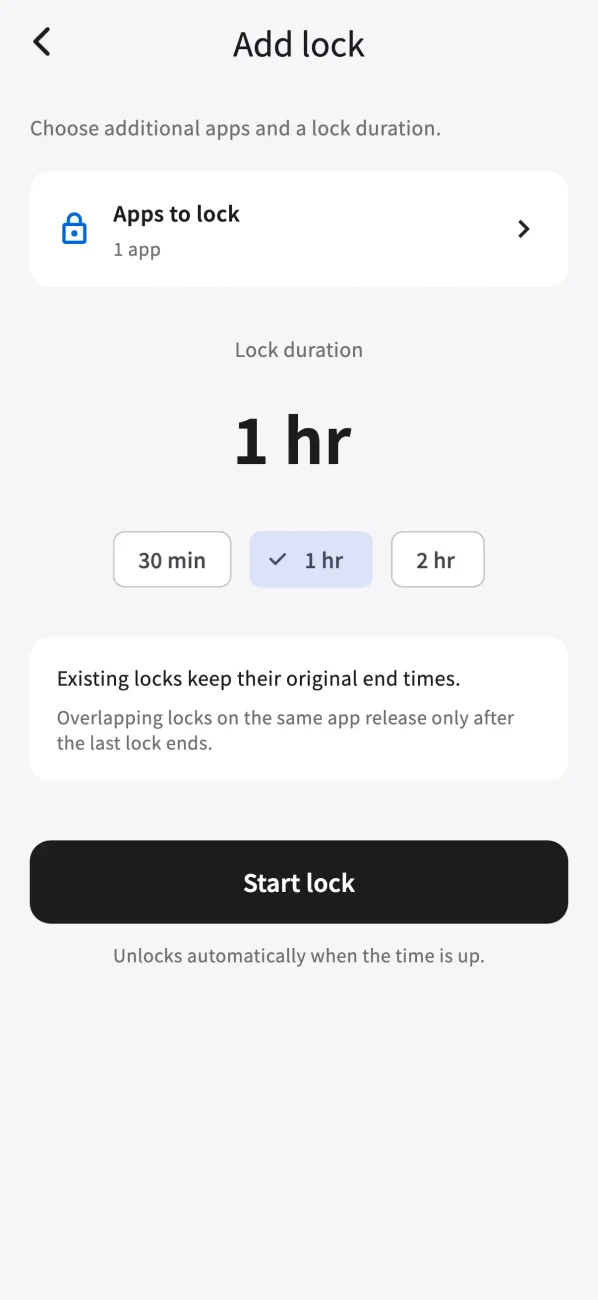
• Add lock: lock more apps for a separate duration while existing locks keep their original end times
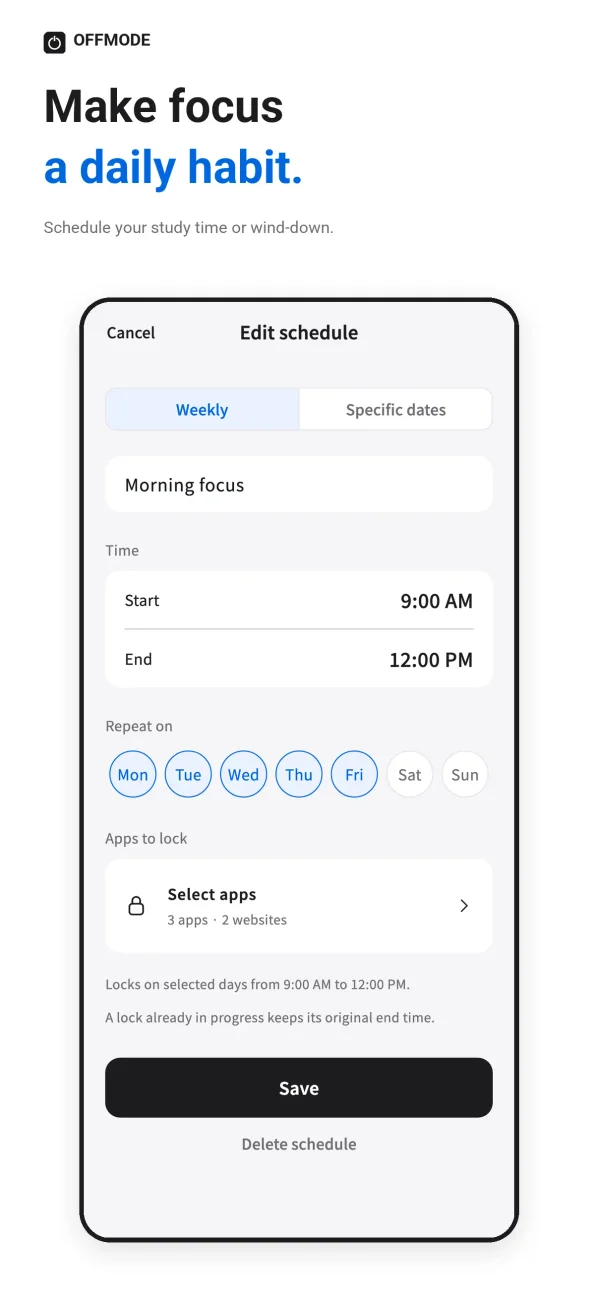
• Repeat weekly: choose days and start/end times
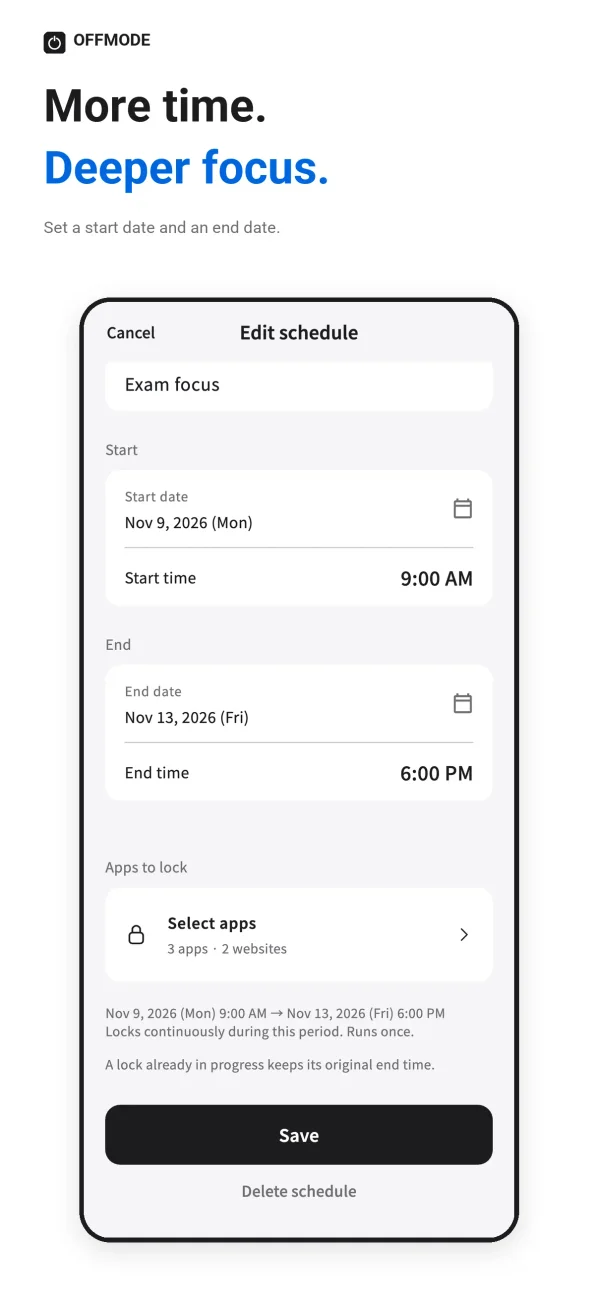
• Schedule specific dates: lock once from your start date to your end date
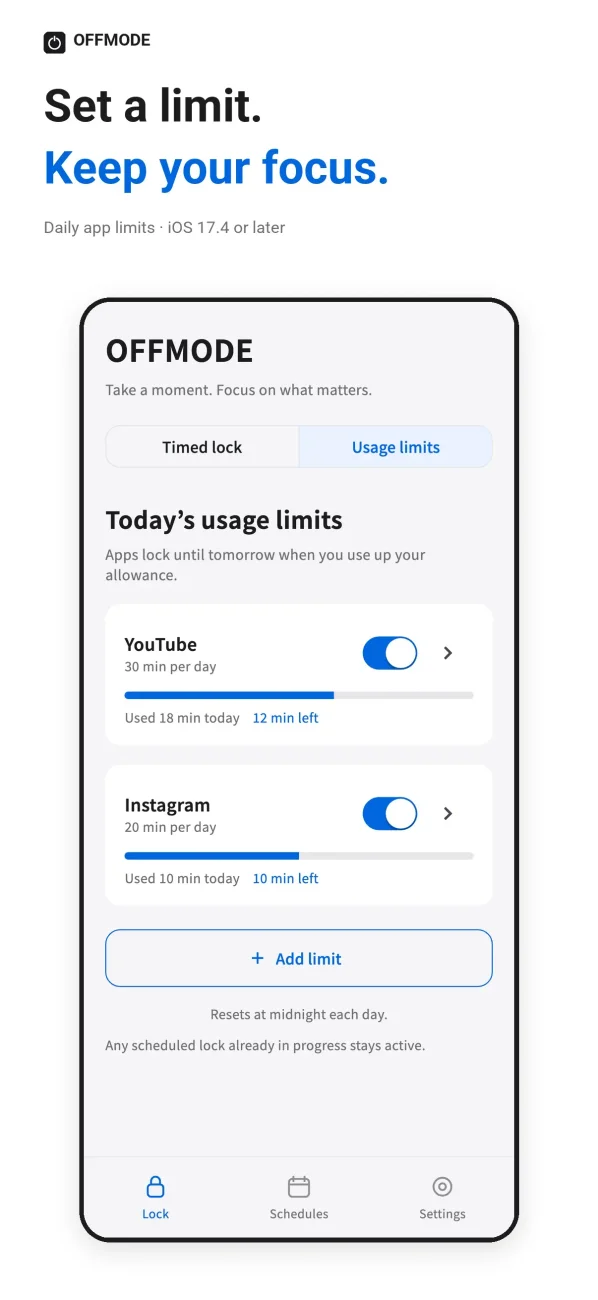
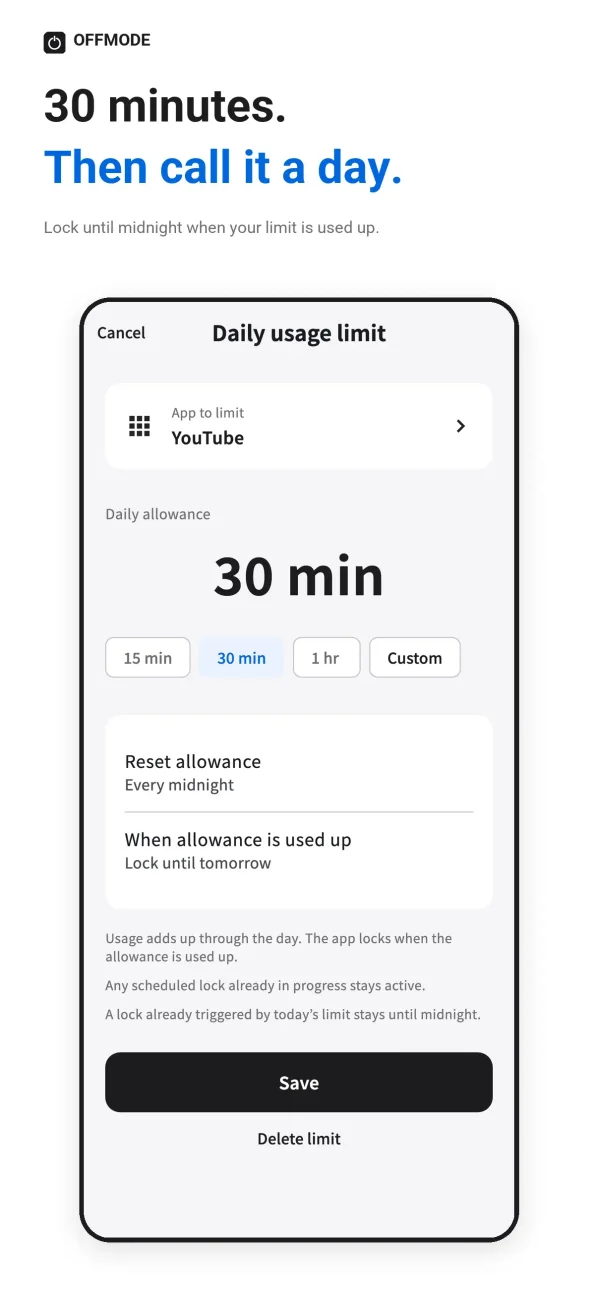
• Daily usage limits: set a daily allowance for each app; block it until local midnight when used up
• Use then lock: choose usage and lock durations per app; the rule repeats after unlocking
• Time remaining: see when your locks will end
• Overlapping schedules: locks that have not ended continue to apply
Download for free and explicitly start a seven-day trial of the basic features. The trial starts when Apple verifies your trial transaction. You can lock only until the trial deadline. Active locks are released when the trial ends. To continue using locks and schedules afterward, make a one-time in-app purchase for Basic Access. No subscription or automatic charge. Restoring purchases or reinstalling does not restart the original trial period.
Basic features include app locks, weekly schedules, date-based schedules, time remaining, daily usage limits and use then lock, with no time limit. Additional features released separately in the future may be offered as optional paid products. Your purchased basic features remain available even if you do not buy any additional product.
Once a lock starts, it cannot be ended early from within OFFMODE. Editing, disabling or deleting its schedule preserves an active lock’s original targets and end time, capped at the trial deadline during a trial.
Selections and schedules are processed on your device. No account, ads or operator server. Trial activation, purchases and restoration use the Apple App Store.
Timed locks and schedules require iOS 16 or later. Daily usage limits and use then lock require iOS 17.4 or later. Screen Time access is required. Revoking permissions or deleting OFFMODE can interrupt blocking. Schedules and daily resets follow your device’s date and time. A lock triggered by reaching a daily allowance stays until the next local midnight even if the rule is edited, disabled or deleted. Other timed or scheduled locks remain in effect until their own end times.
Languages: Korean and English. Other device languages fall back to English.
Use then lock lets you choose both durations from 1 minute to 23 hours 59 minutes. Usage counts from saving the rule and resets when its lock ends and at local midnight. An active lock continues past midnight until its scheduled end. Editing, disabling or deleting the rule does not release an active lock early.
Novedades
Versión 0.1.1 · 29/10/2026
• Improved saving when adding usage limits consecutively.
• Improved loading of existing usage limits and app information when opening the app.
• Refined scrolling and movement at the edges of the usage-limit list.
Privacidad de la aplicación
Lo que Eklo declara en App Store sobre cómo esta aplicación gestiona los datos.
-
No se recopilan datos
El desarrollador no recopila ningún dato de esta aplicación.
Las prácticas de privacidad pueden variar, por ejemplo, según las funciones que uses o tu edad.
Información
- Vendedor
- EKLO
- Categoría
- Productividad
- Versión
- 0.1.1
- Actualizado
- 29/10/2026
- Publicado
- 27/10/2026
- Tamaño
- 32,1 MB
- Requiere
- iOS 16.0 o posterior
- Clasificación por edad
- 4+
- Precio
- Gratis
- Compras en la aplicación
- Sí
- Idiomas
- Inglés
- Copyright
- © 2026 Kang eunsoo
Quizá también te guste
-
 TimeValve - App BlockerProductividad
-
 GoalTrailProductividad
-
 Frost Lock: Bloqueador de appsTiempo en pantalla y enfoque
-
 Don't Scroll: App BlockerProductividad
-
 SENA NOTEEscribe notas, crea tu diario!
-
 Acta: Planificador de Metas IATareas, seguimiento y hábitos
-
 미션락: 숏폼 중독 앱 차단Productividad
-
 Untangle: ADHD Planner & To-DoDivide tus tareas en pasos
-
 Nudge31 - Goal & Daily HabitProductividad
-
 Plantri: Planificador diarioAgenda diaria, metas y hábitos