
- Clasificación por edad4+
- CategoríaProductividad
- DesarrolladorStanly Mathew Thomas
- IdiomasInglés
- Tamaño35,5 MB
Enlaza a la página oficial de App Store
Download.org no aloja ningún archivo de Omphalis. El botón abre la página de la aplicación en App Store, donde la publica Stanly Mathew Thomas. Ficha comprobada por última vez el 20/11/2026.
Capturas de pantalla
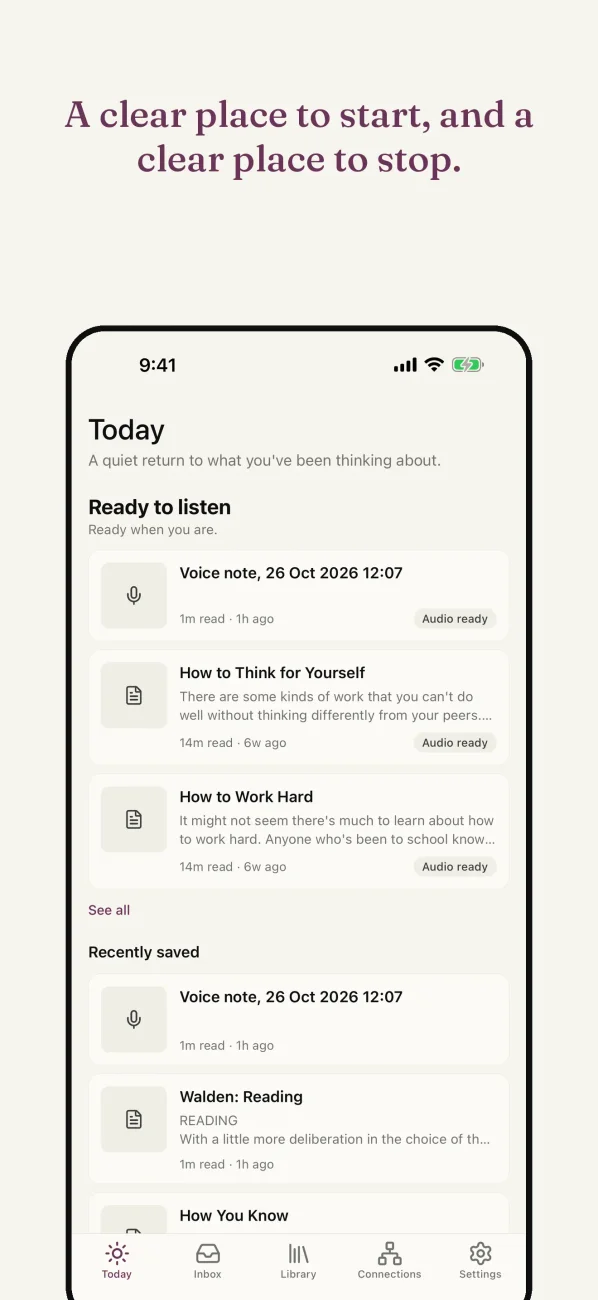
Acerca de
El desarrollador no ha proporcionado este texto en tu idioma.
Omphalis is a calm home for the things you want to understand, not just get through.
Save an article, a podcast, a YouTube talk, a PDF, or a voice note. Every one of them becomes the same clean, readable page, with structure you can actually use.
What you get on the very first item
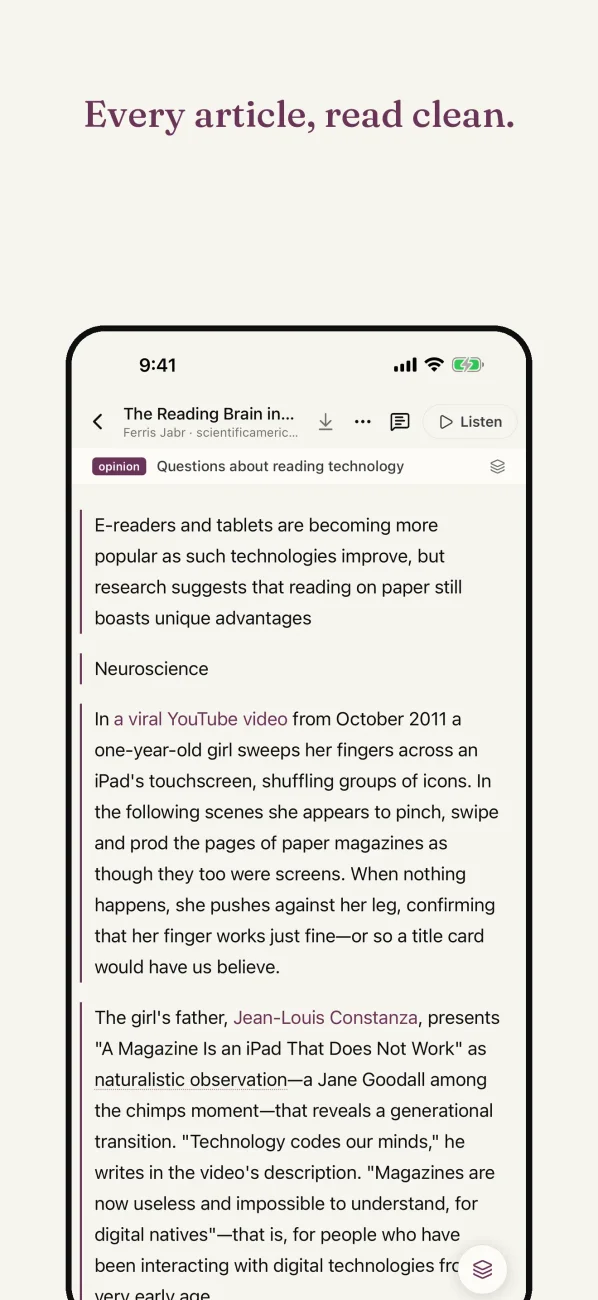
Clean reading. Articles arrive without banners, popups, or clutter. PDF layouts are untangled. Podcasts and videos are transcribed. One calm page, whatever the source.
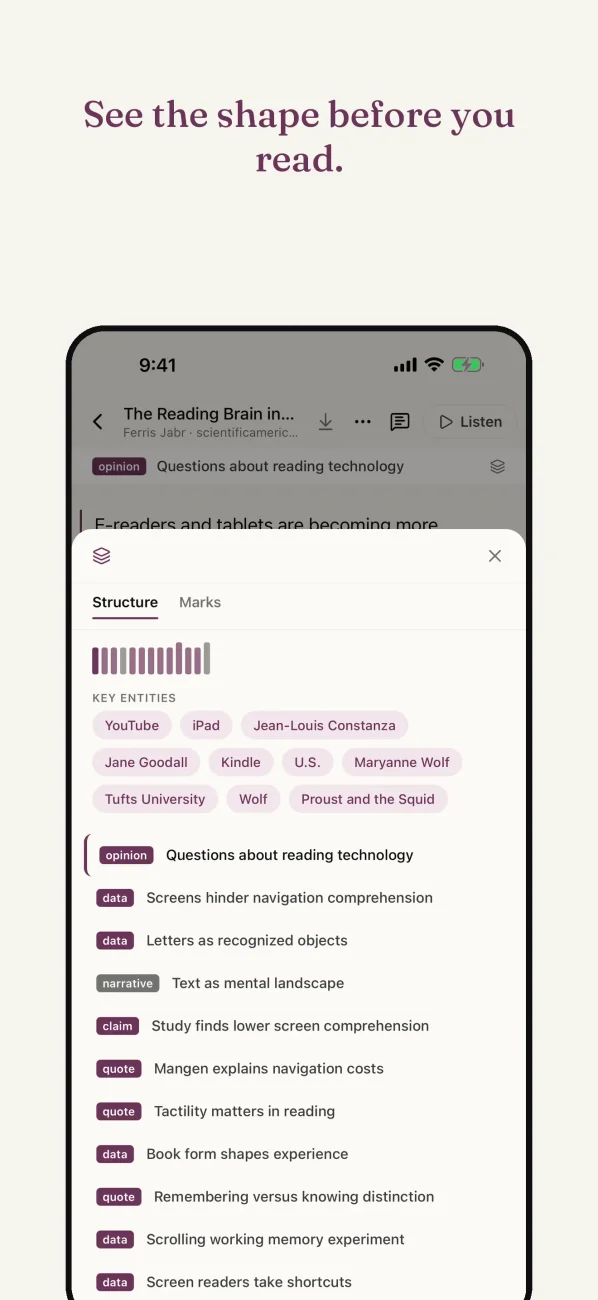
Strata. Each piece is broken into typed moments, as many as its length and density call for, so you can see the shape of something before you read it and go straight to the part you came for.
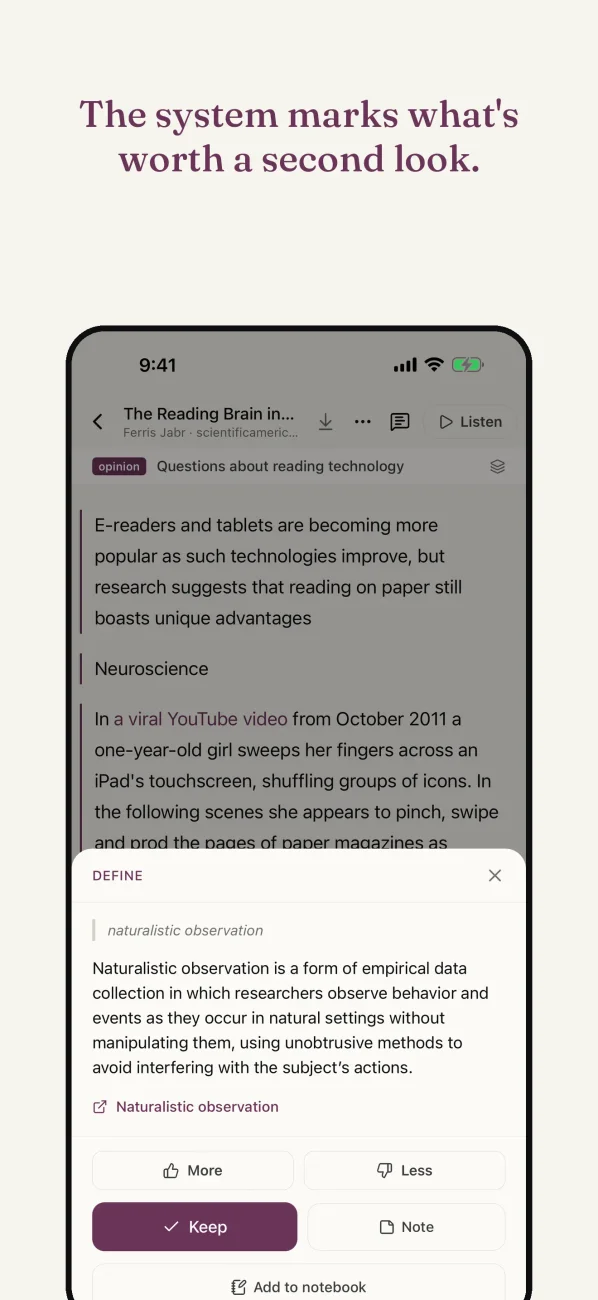
Marks. Omphalis quietly underlines the few things worth a second look: a source worth checking, a term worth defining, a claim worth following up. Keep the ones that earn it, dismiss the rest.
Listen. Any saved item can be read aloud in a voice you pick, with lock screen controls.
What you get as your library grows
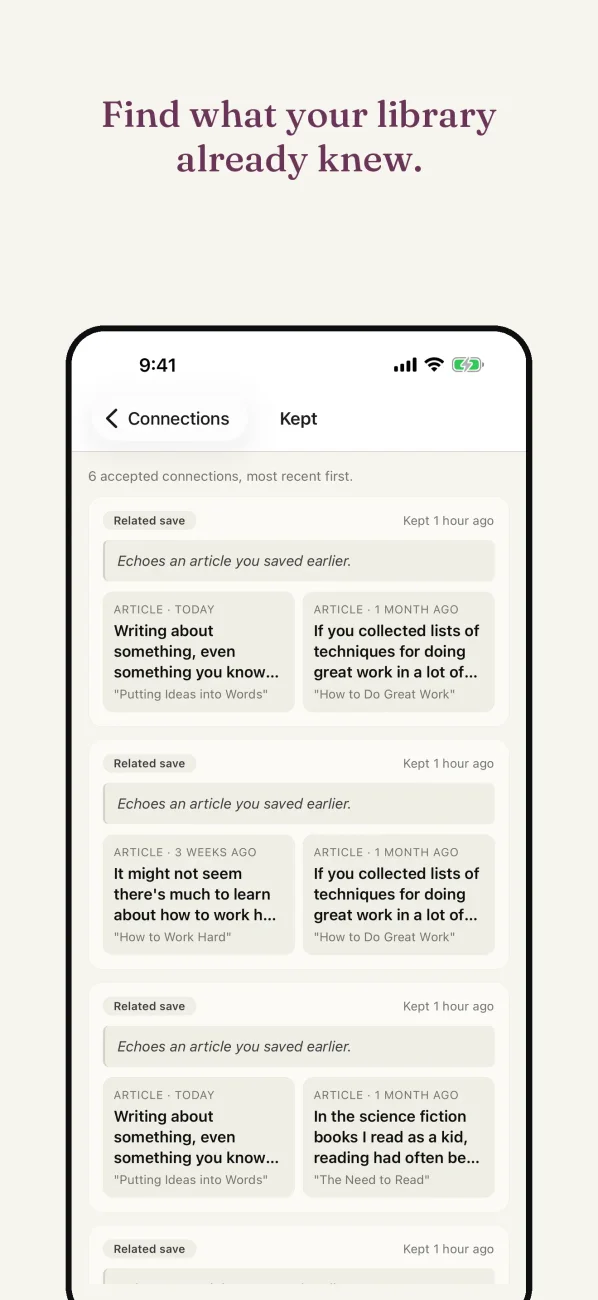
Connections. Omphalis surfaces what your own library already knew: a piece that echoes something you saved months ago, a claim that sits against another, a bridge between two topics you never filed together. It is descriptive, not predictive. It shows you your library, not a feed.
Today. A short daily loop with a clear place to start and a clear place to stop.
How it is built
Your own thinking and other people's work go through the same pipeline and connect to each other equally. There is no separate bucket for your notes.
Omphalis is custodial software. There is no trending tab, no infinite scroll, and no streak to keep alive. Today finishes.
Suggestions, not verdicts. The system that picks moments and marks is fallible, and the app is built to show you that rather than hide it. Every suggestion has a keep or a dismiss beside it, and Settings names the substrate plainly.
Your library, your data
Sign in with Apple or Google. Export or delete your account and its contents from inside the app, at any time.
What you can do
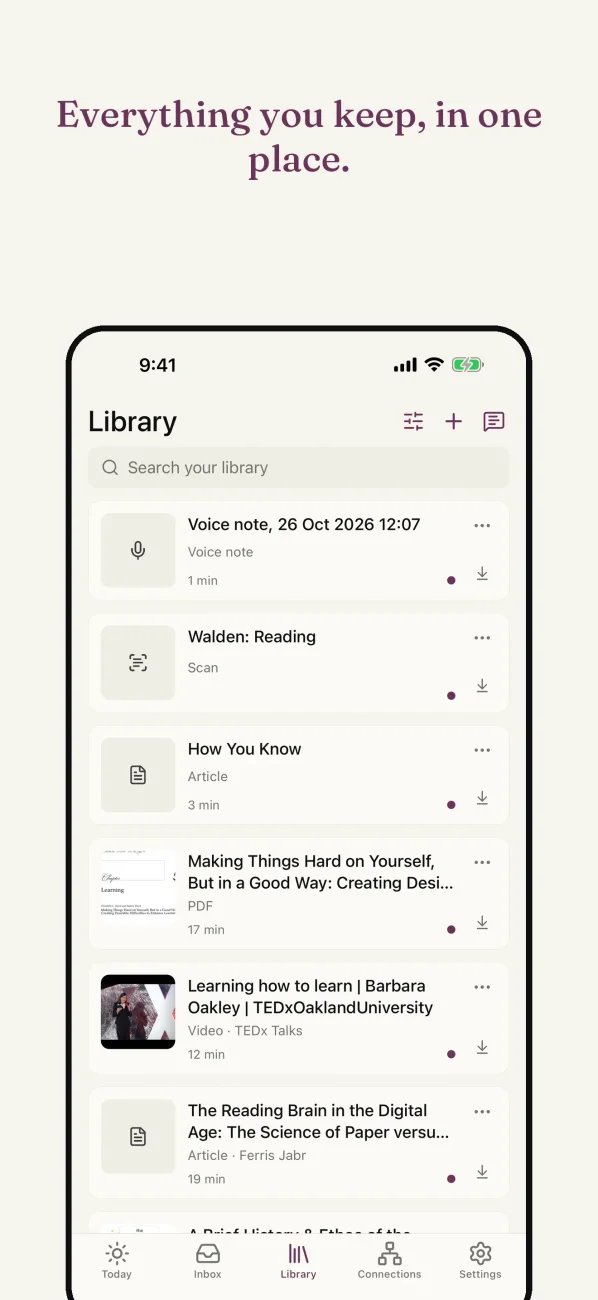
Omphalis lets you save, read, and listen across your Library, Inbox, and Today.
Novedades
Versión 1.1.0 · 26/10/2026
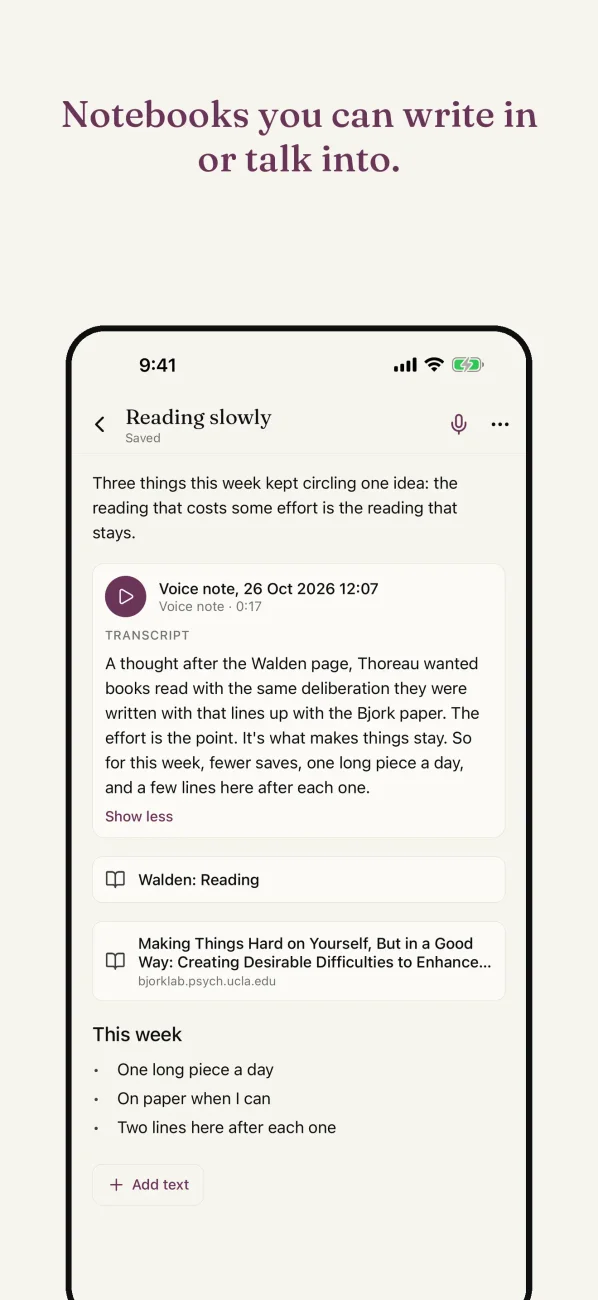
Your notebooks, on your phone
Your notebooks are on your phone now. Read every cell, write and format text, tick off checklists, and pick up where you left off on the web.
Add an annotation or a passage to a notebook while you read, or start notes on anything in your Library.
Writing in two places at once? Omphalis tells you when a notebook changed somewhere else and lets you keep your version or load the latest, so nothing is overwritten quietly.
Voice notes
Record a voice note straight into a notebook, from the notebook or from the Library.
Recordings stay safe on your phone until they upload, even with no connection.
Transcribe a voice note when you want its words beside the audio.
Ask about what you read
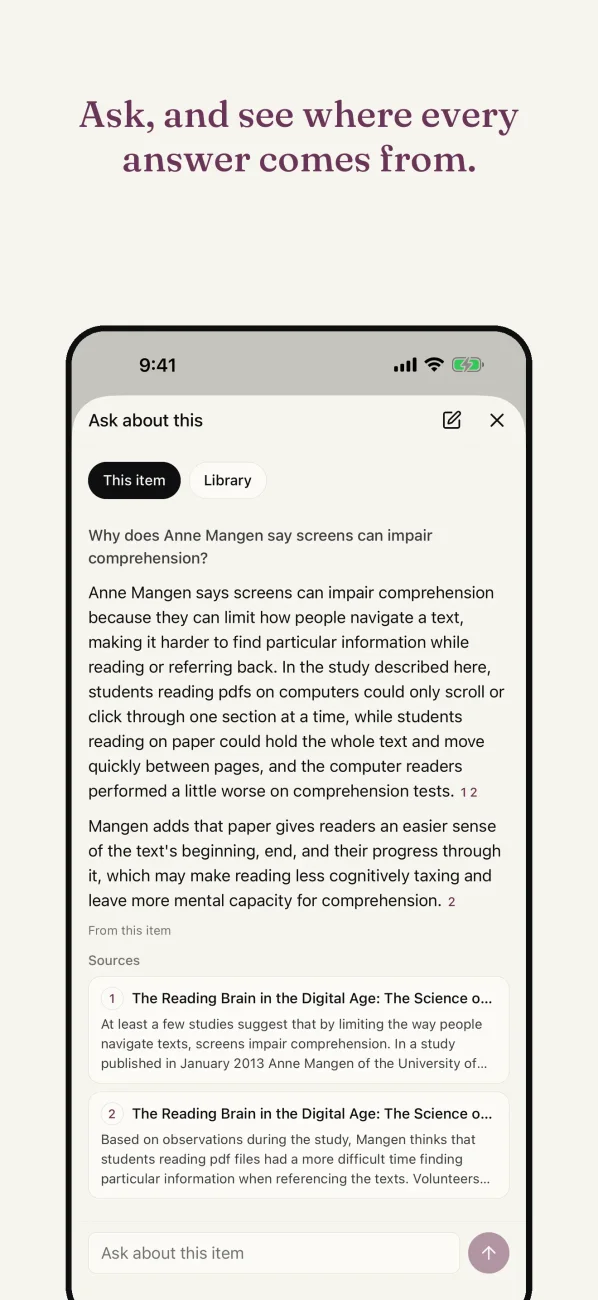
Ask about what you're reading. Every answer points back to the passages it comes from, and a tap takes you there.
Select a sentence, or a stretch of a podcast transcript, and ask about just that.
Ask across your whole Library from the Library tab.
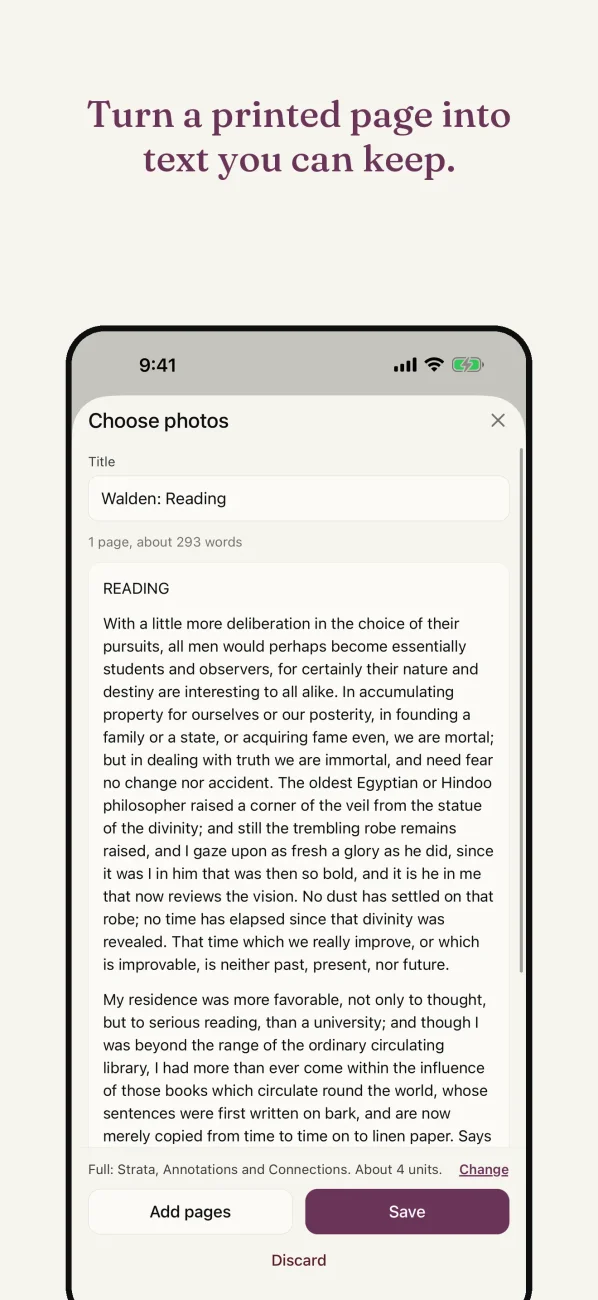
Scan pages
Scan pages from a handout or a book, or choose photos, and keep them as text you can read, mark and ask about. The pages are read on your phone; nothing is sent until you save.
A photo or screenshot of a page shared to Omphalis now arrives as text, and photos from your camera roll no longer land as "Unsupported format".
Capture what you hear
Highlight now: tap once while a podcast plays to keep the passage you just heard, without pausing. It works offline and syncs when you are back.
Save highlights with your headphones: turn it on in Settings, Listening, then press previous track on your AirPods or headset.
See who is speaking in podcast transcripts, with a short card for each known guest.
More ways into your Library
Share a Kindle notebook export from the Kindle app, and Omphalis brings in that book's highlights and tells you how many are new.
If your account has a Library email address, Settings shows it, ready to copy or share. Anything you email or forward to it lands in your Library.
A long document or a held item now says why its text is not here yet, and can read the pages your units cover.
Filter your Library by voice notes, notebooks, highlights and save depth, and your Inbox by save depth.
New here? Go straight in, or answer a few questions and get help picking your first piece.
Stay signed in while you listen
Locking your phone while a podcast plays no longer signs you out. Your session carries through the lock.
Choose how far each save goes
When you save a link or keep something from your Inbox, pick a level: Clean for a readable copy to search, ask and mark up, Structure to add Strata, or Full to add Annotations and Connections. Set a default for each kind of save under Settings, Saving. An item saved below Full says so in the reader and its Library card, with a way to take it further.
Larger documents
Share bigger documents and books into your Library. A file over the size limit now says so, instead of failing quietly.
Privacy and security
Tap analytics no longer records the words on your screen, so what you read stays between you and your Library. Signing out now also ends the session on our servers, and the reader is safer with the pages you save.
Privacidad de la aplicación
Lo que Stanly Mathew Thomas declara en App Store sobre cómo esta aplicación gestiona los datos.
-
Datos vinculados a ti
Pueden recopilarse y vincularse a tu identidad.
- Información de contacto
- Contenido del usuario
- Identificadores
- Datos de uso
Las prácticas de privacidad pueden variar, por ejemplo, según las funciones que uses o tu edad.
Información
- Vendedor
- Voxiven, LLC
- Categoría
- Productividad
- Versión
- 1.1.0
- Actualizado
- 26/10/2026
- Publicado
- 18/8/2026
- Tamaño
- 35,5 MB
- Requiere
- iOS 15.1 o posterior
- Clasificación por edad
- 4+
- Precio
- Gratis
- Idiomas
- Inglés
- Copyright
- © 2026 Voxiven, LLC
Quizá también te guste
-
 Roastio: Juez IA de HábitosRoast Anti-Procrastinación
-
 Routine LauncherProductividad
-
 MyScanner: Escáner PDF y QRPapeles listos en segundos
-
 Markie — Visual LibraryProductividad
-
 Geo Pomodoro: EnfoqueTemporizador con escena viva
-
 Les Gardiens of SilenceMenos distracciones, un toque
-
 SmartSpend: Expense TrackerProductividad
-
 Daily Schedule Planner - NeatProductividad
-
 mAmI appProductividad
-
 Slotmark: Reminder & To DoProductividad